Google Photos alternatives for storing and backing up photos
Google Photos is a free app with a paid storage problem. Every Google account gets 15 GB, and that space also holds your Gmail, your Google Drive files and, on Android, your WhatsApp and phone backups. When it fills up, new photos stop backing up and Gmail can stop sending and receiving mail as well. So a full Google Photos is often an email problem too, and it’s the most common reason people start looking elsewhere.
The second reason is privacy. Google encrypts your library on its servers but keeps the keys, and its face grouping and search work by analyzing your photos there. Google says it doesn’t use your photos for ads, and that it doesn’t train generative AI models “outside of Google Photos” on them. I turn off most AI suggestions on my phone, so that last phrase is the one I’d read twice: it doesn’t cover the AI inside Google Photos.
Before you move, know what you’d give up. None of the services below searches a library as well as Google Photos, and few make it as easy to share an album with someone who has no account. For most people whose storage is full, paying Google for more space is still the simplest fix. The alternatives make sense when you already pay for something that includes storage, would rather not pay monthly at all, or want photos that nobody but you can open.
If your free 15 GB is full
First check what’s using the space. Google’s storage page splits the 15 GB between Gmail, Drive and Photos, and on Android a WhatsApp backup can take a surprising share. If Photos isn’t the biggest user, moving your photos won’t free up much room for Gmail.
If photos are the problem, you have three ways out: pay Google, use the space that Amazon Prime or Microsoft 365 may already give you, or pay pCloud once instead of monthly. Prices are in US dollars, as of November 2026.
1–5 per criterion · select a score for its reasoning and any sources
| # | Product | Overall | Phone backup on iPhone and Android , counts double | Finding photos | Sharing with family | Price for 2 TB | Privacy of your photos | Getting photos back out |
|---|---|---|---|---|---|---|---|---|
| 1 | Google Photos | 4.0 | 5 | 5 | 5 | 3 | 2 | 3 |
| 2 | Microsoft OneDrive | 3.3 | 3 | 4 | 3 | 3 | 2 | 5 |
| 3 | pCloud | 3.3 | 3 | 3 | 3 | 4 | 3 | 4 |
| 4 | Amazon Photos | 3.1 | 3 | 4 | 4 | 3 | 1 | 4 |




Equal displayed overall scores are ordered by the earlier criteria; a known score comes before an unknown score. Identical scores use alphabetical order.
×2 = counts double in the overall score, ×½ = counts half.
How each criterion is scored
Phone backup on iPhone and Android
Counts double in the overall score: Automatic backup that keeps running is the job every reader of this choice needs done first.
Whether the service's own apps back up a phone's whole camera roll, videos and Live or motion photos included, on both iPhone and Android without the owner remembering to do it, and whether it can also pull in photos from a computer or camera. Judged from how and when the apps upload, as their makers document it and as users and reviewers report it.
- 5 Background backup of the whole camera roll on both, plus a desktop app that adds photos from a computer or camera to the same library
- 4 Background backup of the whole camera roll on both, videos and Live or motion photos included
- 3 Background backup on both, with known gaps, such as uploads that stall unless the app stays open, or Live Photos or extra Android folders left out
- 2 Automatic backup on both, but on one of them uploads mostly run only while the app is open on screen
- 1 Automatic backup on only one of iPhone and Android
Finding photos
How easily you find one photo in a library of tens of thousands: face grouping, search by what is in a photo, by place and by text in the picture, and search in your own words. Judged from the features each service offers on its phone apps and from how well users say they work.
- 5 Face grouping, search by objects, places and text, and search in your own words that works well
- 4 Face grouping and search by objects, places and text in the photo
- 3 Either face grouping or search by what is in the photo, or both but limited to some devices or regions
- 2 A timeline with filters such as date, type or place, but no search by what is in the photo
- 1 Browsing by folder or date only
Sharing with family
How a household shares one plan and its photos: whether each person gets their own private library under one subscription, whether others can add to shared albums, and whether photos can be shared with another person automatically.
- 5 One plan for the family, shared albums others add to, and a shared library or partner sharing that adds new photos automatically
- 4 One plan gives each family member a private library, plus shared albums others can add photos to
- 3 One plan gives each family member a private library, but photos are shared only through folders or links
- 2 Several phones can use one login, or each person needs their own paid plan; sharing by link
- 1 One person's storage; sharing only by link
Price for 2 TB
The yearly price of the cheapest plan that holds 2 TB of photos and videos, at US list prices, using the annual price when the service offers one. A one-time lifetime plan counts as its price spread over five years. When a single person can't buy 2 TB, the cheapest plan that gives 2 TB across several family accounts counts. Discounts for the first year only don't count.
- 5 Under $80 a year
- 4 $80 to $109 a year
- 3 $110 to $149 a year
- 2 $150 to $199 a year
- 1 $200 or more a year
Privacy of your photos
Who can see your photos and what the company does with them: whether the library is end-to-end encrypted so only your devices hold the keys, whether faces and contents are analyzed on the company's servers or on your phone, and what the company says about using photos for ads, shopping or AI training.
- 5 Every photo and its details are end-to-end encrypted by default, with recognition on your devices
- 4 End-to-end encryption of the library is an option you turn on, and recognition runs on your devices
- 3 The company holds the keys but analyzes little or nothing of your photos' contents, or end-to-end encryption is only a paid add-on that automatic backup can't use
- 2 The company holds the keys and analyzes faces and contents on its servers; it rules out ads but not every use for AI
- 1 The company holds the keys and says it may use what it finds in your photos for advertising or shopping
Getting photos back out
How easily you get the whole library back as original files, with dates and albums, to keep a second copy or to move to another service.
- 5 A desktop app keeps a full copy of the original files on a computer, in folders that follow your albums or your own folders, and updates it as you add photos
- 4 A desktop app or one-step tool copies the whole library as original files
- 3 A bulk export of original files, but dates or albums come out in separate files that need another tool to put back
- 2 A bulk export you request and wait for, which loses albums or dates
- 1 Download a few photos at a time only
#1 4.0/5
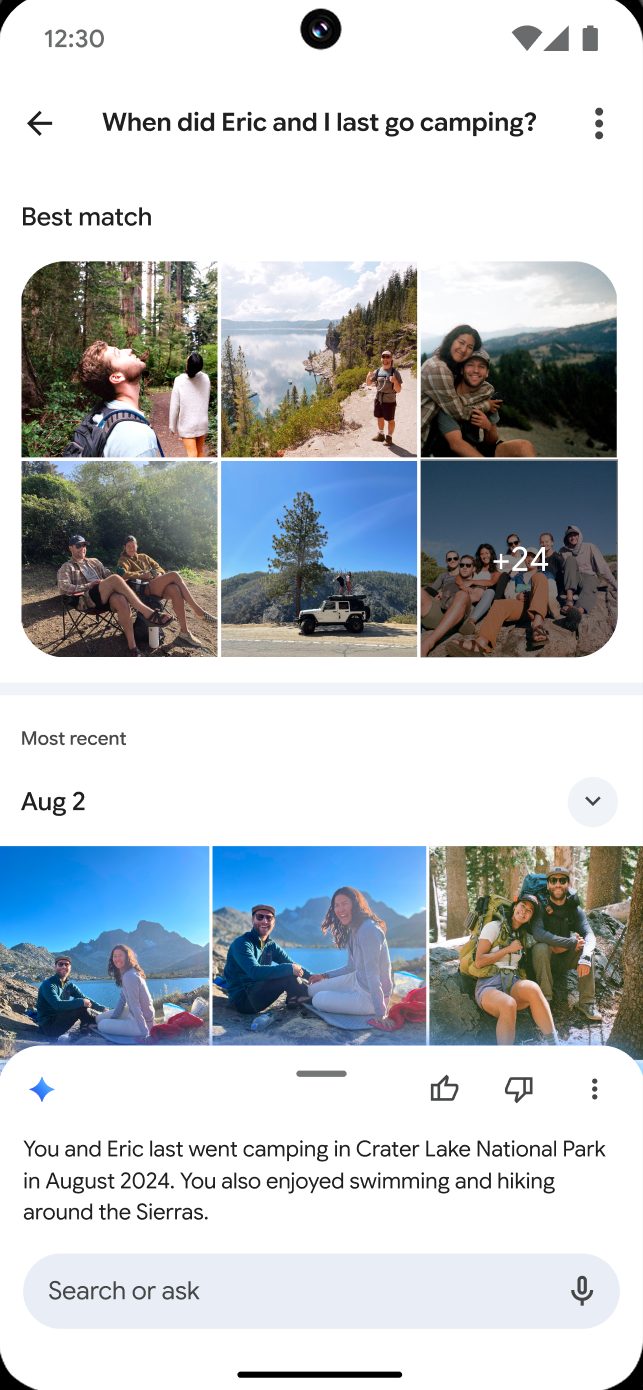
For most people with a full account, I think paying Google is the right call. Google One’s Basic plan adds 100 GB for $1.99 a month, which is room for tens of thousands of phone photos, and nothing about your library or your Gmail changes. You can share the plan with up to five other people. The next step up is 2 TB, sold as Google AI Plus with Gemini features bundled in, at $9.99 a month.
What you keep by staying is what the alternatives struggle to match. Search finds a person’s face, a dog or a place across years of photos. Partner Sharing can send your partner every new photo of the kids automatically. And an album link opens for anyone, with or without a Google account. Face grouping isn’t offered in every country, though, and the chat-style Ask Photos search is limited to US users over 18 with their account set to US English.
Before paying, look at two settings. Storage saver compresses photos to 16 megapixels and videos to 1080p, and those copies still count against your storage, so it slows the problem without fixing it. And Ask Photos only reads your library through Gemini if you opt in to it.
What it does
- Automatic backup from Android phones and iPhones
- Search by faces, places and what's in a photo
- Partner Sharing and album links anyone can open
- Web app on any computer
Pros
- Search finds people, places and things across years of photos
- Shares albums with people who don't use Google Photos
- Paid storage can be shared with up to five other people
Cons
- The free 15 GB is shared with Gmail, Drive and Android backups
- Google holds the encryption keys to your photos
- No desktop app that keeps a copy of your library on your computer
- Photos may be deleted after two years without using the account
#4 3.1/5
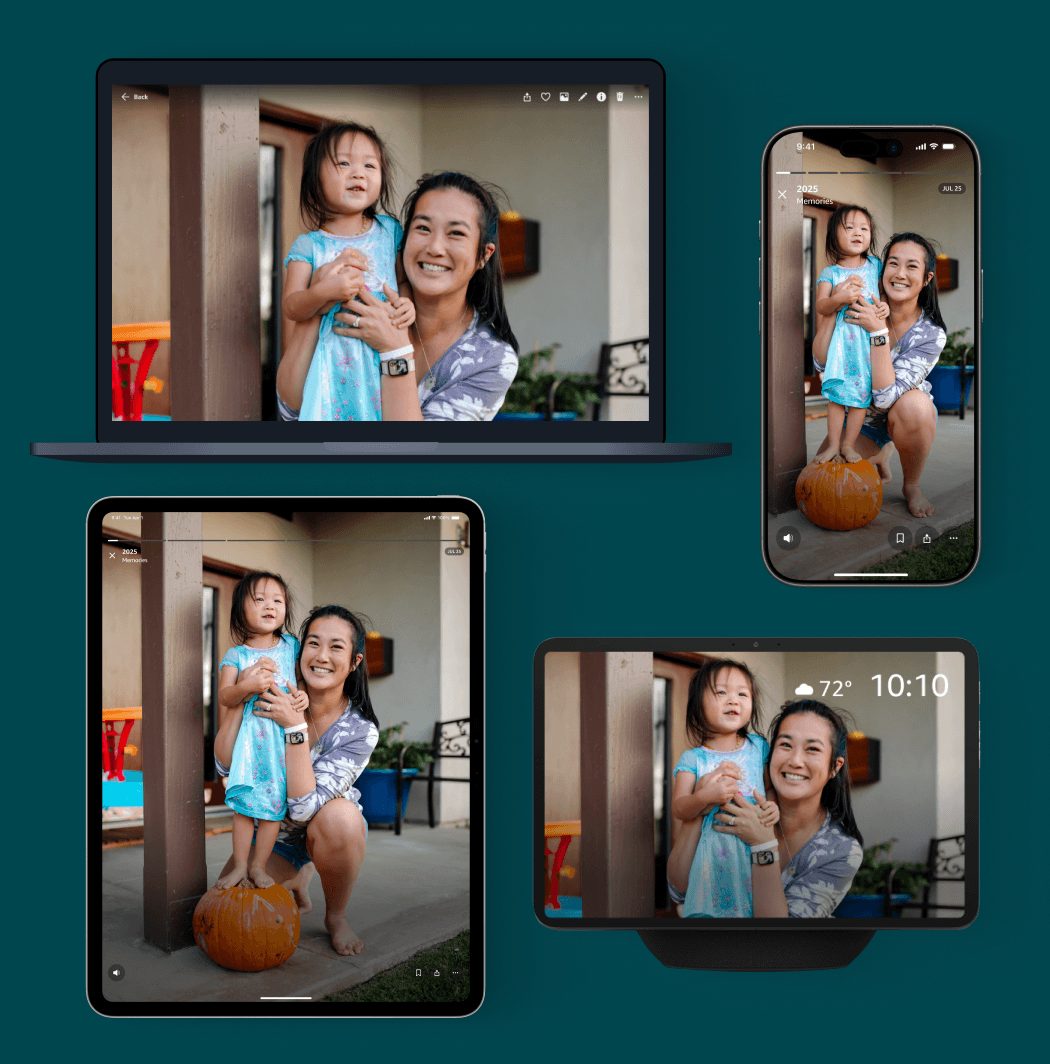
Amazon Photos is a bargain only if you already pay for Prime. Prime members get unlimited storage for full-resolution photos, which ends the storage problem for anyone whose 15 GB is mostly camera photos. Prime itself costs $14.99 a month or $139 a year in the US, and Photos alone isn’t a reason to buy it.
The limit is video. Prime covers only 5 GB of it, which a handful of long 4K clips will fill, and more space for video means a storage plan on top. The unlimited photos also depend on the membership: let Prime lapse and you’re back to the 5 GB every Amazon customer gets. An account left over that limit can’t upload anything, and after 180 days Amazon starts deleting files, newest first.
Amazon tags your photos by objects and scenes and groups faces, and its help pages say it may also scan photos to show you shopping recommendations. Tagging and face grouping can be turned off in settings. A Prime household can share the storage with up to five Amazon Family members, but each person’s uploads stay private to them, so it isn’t a shared family library.
What it does
- Unlimited full-resolution photo storage with Prime
- Auto-Save backup from iPhone and Android
- Search by objects, places and faces
- Photos on Echo Show and Fire TV screens
Pros
- Unlimited photos at no extra cost for Prime members
- Keeps photos at full resolution
- Storage can be shared with up to five Amazon Family members
Cons
- Prime covers only 5 GB of video
- Unlimited photo storage ends when Prime does
- May scan photos to show shopping recommendations
- Unlimited photos only in eight countries, including the US and UK
- Skip if:
- People whose phone storage is mostly video.
#2 3.3/5
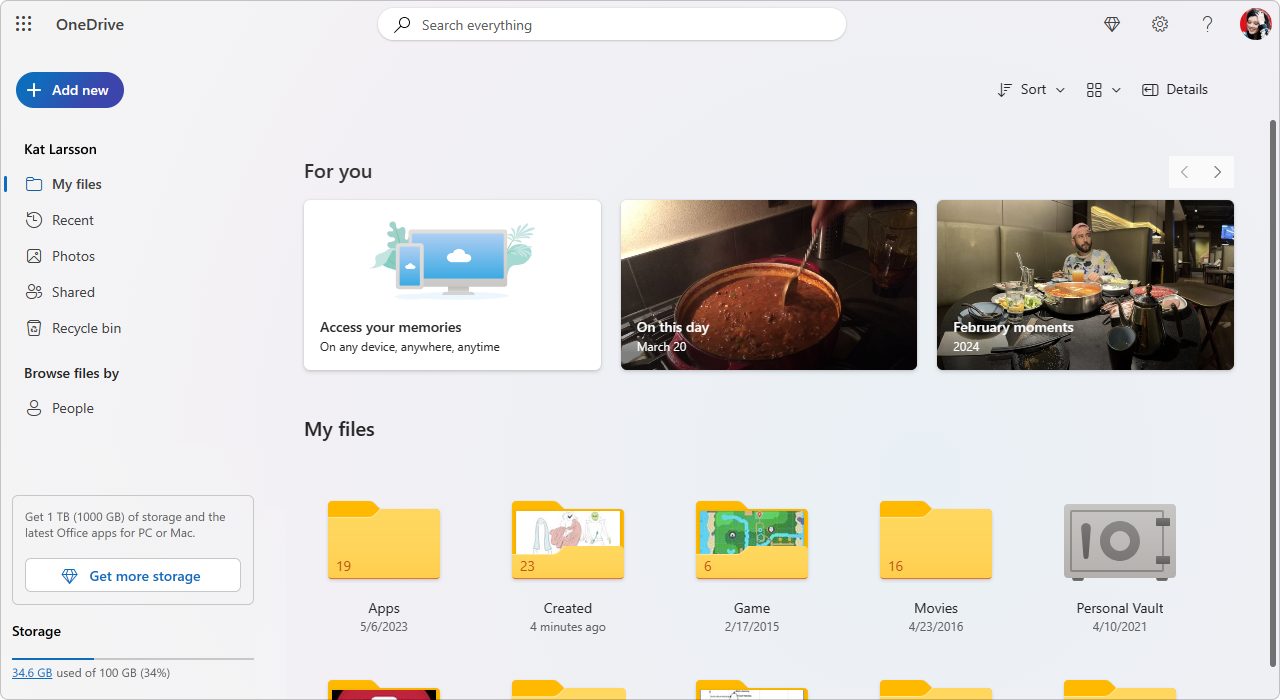
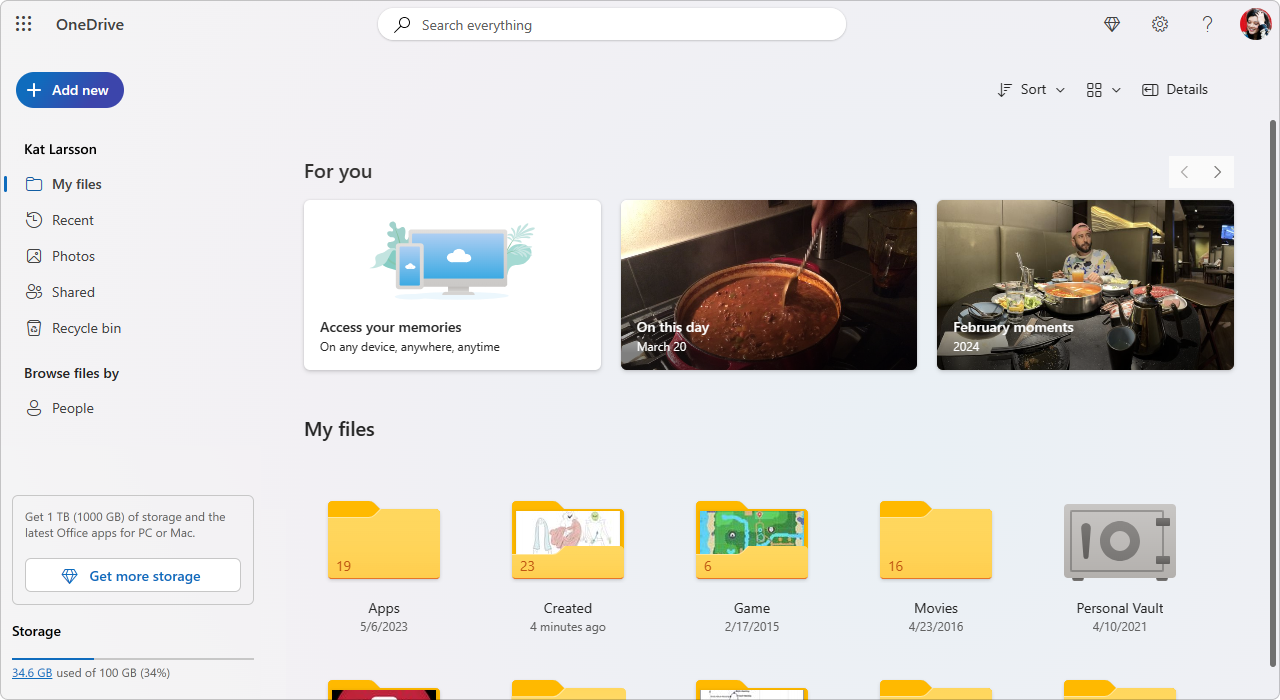
OneDrive solves the same problem with a different bundle. If you pay for Microsoft 365 to get Word and Excel, you already have 1 TB of OneDrive per person, and the OneDrive phone app can back up your camera roll to it. For families the Microsoft 365 Family plan is the interesting one: up to six people, each with their own 1 TB, for $129.99 a year. Google’s plans give a family one shared pool instead.
OneDrive is a file service first. Photos land in a Camera Roll folder, and the Photos view adds a timeline, search and a People section that groups faces. Microsoft says face grouping uses facial scans stored with your account, that it doesn’t use those scans to train its AI, and that turning the feature off deletes them within 30 days.
The free plan has the same trap as Google’s. It’s 5 GB, shared with Outlook.com attachments, and when it’s full Outlook.com email stops sending and receiving. Cancel Microsoft 365 and you drop back to that 5 GB. Microsoft 365 Personal, for one person, costs $99.99 a year.
What it does
- Camera roll backup from iPhone and Android
- Desktop sync on Windows and Mac, with files downloaded only when opened
- Face grouping in a People section
- 1 TB per person with Microsoft 365
Pros
- Microsoft 365 Family gives six people 1 TB each, plus the Office apps
- Keeps iPhone HEIC photos in their original format
- Photos show up as ordinary files in Windows File Explorer and Mac Finder
Cons
- The free plan is only 5 GB, shared with Outlook.com attachments
- Outlook.com email stops working when the storage is full
- Microsoft holds the encryption keys to your photos
- Storage drops to 5 GB if you cancel Microsoft 365
- Skip if:
- Anyone who'd pay for Microsoft 365 only to get the storage.
#3 3.3/5
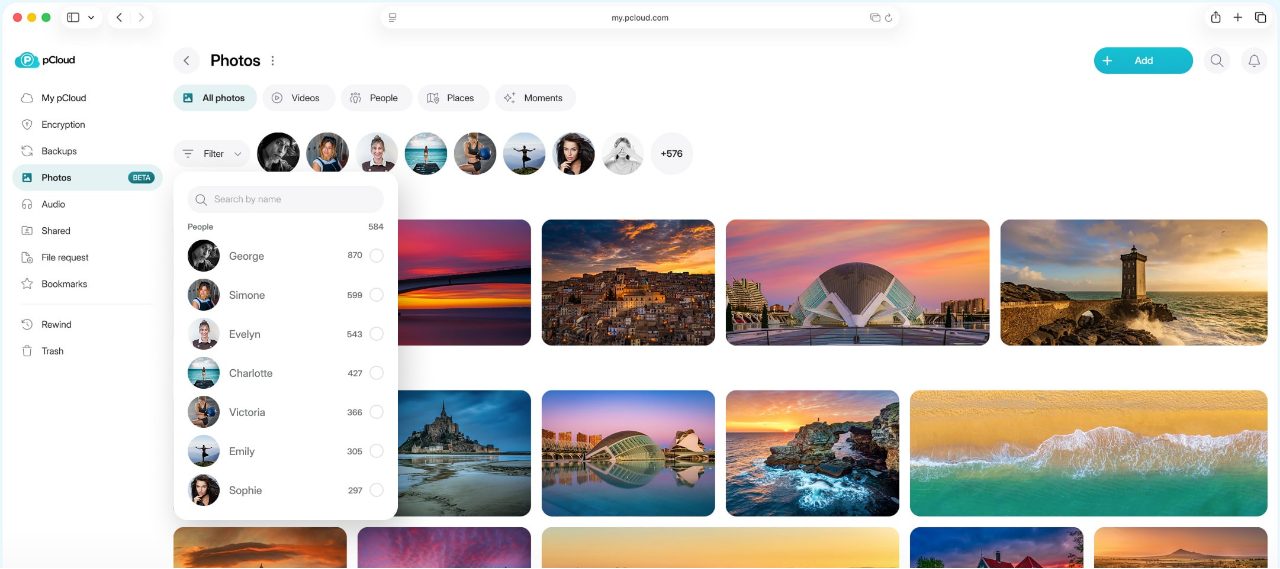
pCloud sells storage as a lifetime plan: you pay once and keep the space for as long as your account and the company last. The 2 TB plan lists at $709, but pCloud often discounts it, and the price was $379 as of November 2026. Google’s 2 TB plan costs about $120 a year, so at list price pCloud takes roughly six years to come out ahead, and at that sale price a little over three. Whether that’s a good deal depends on how sure you are that pCloud will still be around. It has sold storage for more than a decade.
The phone apps upload photos and videos automatically in original quality, and the web gallery searches by objects, scenes and people. The privacy is weaker than the Swiss address suggests. pCloud holds the keys to ordinary storage, and its client-side encrypted Crypto folder is a separate purchase whose photos are left out of that search. Researchers at ETH Zurich also published attacks on that encryption, which pCloud called theoretical. The family plan, for up to five people, is sold only as a lifetime plan.
What it does
- Automatic photo and video upload from iPhone and Android
- Web photo gallery with search by objects, scenes and people
- Desktop apps for Windows, Mac and Linux
- Choice of storage in Europe or the US
Pros
- One payment instead of a subscription
- Keeps photos in original quality
- No limit on file size
Cons
- pCloud holds the encryption keys unless you buy its Crypto add-on
- Photos in the encrypted Crypto folder are left out of photo search
- A lifetime plan lasts only as long as pCloud does
- The family plan comes only as a large one-time payment
If you’d rather nobody else could look at your photos
Google, Amazon and Microsoft all hold the keys to your photos, and so does pCloud outside its paid Crypto folder. That’s what lets them scan photos for faces and objects, and it also means a court order or a breach on their side can expose them. With end-to-end encryption your photos are locked on your phone with a key only your devices hold, so the company storing them can’t open them. Ente Photos, iCloud with Advanced Data Protection turned on, and Proton Drive work that way.
The cost is that anything clever, such as face grouping, has to run on your phone instead of the company’s servers. And if you lose your password and recovery key, nobody can get the photos back for you.
1–5 per criterion · select a score for its reasoning and any sources
| # | Product | Overall | Phone backup on iPhone and Android , counts double | Finding photos | Sharing with family | Price for 2 TB | Privacy of your photos | Getting photos back out |
|---|---|---|---|---|---|---|---|---|
| 1 | Ente Photos | 3.6 | 3 | 4 | 4 | 1 | 5 | 5 |
| 2 | iCloud+ | 3.1 | 1 | 4 | 5 | 3 | 4 | 4 |
| 3 | Proton Drive | 3.0 | 3 | 2 | 4 | 2 | 5 | 2 |



×2 = counts double in the overall score, ×½ = counts half.
How each criterion is scored
Phone backup on iPhone and Android
Counts double in the overall score: Automatic backup that keeps running is the job every reader of this choice needs done first.
Whether the service's own apps back up a phone's whole camera roll, videos and Live or motion photos included, on both iPhone and Android without the owner remembering to do it, and whether it can also pull in photos from a computer or camera. Judged from how and when the apps upload, as their makers document it and as users and reviewers report it.
- 5 Background backup of the whole camera roll on both, plus a desktop app that adds photos from a computer or camera to the same library
- 4 Background backup of the whole camera roll on both, videos and Live or motion photos included
- 3 Background backup on both, with known gaps, such as uploads that stall unless the app stays open, or Live Photos or extra Android folders left out
- 2 Automatic backup on both, but on one of them uploads mostly run only while the app is open on screen
- 1 Automatic backup on only one of iPhone and Android
Finding photos
How easily you find one photo in a library of tens of thousands: face grouping, search by what is in a photo, by place and by text in the picture, and search in your own words. Judged from the features each service offers on its phone apps and from how well users say they work.
- 5 Face grouping, search by objects, places and text, and search in your own words that works well
- 4 Face grouping and search by objects, places and text in the photo
- 3 Either face grouping or search by what is in the photo, or both but limited to some devices or regions
- 2 A timeline with filters such as date, type or place, but no search by what is in the photo
- 1 Browsing by folder or date only
Sharing with family
How a household shares one plan and its photos: whether each person gets their own private library under one subscription, whether others can add to shared albums, and whether photos can be shared with another person automatically.
- 5 One plan for the family, shared albums others add to, and a shared library or partner sharing that adds new photos automatically
- 4 One plan gives each family member a private library, plus shared albums others can add photos to
- 3 One plan gives each family member a private library, but photos are shared only through folders or links
- 2 Several phones can use one login, or each person needs their own paid plan; sharing by link
- 1 One person's storage; sharing only by link
Price for 2 TB
The yearly price of the cheapest plan that holds 2 TB of photos and videos, at US list prices, using the annual price when the service offers one. A one-time lifetime plan counts as its price spread over five years. When a single person can't buy 2 TB, the cheapest plan that gives 2 TB across several family accounts counts. Discounts for the first year only don't count.
- 5 Under $80 a year
- 4 $80 to $109 a year
- 3 $110 to $149 a year
- 2 $150 to $199 a year
- 1 $200 or more a year
Privacy of your photos
Who can see your photos and what the company does with them: whether the library is end-to-end encrypted so only your devices hold the keys, whether faces and contents are analyzed on the company's servers or on your phone, and what the company says about using photos for ads, shopping or AI training.
- 5 Every photo and its details are end-to-end encrypted by default, with recognition on your devices
- 4 End-to-end encryption of the library is an option you turn on, and recognition runs on your devices
- 3 The company holds the keys but analyzes little or nothing of your photos' contents, or end-to-end encryption is only a paid add-on that automatic backup can't use
- 2 The company holds the keys and analyzes faces and contents on its servers; it rules out ads but not every use for AI
- 1 The company holds the keys and says it may use what it finds in your photos for advertising or shopping
Getting photos back out
How easily you get the whole library back as original files, with dates and albums, to keep a second copy or to move to another service.
- 5 A desktop app keeps a full copy of the original files on a computer, in folders that follow your albums or your own folders, and updates it as you add photos
- 4 A desktop app or one-step tool copies the whole library as original files
- 3 A bulk export of original files, but dates or albums come out in separate files that need another tool to put back
- 2 A bulk export you request and wait for, which loses albums or dates
- 1 Download a few photos at a time only
| Feature | Google Photos | Ente Photos | iCloud+ | Proton Drive |
|---|---|---|---|---|
| End-to-end encrypted photos | Google Photos No | Ente Photos Yes | iCloud+ Partly only with Advanced Data Protection on | Proton Drive Yes |
| Android app | Google Photos Yes | Ente Photos Yes | iCloud+ No | Proton Drive Yes |
| Album link for people without an account | Google Photos Yes | Ente Photos Yes | iCloud+ Partly link not end-to-end encrypted | Proton Drive No |
Sources
- Google Photos: “You can share photos, videos, albums, and highlight videos with any of your contacts, even if they don't use the Google Photos app.” google.com, checked Nov 17, 2026
- Google Photos: “We prioritize advanced photo security by protecting your photos and videos with secure infrastructure and data encryption both in transit and at rest.” google.com, checked Nov 17, 2026
- Google Photos: “Yes, Google Photos works on both iOS and Android devices. Get the app to get started. You can also use it on Desktop and Tablet devices.” google.com, checked Nov 17, 2026
- Ente Photos: “Ente Photos for Android can be downloaded through multiple channels based on your preference.” ente.com, checked Nov 7, 2026
- Ente Photos: “Your files are encrypted on your device before being uploaded to our servers.” ente.com, checked Nov 7, 2026
- Ente Photos: “If your friend is not on Ente, you can share a link to your album with them. They can view your photos on a browser, without installing the app or needing an account. You can also allow them to add photos via these links. Even these uploads are end-to-end encrypted.” ente.com, checked Nov 17, 2026
- iCloud+: “Advanced Data Protection for iCloud is an optional setting that offers our highest level of cloud data security. If you choose to enable Advanced Data Protection, your trusted devices retain sole access to the encryption keys for the majority of your iCloud data, thereby protecting it using end-to-end encryption. Additional data protected includes iCloud Backup, Photos, Notes, and more.” support.apple.com, checked Nov 17, 2026
- iCloud+: “iWork collaboration, the Shared Albums feature in Photos, and sharing content with “anyone with the link,” do not support Advanced Data Protection. When you use these features, the encryption keys for the shared content are securely uploaded to Apple data centers so that iCloud can facilitate real-time collaboration or web sharing. This means shared content is not end-to-end encrypted, even when Advanced Data Protection is enabled.” support.apple.com, checked Nov 17, 2026
- iCloud+: “You can [upgrade to iCloud+](https://support.apple.com/en-us/108349) from your iPhone, iPad, Mac, or PC.” support.apple.com, checked Nov 17, 2026
- Proton Drive: “Proton Drive lets you automatically back up the photos on your mobile device in their original quality and with [end-to-end encryption](https://proton.me/blog/what-is-end-to-end-encryption) using our photo backup feature.” proton.me, checked Nov 17, 2026
- Proton Drive: “*At the moment, you can only share albums with other Proton users. Public link sharing is coming soon.” proton.me, checked Nov 23, 2026
Ente Photos
For Google Photos features without anyone seeing your photos
Ranking: Private photo storage
#1 3.6/5

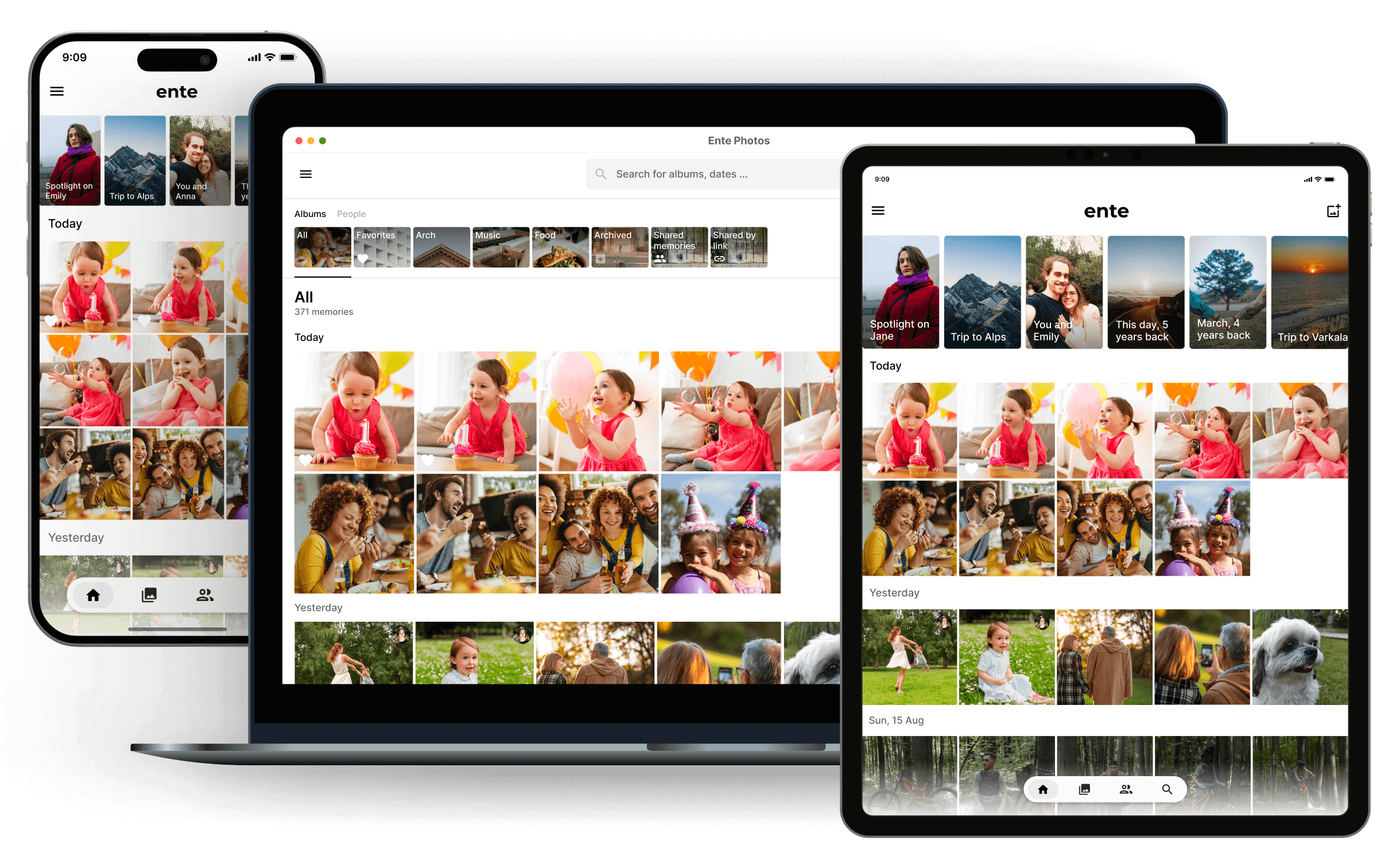
Ente Photos is the closest thing to Google Photos with end-to-end encryption. It backs up your phone automatically in original quality, groups faces, and finds photos from a description such as “dog on a beach”. It shares albums by link with people who have no account, and they can even add their own photos. The face matching and search run on your phone, so Ente never sees the photos, and their dates and locations are encrypted too.
Moving in is easy, because Ente reads the JSON files from Google Takeout, so dates and albums come across. The family plan lets six people share one subscription, each with a private library. Its code is open source, and Cure53 has audited it.
You pay for that privacy. Ente’s 2 TB plan costs $239.88 a year, twice Google’s price, and 200 GB costs $59.88. Face matching on the phone is less accurate than Google’s; one Android Authority reviewer found Ente “easily thrown by sunglasses and hats”. On an iPhone, iOS gives Ente little time to work in the background, so a big first upload needs the app open. And if you lose both your password and your recovery key, Ente can’t recover your photos.
What it does
- End-to-end encrypted backup from iPhone and Android
- Face grouping and search by description, run on your device
- Album links for people without an account
- Imports Google Takeout with dates and albums
- Apps for Windows, Mac and Linux
Pros
- Search and sharing close to Google Photos, without the company seeing your photos
- A family plan shared by six people at no extra cost
- Open source and audited by Cure53
Cons
- Costs about twice as much as Google One for the same storage
- Face matching is less reliable than Google's
- Background backup on iPhone is inconsistent
- Losing your password and recovery key means losing your photos
- Skip if:
- Photographers who shoot mostly RAW files.
#2 3.1/5
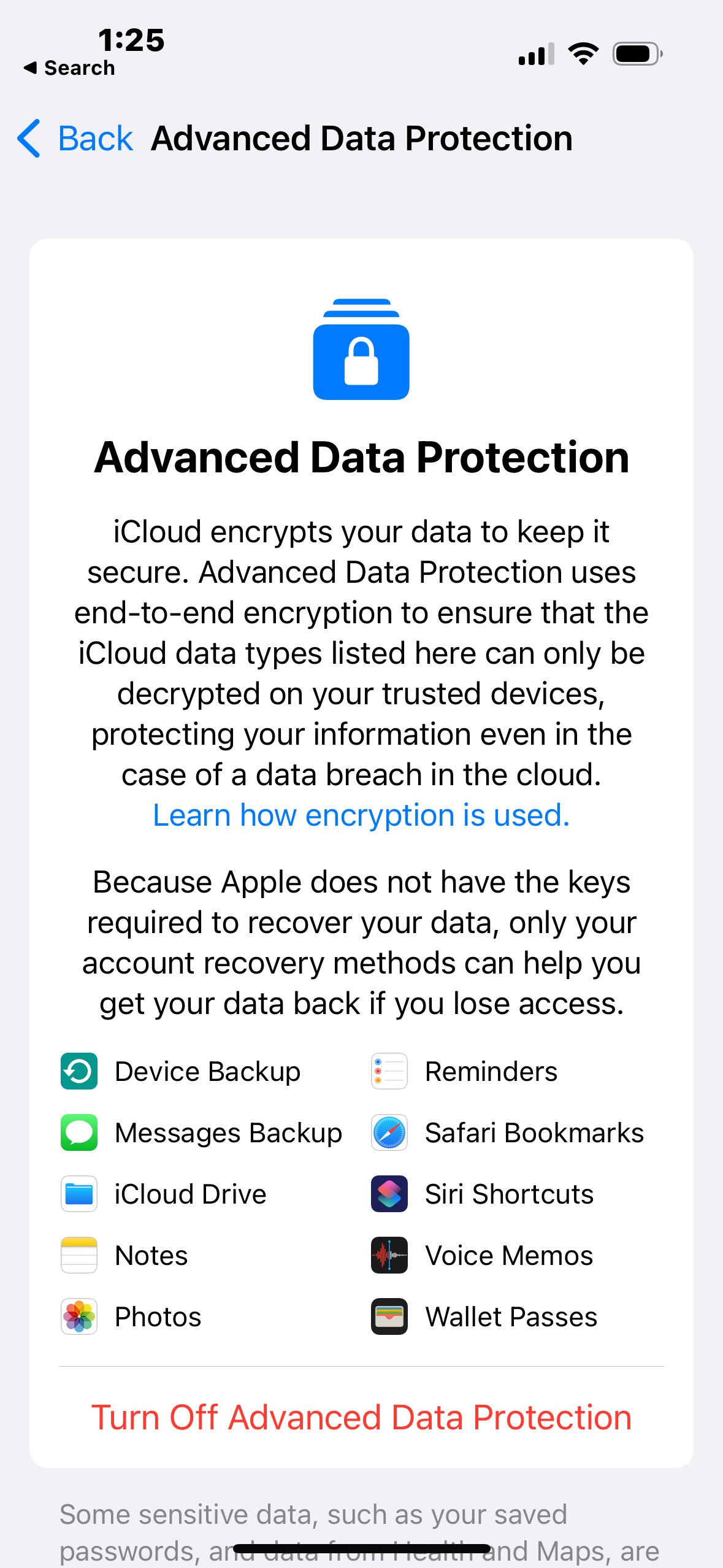
If everyone at home has an iPhone, iCloud Photos is the alternative you already own. It’s built into the Photos app, so backup happens without a separate app to keep open, and face recognition runs on the phone. 200 GB costs $2.99 a month and 2 TB $9.99, the same as Google’s 2 TB plan, and either can be shared with five family members. A Shared Photo Library gives up to six people one common library.
The privacy comes only with a setting most people never turn on. By default Apple holds the keys to your photos. Advanced Data Protection, an opt-in setting, moves Photos to end-to-end encryption, but every Apple device on your account has to be updated, you need a recovery contact or recovery key, and it isn’t available in the UK. Apple’s Shared Albums feature stays outside it, and it shrinks shared photos to 2048 pixels.
iCloud has no Android app. A household with even one Android phone is better off with Google Photos or Ente.
What it does
- Built into Photos on iPhone, iPad and Mac
- Face and object recognition on the device
- Shared Photo Library for up to six people
- iCloud for Windows and iCloud.com in a browser
Pros
- No separate app to install or keep open
- End-to-end encrypted photos once Advanced Data Protection is on
- Storage can be shared with five family members
Cons
- No Android app
- Apple holds the keys unless you turn on Advanced Data Protection
- Free storage is 5 GB, shared with device backups and iCloud Mail
- Shared Albums aren't end-to-end encrypted and shrink photos to 2048 pixels
- Skip if:
- Households with any Android phones.
#3 3.0/5
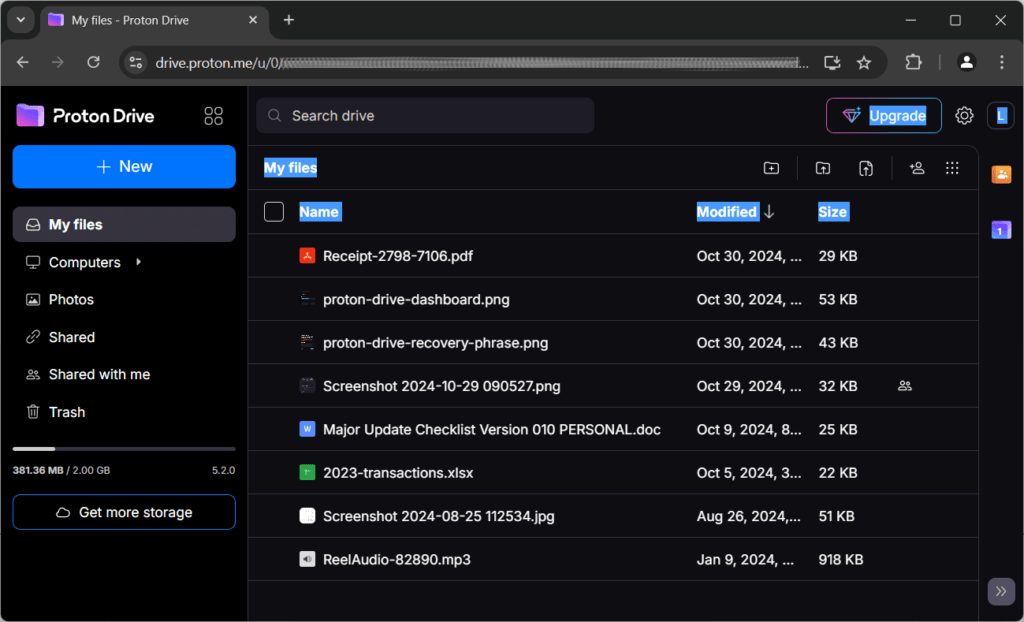
Where Ente is a photo app, Proton Drive is an encrypted cloud drive with a Photos tab. Its phone apps back up your camera roll in original quality, end-to-end encrypted, and show it as a timeline with albums, favorites and filters for videos, RAW files and Live Photos. If you already pay for Proton Mail or Proton VPN through Proton Unlimited, 500 GB of Drive comes with it, and that’s the best reason to choose it.
Bought for storage alone, it costs more than Google One but less than Ente: Drive Plus is 200 GB for $47.88 a year after a cheaper first year, and the Duo plan gives two people 2 TB for $179.88 a year. Sharing is narrower than Ente’s. An album can be shared only with other Proton users, though a single photo can go out as a public link. On an iPhone, closing the app fully stops a backup, and a large library can take days to upload.
What it does
- End-to-end encrypted photo backup from iPhone and Android
- Photo timeline with albums, favorites and type filters
- Encrypted file storage with Docs and Sheets editors
- Included in the Proton Unlimited, Duo and Family bundles
Pros
- Comes with Proton Mail and VPN bundles at no extra cost
- Less than Ente for 200 GB or 2 TB
- 5 GB free, with the same encryption as paid plans
Cons
- Albums can be shared only with other Proton users
- Closing the iPhone app fully stops a backup
- Costs more for the same storage than Google One
Where to go depends on why you’re leaving. If it’s storage, the cheapest fix is usually Google’s own 100 GB plan, unless Prime or Microsoft 365 already gives you the space; pCloud suits people who’d rather pay once and wait a few years for it to pay off. If it’s Google seeing your photos, Ente is the nearest match for Google Photos’ search and sharing, iCloud with Advanced Data Protection is the easy pick for a home full of iPhones, and Proton Drive makes sense when you already use Proton’s other apps. Whichever you choose, start the Takeout export early, since a large library takes a while to prepare.
Also considered
- Dropbox: Its 2 TB Plus plan costs about what Google’s 2 TB plan does, but photos land in a single Camera Uploads folder and are organized as files and folders, so you’d pay the same and get a weaker photo app.
- IDrive: The IDrive Photos app backs up 100 GB for $2.95 a year, far less than anything above. The app is a plain timeline with location filters, and sharing is by download link, so it suits a cheap second copy better than a Google Photos replacement.
- Immich: A free, open-source photo library modeled on Google Photos that runs on your own computer or home server, with face recognition and smart search. It needs Docker and at least 6 GB of RAM, plus your own backups. Our guide to Google Photos alternatives you host yourself compares it with the other options.




Frequently asked questions
What happens if I stop paying for Google One?
Your storage drops back to the free 15 GB. If your photos, mail and files take more than that, Google Photos stops backing up, Gmail may stop sending and receiving, and you can’t create new Google Docs. Nothing is deleted right away: Google says content becomes eligible for deletion after two years over the limit, with at least three months’ notice first.
Does Google use my photos to train its AI?
Google says it doesn’t use your photos for ads and doesn’t train generative AI models outside Google Photos on your personal data in Google Photos. Its privacy notice for Gemini features also says that when you connect Photos to other Google services, Google may train on summaries and other content generated from your library. Face grouping can be turned off in settings, and Ask Photos is off unless you opt in.
Is Storage saver good enough to keep using Google Photos for free?
For phone snapshots you’ll view on a screen, probably. Storage saver shrinks photos over 16 megapixels and videos over 1080p, and it may convert photos to JPEG. Those copies count against your storage too, so it only slows down the day your account fills. If you print large or edit RAW files, keep the originals.
We scored 7 products on 6 criteria using 116 quotes, 94 of them from the products' own websites. How our rankings work