Google Play Books & Audiobooks
Google's ebook and audiobook store and reading app, with EPUB and PDF uploads synced through your Google account
Our verdict
#2 of 4 in Ebook store and library apps for Android · The open alternative to Kindle
What it does
- Ebook and audiobook store, with no subscription
- Uploads of EPUBs and PDFs you own, synced across devices
- DRM-free downloads of books whose seller allows it
- Highlights and notes saved to Google Docs
Pros
- Already installed on most Android phones, with no ads
- Your own EPUBs and PDFs sync like bought books
- Books sold without DRM can be downloaded and kept
Cons
- Fewer color and theme options than dedicated readers
- No e-reader to pair it with
- No subscription for heavy readers
- Choose if:
- You want your bought books and your own files in one synced library
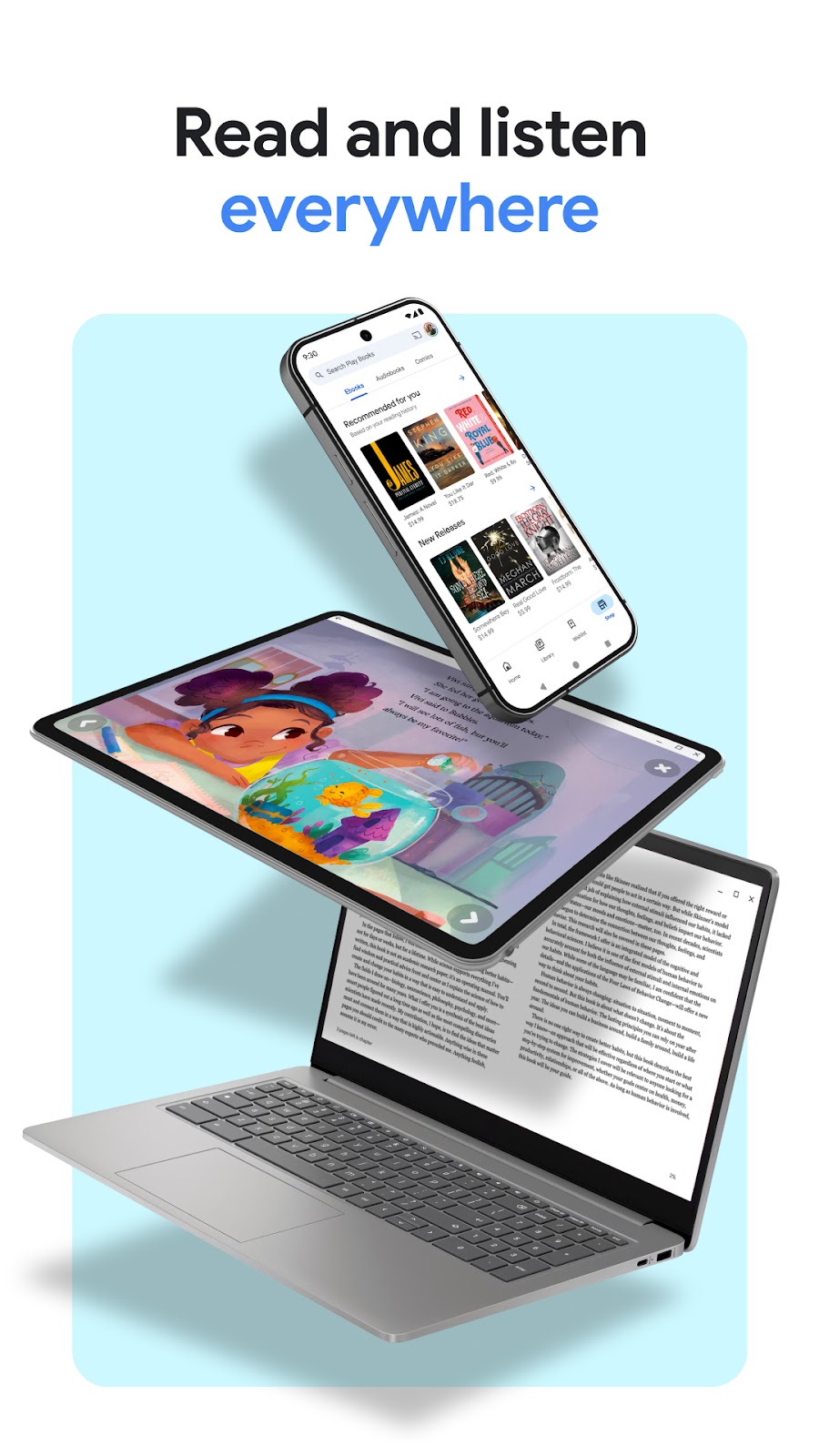
Google Play Books is the reading app tied to the Google Play ebook store. On Android it reads purchased ebooks, audiobooks and comics, and also opens EPUB and PDF files you upload, syncing them and your bookmarks, highlights and notes across signed-in devices. It has no subscription, so you buy individual titles, and the app is free to install. Notes and highlights can be saved to Google Docs files in Google Drive. It also runs on tablets, desktop web and Android Auto.
What users say
Evidence ↓The few views found are mixed. An Android Central reviewer (an undated article, so possibly out of date) calls it polished and well updated but not the most feature-complete reader, and a Play Store reviewer praises the dictionary, catalog and ability to upload own books. The top-voted Play Store review, marked helpful by 667 people, complains of too few color and theme choices for evening reading. Another top review wants to change covers on uploaded books. These are single reviews and top-listed reviews, not a survey.
Rankings and alternatives
- Ebook store and library apps for Android #2 of 4 The open alternative to Kindle
- Kindle #1 The biggest store, and the app to use with a Kindle
- Kobo | eBooks & Audiobooks #3 A cheaper subscription than Kindle+, and the app for Kobo owners
- Libby by OverDrive #4 Free ebooks and audiobooks from your library

Android ebook store and library apps scores
Evaluated Nov 21, 2026 Evidence ↓- Books you can get · counts double 4
4/5 means: A large store with nearly all mainstream new releases ready to buy, but fewer self-published or exclusive titles than the biggest store
The store lists millions of ebooks, audiobooks and comics, with nearly all mainstream new releases for sale. Its self-published and exclusive catalog is smaller than the biggest store's, which rests on my own knowledge.
- What reading costs 3
3/5 means: Books bought one at a time at normal store prices, with frequent deals or rewards but no subscription or free loans
Books are bought one at a time, with Play Points rewards and frequent store deals. There is no subscription, and public-library loans were not found.
- Reading comfort 4
4/5 means: Comfortable and polished, with a good choice of typefaces, spacing and themes and only minor complaints
A polished, frequently updated reader with typeface, text size, line spacing, brightness and a night theme; the most-voted Play Store review wants more color and theme choices. Comfortable with minor complaints. Writer calibration, raised from 3, since its settings match or exceed Libby's and Kobo's.
- Reading on all your devices 4
4/5 means: Android, iPhone and iPad, and a web reader or an e-reader, with your place kept in step
Syncs across Android, tablets, desktop web and Android Auto, and iOS exists per my own knowledge. Position and notes follow your account. It has no dedicated e-reader line, and Kobo sync was not found.
- Your own EPUB and PDF files 4
4/5 means: EPUB and PDF can be added from the phone or by email or upload, and your place and notes in them sync across devices
EPUB and PDF upload from the Android app or by Gmail, and uploads sync across devices with bookmarks, highlights and notes. PDF annotation sync applies only to files uploaded after January 20, 2026, only two formats are listed, and upload limits were not found.
- Highlights, notes and lookups 4
4/5 means: Highlights, notes, dictionary and translation, plus an export of your notes
Highlights, notes, dictionary, translation and search, plus export to a Google Docs file per book in Drive. Export has caveats (edits overwritten, publisher copy limits). There is no cross-book notebook or character lookup, though the listing mentions book insights for select English titles.
- Audiobooks and read-aloud · counts half 4
4/5 means: Audiobooks in the same app, bought or borrowed, with speed controls and a sleep timer
Audiobooks are sold and played in the same app. The listing mentions listening aloud only as a kids' reading tool, and general ebook text-to-speech and audiobook speed or sleep-timer controls were not checked in the sources, so 5 is not claimed.
Pricing
- App Free
Prices checked Nov 21, 2026.
Evidence and sources
What users say
Summary 4 quotes
-
You have color switching for those late night sessions where you want a black background and white text, control over the font — including text size and spacing between lines of text — and app-specific control over screen brightness.
Russell Holly, contributing editor at Android Central · androidcentral.com/using-google-play-books-all-your-reading · checked -
It's not the most powerful app out there, or the most feature complete, but the constant updates and polish make it high on the list of readers worth spending time with.
Russell Holly, contributing editor at Android Central · androidcentral.com/using-google-play-books-all-your-reading · checked -
I read in the evening and would really like Red text on Black. Google please can you add more flexibility. This reader is pretty marginal to bad. I would love to use Google Play Books more but I do not like the reader. My main complaint is the lack of color choices.
play.google.com/store/apps/details · checked -
very handy. I love the dictionary and other functions, the selection of both free and purchasable books, and the ability to upload downloaded books from offline. the only thing I'd like like to add is the option to choose covers for your downloaded books.
play.google.com/store/apps/details · checked
Android ebook store and library apps scores
Books you can get 1 quote
-
Dive into a world of stories with Google Play Books! Explore millions of ebooks, audiobooks, comics, and manga — all in one app.
play.google.com/store/apps/details · checked
What reading costs 1 quote
-
No subscription needed: Buy only the books you want, when you want them.
play.google.com/store/apps/details · checked
Reading comfort 4 quotes
-
Read your way: Customize your reading experience by adjusting the font, text size, brightness, and more.
play.google.com/store/apps/details · checked -
You have color switching for those late night sessions where you want a black background and white text, control over the font — including text size and spacing between lines of text — and app-specific control over screen brightness.
Russell Holly, contributing editor at Android Central · androidcentral.com/using-google-play-books-all-your-reading · checked -
It's not the most powerful app out there, or the most feature complete, but the constant updates and polish make it high on the list of readers worth spending time with.
Russell Holly, contributing editor at Android Central · androidcentral.com/using-google-play-books-all-your-reading · checked -
I read in the evening and would really like Red text on Black. Google please can you add more flexibility. This reader is pretty marginal to bad. I would love to use Google Play Books more but I do not like the reader. My main complaint is the lack of color choices.
play.google.com/store/apps/details · checked
Reading on all your devices 3 quotes
-
Dive into a world of stories with Google Play Books! Explore millions of ebooks, audiobooks, comics, and manga — all in one app.
play.google.com/store/apps/details · checked -
Upload EPUB and PDF files and read them on all of your devices
play.google.com/store/apps/details · checked -
You can also use bookmarks, highlights, and notes with PDF and EPUB documents across your devices. These functions work with PDF documents uploaded after January 20, 2026.
support.google.com/googleplay/answer/11012086 · checked
Your own EPUB and PDF files 3 quotes
-
Upload EPUB and PDF files and read them on all of your devices
play.google.com/store/apps/details · checked -
You can also use bookmarks, highlights, and notes with PDF and EPUB documents across your devices. These functions work with PDF documents uploaded after January 20, 2026.
support.google.com/googleplay/answer/11012086 · checked -
Check the box next to Enable PDF uploading.
support.google.com/googleplay/answer/11012086 · checked
Highlights, notes and lookups 5 quotes
-
Smart notes: Jot down notes that sync with your Google Drive and can be shared for easy collaboration.
play.google.com/store/apps/details · checked -
You can find your Play Books notes, highlights, and bookmarks in Google Drive. Your notes are saved in a document specific to the book you’re reading.
support.google.com/googleplay/answer/3165868 · checked -
If you edit a notes document in Drive and then add notes to the same book, your changes in the Drive document will be deleted.
support.google.com/googleplay/answer/3165868 · checked -
If no highlights appear: The publisher of this book didn't enable the copy-paste feature.
support.google.com/googleplay/answer/3165868 · checked -
You can take notes, add bookmarks, translate, define, and search for words.
support.google.com/googleplay/answer/3165868 · checked
Audiobooks and read-aloud 2 quotes
-
Dive into a world of stories with Google Play Books! Explore millions of ebooks, audiobooks, comics, and manga — all in one app.
play.google.com/store/apps/details · checked -
Kid–friendly reading tools: Let kids explore word definitions and listen to books aloud. Note: Reading practice tools are available in English only.
play.google.com/store/apps/details · checked
Facts
Runs on 2 quotes
-
Dive into a world of stories with Google Play Books! Explore millions of ebooks, audiobooks, comics, and manga — all in one app.
play.google.com/store/apps/details · checked -
Your library, anywhere: Enjoy books on your phone, tablet, computer, or even in your car with CarPlay. Plus, you can download books to read offline.
apps.apple.com/us/app/google-play-books-audiobooks/id400989007 · checked
Users 1 quote
-
1B+
play.google.com/store/apps/details · checked
More from the sources
Pricing 3 quotes
-
Google doesn't adopt any membership plan for its audiobook service. You need to pay for individual titles at their shelf price. At the initial stage, Google is running a promotion where most audiobooks are heavily discounted.
epubor.com/google-play-audiobooks-vs-audible-audiobooks.html · checked -
Google has taken a different approach. There are no membership plans; you can buy audiobooks at their shelf price.
Gaurav Bidasaria, editor at TechWiser · techwiser.com/amazon-audible-vs-google-play-audiobooks · published · checked -
Audible is cheaper if you are listening to one or more audiobook per month due to its intelligent credit system.
Gaurav Bidasaria, editor at TechWiser · techwiser.com/amazon-audible-vs-google-play-audiobooks · published · checked
Features 8 quotes
-
As long as whoever sold you that book has their content available to you DRM-free and available to download, you can click on the three dots on the cover and download in whatever file format suits you best.
androidcentral.com/using-google-play-books-all-your-reading · checked -
If you listen on one device, then switch to another device, the audiobook plays where you left off, at the closest natural stopping point.
support.google.com/googleplay/answer/7572879 · checked -
To avoid data charges, you can download audiobooks using Wi-Fi only.
support.google.com/googleplay/answer/7572879 · checked -
Now, you can listen to audiobooks at 3x speed to get through your book even faster, or slow books down to 0.5x in order to really savor the language.
Andrew Brown, Product Manager, Google Play Books · blog.google/products-and-platforms/platforms/google-play/new-ways-read-more-audiobooks-google-play · published · checked -
Now you can save all of your favorite moments with Bookmarks in the Google Play Books app. While listening on Android or iOS device, just tap the bookmark icon to save this spot and revisit your favorite quote anytime.
Andrew Brown, Product Manager, Google Play Books · blog.google/products-and-platforms/platforms/google-play/new-ways-read-more-audiobooks-google-play · published · checked -
With Family Library, you can share audiobooks and ebooks with up to five family members for free (depending on the book).
Andrew Brown, Product Manager, Google Play Books · blog.google/products-and-platforms/platforms/google-play/new-ways-read-more-audiobooks-google-play · published · checked -
You can listen to the audiobooks you’ve bought if you set up Voice Match. Guests or housemates can listen to audiobooks purchased by the first person who set up Voice Match.
support.google.com/chromecast/answer/7071793 · checked -
Audio immersion: Enjoy a vast library of audiobooks with customizable playback speed, sleep timers, and bookmarking to enhance your listening experience.
apps.apple.com/us/app/google-play-books-audiobooks/id400989007 · checked
Limits and known issues 7 quotes
-
Typically, you can download a book on 3 - 5 devices, though this can vary based on the publisher.
support.google.com/googleplay/answer/3238095 · checked -
AI-narrated audiobooks use text-to-speech technology to create audio from an ebook.
support.google.com/googleplay/answer/7572879 · checked -
If the book publisher allows for e-books or audiobooks to be added to Family Library, you can share it with your family members.
support.google.com/googleplay/answer/7007852 · checked -
Each book can be downloaded on up to 6 devices at the same time. When someone removes a book from their device, it becomes available for other family members to download.
support.google.com/googleplay/answer/7007852 · checked -
Your app doesn’t show the cost of a book or the purchase button on the books store page, for some reason you can only see it on a computer.
Cameyboi, App Store reviewer · apps.apple.com/us/app/google-play-books-audiobooks/id400989007 · published · checked -
My one major concern is that why can’t I make purchases through this app? Every time I want to read a new book I have to leave this app, hop onto google, buy it there, and then go back to the google play book app.
Sayydz, App Store reviewer on iPad · apps.apple.com/us/app/google-play-books-audiobooks/id400989007 · published · checked -
Google Play Audiobooks has a return policy that clearly states "All sales are final". You will get a refund only if the audiobook fails to load or run.
Gaurav Bidasaria, editor at TechWiser · techwiser.com/amazon-audible-vs-google-play-audiobooks · published · checked
Pricing
play.google.com/store/apps/details · checked