Kindle
Amazon's free ebook reader app for Android, tied to the Kindle store and Send to Kindle for your own files.
Our verdict
#1 of 4 in Ebook store and library apps for Android · The biggest store, and the app to use with a Kindle
What it does
- The largest ebook store, with Kindle+ for unlimited reading of included titles
- X-Ray, dictionary, Wikipedia, and translation lookups
- Send to Kindle for your own EPUB and PDF files
- Sync with Kindle e-readers, iPhone, iPad, and the web
Pros
- Nearly every mainstream book plus a large self-published catalog
- Books can be bought inside the Android app in the US
- Reading aids such as X-Ray that other store apps lack
- Your place and notes follow you to Kindle e-readers
Cons
- Ads for books on the home and store screens
- Bought books open only in Amazon's apps and devices
- Your own EPUBs go through Amazon instead of opening from the phone
- Choose if:
- You own a Kindle e-reader or read many self-published books
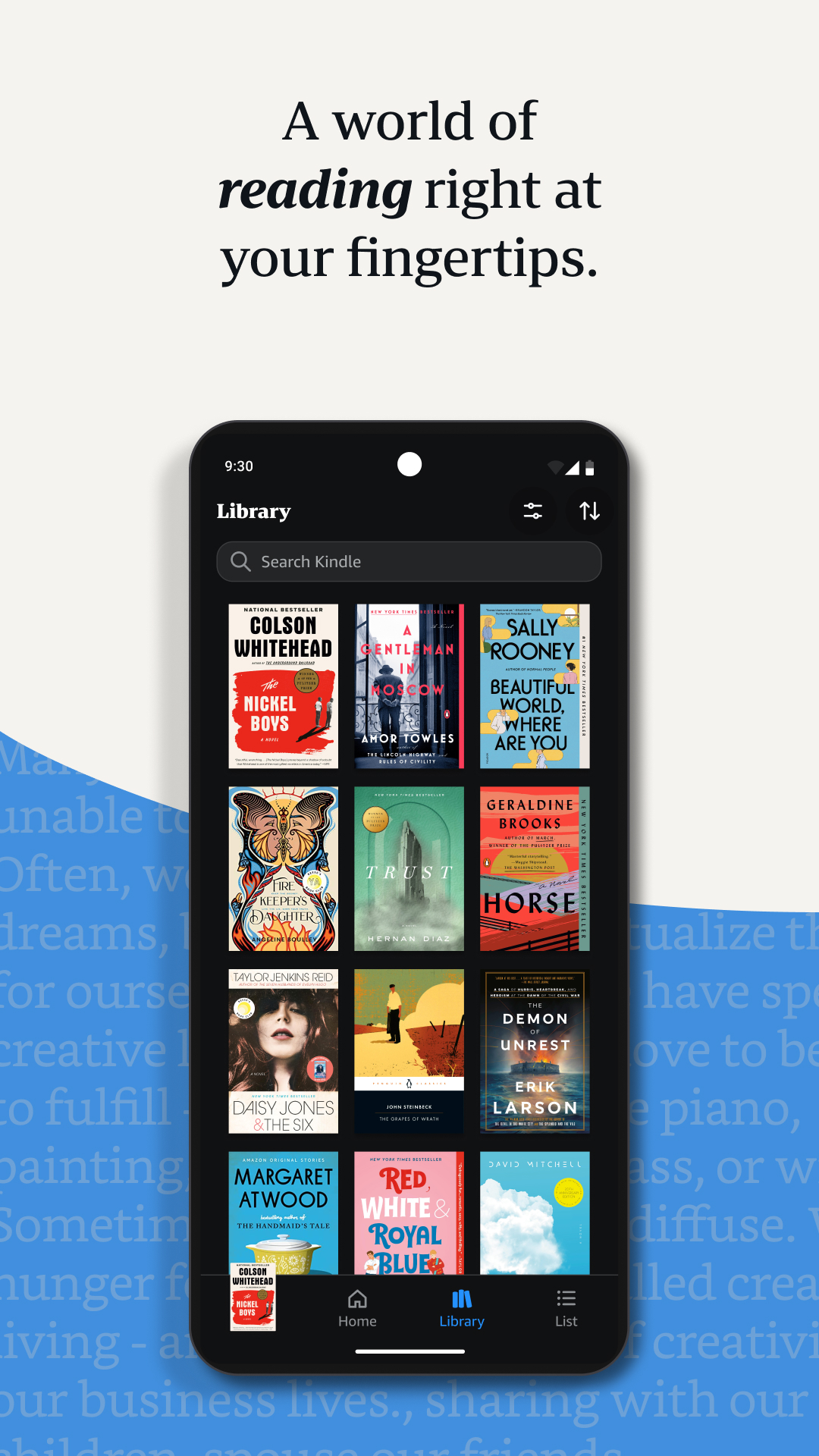
The Kindle app for Android (Play Store name “Amazon Kindle - Reading App”) reads books bought from Amazon’s Kindle store, Kindle Unlimited/Kindle+ and Prime Reading titles, and your own EPUB, PDF and other documents sent to your Kindle library through Send to Kindle. It is free but needs an Amazon account, shows ads in its store and recommendation screens, and in the US sells books inside the app again. It syncs reading position, bookmarks, highlights and notes across phones, tablets, Kindle e-readers and the web, and has a built-in dictionary, X-Ray, Wikipedia lookup, translation, and Audible narration switching. It is closed source.
What users say
Evidence ↓A reviewer at Android Authority praises the huge store, syncing and reading features, and notes ads in the browsing UI but none in the reading view. Store reviews shown on the Play listing are mixed on bugs (books slow to open, accidental highlights with no undo); only three reviews were read, so these are not shared-view measures.
Rankings and alternatives
- Ebook store and library apps for Android #1 of 4 The biggest store, and the app to use with a Kindle
- Google Play Books & Audiobooks #2 The open alternative to Kindle
- Kobo | eBooks & Audiobooks #3 A cheaper subscription than Kindle+, and the app for Kobo owners
- Libby by OverDrive #4 Free ebooks and audiobooks from your library

Android ebook store and library apps scores
Evaluated Nov 21, 2026 Evidence ↓- Books you can get · counts double 5
5/5 means: The largest selection, with nearly every mainstream book plus a large self-published and exclusive catalog, ready to read right away
Largest ebook store with mainstream and a huge self-published and exclusive catalog, and books can be bought in the Android app again (US at least).
- What reading costs 4
4/5 means: Normal store prices plus a subscription that covers many books for a monthly fee, or free library loans in some countries
Normal store prices plus Kindle+ (formerly Kindle Unlimited) at about $11.99 per month in the US, and library loans via Libby in the US. Loans are US-only, so not a 5.
- Reading comfort 4
4/5 means: Comfortable and polished, with a good choice of typefaces, spacing and themes and only minor complaints
Documented font, margin, alignment, scroll and background-color settings and stable reading; no custom font import documented, and some reviewers report slow-opening books and accidental highlights.
- Reading on all your devices 5
5/5 means: Android, iPhone and iPad, a web reader and the store's own e-readers, with your place, highlights and notes kept in step
Position, bookmarks, highlights and notes sync across Android, iOS, Kindle e-readers and web per Amazon; sync is described for store books.
- Your own EPUB and PDF files 4
4/5 means: EPUB and PDF can be added from the phone or by email or upload, and your place and notes in them sync across devices
EPUB and PDF can be sent from the Android app, web or email and appear in the library; MOBI, AZW3, FB2 and CBZ are not accepted. Sync of personal documents is not confirmed in my sources.
- Highlights, notes and lookups 5
5/5 means: As 4, plus extra reading aids such as character and term lookups or a notebook across all your books
Highlights, notes, dictionary, X-Ray, Wikipedia, translation and a Notebook across books. Export is a known feature (email and read.amazon.com notebook) but was not confirmed by a page I read.
- Audiobooks and read-aloud · counts half 3
3/5 means: Audiobooks bought for a book can be played or switched to, but listening isn't central to the app
Audible narration can be switched to inside the app; no text-to-speech documented and audiobook listening is not central. Kindle+ now includes audiobooks per reports, which I did not confirm enough to raise it.
Pricing
- Kindle app Free
- Kindle+ (formerly Kindle Unlimited) $11.99/month , extra
Prices checked Nov 21, 2026.
Evidence and sources
What users say
Summary 3 quotes
-
The UI is riddled with ads. However, the actual book-reading part is free of any such nonsense.
androidauthority.com/the-best-ereader-apps-for-android-170696 · checked -
It has one of the largest and most consistent e-book stores on the internet. Additionally, the app has a ton of reading features, cross-device syncing, and even a large collection of free books.
androidauthority.com/the-best-ereader-apps-for-android-170696 · checked -
I have trouble opening some books after they're downloaded. "Opening taking a little longer than expected." I have had to clear cache, clear storage, & even uninstall app & reinstall.
Play Store reviewer (anonymous), Kindle app user · play.google.com/store/apps/details · checked
Android ebook store and library apps scores
Books you can get 2 quotes
-
It has one of the largest and most consistent e-book stores on the internet. Additionally, the app has a ton of reading features, cross-device syncing, and even a large collection of free books.
androidauthority.com/the-best-ereader-apps-for-android-170696 · checked -
your purchase may use the payment method linked to your Google Play account
digprjsurvey.amazon.com/csad/help/node/TR4NgU0a3Z1YHNE2RE · checked
What reading costs 1 quote
-
Millions of stories across every genre. Ebooks, magazines, comics. No per-title cost.
amazon.com/kindle-dbs/hz/subscribe/ku · checked
Reading comfort 3 quotes
-
Customize your text size, font type, margins, text alignment, and orientation (portrait or landscape)—and choose whether to turn pages from left to right or continuously scroll. Read comfortably day and night with adjustable brightness and background colors.
play.google.com/store/apps/details · checked -
The UI is riddled with ads. However, the actual book-reading part is free of any such nonsense.
androidauthority.com/the-best-ereader-apps-for-android-170696 · checked -
I have trouble opening some books after they're downloaded. "Opening taking a little longer than expected." I have had to clear cache, clear storage, & even uninstall app & reinstall.
Play Store reviewer (anonymous), Kindle app user · play.google.com/store/apps/details · checked
Reading on all your devices 1 quote
-
When you're reading a book, the Kindle app will automatically sync where you left off—along with any bookmarks, highlights, or notes—so you can start reading on one device and pick up where you left off on another.
play.google.com/store/apps/details · checked
Your own EPUB and PDF files 4 quotes
-
In books that let you change font sizes or text layout, you can create highlights and underlines, and circle words to create outlines that neaten and "snap" to the text. You can also create handwritten notes. In print replica books and imported PDF personal documents, you can create direct markups.
play.google.com/store/apps/details · checked -
You can upload documents through the web, an authorized email address, the Kindle app for iOS and Android devices, or a Send to Kindle application if available.
digprjsurvey.amazon.com/csad/help/node/G5WYD9SAF7PGXRNA · checked -
Send to Kindle supports the following file types: HTML (.HTML, .HTM) RTF (.RTF) Text (.TXT) JPEG (.JPEG, .JPG) GIF (.GIF) PNG (.PNG) BMP (.BMP) PDF (.PDF) EPUB (.EPUB)
digprjsurvey.amazon.com/csad/help/node/G5WYD9SAF7PGXRNA · checked -
The Send to Kindle service allows you to send documents to your Kindle library on your Kindle devices and Kindle app at no additional cost.
digprjsurvey.amazon.com/csad/help/node/G5WYD9SAF7PGXRNA · checked
Highlights, notes and lookups 2 quotes
-
Look up words, people, and places while you read. Breeze through words you don't know and characters you can't remember with the built-in dictionary, X-Ray, Wikipedia lookup, instant translations, and search within your book.
play.google.com/store/apps/details · checked -
Bookmark places you want to revisit, and make highlights and take notes throughout your book. Open My Notebook to see all your notes in the same place.
play.google.com/store/apps/details · checked
Audiobooks and read-aloud 1 quote
-
Switch seamlessly from reading your Kindle book to listening to the Audible book, all within the Kindle app.
play.google.com/store/apps/details · checked
Facts
License 1 quote
-
Contains adsIn-app purchases
play.google.com/store/apps/details · checked
Runs on 2 quotes
-
Contains adsIn-app purchases
play.google.com/store/apps/details · checked -
100M+ Downloads
play.google.com/store/apps/details · checked
Needs 1 quote
-
You can upload documents through the web, an authorized email address, the Kindle app for iOS and Android devices, or a Send to Kindle application if available.
digprjsurvey.amazon.com/csad/help/node/G5WYD9SAF7PGXRNA · checked
Users 1 quote
-
100M+ Downloads
play.google.com/store/apps/details · checked
More from the sources
Features 1 quote
-
try any book with a sample in the app before you buy on Amazon.com
play.google.com/store/apps/details · checked
Limits and known issues 1 quote
-
you can no longer buy Kindle ebooks via the Amazon app on Android phones - this was already the case on iPhones, and now everyone else has to suffer too.
techradar.com/news/amazon-update-makes-buying-kindle-ebooks-on-android-much-more-annoying · checked
Pricing
amazon.com/kindle-dbs/hz/subscribe/ku · checked