
Smartsheet
Spreadsheet-style work management in the cloud, with grid, Gantt, board and calendar views, forms and automations, billed per paid member.
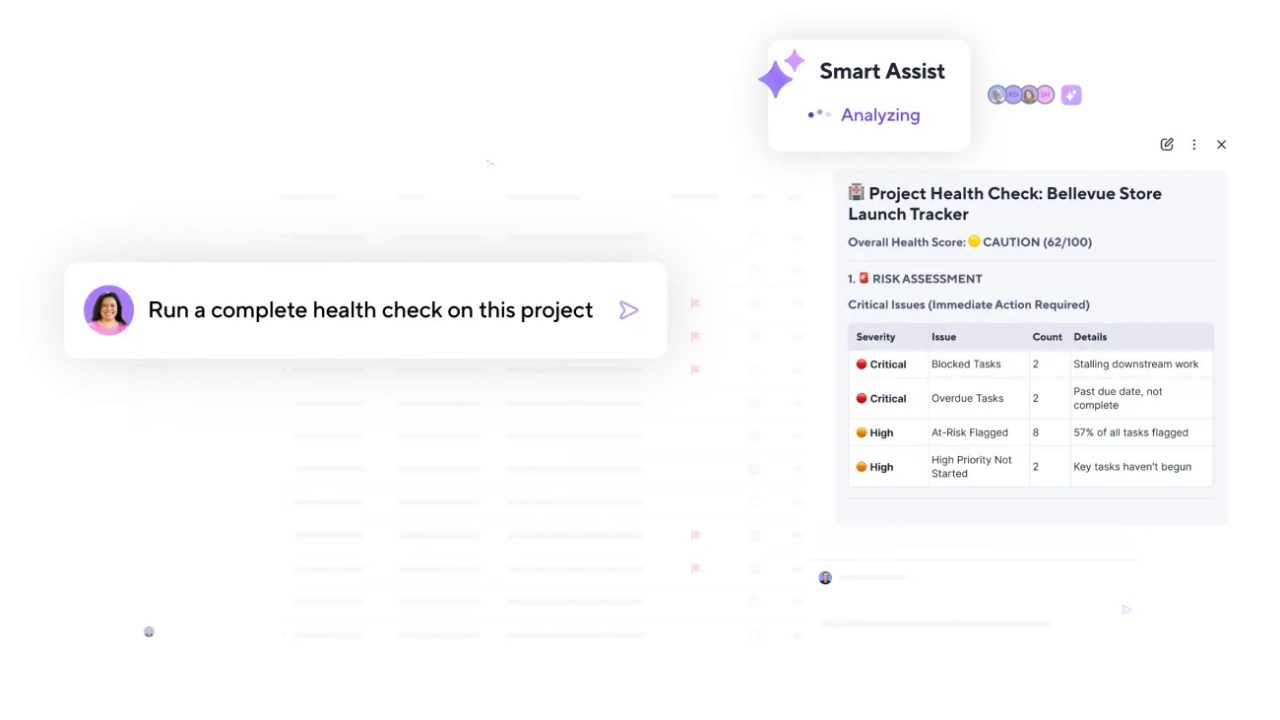
Our verdict
#9 of 10 in Project management software for small teams · For spreadsheet-minded planners
What it does
- Spreadsheet grid that switches to Gantt, board, and calendar views
- Dependencies and cross-sheet formulas on every plan
- Workload tracking and unlimited automations on Business
Pros
- Familiar to anyone who plans in spreadsheets
- The most capable formulas here
- Contributors don't need a paid license
Cons
- No free plan
- Pro stops at 10 members, then the price more than doubles
- Needs someone to build the sheets first
- Choose if:
- Your plans already live in a spreadsheet and your team is 10 or fewer
Smartsheet is a hosted work and project management platform built around a familiar spreadsheet-like grid. The same sheet of tasks can be shown as a grid, Gantt chart, board (cards), calendar or table, with dependencies, formulas, forms, dashboards and reports on every paid plan. Paid members build and edit sheets, while free contributors (Pro and Business) and guests (Business) can work on shared items without a seat. Pro costs $9 per member per month billed annually and is limited to 10 members; Business costs $19 and needs at least 3 members, and adds timeline view, workload tracking, proofing, unlimited automations and 1 TB of storage. There is no free plan, only a 30-day trial. It runs in a browser with iOS and Android apps and is proprietary software.
What users say
Evidence ↓Software Advice's summary of 3,794 verified reviews gives Smartsheet 4.5 out of 5 (ease of use 4.3), with team collaboration the most praised area and nearly 60% of reviewers at companies of 2 to 500 employees. The same review analysis says user experience is the weakest area, with 39% positive and 27% negative, and that new users often struggle with complexity, cost and limited permissions. Individual reviews split the same way, from "initial setup was very easy" to a user at a large company reporting crashes and freezing. These are one review site's aggregates and two single reviews, not a measured consensus.
Rankings and alternatives



Project management software for small teams scores
Evaluated Nov 17, 2026 Evidence ↓- Easy for the whole team · counts double 3
3/5 means: Fine once someone builds the structure, with known snags such as a crowded interface, slow screens or a blank-page start
The spreadsheet-like grid is familiar and reviewers rate ease of use 4.3 of 5, but the same review analysis has only 39% positive and 27% negative on user experience, with new users struggling with complexity, and teams generally need someone to build the sheet structure first.
- Planning views 4
4/5 means: Lists, boards and a timeline or Gantt chart with task dependencies
Pro (the cheapest plan) has grid, Gantt, calendar, table and board views plus dependencies; a dedicated timeline view is Business and up. Portfolio views across projects are Enterprise (sales-quoted), so no multi-project timeline without talking to sales.
- Price per person 3
3/5 means: $11.01 to $14 per person a month
A 6-person team fits Pro at $9 per member and a 25-person team needs Business at $19 because Pro caps at 10 members; the average is (9 + 19) / 2 = $14 per person a month billed annually, computed with a command. Business also has a 3-member minimum.
- Team communication and docs 2
2/5 means: Task comments plus project-level status updates or conversations
Comments and conversations on rows and sheets, plus update requests and alerts, but no wiki or docs pages (the document builder generates documents from sheet data) and no real-time chat; based on the feature table and product knowledge.
- Free plan for a team 1
1/5 means: No free plan, or a free plan for one or two people only
No free plan is listed; there is only a 30-day trial.
- Automation on the paid plan 2
2/5 means: Only simple built-in automation, such as buttons or fixed workflow rules, or a rule builder with fewer than 500 runs a month
A rule builder, but Pro (the plan a 10-person team would use) is limited to 250 automated triggers a month; Business is unlimited.
- Reporting and workload 4
4/5 means: All three, but one only on a sales-quoted plan or as a paid add-on
Dashboards and reports are on every plan and workload tracking is on Business, but built-in time tracking comes only with the Resource Management add-on, whose price is not published (request a demo).
- Clients and contractors 4
4/5 means: Free outside collaborators who can comment and work on tasks, with generous limits
On Pro, unlimited free contributors can work on shared sheets, but the Guests entry is Business-only; contributors do not count toward the 10-member cap. Hiding internal data from clients needs the paid Dynamic View add-on. Contributor permissions are from the pricing page and product knowledge, so the level is somewhat uncertain.
- Software team workflow · counts half 1
1/5 means: No sprints and no code-hosting integration
No sprint or backlog workflow and no GitHub or GitLab integration on the pricing page; Jira sync is a paid Connectors add-on, which is not a code-hosting integration.
Pricing
- Pro $9.00 /month per seat Billed yearly, $9 per member per month ($108 per member per year, 9 x 12); $12 per member per month on monthly billing. Limited to 1-10 members, with unlimited contributors. Pro is only available to new customers. 250 automated triggers a month, 20 GB storage, no timeline view, no workload tracking, no guests, no proofing, no API calls.
- Business $19.00 /month per seat Billed yearly, $19 per member per month ($228 per member per year, 19 x 12); $24 per member per month on monthly billing. Needs at least 3 members, so the smallest yearly cost is $171 a month for 3 members (3 x 19 x 12 = $684 a year). Unlimited guests and contributors, unlimited automations, timeline view, workload tracking, proofing, API calls, 1 TB storage.
- Enterprise Contact sales Custom pricing, 10+ members. Adds SAML-based SSO, portfolios and unlimited storage.
- Advanced Work Management Contact sales Custom pricing for large portfolios.
- Resource Management Contact sales , extra Add-on for Business and Enterprise (workload scheduling, time and expense tracking, capacity forecasting); price not published, request a demo.
- Data Shuttle $100.00 /month , extra Add-on for Business and Enterprise that automates data import and export with external systems; starting price.
- Dynamic View $125.00 /month , extra Add-on for Business and Enterprise for sharing selected sheet data securely; starting price.
Prices checked Nov 17, 2026.
Evidence and sources
What users say
Summary 5 quotes
-
Smartsheet earns an overall 4.5 out of 5 stars based on verified user reviews, with solid ratings in all subcategories (ease of use, customer support, value, and functionality). Users most appreciate the real-time task management, comprehensive project planning, and task scheduling features.
softwareadvice.com/project-management/smartsheet-profile · checked -
However, new users often struggle with the software's complexity and find the high cost and limited user permissions to be challenging.
softwareadvice.com/project-management/smartsheet-profile · checked -
Teams looking for a spreadsheet-like interface, real-time collaboration, and plentiful integrations may also appreciate it. Nearly 60% of reviewers have 2-500 employees.
softwareadvice.com/project-management/smartsheet-profile · checked -
I use Smartsheet for project management, and I like how easy and flexible it is to organize data. It helps me turn cluttered data into organized information, saves me time, and helps me support my peers. The initial setup was very easy.
Jahnavi N., verified reviewer at an 11-50 employee company, on Software Advice · softwareadvice.com/project-management/smartsheet-profile · published · checked -
It seems to crash a lot, or freeze. Sometimes it is hard to go back and find a sheet I worked on before if I don't bookmark it
Kristi C., verified reviewer at a 5001-10000 employee company, on Software Advice · softwareadvice.com/project-management/smartsheet-profile · published · checked
Project management software for small teams scores
Easy for the whole team 4 quotes
-
Smartsheet earns an overall 4.5 out of 5 stars based on verified user reviews, with solid ratings in all subcategories (ease of use, customer support, value, and functionality). Users most appreciate the real-time task management, comprehensive project planning, and task scheduling features.
softwareadvice.com/project-management/smartsheet-profile · checked -
However, new users often struggle with the software's complexity and find the high cost and limited user permissions to be challenging.
softwareadvice.com/project-management/smartsheet-profile · checked -
I use Smartsheet for project management, and I like how easy and flexible it is to organize data. It helps me turn cluttered data into organized information, saves me time, and helps me support my peers. The initial setup was very easy.
Jahnavi N., verified reviewer at an 11-50 employee company, on Software Advice · softwareadvice.com/project-management/smartsheet-profile · published · checked -
It seems to crash a lot, or freeze. Sometimes it is hard to go back and find a sheet I worked on before if I don't bookmark it
Kristi C., verified reviewer at a 5001-10000 employee company, on Software Advice · softwareadvice.com/project-management/smartsheet-profile · published · checked
Planning views 2 quotes
-
Grid view · x · x · x · x Gantt view · x · x · x · x Calendar view · x · x · x · x Table view · x · x · x · x Board view · x · x · x · x Timeline view · - · x · x · x
smartsheet.com/pricing · checked -
Cell formulas · x · x · x · x Column formulas · x · x · x · x Cross-sheet formulas · x · x · x · x Dependencies · x · x · x · x
smartsheet.com/pricing · checked
Price per person 5 quotes
-
$129 per Member/month
smartsheet.com/pricing · checked -
1-10 Members, unlimited Contributors
smartsheet.com/pricing · checked -
3+ Members, unlimited Guests and Contributors
smartsheet.com/pricing · checked -
The pricing for this plan is $9 per user per month when billed annually or $12 per user per month when billed monthly.
softwareadvice.com/project-management/smartsheet-profile · checked -
The pricing for this plan is $19 per user per month when billed annually or $24 per user per month when billed monthly.
softwareadvice.com/project-management/smartsheet-profile · checked
Team communication and docs 1 quote
-
Guests · - · x · x · x File/Attachment storage · 20 GB · 1 TB · Unlimited · Unlimited Maximum attachment size · 30 MB · 250 MB · 250 MB · 250 MB Assign people · x · x · x · x Conversations · x · x · x · x Comments · x · x · x · x Proofing (image and video) · - · x · x · x
smartsheet.com/pricing · checked
Free plan for a team 1 quote
-
30 days free, no credit card required
smartsheet.com/pricing · checked
Automation on the paid plan 1 quote
-
Automated triggers · 250/month · Unlimited · Unlimited · Unlimited
smartsheet.com/pricing · checked
Reporting and workload 3 quotes
-
Workload tracking · - · x · x · x
smartsheet.com/pricing · checked -
Resource Management · - · Add-on · Add-on · Add-on
smartsheet.com/pricing · checked -
Dashboards · Unlimited · Unlimited · Unlimited · Unlimited Reports · Unlimited · Unlimited · Unlimited · Unlimited Forms · Unlimited · Unlimited · Unlimited · Unlimited Conditional form logic · - · x · x · x Templates · x · x · x · x Widgets per dashboard · 10 · Unlimited · Unlimited · Unlimited Sheets per report · 1 · Unlimited · Unlimited · Unlimited
smartsheet.com/pricing · checked
Clients and contractors 2 quotes
-
1-10 Members, unlimited Contributors
smartsheet.com/pricing · checked -
Guests · - · x · x · x File/Attachment storage · 20 GB · 1 TB · Unlimited · Unlimited Maximum attachment size · 30 MB · 250 MB · 250 MB · 250 MB Assign people · x · x · x · x Conversations · x · x · x · x Comments · x · x · x · x Proofing (image and video) · - · x · x · x
smartsheet.com/pricing · checked
Software team workflow 2 quotes
-
Microsoft Office 365 (Teams, Outlook, OneDrive, etc.) · x · x · x · x Google Workspace (Gmail, Hangouts, Drive, etc.) · x · x · x · x Slack · x · x · x · x Adobe Creative Cloud Extension · - · x · x · x Power BI · - · x · x · x Tableau · - · x · x · x
smartsheet.com/pricing · checked -
Connectors · - · Add-on · Add-on · x
smartsheet.com/pricing · checked
Facts
License 1 quote
-
Smartsheet is a work execution platform and collaboration tool with a familiar spreadsheet-like interface that helps teams plan, track, and manage projects in real-time.
softwareadvice.com/project-management/smartsheet-profile · checked
Runs on 1 quote
-
Mobile app (Android & iOS) · x · x · x · x
smartsheet.com/pricing · checked
More from the sources
Features 3 quotes
-
Send alert to Slack · x · x · x · x Send alert to Microsoft Teams · x · x · x · x
smartsheet.com/pricing · checked -
API calls · - · x · x · x
smartsheet.com/pricing · checked -
Single sign-on (SSO) · x · x · x · x Admin Center · x · x · x · x User Management · x · x · x · x Plan Insights · - · x · x · x
smartsheet.com/pricing · checked
Limits and known issues 1 quote
-
The Pro plan is only available to new customers.
smartsheet.com/pricing · checked
How widely it is used 1 quote
-
Trusted by your favorite brands and over 85% of Fortune 500 companies
smartsheet.com/pricing · checked
Pricing
smartsheet.com/pricing · checked