
Airmail
Customizable Mac and iPhone email client with Gmail, iCloud, Exchange and IMAP support
Our verdict
#9 of 10 in Mac email clients · Very customizable, often buggy
Pros
- Custom actions and AppleScript
- Sends mail to task and calendar apps
- Settings sync to the iPhone app
Cons
- Long-running reliability complaints
- Pro subscription needed for more than one account
- AI writing costs extra
- Choose if:
- You depend on sending mail to OmniFocus, Things or other task apps
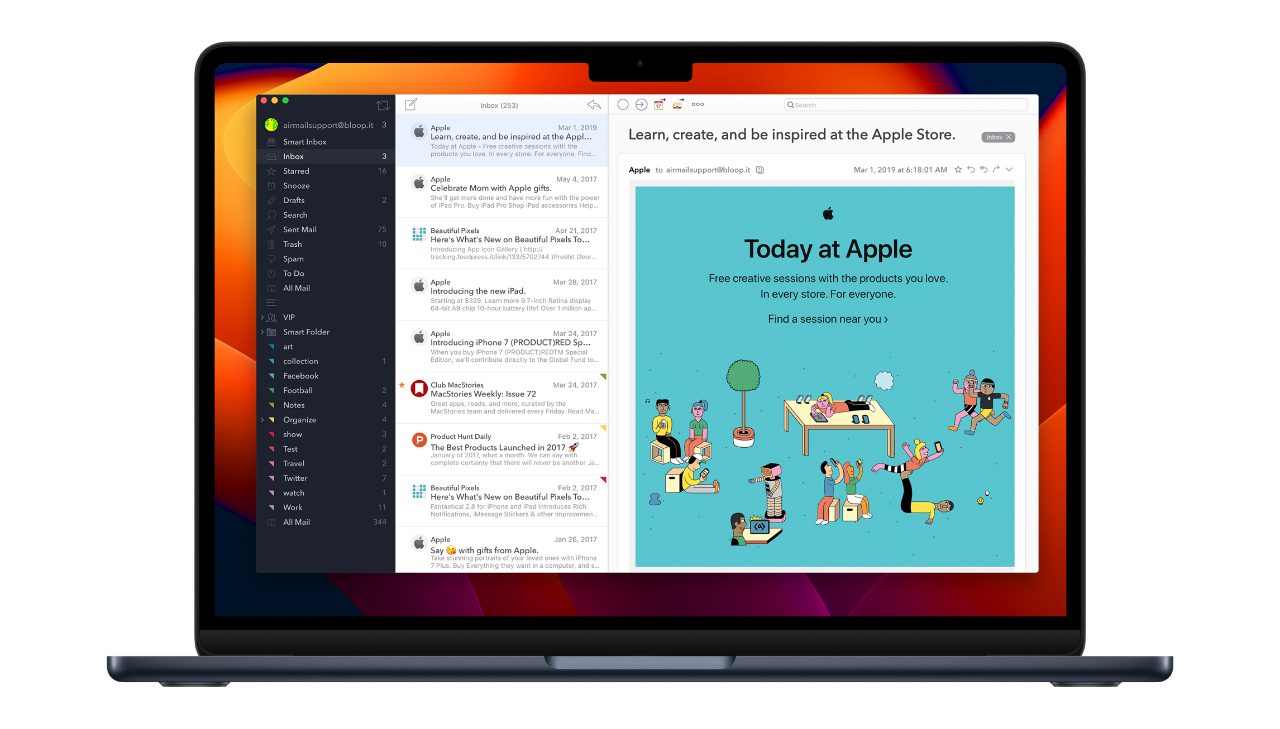
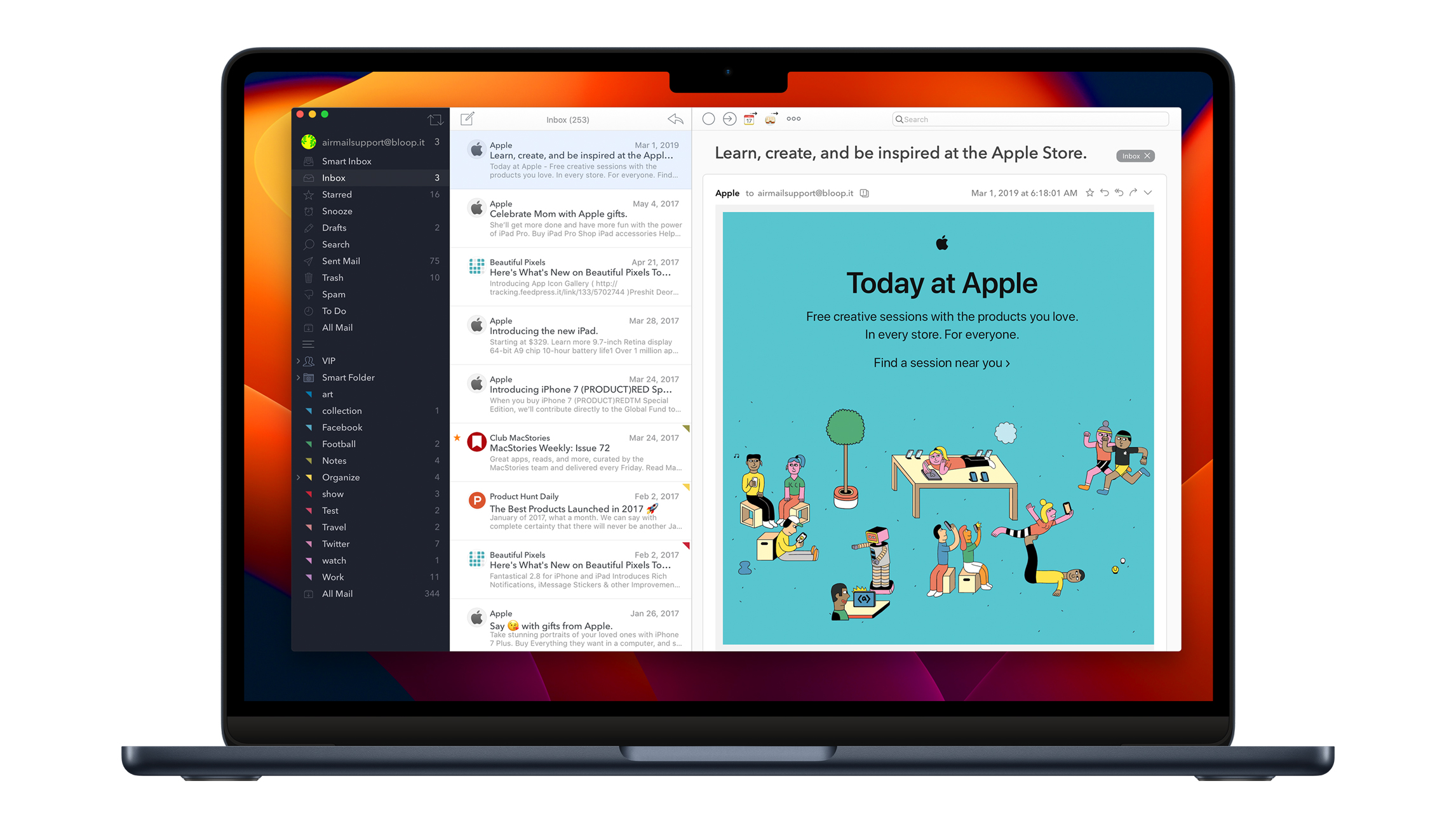
Airmail is a native email client for Mac, iPhone, iPad, Apple Watch and Vision Pro from the Italian developer Bloop. It handles Gmail, iCloud, Exchange, Office 365, Outlook.com, IMAP and POP3 accounts, with a unified inbox, snooze, send later, rules, custom actions, AppleScript and Shortcuts support, and iCloud sync of settings between devices. The app is free to download with a limited free mode; the full feature set needs an Airmail Pro subscription, and an AI Composer add-on is sold separately. A recent update adds an MCP connection so an AI assistant you run can work with mail on the Mac. It is proprietary software sold through the App Store.
What users say
Evidence ↓Users praise the feature depth and customization, such as message headers, bounce, custom actions and per-account notification sounds, but the reports found are mostly critical. App Store reviewers and MacRumors forum users describe sync and rendering problems, missing or vanishing messages, stuck sends and weak IMAP speed and search, slow support, and repeated prompts to upgrade to Pro. Some call the app neglected, though its version history shows regular releases through October. The sample is a handful of reviews and two forum posts, so it shows what unhappy users report rather than how common these problems are.
Rankings and alternatives
- Mac email clients #9 of 10 Very customizable, often buggy
- Apple Mail #1 Best for most Mac users
- Spark Mail by Readdle #2 Smarter inbox, free on every device
- Superhuman Mail #3 For people who live in email


Mac email clients scores
Evaluated Nov 17, 2026 Evidence ↓- Fast and pleasant every day · counts double 2
2/5 means: Works, but frequent complaints about bugs, slowness or stuck messages
Feature-rich and very customizable, but long-time users report folders disappearing after sleep, messages going missing or reappearing, stuck scheduled sends, slow IMAP and constant upgrade prompts.
- Works with all your accounts 4
4/5 means: Gmail, iCloud, Microsoft 365 and IMAP in a combined inbox, with a known weak spot for one of them
Gmail, Google Workspace, iCloud, Exchange, Office 365, Outlook.com, IMAP and POP in a unified inbox; one user reports Exchange servers that refused it.
- Tools for getting through the inbox 3
3/5 means: Three of the five
Snooze, Send Later and a Smart Inbox that filters newsletters; no reply reminders or new-sender screening were found.
- Same app on your iPhone 5
5/5 means: A full iPhone app, with accounts and settings carried over between Mac and iPhone
A full iPhone and iPad app, with account settings, signatures and templates synced over iCloud.
- Mail stays between you and your provider 3
3/5 means: Mostly direct, but some features or cross-device sync pass mail or logins through the app maker's or an AI provider's servers
An optional privacy mode processes everything locally and blocks tracking pixels, but it is off by default, and features such as Send Later and real-time push appear to use Airmail's servers.
- Cost over three years 3
3/5 means: $80 to $200
The free version has no multiple accounts, so Pro is needed at $49.99 a year, about $150 over three years.
- Calendar built in · counts half 1
1/5 means: No calendar, and invitations open elsewhere
No built-in calendar; messages can be sent to Calendar, Fantastical or BusyCal.
- Keyboard and automation · counts half 4
4/5 means: Built for the keyboard, or deeply automatable with scripting, custom actions or add-ons
Custom actions, AppleScript, Shortcuts, global shortcuts and sending mail to dozens of task and note apps, though it isn't built around the keyboard.
- AI help · counts half 2
2/5 means: One small AI feature, such as AI sorting or writing help, or a small trial allowance
Can connect to outside AI assistants such as Claude; the AI Composer for writing is a separate purchase on top of Pro.
Pricing
- Free Free Free to download. New users get limited capabilities without multiple accounts, per the Mac App Store listing; the listing does not list exactly what stays free.
- Airmail Pro Monthly $7.99 /month In-app subscription on the US Mac App Store. Unlocks multiple accounts and the Pro features. Price varies by region. The vendor says Airmail Pro is free for users subscribed to Airmail Pro for iOS.
- Airmail Pro Yearly $49.99 /year In-app subscription on the US Mac App Store, billed once a year. About $4.17 a month ($49.99 / 12). Price varies by region.
- AI Composer $14.99 /month , extra Add-on for AI writing in the composer, listed as "Ai Composer Monthly" on the US Mac App Store. A separate "Ai Composer" entry is listed at $4.99 without a stated period.
Prices checked Nov 17, 2026.
Evidence and sources
What users say
Summary 5 quotes
-
After over a year of use I am looking to move on from Airmail. It's generally a nice applciation and functions well but it has some long standing issues that never seem to get resolved. Support requests seem to be fruitless too. Once they see what the issue is they just stop responding. The first problem is that it has a difficult time rendering some messages so images and sometimes even the text does not display.
Doubledge1, Mac App Store reviewer · apps.apple.com/us/app/airmail-lightning-fast-email/id918858936 · checked -
My mail folders disappear every time the Mac goes to sleep and shortcuts stop working.
Tamanzi, Mac App Store reviewer and long-time user · apps.apple.com/us/app/airmail-lightning-fast-email/id918858936 · published · checked -
Update June 2016: I am really happy with this application. It does “hiccup” sometimes and you need to tell it to rebuild a specific database for the account you are having trouble with, but aside from that, it works just fine and has perhaps too many customizable features (something Outlook for Mac does not have).
wannabecool1, Mac App Store reviewer · apps.apple.com/us/app/airmail-lightning-fast-email/id918858936 · checked -
Recently tried Airmail again and I think it’s abandonware. It’s feature rich and provides a lot of functions I can’t find elsewhere (view message headers, bounce messages, etc). I have issues with the app locking up (app won’t compose message correctly), some messages get “stuck” (one this happens they will never send; must delete and recreate), and the Focus Inbox does not work.
SaguaroSeven, MacRumors forum user · forums.macrumors.com/threads/mail-vs-spark-or-alternatives.2204683/page-2 · checked -
I got fed up with AirMail constantly bugging me to upgrade to their pro plan.
jedimasterkyle, MacRumors forum user · forums.macrumors.com/threads/mail-vs-spark-or-alternatives.2204683/page-2 · published · checked
Mac email clients scores
Fast and pleasant every day 5 quotes
-
After over a year of use I am looking to move on from Airmail. It's generally a nice applciation and functions well but it has some long standing issues that never seem to get resolved. Support requests seem to be fruitless too. Once they see what the issue is they just stop responding. The first problem is that it has a difficult time rendering some messages so images and sometimes even the text does not display.
Doubledge1, Mac App Store reviewer · apps.apple.com/us/app/airmail-lightning-fast-email/id918858936 · checked -
My mail folders disappear every time the Mac goes to sleep and shortcuts stop working.
Tamanzi, Mac App Store reviewer and long-time user · apps.apple.com/us/app/airmail-lightning-fast-email/id918858936 · published · checked -
Update June 2016: I am really happy with this application. It does “hiccup” sometimes and you need to tell it to rebuild a specific database for the account you are having trouble with, but aside from that, it works just fine and has perhaps too many customizable features (something Outlook for Mac does not have).
wannabecool1, Mac App Store reviewer · apps.apple.com/us/app/airmail-lightning-fast-email/id918858936 · checked -
Recently tried Airmail again and I think it’s abandonware. It’s feature rich and provides a lot of functions I can’t find elsewhere (view message headers, bounce messages, etc). I have issues with the app locking up (app won’t compose message correctly), some messages get “stuck” (one this happens they will never send; must delete and recreate), and the Focus Inbox does not work.
SaguaroSeven, MacRumors forum user · forums.macrumors.com/threads/mail-vs-spark-or-alternatives.2204683/page-2 · checked -
I got fed up with AirMail constantly bugging me to upgrade to their pro plan.
jedimasterkyle, MacRumors forum user · forums.macrumors.com/threads/mail-vs-spark-or-alternatives.2204683/page-2 · published · checked
Works with all your accounts 2 quotes
-
Add as many email accounts of any type your like to Airmail. (Gmail, GSuite, iCloud Mail, Exchange, Office 365, Microsoft Outlook, IMAP and POP3).
airmailapp.com · checked -
Update June 2016: I am really happy with this application. It does “hiccup” sometimes and you need to tell it to rebuild a specific database for the account you are having trouble with, but aside from that, it works just fine and has perhaps too many customizable features (something Outlook for Mac does not have).
wannabecool1, Mac App Store reviewer · apps.apple.com/us/app/airmail-lightning-fast-email/id918858936 · checked
Tools for getting through the inbox 1 quote
-
When you don't want to deal with an email now, but don't want it in your inbox either, use the snooze function to hide it until it's relevant.
airmailapp.com · checked
Same app on your iPhone 1 quote
-
Sync your account settings, signatures, templates, account icons between your iOS devices and Mac with iCloud sync.
airmailapp.com · checked
Mail stays between you and your provider 1 quote
-
If privacy is paramount then you can enable privacy mode which will process all the data locally on your device. Privacy mode also blocks tracking pixels, and prevents images from loading automatically.
airmailapp.com · checked
Cost over three years 2 quotes
-
Airmail Pro Yearly $49.99 Airmail Pro Monthly $7.99 Ai Composer $4.99 Ai Composer Monthly $14.99
apps.apple.com/us/app/airmail-lightning-fast-email/id918858936 · checked -
New Users can try Airmail without Multi Account, and limited capabilities.
apps.apple.com/us/app/airmail-lightning-fast-email/id918858936 · checked
Calendar built in 1 quote
-
Send to: - Omnifocus - Fantastical - Evernote - Apple Reminder - Calendar - BusyCal - Things - 2To - Wunderlist - Todoist
apps.apple.com/us/app/airmail-lightning-fast-email/id918858936 · checked
Keyboard and automation 2 quotes
-
Use AppleScript support to automate sending email with custom scripts.
airmailapp.com · checked -
Send to: - Omnifocus - Fantastical - Evernote - Apple Reminder - Calendar - BusyCal - Things - 2To - Wunderlist - Todoist
apps.apple.com/us/app/airmail-lightning-fast-email/id918858936 · checked
AI help 2 quotes
-
Airmail Pro Yearly $49.99 Airmail Pro Monthly $7.99 Ai Composer $4.99 Ai Composer Monthly $14.99
apps.apple.com/us/app/airmail-lightning-fast-email/id918858936 · checked -
Airmail now connects to AI assistants like Claude, Codex, and other compatible chatbots — so you can manage your email just by asking, in plain language.
apps.apple.com/us/app/airmail-lightning-fast-email/id918858936 · checked
Facts
License 1 quote
-
Airmail Pro Yearly $49.99 Airmail Pro Monthly $7.99 Ai Composer $4.99 Ai Composer Monthly $14.99
apps.apple.com/us/app/airmail-lightning-fast-email/id918858936 · checked
Runs on 2 quotes
-
Requires macOS 14.6 or later.
apps.apple.com/us/app/airmail-lightning-fast-email/id918858936 · checked -
Sync your account settings, signatures, templates, account icons between your iOS devices and Mac with iCloud sync.
airmailapp.com · checked
Needs 1 quote
-
Requires macOS 14.6 or later.
apps.apple.com/us/app/airmail-lightning-fast-email/id918858936 · checked
Pricing
apps.apple.com/us/app/airmail-lightning-fast-email/id918858936 · checked