Apple Screen Time
Apple's free built-in parental controls for iPhone, iPad and Mac, managed through Family Sharing
Our verdict
#2 of 7 in Parental control apps · The free default for a kid's iPhone
What it does
- Daily time budget by kind of app, plus school-day schedules
- Ask to Buy for downloads, and approval for new websites and contacts
- Adult websites blocked by default for kids under 18
- Arrive and leave alerts through Find My
Pros
- Free and can't be uninstalled
- Locks any app on an iPhone, which outside apps can't do as fully
- Hides texts from people you haven't approved
Cons
- Parents have reported bugs that let kids skip their limits
- Needs an Apple device to manage
- Sends you nothing about what's in messages
- Choose if:
- Everyone in the family uses Apple devices
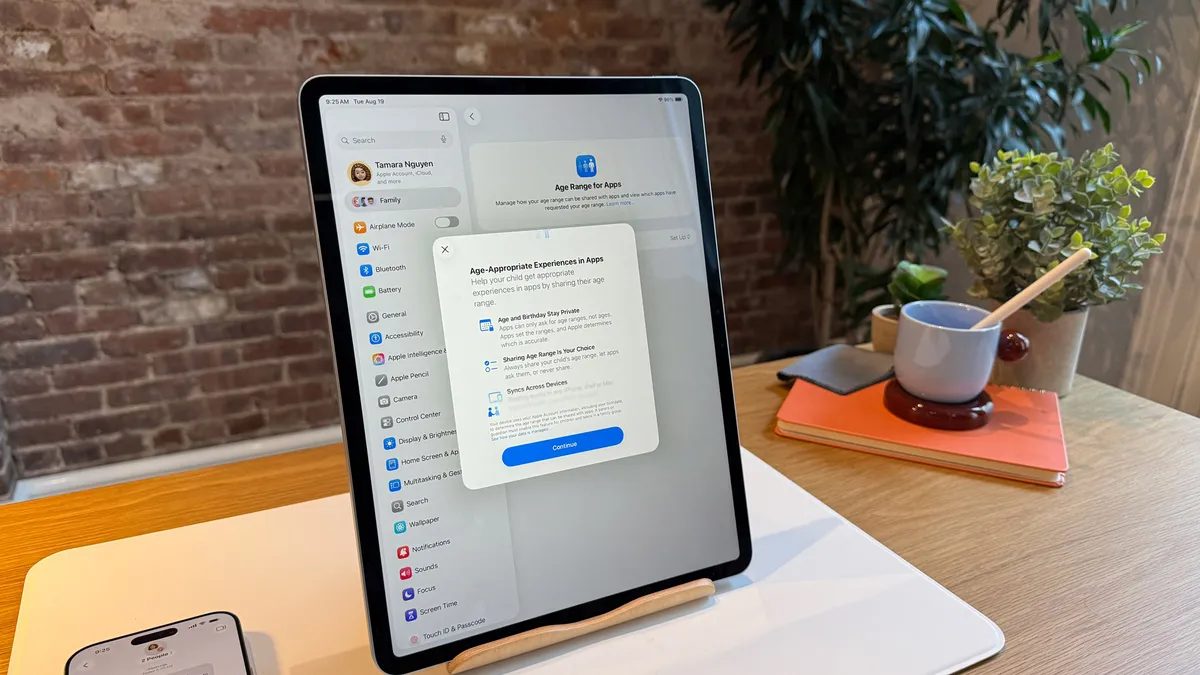
Screen Time is the parental control system built into iPhone, iPad and Mac. A parent manages a child’s Apple Account through Family Sharing from their own Apple device, setting time allowances and schedules, app and website approvals (Ask to Buy, Ask to Browse), allowed contacts, content restrictions and Communication Safety. Location sharing and arrive or leave alerts come from Find My. It is free with the devices and only covers Apple devices signed in to the child’s own Child Account. Apple’s current pages describe the iOS 27 version; families with devices that cannot update keep the iOS 26 version.
What users say
Evidence ↓Few practitioner accounts were found. A TechRadar reviewer found Apple's controls broad and the iOS 26 additions welcome, and noted many parents use only a fraction of them and that a child who memorizes the parent's passcode can grant themselves time. Two parents in one Apple Support Community thread reported that on iOS 26.5 a child can tap One More Minute repeatedly to get past app limits; this is a small sample and was not retested on iOS 27.
Rankings and alternatives
- Parental control apps #2 of 7 The free default for a kid's iPhone
- Google Family Link #1 Free and the most control over an Android phone
- FamiSafe #3 Most features for the price, mostly on Android
- Qustodio #4 Best all-rounder for mixed families



Parental control apps for iPhone and Android scores
Evaluated Nov 17, 2026 Evidence ↓- Screen time limits and schedules · counts double 4
4/5 means: Daily, per-app and scheduled limits that lock the phone on every child platform it supports, with minor gaps
Daily Time Allowances, per-category limits, schedules and extra-time requests approved remotely by a parent, all enforced by the OS on iPhone, iPad and Mac. Held back from 5 by parent reports that One More Minute could be tapped repeatedly on iOS 26.5; not retested on iOS 27.
- Hard for kids to get around 3
3/5 means: Needs a parent password or passcode to remove, but known workarounds or reliability bugs let a determined kid through
Built into the OS and changes need the Screen Time passcode, but a reported One More Minute bug and passcode-watching let a determined kid through. Apple added parent notifications when the passcode is used.
- Blocking and approving apps 5
5/5 means: Blocks any app, restricts by age rating, and asks the parent to approve each new download
Block any app, age-rating restrictions (including 13+/16+/18+) and Ask to Buy approval of each download, with one-time exceptions.
- Web filtering 4
4/5 means: Category filters with allow and block lists that cover all browsers on the phone, with occasional misses
Limit Adult Websites is on by default under 18 and Ask to Browse covers new sites; on iPhone all browsers use Apple's web engine, so filtering applies beyond Safari outside the EU (from knowledge). Allow-only mode and block lists exist; no reviewer filtering tests were read.
- Alerts about messages and social media 2
2/5 means: Protects the kid on the device, such as blurring explicit images or approving new contacts, but sends the parent no alerts about content
Communication Safety blurs nudity, gore and violence and Allowed Contacts needs parent approval for new contacts, but Apple documents no alerts to the parent about message content.
- Works for mixed iPhone and Android families 1
1/5 means: Manages one platform's kids, and only from a parent phone of the same platform
Managed only from the parent's Apple device and only for Apple devices; an Android parent can't manage it and it can't manage an Android child (from knowledge; Apple's pages name no Android route).
- Yearly cost for a family 5
5/5 means: Free
Free with the devices; needs Family Sharing and a Child Account for each child.
- Easy to set up and use 4
4/5 means: Quick setup on both platforms it supports and a clear parent app, with few complaints
Built in, with setup in Settings > Family and sensible age-based defaults, but the controls are numerous, many parents use only a fraction, and iOS 26 and 27 differ. Little reviewer or user-rating data was read.
- Location and place alerts · counts half 4
4/5 means: Live location and arrive and leave alerts for places the parent picks
Live location through Find My plus automatic and custom arrive and leave alerts; location history is not part of it.
Pricing
- Screen Time with Family Sharing Free
Prices checked Nov 17, 2026.
Evidence and sources
What users say
Summary 4 quotes
-
On iOS 26.5, a child account under Family Screen Time can repeatedly tap “One More Minute” after an app/website limit is reached. The child does not need parent approval, and the action temporarily unlocks all apps, not just the app or website that requested the minute. This can be repeated indefinitely, making Downtime/App Limits ineffective.
arifromdelraybeach, Apple Support Community user · discussions.apple.com/thread/256315580 · published · checked -
I just discovered this issue on my kids' phones also. I confirm that my kids' phones and my phone are all on iOS 26.5.2. The issue is still not resolved.
Scott Hofmeister, Apple Support Community user and parent · discussions.apple.com/thread/256315580 · published · checked -
To Apple's credit, it's been adding to and enhancing its parental control ecosystem for years. So much so that many parents may only scratch the surface of its vast platform of controls.
Lance Ulanoff, reviewer at TechRadar · techradar.com/phones/ios/4-surprising-ways-you-can-gain-control-of-your-kid-s-screen-time-on-the-iphone-and-ipad · checked -
If the kid has been surreptitiously watching you enter the passcode and has it memorized, they could be granting themselves more screen time.
Lance Ulanoff, reviewer at TechRadar · techradar.com/phones/ios/4-surprising-ways-you-can-gain-control-of-your-kid-s-screen-time-on-the-iphone-and-ipad · checked
Parental control apps for iPhone and Android scores
Screen time limits and schedules 5 quotes
-
With Time Allowances, you can set boundaries for how long your child can use apps across app categories, such as entertainment, games, and social media. You can set a daily time budget that spans all categories, then fine-tune it by adjusting the time allotted to any individual category.
support.apple.com/en-us/108806 · checked -
With Screen Time Schedules, you can choose which apps your child can access at different times of the day, like before school, during school, and after school. You can even set up separate routines for weekdays and weekends, or create your own based on what works best for your family. You also quickly pause device use, allow unlimited use, or change the schedule for the day, right within the Screen Time settings.
support.apple.com/en-us/108806 · checked -
When children reach the end of their Time Allowance, they'll get a notification and can ask parents for more time to quickly wrap a conversation or finish an activity.
apple.com/child-safety · checked -
On iOS 26.5, a child account under Family Screen Time can repeatedly tap “One More Minute” after an app/website limit is reached. The child does not need parent approval, and the action temporarily unlocks all apps, not just the app or website that requested the minute. This can be repeated indefinitely, making Downtime/App Limits ineffective.
arifromdelraybeach, Apple Support Community user · discussions.apple.com/thread/256315580 · published · checked -
I just discovered this issue on my kids' phones also. I confirm that my kids' phones and my phone are all on iOS 26.5.2. The issue is still not resolved.
Scott Hofmeister, Apple Support Community user and parent · discussions.apple.com/thread/256315580 · published · checked
Hard for kids to get around 4 quotes
-
We also recommend setting up a Screen Time passcode that your child does not know. This is designed to help prevent children from changing these settings.
apple.com/child-safety · checked -
On iOS 26.5, a child account under Family Screen Time can repeatedly tap “One More Minute” after an app/website limit is reached. The child does not need parent approval, and the action temporarily unlocks all apps, not just the app or website that requested the minute. This can be repeated indefinitely, making Downtime/App Limits ineffective.
arifromdelraybeach, Apple Support Community user · discussions.apple.com/thread/256315580 · published · checked -
I just discovered this issue on my kids' phones also. I confirm that my kids' phones and my phone are all on iOS 26.5.2. The issue is still not resolved.
Scott Hofmeister, Apple Support Community user and parent · discussions.apple.com/thread/256315580 · published · checked -
If the kid has been surreptitiously watching you enter the passcode and has it memorized, they could be granting themselves more screen time.
Lance Ulanoff, reviewer at TechRadar · techradar.com/phones/ios/4-surprising-ways-you-can-gain-control-of-your-kid-s-screen-time-on-the-iphone-and-ipad · checked
Blocking and approving apps 2 quotes
-
You can allow or block access to specific apps and websites, and adjust app and website protections, including Ask to Buy and Ask to Browse. With Ask to Buy and Ask to Browse, your child sends you a request for approval when they want to make an eligible purchase or download, or visit a new website in Safari or another supported browser app.
support.apple.com/en-us/108806 · checked -
The App Store is also adding more granular age ratings, with three new categories: 13+, 16+, and 18+. These will work with Screen Time settings and content filters, allowing parents to block or allow app downloads based on more precise age targets.
fox10phoenix.com/news/apple-parental-controls-ios26 · published · checked
Web filtering 2 quotes
-
You can allow or block access to specific apps and websites, and adjust app and website protections, including Ask to Buy and Ask to Browse. With Ask to Buy and Ask to Browse, your child sends you a request for approval when they want to make an eligible purchase or download, or visit a new website in Safari or another supported browser app.
support.apple.com/en-us/108806 · checked -
Ask to Browse is on by default for children under 13 and Limit Adult Websites is on by default for children under 18.*
support.apple.com/en-us/108806 · checked
Alerts about messages and social media 2 quotes
-
if your child receives a message from someone new, they can't see the message until you or another parent/guardian in the Family Sharing group approves.
support.apple.com/en-us/108806 · checked -
Help protect your child from sharing or receiving photos and videos that are detected to contain nudity, gore or violence. Communication Safety also works on live FaceTime calls, and provides on-device guidance and age-appropriate resources to help your child make safe choices. Apple doesn't get access to the photos or videos.
support.apple.com/en-us/108806 · checked
Works for mixed iPhone and Android families 1 quote
-
It's recommended that you manage a child's Screen Time and parental controls from the family organizer or parent/guardian's device, but you can also manage Screen Time directly on the child's device using a Screen Time passcode.
support.apple.com/en-us/108806 · checked
Yearly cost for a family 2 quotes
-
To use Screen Time and parental controls, make sure you have Family Sharing set up and that each family member has their own Apple Account. If you have children in your family group, they need a Child Account.*
support.apple.com/en-us/108806 · checked -
With Family Sharing, you and up to five family members can share access to Apple services like iCloud+, Apple Music, Apple TV, and more — without sharing an Apple Account.
apple.com/child-safety · checked
Easy to set up and use 3 quotes
-
It's recommended that you manage a child's Screen Time and parental controls from the family organizer or parent/guardian's device, but you can also manage Screen Time directly on the child's device using a Screen Time passcode.
support.apple.com/en-us/108806 · checked -
Ask to Browse is on by default for children under 13 and Limit Adult Websites is on by default for children under 18.*
support.apple.com/en-us/108806 · checked -
To Apple's credit, it's been adding to and enhancing its parental control ecosystem for years. So much so that many parents may only scratch the surface of its vast platform of controls.
Lance Ulanoff, reviewer at TechRadar · techradar.com/phones/ios/4-surprising-ways-you-can-gain-control-of-your-kid-s-screen-time-on-the-iphone-and-ipad · checked
Location and place alerts 1 quote
-
Parents can know where their child is with automatic notifications that alert them when a child arrives at or leaves a particular place, like school. Parents can also create custom alerts for specific locations.
apple.com/child-safety · checked
Facts
License 1 quote
-
In iOS 27, iPadOS 27, macOS 27, watchOS 27, and visionOS 27, Screen Time introduces new parental controls to help parents manage what kids access, when they use their devices, and how they stay safe while communicating with others.
support.apple.com/en-us/108806 · checked
Runs on 2 quotes
-
It's recommended that you manage a child's Screen Time and parental controls from the family organizer or parent/guardian's device, but you can also manage Screen Time directly on the child's device using a Screen Time passcode.
support.apple.com/en-us/108806 · checked -
In iOS 27, iPadOS 27, macOS 27, watchOS 27, and visionOS 27, Screen Time introduces new parental controls to help parents manage what kids access, when they use their devices, and how they stay safe while communicating with others.
support.apple.com/en-us/108806 · checked
Needs 3 quotes
-
To use Screen Time and parental controls, make sure you have Family Sharing set up and that each family member has their own Apple Account. If you have children in your family group, they need a Child Account.*
support.apple.com/en-us/108806 · checked -
In iOS 27, iPadOS 27, macOS 27, watchOS 27, and visionOS 27, Screen Time introduces new parental controls to help parents manage what kids access, when they use their devices, and how they stay safe while communicating with others.
support.apple.com/en-us/108806 · checked -
If you can't update some of the devices in your Family Sharing group, you can continue to use the previous version of Screen Time and parental controls.
support.apple.com/en-us/108806 · checked
More from the sources
Features 4 quotes
-
Still under Screen Time, open Screen Time Schedule and turn on Schedule. Add a schedule for weekdays or weekends. Each time window gets a name, start and stop times, and which Time Allowance categories stay available.
iphonewired.com/jailbreak/1200218 · published · checked -
Tap Time Allowances. Drag the daily total, or open a category and set its own limit. Entertainment, Games, and Social Media are the starting buckets. Manage Categories lets you add more or see average daily use per app.
iphonewired.com/jailbreak/1200218 · published · checked -
Screen Time caps minutes and windows. Focus filters which alerts break through while you work or sleep. Use both when social apps burn time and keep pinging.
iphonewired.com/jailbreak/1200218 · published · checked -
You can use apps within each category until they reach either the category’s allowance or the daily total.
support.apple.com/guide/iphone/set-schedules-and-time-allowances-iphb0c7313c9/ios · checked
Limits and known issues 4 quotes
-
If your child is using a device that is signed in to someone else's Apple Account, they may not have access to the same age-based safeguards and parental controls designed to help them stay safe, and they may be able to access content that's not appropriate for them.
apple.com/child-safety · checked -
Tap Manage Screen Time, then Lock Screen Time Settings. Enter a four-digit code twice. After that, changing schedules or allowances asks for the code first.
iphonewired.com/jailbreak/1200218 · published · checked -
You can create a passcode that you must enter before changing Screen Time settings you selected for yourself.
support.apple.com/guide/iphone/create-change-remove-a-screen-time-passcode-iph272b4c4bd/ios · checked -
One important caveat is that the new Screen Time experience requires all devices in the Family Sharing group to be running iOS 27, iPadOS 27, macOS 27, watchOS 27, or visionOS 27.
Zac Hall, writer at 9to5Mac · 9to5mac.com/2026/06/10/apple-is-giving-screen-time-and-parental-controls-a-long-overdue-upgrade-in-ios-27 · published · checked
Platforms and requirements 2 quotes
-
Manage Screen Time also holds Share Across Devices. Turn it on when every Mac, iPad, and iPhone on the same Apple Account should share the same schedules, allowances, and combined report.
iphonewired.com/jailbreak/1200218 · published · checked -
When Share Across Devices is on, any Screen Time limits or schedules you set apply to your iPhone, iPad, and Mac.
support.apple.com/guide/iphone/set-up-screen-time-for-yourself-iphbfa595995/ios · checked
Pricing
support.apple.com/en-us/108806 · checked