Google Family Link
Google's free parental controls app for supervising a child's Android phone and Google account
Our verdict
#1 of 7 in Parental control apps · Free and the most control over an Android phone
What it does
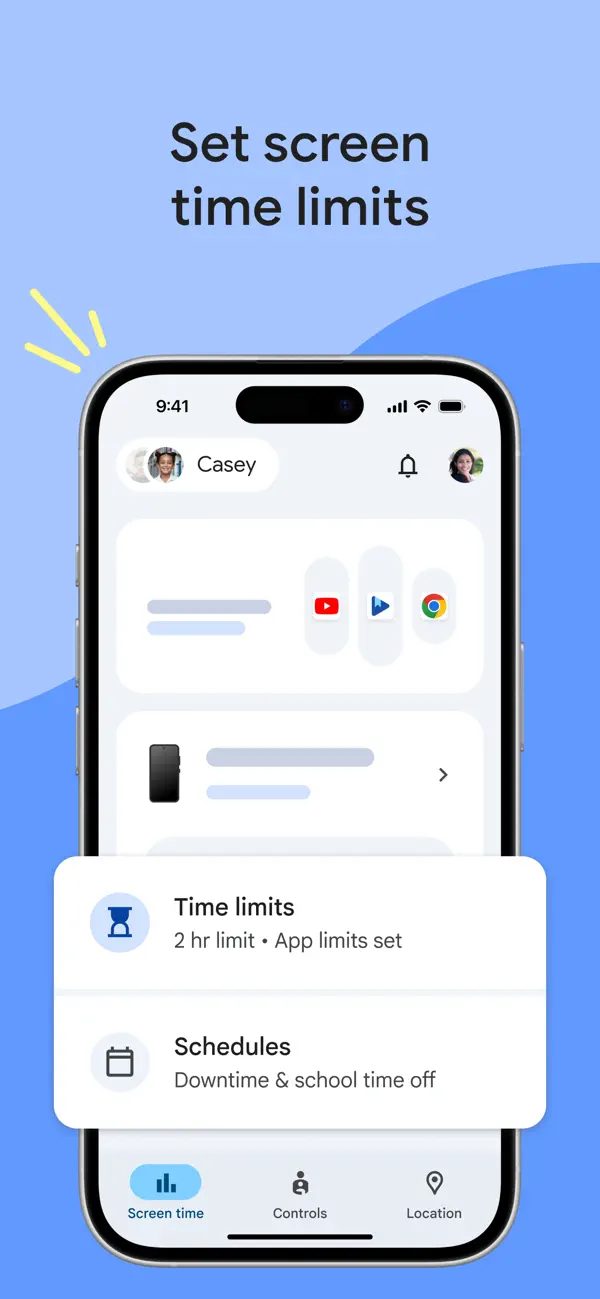
- Daily, per-app, and bedtime limits that lock the phone
- Approval for every Play Store download
- Chrome filtering, including a mode that allows only sites you approve
- Live location with alerts when your kid arrives at or leaves a place
Pros
- Free, with no paid tier to push you toward
- Controls an Android phone more completely than any paid app
- Teens can't switch it off without a parent's approval
Cons
- Filters Chrome only, so other browsers need blocking
- Can't manage a kid's iPhone
- No alerts about messages or social media
- No location history
- Skip if:
- Your kid has an iPhone
Family Link is Google’s free parental controls app. Parents install it on an Android phone or an iPhone and use it to supervise a child’s Android device or Chromebook and their Google account. It covers daily screen time limits, downtime and School time schedules, per-app limits, Google Play download approval, Chrome site filtering and SafeSearch, location sharing with arrive and leave alerts, and contact approval for calls and texts. It has no social media or message content monitoring, and there is no child-side app for iPhone, so on a child’s iPhone it only manages the Google account in Chrome and YouTube.
What users say
Evidence ↓Reviewers and parents describe it as free, straightforward and strong on Google Play and app controls, with accurate location and a useful School time mode. They call its web filtering basic and its monitoring thin (no message or social media alerts), and TechRadar says it is not powerful enough to be the only parental control tool. App Store reviewers praise the peace of mind for young children, while some complain that the 2025 redesign moved settings around and that time-limit options sometimes grey out. These views come from one reviewer and a few App Store reviews, not a broad sample.
Rankings and alternatives
- Parental control apps #1 of 7 Free and the most control over an Android phone
- Apple Screen Time #2 The free default for a kid's iPhone
- FamiSafe #3 Most features for the price, mostly on Android
- Qustodio #4 Best all-rounder for mixed families

Parental control apps for iPhone and Android scores
Evaluated Nov 17, 2026 Evidence ↓- Screen time limits and schedules · counts double 4
4/5 means: Daily, per-app and scheduled limits that lock the phone on every child platform it supports, with minor gaps
Scored for the free app supervising an Android child. Daily limits, per-app limits and downtime and School time schedules lock the device, and parents can add bonus time. Limits are per device rather than one shared budget, and a few reviews report greyed-out options after the 2025 redesign.
- Hard for kids to get around 4
4/5 means: Removal or tampering is blocked or alerts the parent on both platforms, with only rare or hard workarounds
Teens 13 to 18 now need a parent's approval to stop supervision, Incognito is off, and parents can block unknown-source installs and developer options. A Chrome sign-out or other browsers sidestep the web filter on some devices, and factory reset was not checked.
- Blocking and approving apps 5
5/5 means: Blocks any app, restricts by age rating, and asks the parent to approve each new download
On Android, parents can block any app, require Play Store approval and restrict by content. Updates and previously approved apps skip approval, which is a minor exception.
- Web filtering 3
3/5 means: Category filters or an allow-only mode, but limited to certain browsers or with gaps reviewers found
Chrome filtering with an explicit-site filter, allow and block lists and an approved-sites-only mode, plus SafeSearch. There are no category filters, and other browsers are only covered if the parent blocks them. Reviewers call it rudimentary.
- Alerts about messages and social media 2
2/5 means: Protects the kid on the device, such as blurring explicit images or approving new contacts, but sends the parent no alerts about content
Contact approval for calls and texts protects the child, and Google Messages turns on sensitive-content warnings for supervised users (from general knowledge, not a saved quote). The parent gets no content alerts, and there is no social media or message monitoring.
- Works for mixed iPhone and Android families 2
2/5 means: Manages one platform's kids, from a parent app on either platform
The parent app runs on iPhone or Android, but it only supervises Android phones and Chromebooks. On a child's iPhone it covers just the Google account in Chrome and YouTube.
- Yearly cost for a family 5
5/5 means: Free
Free, with no paid tier.
- Easy to set up and use 4
4/5 means: Quick setup on both platforms it supports and a clear parent app, with few complaints
TechRadar finds it clean and quick to set up, with some information spread across screens. App Store reviewers are mixed on the 2025 redesign, and the app is rated 4.6 out of 5.
- Location and place alerts · counts half 4
4/5 means: Live location and arrive and leave alerts for places the parent picks
Live location on one map, arrive and leave alerts and battery level. There is no location history, so it stops short of a 5.
Pricing
- Family Link Free
Prices checked Nov 17, 2026.
Evidence and sources
What users say
Summary 4 quotes
-
Google Family Link is a free parental control application that offers decent basic-level monitoring functions. Parents can set screen-time schedules, block access to apps they don’t approve of, or know the exact location of their child at any time. However, it does lack features like keyword alerts or social media monitoring. Plus, it doesn’t support iOS device tracking.
Mike Jennings, reviewer at TechRadar · techradar.com/reviews/google-family-link-parental-control-software · checked -
The filtering is relatively rudimentary, too. While there’s no doubt that Google’s SafeSearch filtering works very well by blocking or blurring unsuitable text and images, other apps offer dozens of categories to choose from if you want to block specific topics, and you can’t go any further than SafeSearch here.
Mike Jennings, reviewer at TechRadar · techradar.com/reviews/google-family-link-parental-control-software · checked -
Overall, Google Family Link is ideal if you want to use it alongside other parental control apps, perhaps to control Google Play usage or double up on filtering to have an extra safety net. But it’s just not powerful enough to function as your primary parental control tool.
Mike Jennings, reviewer at TechRadar · techradar.com/reviews/google-family-link-parental-control-software · checked -
I've spent 15 minutes trying to find the option to "Add Bonus Time" which in the old app was right on the front screen (and by the way I still can't find it!)
IanTM, App Store reviewer · apps.apple.com/gb/app/google-family-link/id1150085200 · published · checked
Parental control apps for iPhone and Android scores
Screen time limits and schedules 4 quotes
-
Set individual app time limits, and unlimited time for educational or regularly used apps. You can block apps, too.
families.google/familylink · checked -
In February 2025, Google added a dedicated “School Time” mode – you only need to toggle a button within the app settings to enable it. You can also add a school-time break to allow your kids a small window of phone access during school recess or breaks.
techradar.com/reviews/google-family-link-parental-control-software · checked -
I've spent 15 minutes trying to find the option to "Add Bonus Time" which in the old app was right on the front screen (and by the way I still can't find it!)
IanTM, App Store reviewer · apps.apple.com/gb/app/google-family-link/id1150085200 · published · checked -
Google states the per-device math plainly: a daily limit “applies to each Android device or Chromebook your child uses.” Set two hours and a child with both a Chromebook and a phone gets two hours on each.
Jim Mendenhall, author at Starry Hope (Chromebook site) · starryhope.com/chromebooks/family-link-chromebook-parental-controls-2026 · published · checked
Hard for kids to get around 5 quotes
-
Your child can sign out of Chrome, which takes them to a browsing experience where Family Link settings for Chrome won’t apply.
support.google.com/families/answer/7087030 · checked -
Tip: Incognito mode is turned off when your child is signed in to Chrome with an account managed by Family Link.
support.google.com/families/answer/7087030 · checked -
As of mid-2026, supervision does not end automatically at 13. Google’s documentation now states that supervision settings stay the same until your child decides to update their account, and that teens between 13 and 18 need a parent’s approval to stop supervision.
Jim Mendenhall, author at Starry Hope (Chromebook site) · starryhope.com/chromebooks/family-link-chromebook-parental-controls-2026 · published · checked -
However, unlike before, kids below 18 will now require their parent’s approval to opt out. This means they can’t simply delete the app from their devices until their parents approve it.
techradar.com/reviews/google-family-link-parental-control-software · checked -
You can also prevent app installation from unknown sources and stop your children from adding or removing users from their devices or delving into the Developer options.
techradar.com/reviews/google-family-link-parental-control-software · checked
Blocking and approving apps 3 quotes
-
Set individual app time limits, and unlimited time for educational or regularly used apps. You can block apps, too.
families.google/familylink · checked -
While Family Link helps you manage your child's purchases and downloads from Google Play, they will not need approval to install app updates (including updates that expand permissions), apps that you have previously approved or apps that have been shared in Family Library.
apps.apple.com/gb/app/google-family-link/id1150085200 · checked -
You can also prevent app installation from unknown sources and stop your children from adding or removing users from their devices or delving into the Developer options.
techradar.com/reviews/google-family-link-parental-control-software · checked
Web filtering 3 quotes
-
The filtering is relatively rudimentary, too. While there’s no doubt that Google’s SafeSearch filtering works very well by blocking or blurring unsuitable text and images, other apps offer dozens of categories to choose from if you want to block specific topics, and you can’t go any further than SafeSearch here.
Mike Jennings, reviewer at TechRadar · techradar.com/reviews/google-family-link-parental-control-software · checked -
Your child can sign out of Chrome, which takes them to a browsing experience where Family Link settings for Chrome won’t apply.
support.google.com/families/answer/7087030 · checked -
“Try to block explicit sites” is a filter, not a guarantee, and SafeSearch can be worked around by a motivated kid.
Jim Mendenhall, author at Starry Hope (Chromebook site) · starryhope.com/chromebooks/family-link-chromebook-parental-controls-2026 · published · checked
Alerts about messages and social media 2 quotes
-
Google Family Link is a free parental control application that offers decent basic-level monitoring functions. Parents can set screen-time schedules, block access to apps they don’t approve of, or know the exact location of their child at any time. However, it does lack features like keyword alerts or social media monitoring. Plus, it doesn’t support iOS device tracking.
Mike Jennings, reviewer at TechRadar · techradar.com/reviews/google-family-link-parental-control-software · checked -
Elsewhere, Family Link doesn’t include text or call monitoring, and across basically every part of the app you don’t get the granular control you’ll find on other tools. That said, Google did add the ability for parents to whitelist calls or texts – approve or block specific numbers.
techradar.com/reviews/google-family-link-parental-control-software · checked
Works for mixed iPhone and Android families 3 quotes
-
For parents, the control app runs on Android devices running Android 7.0 or higher or iOS devices running iOS 16 or higher. This means parents can use their iOS devices to monitor their kids’ Android devices as well.
techradar.com/reviews/google-family-link-parental-control-software · checked -
However, the “other way round” isn’t possible. This means if your kids use an iOS device, Google Family Link might not be for you.
techradar.com/reviews/google-family-link-parental-control-software · checked -
Your child can sign out of Chrome, which takes them to a browsing experience where Family Link settings for Chrome won’t apply.
support.google.com/families/answer/7087030 · checked
Yearly cost for a family 1 quote
-
Google Family Link is a free parental control application that offers decent basic-level monitoring functions. Parents can set screen-time schedules, block access to apps they don’t approve of, or know the exact location of their child at any time. However, it does lack features like keyword alerts or social media monitoring. Plus, it doesn’t support iOS device tracking.
Mike Jennings, reviewer at TechRadar · techradar.com/reviews/google-family-link-parental-control-software · checked
Easy to set up and use 2 quotes
-
Google Family Link is a free parental control application that offers decent basic-level monitoring functions. Parents can set screen-time schedules, block access to apps they don’t approve of, or know the exact location of their child at any time. However, it does lack features like keyword alerts or social media monitoring. Plus, it doesn’t support iOS device tracking.
Mike Jennings, reviewer at TechRadar · techradar.com/reviews/google-family-link-parental-control-software · checked -
I've spent 15 minutes trying to find the option to "Add Bonus Time" which in the old app was right on the front screen (and by the way I still can't find it!)
IanTM, App Store reviewer · apps.apple.com/gb/app/google-family-link/id1150085200 · published · checked
Location and place alerts 3 quotes
-
To see the location of your child or teenager's device, the device must be turned on, recently active and connected to the Internet through data or Wi-Fi.
apps.apple.com/gb/app/google-family-link/id1150085200 · checked -
Family Link delivers critical notifications including when your child arrives or leaves a certain location. You can also ring devices and view the device’s remaining battery life.
families.google/familylink · checked -
One notable omission here, though, is location history – it’s simply not available.
techradar.com/reviews/google-family-link-parental-control-software · checked
Facts
Runs on 4 quotes
-
Set individual app time limits, and unlimited time for educational or regularly used apps. You can block apps, too.
families.google/familylink · checked -
For parents, the control app runs on Android devices running Android 7.0 or higher or iOS devices running iOS 16 or higher. This means parents can use their iOS devices to monitor their kids’ Android devices as well.
techradar.com/reviews/google-family-link-parental-control-software · checked -
However, the “other way round” isn’t possible. This means if your kids use an iOS device, Google Family Link might not be for you.
techradar.com/reviews/google-family-link-parental-control-software · checked -
Requires iOS 17.0 or later.
apps.apple.com/gb/app/google-family-link/id1150085200 · checked
Needs 2 quotes
-
Set individual app time limits, and unlimited time for educational or regularly used apps. You can block apps, too.
families.google/familylink · checked -
However, the “other way round” isn’t possible. This means if your kids use an iOS device, Google Family Link might not be for you.
techradar.com/reviews/google-family-link-parental-control-software · checked
Pricing
apps.apple.com/gb/app/google-family-link/id1150085200 · checked