
FamiSafe
Subscription parental control app for iPhone and Android with screen time, app and web rules, location and social monitoring
Our verdict
#3 of 7 in Parental control apps · Most features for the price, mostly on Android
What it does
- Time limits, schedules, and app blocking on iPhone and Android
- Keyword alerts across 13 messaging and social apps on Android
- Location history, geofences, SOS, and driving reports
Pros
- One cheap yearly plan covers 10 devices
- Strong location and driving tools
- Parent app on iPhone or Android
Cons
- Message and social monitoring barely works on iPhone
- A kid can remove it from an iPhone in Settings
- Can stop running in the background on the kid's phone
- Choose if:
- Your kids have Android phones and you want message alerts without paying for Bark
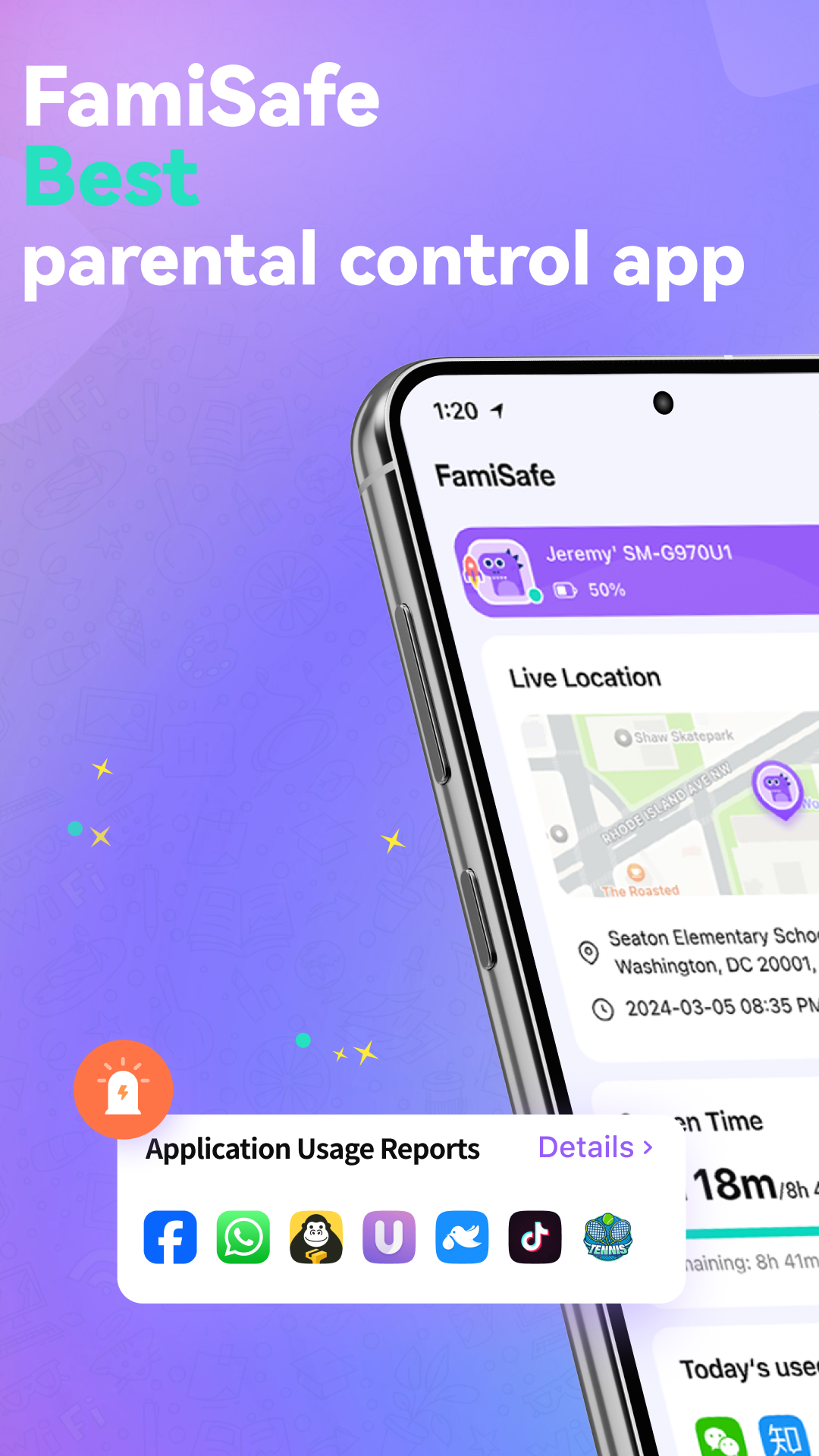
FamiSafe is a paid parental control app from Wondershare. Parents install a parent app and pair it with a child app on the kid’s iPhone, Android phone or tablet, Kindle Fire, Windows PC, Mac or Chromebook. It sets screen time limits and schedules, blocks apps and websites, shows live location, history, geofences and driving reports, and flags suspicious text and images. Monitoring is deeper on Android than on iPhone, where Apple’s restrictions limit social app, ambient sound and some report features, and message monitoring needs a computer-based setup. Plans are paid subscriptions covering 5 to 10 devices, with a 3-day trial on the yearly plan. It is proprietary software.
What users say
Evidence ↓Little independent user feedback was read. A 2022 TechRadar review found FamiSafe easy to install and use and broad for its price, but criticized the short trial and missing call and text monitoring (the vendor now lists call and message monitoring). An affiliate review from November 2026 rates it 3.7 out of 5, advises not assuming it is tamper-proof, and flags the iOS 27 messages gap. The one parent comment read, shown on the vendor's own store page, says location tracking needs mobile data turned on. This is a small, partly vendor-selected sample.
Rankings and alternatives
- Parental control apps #3 of 7 Most features for the price, mostly on Android
- Google Family Link #1 Free and the most control over an Android phone
- Apple Screen Time #2 The free default for a kid's iPhone
- Qustodio #4 Best all-rounder for mixed families


Parental control apps for iPhone and Android scores
Evaluated Nov 17, 2026 Evidence ↓- Screen time limits and schedules · counts double 4
4/5 means: Daily, per-app and scheduled limits that lock the phone on every child platform it supports, with minor gaps
Daily limits, per-app time limits and Smart Schedule are on the paid plans, and restricted apps are covered by a block page on Android or hidden on iOS. No parent-approved extra-time request from the kid was found, limits are per device with no shared budget, and whitelisted apps still count toward the limit.
- Hard for kids to get around 3
3/5 means: Needs a parent password or passcode to remove, but known workarounds or reliability bugs let a determined kid through
Android has uninstall protection with the parent's password, but on iOS the kid can delete the app and remove the MDM profile, and no parent alert for that was found. The vendor admits weaker enforcement than Family Link, cannot block VPNs or proxies, and says the app can stop or crash; no independent bypass test was found.
- Blocking and approving apps 3
3/5 means: Blocks specific apps on both platforms, but only a limited list on iPhone, or no approval of new downloads
Specific apps can be blocked on both platforms, but iOS system apps such as Camera and Phone cannot be blocked. Download restriction settings exist (iOS Restrictions, Android App Rules), but parent approval of each new download and age-rating restriction were not documented.
- Web filtering 3
3/5 means: Category filters or an allow-only mode, but limited to certain browsers or with gaps reviewers found
Category filtering with allow and block exception lists exists, but sources conflict on coverage (store page says all browsers, a 2022 review says Chrome and Safari only), a reviewer found miscategorized sites, and proxy sites are not blocked. No allow-only mode was documented.
- Alerts about messages and social media 3
3/5 means: Alerts about risky activity or patterns in a few apps, or broad coverage on Android only
Android monitoring covers texts and around a dozen social apps with keyword detection. On iPhone, social app content is not accessible, and call and message monitoring needs a computer-based setup and is unavailable on iOS 27, so iPhone coverage is thin. Sensitive image detection works via screenshots.
- Works for mixed iPhone and Android families 4
4/5 means: Manages kids on both platforms from a parent app on either, with notable features missing on iPhone
One account manages iOS and Android child devices with parent apps on both stores, but iPhone lacks usage and browser reports, ambient sound, social content monitoring, and has a computer-dependent messages route.
- Yearly cost for a family 4
4/5 means: Under $60 a year
Used the standard yearly price of $59.99 billed annually (the FAQ's standard USD price; the store page's struck-through $9.99 is a monthly rate, not a separate yearly price), which covers up to 10 devices so two kids fit. Just under $60, and first-term discounts could not be confirmed, so renewal may be the same or higher. Two kids on the yearly plan need no add-on.
- Easy to set up and use 3
3/5 means: Fine once set up, with known snags such as an involved iPhone setup, noisy alerts or a dated dashboard
A 2022 review found install and pairing simple and the interface intuitive, but setup needs physical access and many permissions, iOS messages need a computer sync, and there are no current app store ratings or many-user consensus to lean on.
- Location and place alerts · counts half 5
5/5 means: Live location, place alerts and location history, with extras such as an SOS button or driving reports
Live GPS, location history, geofence alerts, SOS alert and driving reports. Needs the kid's phone data or location on and has delays when permissions lapse.
Pricing
- Yearly $59.99/year
- Quarterly $19.99/month
- Monthly $9.99/month
- Free Free
Prices checked Nov 17, 2026.
Evidence and sources
What users say
Summary 4 quotes
-
Do not assume the app is tamper-proof. Removal behaviour and restrictions depend on platform, permissions and installation route. Review device reporting and check lost permissions rather than treating a dashboard connection as permanent protection.
Stuart Kerr Spindlow, reviewer at Impulsec · impulsec.com/parental-control-software/famisafe-reviews · published · checked -
FamiSafe is an app that enables parents to supervise their children’s activities without infringing their privacy. It’s easy to install, removing the need to go through any backdoors to monitor a device.
Stefan Ionescu, reviewer at TechRadar · techradar.com/reviews/wondershare-famisafe · published · checked -
Just keep in mind that for location tracking on the phone, the child needs to keep mobile data turned on, otherwise it won't work.
Sari, reviewer on FamiSafe's store page · famisafe.wondershare.com/store/family.html · checked -
You can also filter out entire website categories, such as drugs, gambling, shopping, and adult content. The app’s categorizing isn’t always perfect, and some websites can slip through the cracks, but you can block those specifically. This feature is only available on the Chrome and Safari browsers.
Stefan Ionescu, reviewer at TechRadar · techradar.com/reviews/wondershare-famisafe · published · checked
Parental control apps for iPhone and Android scores
Screen time limits and schedules 3 quotes
-
Unlock all premium features Protect up to 10 devices 3-day free trial. Cancel anytime.
famisafe.wondershare.com/store/family.html · checked -
When using the app blocking feature on an Android device, the icon of the blocked app is still displayed but when your kid tries to open the app, a FamiSafe cover will show up and block the app. On the contrary, when FamiSafe blocks an iOS app, the app icon will be hidden on the device.
famisafe.wondershare.com/faq · checked -
No. Currently, FamiSafe and Fammy do not support cross-device screen time tracking or shared time limits. Screen time management operates independently per device
famisafe.wondershare.com/faq · checked
Hard for kids to get around 6 quotes
-
Currently not supported. FamiSafe cannot detect whether the target device is using Incognito Mode. We recommend asking your child not to browse in private mode.
famisafe.wondershare.com/faq · checked -
Currently not supported. You cannot change the network connection settings on the target device through FamiSafe.
famisafe.wondershare.com/faq · checked -
As a third-party app, FamiSafe has limited permissions compared to Google’s official FamilyLink, which has higher system-level control.
famisafe.wondershare.com/faq · checked -
To prevent kids from uninstalling FamiSafe from their Android devices without their parents' consent, we have added uninstall protection for FamiSafe.
famisafe.wondershare.com/faq · checked -
Do not assume the app is tamper-proof. Removal behaviour and restrictions depend on platform, permissions and installation route. Review device reporting and check lost permissions rather than treating a dashboard connection as permanent protection.
Stuart Kerr Spindlow, reviewer at Impulsec · impulsec.com/parental-control-software/famisafe-reviews · published · checked -
In some rare circumstances, it may stop running or get crashed. So it is recommended to activate the app on the kid's device occasionally.
famisafe.wondershare.com/faq · checked
Blocking and approving apps 2 quotes
-
When using the app blocking feature on an Android device, the icon of the blocked app is still displayed but when your kid tries to open the app, a FamiSafe cover will show up and block the app. On the contrary, when FamiSafe blocks an iOS app, the app icon will be hidden on the device.
famisafe.wondershare.com/faq · checked -
Currently not supported. Based on Apple’s official policy, system apps such as Camera, Map, Phone, Music, and Contacts cannot be controlled or blocked.
famisafe.wondershare.com/faq · checked
Web filtering 3 quotes
-
FamiSafe’s Web Filter can block websites listed in its internal suspicious database. Users can also manually add allowed or blocked sites in the Exceptions list.
famisafe.wondershare.com/faq · checked -
You can also filter out entire website categories, such as drugs, gambling, shopping, and adult content. The app’s categorizing isn’t always perfect, and some websites can slip through the cracks, but you can block those specifically. This feature is only available on the Chrome and Safari browsers.
Stefan Ionescu, reviewer at TechRadar · techradar.com/reviews/wondershare-famisafe · published · checked -
Currently not supported. You cannot change the network connection settings on the target device through FamiSafe.
famisafe.wondershare.com/faq · checked
Alerts about messages and social media 3 quotes
-
Currently, Calls & Messages is temporarily unavailable on iOS 27 because this iOS version is not yet supported for the feature. We do not have a confirmed release date or estimated timeline for iOS 27 compatibility. For now, Calls & Messages can only be used on supported iOS versions after the required Control Mode setup, initial backup, and Wi-Fi synchronization are completed.
famisafe.wondershare.com/faq · checked -
iOS limits access to content inside third-party social media apps. Screen Viewer may provide screenshots on compatible iOS devices after the required permissions and Screen Broadcast consent are enabled. It does not guarantee access to all chats or messages. Supported Android monitoring features also vary by app and device.
famisafe.wondershare.com/faq · checked -
Supported apps include YouTube, TikTok, WhatsApp, Instagram, Snapchat, Facebook, Google Chat, Messenger (Facebook Messenger), SMS, Reddit, Twitter, Kik, and Telegram. Other apps are currently not supported.
famisafe.wondershare.com/faq · checked
Works for mixed iPhone and Android families 5 quotes
-
FamiSafe supports compatible Android, iOS, Kindle Fire, Windows, Mac, and Chromebook devices. Available features and minimum system requirements vary by platform and app version.
famisafe.wondershare.com/faq · checked -
In most cases, FamiSafe works the same on both devices, though there are still several differences: FamiSafe provides device activity reports, browser history reports, and app usage reports when the kid's device is an Android phone or tablet pc. These reports are currently not available on iOS devices due to strict restrictions.
famisafe.wondershare.com/faq · checked -
Currently, Calls & Messages is temporarily unavailable on iOS 27 because this iOS version is not yet supported for the feature. We do not have a confirmed release date or estimated timeline for iOS 27 compatibility. For now, Calls & Messages can only be used on supported iOS versions after the required Control Mode setup, initial backup, and Wi-Fi synchronization are completed.
famisafe.wondershare.com/faq · checked -
iOS limits access to content inside third-party social media apps. Screen Viewer may provide screenshots on compatible iOS devices after the required permissions and Screen Broadcast consent are enabled. It does not guarantee access to all chats or messages. Supported Android monitoring features also vary by app and device.
famisafe.wondershare.com/faq · checked -
iOS privacy restrictions prevent this feature. For better monitoring, please use an Android device.
famisafe.wondershare.com/faq · checked
Yearly cost for a family 3 quotes
-
$59.99 billed annually
famisafe.wondershare.com/store/family.html · checked -
Unlock all premium features Protect up to 10 devices 3-day free trial. Cancel anytime.
famisafe.wondershare.com/store/family.html · checked -
No. The discount is only for the initial subscription. Renewals will be charged at the original price.
famisafe.wondershare.com/faq · checked
Easy to set up and use 3 quotes
-
You can also filter out entire website categories, such as drugs, gambling, shopping, and adult content. The app’s categorizing isn’t always perfect, and some websites can slip through the cracks, but you can block those specifically. This feature is only available on the Chrome and Safari browsers.
Stefan Ionescu, reviewer at TechRadar · techradar.com/reviews/wondershare-famisafe · published · checked -
FamiSafe is an app that enables parents to supervise their children’s activities without infringing their privacy. It’s easy to install, removing the need to go through any backdoors to monitor a device.
Stefan Ionescu, reviewer at TechRadar · techradar.com/reviews/wondershare-famisafe · published · checked -
Currently, Calls & Messages is temporarily unavailable on iOS 27 because this iOS version is not yet supported for the feature. We do not have a confirmed release date or estimated timeline for iOS 27 compatibility. For now, Calls & Messages can only be used on supported iOS versions after the required Control Mode setup, initial backup, and Wi-Fi synchronization are completed.
famisafe.wondershare.com/faq · checked
Location and place alerts 2 quotes
-
Real-time GPS Safe Zones
famisafe.wondershare.com · checked -
Just keep in mind that for location tracking on the phone, the child needs to keep mobile data turned on, otherwise it won't work.
Sari, reviewer on FamiSafe's store page · famisafe.wondershare.com/store/family.html · checked
Facts
License 1 quote
-
FamiSafe is an AI-powered parental control app that detects 30+ social media apps, manages screen time, and tracks location in real time — keeping your kids safe.
famisafe.wondershare.com · checked
Runs on 1 quote
-
FamiSafe supports compatible Android, iOS, Kindle Fire, Windows, Mac, and Chromebook devices. Available features and minimum system requirements vary by platform and app version.
famisafe.wondershare.com/faq · checked
Needs 1 quote
-
FamiSafe supports compatible Android, iOS, Kindle Fire, Windows, Mac, and Chromebook devices. Available features and minimum system requirements vary by platform and app version.
famisafe.wondershare.com/faq · checked
Users 2 quotes
-
35M+
famisafe.wondershare.com · checked -
Loved by 9M Customers and 190 Countries.
famisafe.wondershare.com/store/family.html · checked
More from the sources
Pricing 6 quotes
-
Quarterly Plan US$6.66 /mo US$9.33 $19.99 billed quarterly
famisafe.wondershare.com/store/family.html · checked -
US$9.99 /mo US$14.98 $9.99 billed monthly
famisafe.wondershare.com/store/family.html · checked -
Social Media Content Monitor · View demo data only
famisafe.wondershare.com/store/family.html · checked -
We default auto renewal for all the subscriptions. And you will automatically be charged the same amount when your subscription ends.
famisafe.wondershare.com/faq · checked -
Absolutely, we do have 7-day money back guarantee in case you’re not satisfied with the product.
famisafe.wondershare.com/faq · checked -
The family-store offer checked on 9 November 2026 lists $9.99 monthly for five devices, $19.99 quarterly for eight, and $59.99 yearly for ten.
Stuart Kerr Spindlow, reviewer at Impulsec · impulsec.com/parental-control-software/famisafe-reviews · published · checked
Limits and known issues 1 quote
-
The published policy also describes optional clipboard access for referral attribution, including sharing with a named referral provider. It says users can opt out on the relevant in-app page.
Stuart Kerr Spindlow, reviewer at Impulsec · impulsec.com/parental-control-software/famisafe-reviews · published · checked