
Aura
Parental controls app for iPhone and Android, sold as a $10-a-month Kids plan or inside Aura's family security bundle
Our verdict
#5 of 7 in Parental control apps · Strong web filter, no location tracking
What it does
- Web filter that covers every browser on the phone
- Daily and per-app limits, schedules, and a pause button
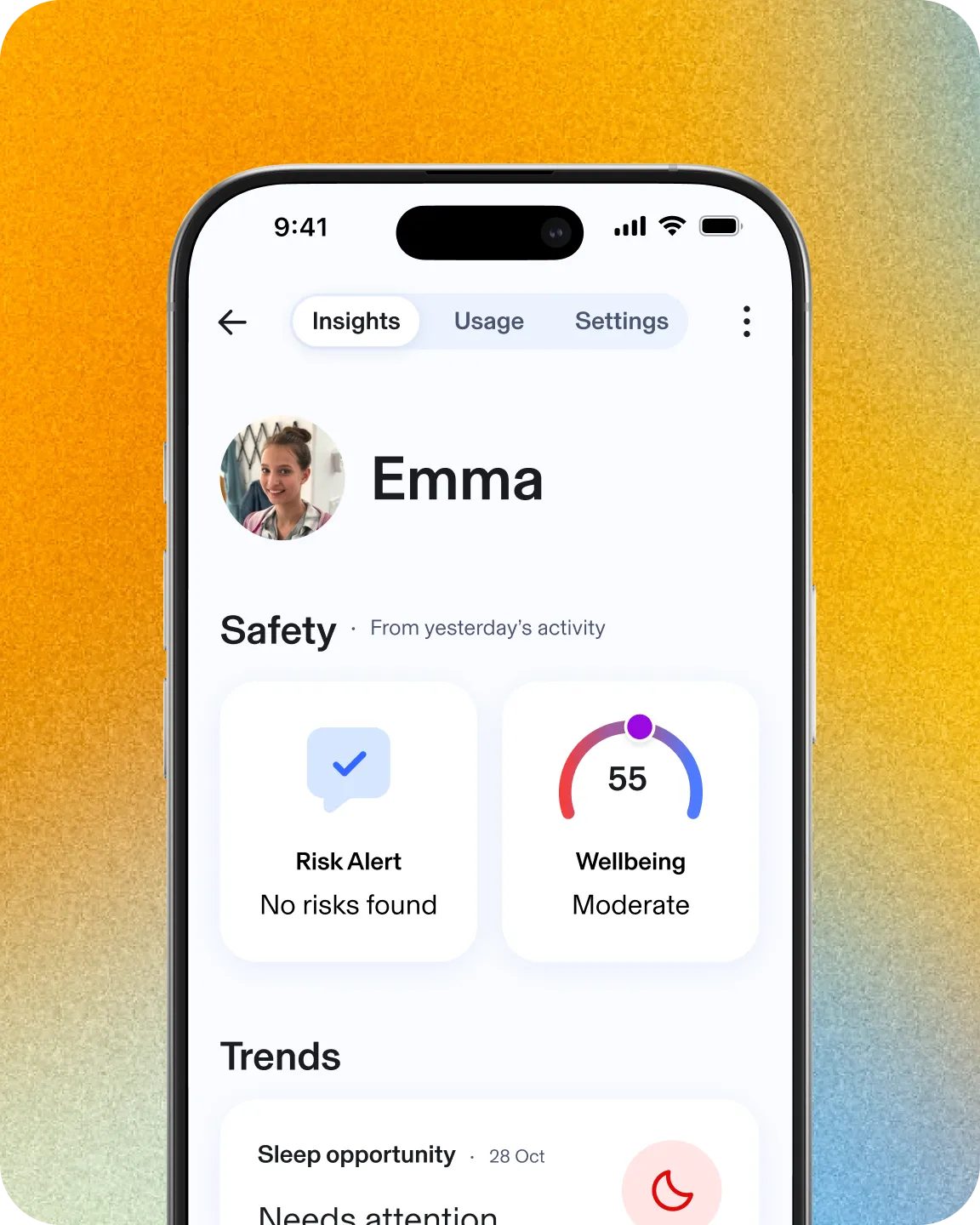
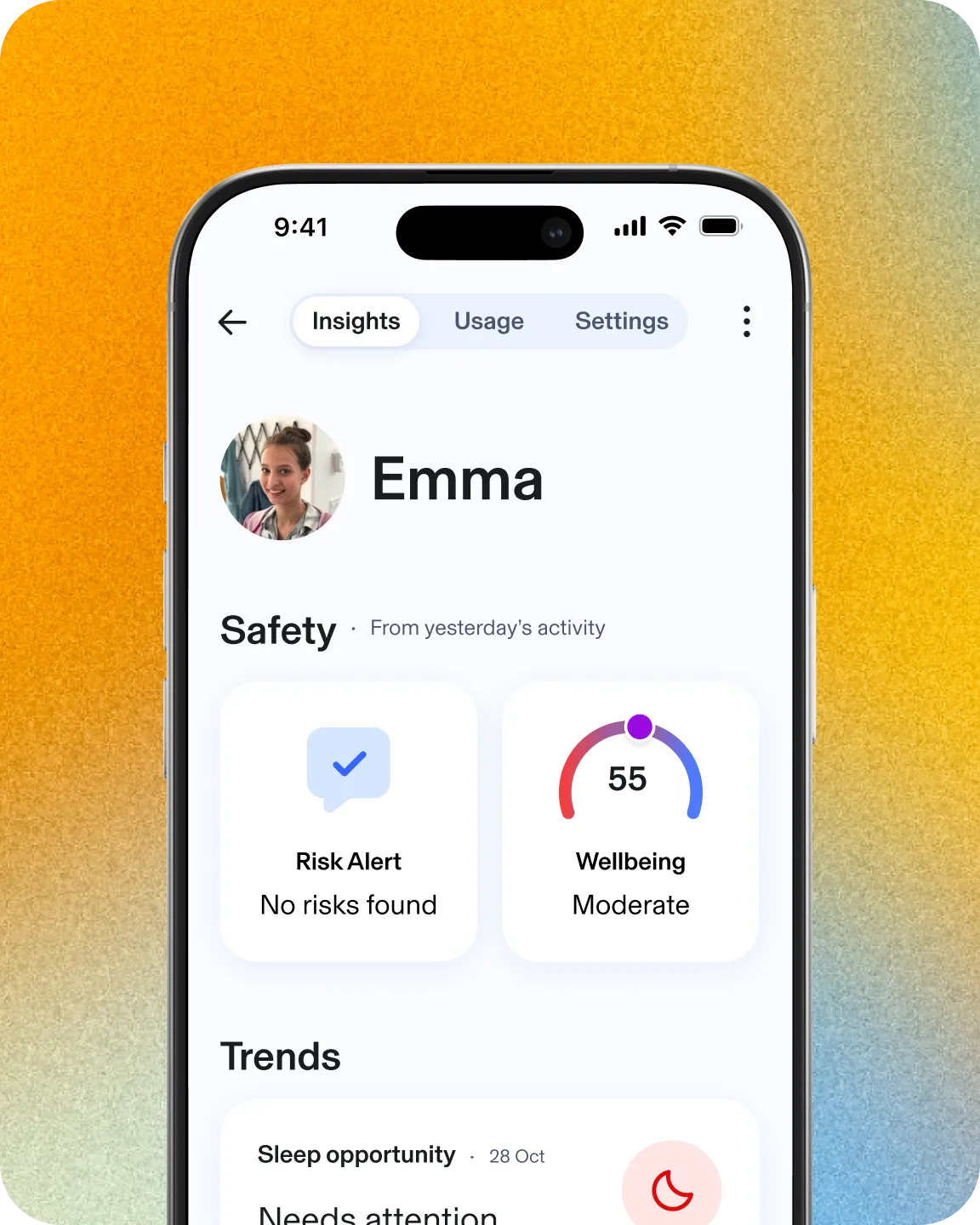
- Trends in your kid's social activity and sleep
Pros
- Very strong web filtering in independent testing
- Hard to get around with VPNs or spoofing apps
- Clean, quick setup
Cons
- No location tracking
- Doesn't read messages
- Time limits are unreliable on iPhone
- Phones only, no computers
- Choose if:
- Blocking adult and harmful sites is what you care about most
Aura is a US digital-safety subscription from Aura that combines identity-theft protection, antivirus and VPN with parental controls. The parental controls come from Aura’s 2021 acquisition of Circle Media Labs. They are sold on their own as the Kids plan (unlimited kids and devices) and are also included in the Family plan, which adds identity protection for five adults. The child’s iPhone or Android phone runs the Aura app with a local VPN that powers web filtering across 25 or more categories, plus screen time limits, schedules, app blocking and a Pause the Internet button. It adds trend-based wellbeing insights and PC-game chat alerts through Kidas, but it has no location tracking, no reading of private messages, and no support for computers or Chromebooks. It runs on iOS and Android and is subscription software.
What users say
Evidence ↓Two reviewers who tested it (Security.org for two weeks on a Family plan, and one HostAdvice reviewer on an iPhone and an Android phone) agree that web filtering is its strength and that it lacks location tracking and message monitoring. They disagree on iPhone screen time, where Security.org says limits rarely work well on Apple devices and HostAdvice found daily limits worked on iOS 17. Bypass testing was mostly favorable, though Android uninstall protection depends on an optional setup step. These are two reviews, not broad user consensus.
Rankings and alternatives
- Parental control apps #5 of 7 Strong web filter, no location tracking
- Google Family Link #1 Free and the most control over an Android phone
- Apple Screen Time #2 The free default for a kid's iPhone
- FamiSafe #3 Most features for the price, mostly on Android

Parental control apps for iPhone and Android scores
Evaluated Nov 17, 2026 Evidence ↓- Screen time limits and schedules · counts double 3
3/5 means: A daily limit and schedules, but on one platform the limit only cuts internet or can be dismissed, or there are no per-app limits
Daily, per-app and scheduled limits plus Pause the Internet exist, but Security.org says they rarely work well on iPhone while HostAdvice found iOS limits worked; no extra-time requests found. Unresolved conflict, so the iPhone result is uncertain.
- Hard for kids to get around 3
3/5 means: Needs a parent password or passcode to remove, but known workarounds or reliability bugs let a determined kid through
Local VPN conflicts with other VPNs and Security.org blocked spoofing and VPN workarounds, but Android uninstall protection needs an optional admin step and a child can uninstall before the alert is acted on; safe mode was a workaround.
- Blocking and approving apps 3
3/5 means: Blocks specific apps on both platforms, but only a limited list on iPhone, or no approval of new downloads
Any app can be blocked or time-limited and category blocks cover new apps on both platforms, but no download approval or age-rating restriction was found.
- Web filtering 4
4/5 means: Category filters with allow and block lists that cover all browsers on the phone, with occasional misses
25 to 28 categories plus per-site blocking, enforced through the VPN across all browsers; Security.org measured about 90 percent blocked, so occasional misses. No allow-only mode found.
- Alerts about messages and social media 3
3/5 means: Alerts about risky activity or patterns in a few apps, or broad coverage on Android only
Gives parent trend and tone insights and cyberbullying alerts from app usage, but does not read texts or social messages and PC-game chat monitoring is Windows only.
- Works for mixed iPhone and Android families 4
4/5 means: Manages kids on both platforms from a parent app on either, with notable features missing on iPhone
Parent app manages kids on both iOS and Android under one account; iPhone screen-time enforcement is disputed. Parent app on either platform is implied by the iOS and Android app, not explicitly stated.
- Yearly cost for a family 2
2/5 means: About $100 to $150 a year
Kids plan is $120 a year for unlimited kids and devices; renewal price after first year not found, so score uses the published $120.
- Easy to set up and use 4
4/5 means: Quick setup on both platforms it supports and a clear parent app, with few complaints
Setup by QR code in 7 to 20 minutes with a clean dashboard and no battery drain reported; skipping the VPN prompt silently disables controls.
- Location and place alerts · counts half 1
1/5 means: No location features
Two reviewers state there is no location tracking or geofencing.
Pricing
- Kids $120.00/year
- Family $384.00/year
Prices checked Nov 17, 2026.
Evidence and sources
What users say
Summary 5 quotes
-
Aura’s web filtering prevented us from accessing roughly 90 percent of sites we tested in the blocked categories.
Security.org review team, reviewers who tested an Aura Family plan for two weeks · security.org/parental-controls/aura · published · checked -
Aura provides several tools for this purpose, though they rarely work well for Apple products according to our tests. Apple’s closed system prevents third-party apps from limiting access to their devices. For iPhones and iPads, we recommend using the built-in Screen Time app alongside Aura for monitoring.
Security.org review team, reviewers · security.org/parental-controls/aura · published · checked -
Screen time limits functioned as configured. Hitting the daily allowance displayed a clear message on the child device.
Walter Akolo, hosting expert and reviewer at HostAdvice · hostadvice.com/parental-control/aura-parental-controls-review · published · checked -
Without the device administrator restrictions enabled, the app could be deleted without triggering any notification to the parent. With device administrator restrictions configured correctly during setup, the deletion attempt prompted for the parent PIN.
Walter Akolo, hosting expert and reviewer at HostAdvice · hostadvice.com/parental-control/aura-parental-controls-review · published · checked -
Aura is the strongest parental control option for families with younger children who need firm content boundaries on mobile devices, particularly those on iOS. For families who also need location tracking, desktop coverage, or social media monitoring, those limitations are significant relative to the price.
Walter Akolo, hosting expert and reviewer at HostAdvice · hostadvice.com/parental-control/aura-parental-controls-review · published · checked
Parental control apps for iPhone and Android scores
Screen time limits and schedules 4 quotes
-
Parental Controls (Family & Kids Plans only) Let your kids browse online safely. Filter harmful sites and easily manage how much time they spend on apps like YouTube, Roblox, Snapchat, and more. Set custom screen time limits, schedules, and bedtimes. Even Pause the Internet® on their devices with a single tap.
aura.com/pricing · checked -
Aura provides several tools for this purpose, though they rarely work well for Apple products according to our tests. Apple’s closed system prevents third-party apps from limiting access to their devices. For iPhones and iPads, we recommend using the built-in Screen Time app alongside Aura for monitoring.
Security.org review team, reviewers · security.org/parental-controls/aura · published · checked -
If your kids use Android devices, you can set daily screen time limits for each child. You can also set limits for specific apps or app categories. Either way, the system sends warnings when time is running out and locks the device once the limit is reached.
Security.org review team, reviewers · security.org/parental-controls/aura · published · checked -
Screen time limits functioned as configured. Hitting the daily allowance displayed a clear message on the child device.
Walter Akolo, hosting expert and reviewer at HostAdvice · hostadvice.com/parental-control/aura-parental-controls-review · published · checked
Hard for kids to get around 4 quotes
-
Aura successfully blocked every location spoofing app we tested. Those can sometimes bypass screen time limits. It also caught our VPN use when we tried to bypass it that way. The only method we found that worked was rebooting our Android device in safe mode.
Security.org review team, reviewers · security.org/parental-controls/aura · published · checked -
Without the device administrator restrictions enabled, the app could be deleted without triggering any notification to the parent. With device administrator restrictions configured correctly during setup, the deletion attempt prompted for the parent PIN.
Walter Akolo, hosting expert and reviewer at HostAdvice · hostadvice.com/parental-control/aura-parental-controls-review · published · checked -
Aura does send parents an alert if a child uninstalls the app, but the app can be uninstalled by a determined child before you have a chance to act.
Walter Akolo, hosting expert and reviewer at HostAdvice · hostadvice.com/parental-control/aura-parental-controls-review · published · checked -
because a local VPN profile is active on the child’s device, a separate commercial VPN cannot run simultaneously on the same device. If your child attempts to install a VPN to bypass Aura’s filtering, the two will conflict. You can prevent VPN installation through the app control settings, which is worth adding to your initial setup checklist.
Walter Akolo, hosting expert and reviewer at HostAdvice · hostadvice.com/parental-control/aura-parental-controls-review · published · checked
Blocking and approving apps 2 quotes
-
Parental Controls (Family & Kids Plans only) Let your kids browse online safely. Filter harmful sites and easily manage how much time they spend on apps like YouTube, Roblox, Snapchat, and more. Set custom screen time limits, schedules, and bedtimes. Even Pause the Internet® on their devices with a single tap.
aura.com/pricing · checked -
Screen time limits functioned as configured. Hitting the daily allowance displayed a clear message on the child device.
Walter Akolo, hosting expert and reviewer at HostAdvice · hostadvice.com/parental-control/aura-parental-controls-review · published · checked
Web filtering 3 quotes
-
Aura’s web filtering prevented us from accessing roughly 90 percent of sites we tested in the blocked categories.
Security.org review team, reviewers who tested an Aura Family plan for two weeks · security.org/parental-controls/aura · published · checked -
That actually powers their web filtering tool. The VPN blocks blacklisted sites preventing your kids from accessing them regardless of which browser they use.
Security.org review team, reviewers · security.org/parental-controls/aura · published · checked -
Screen time limits functioned as configured. Hitting the daily allowance displayed a clear message on the child device.
Walter Akolo, hosting expert and reviewer at HostAdvice · hostadvice.com/parental-control/aura-parental-controls-review · published · checked
Alerts about messages and social media 4 quotes
-
View trends in your kid’s online routines, including shifts from their baseline of social interactions, daytime activity, or sleep habits, to help you spot meaningful changes in their wellbeing.
aura.com/parental-controls · checked -
Get alerted with 24/7 voice & text monitoring across the most popular PC games (powered by Kidas).
aura.com/parental-controls · checked -
Aura does not offer monitoring for text messages, only the use of messaging apps. This is one of Aura’s limitations compared to other parental control apps.
Security.org review team, reviewers · security.org/parental-controls/aura · published · checked -
No social media message monitoring, text scanning, or email analysis
Walter Akolo, hosting expert and reviewer at HostAdvice · hostadvice.com/parental-control/aura-parental-controls-review · published · checked
Works for mixed iPhone and Android families 3 quotes
-
Parental Controls available on iOS and Android
aura.com/parental-controls · checked -
Aura provides several tools for this purpose, though they rarely work well for Apple products according to our tests. Apple’s closed system prevents third-party apps from limiting access to their devices. For iPhones and iPads, we recommend using the built-in Screen Time app alongside Aura for monitoring.
Security.org review team, reviewers · security.org/parental-controls/aura · published · checked -
Screen time limits functioned as configured. Hitting the daily allowance displayed a clear message on the child device.
Walter Akolo, hosting expert and reviewer at HostAdvice · hostadvice.com/parental-control/aura-parental-controls-review · published · checked
Yearly cost for a family 1 quote
-
$10/mo Save 52% billed annually, or $13 billed monthly
aura.com/pricing · checked
Easy to set up and use 3 quotes
-
I set up Aura on both an iPhone running iOS 17 and an Android phone, creating a child profile and configuring filtering for a hypothetical 10-year-old. The setup on iOS took approximately 7 minutes and the setup on Android approximately 9 minutes, both matching Aura’s stated setup time.
Walter Akolo, hosting expert and reviewer at HostAdvice · hostadvice.com/parental-control/aura-parental-controls-review · published · checked -
Setting up Aura’s parental controls took us about 20 minutes from start to finish.
Security.org review team, reviewers · security.org/parental-controls/aura · published · checked -
Screen time limits functioned as configured. Hitting the daily allowance displayed a clear message on the child device.
Walter Akolo, hosting expert and reviewer at HostAdvice · hostadvice.com/parental-control/aura-parental-controls-review · published · checked
Location and place alerts 2 quotes
-
No location tracking: Currently, Aura does not offer any type of location tracking for their parental controls.
Security.org review team, reviewers · security.org/parental-controls/aura · published · checked -
No GPS location tracking or geofencing of any kind
Walter Akolo, hosting expert and reviewer at HostAdvice · hostadvice.com/parental-control/aura-parental-controls-review · published · checked
Facts
Runs on 1 quote
-
Parental Controls available on iOS and Android
aura.com/parental-controls · checked
Needs 1 quote
-
That actually powers their web filtering tool. The VPN blocks blacklisted sites preventing your kids from accessing them regardless of which browser they use.
Security.org review team, reviewers · security.org/parental-controls/aura · published · checked
More from the sources
Pricing 3 quotes
-
5 adults, unlimited kids & unlimited devices $32/mo Save 60% billed annually, or $50 billed monthly
aura.com/pricing · checked -
For the Family annual plan, the first year is billed at $384 (reflecting the introductory discount). The fine print on the payment screen shows the renewal price reverts to $419.83 per year from the second year onwards, which is worth noting before you commit.
Walter Akolo, hosting expert and reviewer at HostAdvice · hostadvice.com/parental-control/aura-parental-controls-review · published · checked -
Aura offers an Individual and Couple plan as well, but neither offers parental controls. Also, combining either with the Kids plan costs more than the Family plan even though the Family plan covers up to five adults and unlimited kids.
Security.org review team, reviewers · security.org/parental-controls/aura · published · checked
Features 1 quote
-
Yes, the Aura app is visible on their device and can’t be hidden. We believe transparency is important, and most experts recommend telling children about monitoring rather than doing it secretly.
Security.org review team, reviewers · security.org/parental-controls/aura · published · checked
Limits and known issues 2 quotes
-
Unlimited kids & unlimited devices
aura.com/pricing · checked -
Aura requests your SSN to verify your identity for credit monitoring and identity theft protection purposes, not for the parental controls themselves.
Walter Akolo, hosting expert and reviewer at HostAdvice · hostadvice.com/parental-control/aura-parental-controls-review · published · checked
How widely it is used 1 quote
-
4.7 stars on Apple App Store 4.5 stars on Google Play
aura.com/parental-controls · checked
Pricing
aura.com/pricing · checked