
Bandicam
Windows screen, game and webcam recorder with a built-in editor, Smart Zoom and AI transcription
Our verdict
#2 of 10 in Windows screen recorders · Simple recorder you can buy once
What it does
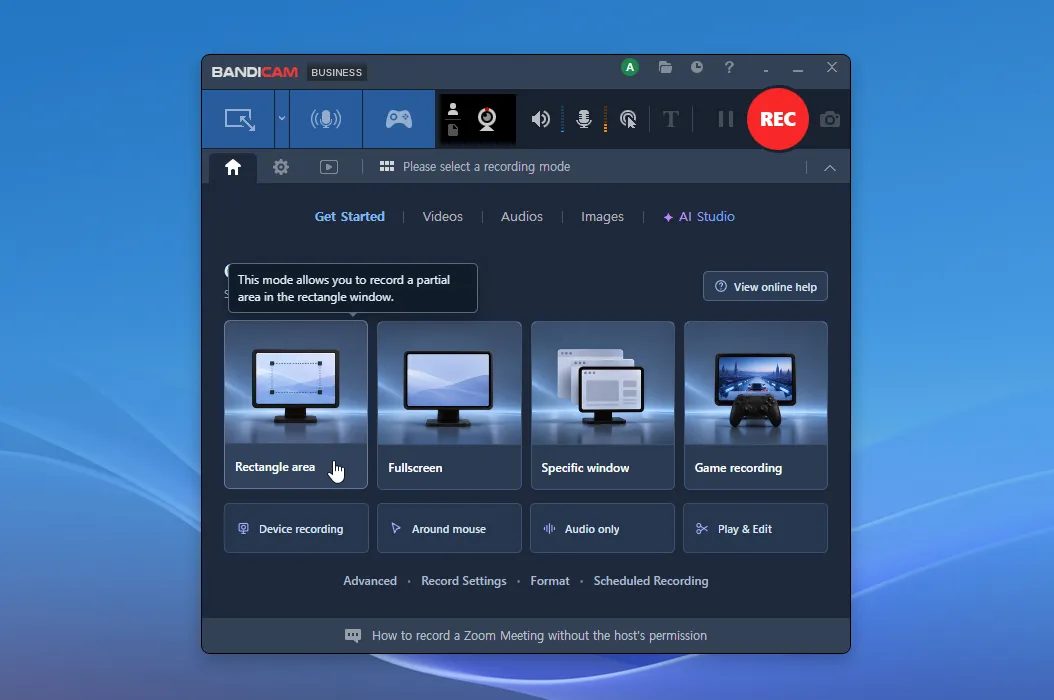
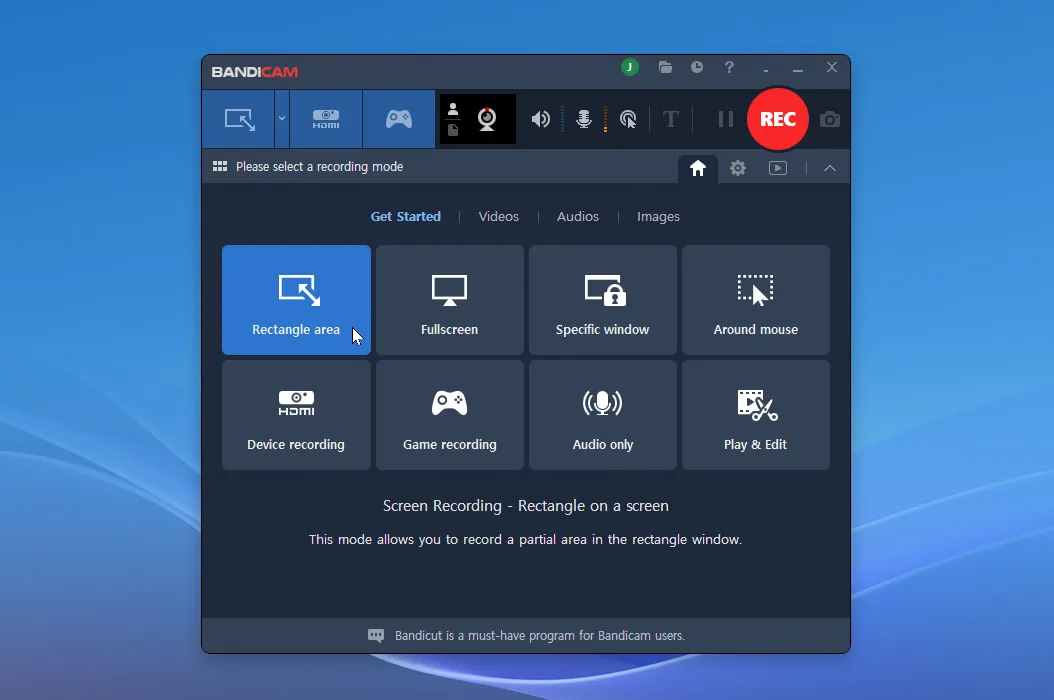
- Area, full-screen, window, game and device recording modes
- Webcam overlay and separate tracks for voice and system sound
- Built-in editor with subtitles and silence removal
- Scheduled recording
Pros
- Far quicker to learn than OBS
- One-time price for personal use
- Light enough for gameplay
Cons
- Free version stops each recording at five minutes
- Personal license excludes work videos
- Windows only
- Skip if:
- Your recordings are for work and you'd rather not pay yearly
Bandicam is a Windows desktop recorder that captures a screen area, a window, games and webcam or capture-card video, with mic and system audio. Its 2027 version adds a built-in editor, Smart Zoom that follows the cursor, AI transcription and subtitles, and webcam background removal. The free version limits each recording to 5 minutes and watermarks edited exports. Paid licenses are an annual subscription or a perpetual license for Bandicam 2027; the Personal license excludes commercial use, which needs the Business license.
What users say
Evidence ↓Practitioner evidence is thin. One osu! forum user in 2019 moved from OBS to Bandicam after OBS dropped their game's frame rate, but later reported lower video quality and 30 to 40 fps recordings; replies blamed PC age and game settings, and some suggested OBS. A competitor vendor's 2026 review praises game-recording performance and stability, but that is a vendor view written before Bandicam 2027.
Rankings and alternatives
- Windows screen recorders #2 of 10 Simple recorder you can buy once
- OBS Studio #1 Free, no limits, the most control
- FocuSee #3 Automatic zooms for tutorials and demos
- Cap #4 Cheap auto-zoom recorder with share links



Windows screen recorders scores
Evaluated Nov 17, 2026 Evidence ↓- Recording quality and smoothness · counts double 4
4/5 means: 4K at 60 fps with hardware encoding and few reliability complaints
Hardware encoding (NVENC, AMD, Intel Quick Sync) and 4K at high frame rates per a competitor vendor's review, plus a long-standing game-capture hook. No independent benchmark; a 2019 forum user reported 30 to 40 fps recordings, so reliability evidence is thin rather than clean.
- Ease of getting a finished video 4
4/5 means: Easy to record and finish, with a few rough edges or extra steps
Mode tiles make recording quick and the 2027 version adds a built-in editor, so a second app is no longer required. The only ease claim is from a competitor vendor, and no independent view of the new editor was found.
- Editing depth 3
3/5 means: Cuts plus a few extras such as combining clips, captions, or editing the zooms, cursor and camera of one recording
Bandicam 2027 has built-in trimming, subtitle editing and editing by transcript, and silence and filler-word removal. A multi-clip timeline, speed changes and combining clips are not documented (joining clips is Bandicut's job), so it stops short of level 4.
- Cost over three years 3
3/5 means: $100 to $250
Work videos need the Business license, $49.46 per year for 1 PC, so 3 x $49.46 = $148.38 (about $198 at the $65.95 list price). The Personal licenses ($33.26 per year, $53.90 perpetual) exclude commercial use. The free version limits recordings to 5 minutes and watermarks edited exports.
- Recording options 4
4/5 means: All the basics plus one or two extras, such as separate audio tracks, a phone or a capture device
Area, window, fullscreen, game and device (webcam or capture card) modes, a webcam overlay, mic plus system audio on separate tracks, and scheduled recording. Several simultaneous screens or cameras are not documented.
- Polish without editing · counts half 3
3/5 means: Click effects plus cursor smoothing or simple automatic zooms; most zooms are placed or fixed by hand
2027 adds Smart Zoom based on cursor movement and AI webcam background removal. Click-following zooms, cursor smoothing and backgrounds are not confirmed, and the zoom may be limited to some recording modes; Bandicam's older mouse click effects are from general knowledge only.
- Sharing · counts half 2
2/5 means: Save plus uploading to services you set up, such as YouTube, Dropbox or Google Drive
Uploads to services you set up (a Vimeo upload is in the changelog); no hosted share link. YouTube upload was not confirmed on the pages read.
- Gameplay capture · counts half 4
4/5 means: Game capture plus an FPS overlay or automatic highlights, but no instant replay
A dedicated game recording mode and an FPS overlay (competitor review). No instant replay buffer was found, but its absence is not established.
Pricing
- Free Free Recordings limited to 5 minutes each with no watermark; edited exports, including subtitled videos, carry a watermark.
- Personal Annual $33.26 /year One PC, non-commercial use only. Shown as a 10% discount, so the list price is higher (a Capterra listing shows $36.95). Includes updates and support while active; renew to keep the full version. Three years is 3 x $33.26 = $99.78 at this price.
- Personal Perpetual (Bandicam 2027) $53.90 one-time One PC, non-commercial use only. Shown as 30% off a $77.00 list price. Covers Bandicam 2027 with one year of support; the page does not state the price of a later major version.
- Personal Annual with Bandicut $49.97 /year Bundle of Bandicam and the Bandicut cutting and joining editor, listed at $64.90 before the 23% discount.
- Business Annual $49.46 /year Business and education license for one PC (commercial use allowed), listed at $65.95 before a 25% discount; 2-PC annual is $95.92. Includes an invoice.
Prices checked Nov 17, 2026.
Evidence and sources
What users say
Summary 3 quotes
-
In my testing, Bandicam consistently outperformed many competitors in the game recording category. The hardware acceleration is real and measurable — recording a GPU-intensive game at 1080p/60fps added less than 3% CPU overhead in most scenarios.
atomisystems.com/screencasting/bandicam-screen-recorder-review-2026-real-pros-cons-who-its-actually-for · published · checked -
I used to record with OBS, but the framerates in game drop to what it feels like 10, and the frames never dropped so hard before (used OBS to record back in 2016, no problem), so I resorted to bandicam.
eena chan, osu! forum user recording gameplay · osu.ppy.sh/community/forums/topics/878925 · published · checked -
The quality also drops, and the frames go down to like, 30 or 40.
eena chan, osu! forum user recording gameplay · osu.ppy.sh/community/forums/topics/878925 · published · checked
Windows screen recorders scores
Recording quality and smoothness 3 quotes
-
It leverages NVIDIA NVENC, AMD VCE, and Intel Quick Sync to record gameplay at up to 4K resolution and 480 FPS with minimal CPU impact.
atomisystems.com/screencasting/bandicam-screen-recorder-review-2026-real-pros-cons-who-its-actually-for · published · checked -
In my testing, Bandicam consistently outperformed many competitors in the game recording category. The hardware acceleration is real and measurable — recording a GPU-intensive game at 1080p/60fps added less than 3% CPU overhead in most scenarios.
atomisystems.com/screencasting/bandicam-screen-recorder-review-2026-real-pros-cons-who-its-actually-for · published · checked -
The quality also drops, and the frames go down to like, 30 or 40.
eena chan, osu! forum user recording gameplay · osu.ppy.sh/community/forums/topics/878925 · published · checked
Ease of getting a finished video 3 quotes
-
Added a built-in video and audio player Added built-in video and audio editing Added Smart Zoom based on cursor movement
bandicam.com/downloads · checked -
Added subtitle insertion with AI Transcription Added AI webcam background removal, blur, and replacement Added AI Transcription for subtitles and speaker separation Added AI highlight editing Added subtitle-based editing Added subtitle editing Added automatic editing of silence and filler words, with speaker selection
bandicam.com/downloads · checked -
Bandicam supports simultaneous recording of system sound and microphone audio on separate tracks — a feature that many entry-level recorders still don’t offer properly.
atomisystems.com/screencasting/bandicam-screen-recorder-review-2026-real-pros-cons-who-its-actually-for · published · checked
Editing depth 3 quotes
-
Added a built-in video and audio player Added built-in video and audio editing Added Smart Zoom based on cursor movement
bandicam.com/downloads · checked -
Added subtitle insertion with AI Transcription Added AI webcam background removal, blur, and replacement Added AI Transcription for subtitles and speaker separation Added AI highlight editing Added subtitle-based editing Added subtitle editing Added automatic editing of silence and filler words, with speaker selection
bandicam.com/downloads · checked -
Get both tools to record and edit videos. $49.97 $64.90 (23% OFF) 1-year use of Bandicam + Bandicut
bandicam.com/buy · checked
Cost over three years 3 quotes
-
Free recordings are limited to 5 minutes each, with no watermark. Edited video exports, including subtitled videos, contain a watermark.
bandicam.com/downloads · checked -
The Personal License is for non-commercial use with no invoice. Organizations must purchase the Business License for commercial use, with an invoice.
bandicam.com/buy · checked -
1-PC / 1-Year access for business use $49.46 $65.95 (25% OFF) Renewable annual license
bandicam.com/buy · checked
Recording options 1 quote
-
Bandicam supports simultaneous recording of system sound and microphone audio on separate tracks — a feature that many entry-level recorders still don’t offer properly.
atomisystems.com/screencasting/bandicam-screen-recorder-review-2026-real-pros-cons-who-its-actually-for · published · checked
Polish without editing 2 quotes
-
Added a built-in video and audio player Added built-in video and audio editing Added Smart Zoom based on cursor movement
bandicam.com/downloads · checked -
Added subtitle insertion with AI Transcription Added AI webcam background removal, blur, and replacement Added AI Transcription for subtitles and speaker separation Added AI highlight editing Added subtitle-based editing Added subtitle editing Added automatic editing of silence and filler words, with speaker selection
bandicam.com/downloads · checked
Gameplay capture 3 quotes
-
It leverages NVIDIA NVENC, AMD VCE, and Intel Quick Sync to record gameplay at up to 4K resolution and 480 FPS with minimal CPU impact.
atomisystems.com/screencasting/bandicam-screen-recorder-review-2026-real-pros-cons-who-its-actually-for · published · checked -
In my testing, Bandicam consistently outperformed many competitors in the game recording category. The hardware acceleration is real and measurable — recording a GPU-intensive game at 1080p/60fps added less than 3% CPU overhead in most scenarios.
atomisystems.com/screencasting/bandicam-screen-recorder-review-2026-real-pros-cons-who-its-actually-for · published · checked -
Bandicam supports simultaneous recording of system sound and microphone audio on separate tracks — a feature that many entry-level recorders still don’t offer properly.
atomisystems.com/screencasting/bandicam-screen-recorder-review-2026-real-pros-cons-who-its-actually-for · published · checked
Facts
License 1 quote
-
The Personal License is for non-commercial use with no invoice. Organizations must purchase the Business License for commercial use, with an invoice.
bandicam.com/buy · checked
Runs on 2 quotes
-
Bandicam is a screen recorder that captures your screen, gameplay, webcam video, and audio. Its built-in tools include video editing, AI transcription, webcam background removal, and Smart Zoom.
bandicam.com · checked -
It leverages NVIDIA NVENC, AMD VCE, and Intel Quick Sync to record gameplay at up to 4K resolution and 480 FPS with minimal CPU impact.
atomisystems.com/screencasting/bandicam-screen-recorder-review-2026-real-pros-cons-who-its-actually-for · published · checked
More from the sources
Pricing 2 quotes
-
1-PC / 1-Year access for individuals $2.77 / mo $33.26 per year (10% OFF) Renewable annual license Free updates and technical support No recording time limit and watermark
bandicam.com/buy · checked -
1-PC / Perpetual use of Bandicam 2027 $53.90 $77.00 (30% OFF) Perpetual access to Bandicam 2027 One year of free technical support No recording time limit and watermark
bandicam.com/buy · checked
Pricing
bandicam.com/buy · checked