
Bark
Parental control app that scans kids' texts, email and social media and alerts parents to risks, with screen time, web filtering and location
Our verdict
#7 of 7 in Parental control apps · Alerts about texts and social media for teens
What it does
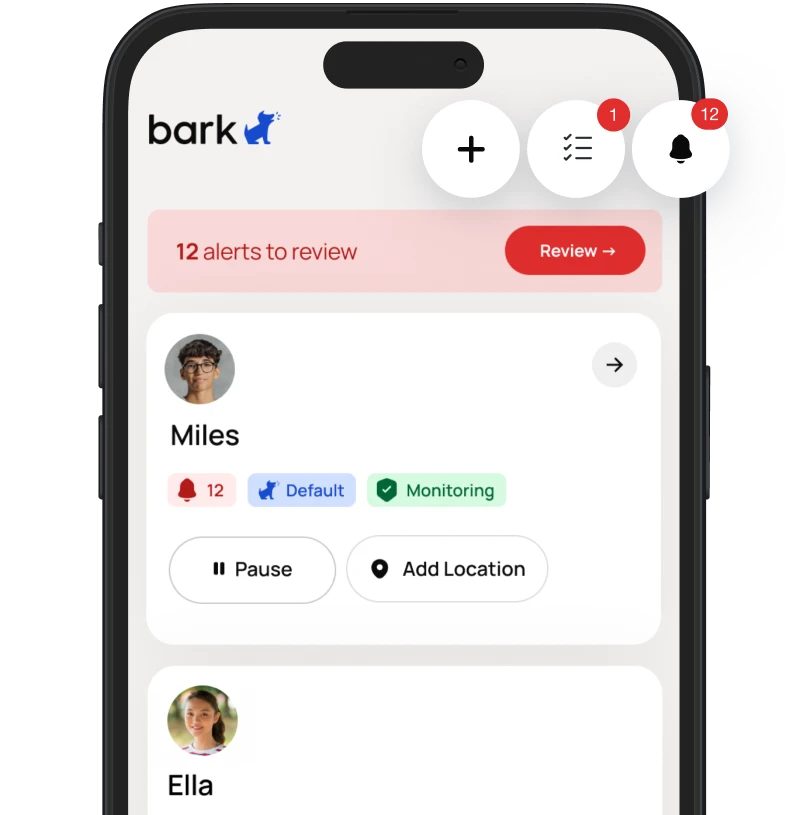
- Alerts about bullying, self-harm, predators, and explicit content
- Scans texts, email, and over 30 apps and sites
- Schedules, app blocks, and website filtering
- Location with arrive and leave alerts
Pros
- Shows only flagged excerpts, not every message
- Strong detection in independent testing
- One price for every kid and device
Cons
- iPhone monitoring needs a charger add-on or home computer
- No Snapchat, Instagram or TikTok coverage on iPhone
- No daily time limit in the app
- Choose if:
- You have a teen and want to hear about real trouble without reading their messages
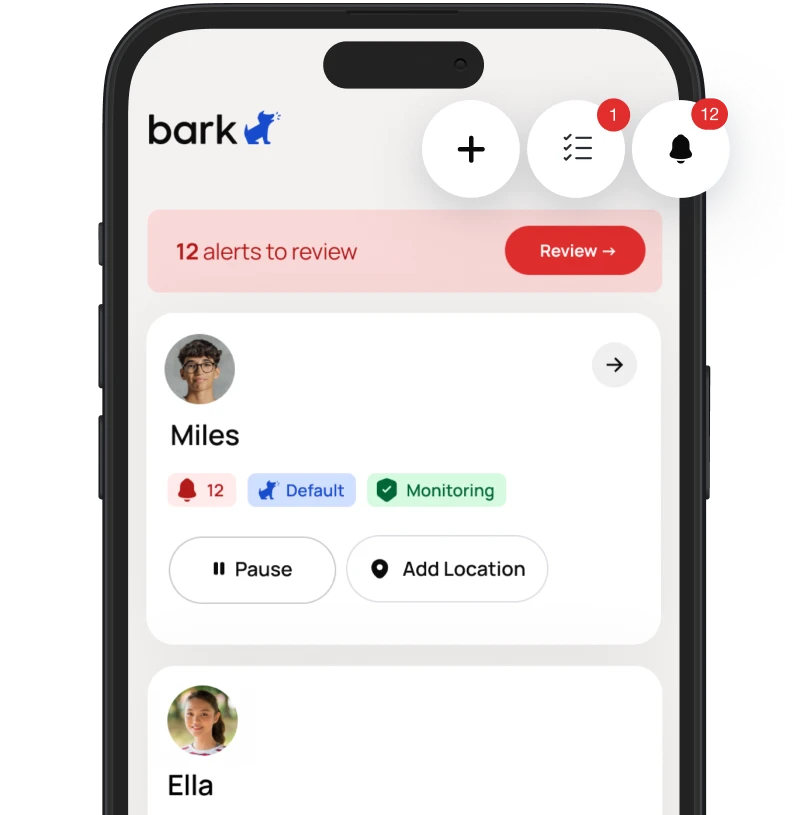
Bark is a parental control subscription for the phones and tablets a family already owns. Its main feature is AI scanning of a child’s texts, email, social media and other content, which sends parents alerts about things like bullying, self-harm and predators instead of showing every message. It also offers web and app blocking, screen time schedules and location tracking. A parent app and a Bark Kids app run on iPhone, iPad and Android; one subscription covers unlimited children and devices. On Android the Bark Kids app does the monitoring directly, while on iPhone text, photo and several other kinds of monitoring need the optional Bark Sync charger or a home computer, and Snapchat, Instagram and TikTok are not covered. Bark also sells the Bark Phone, the Bark Watch and Bark Home, which are separate products. The app is a paid subscription with a 7-day free trial and is available in the United States, South Africa and Australia.
What users say
Evidence ↓The two reviewers whose hands-on tests were read (Security.org and SafeWise) are favorable on the AI alerts, with Security.org reporting that 97 percent of its staged scenarios were flagged, and both like that one price covers unlimited kids and devices. Both are critical of the iPhone experience, which needs extra steps and covers fewer apps, and of the fact that parents see only flagged snippets, not full conversations. SafeWise found alerts could get noisy, with false positives such as a beer-mug emoji, while Security.org found few. These are two reviews, one with affiliate links, not a survey of users.
Rankings and alternatives
- Parental control apps #7 of 7 Alerts about texts and social media for teens
- Google Family Link #1 Free and the most control over an Android phone
- Apple Screen Time #2 The free default for a kid's iPhone
- FamiSafe #3 Most features for the price, mostly on Android
Parental control apps for iPhone and Android scores
Evaluated Nov 17, 2026 Evidence ↓- Screen time limits and schedules · counts double 2
2/5 means: Schedules only, or limits that only warn or report on one of iPhone and Android
Schedules and an internet pause work on Android, but the app has no daily total limit (Bark Phone only), and on iPhone the limits rely on Apple Screen Time, which counts against Bark. Reviewers disagree on a daily limit on Android.
- Hard for kids to get around 3
3/5 means: Needs a parent password or passcode to remove, but known workarounds or reliability bugs let a determined kid through
Uninstall needs the parent password and a reviewer's VPN, new-account and reset tests mostly alerted the parent, but one reviewer says savvy teens may find workarounds and monitored accounts can disconnect. Only one hands-on test, and no reliability complaint data was read.
- Blocking and approving apps 3
3/5 means: Blocks specific apps on both platforms, but only a limited list on iPhone, or no approval of new downloads
Parents can block apps through Screen Time Rules, but there is no approval of new downloads or contacts in the app (Bark Phone only). Coverage of app blocking on iPhone was not detailed on the pages read.
- Web filtering 3
3/5 means: Category filters or an allow-only mode, but limited to certain browsers or with gaps reviewers found
17 categories with allow and block lists, but a reviewer found gaps with new sites, and on iPhone browsing is set up through Apple's own controls with limited private-browsing coverage. Browser coverage on iOS is not fully documented.
- Alerts about messages and social media 4
4/5 means: Scans texts and several social apps for risks on Android and texts on iPhone, and alerts the parent
Strong AI alerts with flagged snippets for texts, email and 30+ apps. On iPhone, texts and photos need the Bark Sync charger or a computer and Instagram, Snapchat and TikTok are not covered, which holds it below 5.
- Works for mixed iPhone and Android families 4
4/5 means: Manages kids on both platforms from a parent app on either, with notable features missing on iPhone
One account and parent apps on both iOS and Android manage kids on either platform, but iPhone loses limits, app coverage and live monitoring.
- Yearly cost for a family 2
2/5 means: About $100 to $150 a year
$99 per year for the app plus $49 per year for Bark Sync is $148 per year, covering unlimited kids, so two kids cost the same. It is at the top of the $100 to $150 band.
- Easy to set up and use 3
3/5 means: Fine once set up, with known snags such as an involved iPhone setup, noisy alerts or a dated dashboard
Android setup takes about 5 minutes and the parent app is clear, but the iPhone setup is involved (charger or computer, credentials, Apple Screen Time) and alerts can be noisy. Reviewers differ on noise.
- Location and place alerts · counts half 4
4/5 means: Live location and arrive and leave alerts for places the parent picks
Live location, arrive and leave alerts and check-ins are documented. No location history was found on the pages read, though SafeWise mentions driving summaries.
Pricing
- Bark App (monthly) $14.00/month
- Bark App (annual) $99.00/year
- Bark Sync (iPhone and iPad) $6.00/month , extra
- Bark Phone (device, separate product) $360.00 one-time , extra
Prices checked Nov 17, 2026.
Evidence and sources
What users say
Summary 4 quotes
-
It successfully identified concerning content in 97 percent of our tests with only a few false positives.
security.org/parental-controls/bark · published · checked -
Another disappointment is that you cannot view full conversation histories or browse through your child’s messages on demand. Bark only shows you the specific content that triggered an alert.
security.org/parental-controls/bark · published · checked -
While it’s nice to know that Bark won’t miss anything, all those alerts can get pesky. Some concerns don't have adjustable sensitivity settings, so you're either all-in for those alerts or kept in the dark.
safewise.com/kids-safety/parental-control-apps/bark · published · checked -
When we switched to protecting an iPhone, we had to use Apple’s built-in Screen Time feature to limit screen time. Apple’s closed ecosystem prevents third-party apps from limiting screen time on all iOS devices. Using Apple Screen Time alongside Bark works, but it’s less seamless than Android.
security.org/parental-controls/bark · published · checked
Parental control apps for iPhone and Android scores
Screen time limits and schedules 4 quotes
-
When we switched to protecting an iPhone, we had to use Apple’s built-in Screen Time feature to limit screen time. Apple’s closed ecosystem prevents third-party apps from limiting screen time on all iOS devices. Using Apple Screen Time alongside Bark works, but it’s less seamless than Android.
security.org/parental-controls/bark · published · checked -
On Android devices, screen time management works as expected. We could set different schedules for weekdays versus weekends, block apps during homework hours, and ensure phones weren’t being used past bedtime. The controls worked smoothly, and we couldn’t find any easy workarounds on our test devices.
security.org/parental-controls/bark · published · checked -
However, you can't set a time limit of, say, two hours of total screen time each day unless you buy the Bark Phone.
safewise.com/kids-safety/parental-control-apps/bark · published · checked -
The Bark Phone also offers exclusive features that the app doesn’t, including: Contact approvals App install approvals Remote alarms Daily screen time limits Completely tamper-proof settings
bark.us/pricing · checked
Hard for kids to get around 2 quotes
-
We attempted various bypass methods during testing — using VPNs, creating new accounts, factory resetting — and found that Bark alerts parents to most circumvention attempts.
security.org/parental-controls/bark · published · checked -
For social media monitoring across both platforms, we needed to connect accounts through Bark’s dashboard. You’ll need to add the login credentials of the accounts you intend to monitor.
security.org/parental-controls/bark · published · checked
Blocking and approving apps 2 quotes
-
The Bark Phone also offers exclusive features that the app doesn’t, including: Contact approvals App install approvals Remote alarms Daily screen time limits Completely tamper-proof settings
bark.us/pricing · checked -
It would be nice if new apps — or even just Mature or Teen apps — could be automatically blocked pending parent approval.
safewise.com/kids-safety/parental-control-apps/bark · published · checked
Web filtering 1 quote
-
Bark’s web filter blocks access to inappropriate websites across 17 different categories including pornography, violence, gambling, and illegal activities.
security.org/parental-controls/bark · published · checked
Alerts about messages and social media 7 quotes
-
Apple's privacy protections mean third-party apps can't read what's on your child's device. The Bark Sync helps close that gap. It's a smart charger that scans your child's iPhone or iPad for potential issues every time it plugs in, no extra steps required. The Bark Sync is optional and available for $6/month or $49/year, and requires a Bark app subscription.
bark.us/pricing · checked -
To monitor texts, photos, videos, and more on your child's iOS device, you'll need the Bark Sync — a smart charger that scans your child's device every time it plugs in (or the Bark Desktop App on a home computer). It's the easiest way to get the most out of Bark on iOS.
bark.us/pricing · checked -
Instagram doesn't let Bark (or any other service) monitor its content.
bark.us/bark-app-ios · checked -
Snapchat doesn't let Bark (or any other service) monitor its content.
bark.us/bark-app-ios · checked -
Unlike tools that only flag simple keywords, Bark’s advanced AI understands context, monitoring texts, social media, images, videos, and audio to alert you to real dangers like bullying, suicidal ideation, and sexual content.
bark.us/bark-app-ios · checked -
Bark monitors these social media and messaging apps on Android devices only: Discord HOLLA Houseparty Instagram
safewise.com/kids-safety/parental-control-apps/bark · published · checked -
Bark’s parental alerts do include content and comments from people your child interacts with, but the notifications are only snippets of conversations.
safewise.com/kids-safety/parental-control-apps/bark · published · checked
Works for mixed iPhone and Android families 3 quotes
-
Bark works across iOS and Android — no need for your family’s devices to match. Manage everything easily from the Bark parent app, whatever phone you’re on.
bark.us/bark-app-ios · checked -
To monitor texts, photos, videos, and more on your child's iOS device, you'll need the Bark Sync — a smart charger that scans your child's device every time it plugs in (or the Bark Desktop App on a home computer). It's the easiest way to get the most out of Bark on iOS.
bark.us/pricing · checked -
When we switched to protecting an iPhone, we had to use Apple’s built-in Screen Time feature to limit screen time. Apple’s closed ecosystem prevents third-party apps from limiting screen time on all iOS devices. Using Apple Screen Time alongside Bark works, but it’s less seamless than Android.
security.org/parental-controls/bark · published · checked
Yearly cost for a family 3 quotes
-
iOS (iPhone/iPad) and Android: $14/month or $99/year
bark.us/pricing · checked -
Apple's privacy protections mean third-party apps can't read what's on your child's device. The Bark Sync helps close that gap. It's a smart charger that scans your child's iPhone or iPad for potential issues every time it plugs in, no extra steps required. The Bark Sync is optional and available for $6/month or $49/year, and requires a Bark app subscription.
bark.us/pricing · checked -
Pricing depends on your child's device. A single subscription covers every child and device in your family, with no limit on accounts, devices, or kids.
bark.us/pricing · checked
Easy to set up and use 4 quotes
-
Installation took us about five minutes for Android devices and about 15 minutes for iOS devices.
security.org/parental-controls/bark · published · checked -
While it’s nice to know that Bark won’t miss anything, all those alerts can get pesky. Some concerns don't have adjustable sensitivity settings, so you're either all-in for those alerts or kept in the dark.
safewise.com/kids-safety/parental-control-apps/bark · published · checked -
It successfully identified concerning content in 97 percent of our tests with only a few false positives.
security.org/parental-controls/bark · published · checked -
For social media monitoring across both platforms, we needed to connect accounts through Bark’s dashboard. You’ll need to add the login credentials of the accounts you intend to monitor.
security.org/parental-controls/bark · published · checked
Location and place alerts 1 quote
-
You can also get alerts once your child arrives or leaves a specific address (up to a 656-foot radius). The other option is to request a location check-in. It's up to your child to decide whether to share their whereabouts with you.
safewise.com/kids-safety/parental-control-apps/bark · published · checked
Facts
License 1 quote
-
iOS (iPhone/iPad) and Android: $14/month or $99/year
bark.us/pricing · checked
Runs on 3 quotes
-
To monitor texts, photos, videos, and more on your child's iOS device, you'll need the Bark Sync — a smart charger that scans your child's device every time it plugs in (or the Bark Desktop App on a home computer). It's the easiest way to get the most out of Bark on iOS.
bark.us/pricing · checked -
You'll also need to install the Bark Kids app on your child's Android device — it's what enables Bark to monitor content, manage screen time, block websites, and track your child's location.
bark.us/pricing · checked -
Bark works across iOS and Android — no need for your family’s devices to match. Manage everything easily from the Bark parent app, whatever phone you’re on.
bark.us/bark-app-ios · checked
Needs 4 quotes
-
Apple's privacy protections mean third-party apps can't read what's on your child's device. The Bark Sync helps close that gap. It's a smart charger that scans your child's iPhone or iPad for potential issues every time it plugs in, no extra steps required. The Bark Sync is optional and available for $6/month or $49/year, and requires a Bark app subscription.
bark.us/pricing · checked -
To monitor texts, photos, videos, and more on your child's iOS device, you'll need the Bark Sync — a smart charger that scans your child's device every time it plugs in (or the Bark Desktop App on a home computer). It's the easiest way to get the most out of Bark on iOS.
bark.us/pricing · checked -
You'll also need to install the Bark Kids app on your child's Android device — it's what enables Bark to monitor content, manage screen time, block websites, and track your child's location.
bark.us/pricing · checked -
For social media monitoring across both platforms, we needed to connect accounts through Bark’s dashboard. You’ll need to add the login credentials of the accounts you intend to monitor.
security.org/parental-controls/bark · published · checked
More from the sources
How widely it is used 1 quote
-
7,000,000+ families protected by Bark
bark.us · checked
Pricing
bark.us/pricing · checked