
CircuitMaker
Free Windows schematic and PCB design tool from Altium, built on Altium Designer technology
Our verdict
#7 of 9 in PCB design software for hobbyists · Altium's engine, free but public
Pros
- Altium-grade interactive routing for free
- Up to 16 signal layers, no size cap, and selling boards is allowed
Cons
- Windows only, with an always-online cloud workflow
- Projects are public unless you use one of five private slots
- Community parts need checking before you order
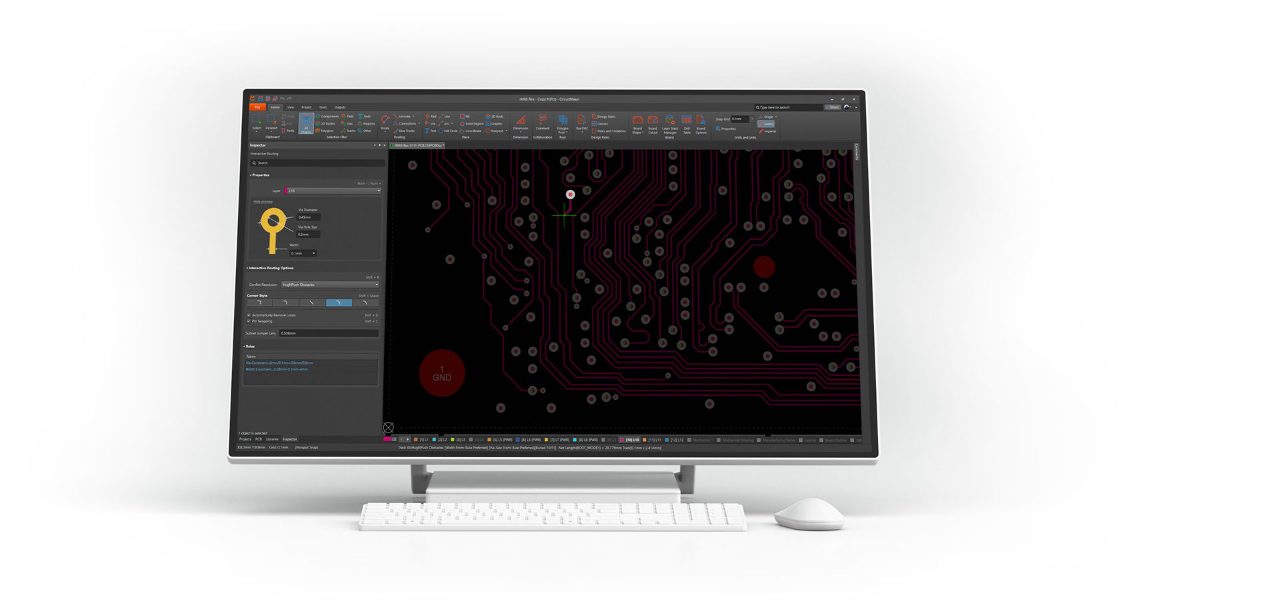
CircuitMaker is free schematic capture and PCB layout software from Altium for makers, hobbyists and open source hardware designers. It uses Altium Designer’s engine, including push-and-shove interactive routing, differential pairs, native 3D view and Gerber, NC Drill and ODB++ output, with up to 16 signal plus 16 plane layers and no board size limit. Projects live on Altium’s cloud and are public by default, with up to 5 private projects and no non-commercial clause. It needs a free account, an internet connection and Windows, and uses a community parts library backed by Octopart.
What users say
Evidence ↓The only practitioner account read is a single 2019 Silicon Chip hands-on review, by a reviewer who uses Altium Designer. It calls CircuitMaker a great way to start designing a first board, with good keyboard shortcuts, but warns that user-contributed library parts vary in quality and some footprints could have caused a fab to cut the board wrongly. Newer or broader user discussion was not read.
Rankings and alternatives




Hobbyist PCB design software scores
Evaluated Nov 17, 2026 Evidence ↓- Layout and routing power · counts double 4
4/5 means: Strong interactive routing with differential pairs and length tuning, and one notable weakness in speed, polish or rule setup
Altium Designer's push-and-shove router, differential pairs, length tuning, rules and DRC, 16 signal plus 16 plane layers and 3D with STEP export are all in the free edition. Controlled-impedance setup is not specifically documented in the pages read. Writer calibration: CircuitMaker is still on its 2.0 release and Wikipedia notes slower performance on large projects, the speed weakness level 4 names, so 4.
- Free-use headroom 3
3/5 means: Free for personal projects with limits a growing hobbyist will meet, such as a non-commercial clause, public-by-default projects or a cap on layers or documents
No layer or size limits and selling boards is allowed, but projects are public by default with only 5 private projects, and the account and always-online requirement is a real string. Reports of the private count disagree (2 in 2019).
- Ease of a first board 3
3/5 means: A real learning curve of a few evenings before a first board, with good help available
A reviewer calls it a great way to start, but the Altium-style ribbon, cloud project setup and library search take a few evenings. The review is from 2019 and current docs were not checked.
- Parts libraries 3
3/5 means: A decent library with some gaps, or a large one of uneven quality, and workable part creation
A large Octopart-backed community library tied to real parts, but quality is uneven (a footprint with a stray outline would have cut the board) and importing parts from other tools is limited.
- Path to manufactured boards 3
3/5 means: Complete fabrication and assembly output, sent to a fab by hand
Gerber, NC Drill and ODB++ output; one-click ordering is marked as coming soon, so boards are sent to the fab by hand. BOM and pick-and-place output were not verified.
- Ownership of your designs 2
2/5 means: Cloud-first or account-tied, with limited export or a renewable license that could be withdrawn
Cloud-first with an account and internet required to start, public by default, and no general export. A release zip can be imported into Altium Designer, and no KiCad export was found.
- Help and community 3
3/5 means: A moderate community; most common questions have answers
An active project-sharing community and Altium documentation exist, but no adoption figures or tutorial counts were found, and it is smaller than KiCad's by general knowledge.
- Platforms · counts half 2
2/5 means: One desktop system, with unofficial workarounds for others
Windows only, with unofficial Wine workarounds on Linux reported as of 2020.
Pricing
- CircuitMaker Free Free, with a free Altium account. Altium states no non-commercial clause, so designs can be sold. Up to 5 private projects; others are public to the community.
Prices checked Nov 17, 2026.
Evidence and sources
What users say
Summary 2 quotes
-
If you haven’t designed a PCB before, but want to, it’s a great way to get started.
Tim Blythman, reviewer at Silicon Chip magazine (an Altium Designer user) · siliconchip.com.au/Issue/2019/January/%E2%80%9CCircuitMaker%E2%80%9D+PCB+software.+It%E2%80%99s+FREE%21 · published · checked -
As with many open source projects, the quality of the user-added content varies. For example, when we were looking for header pins, we found a number that had been customised by other users for a specific role, rather than having a simple set of numbered pins. Another example is that the capacitors we were using for one project contained elements on the board outline layer; if we had used these footprints as-is, the manufacturer would have cut a rectangle out of the board, leaving nothing but a hole for the component to mount on!
Tim Blythman, reviewer at Silicon Chip magazine · siliconchip.com.au/Issue/2019/January/%E2%80%9CCircuitMaker%E2%80%9D+PCB+software.+It%E2%80%99s+FREE%21 · published · checked
Hobbyist PCB design software scores
Layout and routing power 2 quotes
-
CircuitMaker gives you the freedom of design with up to 16 signal + 16 plane layers and no restrictions to the PCB dimensions. You can even make money with your designs because there’s no “non-commercial” clause! With CircuitMaker 2.0, you can have up to 5 private projects and decide if and when you want to share with the community or only with other authors or customers.
altium.com/circuitmaker · checked -
The interactive routing modes include obstacle avoidance, hug, hug-n-push, and obstacle ignore. The push modes will push other trace and vias, as well as hop-over. You can even route differential pairs and interactively add accordions to nets that need that extra length for signal delays.
altium.com/circuitmaker · checked
Free-use headroom 2 quotes
-
CircuitMaker gives you the freedom of design with up to 16 signal + 16 plane layers and no restrictions to the PCB dimensions. You can even make money with your designs because there’s no “non-commercial” clause! With CircuitMaker 2.0, you can have up to 5 private projects and decide if and when you want to share with the community or only with other authors or customers.
altium.com/circuitmaker · checked -
CircuitMaker requires a free account to represent its users in the community. An active internet connection is required to start and use the software. Users are allowed to have 5 private projects, the so-called sandbox mode for practicing. By default, all schematics and PCBs are uploaded to the server and can be viewed by other users as soon as they are committed through the internal svn engine.
en.wikipedia.org/wiki/CircuitMaker · checked
Ease of a first board 1 quote
-
If you haven’t designed a PCB before, but want to, it’s a great way to get started.
Tim Blythman, reviewer at Silicon Chip magazine (an Altium Designer user) · siliconchip.com.au/Issue/2019/January/%E2%80%9CCircuitMaker%E2%80%9D+PCB+software.+It%E2%80%99s+FREE%21 · published · checked
Parts libraries 1 quote
-
As with many open source projects, the quality of the user-added content varies. For example, when we were looking for header pins, we found a number that had been customised by other users for a specific role, rather than having a simple set of numbered pins. Another example is that the capacitors we were using for one project contained elements on the board outline layer; if we had used these footprints as-is, the manufacturer would have cut a rectangle out of the board, leaving nothing but a hole for the component to mount on!
Tim Blythman, reviewer at Silicon Chip magazine · siliconchip.com.au/Issue/2019/January/%E2%80%9CCircuitMaker%E2%80%9D+PCB+software.+It%E2%80%99s+FREE%21 · published · checked
Path to manufactured boards 1 quote
-
CircuitMaker will generate industry standard CAM outputs. You can choose Gerber and NC Drill, or ODB++, or both. IPC test point reports and all other necessary outputs for professional manufacturing can be generated as well
altium.com/circuitmaker · checked
Ownership of your designs 3 quotes
-
CircuitMaker requires a free account to represent its users in the community. An active internet connection is required to start and use the software. Users are allowed to have 5 private projects, the so-called sandbox mode for practicing. By default, all schematics and PCBs are uploaded to the server and can be viewed by other users as soon as they are committed through the internal svn engine.
en.wikipedia.org/wiki/CircuitMaker · checked -
While users can import resources from competing EDA software packages,[31] CircuitMaker does not support exporting design resources itself. A workaround for this issue is provided by Altium Designer 15 and 16 which do support the import of CircuitMaker files.
en.wikipedia.org/wiki/CircuitMaker · checked -
All projects are stored in Altium’s “cloud” server, and are also available to be viewed by anyone with a CircuitMaker account. Anyone can make a copy of someone else’s project and add it to their own collection. Such projects may also be subject to open-source licensing restrictions
Tim Blythman, reviewer at Silicon Chip magazine · siliconchip.com.au/Issue/2019/January/%E2%80%9CCircuitMaker%E2%80%9D+PCB+software.+It%E2%80%99s+FREE%21 · published · checked
Platforms 1 quote
-
CircuitMaker is only available for the Windows operating system.
en.wikipedia.org/wiki/CircuitMaker · checked
Facts
License 2 quotes
-
CircuitMaker gives you the freedom of design with up to 16 signal + 16 plane layers and no restrictions to the PCB dimensions. You can even make money with your designs because there’s no “non-commercial” clause! With CircuitMaker 2.0, you can have up to 5 private projects and decide if and when you want to share with the community or only with other authors or customers.
altium.com/circuitmaker · checked -
CircuitMaker requires a free account to represent its users in the community. An active internet connection is required to start and use the software. Users are allowed to have 5 private projects, the so-called sandbox mode for practicing. By default, all schematics and PCBs are uploaded to the server and can be viewed by other users as soon as they are committed through the internal svn engine.
en.wikipedia.org/wiki/CircuitMaker · checked
Runs on 1 quote
-
CircuitMaker is only available for the Windows operating system.
en.wikipedia.org/wiki/CircuitMaker · checked
Needs 1 quote
-
CircuitMaker requires a free account to represent its users in the community. An active internet connection is required to start and use the software. Users are allowed to have 5 private projects, the so-called sandbox mode for practicing. By default, all schematics and PCBs are uploaded to the server and can be viewed by other users as soon as they are committed through the internal svn engine.
en.wikipedia.org/wiki/CircuitMaker · checked
More from the sources
Features 1 quote
-
CircuitMaker is schematic and PCB design software that is built upon Altium Designer technology.
altium.com/circuitmaker · checked
Pricing
altium.com/circuitmaker · checked