
CleanShot X
Mac screenshot and screen recording app with a built-in video editor and cloud links
Our verdict
#1 of 9 in Mac screen recorders · Best for most Mac users
What it does
- Screen, camera, microphone and system audio recording with click and keystroke display
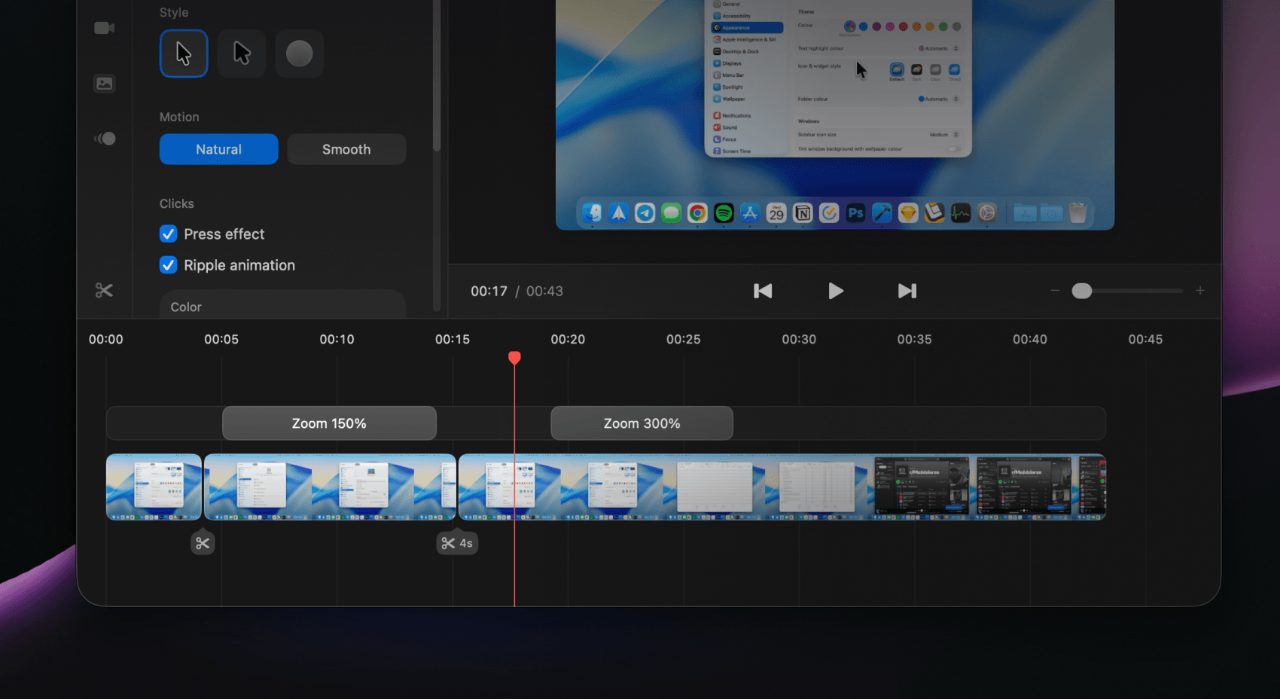
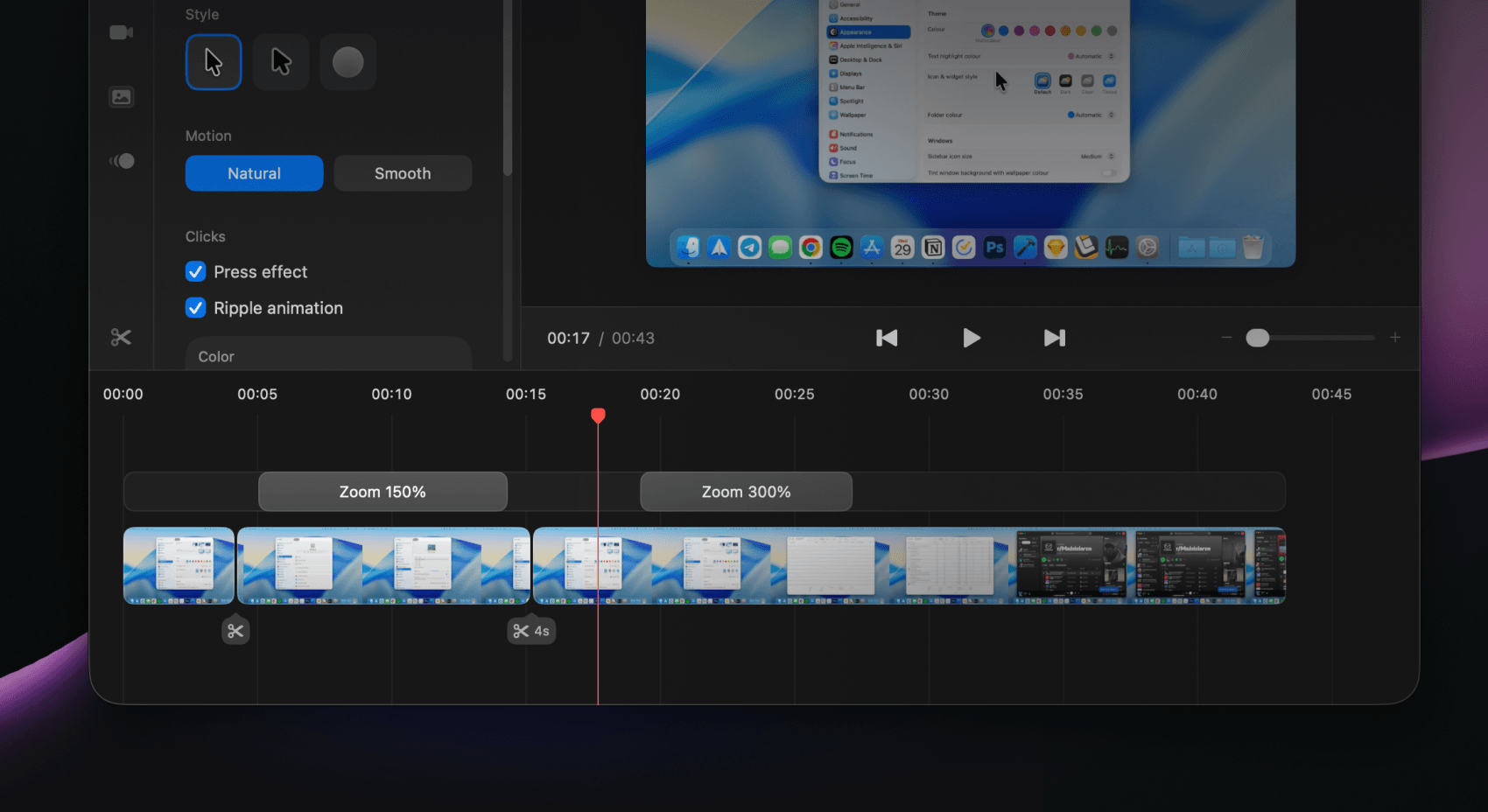
- Studio Mode with automatic zooms, cursor smoothing, backgrounds and motion blur
- One-click share links with comments on CleanShot Cloud
- Screenshots, scrolling capture, annotation and text recognition in the same app
Pros
- $35 once, with optional $19 yearly update renewals
- Covers quick bug reports and polished short demos in one tool
- Fast to learn; most recordings are done in a couple of clicks
Cons
- No speed changes, crop or caption editing in Studio Mode
- Only 1 GB of cloud storage without the Pro subscription
- Mac only, with no trial
- Skip if:
- Captions burned into the video are a must for every clip
CleanShot X is a Mac-only app for screenshots and screen recordings. It records the screen with camera, microphone and system audio, shows clicks and keystrokes, exports MP4 or GIF, and since version 5.0 includes Studio Mode, an editor that adds cursor-following zooms, cursor smoothing, backgrounds and motion blur. Recordings can be shared as links through CleanShot Cloud. It is sold as a one-time license with a year of updates, or as a Pro subscription with unlimited cloud storage, and it is also part of Setapp.
What users say
Evidence ↓Mac developers and founders the vendor quotes praise CleanShot X as the most complete screenshot and recording app for the Mac. A competing vendor's hands-on look at the new Studio Mode editor found its automatic zooms close to Screen Studio's on paper, but the editor lacks speed changes, cropping and captions.
Rankings and alternatives
- Mac screen recorders #1 of 9 Best for most Mac users
- Screen Studio #2 For demos where the video is the product
- Tella #3 For hosted, edited course and pitch videos
- Cap #4 Free for personal use, open source



Mac screen recorders scores
Evaluated Nov 17, 2026 Evidence ↓- Polish without editing 4
4/5 means: Automatic zooms that follow your clicks, cursor smoothing and backgrounds, with some manual fixing
Studio Mode, added in version 5.0, adds zooms that follow the cursor, cursor smoothing and styles, click effects, backgrounds and motion blur. It is new, and a hands-on comparison says only real use will show whether its zooms need fewer fixes than Screen Studio's, so it sits a level below.
- Editing depth 3
3/5 means: Cuts plus editing the zooms, cursor, camera and background of one recording
Studio Mode edits one recording: cuts, zooms, cursor, keystrokes, camera, background and aspect ratio. A hands-on check found no speed changes, crop tool or caption editing.
- Ease of getting a finished video 5
5/5 means: Record, polish and send in minutes, with almost nothing to learn
A menu-bar app that records an area with camera, microphone and system audio in a couple of clicks and can upload to a link at once; Studio Mode is a small set of panels. Widely praised as quick and simple by Mac users.
- Sharing 4
4/5 means: Hosted links with comments, transcripts or analytics
One-click upload to CleanShot Cloud gives a link with time-stamped comments and transcription; the one-time license includes 1 GB of storage and Pro is unlimited. Links come after upload rather than during recording.
- Cost over three years 4
4/5 means: Under $100
$35 once with a year of updates; renewing updates is optional at $19 a year, so three years cost $35 to $73.
- Recording options · counts half 4
4/5 means: All the basics at up to 4K, plus one or two extras such as an iPhone, keystrokes or GIF export
Screen, area or window with camera, microphone and system audio, click highlights, keystroke display, and MP4 or GIF output. It has no iPhone recording.
Pricing
- CleanShot Basic $35.00 one-time The full Mac app with one year of updates and 1 GB of CleanShot Cloud storage. Further updates cost $19 per year and are optional. 30-day money-back guarantee, no trial.
- CleanShot Pro $10.00 /month per seat Per user per month, billed annually. The Mac app always up to date, unlimited CleanShot Cloud storage, custom domain and branding, team management, SSO and SCIM.
Prices checked Nov 17, 2026.
Evidence and sources
What users say
Summary 2 quotes
-
First-hand, the 5.0 editor has no segment speed control, no crop tool, no caption authoring, no video blur or redaction, and no way to re-record one section in place.
Layerpath, maker of a competing product-demo tool · layerpath.com/compare/cleanshot-vs-screen-studio · checked -
By far the best and most feature-rich screenshot/screen recording app I've used.
Cabel Sasser, co-founder of Panic · cleanshot.com · checked
Mac screen recorders scores
Polish without editing 2 quotes
-
Yes. CleanShot 5.0 introduced Studio Mode, which lets you add animated zooms to specific parts of your screen recording, with smooth motion blur.
cleanshot.com/pricing · checked -
Add smooth zooms that follow your cursor and guide attention to the most important parts of your recording.
cleanshot.com/screen-recording · checked
Editing depth 2 quotes
-
Yes. CleanShot 5.0 introduced Studio Mode, which lets you add animated zooms to specific parts of your screen recording, with smooth motion blur.
cleanshot.com/pricing · checked -
First-hand, the 5.0 editor has no segment speed control, no crop tool, no caption authoring, no video blur or redaction, and no way to re-record one section in place.
Layerpath, maker of a competing product-demo tool · layerpath.com/compare/cleanshot-vs-screen-studio · checked
Ease of getting a finished video 3 quotes
-
Capture your screen, camera, microphone, and system audio without slowing down your workflow.
cleanshot.com/screen-recording · checked -
Upload your video to CleanShot Cloud and copy a clean link you can send anywhere.
cleanshot.com/screen-recording · checked -
By far the best and most feature-rich screenshot/screen recording app I've used.
Cabel Sasser, co-founder of Panic · cleanshot.com · checked
Sharing 2 quotes
-
Pro adds unlimited Cloud storage, custom branding, and team features.
cleanshot.com/pricing · checked -
Upload your video to CleanShot Cloud and copy a clean link you can send anywhere.
cleanshot.com/screen-recording · checked
Cost over three years 2 quotes
-
Pay once, use forever.
cleanshot.com/pricing · checked -
Optional renewal at $19 per year
cleanshot.com/pricing · checked
Recording options 2 quotes
-
Capture your screen, camera, microphone, and system audio without slowing down your workflow.
cleanshot.com/screen-recording · checked -
Export a polished video when quality matters, or a lightweight GIF when you need something quick to share.
cleanshot.com/screen-recording · checked
Facts
License 1 quote
-
Pay once, use forever.
cleanshot.com/pricing · checked
Runs on 2 quotes
-
CleanShot requires macOS 13.0 or newer.
cleanshot.com/pricing · checked -
There's no Windows version and at the moment there are no plans on releasing one.
cleanshot.com/pricing · checked
Needs 1 quote
-
CleanShot requires macOS 13.0 or newer.
cleanshot.com/pricing · checked
Users 1 quote
-
Trusted by 250,000+ users.
cleanshot.com · checked
More from the sources
Pricing 3 quotes
-
Both plans include the full Mac app.
cleanshot.com/pricing · checked -
We don't provide a trial, but we do have a 30-day money-back guarantee so feel free to give the app a try.
cleanshot.com/pricing · checked -
Get CleanShot with one Setapp subscription, alongside 200+ Mac apps.
cleanshot.com/pricing · checked
Features 7 quotes
-
Add a camera bubble to your recording so people see you, not just your screen. Perfect for walkthroughs, updates, and async feedback.
cleanshot.com/screen-recording · checked -
Collaborate with time-stamped comments on your videos and keep feedback tied to the work.
cleanshot.com/screen-recording · checked -
Turn every recording into an easy-to-watch page with searchable transcripts, captions, comments, and smooth playback.
cleanshot.com/product/cloud · checked -
Add link expiration and password protection when needed.
cleanshot.com/product/cloud · checked -
Share captures from your own domain with custom branding and white-label links that feel consistent, professional, and trustworthy.
cleanshot.com/product/cloud · checked -
Set password protection and expiration time before upload (Pro)
cleanshot.com/changelog · checked -
Get notified when someone comments on or views your media for the first time
cleanshot.com/changelog · checked
Limits and known issues 2 quotes
-
Bandwidth per month · 5 GB · 100 GB
cleanshot.com/fair-use · checked -
These are soft limits. If you somehow reach them, we won't block your account, but we will contact you and as long as you're not abusing the platform, find a solution.
cleanshot.com/fair-use · checked
Pricing
cleanshot.com/pricing · checked