
Screen Studio
Mac screen recorder that adds automatic zooms, smooth cursor motion and captions
Our verdict
#2 of 9 in Mac screen recorders · For demos where the video is the product
What it does
- Automatic zooms on clicks, cursor smoothing and motion blur
- Camera layouts you can change within one video, with background removal
- On-device captions and editing by transcript
- iPhone and iPad recording with device frames
Pros
- The most polished automatic motion of any recorder here
- Deeper editing than CleanShot X: speed, crop, captions, layouts
- Exports wide, square and vertical versions of one take
Cons
- Subscription only, by the year or the month
- No screenshot tools, so many people still pay for a second app
- Mac only
- Choose if:
- You publish product videos often enough that a few minutes saved on each one adds up
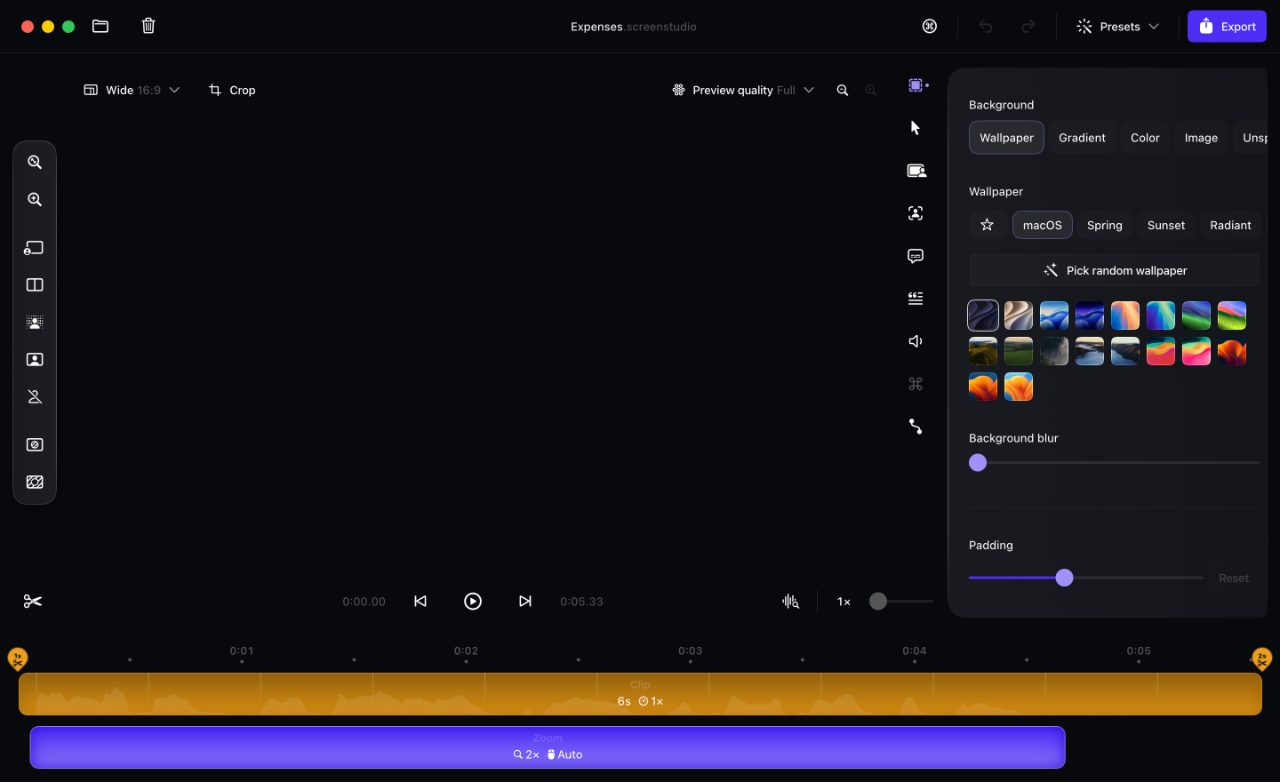
Screen Studio is a Mac-only screen recorder built for product demos, tutorials and social clips. It records the screen, webcam, microphone, system audio and a connected iPhone or iPad, then automatically zooms in where you clicked, smooths the cursor, adds backgrounds and motion blur, and generates captions on the Mac. Its timeline editor handles cuts, speed changes, layouts and vertical exports, and it can create shareable links. It is sold as a subscription, monthly or yearly, with every feature in both plans.
What users say
Evidence ↓Reviewers who compare it with cheaper look-alikes still credit Screen Studio with the most polished motion and the deeper editor for people who publish demo videos regularly.
Rankings and alternatives
- Mac screen recorders #2 of 9 For demos where the video is the product
- CleanShot X #1 Best for most Mac users
- Tella #3 For hosted, edited course and pitch videos
- Cap #4 Free for personal use, open source


Mac screen recorders scores
Evaluated Nov 17, 2026 Evidence ↓- Polish without editing 5
5/5 means: The same, with the most refined camera motion and the fewest zooms to fix
The product built around automatic zooms on clicks, a re-drawn smooth cursor, motion blur and backgrounds; reviewers comparing look-alikes still credit it with the most polished motion.
- Editing depth 4
4/5 means: A timeline with cuts, speed changes, captions or editing by transcript, and several clips in one video
Timeline zoom editing, cuts, per-segment speed, crop, camera layouts, vertical reframing and locally generated, editable captions; it is still a single-recording editor rather than a multitrack one.
- Ease of getting a finished video 5
5/5 means: Record, polish and send in minutes, with almost nothing to learn
Recording takes a click and the zooms and cursor effects are applied for you, so a first video is finished in minutes; reviewers call the editor beginner-friendly.
- Sharing 3
3/5 means: A hosted share link with limited storage or features
Both plans include shareable links and project sharing, but sharing is an extra on top of a local workflow rather than a team video library with comments and viewer insights.
- Cost over three years 2
2/5 means: $250 to $500
$9 a month billed yearly ($108 a year), so $324 over three years; monthly billing is $29. No one-time license is offered.
- Recording options · counts half 4
4/5 means: All the basics at up to 4K, plus one or two extras such as an iPhone, keystrokes or GIF export
Display, window or area with webcam, microphone and Mac audio, plus an iPhone or iPad over a cable, exported up to 4K at 60 fps.
Pricing
- Yearly $108.00 /year Shown as $9 a month, billed annually. All features, 4K 60 fps export, shareable links, cloud transcripts and project sharing. Students and educators get 40% off.
- Monthly $29.00 /month The same features as the yearly plan, billed monthly.
Prices checked Nov 17, 2026.
Evidence and sources
What users say
Summary 1 quote
-
But if you're producing content regularly and can stretch to $89, Screen Studio's deeper polish, preset recording resolutions, and more active development make it the stronger long-term choice.
Dave Swift, YouTube creator and reviewer · daveswift.com/focusee · published · checked
Mac screen recorders scores
Polish without editing 3 quotes
-
Automatic zoom. Screen Studio looks at what you did while recording, like where you clicked, and zooms in on the moments that matter.
screen.studio · checked -
It records your screen, ignoring the mouse cursor, and then adds the cursor back in the final video. This is possible because Screen Studio records precise mouse movement data and synchronizes it with the recorded video.
screen.studio · checked -
But if you're producing content regularly and can stretch to $89, Screen Studio's deeper polish, preset recording resolutions, and more active development make it the stronger long-term choice.
Dave Swift, YouTube creator and reviewer · daveswift.com/focusee · published · checked
Editing depth 1 quote
-
Screen Studio turns what you say into accurate captions, quickly and right on your Mac.
screen.studio · checked
Ease of getting a finished video 1 quote
-
Automatic zoom. Screen Studio looks at what you did while recording, like where you clicked, and zooms in on the moments that matter.
screen.studio · checked
Sharing 1 quote
-
Shareable links. Uploaded when you create one. You’re asked before the first upload.
screen.studio · checked
Cost over three years 2 quotes
-
$9/mo.
screen.studio · checked -
$29/mo.
screen.studio · checked
Recording options 3 quotes
-
Export up to 4K at 60 fps
screen.studio · checked -
Record your whole display, one window, or just the area that matters. Bring your webcam, microphone, and your Mac’s sound along.
screen.studio · checked -
iPhone. Plug in, pick your iPhone, record. The bezel and color match the model you hold.
screen.studio · checked
Facts
License 1 quote
-
Every Screen Studio feature is available in every plan.
screen.studio · checked
Runs on 1 quote
-
No, and there are no near-future plans to add Windows support. Currently, Screen Studio only supports macOS.
screen.studio · checked
Needs 1 quote
-
macOS 13.1 or later recommended
screen.studio · checked
More from the sources
Pricing 1 quote
-
Students and educators get 40% off.
screen.studio · checked
Pricing
screen.studio · checked