CollaNote
Free handwriting and PDF notes app for iPad, with a one-time Lifetime Premium upgrade
Our verdict
#6 of 9 in Note-taking apps for iPad · Cheap one-time unlock with linked audio
Pros
- $13.90 once for Premium
- Audio linked to your handwriting
- Real-time collaboration
Cons
- Rougher than the bigger apps, with past crash reports
- Apple devices only
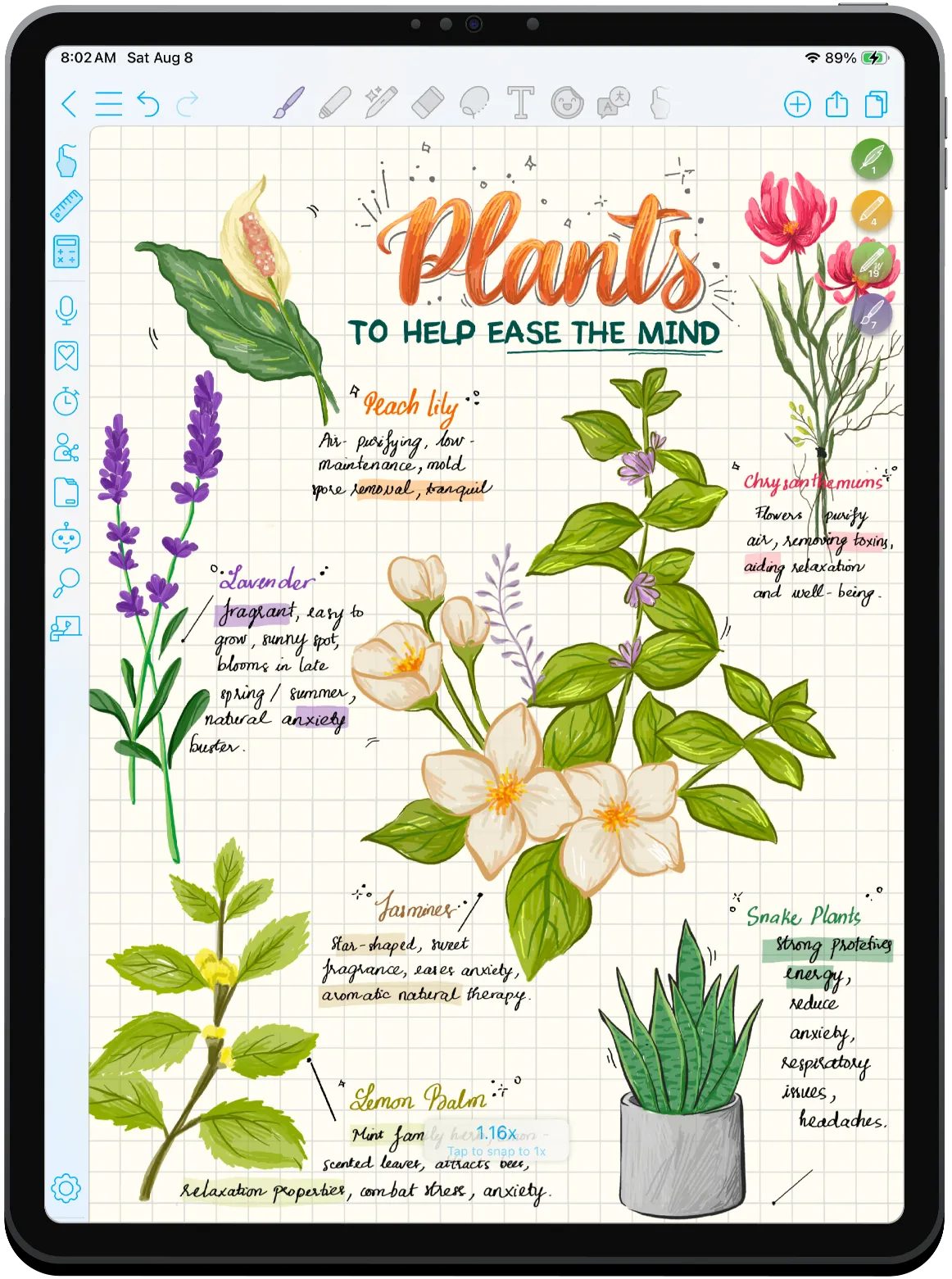
CollaNote is a handwriting note-taking and PDF markup app built around the Apple Pencil, from Zauberberg Lab Company Limited, a studio that began with a student at Hamburg University. It runs on iPad, iPhone, Mac (Apple silicon) and Apple Vision, and is free to download with in-app purchases, including a one-time Lifetime Premium. It offers 25+ to 50+ pens (the app listing and the website give different counts), a handwriting stabilizer, shape recognition, PDF, slide and Word import and annotation, audio recording synced to writing, iCloud backup and sync, and real-time collaboration. It also bundles digital planners, flashcards, translation, a handwriting calculator and AI tools. It is proprietary.
What users say
Evidence ↓Practitioner views come from a handful of App Store reviews and short blog or directory comments, so none represents all users. Paying users praise the pens, quick-access arc menu and templates, and the lifetime purchase (11, 12). Critics cite crashes and lost content during heavy lecture use (13), clunky handwriting recognition and slow scratch-out erasing (12), and a buggy interface after the app moved from free to freemium (14). A 2022 blogger found it a good free app but could not import PDFs into existing notes (16).
Rankings and alternatives
- Note-taking apps for iPad #6 of 9 Cheap one-time unlock with linked audio
- Goodnotes #1 Best all-rounder for class notes and PDFs
- Notability #2 For recording lectures alongside your notes
- Noteshelf 3 #3 Nicest pens for a one-time price



iPad handwritten note-taking apps scores
Evaluated Nov 17, 2026 Evidence ↓- Writing feel · counts double 4
4/5 means: Smooth, natural ink and a good set of pens and editing tools, with minor complaints
Many pens, a stabilizer, shape recognition, lasso and a quick-access arc menu that paying users praise. Complaints cover slow scratch-out erasing, clunky handwriting recognition and, in older reviews, crashes. No source ranks its ink against the best apps.
- Marking up PDFs and slides 3
3/5 means: PDF markup works, with clear limits such as odd page handling, rotation problems or slow long files
Imports PDF, PPT, DOC and images and annotates without altering the original, with a scanner and PDF export. Page management, outlines and long-file behavior are not documented, and a 2022 blogger could not import PDFs into existing notes.
- Finding notes later unknown
Library search by note name and folders with covers are documented, but whether search reads handwriting is unknown, so no level can be supported.
- Recording lectures 4
4/5 means: Playback is tied to your handwriting, so tapping a word plays that moment
Playback jumps to the moment a word was written, and an AI transcript is advertised. It is not documented whether recording or the transcript needs premium, so I did not give 5.
- Sync and other devices 3
3/5 means: Syncs between iPad, iPhone and Mac
iCloud backup and sync across iPad, iPhone and Mac. No Windows, Android or web app is listed. The cost to a buyer is not documented to differ between the free tier and premium for sync.
- Cost of unlimited notes 4
4/5 means: Under $20 over four years
Lifetime Premium is $13.90 one-time on the US App Store, under $20 over four years. It assumes premium is what lifts the note and folder cap, which rests on one reviewer; the exact free limits were not found.
- Turning handwriting into text · counts half 3
3/5 means: Converts selected handwriting, with accuracy complaints
A reviewer calls its handwriting recognition clunky and a handwriting calculator exists, but no source describes converting writing to editable text. The score is a judgment from thin evidence.
Pricing
- Free Free Free download with in-app purchases. The free version is limited, but the exact limits were not found on a vendor page; one App Store review says Lifetime Premium lifts limits on notes and folders.
- Lifetime Premium $13.90 one-time US App Store list price of the one-time purchase. Promotional offers listed alongside are $9.69 (welcome offer) and $6.95 (time-limited sale, and loyal-user price). The App Store page does not list what premium unlocks.
Prices checked Nov 17, 2026.
Evidence and sources
What users say
Summary 5 quotes
-
I paid for the lifetime/premium version of the app and I DO NOT regret it whatsoever. With the lifetime version, you get to create as many notes as you want, create many folders, and change the covers of your folders to anything.
Star_Calviana_Donét, App Store reviewer, first-year college student · apps.apple.com/us/app/collanote-notes-pdf-markup/id1540956268 · published · checked -
The handwriting recognition and execution is also a bit clunky and could use some work — and the scratch-out to erase function is a little too slow, but holy cow, this really does check all the boxes.
Tamanzi, App Store reviewer and visual note-taker who upgraded to paid · apps.apple.com/us/app/collanote-notes-pdf-markup/id1540956268 · published · checked -
When moving large chunks of text or drawing, sometimes the note or app will crash. Worse, it will sometimes delete things entirely, which is especially problematic when taking notes in a live lecture.
Mezmorizing, App Store reviewer, senior college student and heavy daily user · apps.apple.com/us/app/collanote-notes-pdf-markup/id1540956268 · published · checked -
App moved to Freemium model despite it's buggy UI/UX. There are better alternatives given the app's current position.
ZetiX, AlternativeTo reviewer · alternativeto.net/software/collanote/about · published · checked -
The problem that I ran into was that CollaNote does not allow for importing PDFs into existing notes.
J Marie, Medium blogger and CollaNote user · medium.com/jmspaceblog/collanote-free-note-taking-app-2152b32ce65c · published · checked
iPad handwritten note-taking apps scores
Writing feel 3 quotes
-
BUILT FOR APPLE PENCIL WITH AN ENHANCED WRITING EXPERIENCE: - 25+ different pens and brushes to transform your notes into artwork. - Handwriting stabilizer for beautiful, smooth writing.
apps.apple.com/us/app/collanote-notes-pdf-markup/id1540956268 · checked -
The handwriting recognition and execution is also a bit clunky and could use some work — and the scratch-out to erase function is a little too slow, but holy cow, this really does check all the boxes.
Tamanzi, App Store reviewer and visual note-taker who upgraded to paid · apps.apple.com/us/app/collanote-notes-pdf-markup/id1540956268 · published · checked -
When moving large chunks of text or drawing, sometimes the note or app will crash. Worse, it will sometimes delete things entirely, which is especially problematic when taking notes in a live lecture.
Mezmorizing, App Store reviewer, senior college student and heavy daily user · apps.apple.com/us/app/collanote-notes-pdf-markup/id1540956268 · published · checked
Marking up PDFs and slides 3 quotes
-
IMPORT, MARK-UP, AND EXPORT PDF: - Import and mark up PDFs, PPTs, DOCs, and Images effortlessly. - In-built scanner to digitize your physical documents. - Export notes to PDF and share with ease.
apps.apple.com/us/app/collanote-notes-pdf-markup/id1540956268 · checked -
Import PDFs, slides, or Word docs (PPT, DOCX) and write straight onto the page. Highlight, sketch, or annotate — all while your original file stays completely untouched.
collanote.com · checked -
The problem that I ran into was that CollaNote does not allow for importing PDFs into existing notes.
J Marie, Medium blogger and CollaNote user · medium.com/jmspaceblog/collanote-free-note-taking-app-2152b32ce65c · published · checked
Finding notes later 2 quotes
-
I paid for the lifetime/premium version of the app and I DO NOT regret it whatsoever. With the lifetime version, you get to create as many notes as you want, create many folders, and change the covers of your folders to anything.
Star_Calviana_Donét, App Store reviewer, first-year college student · apps.apple.com/us/app/collanote-notes-pdf-markup/id1540956268 · published · checked -
Version history keeps a note's saved versions, even after the note is gone
apps.apple.com/us/app/collanote-notes-pdf-markup/id1540956268 · checked
Recording lectures 2 quotes
-
Record the lecture while you take notes. Tap a word afterwards and playback jumps to the moment you wrote it, karaoke-style — and AI turns the recording into a transcript.
collanote.com · checked -
The problem that I ran into was that CollaNote does not allow for importing PDFs into existing notes.
J Marie, Medium blogger and CollaNote user · medium.com/jmspaceblog/collanote-free-note-taking-app-2152b32ce65c · published · checked
Sync and other devices 2 quotes
-
Keep all your notes organized and easily accessible from anywhere. - Automatically back up to iCloud and sync across iOS devices.
apps.apple.com/us/app/collanote-notes-pdf-markup/id1540956268 · checked -
Requires iOS 18.6 or later. iPhone Requires iOS 18.6 or later. iPad Requires iPadOS 18.6 or later. Mac Requires macOS 15.6 or later and a Mac with Apple M1 chip or later. Apple Vision Requires visionOS 2.6 or later.
apps.apple.com/us/app/collanote-notes-pdf-markup/id1540956268 · checked
Cost of unlimited notes 3 quotes
-
In-App Purchases Yes Lifetime Premium $13.90 Lifetime Premium Welcome Offer $9.69 Premium: Time Limited Sale $6.95 Lifetime Premium Loyal Users $6.95
apps.apple.com/us/app/collanote-notes-pdf-markup/id1540956268 · checked -
I paid for the lifetime/premium version of the app and I DO NOT regret it whatsoever. With the lifetime version, you get to create as many notes as you want, create many folders, and change the covers of your folders to anything.
Star_Calviana_Donét, App Store reviewer, first-year college student · apps.apple.com/us/app/collanote-notes-pdf-markup/id1540956268 · published · checked -
One time purchase (perpetual license) ranging between $7 and $13 + free version with limited functionality.
alternativeto.net/software/collanote/about · checked
Turning handwriting into text 1 quote
-
The handwriting recognition and execution is also a bit clunky and could use some work — and the scratch-out to erase function is a little too slow, but holy cow, this really does check all the boxes.
Tamanzi, App Store reviewer and visual note-taker who upgraded to paid · apps.apple.com/us/app/collanote-notes-pdf-markup/id1540956268 · published · checked
Facts
License 1 quote
-
One time purchase (perpetual license) ranging between $7 and $13 + free version with limited functionality.
alternativeto.net/software/collanote/about · checked
Runs on 1 quote
-
Requires iOS 18.6 or later. iPhone Requires iOS 18.6 or later. iPad Requires iPadOS 18.6 or later. Mac Requires macOS 15.6 or later and a Mac with Apple M1 chip or later. Apple Vision Requires visionOS 2.6 or later.
apps.apple.com/us/app/collanote-notes-pdf-markup/id1540956268 · checked
More from the sources
Features 1 quote
-
Real-time collaboration function (unlimited participants).
apps.apple.com/us/app/collanote-notes-pdf-markup/id1540956268 · checked
How widely it is used 1 quote
-
4.7 out of 5 15K Ratings
apps.apple.com/us/app/collanote-notes-pdf-markup/id1540956268 · checked
Pricing
apps.apple.com/us/app/collanote-notes-pdf-markup/id1540956268 · checked