
Notability
iPad note-taking app for handwriting, PDF markup and audio recording synced to your notes
Our verdict
#2 of 9 in Note-taking apps for iPad · For recording lectures alongside your notes
What it does
- Audio playback tied to each word you wrote
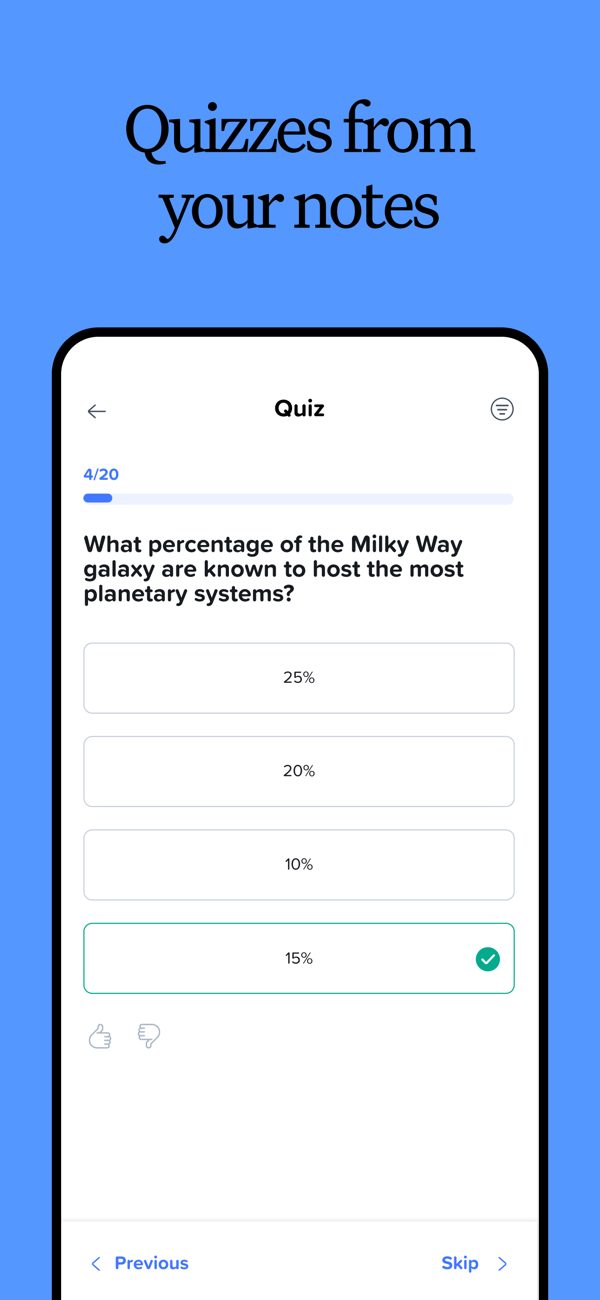
- Transcripts and AI summaries on Plus and Pro
- Notes on iPad, iPhone, Mac, Android and the web
- Handwriting and math conversion
Pros
- Ink as good as any app here
- The most complete lecture recording setup
- One-time Classic purchase for subscription holdouts
Cons
- Free plan stops at five notes
- App Store prices run higher than the website's
- Fewer ways to organize a big library than Goodnotes
- Skip if:
- You want a one-time purchase that includes transcripts
Notability is a note-taking app from Ginger Labs for handwritten notes, PDF and slide annotation, and lecture or meeting recording with audio synced to what you write. It runs on iPad, iPhone, Mac, Android and the web, and is free to download with a 5-note limit. Paid plans are subscriptions (Lite, Plus, Pro) or a one-time Classic purchase, and the Plus and Pro plans add AI study tools and audio transcription.
What users say
Evidence ↓Users on the App Store (459K ratings, 4.8 average) praise easy PDF and large-file import and access across devices, while single reviews ask for tags, outlines and layers for organizing many notes. A 2026 review calls search not top-tier and notes that many dislike the subscription model. Individual reviews from 2021 to 2024 are one user each and may predate current versions.
Rankings and alternatives
- Note-taking apps for iPad #2 of 9 For recording lectures alongside your notes
- Goodnotes #1 Best all-rounder for class notes and PDFs
- Noteshelf 3 #3 Nicest pens for a one-time price
- MyScript Notes #4 For turning handwriting into typed text
- Note-taking apps for students #7 of 10 For recording lectures on an iPad
- Microsoft OneNote #1 Best free all-rounder
- Google Docs #2 For group projects and Google schools
- Notion #3 For organized typists at college


Student class-notes apps scores
Evaluated Nov 17, 2026 Evidence ↓- Typing class notes · counts double 3
3/5 means: Good for typed notes with basic formatting, but missing structure such as tables, equations or outlines
Typed text with basic formatting works, and a typed note can sit beside ink, but Notability is built around handwriting and PDFs. No tables or outline structure are documented, and a reviewer asked for outlines. Rests partly on general knowledge.
- Works on all your devices 3
3/5 means: Apps on most platforms, but syncing a laptop and a phone needs a paid plan or your own setup, or some platforms get a cut-down version
Syncs across iPad, iPhone, Mac, Android and web through Notability Cloud, free of the plan. Windows has no app, only the browser version, and the compare page marks several features as iOS and Android only, so the web version is cut down. Mac and iPhone may still be on iCloud until updated.
- Cost for a student 3
3/5 means: The free plan runs out for many students within a semester, and the plan they'd need costs under about $40 a year
Free Starter is capped at 5 notes, which runs out within a semester. Lite, the cheapest paid plan with unlimited notes, is $11.99 to $14.99 a year, and Classic is $39.99 once (cheaper than Lite only after about 3 years). No student discount for individuals was found; the free education plan is for schools.
- Organizing and finding notes 4
4/5 means: As 3, plus either a richer structure (nested pages, tags, links or databases) or search that reads images, scans or handwriting
Folders up to five levels and subjects, with search across handwriting, typed text and transcripts. No tags or links, and a reviewer calls search not top-tier.
- Easy to pick up 4
4/5 means: Easy to start, with depth to learn later
Reviewers describe a clean, minimalist interface that is easy for beginners, with depth in tools later. Based on general knowledge as well.
- Handwriting and marking up slides · counts half 5
5/5 means: Among the best apps for handwriting and marking up slides
Among the best on iPad for writing and marking up slides and PDFs, and an Android app exists. Windows 2-in-1s only get the web version, so not 5 for the common tablets. Students who handwrite mostly do it on an iPad, where Notability is among the best apps for handwriting and slide markup, so the Windows gap does not lower the level.
- Group projects 4
4/5 means: Live editing together, with a limit such as a paid host or an account for everyone in the same app
Live editing of the same note is on Notability Cloud, with version history, but every participant needs a Notability account, and which plans include it was not readable (Classic does). No comments feature was confirmed.
- Recording lectures · counts half 4
4/5 means: Playback tied to your notes on the plan a student would use
Recording with playback synced to what you wrote is in every plan including free, but sync playback is iOS and Android only. Transcription needs Plus or Pro, so a Lite or Classic student has no transcript.
- Works without Wi-Fi · counts half 4
4/5 means: Works offline in the apps, with the web version needing a connection
The apps edit offline and sync when reconnected. The web version needs a connection, as is usual for a browser app (general knowledge).
iPad handwritten note-taking apps scores
Evaluated Nov 17, 2026 Evidence ↓- Writing feel · counts double 5
5/5 means: Among the best-regarded apps to write in on iPad, with a full set of pens and handwriting tools that experienced users praise
Long one of the two apps iPad note-takers rate highest for how it feels to write in, alongside GoodNotes, with smooth ink with pen, pencil, highlighter behind ink, lasso, zoom and eraser, and recent ink stabilization and Calligraphy Pen. Rests mostly on general knowledge; the sources read have no first-hand writing-feel reviews.
- Marking up PDFs and slides 4
4/5 means: Full PDF markup with page management, with small gaps
Imports and marks up PDFs, slides and textbooks, with page management; widely used for lecture slides. No outline or link preservation was confirmed, so not 5.
- Finding notes later 4
4/5 means: Searches handwriting and typed text across the whole library
Handwriting and typed-text search across the library, with folders and subjects. Reviewers call search not top-tier and users ask for tags and outlines, which are absent.
- Recording lectures 4
4/5 means: Playback is tied to your handwriting, so tapping a word plays that moment
Recording is in every plan including free Starter, with playback synced to what you wrote. Transcription is Plus and Pro only, not in Lite or one-time Classic, so not 5.
- Sync and other devices 5
5/5 means: The same notes on iPad and on Windows, Android or the web, as well as Apple devices
Classic and the subscriptions sync the same notes across iPad, iPhone, Mac, Android and web through Notability Cloud (iCloud also on Apple devices).
- Cost of unlimited notes 3
3/5 means: $20 to $50 over four years
Classic one-time is $39.99 on notability.com ($49.99 in the App Store); Lite is $11.99/yr, about $48 over four years. The cheaper, $39.99, falls in $20 to $50.
- Turning handwriting into text · counts half 4
4/5 means: Converts selected handwriting to editable text, with good accuracy
Converts handwriting to typed text in 22 languages and math to LaTeX; listed in Classic and Plus. Accuracy claims come from a third-party review and the vendor, with no independent testing seen.
Pricing
- Starter Free Limited to 5 notes. Includes all editing tools, PDF import, templates and 7-day version history.
- Lite $11.99 /year Unlimited notes and third-party backups (iOS only). The page shows $11.99 beside $14.99; the App Store lists Lite at $14.99, so the discount may be an introductory or promotional price.
- Classic (one-time) $39.99 one-time Pay once on notability.com ($49.99 in the App Store). Unlimited notes, handwriting recognition, math conversion, collaboration, sync, 7-day version history. No Learn or AI features.
- Plus $15.99 /year Everything in Lite plus limited audio transcription, limited AI quizzes and flashcards, and 30-day version history. The page shows $15.99 beside $19.99; the App Store lists Plus at $19.99.
- Pro $79.99 /year Everything in Plus plus unlimited live audio transcription, summaries, quizzes and flashcards, chat with your notes, and 90-day version history. The page shows $79.99 beside $99.99; the App Store lists Pro at $99.99.
- Business $60.00 /year per seat , extra For teams, with shared libraries and limited AI. Business Pro is $180 per user per year.
Prices checked Nov 17, 2026.
Evidence and sources
What users say
Summary 4 quotes
-
I like that I can easily import documents and large files to directly annotate and take notes, it is super easy to do and doesn’t take a long time to load the imported files. It’s really useful to be able to access my notes across devices and without internet as well so I can review anywhere any time.
Marianna_g123, App Store reviewer · apps.apple.com/us/app/notability-ai-notes-study/id360593530 · published · checked -
I’ve been using Notability for the past few years and love it. Being able to upload PPT and PDF decks for meetings and then take notes on my ipad has been a game changer for productivity.
troyfig, App Store reviewer · apps.apple.com/us/app/notability-ai-notes-study/id360593530 · published · checked -
there are a few features that I would love to see in Notability, and these include layers, tags, and the ability to create outlines or a table of contents of the pages in the document.
Jd966875, App Store reviewer · apps.apple.com/us/app/notability-ai-notes-study/id360593530 · published · checked -
Its search function, even on the paid version, is not top-tier.
Enny Okiki, reviewer at crm.org · crm.org/news/notability-review · published · checked
Student class-notes apps scores
Typing class notes 3 quotes
-
there are a few features that I would love to see in Notability, and these include layers, tags, and the ability to create outlines or a table of contents of the pages in the document.
Jd966875, App Store reviewer · apps.apple.com/us/app/notability-ai-notes-study/id360593530 · published · checked -
Let’s say you want to type up notes on the Notability web app, then sketch a diagram on your iPad underneath. All your changes will now save to your devices instantly.
blog.notability.com/post/weve-got-big-news-notability-cloud-is-here · published · checked -
You can resize texts, and depending on what you are formatting, you can edit anything on the page to fit your style.
Enny Okiki, reviewer at crm.org · crm.org/news/notability-review · published · checked
Works on all your devices 4 quotes
-
Notability Cloud is our own cloud infrastructure that keeps your notes synced across all your devices and platforms, including iOS, Android, Mac, and Web. It works everywhere you use Notability and unlocks features like Live Collaboration and Shared Libraries.
intercom.help/notability/en-us/articles/16300035-notability-cloud-faq · checked -
You can now view and edit your notes on the Notability web app, available on any laptop, with more platforms to come.
blog.notability.com/post/weve-got-big-news-notability-cloud-is-here · published · checked -
Audio playback sync iOS and Android only
notability.com/pricing/compare · checked -
Mac and iPhone update separately from iPad. The invite link only works on iPad right now, so your Mac will stay on iCloud sync until a Mac update is available.
intercom.help/notability/en-us/articles/16300035-notability-cloud-faq · checked
Cost for a student 4 quotes
-
STARTER $0 free For everyday note-takers who want reliability. 5 free notes
notability.com/pricing · checked -
LITE $11.99 /yr $14.99 For note-takers who want unlimited notes and reliable backups. Everything in Starter and... Unlimited notes Third party backups (iOS only)
notability.com/pricing · checked -
notability.com: $39.99 App Store: $49.99
support.gingerlabs.com/en-us/articles/16300007-notability-classic · checked -
Schools managing devices can use Notability for free. Notability for Education is full-featured and configurable with mobile device managers (MDMs), such as Jamf and Mosyle.
notability.com/education · checked
Organizing and finding notes 4 quotes
-
Record lectures and get instant audio transcripts and real-time summaries in your notes. • Audio recordings are synced to the exact moment you write in a note — perfect for lectures. • Import lecture slides, textbook PDFs, and assignments into organized folders and subjects. • Search across handwriting, typed notes, and transcripts to instantly find content from classes.
apps.apple.com/us/app/notability-ai-notes-study/id360593530 · checked -
Notability supports folder organization up to five levels of folders.
Enny Okiki, reviewer at crm.org · crm.org/news/notability-review · published · checked -
there are a few features that I would love to see in Notability, and these include layers, tags, and the ability to create outlines or a table of contents of the pages in the document.
Jd966875, App Store reviewer · apps.apple.com/us/app/notability-ai-notes-study/id360593530 · published · checked -
Its search function, even on the paid version, is not top-tier.
Enny Okiki, reviewer at crm.org · crm.org/news/notability-review · published · checked
Easy to pick up 1 quote
-
You can resize texts, and depending on what you are formatting, you can edit anything on the page to fit your style.
Enny Okiki, reviewer at crm.org · crm.org/news/notability-review · published · checked
Handwriting and marking up slides 5 quotes
-
Record lectures and get instant audio transcripts and real-time summaries in your notes. • Audio recordings are synced to the exact moment you write in a note — perfect for lectures. • Import lecture slides, textbook PDFs, and assignments into organized folders and subjects. • Search across handwriting, typed notes, and transcripts to instantly find content from classes.
apps.apple.com/us/app/notability-ai-notes-study/id360593530 · checked -
Introducing ink stabilization: smoother, steadier strokes with the pen, pencil, and highlighter.
apps.apple.com/us/app/notability-ai-notes-study/id360593530 · checked -
I’ve been using Notability for the past few years and love it. Being able to upload PPT and PDF decks for meetings and then take notes on my ipad has been a game changer for productivity.
troyfig, App Store reviewer · apps.apple.com/us/app/notability-ai-notes-study/id360593530 · published · checked -
The highlighter tool in Notability goes behind your ink, preventing your notes from being dimmed.
Enny Okiki, reviewer at crm.org · crm.org/news/notability-review · published · checked -
Notability Cloud is our own cloud infrastructure that keeps your notes synced across all your devices and platforms, including iOS, Android, Mac, and Web. It works everywhere you use Notability and unlocks features like Live Collaboration and Shared Libraries.
intercom.help/notability/en-us/articles/16300035-notability-cloud-faq · checked
Group projects 4 quotes
-
Live Collaboration - edit the same note with others in real time
intercom.help/notability/en-us/articles/16300035-notability-cloud-faq · checked -
Live Collaboration requires all participants to have a Notability account.
intercom.help/notability/en-us/articles/16300035-notability-cloud-faq · checked -
Classic users have lifetime access to unlimited note editing, third-party backup, iCloud syncing or sync across devices and apps (Notability Cloud only), handwriting recognition, math conversion, live collaboration, and 7-day version history.
intercom.help/notability/en-us/articles/16300172-notability-subscription-faq · checked -
Synced across devices Notability Cloud only
notability.com/pricing/compare · checked
Recording lectures 4 quotes
-
Record lectures and get instant audio transcripts and real-time summaries in your notes. • Audio recordings are synced to the exact moment you write in a note — perfect for lectures. • Import lecture slides, textbook PDFs, and assignments into organized folders and subjects. • Search across handwriting, typed notes, and transcripts to instantly find content from classes.
apps.apple.com/us/app/notability-ai-notes-study/id360593530 · checked -
Starter is Notability's free subscription plan that includes 5 starter notes, syncing with Notability Cloud, Audio Recording, and all editing tools & content.
intercom.help/notability/en-us/articles/16300172-notability-subscription-faq · checked -
PLUS $15.99 /yr $19.99 For people who want faster note-taking with AI help. Everything in Lite and Classic and... YouTube link-to-note conversions with transcripts & summaries (limited) AI-powered quizzes & flashcards (limited) Audio transcription (limited) 30-day version history
notability.com/pricing · checked -
Audio playback sync iOS and Android only
notability.com/pricing/compare · checked
Works without Wi-Fi 1 quote
-
Do I need an internet connection to use Notability? No. Edit offline, sync when you're back online.
intercom.help/notability/en-us/articles/16300035-notability-cloud-faq · checked
iPad handwritten note-taking apps scores
Writing feel 2 quotes
-
Introducing ink stabilization: smoother, steadier strokes with the pen, pencil, and highlighter.
apps.apple.com/us/app/notability-ai-notes-study/id360593530 · checked -
The highlighter tool in Notability goes behind your ink, preventing your notes from being dimmed.
Enny Okiki, reviewer at crm.org · crm.org/news/notability-review · published · checked
Marking up PDFs and slides 3 quotes
-
Record lectures and get instant audio transcripts and real-time summaries in your notes. • Audio recordings are synced to the exact moment you write in a note — perfect for lectures. • Import lecture slides, textbook PDFs, and assignments into organized folders and subjects. • Search across handwriting, typed notes, and transcripts to instantly find content from classes.
apps.apple.com/us/app/notability-ai-notes-study/id360593530 · checked -
I like that I can easily import documents and large files to directly annotate and take notes, it is super easy to do and doesn’t take a long time to load the imported files. It’s really useful to be able to access my notes across devices and without internet as well so I can review anywhere any time.
Marianna_g123, App Store reviewer · apps.apple.com/us/app/notability-ai-notes-study/id360593530 · published · checked -
I’ve been using Notability for the past few years and love it. Being able to upload PPT and PDF decks for meetings and then take notes on my ipad has been a game changer for productivity.
troyfig, App Store reviewer · apps.apple.com/us/app/notability-ai-notes-study/id360593530 · published · checked
Finding notes later 5 quotes
-
Record lectures and get instant audio transcripts and real-time summaries in your notes. • Audio recordings are synced to the exact moment you write in a note — perfect for lectures. • Import lecture slides, textbook PDFs, and assignments into organized folders and subjects. • Search across handwriting, typed notes, and transcripts to instantly find content from classes.
apps.apple.com/us/app/notability-ai-notes-study/id360593530 · checked -
Every plan includes Handwriting Recognition, so you can search your handwritten notes.
apps.apple.com/us/app/notability-ai-notes-study/id360593530 · checked -
there are a few features that I would love to see in Notability, and these include layers, tags, and the ability to create outlines or a table of contents of the pages in the document.
Jd966875, App Store reviewer · apps.apple.com/us/app/notability-ai-notes-study/id360593530 · published · checked -
Its search function, even on the paid version, is not top-tier.
Enny Okiki, reviewer at crm.org · crm.org/news/notability-review · published · checked -
Notability supports folder organization up to five levels of folders.
Enny Okiki, reviewer at crm.org · crm.org/news/notability-review · published · checked
Recording lectures 4 quotes
-
Record lectures and get instant audio transcripts and real-time summaries in your notes. • Audio recordings are synced to the exact moment you write in a note — perfect for lectures. • Import lecture slides, textbook PDFs, and assignments into organized folders and subjects. • Search across handwriting, typed notes, and transcripts to instantly find content from classes.
apps.apple.com/us/app/notability-ai-notes-study/id360593530 · checked -
Starter is Notability's free subscription plan that includes 5 starter notes, syncing with Notability Cloud, Audio Recording, and all editing tools & content.
intercom.help/notability/en-us/articles/16300172-notability-subscription-faq · checked -
Plus is Notability's most popular plan. It includes everything in Lite, plus AI-powered note summaries, audio recording, automatic transcription after a recording ends, and the ability to convert handwriting and math into typed text. AI features share a set amount of usage that renews over time.
intercom.help/notability/en-us/articles/16300172-notability-subscription-faq · checked -
PRO $79.99 /yr $99.99 For people who want the most advanced AI study & productivity tools. Everything in Plus and... Unlimited transcription & AI-powered summaries in real time Unlimited YouTube link-to-note conversions a month with transcripts & summaries Unlimited quizzes & flashcards Unlimited live audio transcriptions Chat with your notes for explanations & quicker learning 90-day version history
notability.com/pricing · checked
Sync and other devices 4 quotes
-
Classic is Notability's one-time purchase option. No subscription, no renewals, just a single payment to own the app. What's included in Classic Unlimited notes Handwriting recognition Math conversion Collaboration Sync across iOS, Android, and web 7-day version history
support.gingerlabs.com/en-us/articles/16300007-notability-classic · checked -
Access your notes across iPad, iPhone, Mac, and the web.
apps.apple.com/us/app/notability-ai-notes-study/id360593530 · checked -
Also available for macOS, iOS, Android, and web
notability.com · checked -
Classic users have lifetime access to unlimited note editing, third-party backup, iCloud syncing or sync across devices and apps (Notability Cloud only), handwriting recognition, math conversion, live collaboration, and 7-day version history.
intercom.help/notability/en-us/articles/16300172-notability-subscription-faq · checked
Cost of unlimited notes 3 quotes
-
LITE $11.99 /yr $14.99 For note-takers who want unlimited notes and reliable backups. Everything in Starter and... Unlimited notes Third party backups (iOS only)
notability.com/pricing · checked -
Classic is Notability's one-time purchase option. No subscription, no renewals, just a single payment to own the app. What's included in Classic Unlimited notes Handwriting recognition Math conversion Collaboration Sync across iOS, Android, and web 7-day version history
support.gingerlabs.com/en-us/articles/16300007-notability-classic · checked -
notability.com: $39.99 App Store: $49.99
support.gingerlabs.com/en-us/articles/16300007-notability-classic · checked
Turning handwriting into text 2 quotes
-
Classic is Notability's one-time purchase option. No subscription, no renewals, just a single payment to own the app. What's included in Classic Unlimited notes Handwriting recognition Math conversion Collaboration Sync across iOS, Android, and web 7-day version history
support.gingerlabs.com/en-us/articles/16300007-notability-classic · checked -
Plus is Notability's most popular plan. It includes everything in Lite, plus AI-powered note summaries, audio recording, automatic transcription after a recording ends, and the ability to convert handwriting and math into typed text. AI features share a set amount of usage that renews over time.
intercom.help/notability/en-us/articles/16300172-notability-subscription-faq · checked
Facts
Runs on 4 quotes
-
Access your notes across iPad, iPhone, Mac, and the web.
apps.apple.com/us/app/notability-ai-notes-study/id360593530 · checked -
Also available for macOS, iOS, Android, and web
notability.com · checked -
Notability Cloud is our own cloud infrastructure that keeps your notes synced across all your devices and platforms, including iOS, Android, Mac, and Web. It works everywhere you use Notability and unlocks features like Live Collaboration and Shared Libraries.
intercom.help/notability/en-us/articles/16300035-notability-cloud-faq · checked -
You can now view and edit your notes on the Notability web app, available on any laptop, with more platforms to come.
blog.notability.com/post/weve-got-big-news-notability-cloud-is-here · published · checked
Needs 1 quote
-
NEW: NOTABILITY CLASSIC IS BACK Prefer to pay one time for Notability? Our Classic plan is a one-time purchase with no subscription required.
apps.apple.com/us/app/notability-ai-notes-study/id360593530 · checked
More from the sources
Features 1 quote
-
iCloud syncs notes across Apple devices only and uses your personal iCloud storage quota, which is shared with other apps. Notability Cloud works across all platforms, doesn't use your iCloud storage, and enables features like live collaboration. Most users find sync noticeably more reliable after switching.
intercom.help/notability/en-us/articles/16300035-notability-cloud-faq · checked
Limits and known issues 2 quotes
-
No. Learn, and all AI features are only available on Plus and Pro plans.
support.gingerlabs.com/en-us/articles/16300007-notability-classic · checked -
In previous versions of Notability, if you made edits to your note on your iPad, and then opened the same note on your iPhone, sometimes your edits didn’t match. And if your iPad crashed mid-edit, data loss was always a scary possibility.
blog.notability.com/post/weve-got-big-news-notability-cloud-is-here · published · checked
How widely it is used 1 quote
Pricing
notability.com/pricing · checked