Google Docs
Free web word processor with real-time collaboration, used with Google Drive for class notes
Our verdict
#2 of 10 in Note-taking apps for students · For group projects and Google schools
What it does
- Real-time co-editing with comments and version history
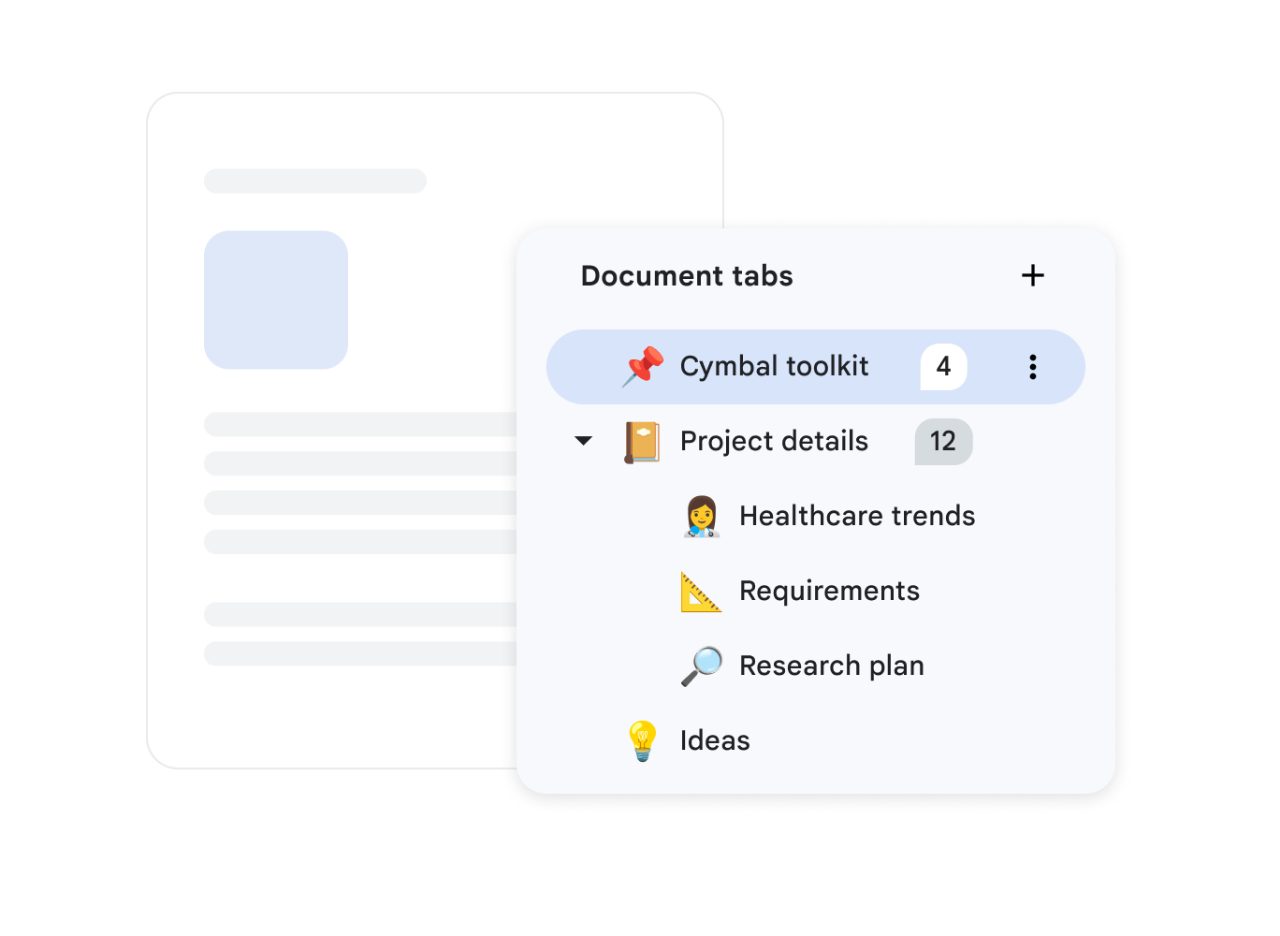
- Document tabs for splitting a course into weeks or topics
- Equation tool, tables, and headings
Pros
- Free, and already set up on most school Google accounts
- The easiest way for a whole group to work in the same notes
- Works in any browser, including Chromebooks and school computers
Cons
- No lecture recording and no handwriting
- Offline on a laptop needs a browser setting and extension
- Notes are separate documents, not one notebook
- Skip if:
- You write most of your notes with a stylus
Google Docs is Google’s online word processor. Documents are stored in Google Drive and edited in a browser (including on Chromebooks) or in free Android and iPhone/iPad apps, with real-time co-editing, comments, suggestions, version history and document tabs. It is a general document editor rather than a notes app, so there is no notebook layout. Anyone with a Google Account can use it for free, including school Workspace for Education accounts, and Gemini features in Docs depend on the plan.
What users say
Evidence ↓Only Google Play reviews were read, so this is a thin sample and not about class notes specifically. The Android app is rated 4.7 from about 2.8 million reviews. Favorable reviewers like that it is free, simple to learn, handy for group projects and that tabs organize several topics in one document. The one critical review read wants finer formatting control (font sizes, margins).
Rankings and alternatives
- Note-taking apps for students #2 of 10 For group projects and Google schools
- Microsoft OneNote #1 Best free all-rounder
- Notion #3 For organized typists at college
- Apple Notes #4 If everything you own is Apple

Student class-notes apps scores
Evaluated Nov 17, 2026 Evidence ↓- Typing class notes · counts double 4
4/5 means: A full typed editor with headings, lists, tables and either equations or a freeform page, with small gaps
A full editor with headings, outline, lists, checklists, tables, an equation editor, images and document tabs. It is a page-based word processor with no freeform canvas, and the mobile editor is weaker (equation and table support there was not checked).
- Works on all your devices 5
5/5 means: Full apps or a full web version everywhere, synced on the plan a student would use
Full web editor in any browser (including Chromebooks and school computers) plus Android and iPhone/iPad apps, synced on the free account.
- Cost for a student 5
5/5 means: Everything a student needs is free
Free with any Google account. 15 GB is shared with Gmail and Photos, but text notes use very little, so class notes rarely hit the limit.
- Organizing and finding notes 4
4/5 means: As 3, plus either a richer structure (nested pages, tags, links or databases) or search that reads images, scans or handwriting
Drive folders per course, document tabs with nesting and Drive search that reads typed text and, from general knowledge, OCR text in PDFs and images. No tags or backlinks, so it falls short of the strongest structure.
- Easy to pick up 5
5/5 means: Usable in minutes with no setup
Familiar word-processor interface with no setup; most students already have an account. Reviewers call it simple to learn.
- Handwriting and marking up slides · counts half 2
2/5 means: A basic drawing tool, or PDF markup only through add-ons
Docs has no real ink or stylus note-taking in the desktop or iPad apps. Handwritten markup reportedly exists on Android, and Drive's PDF viewer has only limited comments, so this rests on general knowledge and unverified search summaries.
- Group projects 5
5/5 means: Live editing with comments and version history that any classmate can join for free from any device
Live co-editing with comments, assigned tasks and version history. Any classmate with a free Google account can join from any device.
- Recording lectures · counts half 1
1/5 means: No recording on the plans students use
Voice typing dictates text but does not record audio or make a playable transcript tied to notes. Meeting-notes features need Workspace plans.
- Works without Wi-Fi · counts half 2
2/5 means: Works offline only after setting it up per note, per browser or per device
Mobile apps work offline, and ChromeOS turns it on automatically. Desktop browsers need the offline setting and extension, and a school admin can disable it. On a laptop, offline needs the setting and extension turned on in each browser, which is the setup level 2 describes.
Pricing
- Free (Google Account) Free Storage of 15 GB is shared across Gmail, Drive and Photos. School Workspace for Education accounts are set up and limited by the school's administrator, including offline access.
- Google AI Pro (student offer) Free , extra Offer of free AI Pro for 1 year for students on Google's US page; availability varies by country and the eligibility rules were not read. Adds expanded Gemini in Docs and 5 TB storage. After the offer, the regular price applies (not captured). Docs Live is AI Pro and Ultra, US only.
Prices checked Nov 17, 2026.
Evidence and sources
What users say
Summary 2 quotes
-
Been using this for a few years now and I love this more than Microsoft Word for more reasons than I can list and I used to be a mega Word user. I especially love the tab system it has with its document creation. Makes organizing multiple topics within a document so easy. On top of that, it's free and you get so much access within.
play.google.com/store/apps/details · checked -
NOTE: The new version no longer has fonts smaller than 8pt. I use fonts to 2pt. Please allow smaller sizing. ALSO would be nice if margin widths could be customized instead of preset to an inch.
play.google.com/store/apps/details · checked
Student class-notes apps scores
Typing class notes 1 quote
-
Create a tab for each part of a project, plan, or report and keep everything in one place - never lose track of your documents again.
workspace.google.com/products/docs · checked
Works on all your devices 1 quote
-
View, present or collaborate in Docs on your mobile phone or tablet, available in the App Store and Play Store, or connect from your computer.
workspace.google.com/products/docs · checked
Cost for a student 2 quotes
-
Anyone with a Google Account can create in Docs.
workspace.google.com/products/docs · checked -
Your Google Account gives you 15 GB of storage, which is included as part of the total storage offered in Google One plans.
one.google.com/about/google-ai-plans · checked
Organizing and finding notes 1 quote
-
Create a tab for each part of a project, plan, or report and keep everything in one place - never lose track of your documents again.
workspace.google.com/products/docs · checked
Easy to pick up 1 quote
-
Been using this for a few years now and I love this more than Microsoft Word for more reasons than I can list and I used to be a mega Word user. I especially love the tab system it has with its document creation. Makes organizing multiple topics within a document so easy. On top of that, it's free and you get so much access within.
play.google.com/store/apps/details · checked
Handwriting and marking up slides 1 quote
-
Import popular file types like Microsoft Word documents and PDF files and work with them in Docs.
workspace.google.com/products/docs · checked
Group projects 2 quotes
-
You and your stakeholders can reference previous versions of a document at any time and reinstate them.
workspace.google.com/products/docs · checked -
Co-editing means that multiple people can work on the same document at the same time, without having to send versions back and forth.
workspace.google.com/products/docs · checked
Recording lectures 1 quote
-
This feature works with the latest versions of: Chrome Edge Safari
support.google.com/docs/answer/4492226 · checked
Works without Wi-Fi 4 quotes
-
You must use the Google Chrome or Microsoft Edge browser.
support.google.com/docs/answer/6388102 · checked -
Install and turn on Google Docs Offline Chrome extension.
support.google.com/docs/answer/6388102 · checked -
Offline will automatically be enabled if you are a ChromeOS user, if you choose to sync your Docs and Drive when creating a Chrome Profile, or if you have Drive for desktop installed on your device.
support.google.com/docs/answer/6388102 · checked -
Offline sync is disabled by your administrator.
support.google.com/docs/answer/6388102 · checked
Facts
Runs on 1 quote
-
View, present or collaborate in Docs on your mobile phone or tablet, available in the App Store and Play Store, or connect from your computer.
workspace.google.com/products/docs · checked
Needs 3 quotes
-
Anyone with a Google Account can create in Docs.
workspace.google.com/products/docs · checked -
You must use the Google Chrome or Microsoft Edge browser.
support.google.com/docs/answer/6388102 · checked -
Install and turn on Google Docs Offline Chrome extension.
support.google.com/docs/answer/6388102 · checked
Users 1 quote
-
1B+ Downloads
play.google.com/store/apps/details · checked
More from the sources
Pricing 1 quote
-
Get ahead this school year with Google AI Pro free for 1 year. Or, upgrade to get AI Pro and YouTube Premium with ad-free videos and music for just $8.99/mo ($35.98/mo when purchased separately).
one.google.com/about/google-ai-plans · checked
Features 1 quote
-
Gemini in Google apps to help you proofread in Gmail and work smarter in Docs and Sheets.
one.google.com/about/google-ai-plans · checked
Limits and known issues 3 quotes
-
Only one account for each browser profile can have offline enabled.
support.google.com/docs/answer/6388102 · checked -
Voice commands are available only in English. The account language and document language must both be English.
support.google.com/docs/answer/4492226 · checked -
Docs Live (AI Pro, Ultra) are rolling out on Android and iOS in US only.
one.google.com/about/google-ai-plans · checked
Pricing
one.google.com/about/google-ai-plans · checked