Apple Notes
Free built-in Apple notes app with Apple Pencil handwriting, inline PDF markup and iCloud sync
Our verdict
#4 of 10 in Note-taking apps for students · If everything you own is Apple
Pros
- Already installed and synced on every Apple device
- Search finds handwriting and text in scanned pages
- Nothing to set up
Cons
- Only a web version on Windows, Android, and Chromebooks
- Free iCloud storage is shared with photos and backups
- Weaker pen tools and slide markup than Goodnotes or Notability
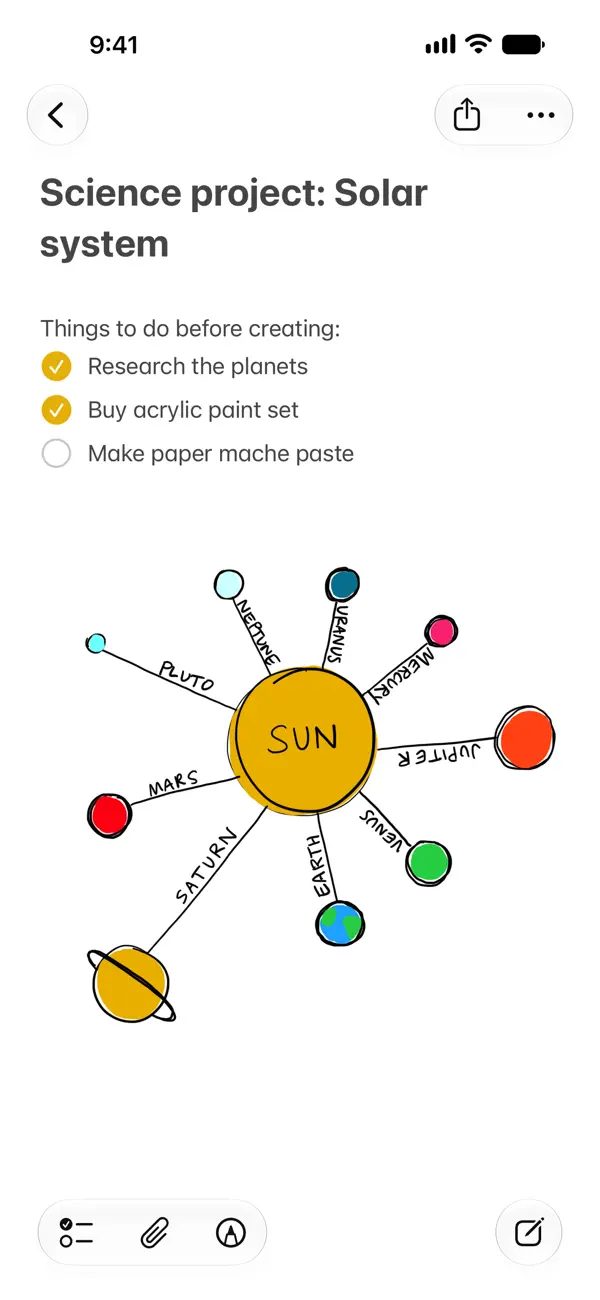
Apple Notes is the free notes app Apple ships on iPhone, iPad, Mac, Apple Watch and Apple Vision. On iPad it takes typed text, Apple Pencil handwriting and sketches, scanned documents, PDFs, and recorded audio with transcripts, in one scrolling note with lines or grids as the only paper options. Notes are organized in folders, subfolders, tags and smart folders, handwriting and scanned text are searchable, and everything syncs through iCloud. Handwriting refinement (Smart Script) and audio transcription depend on the iPad model, iPadOS version and language. It is closed-source Apple software with no separate purchase.
What users say
Evidence ↓Reviewers recommend Apple Notes as the free first choice for Apple Pencil note-taking, praising its integration, handwriting search and iCloud sync (one comparison article, one vendor's roundup). Comparisons that favor paid apps frame it as suited to light schoolwork, with Notability preferred for recorded lectures. A single forum commenter calls Smart Script and Math Notes buggy, and another reports export is limited to one selected note; these are individual comments, not measured findings.
Rankings and alternatives
- Note-taking apps for students #4 of 10 If everything you own is Apple
- Microsoft OneNote #1 Best free all-rounder
- Google Docs #2 For group projects and Google schools
- Notion #3 For organized typists at college
- Note-taking apps for iPad #5 of 9 Free and already on your iPad
- Goodnotes #1 Best all-rounder for class notes and PDFs
- Notability #2 For recording lectures alongside your notes
- Noteshelf 3 #3 Nicest pens for a one-time price





Student class-notes apps scores
Evaluated Nov 17, 2026 Evidence ↓- Typing class notes · counts double 4
4/5 means: A full typed editor with headings, lists, tables and either equations or a freeform page, with small gaps
From product knowledge the Mac editor has title, heading and subheading styles, bulleted and numbered lists, checklists, tables, block quotes, collapsible sections and inline images, plus Math Notes that solves expressions. Apple's formatting page could not be read in full, and there is no outline view or page linking, so long semester-wide notes rely on folders.
- Works on all your devices 2
2/5 means: Apple devices only, with at most a limited web version elsewhere
Apps on iPhone, iPad and Mac only. Windows, Android and Chromebook get Notes on iCloud.com in a browser, which needs a connection and may differ for drawings and handwriting.
- Cost for a student 5
5/5 means: Everything a student needs is free
The app is free, and 5 GB of iCloud is free. Heavy attachments, photos and backups can use up the 5 GB and make iCloud+ at $0.99 a month an option, but class notes mostly fit; I found no source on how fast attachments fill it.
- Organizing and finding notes 5
5/5 means: As 3, plus both a richer structure and search that reads images, scans or handwriting
Folders, subfolders, tags and smart folders, with search of typed text, handwriting and scanned documents and photos. Search inside imported PDFs is not stated.
- Easy to pick up 5
5/5 means: Usable in minutes with no setup
Preinstalled on Apple devices with nothing to set up, and widely recommended as the simple first choice (9). Rests mostly on product knowledge.
- Handwriting and marking up slides · counts half 3
3/5 means: Handwriting and PDF markup work, but as a side feature, or only on some devices or plans
Pencil handwriting and inline PDF markup work on iPad, but only on Apple tablets, with few pen options and no PDF page tools; one commenter calls Smart Script buggy. Matches the existing iPad handwriting scoring.
- Group projects 3
3/5 means: Shared editing, but not live, or every classmate needs the same app account, devices or a paid host
Live shared editing by iCloud link, but there are no comments or version history in the sources I read, and a classmate needs an Apple Account and upgraded iCloud notes. Whether non-Apple devices can edit through the web is unconfirmed, so this stays at 3.
- Recording lectures · counts half 3
3/5 means: Records with a transcript, or with playback tied to your notes, but only on some devices or a pricier plan
Records and transcribes audio into a note, but playback is not tied to what you typed or wrote, and transcription depends on device, OS and language.
- Works without Wi-Fi · counts half 4
4/5 means: Works offline in the apps, with the web version needing a connection
From product knowledge, notes in the Apple apps are stored on the device and work offline and sync later. The web version needs a connection (24). No Apple page on offline use was read.
iPad handwritten note-taking apps scores
Evaluated Nov 17, 2026 Evidence ↓- Writing feel · counts double 3
3/5 means: Fine for quick notes, with few pens or rough edges that long sessions expose
Native Pencil ink with pens, marker, highlighter, eraser, ruler and lasso, and Smart Script on newer iPads. It has no close-up writing window and few pen options, and one forum commenter calls Smart Script buggy. Rests mostly on product knowledge.
- Marking up PDFs and slides 3
3/5 means: PDF markup works, with clear limits such as odd page handling, rotation problems or slow long files
Apple says you can write on an inline PDF in a note. From product knowledge, there are no page management tools or outline and link support, and long textbooks are awkward. Apple's PDF page could not be read.
- Finding notes later 5
5/5 means: As 4, plus text in imported PDFs and scans, with folders and tags or outlines to browse by
Search covers typed text, handwriting and scanned documents, and notes can be browsed in folders, subfolders, tags and smart folders. Search inside imported PDFs is not stated in the sources I read and rests on product knowledge.
- Recording lectures 3
3/5 means: Records audio with a transcript, but playback isn't tied to your handwriting
Records audio into a note with a transcript. Playback is not tied to handwriting; the sources imply this but do not say it outright. Transcription depends on iPad model, iPadOS version and language.
- Sync and other devices 4
4/5 means: As 3, plus apps on Windows, Android or the web that don't show the same notes, or need a dearer plan to
Syncs iPad, iPhone and Mac through iCloud, with 5 GB free. There is no Windows or Android app; the web via iCloud.com is from product knowledge, and whether it shows handwriting identically is unconfirmed.
- Cost of unlimited notes 5
5/5 means: Free, with no cap on notes
Free and preinstalled, with no cap on notes. Only the 5 GB of free iCloud storage is shared with other data, and iCloud+ starts at $0.99 per month if it runs out.
- Turning handwriting into text · counts half 3
3/5 means: Converts selected handwriting, with accuracy complaints
Converts selected handwriting to text (copy as text, Scribble, Smart Script refinement), but accuracy complaints exist and it is not the core of the app. Sources I read barely cover this, so it rests on product knowledge.
Pricing
- Notes (built in) Free Free and preinstalled on iPad. Syncs through iCloud, which includes 5 GB of free storage shared with photos, backups and files.
- iCloud+ 50 GB (optional) $0.99 /month , extra US price; billed monthly. 200 GB is $2.99, 2 TB is $9.99, 6 TB is $29.99 and 12 TB is $59.99 per month. Only needed when iCloud storage runs out.
Prices checked Nov 17, 2026.
Evidence and sources
What users say
Summary 5 quotes
-
Apple Notes is the best first choice if you want to write with an Apple Pencil without paying for another app. It is already installed on the iPad, syncs through iCloud, and handles quick notes, sketches, scanned documents, typed text, handwriting, and attachments in one place.
itechguides.com/best-note-taking-apps-for-ipad-and-apple-pencil-2026 · checked -
Notability is usually the better fit when recording lectures is the priority because its audio is synchronized with handwritten notes and it provides time-stamped transcripts.
itechguides.com/best-note-taking-apps-for-ipad-and-apple-pencil-2026 · checked -
Math Notes and Smart Script are ridden with bugs, not sure if adding more is a good thing.
forums.appleinsider.com/discussion/240632 · checked -
Also, does selecting all notes allow export for all notes? So far, it is limited to just the selected note.
forums.appleinsider.com/discussion/240632 · checked -
Apple Notes: Choose it when you want the free app already on the iPad for quick notes, lists, sketches, and light schoolwork.
atlasworkspace.ai/blog/best-note-taking-apps-for-ipad · checked
Student class-notes apps scores
Typing class notes 1 quote
-
As soon as you type an equals sign, Notes solves expressions inline.
support.apple.com/guide/notes/format-text-in-notes-apd4a0b9cf1c/mac · checked
Works on all your devices 4 quotes
-
There is no native Apple Notes desktop app for Windows documented by Apple. Only notes stored in iCloud appear in the web app; notes under “On My iPhone” or another mail account do not.
macmyths.com/how-to-use-apple-notes-on-windows-icloud-com-guide · published · checked -
Notes on iCloud.com supports viewing and downloading attachments. That does not guarantee identical behavior to the native app: scanned documents, drawings, handwriting, rich previews, and embedded media can behave differently in a browser.
macmyths.com/how-to-use-apple-notes-on-windows-icloud-com-guide · published · checked -
The web app supports core notes, lists, folders, search, attachments, sharing, and recovery, but native drawing, handwriting, scanning, rich previews, and other features may differ.
macmyths.com/how-to-use-apple-notes-on-windows-icloud-com-guide · published · checked -
You can also access your iCloud notes in a web browser at iCloud.com.
support.apple.com/en-ca/guide/icloud/mm2d069f7097 · checked
Cost for a student 2 quotes
-
iCloud keeps your information safe, automatically backed up, and available anywhere you go — with 5 GB of storage for free.
support.apple.com/en-us/108047 · checked -
You can upgrade to iCloud+ from your iPhone, iPad, Mac, or PC. After you upgrade, you're billed monthly.
support.apple.com/en-us/108047 · checked
Organizing and finding notes 3 quotes
-
Search for text in notes, your handwriting, and even inside scanned documents and photos like receipts or bills.
apps.apple.com/us/app/notes/id1110145109 · checked -
Keep your notes in folders and subfolders, or add tags to categorize them. Type or handwrite tags directly in your note - like #cooking or #expenses.
apps.apple.com/us/app/notes/id1110145109 · checked -
Automatically organize notes in a Smart Folder based on filters. Create rules to filter for Date Created, Checklists, Attachments, and more.
apps.apple.com/us/app/notes/id1110145109 · checked
Easy to pick up 1 quote
-
Apple Notes is the best first choice if you want to write with an Apple Pencil without paying for another app. It is already installed on the iPad, syncs through iCloud, and handles quick notes, sketches, scanned documents, typed text, handwriting, and attachments in one place.
itechguides.com/best-note-taking-apps-for-ipad-and-apple-pencil-2026 · checked
Handwriting and marking up slides 3 quotes
-
Use your finger, or Apple Pencil on a compatible iPad, to sketch right in your note or an inline PDF. Choose from a variety of brush styles and colors, and add lines and grids to a note for easier writing and drawing.
apps.apple.com/us/app/notes/id1110145109 · checked -
Apple Notes is the best first choice if you want to write with an Apple Pencil without paying for another app. It is already installed on the iPad, syncs through iCloud, and handles quick notes, sketches, scanned documents, typed text, handwriting, and attachments in one place.
itechguides.com/best-note-taking-apps-for-ipad-and-apple-pencil-2026 · checked -
Math Notes and Smart Script are ridden with bugs, not sure if adding more is a good thing.
forums.appleinsider.com/discussion/240632 · checked
Group projects 4 quotes
-
All participants who have the shared note open can see the changes you and others make in near real time.
support.apple.com/guide/notes/apd4e6e2c9a6 · checked -
You must use upgraded iCloud notes to collaborate on a shared note.
support.apple.com/guide/notes/apd4e6e2c9a6 · checked -
For security, you can only open a note shared by someone else if the email address or phone number used to send you the invitation is associated with your Apple Account.
support.apple.com/guide/notes/apd4e6e2c9a6 · checked -
Choose “People you choose” or “Anyone with the link.”
support.apple.com/guide/notes/apd4e6e2c9a6 · checked
Recording lectures 3 quotes
-
Record and transcribe audio directly into a note.
apps.apple.com/us/app/notes/id1110145109 · checked -
If the Transcription button is missing, check the iPad model, iPadOS version, and recording language. Deleting the audio also deletes its transcript.
itechguides.com/best-note-taking-apps-for-ipad-and-apple-pencil-2026 · checked -
Notability is usually the better fit when recording lectures is the priority because its audio is synchronized with handwritten notes and it provides time-stamped transcripts.
itechguides.com/best-note-taking-apps-for-ipad-and-apple-pencil-2026 · checked
Works without Wi-Fi 1 quote
-
Apple does not document a full offline Windows Notes client. Do not rely on offline editing or guaranteed later synchronization.
macmyths.com/how-to-use-apple-notes-on-windows-icloud-com-guide · published · checked
iPad handwritten note-taking apps scores
Writing feel 4 quotes
-
Use your finger, or Apple Pencil on a compatible iPad, to sketch right in your note or an inline PDF. Choose from a variety of brush styles and colors, and add lines and grids to a note for easier writing and drawing.
apps.apple.com/us/app/notes/id1110145109 · checked -
Apple Notes is the best first choice if you want to write with an Apple Pencil without paying for another app. It is already installed on the iPad, syncs through iCloud, and handles quick notes, sketches, scanned documents, typed text, handwriting, and attachments in one place.
itechguides.com/best-note-taking-apps-for-ipad-and-apple-pencil-2026 · checked -
Availability varies by iPad model, iPadOS release, device language, and region. Some Smart Script functions require newer iPads.
itechguides.com/best-note-taking-apps-for-ipad-and-apple-pencil-2026 · checked -
Math Notes and Smart Script are ridden with bugs, not sure if adding more is a good thing.
forums.appleinsider.com/discussion/240632 · checked
Marking up PDFs and slides 1 quote
-
Use your finger, or Apple Pencil on a compatible iPad, to sketch right in your note or an inline PDF. Choose from a variety of brush styles and colors, and add lines and grids to a note for easier writing and drawing.
apps.apple.com/us/app/notes/id1110145109 · checked
Finding notes later 3 quotes
-
Search for text in notes, your handwriting, and even inside scanned documents and photos like receipts or bills.
apps.apple.com/us/app/notes/id1110145109 · checked -
Keep your notes in folders and subfolders, or add tags to categorize them. Type or handwrite tags directly in your note - like #cooking or #expenses.
apps.apple.com/us/app/notes/id1110145109 · checked -
Automatically organize notes in a Smart Folder based on filters. Create rules to filter for Date Created, Checklists, Attachments, and more.
apps.apple.com/us/app/notes/id1110145109 · checked
Recording lectures 3 quotes
-
Record and transcribe audio directly into a note.
apps.apple.com/us/app/notes/id1110145109 · checked -
If the Transcription button is missing, check the iPad model, iPadOS version, and recording language. Deleting the audio also deletes its transcript.
itechguides.com/best-note-taking-apps-for-ipad-and-apple-pencil-2026 · checked -
Notability is usually the better fit when recording lectures is the priority because its audio is synchronized with handwritten notes and it provides time-stamped transcripts.
itechguides.com/best-note-taking-apps-for-ipad-and-apple-pencil-2026 · checked
Sync and other devices 2 quotes
-
Apple Notes is the best first choice if you want to write with an Apple Pencil without paying for another app. It is already installed on the iPad, syncs through iCloud, and handles quick notes, sketches, scanned documents, typed text, handwriting, and attachments in one place.
itechguides.com/best-note-taking-apps-for-ipad-and-apple-pencil-2026 · checked -
iCloud keeps your information safe, automatically backed up, and available anywhere you go — with 5 GB of storage for free.
support.apple.com/en-us/108047 · checked
Cost of unlimited notes 2 quotes
-
iCloud keeps your information safe, automatically backed up, and available anywhere you go — with 5 GB of storage for free.
support.apple.com/en-us/108047 · checked -
You can upgrade to iCloud+ from your iPhone, iPad, Mac, or PC. After you upgrade, you're billed monthly.
support.apple.com/en-us/108047 · checked
Turning handwriting into text 2 quotes
-
On supported iPad models and languages, Apple Notes can also improve the appearance of handwriting.
itechguides.com/best-note-taking-apps-for-ipad-and-apple-pencil-2026 · checked -
Math Notes and Smart Script are ridden with bugs, not sure if adding more is a good thing.
forums.appleinsider.com/discussion/240632 · checked
Facts
License 1 quote
-
Requires iPadOS 15.0 or later.
apps.apple.com/us/app/notes/id1110145109 · checked
Runs on 3 quotes
-
Requires iPadOS 15.0 or later.
apps.apple.com/us/app/notes/id1110145109 · checked -
There is no native Apple Notes desktop app for Windows documented by Apple. Only notes stored in iCloud appear in the web app; notes under “On My iPhone” or another mail account do not.
macmyths.com/how-to-use-apple-notes-on-windows-icloud-com-guide · published · checked -
You can also access your iCloud notes in a web browser at iCloud.com.
support.apple.com/en-ca/guide/icloud/mm2d069f7097 · checked
Needs 2 quotes
-
Use your finger, or Apple Pencil on a compatible iPad, to sketch right in your note or an inline PDF. Choose from a variety of brush styles and colors, and add lines and grids to a note for easier writing and drawing.
apps.apple.com/us/app/notes/id1110145109 · checked -
iCloud keeps your information safe, automatically backed up, and available anywhere you go — with 5 GB of storage for free.
support.apple.com/en-us/108047 · checked
More from the sources
Features 2 quotes
-
For 2025's version of Notes, Apple's added the option to export in Markdown. This is offered via sharing, under an option marked "Export as Markdown," or under the File section of the Menu Bar.
forums.appleinsider.com/discussion/240632 · checked -
Apple Notes supports smart folders, Math Notes, and handwriting search, and adds Apple Intelligence summaries on supported iPads.
atlasworkspace.ai/blog/best-note-taking-apps-for-ipad · checked
Limits and known issues 2 quotes
-
Certain features are available only in select languages and regions.
apps.apple.com/us/app/notes/id1110145109 · checked -
Apple Notes exports one note at a time as PDF. Bulk migration off Apple Notes is painful and usually means copy-paste.
atlasworkspace.ai/blog/best-note-taking-apps-for-ipad · checked
How widely it is used 1 quote
-
670K Ratings
apps.apple.com/us/app/notes/id1110145109 · checked
Pricing
support.apple.com/en-us/108047 · checked