Noteshelf 3
Handwriting-first note-taking app for iPad and Apple Pencil, free for three notebooks
Our verdict
#3 of 9 in Note-taking apps for iPad · Nicest pens for a one-time price
What it does
- Fountain, ball, felt and pencil pens with a zoom box
- Handwriting search and conversion in 65 languages
- Automatic backup to Google Drive, OneDrive, Dropbox or WebDAV
Pros
- Excellent fountain pen and close-up writing tools
- One small payment for unlimited notebooks
Cons
- Audio isn't linked to your handwriting
- Paywall pushes weekly and monthly plans
- Notebooks have failed to load after some updates
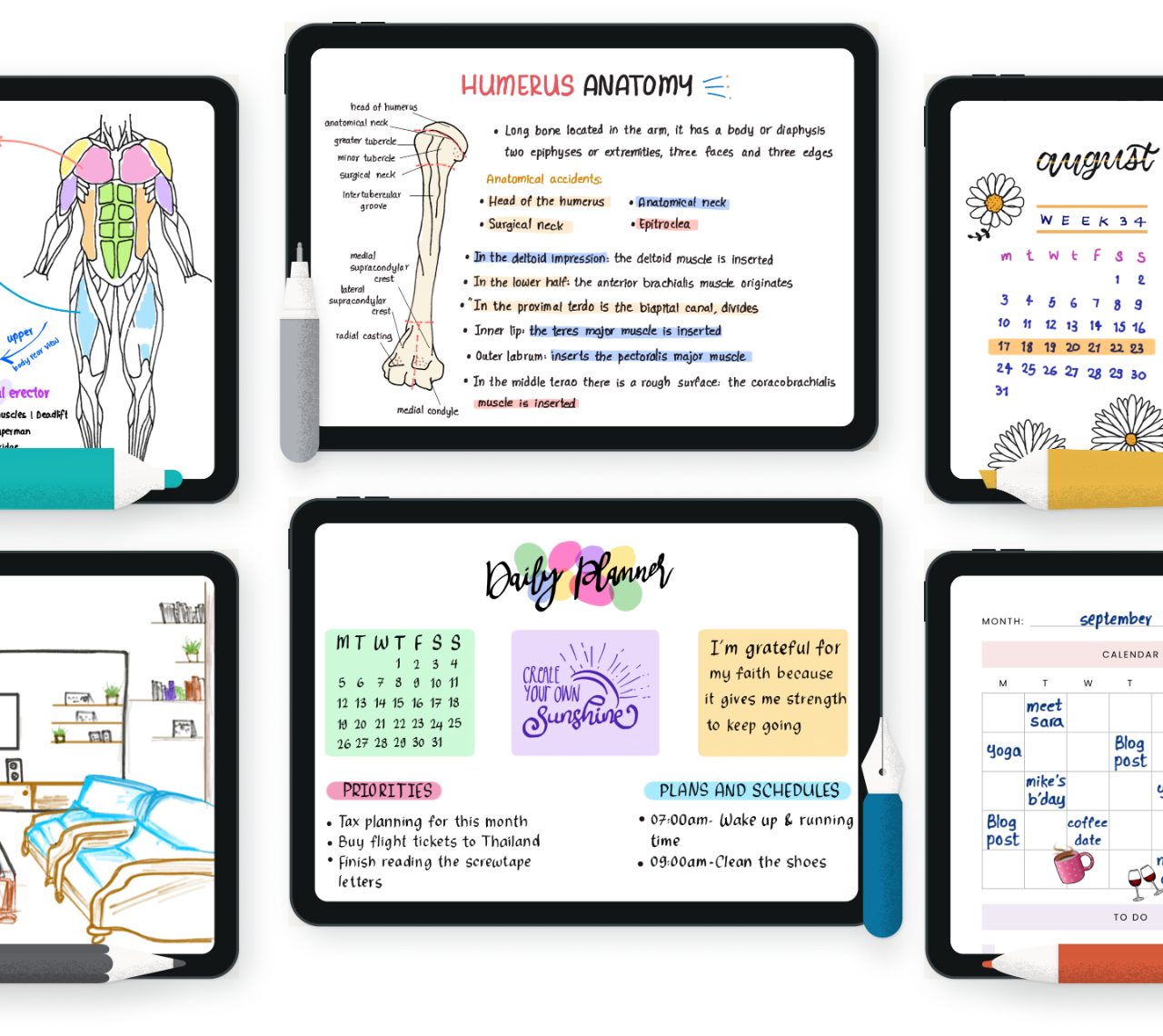
Noteshelf 3, by Fluid Touch, is a handwriting notebook and PDF annotation app for iPad, iPhone and Mac, with Apple Watch recording and Apple Vision support. It offers several pen types including a fountain pen, a zoom writing box, PDF, Word and PowerPoint import, audio recording, handwriting search and conversion in 65 languages, folders and tags, iCloud sync, and automatic backup to Google Drive, OneDrive, Dropbox or WebDAV. The app is free for up to three notebooks; unlimited notebooks, handwriting recognition and auto-backup need Premium, sold as a one-time lifetime unlock or as weekly, monthly and yearly subscriptions. Android and Windows versions exist with separate pricing, but iCloud sync does not reach them. It is closed-source.
What users say
Evidence ↓Handwriting feel is the view users share most; an App Store reviewer and Reddit users call the pens, especially the fountain pen, the best they have used, and a second Reddit user rates the feel above other apps. Complaints cluster elsewhere. A few Reddit users report notebooks that stopped loading after an update with slow support, one says Google Drive backups update only after days, and App Store reviewers object to the weekly subscription as the default and say Noteshelf 3 dropped features from Noteshelf 2. These come from individual reviews and one long thread, not a measured rate.
Rankings and alternatives
- Note-taking apps for iPad #3 of 9 Nicest pens for a one-time price
- Goodnotes #1 Best all-rounder for class notes and PDFs
- Notability #2 For recording lectures alongside your notes
- MyScript Notes #4 For turning handwriting into typed text

iPad handwritten note-taking apps scores
Evaluated Nov 17, 2026 Evidence ↓- Writing feel · counts double 5
5/5 means: Among the best-regarded apps to write in on iPad, with a full set of pens and handwriting tools that experienced users praise
Reviewers and long-time users repeatedly single out the pens, especially the fountain pen, and the writing feel as the best they have used; it has zoom writing, shapes and a customizable toolbar. Complaints are about scrolling hesitation and reliability, not ink. Palm rejection and lasso were not checked in the sources.
- Marking up PDFs and slides 4
4/5 means: Full PDF markup with page management, with small gaps
Imports and marks up PDF, Word and PowerPoint files and has a scanner. Outline and link handling and long-textbook performance are not documented, so it is not scored 5.
- Finding notes later 4
4/5 means: Searches handwriting and typed text across the whole library
Handwriting search in 65 languages plus folders, subfolders, tags, bookmarks and a table of contents; handwriting recognition needs Premium. Whether search reaches text inside imported PDFs and scans is not documented.
- Recording lectures 3
3/5 means: Records audio with a transcript, but playback isn't tied to your handwriting
Records audio alongside notes, and transcription summaries exist on newer Apple Intelligence devices. No source says playback follows the handwriting, so 3 is a judgment between 2 and 3, resting on transcripts being available only on compatible devices.
- Sync and other devices 4
4/5 means: As 3, plus apps on Windows, Android or the web that don't show the same notes, or need a dearer plan to
iCloud sync across iPad, iPhone and Mac in the base Premium purchase. Android and Windows apps exist but do not sync with Apple devices, per a third-party roundup that the vendor's pages do not confirm. Sync reliability complaints exist.
- Cost of unlimited notes 4
4/5 means: Under $20 over four years
The US listing shows a $14.99 lifetime Premium that unlocks unlimited notebooks, under $20 over four years. The yearly plan at $29.99 would be $120 over four years, so only the one-time price scores this. A roundup omits the lifetime option, so confirm it.
- Turning handwriting into text · counts half 4
4/5 means: Converts selected handwriting to editable text, with good accuracy
Converts handwriting to text in 65 languages, with custom word recognition, in Premium. A third-party review calls it good, but there is no accuracy data or user discussion.
Pricing
- Free Free Up to 3 notebooks with core pens and paper.
- Premium Lifetime $14.99 one-time One-time unlock on the US App Store listing, shown as "Noteshelf 3 Premium - Lifetime". Premium includes unlimited notebooks, all templates, handwriting recognition, auto-backup and 100 monthly AI credits. A third-party roundup does not mention the lifetime option, so confirm it in the app. A discounted Premium for Noteshelf 2 users is listed at $9.99.
- Premium Yearly $29.99 /year The US listing shows several yearly prices ($19.99, $29.99, $39.99, $49.99) for the same product names; $29.99 matches a third-party roundup. Billed yearly.
- Premium Monthly $9.99 /month A weekly plan at $7.99 is also listed, and a reviewer says it is the default choice in the paywall. Android ($9.99) and Windows ($7.99) are priced separately per a third-party roundup.
Prices checked Nov 17, 2026.
Evidence and sources
What users say
Summary 6 quotes
-
Best pencil and natural handwriting experience, (seriously, I don’t know how Goodnotes devs sleep at night with the chicken scratch their app produces no matter what) - and the most versatile options to add things.
prettyillustrated, App Store reviewer who says they have tried most note apps · apps.apple.com/us/app/noteshelf-ai-notes-pdf/id6458735203 · published · checked -
Update: Downgraded to 3 stars because weekly pricing is predatory and the company should be ashamed of making the weekly subscription the default choice. You are now the most expensive option of the established apps.
jek36jjjjj, App Store reviewer · apps.apple.com/us/app/noteshelf-ai-notes-pdf/id6458735203 · published · checked -
Noteshelf 3 added some features like AI, but at a cost of taking away some very simple and useful features.
He’s_Watching, App Store reviewer and long-time Noteshelf user · apps.apple.com/us/app/noteshelf-ai-notes-pdf/id6458735203 · published · checked -
I still do not have access to any of my notes since before I updated to v2 on Aug 5th. All I have received from support are requests for screenshots and logs, and then I don’t hear back unless I follow up.
andrewhobgood, Reddit user in r/Noteshelf · redlib.hbubli.cc/r/Noteshelf/comments/1f98kj8/do_not_buy_noteshelf_we_need_an_alternative · published · checked -
I use Noteshelf 3 only because they’re the only app to produce a decent fountain pen and my handwriting looks the best when compared to other apps.
Charis-Ch, Reddit user in r/Noteshelf · redlib.hbubli.cc/r/Noteshelf/comments/1f98kj8/do_not_buy_noteshelf_we_need_an_alternative · published · checked -
It is working well except for the fact that it doesn't update the files each time you work on them. It takes days for any updates to be reflected in drive.
claredawg, Reddit user in r/Noteshelf · redlib.hbubli.cc/r/Noteshelf/comments/1f98kj8/do_not_buy_noteshelf_we_need_an_alternative · published · checked
iPad handwritten note-taking apps scores
Writing feel 3 quotes
-
Best pencil and natural handwriting experience, (seriously, I don’t know how Goodnotes devs sleep at night with the chicken scratch their app produces no matter what) - and the most versatile options to add things.
prettyillustrated, App Store reviewer who says they have tried most note apps · apps.apple.com/us/app/noteshelf-ai-notes-pdf/id6458735203 · published · checked -
I use Noteshelf 3 only because they’re the only app to produce a decent fountain pen and my handwriting looks the best when compared to other apps.
Charis-Ch, Reddit user in r/Noteshelf · redlib.hbubli.cc/r/Noteshelf/comments/1f98kj8/do_not_buy_noteshelf_we_need_an_alternative · published · checked -
Zoom Box keeps the tool interface right in the magnification bar.
paperlike.com/blogs/paperlikers-insights/best-note-taking-apps-iPad · checked
Marking up PDFs and slides 1 quote
-
Import and annotate PDFs, Word documents, PowerPoint files and images • Highlight, mark up, write and draw directly on your documents • Scan paper documents with the built-in scanner
apps.apple.com/us/app/noteshelf-ai-notes-pdf/id6458735203 · checked
Finding notes later 4 quotes
-
Turn handwriting into text and search your notes in 65 languages
apps.apple.com/us/app/noteshelf-ai-notes-pdf/id6458735203 · checked -
Folders, subfolders, tags, bookmarks and a table of contents • Link notebooks together to connect ideas • Lock notes with a password, Face ID or Touch ID • Sync across iPad, iPhone and Mac with iCloud • Automatic backup to Google Drive, OneDrive, Dropbox or WebDAV
apps.apple.com/us/app/noteshelf-ai-notes-pdf/id6458735203 · checked -
Noteshelf has the ability to search for words within your handwriting, and it recognizes over 65 languages for this purpose. Finally, you can add your own custom word recognition so that Noteshelf can recognize special words you write out by hand, like acronyms and shorthands.
Michael Scheiner, reviewer at crm.org · crm.org/news/noteshelf-review · published · checked -
Create up to 3 notebooks with core pens and paper for free. Upgrade to Noteshelf Premium for unlimited notebooks, all templates, handwriting recognition, auto-backup and 100 monthly AI credits.
apps.apple.com/us/app/noteshelf-ai-notes-pdf/id6458735203 · checked
Recording lectures 3 quotes
-
Import and annotate PDFs, Word documents, PowerPoint files and images • Highlight, mark up, write and draw directly on your documents • Scan paper documents with the built-in scanner
apps.apple.com/us/app/noteshelf-ai-notes-pdf/id6458735203 · checked -
Record lectures, meetings, or discussions and replay them at anytime so you never never miss a note.
noteshelf.net · checked -
Do more with audio transcriptions! Turns audio transcriptions into concise summaries and even ask questions, all powered by Apple Intelligence.
apps.apple.com/us/app/noteshelf-ai-notes-pdf/id6458735203 · checked
Sync and other devices 4 quotes
-
Folders, subfolders, tags, bookmarks and a table of contents • Link notebooks together to connect ideas • Lock notes with a password, Face ID or Touch ID • Sync across iPad, iPhone and Mac with iCloud • Automatic backup to Google Drive, OneDrive, Dropbox or WebDAV
apps.apple.com/us/app/noteshelf-ai-notes-pdf/id6458735203 · checked -
Not cross-platform compatible. You can’t sync across Mac devices to Android or Windows.
paperlike.com/blogs/paperlikers-insights/best-note-taking-apps-iPad · checked -
The main thing is you can not always sync between different operating systems.
Michael Scheiner, reviewer at crm.org · crm.org/news/noteshelf-review · published · checked -
I still do not have access to any of my notes since before I updated to v2 on Aug 5th. All I have received from support are requests for screenshots and logs, and then I don’t hear back unless I follow up.
andrewhobgood, Reddit user in r/Noteshelf · redlib.hbubli.cc/r/Noteshelf/comments/1f98kj8/do_not_buy_noteshelf_we_need_an_alternative · published · checked
Cost of unlimited notes 4 quotes
-
Create up to 3 notebooks with core pens and paper for free. Upgrade to Noteshelf Premium for unlimited notebooks, all templates, handwriting recognition, auto-backup and 100 monthly AI credits.
apps.apple.com/us/app/noteshelf-ai-notes-pdf/id6458735203 · checked -
Noteshelf3 Weekly Premium $7.99
apps.apple.com/us/app/noteshelf-ai-notes-pdf/id6458735203 · checked -
Noteshelf 3 Premium - Lifetime $14.99
apps.apple.com/us/app/noteshelf-ai-notes-pdf/id6458735203 · checked -
Limited free plan available; $7.99/week, $9.99/month, or $29.99/year for the full iOS/iPadOS/macOS version. Separate pricing for Android ($9.99) and Windows ($7.99).
paperlike.com/blogs/paperlikers-insights/best-note-taking-apps-iPad · checked
Turning handwriting into text 2 quotes
-
Turn handwriting into text and search your notes in 65 languages
apps.apple.com/us/app/noteshelf-ai-notes-pdf/id6458735203 · checked -
Noteshelf has the ability to search for words within your handwriting, and it recognizes over 65 languages for this purpose. Finally, you can add your own custom word recognition so that Noteshelf can recognize special words you write out by hand, like acronyms and shorthands.
Michael Scheiner, reviewer at crm.org · crm.org/news/noteshelf-review · published · checked
Facts
License 1 quote
-
Noteshelf 3 brings natural handwriting, powerful AI, PDF annotation, audio recording and planning together in one beautiful app for iPad, iPhone and Mac. Free to start.
apps.apple.com/us/app/noteshelf-ai-notes-pdf/id6458735203 · checked
Runs on 1 quote
-
Requires iPadOS 18.0 or later.
apps.apple.com/us/app/noteshelf-ai-notes-pdf/id6458735203 · checked
More from the sources
Platforms and requirements 1 quote
-
Craft your notebooks effortlessly on MacOS and sync across iOS devices.
noteshelf.net · checked
Pricing
apps.apple.com/us/app/noteshelf-ai-notes-pdf/id6458735203 · checked