
MarkText
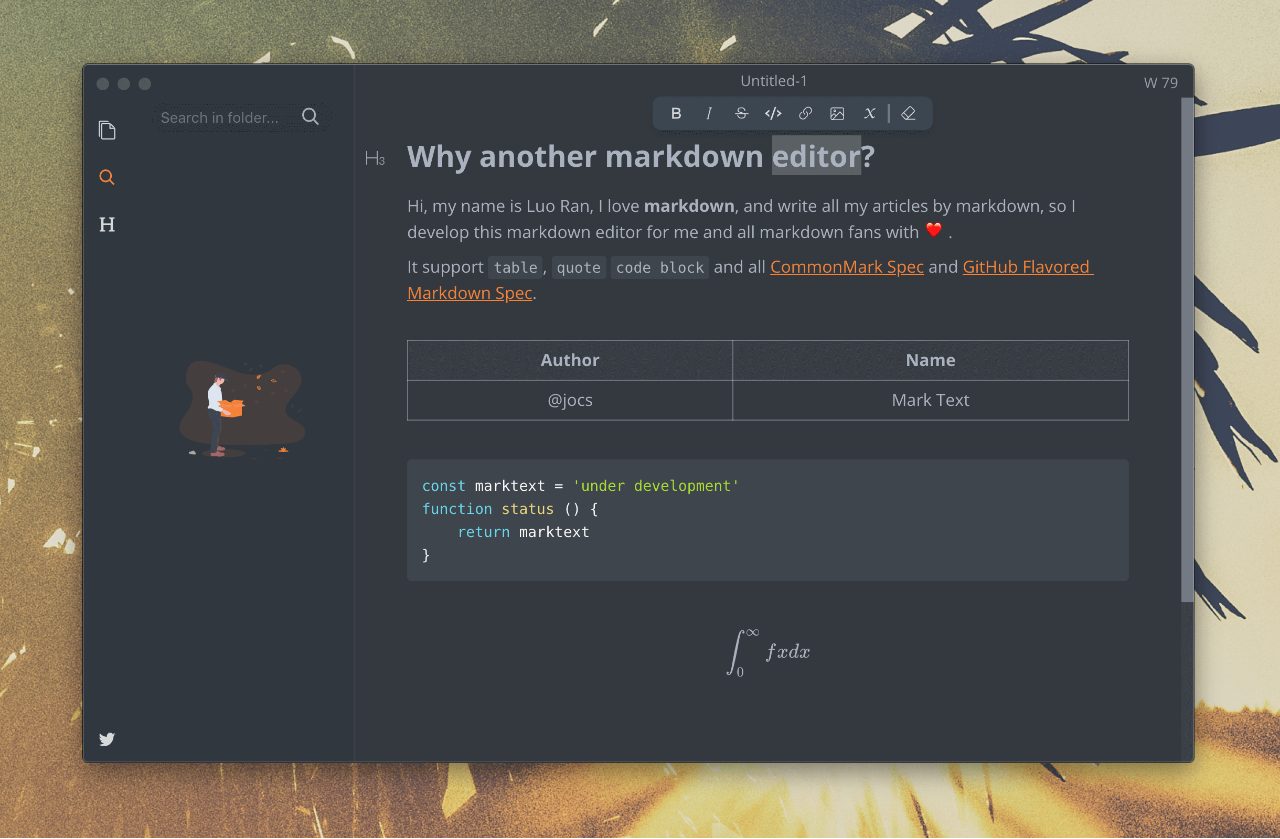
Free, open-source Markdown editor with a realtime preview
Our verdict
#4 of 4 in Markdown editors for desktop · For free, open-source writing like Typora's
What it does
- Realtime preview, a source-code editor and Reading Mode
- Focus and typewriter modes
- Export to PDF and HTML, or print
- Pasted images saved to a configured folder, with upload through PicGo
- 33 built-in themes and custom CSS
Pros
- Free and open source under the MIT license
- Reading Mode helps prevent accidental edits
- Quick open, find in files and tabs on Windows, macOS and Linux
Cons
- Exports only to PDF and HTML
- No links between notes, backlinks or tags
- Skip if:
- You send Word files or link notes together.
Rankings and alternatives



Markdown editors for desktop scores
Evaluated Nov 7, 2026 Evidence ↓- Writing views 5
5/5 means: All five
Realtime preview, a source-code editor, Reading Mode, focus mode and typewriter mode are all documented.
- Export formats 2
2/5 means: Two formats, for example HTML and PDF
Exports to PDF and HTML, plus printing.
- Images 4
4/5 means: Four of the five
Pasted images saved to a configured folder, local images copied there, upload through PicGo and resizing with image handles are documented; dragging image files in is not described.
- Links between notes 1
1/5 means: None or one of the five
It is a pure Markdown editor without knowledge-management features and tags.
- Citations 1
1/5 means: No documented citation support
No citation or bibliography feature is documented, and an issue asking how to add a bibliography is still open.
- Working with many files 4
4/5 means: Four of the five
A file explorer with find-in-files search, a quick open dialog on macOS, Linux and Windows, and tabs are documented; no split view is described.
- Themes and plugins 3
3/5 means: Built-in themes and your own CSS
33 built-in light and dark themes and custom CSS; there is no custom-theme import and no plugin system.
- Platforms 3
3/5 means: Windows, macOS and Linux
Linux, macOS 13 or later and Windows; it is a desktop application only.
- Price 5
5/5 means: Free for any use
MIT-licensed and completely free for everyone.
Evidence and sources
Markdown editors for desktop scores
Writing views 1 quote
-
Use the View menu to switch between the WYSIWYG and source-code editor.
marktext.me/docs/basics · checked
Links between notes 1 quote
-
MarkText is a pure markdown editor without features such as knowledge management and tags
marktext.me/docs/faq · checked
Themes and plugins 1 quote
-
they do not provide a custom-theme import control.
marktext.me/docs/themes · checked
Platforms 1 quote
-
macOS 13 (Ventura) or later, x64 and arm64 (Apple Silicon)
marktext.me/docs/faq · checked
Price 1 quote
-
Yes, MarkText is licensed under the MIT license and completely free for everyone.
marktext.me/docs/faq · checked
Facts
License 1 quote
-
Yes, MarkText is licensed under the MIT license and completely free for everyone.
marktext.me/docs/faq · checked
Runs on 1 quote
-
macOS 13 (Ventura) or later, x64 and arm64 (Apple Silicon)
marktext.me/docs/faq · checked
Users 1 quote
-
"installs_total":151582
flathub.org/api/v2/stats/com.github.marktext.marktext · checked