
Zettlr
Open-source Markdown editor for academic writing, with citations and Pandoc export
Our verdict
#1 of 4 in Markdown editors for desktop · For papers, reports and anything with citations
What it does
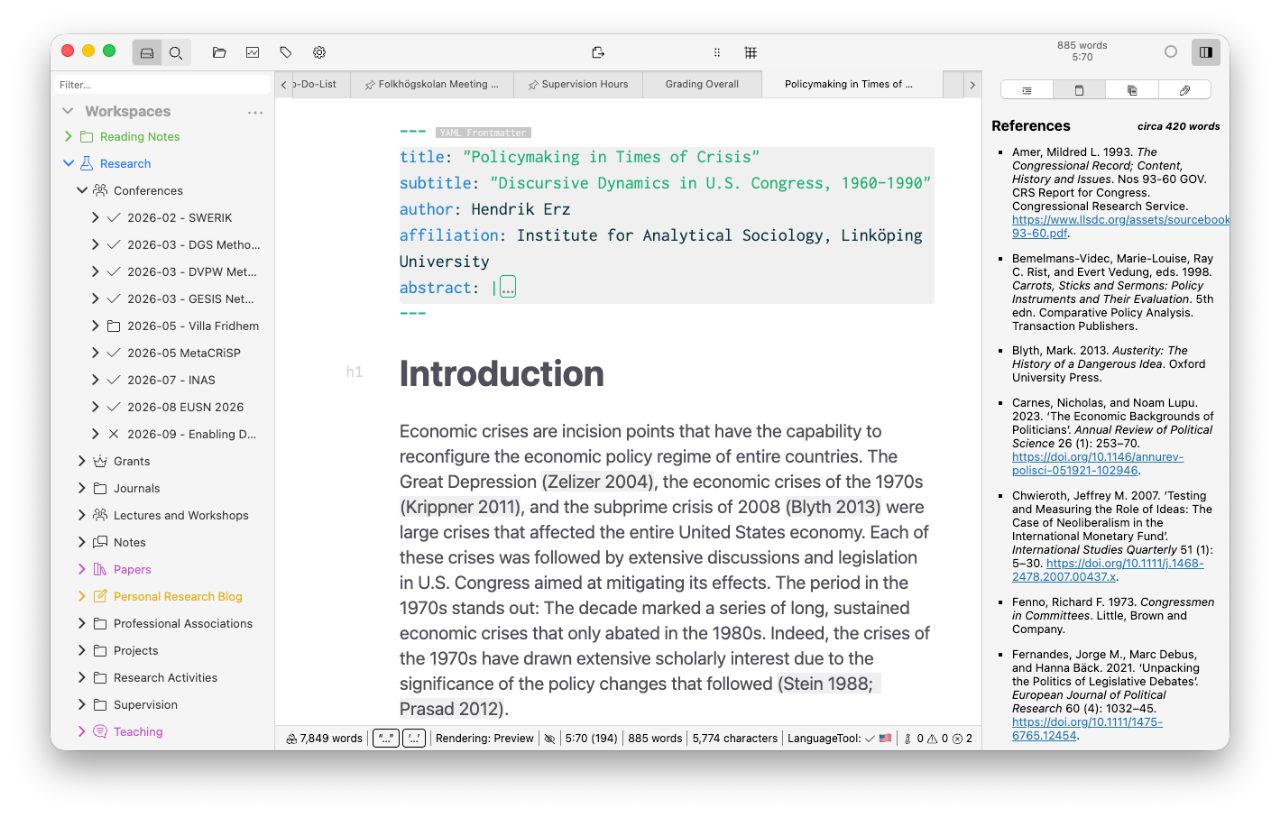
- Citation suggestions as you type, and a bibliography on export
- Links by note name with suggestions, a Related Files tab and a graph view
- Built-in Pandoc export to Word, LibreOffice, PowerPoint and reveal.js slides
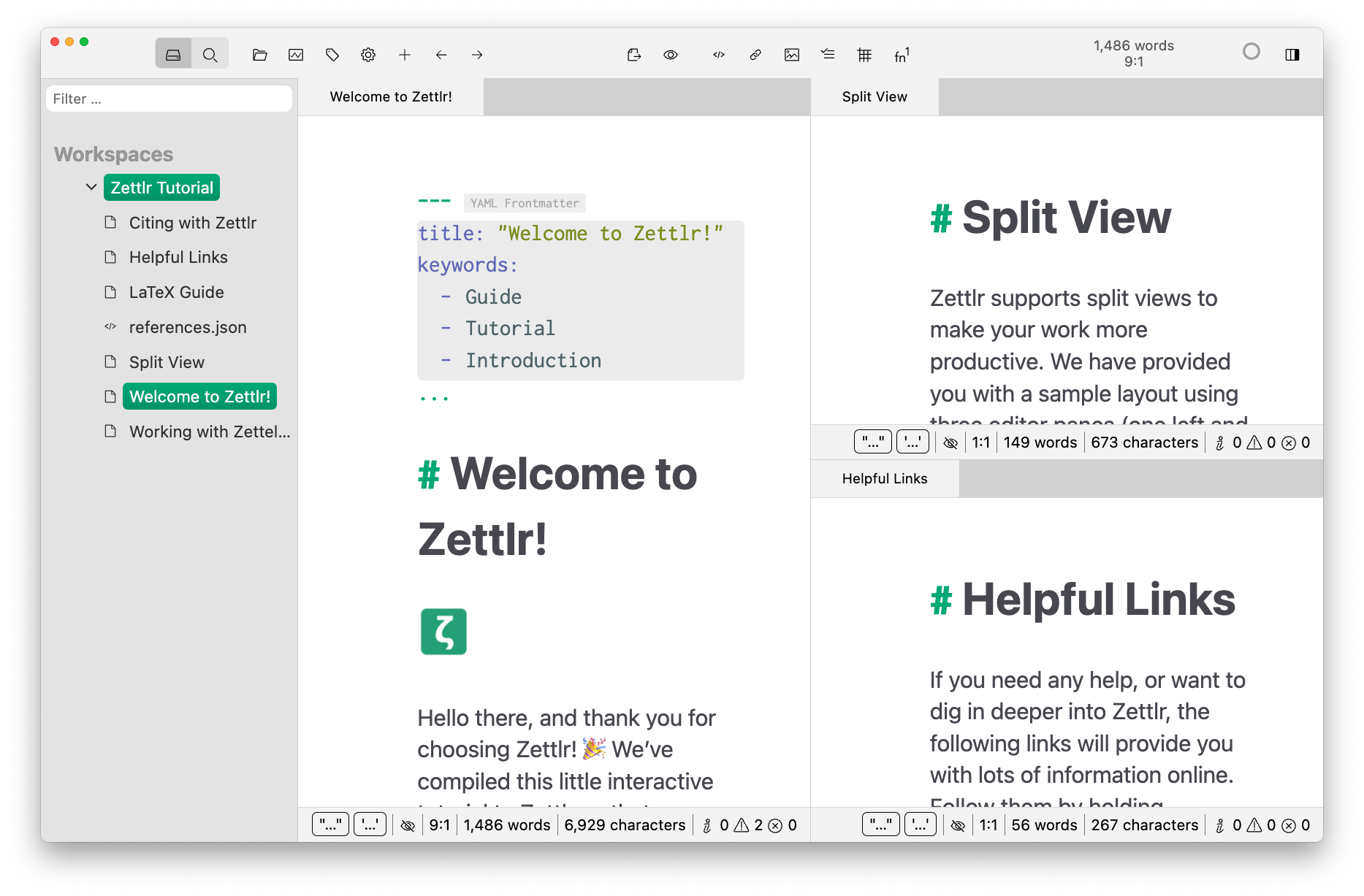
- Split view with document tabs, and full-text search across your workspaces
- A distraction-free mode that dims other lines, and typewriter scrolling that keeps your current line in place
Pros
- Citations and bibliographies built in
- Open source under the GPL v3, and free
- Tabs and split panes on every desktop system
Cons
- A fully typeset PDF needs a LaTeX installation
- Few image tools beyond saving pasted images to a folder
- Skip if:
- You need to write on a phone or tablet.
Rankings and alternatives



Markdown editors for desktop scores
Evaluated Nov 7, 2026 Evidence ↓- Writing views 5
5/5 means: All five
Preview and raw rendering modes, a distraction-free mode that mutes non-focused lines, a Typewriter mode, and a print preview window that shows the formatted document.
- Export formats 4
4/5 means: Five to seven formats
Pandoc-based export documented for PDF, Word, LibreOffice, PowerPoint, reveal.js presentations, Textbundle and Textpack, seven formats, with Pandoc built into the app. The full list of the profiles it ships is unknown.
- Images 2
2/5 means: Two of the five
Pasted images are saved to a configurable image folder. Dragging images in, uploading to an image host and resizing are not documented.
- Links between notes 5
5/5 means: All five
Wiki links with file autocompletion after [[, inbound links in the Related Files tab, a graph view, and a tag cloud listing all tags.
- Citations 5
5/5 means: As 4, plus a choice of citation style (CSL) and a documented link to Zotero
Reads Zotero, JabRef and BibTeX libraries, autocompletes citations, formats the bibliography on export with a chosen CSL style, and has a Zotero guide.
- Working with many files 5
5/5 means: All five
File manager with a name filter, global full-text search, document tabs and a split view are documented.
- Themes and plugins 3
3/5 means: Built-in themes and your own CSS
Five built-in themes and custom CSS; no theme catalog or plugin system is described.
- Platforms 3
3/5 means: Windows, macOS and Linux
macOS, Windows and most Linux distributions; no mobile app.
- Price 5
5/5 means: Free for any use
Free and open-source software under the GPL v3, supported by donations.
Evidence and sources
Markdown editors for desktop scores
Export formats 2 quotes
-
Zettlr ships with a powerful exporting ecosystem, primarily powered by Pandoc.
docs.zettlr.com/en/export · checked -
To export regular, fully-featured PDF files, you will need a LaTeX installation on your computer.
docs.zettlr.com/en/first-time-users/exporting-files.html · checked
Links between notes 2 quotes
-
To insert such a link, start by typing two square brackets: . This will open an autocompletion that lets you search for a file, and link to it.
docs.zettlr.com/en/pkms/zkn-method.html · checked -
Zettlr features a graph view that allows you to view the network that you have created by interlinking your files.
docs.zettlr.com/en/pkms/graph.html · checked
Citations 1 quote
-
Supported reference managers include, e.g., Zotero, JabRef, Juris-M, and plain BibTeX or BibLaTeX library files.
docs.zettlr.com/en/editor/citations.html · checked
Platforms 1 quote
-
Currently supported are macOS, Windows, and most Linux distributions.
github.com/Zettlr/Zettlr · checked
Price 2 quotes
-
This software is licensed via the GNU GPL v3-License.
github.com/Zettlr/Zettlr · checked -
Zettlr is Free and Open Source software, supported by donations.
zettlr.com · checked
Facts
License 2 quotes
-
This software is licensed via the GNU GPL v3-License.
github.com/Zettlr/Zettlr · checked -
Zettlr is Free and Open Source software, supported by donations.
zettlr.com · checked
Runs on 1 quote
-
Currently supported are macOS, Windows, and most Linux distributions.
github.com/Zettlr/Zettlr · checked
Needs 1 quote
-
To export regular, fully-featured PDF files, you will need a LaTeX installation on your computer.
docs.zettlr.com/en/first-time-users/exporting-files.html · checked