
Microsoft Designer
Free AI-first design app from Microsoft for social posts, invitations and cards, with personal non-commercial use only.
Our verdict
#7 of 8 in Graphic design software for beginners · Free AI designs for personal use
What it does
- Designs generated from a text description
- Background removal, erase and upscaling
- Browser, iPhone and Android apps
Pros
- Free with a Microsoft account
- Quick for invitations, cards and personal posts
Cons
- Personal, non-commercial use only
- Few templates; results depend on how you word the prompt
- Skip if:
- You're making anything for a business or to sell
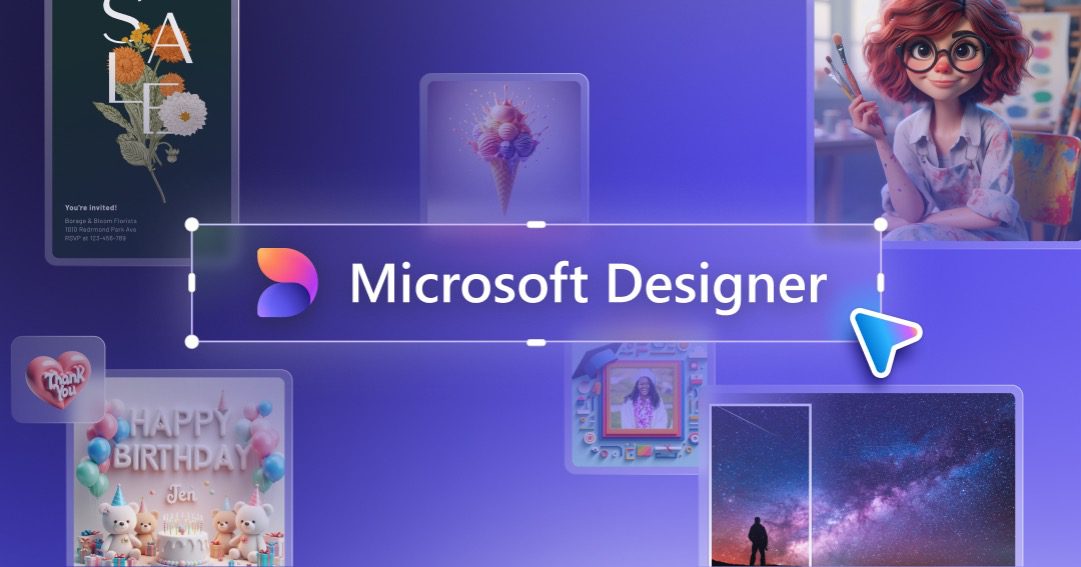
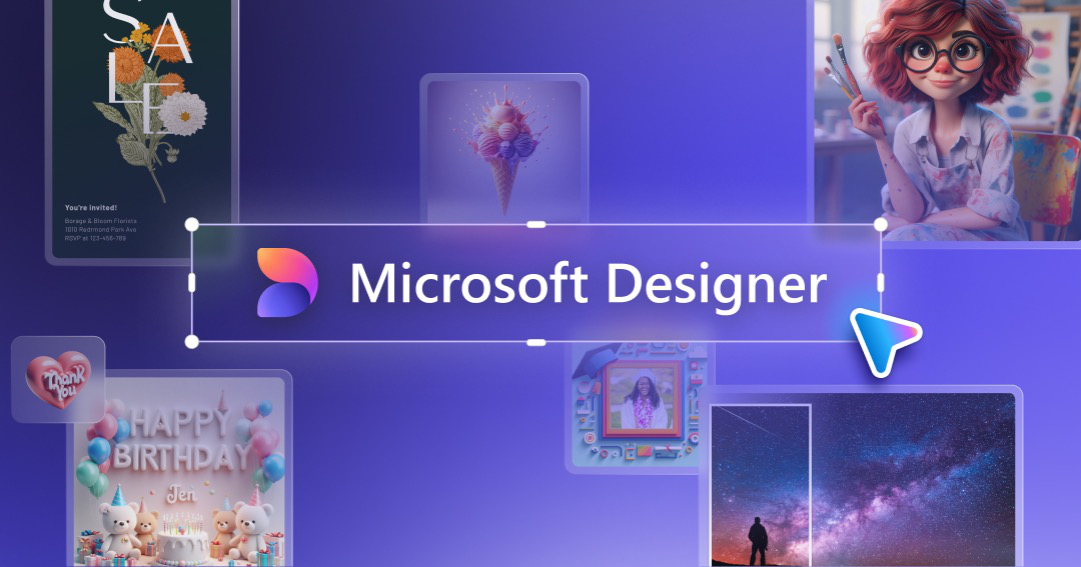
Microsoft Designer is a cloud-based graphic design app that turns a text description into social posts, invitations, greeting cards, banners, collages and stickers, then lets you edit them on a canvas. It also has photo tools for erasing objects, removing or blurring backgrounds and upscaling to 4K, and an AI brand kit that suggests a logo, fonts and colors. It runs in a browser at designer.microsoft.com and in iOS and Android apps, needs a free Microsoft account, and is proprietary. Microsoft’s FAQ says it is licensed for personal, non-commercial use. Free use is capped, and Microsoft 365 plans raise AI limits.
Rankings and alternatives
- Graphic design software for beginners #7 of 8 Free AI designs for personal use
- Canva #1 Best for most beginners
- Adobe Express #2 Canva-style app with more free tools
- Affinity #3 Free professional design app

Graphic design software for beginners scores
Evaluated Nov 17, 2026 Evidence ↓- Ease for non-designers · counts double 4
4/5 means: Approachable; most newcomers finish a decent design in their first session with a little looking around
Describe-it-and-edit flow with no design vocabulary needed, per Microsoft's own pages and general knowledge; no independent review was read, so the level is uncertain.
- Templates for everyday jobs · counts double 2
2/5 means: A few starter layouts, or templates for only one or two of these kinds
Designer starts from a typed description and generates designs, with templates for a few kinds such as social posts, invitations and cards. No library for flyers, posters, thumbnails or presentations is documented, and no count is published.
- What the free version lets you make 2
2/5 means: Downloads are small, watermarked, capped to a few a day, or limited to personal use
Free to use, but licensed for personal, non-commercial use only and capped by AI usage limits; watermark and export rules were not found.
- Print and export quality 2
2/5 means: Full-size PNG or JPG, with no print PDF and no vector or transparent export
Only upscale to 4K is documented; PDF, transparent PNG, SVG, CMYK and bleed are not documented in the pages read, so this assumes image export only.
- Photo editing and background removal 4
4/5 means: One-click background removal, object removal and good adjustment tools, short of layer-based editing
Documented generative erase, background removal and blur, framing and 4K upscale; no layer-based editing or retouching, and result quality was not reviewed.
- Making a logo you can use as a brand 2
2/5 means: Possible as an image, but the template license bars using its content in a trademark, or no vector output
AI brand kit suggests a logo, but vector output is not documented and use is licensed non-commercially, which conflicts with brand use.
- Room to grow 2
2/5 means: Free placement of elements, but little control over type, alignment or layers
Canvas editing exists but the documented feature set is AI-first with no stated advanced typography, vector or layer tools; no reviewer view read.
- Phone and computer support 4
4/5 means: A browser and full mobile apps, with no desktop app, or desktop apps on every system plus one mobile system
Browser plus iOS and Android apps, projects saved to the cloud; no desktop app listed, and how full the mobile editing is was not checked.
- AI helpers · counts half 4
4/5 means: AI image generation, text and editing tools with generous limits on the paid plan
Image generation, text generation, edit tools and prompt enhancement are built in, but limits are only standard usage on Personal (extensive on Premium) and no credit numbers were verified; the image model is unnamed.
Pricing
- Free Free
- Microsoft 365 Personal $9.99/month
- Microsoft 365 Family $12.99/month
- Microsoft 365 Premium $19.99/month
Prices checked Nov 17, 2026.
Evidence and sources
Graphic design software for beginners scores
Ease for non-designers 2 quotes
-
Microsoft Designer is a graphic design tool that helps you create, design, and edit effortlessly, when and where you need it. Designer uses the power of generative AI to create eye-catching images with your words, craft next-level designs that pop, and edit photos like an expert.
support.microsoft.com/en-us/designer/frequently-asked-questions-about-microsoft-designer · checked -
Create just about anything you can imagine with Designer, whether you want to make a personalized greeting card for your friend from elementary school, a themed invitation for your next holiday party, congratulatory social posts, stickers to show off your school pride, frames for your photos, or images that bring your ideas to life.
support.microsoft.com/en-us/designer/frequently-asked-questions-about-microsoft-designer · checked
Templates for everyday jobs 2 quotes
-
Create just about anything you can imagine with Designer, whether you want to make a personalized greeting card for your friend from elementary school, a themed invitation for your next holiday party, congratulatory social posts, stickers to show off your school pride, frames for your photos, or images that bring your ideas to life.
support.microsoft.com/en-us/designer/frequently-asked-questions-about-microsoft-designer · checked -
A graphic design app that helps you create professional quality social media posts, invitations, digital postcards, graphics, and more.
designer.microsoft.com · checked
What the free version lets you make 3 quotes
-
Designer is licensed for personal, non-commercial use with your Microsoft account.
support.microsoft.com/en-us/designer/frequently-asked-questions-about-microsoft-designer · checked -
Yes, Designer is free to use. A subscription may be required for those who want to create more frequently.
support.microsoft.com/en-us/designer/frequently-asked-questions-about-microsoft-designer · checked -
As you use AI features in apps like Copilot, Designer, Photos, Paint, Notepad, Word, and Excel, applicable usage is tracked automatically.
support.microsoft.com/en-us/microsoft-365-copilot/ai-credits-and-limits-for-microsoft-365-subscriptions · checked
Print and export quality 1 quote
-
Your starting image can be upscaled up to 4K resolution.
support.microsoft.com/en-us/designer/frequently-asked-questions-about-microsoft-designer · checked
Photo editing and background removal 2 quotes
-
Your starting image can be upscaled up to 4K resolution.
support.microsoft.com/en-us/designer/frequently-asked-questions-about-microsoft-designer · checked -
Refine your photos and designs in no time with Designer. Edit, enhance, and personalize your ideas with easy-to-use AI tools to get help erasing unwanted distractions, blurring or removing backgrounds, framing, and upscaling images, adding AI-generated text, and more.
support.microsoft.com/en-us/designer/frequently-asked-questions-about-microsoft-designer · checked
Making a logo you can use as a brand 2 quotes
-
With this feature, you can use AI to create brand kits that include a personal logo, brand voice, font and colors.
support.microsoft.com/en-us/designer/frequently-asked-questions-about-microsoft-designer · checked -
Designer is licensed for personal, non-commercial use with your Microsoft account.
support.microsoft.com/en-us/designer/frequently-asked-questions-about-microsoft-designer · checked
Room to grow 2 quotes
-
Microsoft Designer is a graphic design tool that helps you create, design, and edit effortlessly, when and where you need it. Designer uses the power of generative AI to create eye-catching images with your words, craft next-level designs that pop, and edit photos like an expert.
support.microsoft.com/en-us/designer/frequently-asked-questions-about-microsoft-designer · checked -
Create just about anything you can imagine with Designer, whether you want to make a personalized greeting card for your friend from elementary school, a themed invitation for your next holiday party, congratulatory social posts, stickers to show off your school pride, frames for your photos, or images that bring your ideas to life.
support.microsoft.com/en-us/designer/frequently-asked-questions-about-microsoft-designer · checked
Phone and computer support 2 quotes
-
Visit the web app at designer.microsoft.com. - Get the mobile app from the Apple App Store or Google Play Store.
support.microsoft.com/en-us/designer/frequently-asked-questions-about-microsoft-designer · checked -
Your Designer files count towards your universal Microsoft storage quota.
support.microsoft.com/en-us/designer/frequently-asked-questions-about-microsoft-designer · checked
AI helpers 4 quotes
-
Microsoft Designer is a graphic design tool that helps you create, design, and edit effortlessly, when and where you need it. Designer uses the power of generative AI to create eye-catching images with your words, craft next-level designs that pop, and edit photos like an expert.
support.microsoft.com/en-us/designer/frequently-asked-questions-about-microsoft-designer · checked -
Create just about anything you can imagine with Designer, whether you want to make a personalized greeting card for your friend from elementary school, a themed invitation for your next holiday party, congratulatory social posts, stickers to show off your school pride, frames for your photos, or images that bring your ideas to life.
support.microsoft.com/en-us/designer/frequently-asked-questions-about-microsoft-designer · checked -
As you use AI features in apps like Copilot, Designer, Photos, Paint, Notepad, Word, and Excel, applicable usage is tracked automatically.
support.microsoft.com/en-us/microsoft-365-copilot/ai-credits-and-limits-for-microsoft-365-subscriptions · checked -
Image gen · Standard usage · Standard usage · Extensive usage · Extensive usage
support.microsoft.com/en-us/microsoft-365-copilot/ai-credits-and-limits-for-microsoft-365-subscriptions · checked
Facts
License 1 quote
-
Designer is licensed for personal, non-commercial use with your Microsoft account.
support.microsoft.com/en-us/designer/frequently-asked-questions-about-microsoft-designer · checked
Runs on 1 quote
-
Visit the web app at designer.microsoft.com. - Get the mobile app from the Apple App Store or Google Play Store.
support.microsoft.com/en-us/designer/frequently-asked-questions-about-microsoft-designer · checked
Needs 1 quote
-
Visit the web app at designer.microsoft.com. - Get the mobile app from the Apple App Store or Google Play Store.
support.microsoft.com/en-us/designer/frequently-asked-questions-about-microsoft-designer · checked
More from the sources
Pricing 3 quotes
-
Microsoft 365 Personal Originally starting from $9.99 now starting from $6.99
microsoft.com/en-us/copilot/pricing/individuals · checked -
Microsoft 365 Family $12.99 /month
microsoft.com/en-us/copilot/pricing/individuals · checked -
Microsoft 365 Premium Originally starting from $19.99 now starting from $13.99
microsoft.com/en-us/copilot/pricing/individuals · checked
Platforms and requirements 1 quote
-
Microsoft is collapsing its consumer Copilot and Microsoft 365 Copilot apps into one experience as several consumer features approach retirement.
techrepublic.com/article/news-microsoft-copilot-app-merger · published · checked