
Nextcloud
Free, open-source self-hosted file sync and share server with desktop and mobile apps, part of the Nextcloud Hub suite.
Our verdict
#1 of 8 in Self-hosted file sync · Best for replacing Dropbox and Google Workspace together
What it does
- Desktop apps for Windows, macOS and Linux that can leave files online until you open them
- Phone apps with automatic photo upload and offline files
- Password, expiry and upload-only share links
- Calendar, contacts, chat, photos and office editing on the same server
Pros
- The most complete apps of any option here
- Every feature free, with no user cap
- Replaces a whole suite, not just Dropbox
- Files stay ordinary files on the server
Cons
- Major upgrades often need fixing afterward
- Slower sync with more conflicts on huge or busy folders
- Heavier to run than a files-only server
- Choose if:
- You want your calendar, contacts and documents off Google or Microsoft as well
- Skip if:
- You sync code repositories or folders that change all day
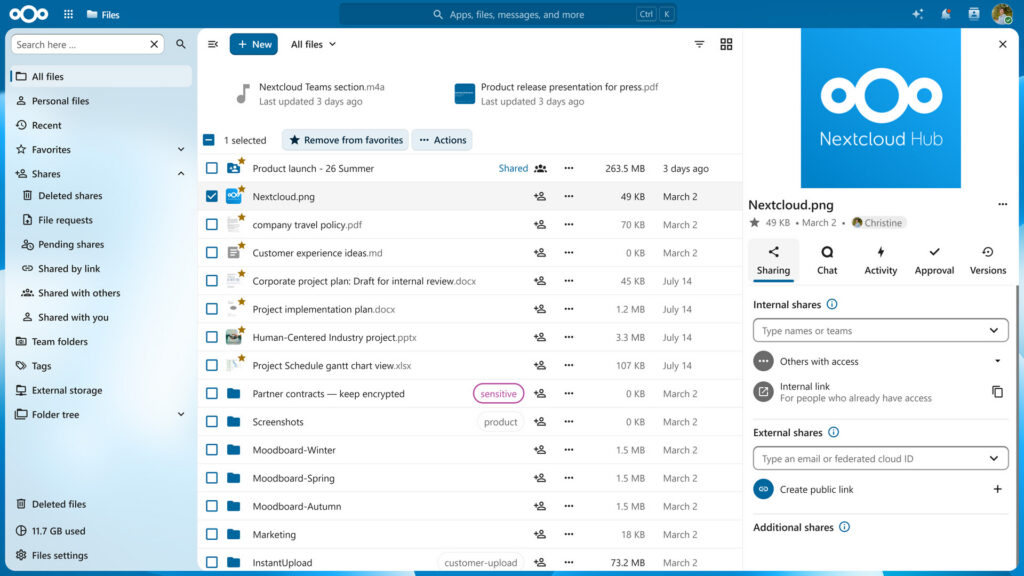
Nextcloud is a self-hosted file storage, sync and sharing server (the core of Nextcloud Hub) that you run on your own Linux server, NAS or VPS. It comes with free desktop clients for Windows, macOS and Linux and free Android and iOS apps, with automatic photo upload and selective sync. Beyond files it bundles or adds calendar, contacts, mail, chat and video calls (Talk), photos and in-browser office editing through apps. The server is licensed under AGPL and is free; a paid Enterprise subscription from Nextcloud GmbH adds support, longer maintenance and enterprise features for organizations of 100 or more users. The Docker-based All-in-One (AIO) image is the vendor’s simplest route to install it.
What users say
Evidence ↓The only user discussion read is one roughly three-year-old Lemmy thread (a few commenters), so it is a thin sample. It shows the desktop client syncing a full copy to the local disk by default, which one user found fills the disk, and a commenter pointing to a virtual files option that works like OneDrive's download-on-first-access; on Linux at that time it had to be enabled as an experimental setting.
Rankings and alternatives



Self-hosted file sync scores
Evaluated Nov 17, 2026 Evidence ↓- Sync reliability and speed · counts double 3
3/5 means: Fine for typical folders, but many users hit slow syncs or conflicts with large folders, many small files or frequent edits
From general knowledge, not the pages read. Fine for typical folders, but long-term users commonly report slow syncs and conflicts with very large or many-small-file folders, and sync is chunked whole-file upload rather than block-level delta. The only user thread read is old and silent on reliability.
- Phone apps 5
5/5 means: Official apps on both that also keep chosen files or folders on the phone and update them when they change
Official free Android and iOS apps browse files, upload photos automatically and can keep chosen files available offline. Offline files rests on knowledge; the pages read confirm apps, auto upload and selective sync.
- Desktop app 5
5/5 means: Level 3, plus files on demand on both Windows and macOS
Official clients for Windows, macOS and Linux with selective sync. Virtual files (files on demand) work on Windows, and on macOS through the separate File Provider build of the client; on Linux the option has been experimental. Calibrated up from 4 on knowledge of the macOS build, which the pages read don't cover.
- Sharing with other people 5
5/5 means: Level 4, plus folders shared with other accounts on the server that they can edit
Password-protected public links, expiry dates and file-drop upload links, plus sharing folders with users and groups with edit rights. Expiry and file drop rest on knowledge of the product.
- Setup and upkeep 2
2/5 means: A stack of services, and users commonly report upgrades or add-ons that need fixing
The All-in-One Docker install runs several containers, including a database, and updates are mostly image pulls, but users commonly report major upgrades that need fixing, such as apps that stop working until they are updated, and background jobs and PHP settings to tune. Calibrated down from 3 against the other servers; it rests on knowledge of common user reports.
- What it costs a household 5
5/5 means: Free, with every feature a household uses and no user cap
The server and all its apps and clients are free, with no user cap; the paid Enterprise subscription sells support and longer maintenance and starts at 100 users.
- Files stay ordinary files 4
4/5 means: Ordinary files and folders under their real names, but changes made outside the software are picked up only by a rescan or a restart
Files sit under real names in the server's data directory (rests on knowledge, not a read page), but changes made outside Nextcloud need an occ files:scan rescan to appear. The Lemmy thread agrees a full scan is needed, though that comment is not stored.
- Open source 5
5/5 means: Open source, with the same code for everyone
The server is AGPL and the desktop and mobile clients are open source; Enterprise customers run the same code with a support contract.
- Apps beyond files · counts half 5
5/5 means: All five
Calendar and contacts, Talk chat and video, Photos with a timeline, Notes, and browser office editing through Nextcloud Office with a free self-hosted editor such as Collabora (the editor being free rests on knowledge).
Pricing
- Self-hosted server (Community) Free Free and open-source server software you run yourself, plus free Nextcloud desktop and mobile apps. You pay only for your own hardware or VPS.
- Enterprise Standard €71.29 /year per seat Quoted from 100 users (53.17 EUR per user per year from 200 users), net of VAT, billed per year. Subscriptions start at 100 users, so this is not available to a single household. Includes business-hours email support, 1-year maintenance lifecycle and enterprise capabilities.
- Enterprise Premium €104.99 /year per seat Quoted from 100 users (81.99 EUR from 200 users), net of VAT. Adds 5+ year maintenance lifecycle, 1-business-day reaction time, Assistant, Flow, Whiteboard and other apps.
- Enterprise Ultimate €204.75 /year per seat Quoted from 100 users (183.75 EUR from 200 users), net of VAT. Reaction times from 1 to 24 hours, up to 24/7 support, extended support and SLA on fixes.
Prices checked Nov 17, 2026.
Evidence and sources
What users say
Summary 3 quotes
-
The nextcloud client has the option to setup the folder as a virtual folder. this wouldn’t sync the files locally but would download them on first access, kind of like how OneDrive works. Would this not work for OP or did I miss read
Dalraz, Lemmy user replying in a Nextcloud help thread · lemmy.nekusoul.de/post/495007 · checked -
I figured I might have a wrong version or something so I went ahead and grabbed the one off of flathub, but that’s the same one. It syncs everything to one folder on the disk but only until the disk is full. I kinda wanted something like iCloud that would show everthing but only download on demand (so it doesn’t take up all the space).
[email protected], Thread author, Linux KDE and macOS user · lemmy.nekusoul.de/post/495007 · checked -
Add the line showExperimentalOptions=true under the general section. Restart Nextcloud desktop and delete the current synchronization destionation. Readd it and you’ll see the option to use virtual files. Confirm that it’s experimental and you’re done.
[email protected], Thread author, Linux KDE and macOS user · lemmy.nekusoul.de/post/495007 · checked
Self-hosted file sync scores
Sync reliability and speed 1 quote
-
I figured I might have a wrong version or something so I went ahead and grabbed the one off of flathub, but that’s the same one. It syncs everything to one folder on the disk but only until the disk is full. I kinda wanted something like iCloud that would show everthing but only download on demand (so it doesn’t take up all the space).
[email protected], Thread author, Linux KDE and macOS user · lemmy.nekusoul.de/post/495007 · checked
Phone apps 2 quotes
-
With the free Nextcloud clients for Android, iOS, and desktop systems, you can easily sync and share files through an encrypted connection. Automatically upload your pictures and videos to your Nextcloud and synchronize select files and folders on the go, even with multiple accounts.
nextcloud.com/home-users · checked -
Nextcloud-branded iOS, Android and desktop apps are free.
nextcloud.com/pricing · checked
Desktop app 4 quotes
-
With the free Nextcloud clients for Android, iOS, and desktop systems, you can easily sync and share files through an encrypted connection. Automatically upload your pictures and videos to your Nextcloud and synchronize select files and folders on the go, even with multiple accounts.
nextcloud.com/home-users · checked -
Should run on any distribution newer than Ubuntu 18.04 with our official AppImage package
docs.nextcloud.com/server/latest/admin_manual/installation/system_requirements.html · checked -
The nextcloud client has the option to setup the folder as a virtual folder. this wouldn’t sync the files locally but would download them on first access, kind of like how OneDrive works. Would this not work for OP or did I miss read
Dalraz, Lemmy user replying in a Nextcloud help thread · lemmy.nekusoul.de/post/495007 · checked -
Add the line showExperimentalOptions=true under the general section. Restart Nextcloud desktop and delete the current synchronization destionation. Readd it and you’ll see the option to use virtual files. Confirm that it’s experimental and you’re done.
[email protected], Thread author, Linux KDE and macOS user · lemmy.nekusoul.de/post/495007 · checked
Sharing with other people 1 quote
-
Easily share files, create and send password-protected links, invite others to upload to your cloud and to get notified when someone shares files with you.
nextcloud.com/home-users · checked
Setup and upkeep 1 quote
-
If you prefer self-hosting, you can run Nextcloud on your own Linux server or NAS. Using Docker and the Nextcloud All-in-One image extends compatibility to additional platforms, including Windows.
nextcloud.com/home-users · checked
What it costs a household 3 quotes
-
Nextcloud is free and open source software that you can host yourself.
nextcloud.com/home-users · checked -
Starting at 100 users for 71.29€/user/year
nextcloud.com/pricing · checked -
Nextcloud-branded iOS, Android and desktop apps are free.
nextcloud.com/pricing · checked
Open source 1 quote
-
All contributions to this repository from June 16, 2016, and onward are considered to be licensed under the AGPLv3 or any later version.
github.com/nextcloud/server · checked
Apps beyond files 2 quotes
-
Nextcloud Office is a powerful online office suite that works in all modern browsers and supports editing your documents in real time with others, showing high fidelity, WYSIWYG rendering and preserving the layout and formatting of your documents.
nextcloud.com/home-users · checked -
With Nextcloud Calendar and Contacts, you can store, sync and share your appointments and contact lists and access them wherever you are.
nextcloud.com/home-users · checked
Facts
License 1 quote
-
All contributions to this repository from June 16, 2016, and onward are considered to be licensed under the AGPLv3 or any later version.
github.com/nextcloud/server · checked
Runs on 2 quotes
-
If you prefer self-hosting, you can run Nextcloud on your own Linux server or NAS. Using Docker and the Nextcloud All-in-One image extends compatibility to additional platforms, including Windows.
nextcloud.com/home-users · checked -
Should run on any distribution newer than Ubuntu 18.04 with our official AppImage package
docs.nextcloud.com/server/latest/admin_manual/installation/system_requirements.html · checked
Needs 1 quote
-
Nextcloud requires an absolute minimum of 128MB RAM, but at least 512MB are recommended for the most basic single-user setup. A full Nextcloud Hub installation with multiple users will need between 3GB and 8GB or RAM.
nextcloud.com/home-users · checked
More from the sources
Features 2 quotes
-
The Encryption App can encrypt data at rest for both local and remote storage, protecting data stored on networks outside of your server.
nextcloud.com/home-users · checked -
Nextcloud Enterprise is pre-configured, optimized and hardened for the special needs of large scale, production-critical enterprise deployments. It is backed by a Nextcloud Subscription which gives you access to our expertise, partner services and more.
nextcloud.com/pricing · checked
Limits and known issues 3 quotes
-
Nextcloud subscriptions are available from 100 users and up.
nextcloud.com/pricing · checked -
In low memory environments, some features or apps may require adjustments to their default settings in order to function (or, in some cases, may need to be disabled outright).
docs.nextcloud.com/server/latest/admin_manual/installation/system_requirements.html · checked -
If you are running Nextcloud for an organisation-critical use case, you could consider upgrading your subscription to a premium subscription which comes with 5 years of long term support.
docs.nextcloud.com/server/latest/admin_manual/installation/system_requirements.html · checked
Pricing
nextcloud.com/pricing · checked