
Syncthing
Free, open-source peer-to-peer file sync between your own devices, with no central server
Our verdict
#3 of 8 in Self-hosted file sync · Sync with no server at all
What it does
- Direct sync between your devices, with no central server
- Transfers only the changed blocks of a file
- Encrypted copies on devices you don't trust (in beta)
Pros
- Nothing to host, expose or maintain
- Free and open source, with no limits
- Files stay plain files on every device
Cons
- No share links and no web access
- Every device keeps a full copy of each folder
- No official phone apps
- Choose if:
- You sync between your own computers and an Android phone
- Skip if:
- You need your iPhone's photos backed up without fuss
Syncthing is a free, open-source continuous file synchronization program. You install it on each computer or server, pair devices by exchanging device IDs, and choose folders to keep in sync; files move directly between devices over TLS, with volunteer-run relays as a fallback, and no copy is held in a cloud. Devices must be online at the same time to sync, so many people add an always-on NAS or server as a hub. It runs on Windows, macOS, Linux and BSD with a local web interface for setup, and phones use community apps because the official Android app is deprecated and there is no official iOS app. It is licensed under MPL-2.0.
What users say
Evidence ↓The practitioner account I read is favorable. One blogger who moved from Dropbox and iCloud praises the near-zero setup, the ability to sync any folder, and the lack of limits or upsell. It is a single first-hand view from a developer, not a sample of users, and I found no critical practitioner account; the official docs list the tradeoffs (devices must be online together, setup needs both sides to approve, sync is not backup).
Rankings and alternatives



Self-hosted file sync scores
Evaluated Nov 17, 2026 Evidence ↓- Sync reliability and speed · counts double 5
5/5 means: Widely trusted for large, busy folders, and sends only the changed parts of files
Transfers only changed blocks, pulls from several devices at once, and is widely trusted by self-hosters for large folders over years of use; slow syncs usually come from relayed connections or weak CPUs. Calibrated up from 4 on that knowledge.
- Phone apps 3
3/5 means: Apps on both, but one is a third-party or community app, or one can't upload new photos automatically
The official Android app is deprecated and the community Syncthing-Fork replaces it; iOS has only third-party apps. Neither is an official client, and there is no browse-the-files app experience beyond Syncthing's own UI. Exact iOS apps and prices are unverified.
- Desktop app 3
3/5 means: Sync apps on Windows, macOS and Linux that keep full copies of the chosen folders
Runs on Windows, macOS and Linux, keeping full copies of chosen folders; tray wrappers such as SyncTrayzor are community projects (from my knowledge). No files on demand on desktop.
- Sharing with other people 1
1/5 means: No share links; others get files only by running the same app
Folders are shared only with other Syncthing devices by exchanging device IDs; I know of no share links, and the docs I read describe none. Not read as a confirmed absence.
- Setup and upkeep 5
5/5 means: An app on each device and nothing to expose to the internet
An app on each device, no account, no database to manage, and nothing to expose to the internet; discovery and relays handle connections, and auto-upgrade is on by default.
- What it costs a household 5
5/5 means: Free, with every feature a household uses and no user cap
Free with no paid tier and no device or user limits; Kastelo sells only support.
- Files stay ordinary files 5
5/5 means: Ordinary files and folders under their real names, and changes made outside the software are picked up on their own
Files are ordinary files under their real names on each device, and the filesystem watcher picks up outside changes on its own (a periodic scan is the fallback). Untrusted-device copies are encrypted but only on the hub.
- Open source 5
5/5 means: Open source, with the same code for everyone
MPL-2.0 open source, the same code for everyone.
- Apps beyond files · counts half 1
1/5 means: None of the five
Focused on file sync; none of calendar and contacts, office editing, photo library, chat or notes.
Pricing
- Syncthing Free Free and open source with no storage or device limits imposed by the software. Kastelo sells commercial support separately. Prices of third-party mobile apps (such as the commercial iOS packaging) were not verified.
Prices checked Nov 17, 2026.
Evidence and sources
What users say
Summary 2 quotes
-
You download a single binary executable. You run it. There’s no step three.
Nikita Prokopov (tonsky), programmer and blogger writing about his own switch from Dropbox and iCloud · tonsky.me/blog/syncthing · checked -
You can use as much space as you have on disk. You can sync as many folders as you want. You can sync any folder, no matter where it’s located.
Nikita Prokopov (tonsky), programmer and blogger · tonsky.me/blog/syncthing · checked
Self-hosted file sync scores
Sync reliability and speed 3 quotes
-
Syncthing handles renaming files and updating their metadata in an efficient manner. This means that renaming a file will not cause a retransmission of that file. Additionally, appending data to existing files should be handled efficiently as well.
docs.syncthing.net/users/faq.html · checked -
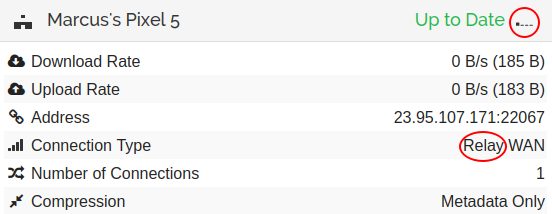
If you are connected via a relay, this is because a direct connection could not be established.
docs.syncthing.net/users/faq.html · checked -
if one of the devices is a very low powered machine (a Raspberry Pi, or a phone, or a NAS, or similar) you are likely constrained by the CPU on that device.
docs.syncthing.net/users/faq.html · checked
Phone apps 5 quotes
-
There are no plans by the current Syncthing team to officially support iOS in the foreseeable future.
docs.syncthing.net/users/faq.html · checked -
However, there is an open source app for iOS, incorporating Syncthing, that attempts to work within these limitations. It provides a native UI and features for selective synchronization as well as on-demand access to files.
docs.syncthing.net/users/faq.html · checked -
There is also a commercial packaging of Syncthing. It provides access to all Syncthing functionalities through the original UI.
docs.syncthing.net/users/faq.html · checked -
Syncthing-Fork - A Syncthing Wrapper for Android.
github.com/researchxxl/syncthing-android · checked -
Switching from the deprecated official version
github.com/researchxxl/syncthing-android · checked
Desktop app 2 quotes
-
Works on macOS, Windows, Linux, FreeBSD, Solaris, OpenBSD, and many others.
syncthing.net · checked -
It synchronizes files between two or more computers in real time, safely protected from prying eyes.
syncthing.net · checked
Sharing with other people 1 quote
-
Security over convenience. In Syncthing you have to set up both sides to connect two devices.
docs.syncthing.net/users/faq.html · checked
Setup and upkeep 2 quotes
-
You download a single binary executable. You run it. There’s no step three.
Nikita Prokopov (tonsky), programmer and blogger writing about his own switch from Dropbox and iCloud · tonsky.me/blog/syncthing · checked -
Security over convenience. In Syncthing you have to set up both sides to connect two devices.
docs.syncthing.net/users/faq.html · checked
Files stay ordinary files 2 quotes
-
Therefore Syncthing does not upload your data to the cloud but exchanges your data across your machines as soon as they are online at the same time.
docs.syncthing.net/users/faq.html · checked -
It is possible to set a password on a folder when it’s shared with another device. Data sent will be encrypted by this password, and data received will be decrypted by the same password.
docs.syncthing.net/users/untrusted.html · checked
Apps beyond files 1 quote
-
It synchronizes files between two or more computers in real time, safely protected from prying eyes.
syncthing.net · checked
Facts
Runs on 4 quotes
-
Works on macOS, Windows, Linux, FreeBSD, Solaris, OpenBSD, and many others.
syncthing.net · checked -
There are no plans by the current Syncthing team to officially support iOS in the foreseeable future.
docs.syncthing.net/users/faq.html · checked -
Syncthing-Fork - A Syncthing Wrapper for Android.
github.com/researchxxl/syncthing-android · checked -
Switching from the deprecated official version
github.com/researchxxl/syncthing-android · checked
More from the sources
Features 3 quotes
-
None of your data is ever stored anywhere else other than on your computers. There is no central server that might be compromised, legally or illegally.
syncthing.net · checked -
All communication is secured using TLS. The encryption used includes perfect forward secrecy to prevent any eavesdropper from ever gaining access to your data.
syncthing.net · checked -
The default listening address is 127.0.0.1:8384, so you can only access the GUI from the same machine.
docs.syncthing.net/users/faq.html · checked
Limits and known issues 2 quotes
-
No. Syncthing is not a great backup application because all changes to your files (modifications, deletions, etc.) will be propagated to all your devices.
docs.syncthing.net/users/faq.html · checked -
This feature should still be considered beta / testing only.
docs.syncthing.net/users/untrusted.html · checked
Pricing
syncthing.net · checked