Otter.ai alternatives for privacy, free plans and better notes
Otter.ai records meetings, transcribes them and writes a summary. Its Notetaker bot joins Zoom, Google Meet and Microsoft Teams calls from your calendar, and its phone and desktop apps record everything else. People start looking elsewhere for three reasons:
- The free plan stops short. Otter’s free Basic plan transcribes 300 minutes a month, but only the first 30 minutes of each conversation, and it shows only your 25 most recent conversations.
- Privacy. The Notetaker appears as a guest in every call it records. Otter also trains its own models on de-identified recordings and transcripts unless the account holder opts out.
- The notes. Otter’s transcript is good for looking things up, but its automatic summary can read like a list of topics, and some people end up rewriting their notes anyway.
The bot on its own is a weak reason to leave. Otter’s own desktop app, for Mac and Windows, records a call without one. Switching makes sense when you want a bigger free plan, a company that doesn’t train on your meetings, or notes written a different way. If you pay and price matters most, Otter is still the cheapest of the five.
Where to go instead




If Otter’s free plan cuts your meetings short
Every product here has a free plan, but they limit different things. Prices are per person per month, as of November 2026.
| What the free plan limits | Cheapest paid plan | |
|---|---|---|
| Otter.ai | 300 minutes a month, 30 minutes per conversation; only the 25 most recent conversations shown | $8.33, billed annually |
| Fathom | Advanced summaries on 5 calls a month; recordings and transcripts unlimited | $16, billed annually |
| Granola | Notes older than 30 days hidden; no transcription limit | $14, billed monthly |
| Fireflies.ai | Limited AI summaries; 400 minutes of storage | $10, billed annually |
| tl;dv | Full AI notes for your first 10 meetings ever; recordings deleted after 3 months | 18 euros, billed annually |
Two of those free plans come with strings. Fireflies.ai’s unlimited transcription needs Auto Join turned on, which sends its bot into every meeting on your calendar; otherwise you get three meetings. tl;dv records without limit, but after your first 10 meetings its AI notes cover only the first 10 minutes of each one.
Fathom AI Notetaker
For a free plan you can stay on
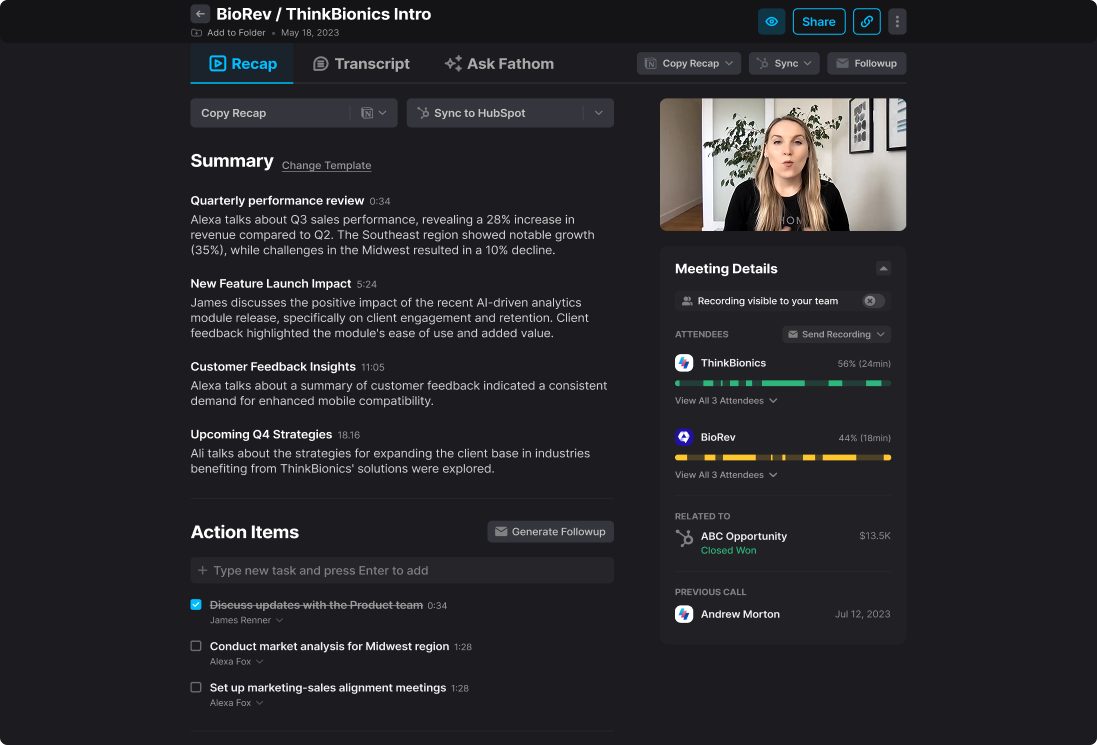
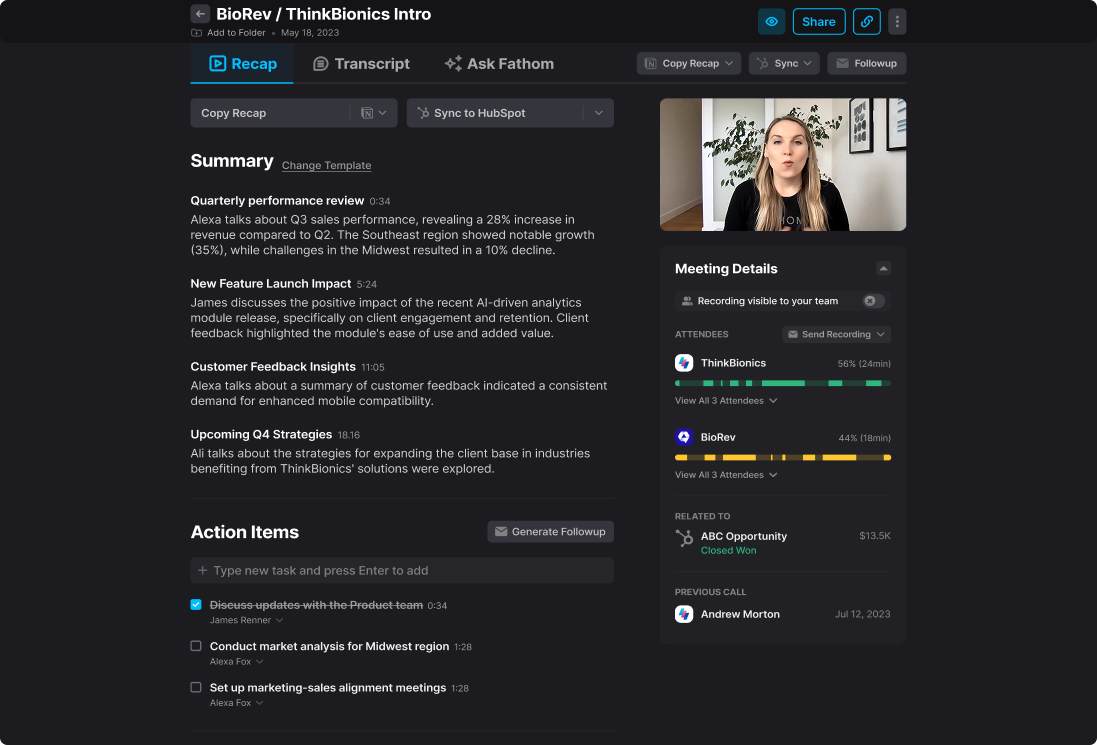
Take a weekly hour-long team call on Otter’s free plan. The transcript stops at minute 30, and after 25 conversations the oldest drop out of view. Fathom has neither limit. Its free plan records and transcribes every meeting, keeps them until you delete them, and writes a summary of each.
Five calls a month get advanced summaries, built from a template you pick, such as the BANT framework sales teams use to qualify a deal. The rest get a general summary. Free accounts can also sync notes to HubSpot, Salesforce or Close for up to three users per email domain. For a small sales team that doesn’t want to pay, that settles it.
Fathom’s weak side is that it’s a bot product first. It records Zoom, Google Meet and Teams by joining the call; its bot-free mode is a Mac-only beta that doesn’t cover Teams. It can’t transcribe recordings made elsewhere, so it can’t take over an Otter archive. Transcripts can be copied but not downloaded as files. And like Otter, Fathom uses de-identified meeting data to improve its models, though you can opt out in your settings.
What it does
- Meeting bot for Zoom, Meet and Teams
- Bot-free capture on a Mac, in beta
- Summary templates such as BANT and Sandler
- CRM sync with HubSpot, Salesforce and Close
Pros
- Unlimited recordings and transcripts on the free plan, kept until you delete them
- Free CRM sync for up to three users per email domain
- Transcribes 38 languages
Cons
- Advanced summaries cover only five calls a month on the free plan
- Can't transcribe uploaded recordings
- Transcripts can be copied but not downloaded as files
- Trains on de-identified meeting data unless you opt out
- Skip if:
- Windows users who want notes without a bot in the call.
If the bot in the call is the problem
A bot in the participant list tells everyone they’re being recorded. That’s fair warning, but it can change how a client or a job candidate talks, and some companies’ meeting settings keep guests out, which also keeps out Otter’s Notetaker. There are two ways around it, and one of them doesn’t involve leaving Otter.
Otter.ai
Stay for the cheapest paid plan
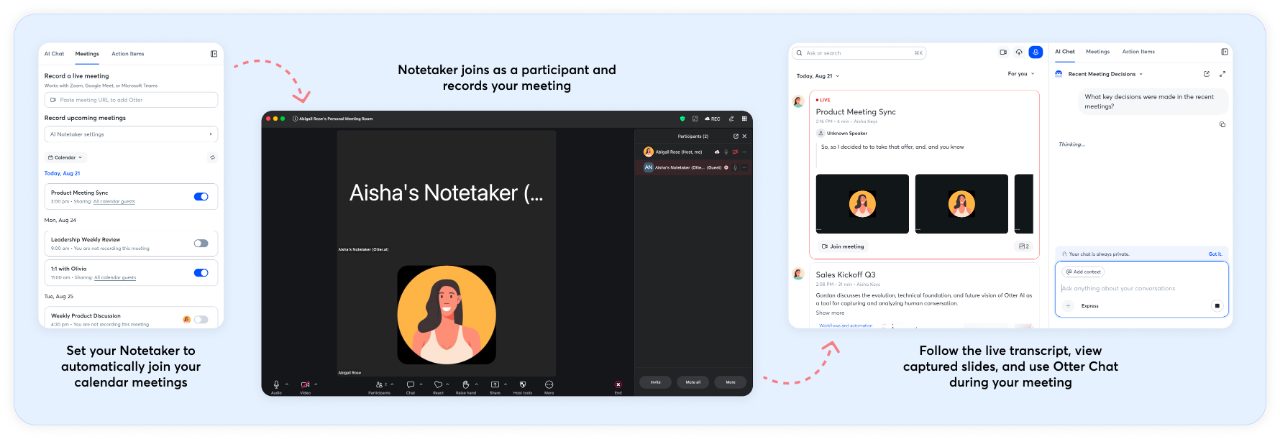
Before you switch, try Otter’s desktop app. On a Mac or Windows PC it records the call’s audio from your computer, with no Notetaker in the meeting, and you keep the rest of Otter: the live transcript, the AI chat about your meetings, and the same summaries. On Teams it can post a chat message saying you’re recording.
Otter is also the cheapest tool here once you pay. Pro costs $8.33 a month billed annually and exports transcripts as TXT, PDF, Word and SRT subtitle files, which only Fireflies.ai matches. Its HubSpot and Salesforce sync can write meeting details into the deal fields you choose. Pro has limits, though: 1,200 minutes of meetings a month, 90 minutes per conversation and five people per workspace. Business, at $19.99 a month billed annually, removes the monthly cap and allows four hours per conversation.
What the desktop app doesn’t change is what Otter does with recordings: after removing identifying details, it uses them to train its models. An account holder can switch that off under Feedback and Training in the account settings, and Enterprise workspaces start opted out, but the guests on your call never see that setting. That gap is at the center of a class action Otter is fighting. It alleges the Notetaker recorded people without everyone’s consent and that Otter trained on the recordings. A federal court has let the main wiretap and privacy claims go forward; nothing has been proven.
What it does
- Notetaker bot for Zoom, Microsoft Teams and Google Meet
- Records on Mac or Windows without a bot, from its desktop app
- Live transcript and AI chat during and after meetings
- Exports transcripts as TXT, PDF, DOCX and SRT on paid plans
Pros
- Pro costs $8.33 a month billed annually, less than Fireflies.ai, Granola, Fathom or tl;dv
- Writes meeting details into the HubSpot and Salesforce fields you choose
- Phone apps record in-person conversations
Cons
- The free plan transcribes only the first 30 minutes of each conversation and shows your 25 most recent
- Trains its own models on de-identified recordings unless the account holder opts out
- Transcribes six languages
- Pro caps meetings at 1,200 minutes a month and 90 minutes each
Granola
For notes with no bot and no audio kept
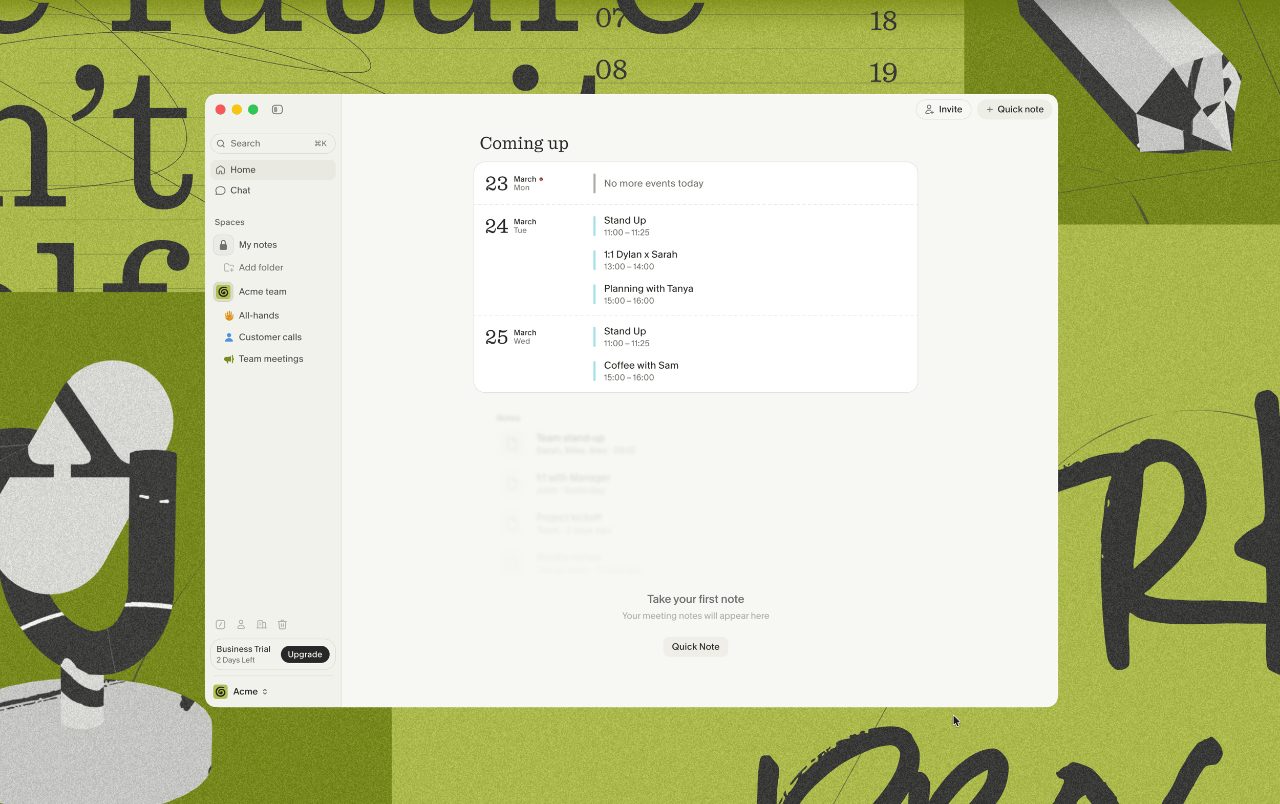

Granola works differently from everything else on this page. It has no bot at all. It captures your microphone and your computer’s sound in any call app on Mac or Windows, then deletes the audio once the transcript is done. During the meeting you type rough notes, and afterward Granola fills them out from the transcript. The summary follows what you thought mattered, which is the biggest change you can make if Otter’s summaries read like a list of topics to you.
The free plan has no transcription limit, so long meetings come through whole. Notes older than 30 days are hidden until you pay for Business, at $14 a month, billed monthly only.
Keeping no audio has a cost: there’s nothing to replay or clip, and the only export is a CSV sent by email. Granola also uses anonymized meeting data for training unless you opt out, and it stores everything in the United States.
What it does
- Records the microphone and computer audio in any meeting app on Mac and Windows
- Fills out your own typed notes from the transcript
- Phone apps for in-person meetings and outbound calls
- Can post an automatic message telling others you're using it
Pros
- Never adds a bot to a meeting
- Deletes the audio after transcription
- No transcription limit on the free plan
Cons
- Keeps no recording to replay or share
- The free plan hides notes older than 30 days
- Exports only a CSV sent by email
- Uses anonymized meeting data for training unless you opt out
- Skip if:
- Anyone who needs to replay a meeting or share a clip of it.
If you don’t want your meetings training anyone’s AI
Otter, Fathom and Granola all train their own models on de-identified or anonymized meeting data unless someone opts out. Fireflies.ai and tl;dv say they don’t train on meetings at all. That difference matters most when you record other people: an opt-out covers your account, and the client on the call has no say either way.
Fireflies.ai
For many languages and transcript files
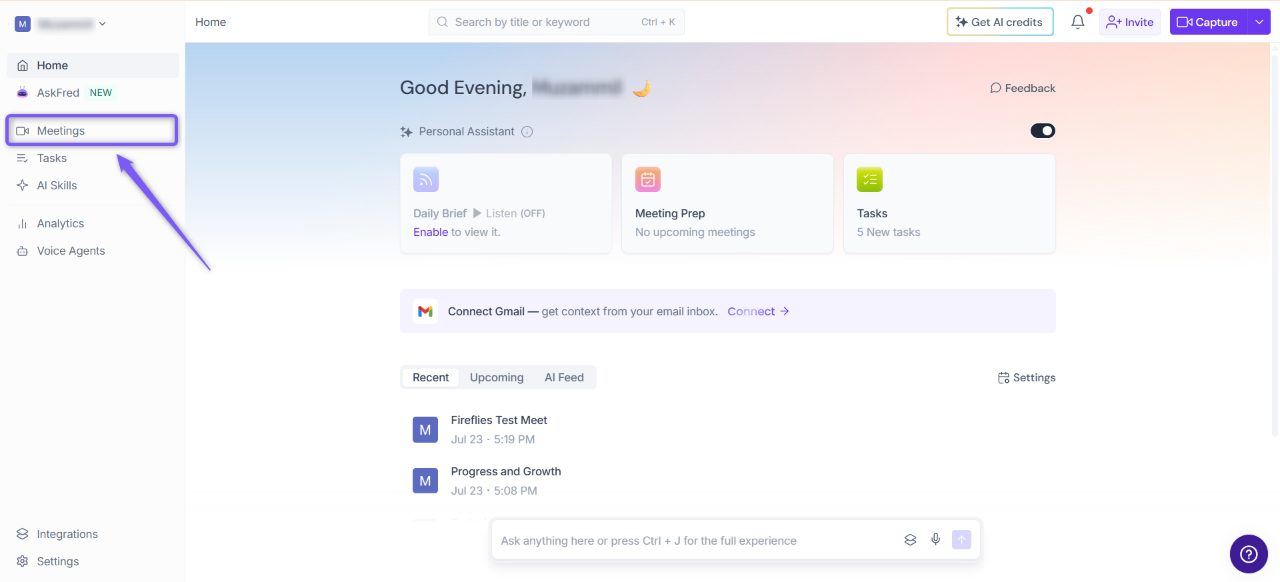
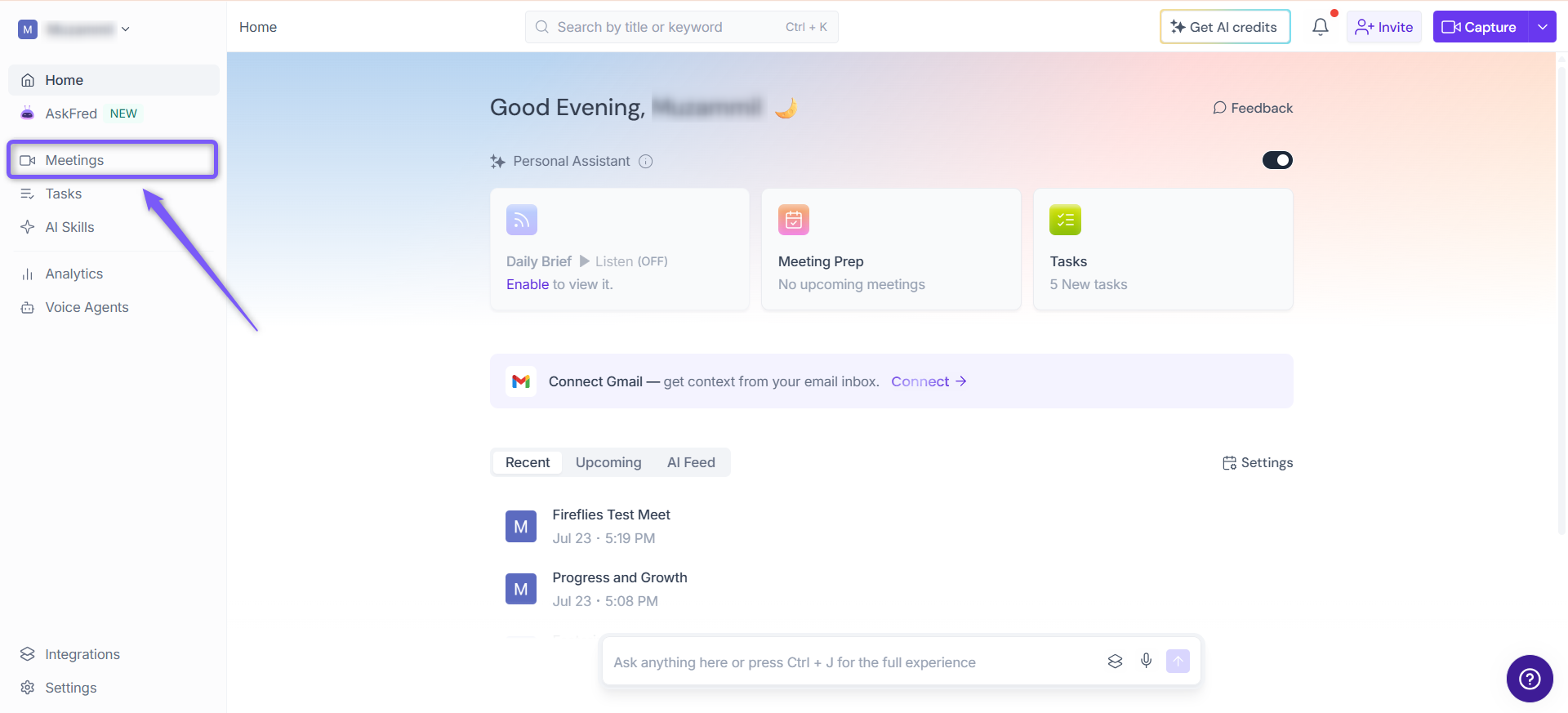
Fireflies.ai is the closest thing to Otter without the training. It records the same ways: a bot for Zoom, Google Meet, Teams and Webex, a Mac and Windows app that records without one, a phone app, and uploads of MP3, MP4, WAV and M4A files. Its security page says your meetings are never used for AI training and that its vendors keep none of your data. The same page also says it doesn’t train “by default”, so read the terms if a contract depends on it.
It beats Otter in two places Otter users run into. It transcribes English, Spanish, French, Portuguese and Italian, plus over 100 more languages in beta, against Otter’s six. And from the Pro plan it downloads transcripts as PDF, Word, SRT, CSV, JSON or Markdown. Pro costs $10 a month billed annually, a little more than Otter.
Don’t move to Fireflies for the free plan. Its AI summaries are limited, storage stops at 400 minutes before you must delete old meetings, and unlimited transcription means letting the bot into every calendar meeting.
What it does
- Bot for Zoom, Google Meet, Microsoft Teams and Webex
- Records without a bot from its Mac and Windows app
- Phone app, and uploads of audio and video files
- Transcript downloads in PDF, DOCX, SRT, CSV, JSON and Markdown from Pro
Pros
- Says meetings are never used for AI training
- Transcribes over 100 languages, most of them in beta
- Joins Webex calls, which Otter's bot doesn't
Cons
- The free plan limits AI summaries and stores only 400 minutes of meetings
- Unlimited free transcription requires letting the bot join every calendar meeting
- Automatic deletion of old meetings is an Enterprise feature
- Skip if:
- Anyone who wants a summary of every meeting without paying.
tl;dv
For meeting data kept in Europe
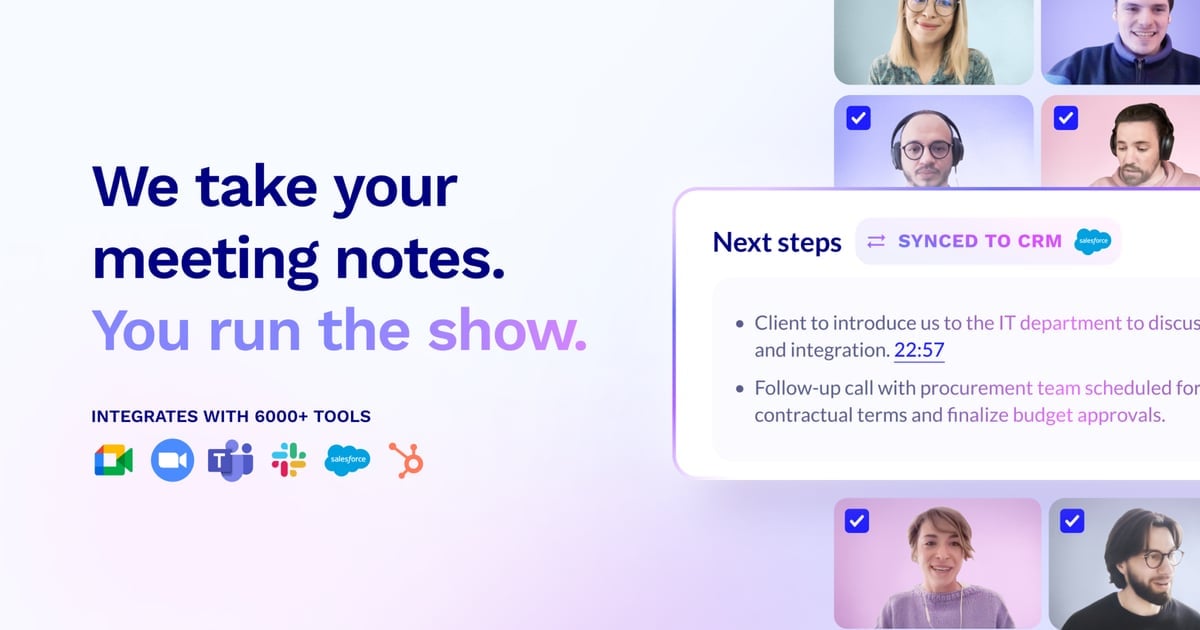
tl;dv is the pick when your meeting data has to stay in Europe. All its data centers are there, it says it never uses recordings or transcripts to train AI, and single sign-on is available on every plan. Otter, Fathom and Granola store data in the United States, and Fireflies.ai offers a storage location of your choice only on Enterprise.
It records much like Otter: a bot for Zoom, Google Meet and Teams, a desktop app for Mac and Windows that records any call app without one, Slack huddles and Discord included, a phone app for in-person meetings, and file uploads. Its HubSpot and Salesforce workflows update fields on contacts, deals and opportunities, so a sales team keeps the CRM updates it had with Otter.
The weak spots are the free plan and getting text out. Free recordings are deleted after three months, and the full AI notes stop after your first 10 meetings. Transcripts come out only by copy and paste, and only on paid plans. Pro costs 18 euros a month billed annually, and every plan caps recordings at three hours.
What it does
- Bot for Zoom, Meet and Teams calls
- Desktop app that records any call app without a bot
- Phone app for in-person meetings, and file uploads
- HubSpot and Salesforce workflows that update record fields
Pros
- All its data centers are in Europe
- Says recordings and transcripts are never used to train AI
- Single sign-on on every plan
Cons
- Free AI notes cover whole meetings only for your first 10 meetings ever
- Free recordings are deleted after three months
- Transcripts can't be downloaded as files
- Recordings are capped at three hours
- Skip if:
- Anyone who needs transcripts as downloadable files.
Where to go depends on what bothered you about Otter. If it was the bot, try Otter’s desktop app first, and pick Granola if you’d rather no recording exist at all. If it was the free plan, Fathom covers whole meetings for free, as long as a bot in the call is fine. If it was the training, Fireflies.ai is the nearest match for Otter’s features and tl;dv the one for European data, though both cost more than Otter Pro. If none of those bothered you, Otter remains the cheapest way to get transcripts as files and into your CRM.
Frequently asked questions
Can I bring my Otter recordings to another tool?
Partly. Every Otter plan exports audio as MP3 and transcripts as text, and paid plans add PDF, Word and SRT. Fireflies.ai and tl;dv can transcribe uploaded audio files, so you can rebuild an archive there; Fireflies takes files of up to 150 minutes each. Fathom can’t import recordings at all. Export before you cancel a paid Otter plan, because the free plan shows only your 25 most recent conversations.
Which alternative is best for meetings that aren’t in English?
Fireflies.ai covers the most: English, Spanish, French, Portuguese and Italian, plus over 100 more languages in beta, so test yours on a real meeting first. Fathom transcribes 38 languages, Granola 31 on desktop, and tl;dv over 30. Otter transcribes six: English, Spanish, French, German, Japanese and Chinese.