
Shotcut
Free, open-source desktop video editor for Windows, Mac and Linux
Our verdict
#4 of 8 in Free video editors for beginners · Open source and light on older laptops
What it does
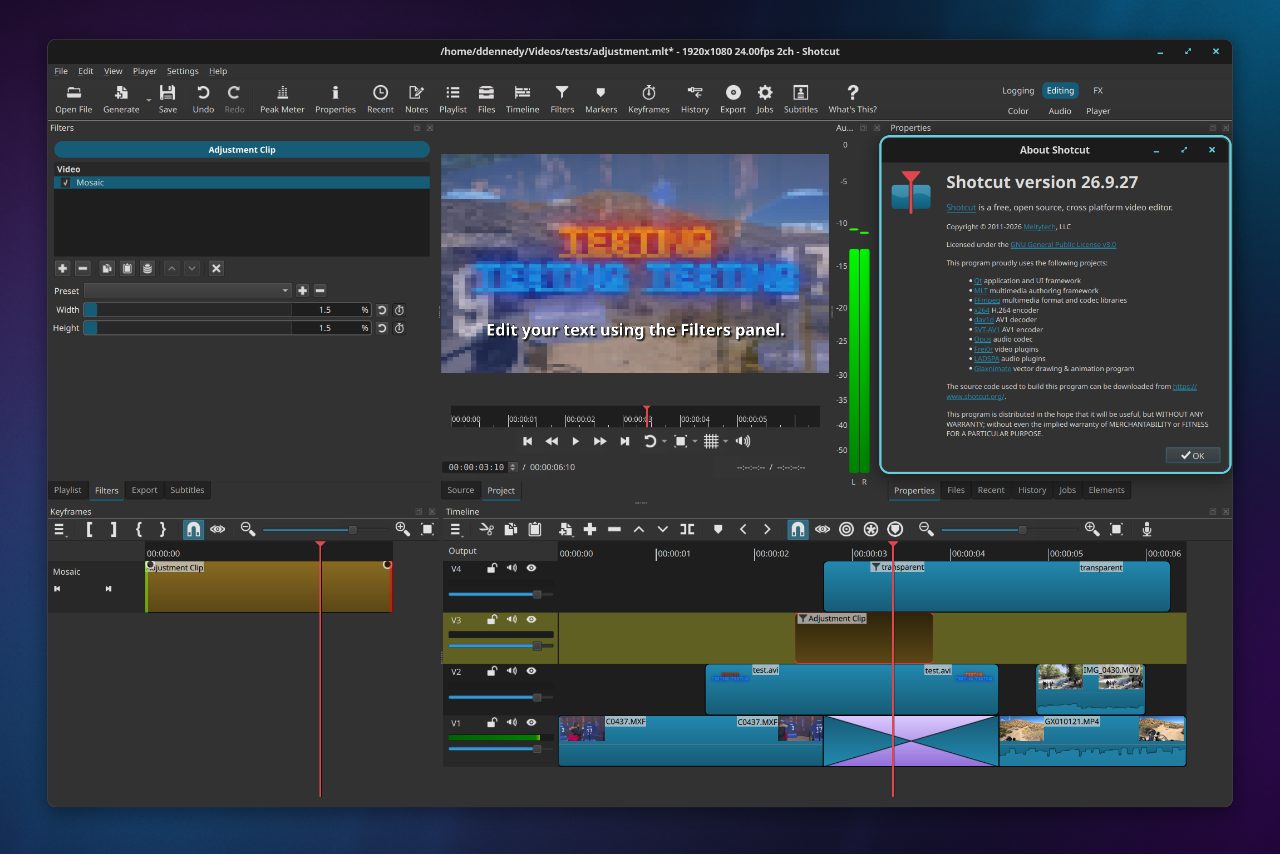
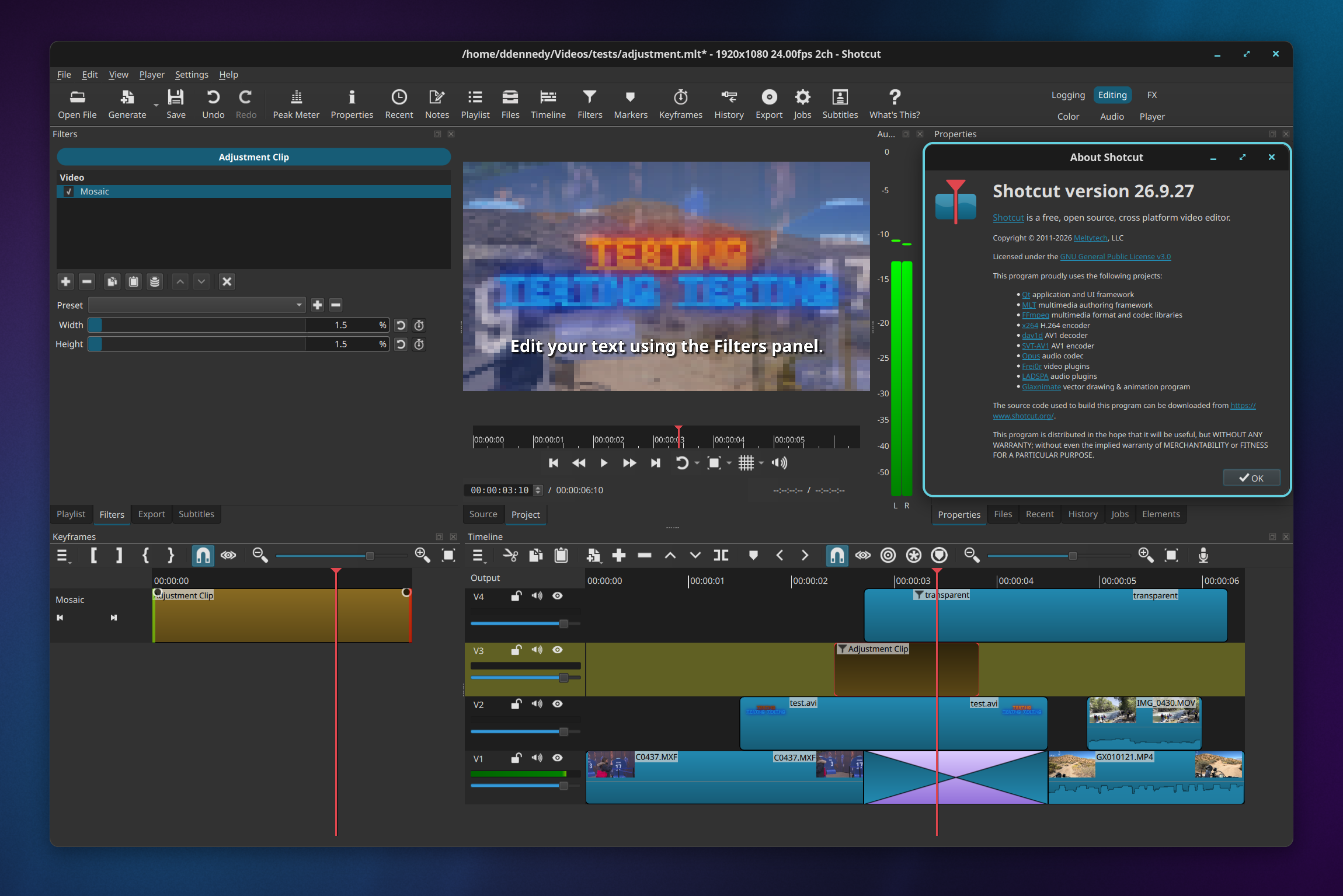
- Multitrack timeline with keyframes, color wheels, chroma key and motion tracking
- Free subtitles from speech, and text-to-speech voices
- Small built-in library of stickers, sounds and animated text
Pros
- No account, upgrade prompts or export limits
- Runs well on older computers, with proxy editing
- Free automatic subtitles that run on your own computer
Cons
- Titles and effects hide in a filter list, which takes getting used to
- Fewer tutorials than CapCut or DaVinci Resolve
- Updates occasionally break existing features
- Choose if:
- Your laptop is older or runs Linux and you want a full editor anyway
Shotcut is a free, open-source video editor by Meltytech for Windows, macOS and Linux. It has a multitrack timeline, keyframed filters, color correction, audio tools and built-in speech-to-text subtitles, and it exports without a watermark or an account. It is built on MLT and FFmpeg, is licensed under GPLv3 and releases roughly every two months. Its panel-based interface takes more effort to learn than consumer editors, but it has room to grow.
What users say
Evidence ↓The only practitioner-style source read is a single 2017 PCMag review, so it is dated. The reviewer found the interface bare-bones and effects and titles less intuitive than in consumer editors, because everything is a filter. The same reviewer said it is not that hard to use after a little time and called it surprisingly powerful for a free program. Some limits that review named, such as no keyframes, have since been added.
Rankings and alternatives
- Free video editors for beginners #4 of 8 Open source and light on older laptops
- CapCut #1 Easiest path to a finished video
- iMovie #2 Best for Mac owners
- DaVinci Resolve 21 #3 The free editor you won't outgrow



Free video editors for beginners scores
Evaluated Nov 17, 2026 Evidence ↓- Ease of learning · counts double 3
3/5 means: A real learning curve of a few sessions, with a conventional editing layout that tutorials explain well
Opens to a bare workspace where panels have to be switched on, and every effect, including titles, is added as a filter from the Filters panel, which is less intuitive than consumer editors. PCMag found it not that hard once you spend a little time figuring it out. A few sessions and a tutorial get most newcomers through a first video.
- Editing depth and room to grow · counts double 4
4/5 means: A full editor with unlimited tracks, keyframes, color correction and audio tools, short of professional finishing
A multitrack timeline, keyframes for filter parameters, color wheels, chroma key, masks, motion tracking, proxy editing and a broad set of audio filters. Short of 5 because its effects and color tools stop short of professional finishing.
- What the free version gives you 5
5/5 means: Everything free with no watermark, no account, no caps and no upsell
Free and open source (GPLv3) with no paid tier, no account and no upsell; exports go up to 4K and beyond.
- Built-in shortcuts in the free version 3
3/5 means: Either free automatic captions or a substantial free library of templates, music and stock, but not both
Free speech-to-text subtitles using Whisper models run on the computer, text-to-speech, and a small built-in Elements library of stickers, sounds, overlay transitions and animated text. No template library or stock footage.
- Runs well on an ordinary laptop 4
4/5 means: Smooth on an ordinary laptop for typical projects, with slowdowns only on heavy ones
Light enough for older laptops, with proxy editing and preview scaling for slow machines, and it can even run portably from an external drive. Releases every two months occasionally ship regressions that the next release fixes, and an old review saw an occasional crash.
- Tutorials and help 3
3/5 means: A moderate community; most common questions have an answer
Official video tutorials and an active forum, but thin written documentation and fewer third-party tutorials than the biggest editors.
- Computers it runs on · counts half 4
4/5 means: Windows, Mac and Linux, or Windows, Mac and Chromebook
Windows, Mac and Linux.
Pricing
- Shotcut Free Free and open source. The sources read mention no watermark, account or export limit, but none states "no watermark" in words, so confirm on the download page.
Prices checked Nov 17, 2026.
Evidence and sources
What users say
Summary 3 quotes
-
Shotcut's interface, as you might expect of an open-source multimedia application, is far more bare-bones than any of the commercial video editors I've tested—at least to start with.
Michael Muchmore, reviewer at PCMag · pcmag.com/reviews/shotcut · published · checked -
Shotcut offers many standard video editing features, and after you spend a little time figuring it out, it's not that hard to use.
Michael Muchmore, reviewer at PCMag · pcmag.com/reviews/shotcut · published · checked -
Applying effects is less intuitive than in most consumer video editors, but once you discover the process, it's not too bad. To do so, you need to open the Filters panel, hit the plus sign, and choose an adjustment (lighting and color, for example), filter (such as old film), or effect (think fade out and circular frame).
Michael Muchmore, reviewer at PCMag · pcmag.com/reviews/shotcut · published · checked
Free video editors for beginners scores
Ease of learning 3 quotes
-
Shotcut's interface, as you might expect of an open-source multimedia application, is far more bare-bones than any of the commercial video editors I've tested—at least to start with.
Michael Muchmore, reviewer at PCMag · pcmag.com/reviews/shotcut · published · checked -
Shotcut offers many standard video editing features, and after you spend a little time figuring it out, it's not that hard to use.
Michael Muchmore, reviewer at PCMag · pcmag.com/reviews/shotcut · published · checked -
Applying effects is less intuitive than in most consumer video editors, but once you discover the process, it's not too bad. To do so, you need to open the Filters panel, hit the plus sign, and choose an adjustment (lighting and color, for example), filter (such as old film), or effect (think fade out and circular frame).
Michael Muchmore, reviewer at PCMag · pcmag.com/reviews/shotcut · published · checked
Editing depth and room to grow 3 quotes
-
Low resolution proxy editing to improve speed of seeking and eliminate or minimize scaling
shotcut.org/features · checked -
Keyframes for filter parameters
shotcut.org/features · checked -
Multitrack timeline with thumbnails and waveforms
shotcut.org/features · checked
What the free version gives you 2 quotes
-
Shotcut is a free, open source, cross-platform video editor for Windows, Mac and Linux.
shotcut.org · checked -
GPLv3. See COPYING.
github.com/mltframework/shotcut · checked
Built-in shortcuts in the free version 2 quotes
-
Convert spoken word to subtitle text and text-to-speech
shotcut.org/features · checked -
Added Elements panel to the File > New and View menus and the Generate buttons. This is a very slim (22MB) stock asset library: emoji stickers, sounds, overlay transitions, animated text, graphics. The content licenses are royalty free, including commercial, and do not require attribution:
shotcut.org/blog · published · checked
Runs well on an ordinary laptop 3 quotes
-
Can run as a portable app from external drive
shotcut.org/features · checked -
Low resolution proxy editing to improve speed of seeking and eliminate or minimize scaling
shotcut.org/features · checked -
Your CPU should be 2GHz, with 4 cores for 4K video, and you need 4GB RAM for SD video, 8GB for HD video, and 16GB for 4K video.
pcmag.com/reviews/shotcut · published · checked
Computers it runs on 1 quote
-
Shotcut is a free, open source, cross-platform video editor for Windows, Mac and Linux.
shotcut.org · checked
Facts
License 1 quote
-
GPLv3. See COPYING.
github.com/mltframework/shotcut · checked
Runs on 2 quotes
-
Shotcut is a free, open source, cross-platform video editor for Windows, Mac and Linux.
shotcut.org · checked -
Can run as a portable app from external drive
shotcut.org/features · checked
More from the sources
Platforms and requirements 1 quote
-
Version is based on date. You can choose to update whenever you like and keep multiple versions (new versions are available every two months).
shotcut.org · checked
Pricing
shotcut.org · checked