Squid
Handwritten notes and PDF markup for Android tablets, phones and Chromebooks
Our verdict
#9 of 10 in Note-taking apps for Android · Handwriting on other Android tablets and Chromebooks
Pros
- Natural, pressure-sensitive ink with a stylus or a finger
- Notes stay on your device, with no account
Cons
- No sync and no computer app
- PDF markup and backups need Premium
- Skip if:
- You need your handwritten notes on a computer
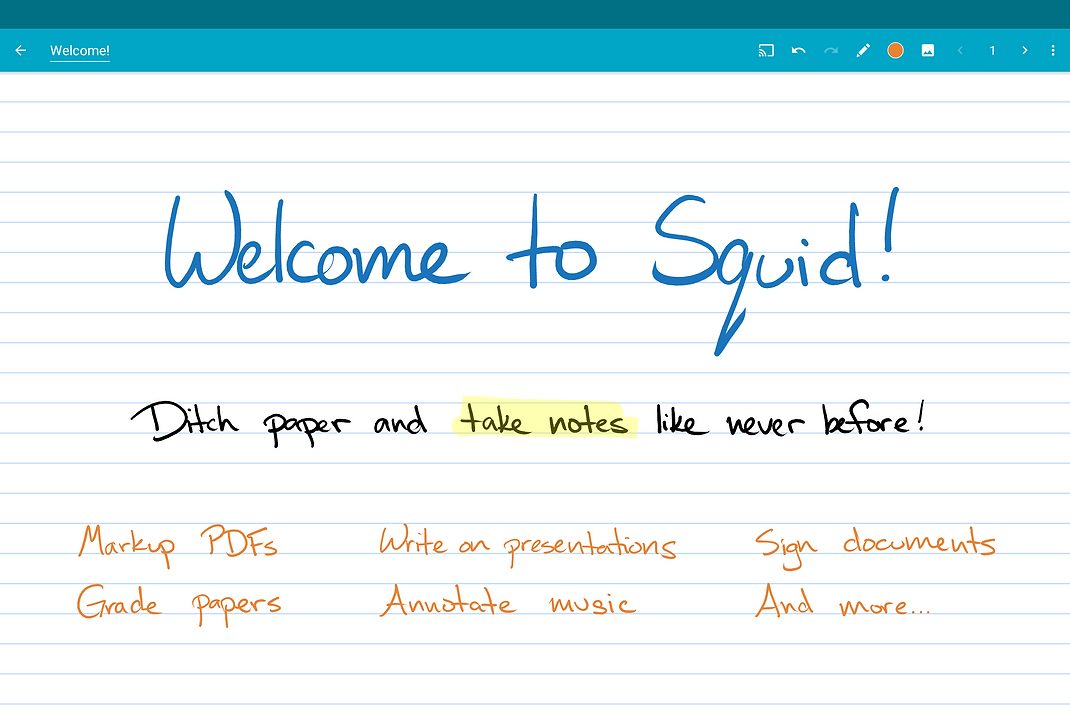
Squid is a handwriting note-taking and PDF-markup app for Android phones, tablets and Chromebooks, made by Steadfast Innovation. It uses a vector ink engine and supports pressure-sensitive active pens such as the Samsung S Pen, plus finger or capacitive styluses. Notes are stored on the device without an account, and can be organized in folders and exported as PDF, PNG, JPEG or Squid Note files. The app is free, with a paid Premium subscription for PDF import, extra tools, premium paper backgrounds and cloud backup. It is proprietary and has no desktop or web app.
What users say
Evidence ↓The views here come from three individual Google Play reviews, so they show what some users report, not how widely it is shared. One S Pen user praises the controls and interface. Another bought a yearly subscription for PDF import and found page redraws slow on a tablet. A third reports losing years of notes with backups not helping.
Rankings and alternatives
- Note-taking apps for Android #9 of 10 Handwriting on other Android tablets and Chromebooks
- Google Keep #1 Best for quick notes and lists
- Samsung Notes #2 Galaxy phones and S Pen handwriting
- Microsoft OneNote #3 Long notes you also open on a Windows PC


Android note-taking apps scores
Evaluated Nov 17, 2026 Evidence ↓- Pleasant to use on Android · counts double 4
4/5 means: Quick and comfortable on Android, easy to start, with minor complaints
Mature, Play Editors' Choice app with a simple interface and 4.1 stars on 70.5K reviews. It is tablet-oriented, and the few complaints are about PDF redraw speed and one data-loss report.
- Getting a note down fast 2
2/5 means: A shortcut or two, but no widget that makes a new note and no saving from the share menu
New-note and folder shortcuts and a pen side-button action exist, but no new-note widget, share-sheet saving, or voice or photo notes are documented. Based partly on my own knowledge of the app.
- Writing and organizing longer notes 2
2/5 means: Short notes with basic formatting, kept in order by labels or tags only
Handwritten pages with folders, images and typed text (Premium), but no tags, no documented search and no handwriting recognition. Neither search nor recognition is established as absent.
- Works on all your devices 1
1/5 means: Only on Android, or only on one brand's devices
Only on Android devices and Chromebooks running the Android app, with no Windows, Mac or web app documented. Notes don't sync between devices; Premium backup to Drive, Dropbox or Box is backup and export, not sync.
- Cost for one person 3
3/5 means: Under $50 a year, or free only with a tight cap on notes, devices or storage
Free tier works for basic writing, and Premium is a subscription (one 2018 review says $10 a year). The current price was not found, and it covers one device type, not a computer.
- Privacy and owning your notes · counts half 3
3/5 means: As 2, plus local storage, open source code or a widely readable export format
Notes are stored locally with no account required, and export is PDF, PNG, JPEG or Squid Note format. It is not end-to-end encrypted or open source, and the Squid Note format is proprietary.
- Handwriting with a stylus · counts half 4
4/5 means: Good ink with a range of pens and PDF markup
Vector ink, pressure-sensitive pens, S Pen support, PDF markup and shapes. Low-latency ink is not yet on Android devices (Chromebooks only), and there is no handwriting-to-text, so not a 5. Several features need Premium.
- Works without a connection · counts half 5
5/5 means: Notes are stored on the phone and everything works offline
Notes are stored on the device and the app needs no account, so everything works offline. The vendor's offline claim was seen only via a third-party page, so this rests partly on that and my knowledge.
Pricing
- Free Free Core handwriting, notebooks and folders, finger or stylus input, and export to PDF, PNG, JPEG or Squid Note.
- Squid Premium Contact sales Subscription (monthly or yearly) that adds premium paper backgrounds, PDF import and markup, extra tools (highlighter, true eraser, shapes, text), and cloud backup and bulk export to Google Drive, Dropbox or Box. Current price not found on the pages read; a 2018 user review mentions $10 a year.
- PDF Import or Tool Pack Contact sales , extra Sold individually as in-app purchases; they exclude premium paper backgrounds, cloud backup and future premium features. Price not found.
Prices checked Nov 17, 2026.
Evidence and sources
What users say
Summary 3 quotes
-
I thought this was a good program with smooth writing, so I bought it to be able to import pdf's and write on them. I paid the $10 for a yearly subscription. Yes, it allows you to write on the pdf's, but the refresh is horrible, I imported a 10 page pdf, and the tablet slowly redraws each page when I move between them.
Johnny, Google Play reviewer · play.google.com/store/apps/details · published · checked -
Best notes app I have ever used. Best with a Note phone, or stylus that is good and accurate though, but using the S-pen to write and finger to erase, Shapes, color, it really can't get much better, amazing controls, user friendly, wonderful interface.
Caleb, Google Play reviewer · play.google.com/store/apps/details · published · checked -
UPDATE CORRUPTED YEARS OF WORK--CAN'T ACCESS ANYTHING AND NONE OF THE BACKUPS SAVED
Ashley, Google Play reviewer · play.google.com/store/apps/details · published · checked
Android note-taking apps scores
Pleasant to use on Android 4 quotes
-
Write just like you would on paper on your Android tablet, phone, or Chromebook!
play.google.com/store/apps/details · checked -
I thought this was a good program with smooth writing, so I bought it to be able to import pdf's and write on them. I paid the $10 for a yearly subscription. Yes, it allows you to write on the pdf's, but the refresh is horrible, I imported a 10 page pdf, and the tablet slowly redraws each page when I move between them.
Johnny, Google Play reviewer · play.google.com/store/apps/details · published · checked -
Best notes app I have ever used. Best with a Note phone, or stylus that is good and accurate though, but using the S-pen to write and finger to erase, Shapes, color, it really can't get much better, amazing controls, user friendly, wonderful interface.
Caleb, Google Play reviewer · play.google.com/store/apps/details · published · checked -
UPDATE CORRUPTED YEARS OF WORK--CAN'T ACCESS ANYTHING AND NONE OF THE BACKUPS SAVED
Ashley, Google Play reviewer · play.google.com/store/apps/details · published · checked
Getting a note down fast 2 quotes
-
Premium paper backgrounds: math, engineering, music, sports, planning, & more • Import and markup PDFs • Additional tools: highlighter, true eraser, shapes, text • Backup/restore and bulk export notes as PDFs to Google Drive, Dropbox, or Box
play.google.com/store/apps/details · checked -
Write with a pen and erase with your finger on active pen enabled devices like Samsung devices with S Pen. Use your finger or capacitive stylus on other devices.
play.google.com/store/apps/details · checked
Writing and organizing longer notes 2 quotes
-
Premium paper backgrounds: math, engineering, music, sports, planning, & more • Import and markup PDFs • Additional tools: highlighter, true eraser, shapes, text • Backup/restore and bulk export notes as PDFs to Google Drive, Dropbox, or Box
play.google.com/store/apps/details · checked -
Sort and organize notes and folders
play.google.com/store/apps/details · checked
Works on all your devices 3 quotes
-
Write just like you would on paper on your Android tablet, phone, or Chromebook!
play.google.com/store/apps/details · checked -
Premium paper backgrounds: math, engineering, music, sports, planning, & more • Import and markup PDFs • Additional tools: highlighter, true eraser, shapes, text • Backup/restore and bulk export notes as PDFs to Google Drive, Dropbox, or Box
play.google.com/store/apps/details · checked -
Export notes to PDF, PNG, JPEG, or Squid Note format
play.google.com/store/apps/details · checked
Cost for one person 2 quotes
-
Premium paper backgrounds: math, engineering, music, sports, planning, & more • Import and markup PDFs • Additional tools: highlighter, true eraser, shapes, text • Backup/restore and bulk export notes as PDFs to Google Drive, Dropbox, or Box
play.google.com/store/apps/details · checked -
I thought this was a good program with smooth writing, so I bought it to be able to import pdf's and write on them. I paid the $10 for a yearly subscription. Yes, it allows you to write on the pdf's, but the refresh is horrible, I imported a 10 page pdf, and the tablet slowly redraws each page when I move between them.
Johnny, Google Play reviewer · play.google.com/store/apps/details · published · checked
Privacy and owning your notes 2 quotes
-
Notes are stored on your device and are completely private. No account or sign-in required. Backup your notes to your desired location.
play.google.com/store/apps/details · checked -
Export notes to PDF, PNG, JPEG, or Squid Note format
play.google.com/store/apps/details · checked
Handwriting with a stylus 3 quotes
-
Premium paper backgrounds: math, engineering, music, sports, planning, & more • Import and markup PDFs • Additional tools: highlighter, true eraser, shapes, text • Backup/restore and bulk export notes as PDFs to Google Drive, Dropbox, or Box
play.google.com/store/apps/details · checked -
Write with a pen and erase with your finger on active pen enabled devices like Samsung devices with S Pen. Use your finger or capacitive stylus on other devices.
play.google.com/store/apps/details · checked -
¹Low latency ink is available now on Chromebooks and coming soon to Android devices.
play.google.com/store/apps/details · checked
Works without a connection 1 quote
-
Notes are stored on your device and are completely private. No account or sign-in required. Backup your notes to your desired location.
play.google.com/store/apps/details · checked
Facts
License 1 quote
-
Write just like you would on paper on your Android tablet, phone, or Chromebook!
play.google.com/store/apps/details · checked
Runs on 1 quote
-
Write just like you would on paper on your Android tablet, phone, or Chromebook!
play.google.com/store/apps/details · checked
Users 1 quote
-
For over 12 years, Squid has been a trusted app with over 12 million installs
play.google.com/store/apps/details · checked
More from the sources
Pricing 2 quotes
-
No, you can still purchase the PDF Import and Tool Pack premium features individually (as in-app purchases within Squid). However, you won't have access to other benefits of Squid Premium such as the premium paper backgrounds, Cloud Backup, or future premium features.
help.squidnotes.com/article/702-is-subscribing-to-squid-premium-the-only-way-to-get-the-premium-features · checked -
If you decide to pause or cancel your subscription, you will always have access to all your content. After your subscription expires, you just won't be able to create new content using the premium features.
help.squidnotes.com/article/697-what-is-squid-premium · checked
Limits and known issues 1 quote
-
Squid is over 10 years old! We’ve been working hard on some big updates, which we've coined "Squid10". Squid10 is not yet fully featured and is available via opt-in to get your feedback and make improvements.
play.google.com/store/apps/details · checked