Standard Notes
End-to-end encrypted notes app with free sync across Android, desktop and web
Our verdict
#8 of 10 in Note-taking apps for Android · End-to-end encrypted notes with no setup
Pros
- End-to-end encrypted by default
- Free sync on unlimited devices, including a web version
- Open source
Cons
- The free plan is plain text only
- The rich editor costs $90 a year as of November 2026
Standard Notes is an end-to-end encrypted notes app, now part of Proton, that syncs plain text notes across Android, iOS, Windows, macOS, Linux and the web on unlimited devices for free. Paid Productivity and Professional plans add the Super editor (Markdown, rich text, checklists), spreadsheets, folders and file storage. The client apps are open source and the sync server can be self-hosted. It suits people who put privacy first and want a simple, dependable notes app on Android and their computer.
What users say
Evidence ↓Reviewers like the privacy and the sync between phone and computer. Several Google Play reviewers and a blogger find the free plan basic, since Markdown rendering, checklists, folders and in-note search need a paid plan, and the paid price looks high next to cheaper options. Some Android users report crashes. These come from a handful of reviews and one blog post, not a survey.
Rankings and alternatives
- Note-taking apps for Android #8 of 10 End-to-end encrypted notes with no setup
- Google Keep #1 Best for quick notes and lists
- Samsung Notes #2 Galaxy phones and S Pen handwriting
- Microsoft OneNote #3 Long notes you also open on a Windows PC


Android note-taking apps scores
Evaluated Nov 17, 2026 Evidence ↓- Pleasant to use on Android · counts double 3
3/5 means: A decent Android app with clear rough edges, such as slow starts, a learning curve or awkward editing on a phone
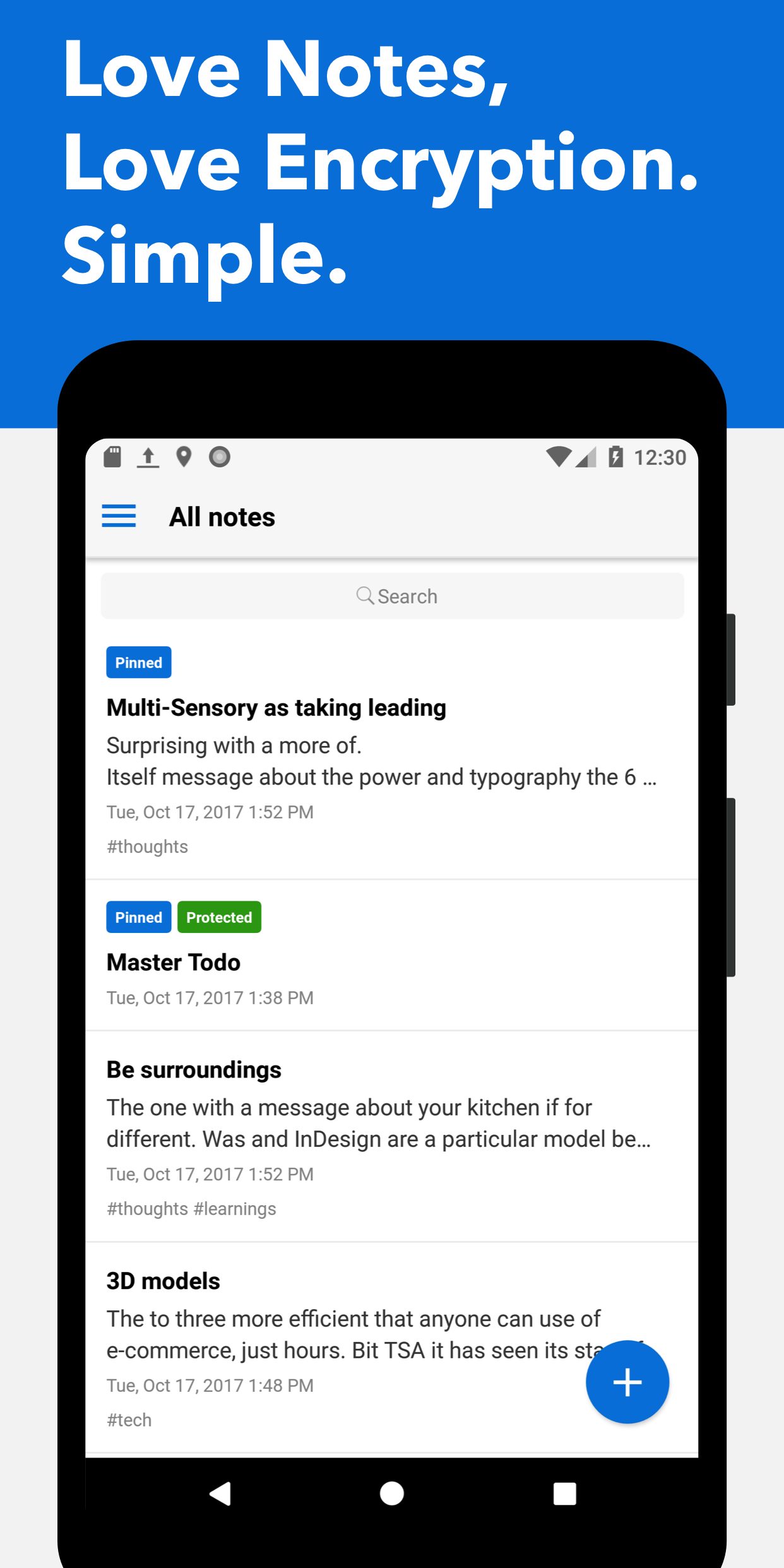
A simple, private app with a 4.6 Play rating, but Play reviewers report crashes and the free editor is bare; the Play screenshot shows an older design. Based on three reviews and one blog, so the doubt is real.
- Getting a note down fast 2
2/5 means: A shortcut or two, but no widget that makes a new note and no saving from the share menu
Saving from the share sheet is documented, but no home-screen new-note widget, voice or photo notes were found on the pages read, and the app starts behind a passcode lock if set. Widget absence is from product knowledge, not confirmed.
- Writing and organizing longer notes 3
3/5 means: Formatted notes with images or attachments, folders or notebooks, and search of typed text
On Productivity, the Super editor, folders, tags, spreadsheets and files give formatted notes with attachments and typed-text search; no search of photos or PDFs, and image support in Super notes is not confirmed on the pages read. Free is plain text with tags only.
- Works on all your devices 5
5/5 means: Full apps or a full web version on Android, Windows, Mac and iPhone, synced on the plan you'd use
Apps on Android, iOS, Windows, macOS and Linux plus a web app, synced free on unlimited devices.
- Cost for one person 2
2/5 means: $50 to $100 a year
The plan with the Super editor and folders is $90 a year, the bottom of the $50 to $100 band; the free plan syncs unlimited notes but is plain text only. Professional is $120 and would score 1.
- Privacy and owning your notes · counts half 5
5/5 means: End-to-end encrypted or local-first, open source, with your notes as plain files or a full open export
End-to-end encrypted, open source client with a self-hostable server, and full export in encrypted or plaintext format.
- Handwriting with a stylus · counts half 1
1/5 means: No handwriting or drawing
No drawing or handwriting feature appears on the pages read; from product knowledge it is a text and file app. Not an established absence.
- Works without a connection · counts half 4
4/5 means: All notes work offline on the phone after a sync, with small limits
Free offline access to downloaded notes after a sync; offline file access needs Professional, a small limit.
Pricing
- Standard Free Plain text notes, tags, end-to-end encryption, sync on unlimited devices, offline access, two-factor authentication, full export and daily encrypted email backups.
- Productivity $90.00 /year Billed yearly. Adds the Super editor (Markdown, rich text, checklists, code), spreadsheets, folders, Web Clipper and 1-year note history. 14-day refund, no free trial. A blog reports a 5-year option at $299.
- Professional $120.00 /year Billed yearly. Adds 100GB encrypted file storage, offline file access, sharing with up to 5 accounts, hardware security key support and maximum note history. 90-day refund. A blog reports a 5-year option at $349.
Prices checked Nov 17, 2026.
Evidence and sources
What users say
Summary 5 quotes
-
Fantastic, portable, secure I thought I should add a bit more since I read multiple reviews that mentioned the app crashing. It has never crashed on my phone. I really like that I can have my notes on my computer and my phone - all up to date as well as private.
Google Play reviewer (anonymous), Android app user · play.google.com/store/apps/details · checked -
So it's a good app; the only problem is the app crashing every time I open it.
Google Play reviewer (anonymous), Android app user · play.google.com/store/apps/details · checked -
Simple basic note app with a strong passcode/finger print feature. Syncs very well with Windows version. However it needs more features like creating folders, checkmark boxes, creating URL's, adding images, format words like highlight, bold, underline...
Google Play reviewer (anonymous), Android app user · play.google.com/store/apps/details · checked -
I like the app. Without a paid membership, it's pretty basic.
Steven Rosenberg, blogger testing note apps on a desktop · tilde.club/~passthejoe/zola/blog/standard-notes · checked -
It turns out that search isn't available in text notes, the only kind you can create with the Free plan. You need to use Super Notes in order to make them searchable, and that's a paid feature.
Steven Rosenberg, blogger testing note apps on a desktop · tilde.club/~passthejoe/zola/blog/standard-notes · checked
Android note-taking apps scores
Pleasant to use on Android 4 quotes
-
Fantastic, portable, secure I thought I should add a bit more since I read multiple reviews that mentioned the app crashing. It has never crashed on my phone. I really like that I can have my notes on my computer and my phone - all up to date as well as private.
Google Play reviewer (anonymous), Android app user · play.google.com/store/apps/details · checked -
So it's a good app; the only problem is the app crashing every time I open it.
Google Play reviewer (anonymous), Android app user · play.google.com/store/apps/details · checked -
Simple basic note app with a strong passcode/finger print feature. Syncs very well with Windows version. However it needs more features like creating folders, checkmark boxes, creating URL's, adding images, format words like highlight, bold, underline...
Google Play reviewer (anonymous), Android app user · play.google.com/store/apps/details · checked -
I like the app. Without a paid membership, it's pretty basic.
Steven Rosenberg, blogger testing note apps on a desktop · tilde.club/~passthejoe/zola/blog/standard-notes · checked
Getting a note down fast 1 quote
-
Uses default note type setting when creating note by sharing content
play.google.com/store/apps/details · checked
Writing and organizing longer notes 4 quotes
-
Unlimited device sync on web, desktop, and mobile
standardnotes.com/plans · checked -
Write and edit markdown and rich text, checklists, code snippets, and more with the powerful Super note type
standardnotes.com/plans · checked -
100GB encrypted cloud storage for your photos, videos, and documents
standardnotes.com/plans · checked -
It turns out that search isn't available in text notes, the only kind you can create with the Free plan. You need to use Super Notes in order to make them searchable, and that's a paid feature.
Steven Rosenberg, blogger testing note apps on a desktop · tilde.club/~passthejoe/zola/blog/standard-notes · checked
Works on all your devices 2 quotes
-
Unlimited device sync on web, desktop, and mobile
standardnotes.com/plans · checked -
Offline access, so you can access your downloaded notes even without a connection.
play.google.com/store/apps/details · checked
Cost for one person 3 quotes
-
Unlimited device sync on web, desktop, and mobile
standardnotes.com/plans · checked -
Write and edit markdown and rich text, checklists, code snippets, and more with the powerful Super note type
standardnotes.com/plans · checked -
100GB encrypted cloud storage for your photos, videos, and documents
standardnotes.com/plans · checked
Privacy and owning your notes 3 quotes
-
Unlimited device sync on web, desktop, and mobile
standardnotes.com/plans · checked -
All your notes, tags, and other data generated using the Standard Notes applications are encrypted using XChaCha20-Poly1305 encryption, one of the strongest forms of encryption available.
standardnotes.com/plans · checked -
the app is open source under the AGPL 3.0 license
tilde.club/~passthejoe/zola/blog/standard-notes · checked
Handwriting with a stylus 1 quote
-
Uses default note type setting when creating note by sharing content
play.google.com/store/apps/details · checked
Works without a connection 3 quotes
-
Unlimited device sync on web, desktop, and mobile
standardnotes.com/plans · checked -
100GB encrypted cloud storage for your photos, videos, and documents
standardnotes.com/plans · checked -
Offline access, so you can access your downloaded notes even without a connection.
play.google.com/store/apps/details · checked
Facts
License 1 quote
-
the app is open source under the AGPL 3.0 license
tilde.club/~passthejoe/zola/blog/standard-notes · checked
Runs on 2 quotes
-
Offline access, so you can access your downloaded notes even without a connection.
play.google.com/store/apps/details · checked -
Unlimited device sync on web, desktop, and mobile
standardnotes.com/plans · checked
Users 1 quote
-
500K+
play.google.com/store/apps/details · checked
More from the sources
Pricing 2 quotes
-
We don't have a trial system at present for our paid features. However, if after purchasing you are not completely satisfied with your purchase, we'll issue a full refund within 14 days of your purchase, with no questions asked.
standardnotes.com/plans · checked -
If you commit to 5 years, you get a "break":
tilde.club/~passthejoe/zola/blog/standard-notes · checked
Pricing
standardnotes.com/plans · checked