Synology Drive
File sync and sharing that runs on a Synology NAS, with desktop, web and mobile apps
Our verdict
#5 of 8 in Self-hosted file sync · Easiest if you own a Synology NAS
What it does
- Online-only files on Windows and macOS
- Phone apps with offline files and photo backup
- Share links with a password and expiry, plus upload requests
- Team Folders with version history
Pros
- Installs in a click on a NAS you already own
- Polished apps on every platform
- Files stay ordinary files on the NAS
Cons
- Runs only on Synology hardware
- Closed source
- Smaller NAS models cap users and files
- Skip if:
- You might move your files to other hardware later
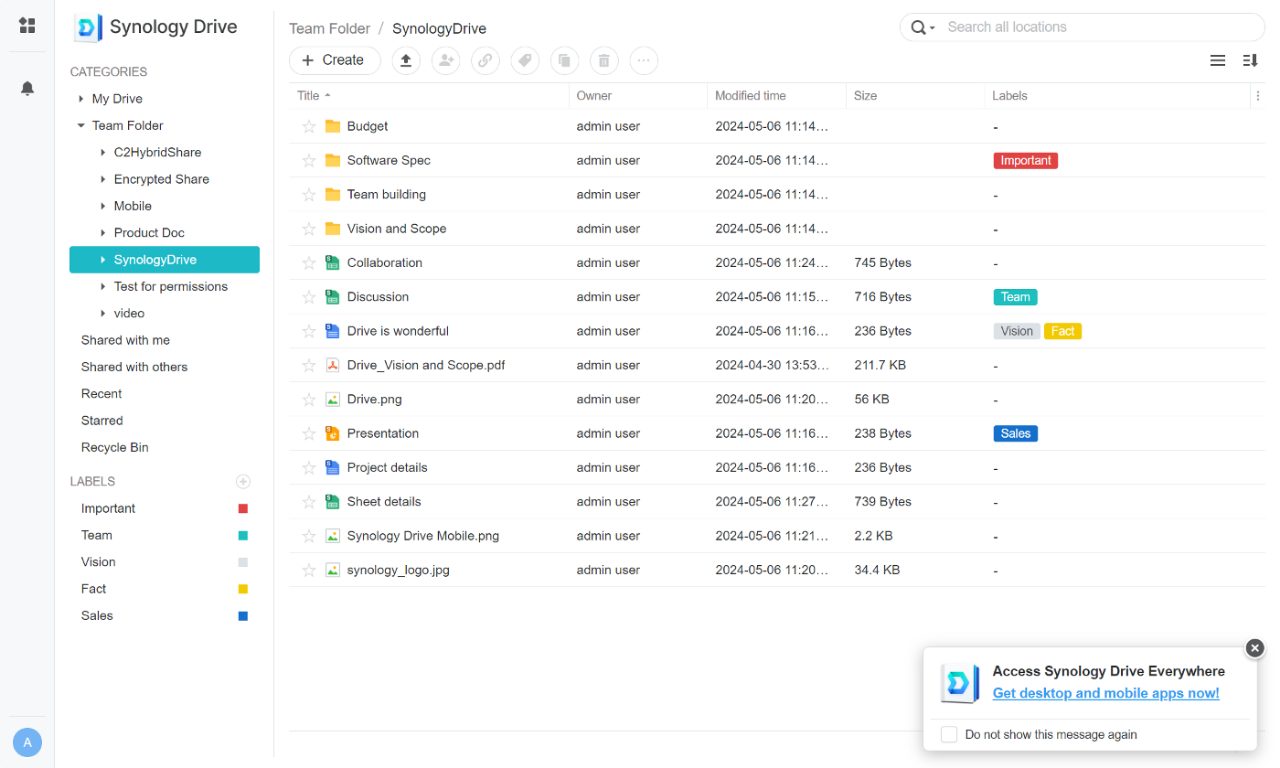
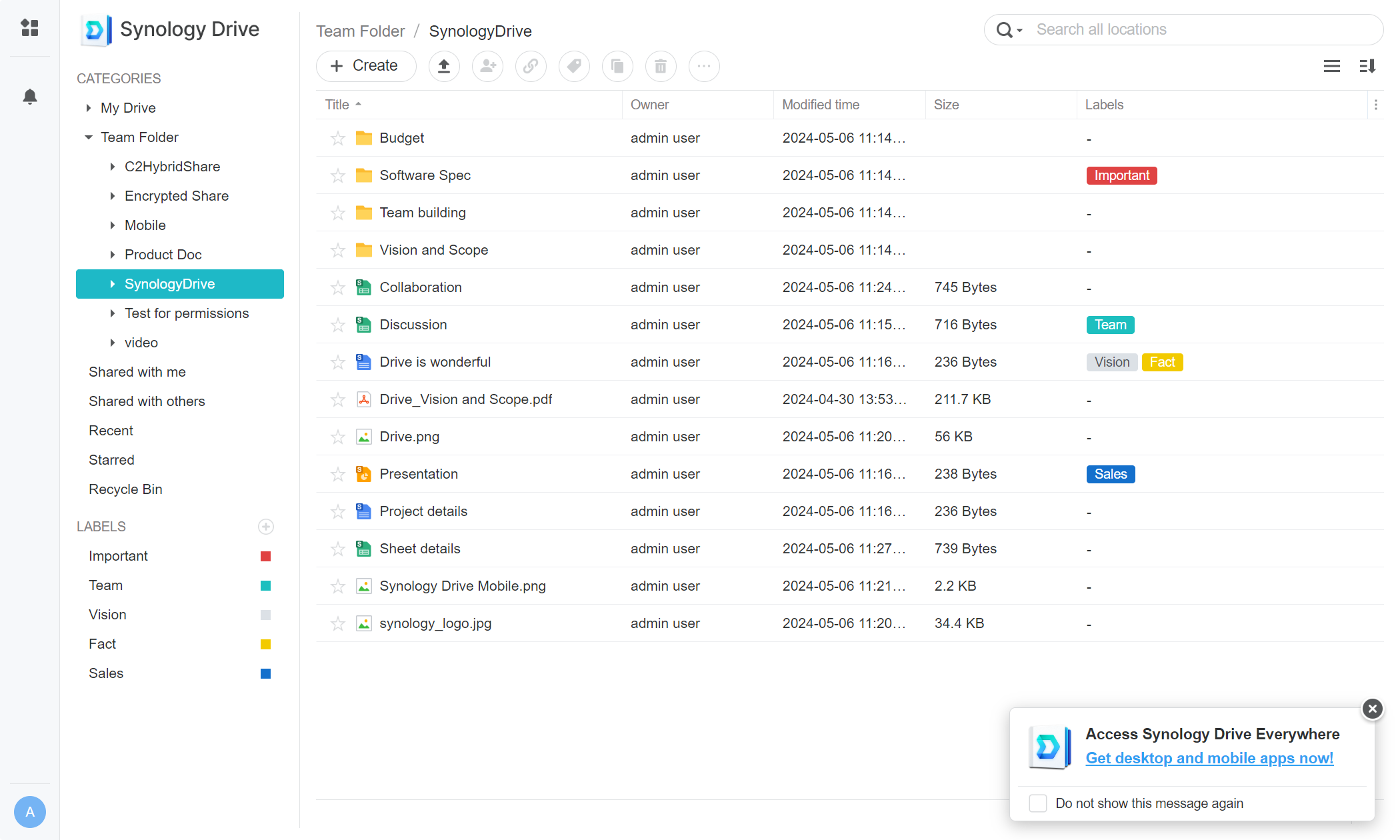
Synology Drive is the file sync and sharing service for Synology NAS devices. Drive Server is a free package installed from DSM’s Package Center; Synology Drive Client syncs or backs up folders on Windows, macOS and Ubuntu, and the mobile app for iOS and Android gives access and offline files. It offers password-protected and time-limited share links, upload request links, Team Folders, file versioning and Synology Office editing in the browser. It is proprietary and runs only on Synology hardware, so the NAS and its drives are the cost.
What users say
Evidence ↓The few practitioner accounts read are about on-demand sync and are mixed. A consultant who deploys it says it works flawlessly for some clients and shows odd problems for others, and one photographer lost syncs of files exported from Capture One. A user hoping to replace Dropbox on Linux was disappointed that on-demand sync is not offered there, which matches the vendor's Windows-and-macOS-only listing. These are single forum threads, not a broad sample.
Rankings and alternatives



Self-hosted file sync scores
Evaluated Nov 17, 2026 Evidence ↓- Sync reliability and speed · counts double 4
4/5 means: Reliable for most users, with occasional conflicts or slowdowns that rarely need fixing by hand
Most owners use it as a Dropbox replacement without trouble, and versioning protects against mistakes; the complaints read are mostly about on-demand sync (missed syncs, duplicates) for some setups. Calibrated up from 3 on general knowledge of owner reports.
- Phone apps 5
5/5 means: Official apps on both that also keep chosen files or folders on the phone and update them when they change
Official Drive app on iOS and Android browses files, keeps chosen files offline and updated, and backs up photos and videos.
- Desktop app 5
5/5 means: Level 3, plus files on demand on both Windows and macOS
Drive Client runs on Windows, macOS and Ubuntu, with files on demand on Windows 10 1809+ and macOS 12.3+.
- Sharing with other people 5
5/5 means: Level 4, plus folders shared with other accounts on the server that they can edit
Password-protected, time-limited links, upload request links, and Team Folders shared with other accounts on the NAS.
- Setup and upkeep 4
4/5 means: One binary, container or app-store package with no separate database to manage
A package installed from DSM's Package Center with no database to manage; it needs a few helper packages. Remote access goes through QuickConnect or port forwarding, which was not researched, so not the top level.
- What it costs a household 1
1/5 means: Runs only on the vendor's own hardware, which you have to buy
Drive Server has no license fee, but it runs only on a Synology NAS, which you have to buy along with its drives unless you already own one.
- Files stay ordinary files 5
5/5 means: Ordinary files and folders under their real names, and changes made outside the software are picked up on their own
From knowledge, files sit as ordinary files in the NAS's shared folders and Drive indexes outside changes (for example over SMB) on its own. Not confirmed by a quote.
- Open source 1
1/5 means: Closed source
Closed source.
- Apps beyond files · counts half 5
5/5 means: All five
Free Synology packages on the same NAS cover calendar and contacts, Office, Photos, Chat and, from knowledge, Note Station for notes; Office integration is documented.
Pricing
- Synology Drive Server Free No licensing fee, but it runs only on a Synology NAS, which you buy separately. The NAS price was not read on a page this pass. Capacity is whatever drives you install. Drive Server lists the 2-bay DS224+ and DS225+ among supported models.
Prices checked Nov 17, 2026.
Evidence and sources
What users say
Summary 3 quotes
-
It’s been strange, for some of my clients it works completely flawlessly. Then sometimes there are really weird issues that are completely different.
Will, Synology consultant and forum owner at Spacerex · forums.spacerex.co/t/synology-drive-on-demand-sync-for-macos-what-are-your-issues/25 · published · checked -
Not so much an issue with MacOS but with Linux (Debian 12) on demand sync which I became interested in after watching your video on the subject here about a month ago. I was considering a complete move over from Dropbox to my Synology NAS (DS220j) because Dropbox hasn’t yet implemented Smart Sync after at least 6 years of asking so installed Synology Drive in the expectation that Synology would cover this with their on-demand sync capability - and I am extremely disappointed to find that they don’t!
graham, forum user moving from Dropbox to a DS220j · forums.spacerex.co/t/synology-drive-on-demand-sync-for-macos-what-are-your-issues/25 · published · checked -
i just run into some annoying errors the other day. if i export from capture one into a syno drive it always only synced a few images. most of them had the ignore cloud sign and were not synced. i found out it has something to do with the tmp file which is created when exporting and synology cant handle it…
Superdiesel, forum user (photographer) · forums.spacerex.co/t/synology-drive-on-demand-sync-for-macos-what-are-your-issues/25 · published · checked
Self-hosted file sync scores
Sync reliability and speed 2 quotes
-
It’s been strange, for some of my clients it works completely flawlessly. Then sometimes there are really weird issues that are completely different.
Will, Synology consultant and forum owner at Spacerex · forums.spacerex.co/t/synology-drive-on-demand-sync-for-macos-what-are-your-issues/25 · published · checked -
i just run into some annoying errors the other day. if i export from capture one into a syno drive it always only synced a few images. most of them had the ignore cloud sign and were not synced. i found out it has something to do with the tmp file which is created when exporting and synology cant handle it…
Superdiesel, forum user (photographer) · forums.spacerex.co/t/synology-drive-on-demand-sync-for-macos-what-are-your-issues/25 · published · checked
Phone apps 2 quotes
-
iOS · iOS 18.0 or above Android · Android 10.0 or above
synology.com/en-global/dsm/7.4/software_spec/synology_drive · checked -
Multiple files can be stored for offline access and updated automatically on the local device.
synology.com/en-global/dsm/7.4/software_spec/synology_drive · checked
Desktop app 3 quotes
-
Synology Drive is available for web portal, PC clients (Windows, macOS, and Ubuntu), mobile devices and tablets (iOS, iPadOS, and Android™).
synology.com/en-global/dsm/feature/drive · checked -
The feature is available on Windows 10 version 1809 or above and macOS 12.3 or above.
synology.com/en-global/dsm/7.4/software_spec/synology_drive · checked -
Linux · Ubuntu 20.04 or above, limited to officially supported versions
synology.com/en-global/dsm/7.4/software_spec/synology_drive · checked
Sharing with other people 3 quotes
-
Share files within and outside your organization using links with role based permissions and privacy settings. You can also collect files from external users using a request link, where uploads go straight to your NAS.
synology.com/en-global/dsm/feature/drive · checked -
Files can be shared through password-protected and time-limited links.
synology.com/en-global/dsm/7.4/software_spec/synology_drive · checked -
Each file can retain up to 32 historical versions with deduplication across versions.
synology.com/en-global/dsm/7.4/software_spec/synology_drive · checked
Setup and upkeep 1 quote
-
You can simply install Synology Drive with Package Center, which offers a range of web applications to enhance the functionality of your Synology NAS.
synology.com/en-global/dsm/feature/drive · checked
What it costs a household 3 quotes
-
You can simply install Synology Drive with Package Center, which offers a range of web applications to enhance the functionality of your Synology NAS.
synology.com/en-global/dsm/feature/drive · checked -
Synology Drive is a license-free solution that provides users to access, manage, and share files in the security of the private cloud.
synology.com/en-global/dsm/feature/drive · checked -
Synology Inc.4.0.4-27894
synology.com/en-global/dsm/packages/SynologyDrive · checked
Open source 1 quote
-
Synology Drive is a license-free solution that provides users to access, manage, and share files in the security of the private cloud.
synology.com/en-global/dsm/feature/drive · checked
Apps beyond files 1 quote
-
Synology Office integration enables collaboration on documents, spreadsheets, and slides.
synology.com/en-global/dsm/7.4/software_spec/synology_drive · checked
Facts
License 1 quote
-
Synology Drive is a license-free solution that provides users to access, manage, and share files in the security of the private cloud.
synology.com/en-global/dsm/feature/drive · checked
Runs on 3 quotes
-
Synology Drive is available for web portal, PC clients (Windows, macOS, and Ubuntu), mobile devices and tablets (iOS, iPadOS, and Android™).
synology.com/en-global/dsm/feature/drive · checked -
Linux · Ubuntu 20.04 or above, limited to officially supported versions
synology.com/en-global/dsm/7.4/software_spec/synology_drive · checked -
iOS · iOS 18.0 or above Android · Android 10.0 or above
synology.com/en-global/dsm/7.4/software_spec/synology_drive · checked
Needs 2 quotes
-
You can simply install Synology Drive with Package Center, which offers a range of web applications to enhance the functionality of your Synology NAS.
synology.com/en-global/dsm/feature/drive · checked -
Synology Inc.4.0.4-27894
synology.com/en-global/dsm/packages/SynologyDrive · checked
More from the sources
Limits and known issues 2 quotes
-
Each Synology Drive Client can synchronize up to 500,000 files; exceeding this number can reduce performance and cause unexpected errors.
synology.com/en-global/dsm/7.4/software_spec/synology_drive · checked -
Maximum Number of Users · 10 Maximum Number of Hosted Files · 100,000 (applies to files indexed or hosted by Synology Drive. For file access through other standard protocols, refer to the File Services section above)
synology.com/en-global/products/DS225+ · checked
Pricing
synology.com/en-global/dsm/feature/drive · checked