
Zoho Vault
Hosted business password manager with Standard, Professional and Enterprise editions from US$0.90 per user a month
Our verdict
#9 of 10 in Business password managers · Cheapest start, best for Zoho users
What it does
- Sharing with view, edit, and manage permissions from the $0.90 Standard edition
- Ownership transfer when an employee leaves
- User sync from Entra ID and Google Workspace (Professional)
- Time-limited password access and SIEM integration (Enterprise)
Pros
- A business plan for under a dollar a user
- Fits neatly alongside other Zoho apps
Cons
- A dense, dated interface
- Little published independent review of its security
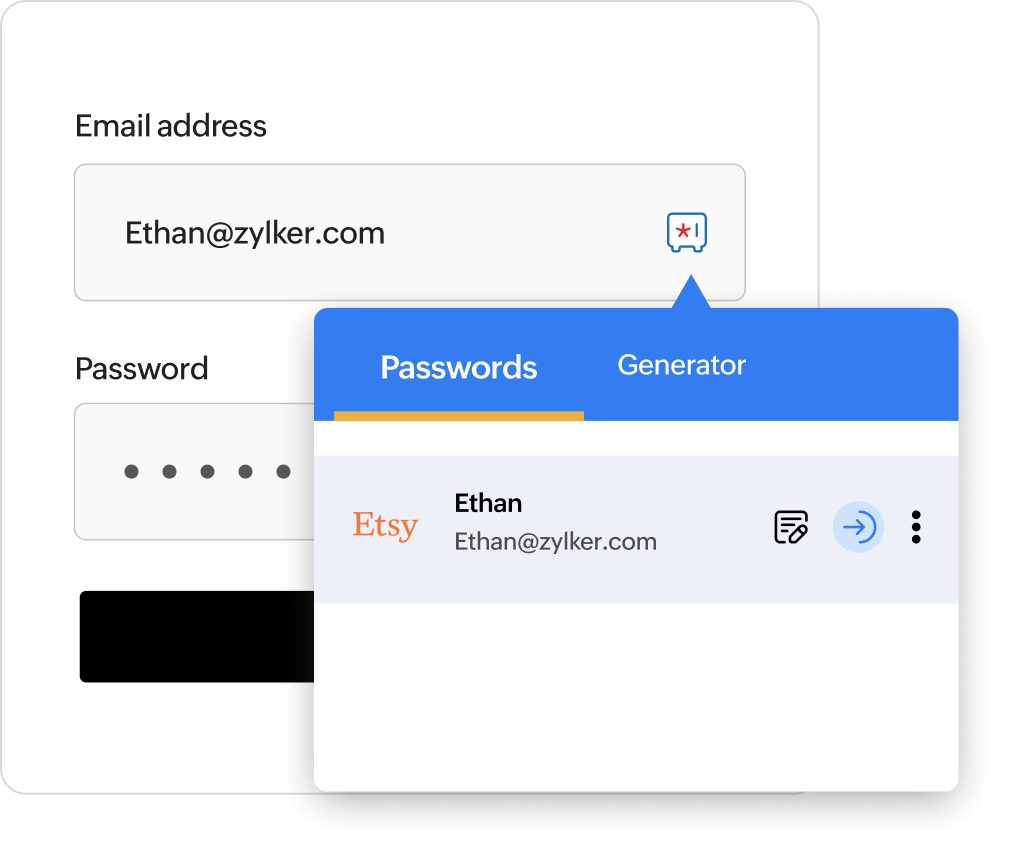
Zoho Vault is a hosted, zero-knowledge password manager from Zoho, sold mainly to teams and companies. Paid editions (Standard, Professional, Enterprise) add password sharing, user groups, folder sharing, admin policies and reports, with Active Directory, single sign-on, SIEM integration and Okta support on Enterprise. Employees mostly use browser extensions and mobile apps for autofill, while admins work in the web dashboard. A separate free plan is for one person’s personal use. It runs on the web, Windows, macOS, iOS and Android, and is proprietary software.
What users say
Evidence ↓Reviewers at Cloudwards and TechRadar both rate Zoho Vault well for businesses, citing fine control over users and sharing, integrations and low price, and both say the interface is dense and built for admins rather than casual users. A vendor-selected testimonial praises group privileges and responsive support. These are two reviewers plus one vendor-chosen quote, a small sample; the TechRadar text dates from 2023.
Rankings and alternatives
- Business password managers #9 of 10 Cheapest start, best for Zoho users
- 1Password #1 Best for most companies
- Bitwarden (official self-hosted server) #2 Open source and a third cheaper
- Keeper Password Manager #3 Built for audits and large org charts



Business password managers scores
Evaluated Nov 17, 2026 Evidence ↓- Easy for employees to adopt · counts double 3
3/5 means: Fine once IT sets it up, with known snags such as a dated or crowded design, patchy mobile autofill or extra setup steps
Employees autofill through extensions and mobile apps, but Cloudwards and TechRadar both call the interface dense and dated, and Cloudwards hit broken signup pages. Reviews are few and TechRadar's is from 2023.
- Shared vaults and permissions 5
5/5 means: Shared folders or vaults with permission levels and groups, plus expiring or one-time links for sharing with people outside the company
Enterprise has view/edit/manage permissions, user groups, folder sharing (Professional and up) and one-time sharing with third parties (Standard and up).
- Admin control, offboarding and recovery 3
3/5 means: Three
Admin roles, password policies with MFA enforcement and offboarding transfer are documented. Admin-assisted recovery of a locked-out employee without losing items was not confirmed; Cloudwards only describes a master password reset and total loss if the super admin forgets theirs.
- Single sign-on and user provisioning 4
4/5 means: Both, but with fewer identity providers, such as provisioning only from Entra ID and Okta
Enterprise has Active Directory provisioning, Azure and Google Workspace sync, Okta sync and SSO, and the comparison lists SAML 2.0. Not a 5 because SCIM was not found and the editions for SAML sign-in to the vault were not readable.
- Audit logs and reporting 4
4/5 means: Event log and reports, with SIEM export that needs an add-on, a request to the vendor or a higher plan
Access and activity reports, scheduled reports, audit trails and custom event alerts are included, and SIEM integration is on Enterprise. It was not shown to be built-in streaming to named tools like Splunk.
- Security track record 3
3/5 means: No known vault breach, but little published independent review or certification, or a serious flaw in the product itself
Client-side AES-256 encryption with a zero-knowledge design and no known vault breach, but the only certification is a vendor-claimed SOC 2 for the Zoho platform and Zoho publishes no named independent audit of Vault, so little published independent review (writer calibration from 4).
- Price per user 2
2/5 means: $7 to $8.99 per user
Enterprise is $7.20 per user a month billed yearly with a 5-user minimum; no add-on is needed for SSO, provisioning and policies.
- Extras for staff and IT · counts half 4
4/5 means: Four
Passkey management, breached password alerts, a CLI and a chosen data-center region are included. Free personal accounts for employees were not found (the Free plan is a separate personal account).
Pricing
- Free Free Personal use by one user, with unlimited passwords and devices. Not for teams.
- Standard $0.90 /month per seat Billed annually, 10.80 USD per user a year (0.90 x 12). No minimum user count. Monthly-billing price not captured from the vendor page.
- Professional $4.50 /month per seat Billed annually, 54 USD per user a year (4.50 x 12). Minimum 5 users.
- Enterprise $7.20 /month per seat Billed annually, 86.40 USD per user a year (7.20 x 12). Minimum 5 users. 15-day free trial of Enterprise for up to five users, then the account drops to Free.
- Flex Contact sales Custom volume pricing from sales.
Prices checked Nov 17, 2026.
Evidence and sources
What users say
Summary 5 quotes
-
The Vault dashboard is really for admins and super admins. Most employees will spend their time with the browser extension, which is available for Chrome and Firefox. The extension is a stripped down version of the browser interface, offering your "secrets," "chambers" and a handful of settings.
Jacob Roach, reviewer at Cloudwards · cloudwards.net/zoho-vault-review · published · checked -
Vault is dense with options, which is great for administrators but bad for general users.
Jacob Roach, reviewer at Cloudwards · cloudwards.net/zoho-vault-review · published · checked -
The mobile apps are clean and functional, but they're not particularly exciting to look at. Nevertheless, users are unlikely to have to go into them too much as their main function is to provide a source for the smartphone to autofill.
Mike Jennings, reviewer at TechRadar · techradar.com/reviews/zoho-vault · checked -
Zoho Vault is packed with options and fine-grain controls, which is great for large businesses but overbearing for general users.
Mike Jennings, reviewer at TechRadar · techradar.com/reviews/zoho-vault · checked -
One of the only password programs that controls privileges between different groups. Their support team is very responsive, and has even made changes or added features to the program we suggested would be nice to have.
Robert H, Director of IT, Merrick Towle Communications · zoho.com/vault · checked
Business password managers scores
Easy for employees to adopt 4 quotes
-
The Vault dashboard is really for admins and super admins. Most employees will spend their time with the browser extension, which is available for Chrome and Firefox. The extension is a stripped down version of the browser interface, offering your "secrets," "chambers" and a handful of settings.
Jacob Roach, reviewer at Cloudwards · cloudwards.net/zoho-vault-review · published · checked -
Vault is dense with options, which is great for administrators but bad for general users.
Jacob Roach, reviewer at Cloudwards · cloudwards.net/zoho-vault-review · published · checked -
The mobile apps are clean and functional, but they're not particularly exciting to look at. Nevertheless, users are unlikely to have to go into them too much as their main function is to provide a source for the smartphone to autofill.
Mike Jennings, reviewer at TechRadar · techradar.com/reviews/zoho-vault · checked -
Zoho Vault is packed with options and fine-grain controls, which is great for large businesses but overbearing for general users.
Mike Jennings, reviewer at TechRadar · techradar.com/reviews/zoho-vault · checked
Shared vaults and permissions 3 quotes
-
Secure password sharing with team members One-time sharing with third parties Share passwords with TOTP codes Passkey management User provisioning, roles, and management Transfer/acquire ownership of passwords Centralized admin controls Password expiration alerts Cloud backup Restrict access based on IP address Integration with Google Workspace and Microsoft 365
zoho.com/vault/pricing.html · checked -
Create and manage user groups Share folders SecureFormsProfessional plan supports up to three active forms per user and Enterprise plan supports up to five active forms per user Break glass account for emergency access Webhook integration (10 free webhooks) Command Line Interface (CLI) Scheduler for reports Breached password alerts Geolocation restriction Sync users and groups from Azure and google workspace Folder access and sharing activity reports
zoho.com/vault/pricing.html · checked -
Starting with roles, there are three levels of access: user, admin and super admin. Users can see passwords they own and anything that's been shared with them, while admins can approve sharing requests and create password policies. Finally, super admins control the vault, so they can see every account and invite new users.
cloudwards.net/zoho-vault-review · published · checked
Admin control, offboarding and recovery 5 quotes
-
Secure password sharing with team members One-time sharing with third parties Share passwords with TOTP codes Passkey management User provisioning, roles, and management Transfer/acquire ownership of passwords Centralized admin controls Password expiration alerts Cloud backup Restrict access based on IP address Integration with Google Workspace and Microsoft 365
zoho.com/vault/pricing.html · checked -
If an employee is about to leave your company, you can acquire all their passwords as an admin. You can also transfer ownership of the passwords to the employee's manager or colleague for a smooth transition.
zoho.com/vault/business-password-manager.html · checked -
Enforce multi-factor authentication for every employee.
zoho.com/vault/business-password-manager.html · checked -
Starting with roles, there are three levels of access: user, admin and super admin. Users can see passwords they own and anything that's been shared with them, while admins can approve sharing requests and create password policies. Finally, super admins control the vault, so they can see every account and invite new users.
cloudwards.net/zoho-vault-review · published · checked -
Zoho offers an option to reset your master password in case you forget it, which isn't afforded by most password managers. Should the administrator ever forget the master password, they can request an encrypted HTML file of all of the data on their account. However, all enterprise passwords will be lost in the process.
cloudwards.net/zoho-vault-review · published · checked
Single sign-on and user provisioning 2 quotes
-
Create and manage user groups Share folders SecureFormsProfessional plan supports up to three active forms per user and Enterprise plan supports up to five active forms per user Break glass account for emergency access Webhook integration (10 free webhooks) Command Line Interface (CLI) Scheduler for reports Breached password alerts Geolocation restriction Sync users and groups from Azure and google workspace Folder access and sharing activity reports
zoho.com/vault/pricing.html · checked -
Active Directory integration and user provisioning Single sign-on for cloud apps Password access control (request-release) workflow Custom alerts for password events Integration with Okta and OneLogin Help desk integration SIEM integration Rebranding Unlimited webhooks Sync users and groups from Okta
zoho.com/vault/pricing.html · checked
Audit logs and reporting 3 quotes
-
Secure password sharing with team members One-time sharing with third parties Share passwords with TOTP codes Passkey management User provisioning, roles, and management Transfer/acquire ownership of passwords Centralized admin controls Password expiration alerts Cloud backup Restrict access based on IP address Integration with Google Workspace and Microsoft 365
zoho.com/vault/pricing.html · checked -
Create and manage user groups Share folders SecureFormsProfessional plan supports up to three active forms per user and Enterprise plan supports up to five active forms per user Break glass account for emergency access Webhook integration (10 free webhooks) Command Line Interface (CLI) Scheduler for reports Breached password alerts Geolocation restriction Sync users and groups from Azure and google workspace Folder access and sharing activity reports
zoho.com/vault/pricing.html · checked -
Active Directory integration and user provisioning Single sign-on for cloud apps Password access control (request-release) workflow Custom alerts for password events Integration with Okta and OneLogin Help desk integration SIEM integration Rebranding Unlimited webhooks Sync users and groups from Okta
zoho.com/vault/pricing.html · checked
Security track record 1 quote
-
Generate unique passwords protected by AES-256 encryption on a zero-knowledge, SOC 2-certified platform.
zoho.com/vault · checked
Price per user 1 quote
-
ENTERPRISEUS$7_.20_US$7.2/user/month billed annually Minimum 5 Users
zoho.com/vault/pricing.html · checked
Extras for staff and IT 2 quotes
-
Create and manage user groups Share folders SecureFormsProfessional plan supports up to three active forms per user and Enterprise plan supports up to five active forms per user Break glass account for emergency access Webhook integration (10 free webhooks) Command Line Interface (CLI) Scheduler for reports Breached password alerts Geolocation restriction Sync users and groups from Azure and google workspace Folder access and sharing activity reports
zoho.com/vault/pricing.html · checked -
Unlimited passwords, passkeys and storage Unlimited devices Save and autofill passwords Passwordless login (unlock vault with Zoho OneAuth, Windows Hello, TouchID, Passkey, and YubiKey)
zoho.com/vault/pricing.html · checked
Facts
Runs on 1 quote
-
Browser Extensions (Ulaa, Chrome, Firefox, Edge, Safari, Vivaldi, and Brave)
zoho.com/vault/pricing.html · checked
Users 1 quote
-
With more than 100 million users trusting our company, it's proof that everything we build is designed to meet your needs.
zoho.com/vault · checked
More from the sources
Pricing 2 quotes
-
STANDARDUS$0_.90_US$0.9/user/month billed annually
zoho.com/vault/pricing.html · checked -
PROFESSIONALUS$4_.50_US$4.5/user/month billed annually Minimum 5 Users
zoho.com/vault/pricing.html · checked
Limits and known issues 2 quotes
-
You get a 15-day free trial of the Enterprise plan, but you may only add up to five users.
zoho.com/vault/pricing.html · checked -
Zoho Vault Free is a personal-only plan, which is strange given its fixation on businesses with the rest of the range. You get the standard features, including unlimited password storage, offline access and two-factor authentication. However, it's only for a single user and for personal use.
cloudwards.net/zoho-vault-review · published · checked
Pricing
zoho.com/vault/pricing.html · checked