
Bitwarden (official self-hosted server)
Open-source password manager with an official self-hostable server
Our verdict
#1 of 9 in Free password managers · Best free plan for most people
What it does
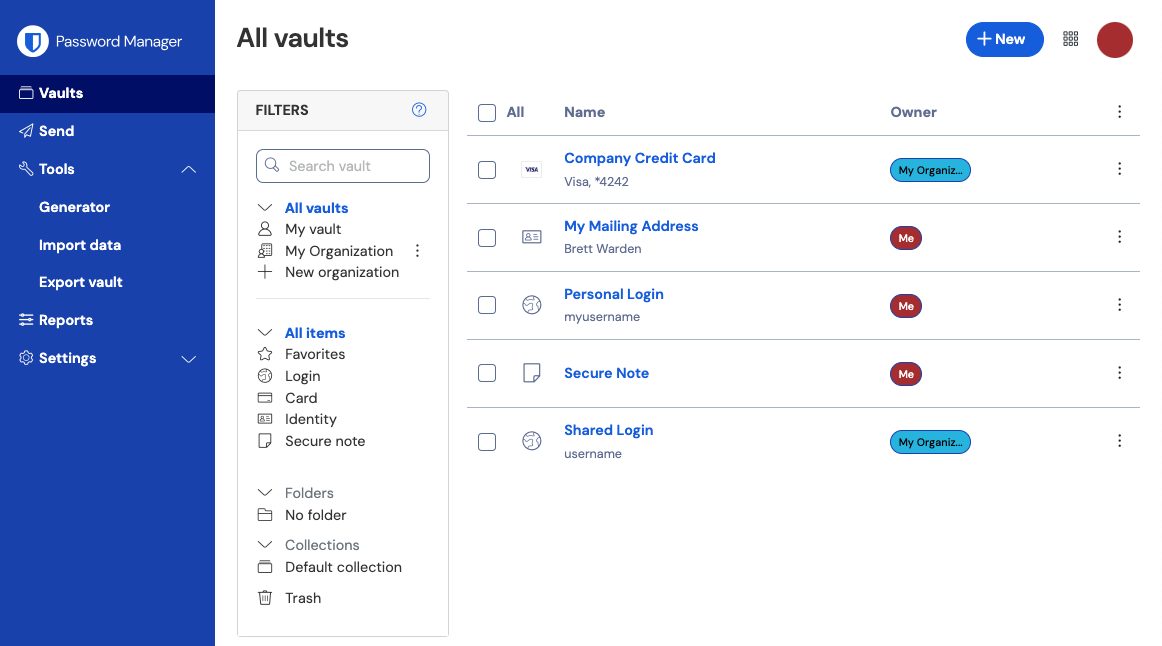
- Unlimited passwords, passkeys, and devices on the free plan
- Apps for iPhone, Android, Windows, Mac, and Linux, plus extensions for every major browser
- Free sharing with one other person
- A free, separate Authenticator app for two-factor codes
Pros
- Free plan with no device limit and no time limit
- Open source and audited by several firms
- The cheapest paid upgrade if you later want two-factor codes and emergency access
Cons
- Plain design, with autofill that's less polished than the smoothest rivals
- Two-factor codes inside the vault and emergency access need Premium
- No way back in after a forgotten master password unless you set up another route first
- Choose if:
- Your phone and computer come from different companies, such as an iPhone and a Windows laptop
Rankings and alternatives
- Free password managers #1 of 9 Best free plan for most people
- Proton Pass #2 Free email aliases and a more modern app
- Apple Passwords #3 Enough if everything you own is Apple
- Google Password Manager #4 Enough for Android and Chrome users
- Password managers for Linux #1 of 7 Free sync for Linux and your phone
- Business password managers #2 of 10 Open source and a third cheaper
- Keeper Password Manager #3 Built for audits and large org charts
- Dashlane #4 Polished, with SSO in its one plan
- LastPass #7 Familiar features, worst track record
- Password managers for families #2 of 9 For tight budgets and partners who need a way in
- RoboForm #7 Low-cost plan with a long record in form filling
- Self-hosted password managers #2 of 5 For audits and vendor support
- Vaultwarden #1 Best for most households and small groups
- Passbolt #3 For teams sharing service logins
- Psono #4 For teams of ten or fewer that want admin controls












Free password managers scores
Evaluated Nov 17, 2026 Evidence ↓- A free plan you can keep using · counts double 5
5/5 means: Unlimited items, unlimited devices and automatic sync, with no time limit
Every free account gets unlimited passwords and passkeys on unlimited devices with cloud sync and browser, mobile and desktop apps, and Bitwarden said the free plan stayed unchanged when it raised Premium's price in January 2026; there is no time limit.
- Easy, reliable autofill 3
3/5 means: Fine for most people, with known snags such as sites where autofill misses, logins it fails to save, or a clunky design
Setup is simple and autofill works on phones and computers, but the design is plain and utilitarian, some settings that rivals turn on by default (such as filling on page load) are off, and reviewers commonly find its autofill less polished than the smoothest commercial managers.
- Security track record 5
5/5 means: End-to-end encryption, regular independent audits by several firms, open code, a bug bounty, and no breach of vault data
Zero-knowledge encryption, open source code, regular audits by several firms (Cure53, ETH Zurich and others), and a HackerOne bug bounty; no breach of vault data is known. The short-lived malicious npm CLI release in April 2026 touched only developers who installed that command-line version, not vaults or the apps most people use.
- Works on all your devices 5
5/5 means: Apps for iPhone, Android, Windows, Mac and Linux, and extensions for all major browsers including Safari and Firefox
The free plan includes apps for iPhone, Android, Windows, Mac and Linux, a web vault, and extensions for Chrome, Firefox, Safari, Edge and other browsers.
- Extras on the free plan 4
4/5 means: Four
Free accounts store and use passkeys, share items with one other person through a free organization, run the Data Breach report, and can generate email aliases through services such as SimpleLogin or addy.io. Generating two-factor codes inside the vault and emergency access need Premium; the separate Bitwarden Authenticator app is free.
- Getting back in after a forgotten password · counts half 3
3/5 means: Several routes you set up in advance, such as another signed-in device, a hint or a recovery phrase
Bitwarden can't reset a master password. Several routes work only if prepared in advance, such as a password hint, logging in with another device, or an unlocked app whose data you export; emergency access is Premium.
Password managers for families scores
Evaluated Nov 17, 2026 Evidence ↓- Easy for everyone in the family · counts double 3
3/5 means: Fine for most people once someone sets it up, with known snags such as extra setup steps, autofill gaps or a dated design
Setup is simple (invite by email, install the app, accept) and vendor testimonials say non-technical people pick it up quickly, but the interface is utilitarian and mobile autofill has a reputation for snags; no independent review was read, so this rests partly on general knowledge.
- Sharing logins within the family 5
5/5 means: As many shared vaults as a family needs, with permission levels and private vaults, plus a way to share a login with someone outside the plan
Unlimited shared collections with per-member permissions (can view, can view except passwords, can edit, can manage), a private vault for each member, and Bitwarden Send for people outside the plan.
- Works on everyone's devices 5
5/5 means: Apps for iPhone, Android, Windows, Mac and Linux, and extensions for all major browsers including Safari and Firefox
Official apps for iOS, Android, Windows, macOS and Linux, a web vault, and extensions for Chrome, Firefox, Safari, Edge and other major browsers; the evidence file only lists the generic categories.
- Security track record 5
5/5 means: End-to-end encryption, regular independent audits by several firms, open code or a published security design, a public bug bounty, and no breach of vault data
Zero-knowledge encryption, open source code, audits by Cure53, ETH Zurich, Unit 42, Fracture Labs, IOActive and Mandiant, SOC 2, and a HackerOne bug bounty; no breach of vault data is known.
- Getting back in after a forgotten password 2
2/5 means: One recovery route the member must have set up in advance, such as a recovery code or phrase
Admin account recovery is Enterprise-only, and Bitwarden has no recovery code for a forgotten master password (the recovery code is for two-step login). The only way back in is an emergency contact's takeover, which the member must have set up in advance.
- Emergency access for a trusted person 5
5/5 means: Emergency access for several contacts after a wait you set per contact, which you can deny, with a choice of view or full takeover
Unlimited trusted contacts on Families, each with a wait time the account holder sets, the ability to approve or reject a request, and a choice of view or takeover access.
- Yearly cost for the family 4
4/5 means: Under $50 a year for five or more people
$47.88 a year for up to 6 Premium accounts with sharing, shared storage and emergency access included.
- Extras beyond passwords · counts half 5
5/5 means: All five
Families includes passkey management, the built-in TOTP authenticator, vault health reports, 5 GB file attachments per account, and email alias integration in the generator.
Password managers for Linux scores
Evaluated Nov 22, 2026 Evidence ↓- Fits a Linux desktop 4
4/5 means: An official app with packages that update themselves on the major distributions and unlocks with the system password or a fingerprint, with known snags such as Wayland trouble or features missing from the Flatpak or Snap
Official Electron app in AppImage, Snap, Flatpak, deb and rpm; Snap and Flatpak self-update. System unlock works on most channels but the Flatpak needs a hand-installed polkit policy, and Wayland has been off by default with user-reported snags.
- Autofill in your Linux browser 4
4/5 means: An official extension that works on its own in the major browsers, with some reported filling snags
Official extensions for Firefox and Chromium browsers that work on their own, without the desktop app; since 2026.5.0 the desktop app can also unlock them when it is installed as a Flatpak or Snap. Filling is reliable but less polished than the smoothest commercial managers.
- Syncs with your phone 5
5/5 means: Official phone apps with autofill and automatic sync through the vendor's service
Official iOS and Android apps with autofill and automatic sync through Bitwarden's cloud, on the free plan too.
- Easy day to day 3
3/5 means: Fine for most people, with known snags such as a plain design, missed fills or clunky menus
Simple hosted setup and dependable autofill, but a plain design, some conveniences off by default, and Linux snags such as the Flatpak's hand-installed polkit policy and Wayland being off by default.
- Security track record 5
5/5 means: Open code or regular audits by several outside firms, a bug bounty, and no breach of vault data
Open code, audits by several outside firms and a bug bounty, with no vault breach; a short-lived malicious CLI npm release in April 2026 did not touch vault data.
- Cost for one person 5
5/5 means: Free on a computer and a phone with automatic sync and no device or item cap
The free plan has unlimited passwords and devices with sync on Linux and phone.
- Command line and developer tools 5
5/5 means: A full official command-line tool and SSH key support on every plan
A full official bw CLI on Linux, and an SSH agent in the desktop app for server logins and Git signing, with no paid plan required for either.
- Control of your data 4
4/5 means: You choose where the vault is stored, or you can run the sync server yourself
You can run the official server yourself; the cloud has full export (CSV, JSON, encrypted JSON).
Self-hosted password managers scores
Evaluated Nov 14, 2026 Evidence ↓- Apps and autofill 5
5/5 means: Official browser, desktop, mobile and command-line clients with autofill and passkey storage, widely used and well regarded
The vendor's own browser, desktop and mobile apps, plus the command-line tool, with passkey management and every second-factor type. It is the most widely used set of clients in the category.
- Setup and upkeep 3
3/5 means: One application plus one database server or a few containers, with moderate memory, or a lighter install option next to a heavy default
The standard install runs several Docker containers with a bundled SQL Server Express database and wants at least 2 GB of memory. The Lite install is one container needing about 200 MB and accepts SQLite or PostgreSQL, but it is aimed at personal and home-lab use. Both need an installation key from Bitwarden.
- Sharing with family or team 5
5/5 means: Groups and collections with per-person roles and permissions, and extras such as emergency access or sharing logs
Organizations with collections, groups and per-member permissions, available once you import a Families or Enterprise organization.
- Security assurance 5
5/5 means: Frequent audits by several firms, public reports, a cryptography review, and a bug bounty
Annual audits and penetration tests by several firms, including a cryptography review by ETH Zurich, with public reports. Hardware keys, Duo and authenticator apps are supported.
- Admin controls at no cost 2
2/5 means: Basic user and group management only
A Families organization has user and collection management only. Policies are Enterprise-only, and the Enterprise plan is the one that carries the rest of the admin features.
- Maintenance and support 5
5/5 means: A company maintains it with frequent releases and support included for self-hosters
Maintained by the vendor with frequent releases; paid plans come with vendor support.
- Cost for a family or small team 4
4/5 means: Free software, with one small flat fee or paid extras on a phone
The server is free, but organizations need a paid license. Families is $47.88 a year for up to six people and must be renewed by hand within 60 days of renewal. Premium for one person is $19.80 a year. Enterprise is $6 per user per month.
Business password managers scores
Evaluated Nov 17, 2026 Evidence ↓- Easy for employees to adopt · counts double 3
3/5 means: Fine once IT sets it up, with known snags such as a dated or crowded design, patchy mobile autofill or extra setup steps
Invite-based setup and autofill work across browsers and phones, but Bitwarden's design is widely seen as plainer than 1Password's. Evidence on ease is thin (a vendor-picked testimonial and one generic review), so the level rests mostly on general knowledge.
- Shared vaults and permissions 5
5/5 means: Shared folders or vaults with permission levels and groups, plus expiring or one-time links for sharing with people outside the company
Collections work like shared folders with groups and permission levels (view, hide passwords, edit, manage), and Send offers expiring, one-time-style links for people outside the company. Permission levels and Send details come from general knowledge, not a page read in this run.
- Admin control, offboarding and recovery 4
4/5 means: All four
Enterprise has enforced policies, custom roles, admin account recovery, and offboarding that keeps organization items. The policy set is moderate and there is no delegation by department or node, so a 4 next to Keeper and LastPass (writer calibration from 5).
- Single sign-on and user provisioning 5
5/5 means: Both, with Entra ID, Okta, Google Workspace and generic SAML or SCIM
Enterprise has Login with SSO over SAML 2.0 or OpenID Connect, plus SCIM and Directory Connector for Entra ID, Okta, Google Workspace and others. The provider list is from general knowledge; the plan gating is inferred from the pricing table layout.
- Audit logs and reporting 5
5/5 means: Detailed event log, security reports and built-in SIEM streaming
Event logs with over 50 event types, vault health reports and Public API are included; SIEM integrations (Splunk, Sentinel, Elastic and others) are documented in Bitwarden's help but were not read on a page in this run.
- Security track record 5
5/5 means: End-to-end encryption, regular audits by several firms, SOC 2 Type 2 and ISO 27001, open code or a published security design, a bug bounty, and no vault breach
Open source, audits by several firms (Cure53, ETH Zurich, Unit 42, Fracture Labs, IOActive, Mandiant), SOC 2 Type 2, SOC 3, ISO 27001, HackerOne bounty, and no vault breach (the April 2026 npm CLI incident did not touch vault data).
- Price per user 3
3/5 means: $5 to $6.99 per user
Enterprise is $6 per user per month billed annually, in the $5 to $6.99 band; Teams at $4 lacks SSO and policies.
- Extras for staff and IT · counts half 5
5/5 means: All five
Enterprise includes passkey storage, a free Families plan for every user, self-hosting, a free Data Breach report plus paid breach reports (vault health) and the CLI for developer use. Dark-web monitoring is limited to Have I Been Pwned-based checks, so the breach item is the softest.
Pricing
- Self-hosted server, no license Free Server software is free to run; without a license file the self-hosted account has only free individual features (no organizations).
- Premium license (self-host) $19.80 /year $1.65 per month billed annually at $19.80; license file applied to a self-hosted account.
- Families license (self-host) $47.88 /year $3.99 per month billed annually at $47.88, up to 6 users; self-hosted organization license, renewed manually within 60 days of renewal.
- Enterprise (self-host) $6.00 /month per seat Billed annually ($72 per user per year); needed for policies and other Enterprise features. Teams ($4 per user per month) cannot be self-hosted.
- Free (cloud) Free Hosted account on Bitwarden cloud; unlimited passwords and devices, and sharing with one other user through a free organization.
- Premium (cloud) $19.80 /year $1.65 per month billed annually at $19.80; one account.
- Families (cloud) $47.88 /year $3.99 per month billed annually at $47.88 ($3.99 x 12); 6 Premium accounts, shared collections, 5 GB personal plus 5 GB shared storage. No account recovery (Enterprise only).
- Teams (cloud) $4.00 /month per seat Billed annually ($48 per user per year; 4 x 12 = 48) per the pricing page, which also shows a monthly billing choice whose price was not read. 14-day free trial. No seat minimum or cap found. Includes Premium features for every user, event logs, Public API, user groups, unlimited collections, Directory Connector and SCIM per the vendor comparison table. The table's check marks did not survive page capture; the row layout indicates Teams lacks SSO, enterprise policies, custom roles, account recovery, free Families for users and self-hosting, which only Enterprise has (a search summary of Bitwarden's contact page agrees on SSO and policies).
- Enterprise (cloud) $6.00 /month per seat Billed annually ($72 per user per year; 6 x 12 = 72). Everything in Teams plus SSO (SAML 2.0 and OpenID Connect), enterprise policies, custom roles, account recovery, free Families plan for every user and the self-host option. 14-day free trial.
- Secrets Manager Teams (add-on, separate product) $6.00 /month per seat , extra Developer secrets product, separate from Password Manager; includes up to 20 machine accounts, $1 per extra machine account. Billed per user per month.
- Secrets Manager Enterprise (add-on, separate product) $12.00 /month per seat , extra Developer secrets product; includes up to 50 machine accounts, $1 per extra machine account.
Prices checked Nov 14, 2026.
Evidence and sources
Free password managers scores
A free plan you can keep using 3 quotes
-
Access and Sharing Unlimited devices, unlimited passwords Browser, Mobile, Desktop apps Free sharing with another user Bitwarden Send
bitwarden.com/pricing · checked -
The basic free plan remains unchanged with unlimited logins across unlimited devices.
dwbit, Bitwarden staff post on the official community forum · community.bitwarden.com/t/bitwarden-launches-enhanced-premium-plan/93006 · published · checked -
The free tier is not going anywhere. He ruled out a trial model or bait-and-switch
Sourav Rudra, writer at It's FOSS · itsfoss.com/news/bitwarden-quiet-changes · published · checked
Easy, reliable autofill 1 quote
-
I bought the family plan and got my parents and wife to use it too. I'm the one who would get called if their accounts got broken into, and hopefully now that call will never come.
ThatFireGuy0, Reddit user · bitwarden.com/products/families · checked
Security track record 3 quotes
-
Bitwarden also interacts with independent security researchers through our private bug bounty program on HackerOne.
bitwarden.com/help/is-bitwarden-audited · checked -
Bitwarden operates with zero-knowledge encryption. This means that Bitwarden has no way to access, retrieve, or reset your master password.
bitwarden.com/help/forgot-master-password · checked -
The investigation found no evidence that end user vault data was accessed or at risk, or that production data or production systems were compromised.
Bobby Borisov, editor at Linuxiac (quoting Bitwarden's statement) · linuxiac.com/bitwarden-confirms-short-lived-npm-compromise-affecting-cli-package · published · checked
Works on all your devices 1 quote
-
Access and Sharing Unlimited devices, unlimited passwords Browser, Mobile, Desktop apps Free sharing with another user Bitwarden Send
bitwarden.com/pricing · checked
Extras on the free plan 5 quotes
-
Share items with one other existing Bitwarden user by creating a Free organization
bitwarden.com/pricing · checked -
Access and Sharing Unlimited devices, unlimited passwords Browser, Mobile, Desktop apps Free sharing with another user Bitwarden Send
bitwarden.com/pricing · checked -
Storing keys in Password Manager integrated authenticator is available to all accounts. Generating TOTP codes is available with Premium or membership to a paid organization (Families, Teams, or Enterprise).
bitwarden.com/help/integrated-authenticator · checked -
Bitwarden Authenticator is available for everyone, with or without a Bitwarden Password Manager account.
bitwarden.com/help/bitwarden-authenticator · checked -
Most vault health reports are only available for premium users, including members of paid organizations (families, teams, or enterprise), but the Data Breach report is free for all users.
bitwarden.com/help/reports · checked
Getting back in after a forgotten password 2 quotes
-
Bitwarden operates with zero-knowledge encryption. This means that Bitwarden has no way to access, retrieve, or reset your master password.
bitwarden.com/help/forgot-master-password · checked -
Designate a trusted emergency contact. Users with premium access can grant account access to a friend or family member in the case of emergency.
bitwarden.com/help/master-password · checked
Password managers for families scores
Easy for everyone in the family 1 quote
-
I bought the family plan and got my parents and wife to use it too. I'm the one who would get called if their accounts got broken into, and hopefully now that call will never come.
ThatFireGuy0, Reddit user · bitwarden.com/products/families · checked
Sharing logins within the family 3 quotes
-
Each person gets their own Premium account with full features.
bitwarden.com/products/families · checked -
Families includes six Premium accounts, unlimited shared collections, 10 GB of storage (5 GB personal plus 5 GB shared), and a family admin dashboard
bitwarden.com/products/families · checked -
Transmit data securely to anyone, even non-users, with end-to-end encryption.
bitwarden.com/pricing · checked
Security track record 2 quotes
-
Bitwarden also interacts with independent security researchers through our private bug bounty program on HackerOne.
bitwarden.com/help/is-bitwarden-audited · checked -
"name": "LICENSE_AGPL.txt"
api.github.com/repos/bitwarden/server/contents · checked
Getting back in after a forgotten password 2 quotes
-
Account recovery is available for Enterprise organizations
bitwarden.com/help/account-recovery · checked -
Trusted emergency contacts can be granted either view or takeover access, giving you control over what they can do if they ever need to step in:
bitwarden.com/help/emergency-access · checked
Emergency access for a trusted person 2 quotes
-
Adding a trusted contact for emergency access is available to premium users, including members of paid organizations (Families, Teams, and Enterprise).
bitwarden.com/help/emergency-access · checked -
Trusted emergency contacts can be granted either view or takeover access, giving you control over what they can do if they ever need to step in:
bitwarden.com/help/emergency-access · checked
Yearly cost for the family 2 quotes
-
Bitwarden Families supports up to 6 users.
bitwarden.com/products/families · checked -
Families $3.99 per month Up to 6 users Billed annually at $47.88
bitwarden.com/pricing · checked
Extras beyond passwords 1 quote
-
5 GB personal and 5 GB for family items
bitwarden.com/pricing · checked
Password managers for Linux scores
Fits a Linux desktop 5 quotes
-
The Bitwarden desktop app is available for Windows, macOS, and Linux through a variety of channels, or installation methods, however each channel may offer different functionality.
bitwarden.com/en-gb/help/desktop-app-feature-support.md · checked -
Requires manual installation of this policy via Polkit.
bitwarden.com/en-gb/help/desktop-app-feature-support.md · checked -
Secure Storage · The desktop app will store access tokens and biometric unlock data securely according to OS methodologies: - On Windows, Windows Credential Manager. - On macOS, Keychain. - On Linux,
libsecret.bitwarden.com/en-gb/help/desktop-app-feature-support.md · checked -
This is blocked by an upstream electron bug under Gnome+Wayland: Resize window doesn't work on Wayland · Issue #44543 · electron/electron · GitHub . As soon as the upstream bug is fixed, Wayland will be made default ([PM-10448] Enable wayland where possible in Linux Desktop by quexten · Pull Request #10359 · bitwarden/clients · GitHub), but until then it has to remain disabled.
Quexten (Bernd Schoolmann), Bitwarden developer replying on the community forum · community.bitwarden.com/t/full-native-wayland-support-for-linux/82529 · published · checked -
While you wait, this can be achieved via ELECTRON_OZONE_PLATFORM_HINT=wayland, which works quite well. I’ve been using that for the past year and haven’t had any issues so far (Hyprland)
alba4k, forum user on Hyprland · community.bitwarden.com/t/full-native-wayland-support-for-linux/82529 · published · checked
Autofill in your Linux browser 2 quotes
-
The Bitwarden desktop app is available for Windows, macOS, and Linux through a variety of channels, or installation methods, however each channel may offer different functionality.
bitwarden.com/en-gb/help/desktop-app-feature-support.md · checked -
Biometrics integration now available on Flatpak and Snap: Biometric unlock of browser extensions, usable through an integration with the Bitwarden desktop app, is now available on Flatpak and Snap distributions.
dwbit, forum user reposting the 2026.5.0 release note · community.bitwarden.com/t/biometrics-integration-now-available-on-flatpak-and-snap/97177 · published · checked
Syncs with your phone 2 quotes
-
Access and Sharing Unlimited devices, unlimited passwords Browser, Mobile, Desktop apps Free sharing with another user Bitwarden Send
bitwarden.com/pricing · checked -
Storing keys in Password Manager integrated authenticator is available to all accounts. Generating TOTP codes is available with Premium or membership to a paid organization (Families, Teams, or Enterprise).
bitwarden.com/help/integrated-authenticator · checked
Easy day to day 3 quotes
-
Requires manual installation of this policy via Polkit.
bitwarden.com/en-gb/help/desktop-app-feature-support.md · checked -
This is blocked by an upstream electron bug under Gnome+Wayland: Resize window doesn't work on Wayland · Issue #44543 · electron/electron · GitHub . As soon as the upstream bug is fixed, Wayland will be made default ([PM-10448] Enable wayland where possible in Linux Desktop by quexten · Pull Request #10359 · bitwarden/clients · GitHub), but until then it has to remain disabled.
Quexten (Bernd Schoolmann), Bitwarden developer replying on the community forum · community.bitwarden.com/t/full-native-wayland-support-for-linux/82529 · published · checked -
While you wait, this can be achieved via ELECTRON_OZONE_PLATFORM_HINT=wayland, which works quite well. I’ve been using that for the past year and haven’t had any issues so far (Hyprland)
alba4k, forum user on Hyprland · community.bitwarden.com/t/full-native-wayland-support-for-linux/82529 · published · checked
Security track record 1 quote
-
Bitwarden is ISO 27001 certified and in compliance with ISO 27001 control sets surrounding data security.
bitwarden.com/help/is-bitwarden-audited · checked
Cost for one person 2 quotes
-
Access and Sharing Unlimited devices, unlimited passwords Browser, Mobile, Desktop apps Free sharing with another user Bitwarden Send
bitwarden.com/pricing · checked -
Storing keys in Password Manager integrated authenticator is available to all accounts. Generating TOTP codes is available with Premium or membership to a paid organization (Families, Teams, or Enterprise).
bitwarden.com/help/integrated-authenticator · checked
Command line and developer tools 3 quotes
-
Bitwarden Password Manager desktop app can act as an SSH Agent to securely encrypt and store your SSH (Secure Shell) keys for use with:
bitwarden.com/help/ssh-agent · checked -
Enable the Bitwarden SSH Agent on snap or Flatpak installations:
bitwarden.com/help/ssh-agent · checked -
The CLI can be used cross-platform on Windows, macOS, and Linux distributions.
bitwarden.com/help/cli · checked
Control of your data 2 quotes
-
Bitwarden operates with zero-knowledge encryption. This means that Bitwarden has no way to access, retrieve, or reset your master password.
bitwarden.com/help/forgot-master-password · checked -
Exports can be downloaded in a few formats: .json (plaintext) .csv (plaintext) .json (Encrypted) .zip (with attachments) (includes a .json file and your attachments)
bitwarden.com/help/export-your-data · checked
Self-hosted password managers scores
Setup and upkeep 2 quotes
-
2GB RAM
bitwarden.com/help/install-on-premise-linux · checked -
Bitwarden lite is intended for personal use and home-labs, not for use in business contexts. Businesses should use one of the standard deployment options.
bitwarden.com/help/install-and-deploy-lite · checked
Admin controls at no cost 1 quote
-
Enterprise For businesses needing advanced protection and control. $6 per month / per user billed annually
bitwarden.com/pricing · checked
Cost for a family or small team 4 quotes
-
Self-hosting Bitwarden is free, however some features must be unlocked in your self-hosted instance with a registered license file.
bitwarden.com/help/licensing-on-premise · checked -
For billing purposes, organizations must first be created in the Bitwarden cloud web vault (https://vault.bitwarden.com).
bitwarden.com/help/self-host-an-organization · checked -
Families $3.99 per month Up to 6 users Billed annually at $47.88
bitwarden.com/pricing · checked -
Enterprise For businesses needing advanced protection and control. $6 per month / per user billed annually
bitwarden.com/pricing · checked
Business password managers scores
Easy for employees to adopt 2 quotes
-
It is less compelling if your primary blocker is end-user polish, executive hand-holding, or a deeply integrated enterprise security suite.
SaaS Expert Editorial, review site editorial byline · saas-expert.pages.dev/articles/bitwarden-business-review · published · checked -
Bitwarden has become an invaluable tool in our corporate security infrastructure. And it’s intuitive, easy to use, deploy and manage.
IT admin at CoreTec Pro, business customer testimonial chosen by Bitwarden · bitwarden.com/pricing/business · checked
Shared vaults and permissions 2 quotes
-
Groups enable administrators to grant or revoke collection permissions in bulk, or act as a template when a new member joins your organization.
bitwarden.com/help/about-organizations · checked -
Transmit data securely to anyone, even non-users, with end-to-end encryption.
bitwarden.com/pricing · checked
Admin control, offboarding and recovery 3 quotes
-
Custom roles Assign specific permissions to users, such as the ability to manage collections, users, and other policies like SSO or Admin Password Reset.
bitwarden.com/pricing/business · checked -
Account recovery workflow Recover locked out accounts by having an administrator initiate the account recovery process, which maintains the Bitwarden zero-knowledge encryption policy.
bitwarden.com/pricing/business · checked -
Account recovery is available for Enterprise organizations
bitwarden.com/help/account-recovery · checked
Single sign-on and user provisioning 2 quotes
-
Passwordless SSO integration Integrate with your existing Identity Provider authenticate into Bitwarden.
bitwarden.com/pricing/business · checked -
Directory Connector Synchronize your directory service with Bitwarden using the standalone Directory Connector application to easily provision users and groups.
bitwarden.com/pricing/business · checked
Audit logs and reporting 2 quotes
-
Event and audit logs View detailed records of over 50 types of events with timestamps, client type, IP addresses, and user, all retained indefinitely and easily exportable.
bitwarden.com/pricing/business · checked -
Most vault health reports are only available for premium users, including members of paid organizations (families, teams, or enterprise), but the Data Breach report is free for all users.
bitwarden.com/help/reports · checked
Security track record 3 quotes
-
Bitwarden also interacts with independent security researchers through our private bug bounty program on HackerOne.
bitwarden.com/help/is-bitwarden-audited · checked -
The investigation found no evidence that end user vault data was accessed or at risk, or that production data or production systems were compromised.
Bobby Borisov, editor at Linuxiac (quoting Bitwarden's statement) · linuxiac.com/bitwarden-confirms-short-lived-npm-compromise-affecting-cli-package · published · checked -
Bitwarden is ISO 27001 certified and in compliance with ISO 27001 control sets surrounding data security.
bitwarden.com/help/is-bitwarden-audited · checked
Price per user 2 quotes
-
Pricing Teams $4.00/User/Month Enterprise $6.00/User/Month
bitwarden.com/pricing/business · checked -
Enterprise For businesses needing advanced protection and control. $6 per month / per user billed annually
bitwarden.com/pricing · checked
Extras for staff and IT 3 quotes
-
Free Families plan for users Bring password security home with a complimentary Families plan for every user to share with five friends or family members.
bitwarden.com/pricing/business · checked -
Most vault health reports are only available for premium users, including members of paid organizations (families, teams, or enterprise), but the Data Breach report is free for all users.
bitwarden.com/help/reports · checked -
Enterprise For businesses needing advanced protection and control. $6 per month / per user billed annually
bitwarden.com/pricing · checked
Facts
License 1 quote
-
"name": "LICENSE_AGPL.txt"
api.github.com/repos/bitwarden/server/contents · checked
Needs 1 quote
-
2GB RAM
bitwarden.com/help/install-on-premise-linux · checked
More from the sources
Pricing 1 quote
-
Premium is now available for $1.65 per month ($19.80 billed annually)
community.bitwarden.com/t/bitwarden-launches-enhanced-premium-plan/93006 · published · checked
Features 4 quotes
-
New Families, Teams, and Enterprise organization have a 14 day free trial built in! We won't charge you until your trial is over, and you can cancel your subscription at any time from the organization Settings tab.
bitwarden.com/help/about-organizations · checked -
Secrets Manager is built for developer teams to centrally store, manage, and deploy privileged secrets. Secrets Manager is tailored for infrastructure secrets and is supported only by the web app and the CLI clients.
bitwarden.com/pricing/business · checked -
Native passkeys · ✓
bitwarden.com/en-gb/help/desktop-app-feature-support.md · checked -
The non-OSS version is the default package distributed on distribution platforms and includes features under a non-OSS license, such as device approval commands, that the OSS version lacks.
bitwarden.com/help/cli · checked
Limits and known issues 1 quote
-
Follow these procedures when working with an organization license for a Families or Enterprise organization.
bitwarden.com/help/licensing-on-premise · checked
Platforms and requirements 1 quote
-
Any unlocked Bitwarden app can be used offline in read-only mode
bitwarden.com/help/using-bitwarden-offline · checked
How widely it is used 1 quote
-
Millions of customers trust Bitwarden
bitwarden.com/products/families · checked
Pricing
bitwarden.com/pricing · checked