KeePassXC
Free offline password manager that keeps your vault in an encrypted file you sync yourself
Our verdict
#4 of 7 in Password managers for Linux · Best Linux app, if you'll sync it yourself
What it does
- Native Qt app in distribution repositories, plus Flatpak, AppImage, and Snap
- Secret Service provider for other programs
- Loads SSH keys into your SSH agent
keepassxc-clifor scripts- Works fully offline
Pros
- The best-integrated Linux app of any password manager
- Free, open source, and independently audited
- A vault file you control and can open in many apps
Cons
- The phone app and the sync are separate pieces you set up yourself
- The browser extension doesn't work with most Flatpak and Snap browsers
- A forgotten master password can't be recovered
- Choose if:
- You want one app to serve passwords to other programs in place of GNOME Keyring or KWallet
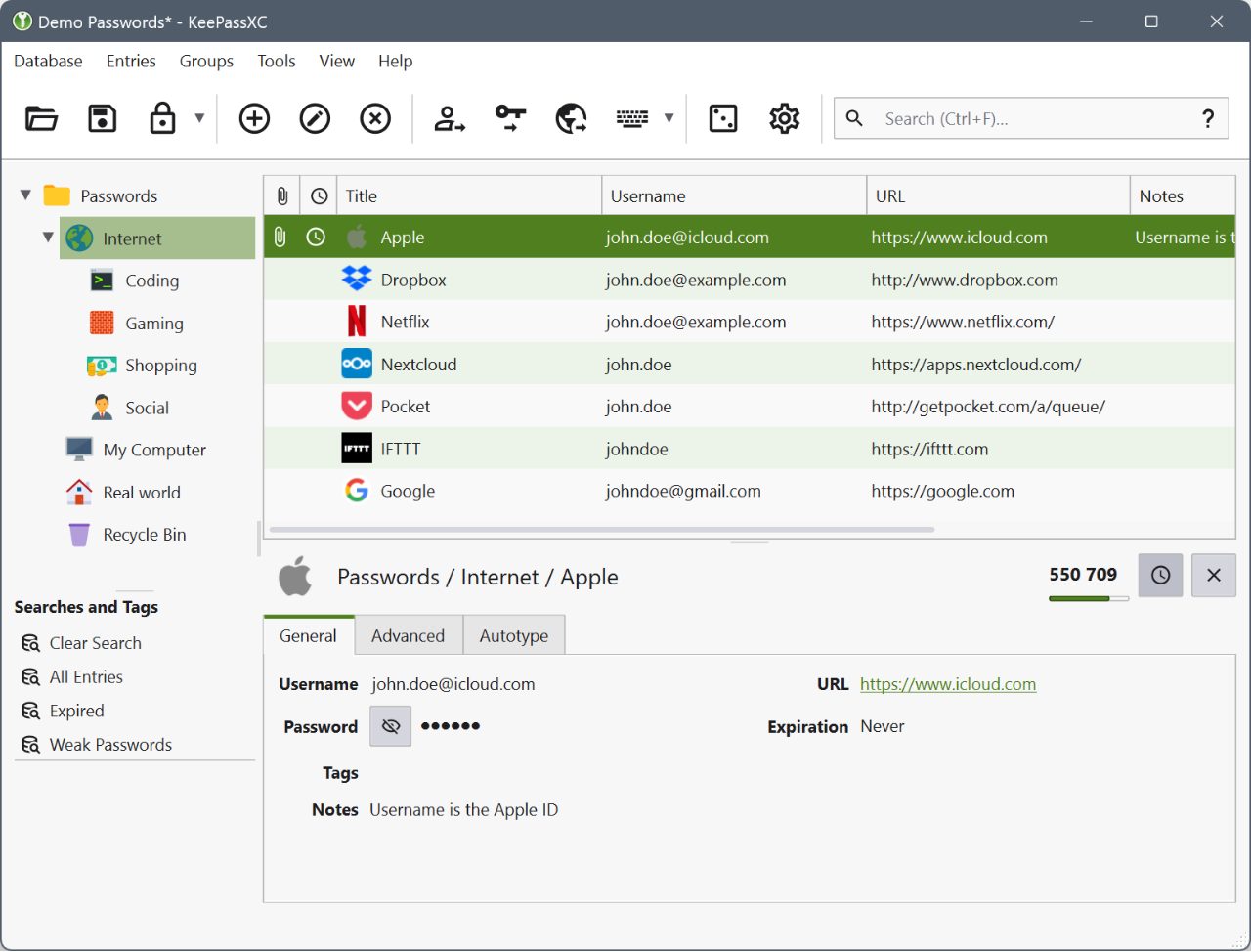
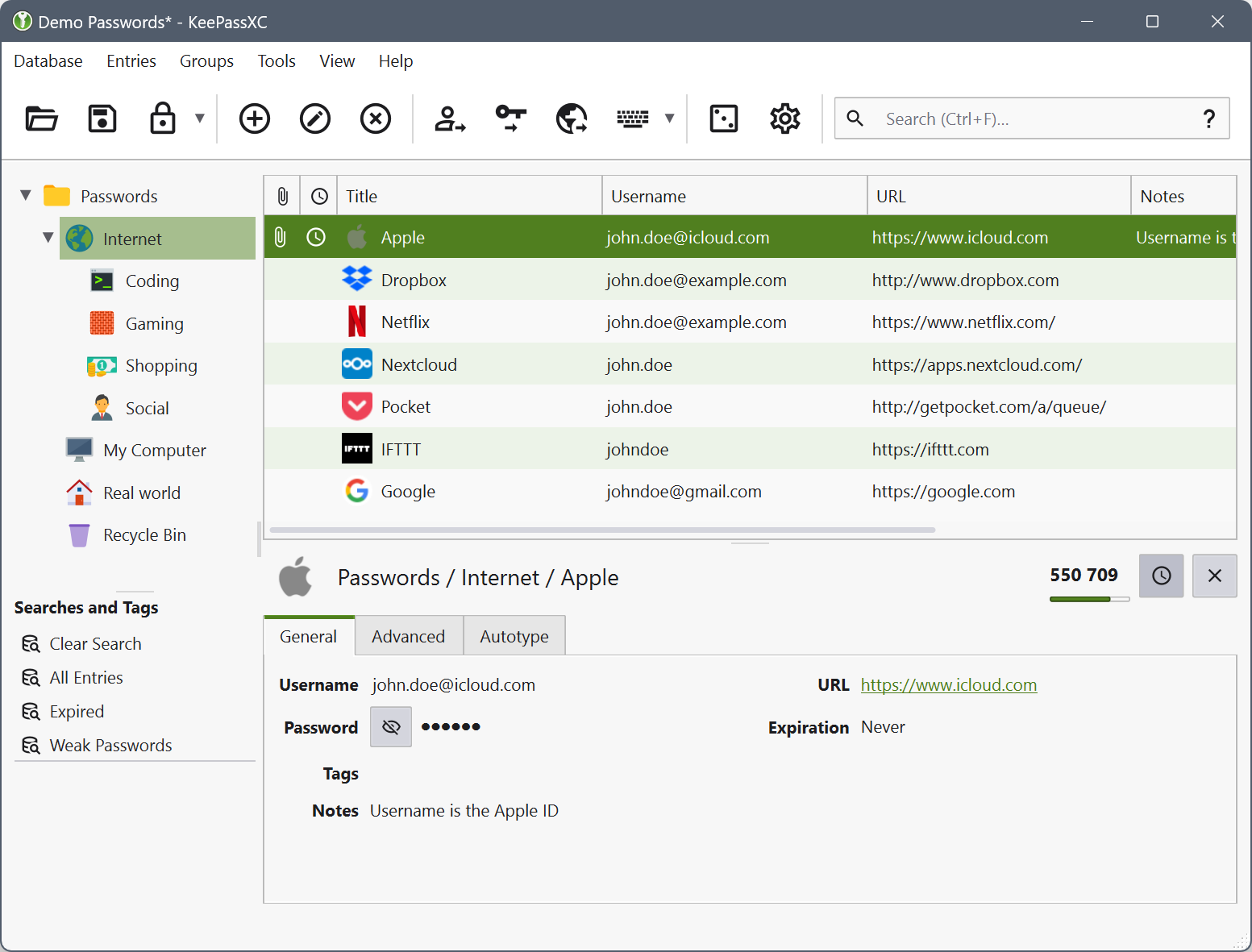
KeePassXC is a free, open-source desktop password manager for Windows, macOS and Linux. It has no server: the vault is a single encrypted KDBX file that you sync with a tool of your choice (Syncthing, Nextcloud and similar), and mobile access comes from third-party KeePass-compatible apps rather than an official one. The buying unit assessed is KeePassXC, a file-sync method and a mobile KDBX client, together with the KeePassXC-Browser extension.
Rankings and alternatives
- Password managers for Linux #4 of 7 Best Linux app, if you'll sync it yourself
- Bitwarden (official self-hosted server) #1 Free sync for Linux and your phone
- 1Password #2 The most polished, if you'll pay
- Proton Pass #3 Free, with email aliases
- Self-hosted password managers #5 of 5 For readers who want no server
- Vaultwarden #1 Best for most households and small groups KeePassXC vs Vaultwarden →
- Passbolt #3 For teams sharing service logins
- Psono #4 For teams of ten or fewer that want admin controls
- Free password managers #6 of 9 No account and no cloud
- Apple Passwords #3 Enough if everything you own is Apple
- Google Password Manager #4 Enough for Android and Chrome users
- Microsoft Password Manager #5 For people who already use Edge everywhere








Free password managers scores
Evaluated Nov 17, 2026 Evidence ↓- A free plan you can keep using · counts double 4
4/5 means: Unlimited items and devices, but with a catch for everyday use, such as sync you have to set up yourself
Completely free and open source with no limits and no account, but the vault is a local file; using it on a second computer or a phone means syncing that file yourself through a cloud drive or Syncthing.
- Easy, reliable autofill 2
2/5 means: Works once set up, but setup takes real effort and filling on phones depends on extra apps or manual steps
Reviewers find it harder to use than commercial managers and its interface dated; browser filling needs the KeePassXC-Browser extension connected to the desktop app, and phones need another developer's app reading the synced file, with occasional sync conflicts to merge.
- Security track record 4
4/5 means: End-to-end encryption, no known breach of vault data, and independent audits, certifications or a published security design
Open source, local-only storage with nothing on a vendor's servers to breach, an independent audit completed in January 2023, and a security visa from France's ANSSI; it has no paid bug bounty, and how safe the synced file is depends on the cloud folder and devices you choose.
- Works on all your devices 3
3/5 means: Phones and computers on every major system, but only inside one browser, or through other developers' apps on phones
Desktop apps for Windows, Mac and Linux and browser integration for Chrome, Firefox, Edge, Brave and others, but no Safari extension and no phone app of its own; phones rely on KeePassDX, KeePass2Android, Strongbox or KeePassium.
- Extras on the free plan 4
4/5 means: Four
Generates two-factor codes, stores passkeys through the browser extension, shares groups of entries with KeeShare, and checks passwords against Have I Been Pwned in its database reports. It has no emergency access or email aliases.
- Getting back in after a forgotten password · counts half 1
1/5 means: Forget the main password and the vault is lost
Forget the master password (or lose the key file) and the database can't be opened.
Password managers for Linux scores
Evaluated Nov 21, 2026 Evidence ↓- Fits a Linux desktop 5
5/5 means: A well-integrated Linux app in distribution repositories or official repositories, with system unlock, Wayland support and no meaningful gaps next to Windows and Mac
The best-integrated Linux app here: a native Qt app in every major distribution's repositories, plus an official Flatpak, AppImage and Snap. Polkit quick unlock and Wayland Auto-Type work since 2.8.0 on GNOME and KDE; on Wayland the Auto-Type picker can't match window titles, and some tiling desktops need an extra portal.
- Autofill in your Linux browser 3
3/5 means: An official extension that needs the desktop app running and doesn't work with Flatpak or Snap browsers, or one with frequent filling complaints
Official extension for Firefox and Chromium browsers, but it needs the desktop app running and unlocked, and Flatpak and Snap browsers are generally unsupported (Ubuntu's Firefox Snap is the one exception).
- Syncs with your phone 3
3/5 means: Good phone apps from other developers that open the vault, with sync you set up yourself through a file-sync service
No official phone app. Good apps from other developers (KeePassDX and KeePass2Android on Android, Strongbox and KeePassium on iPhone) open the same file, and you keep it in sync with a file-sync tool you set up.
- Easy day to day 2
2/5 means: Works well once set up, but setup and daily use take more effort than the hosted services
Works well once set up, but file sync, a separate phone app and browser linking take more effort than hosted services. A reviewer calls it more difficult than commercial alternatives and says the interface is ugly (2022, one source).
- Security track record 4
4/5 means: No known breach and independent review, either closed code audited by outside firms or open code with a single audit
Open code, no known breach, one independent audit (2023) and an ANSSI first-level certification. Only one audit, so not 5.
- Cost for one person 4
4/5 means: Under $25 a year, or free with a catch, such as sync you set up yourself or a paid phone app on one platform
The app is free. Syncthing and Nextcloud are free, and KeePassDX is free. An iPhone adds a free-tier or paid app (KeePassium free for one database, Premium EUR 19.99 a year, Strongbox Pro from USD 24.99 a year).
- Command line and developer tools 5
5/5 means: A full official command-line tool and SSH key support on every plan
A full official keepassxc-cli ships with the free app, and the app has SSH agent integration with an OpenSSH-compatible agent.
- Control of your data 5
5/5 means: The vault is a file in an open format that works fully offline and syncs however you like
The vault is a local KDBX file that works fully offline and can be synced with any tool. Import and export cover CSV and XML, and exports are unencrypted.
Self-hosted password managers scores
Evaluated Nov 14, 2026 Evidence ↓- Apps and autofill 3
3/5 means: Browser extension and mobile access, but with a clear gap such as a separate third-party mobile app, weak autofill or an extension you must use for everything
A strong desktop app for Windows, macOS and Linux with a browser extension for Firefox and Chromium browsers and passkey support there. It has no mobile app of its own, so phones use third-party apps that open the same file, and browser autofill needs the app running on that computer.
- Setup and upkeep 5
5/5 means: No server at all; an app and a file
Nothing to host. You install an app and keep one encrypted file; choosing a sync tool and keeping backups is up to you.
- Sharing with family or team 2
2/5 means: People share one database file or one group of logins, with no separate permissions
There are no user accounts. A household shares the file and its password, and KeeShare passes one group of entries through exported files with no per-person permissions.
- Security assurance 3
3/5 means: One recent independent audit or a government certification, or audited client code with a smaller review of the server
One independent audit completed in 2023, a French government security visa for version 2.7.9, no plugins by design and no server to attack.
- Admin controls at no cost 1
1/5 means: None, and no multi-user administration
No multi-user administration, single sign-on, directory sync, logs or policies.
- Maintenance and support 3
3/5 means: Steady releases with community-only help
Steady releases and an active repository, with help from the FAQ, GitHub and community forums only.
- Cost for a family or small team 4
4/5 means: Free software, with one small flat fee or paid extras on a phone
The desktop app is free. Phone apps that open the file are separate; some, such as Strongbox and KeePassium on iPhone, put autofill or other conveniences behind a paid tier.
Pricing
- KeePassXC Free Free for personal and commercial use; donations only. Sync tools and mobile clients are separate.
Prices checked Nov 14, 2026.
Evidence and sources
Free password managers scores
A free plan you can keep using 2 quotes
-
Your passwords remain encrypted at all times and no data is stored on remote servers, so you stay in full control of your data. No cloud, no ads, no subscriptions.
keepassxc.org · checked -
The source code is completely open source under the GPLv3 license and openly available on GitHub.
keepassxc.org · checked
Easy, reliable autofill 2 quotes
-
Conflicting files have to be merged manually or data might be lost. I’ve run into this several times with Keepass + Nextcloud.
rtxn, Lemmy user, in a thread on moving a family from KeePass + Syncthing to Vaultwarden · lemmy.world/post/40131195 · checked -
We don't have our own mobile app, but you can have the same functionality on both Android and iOS! For Android, we recommend KeePassDX and KeePass2Android. And for iOS, we suggest Strongbox and KeePassium.
keepassxc.org/docs · checked
Security track record 2 quotes
-
Your passwords remain encrypted at all times and no data is stored on remote servers, so you stay in full control of your data. No cloud, no ads, no subscriptions.
keepassxc.org · checked -
The source code is completely open source under the GPLv3 license and openly available on GitHub.
keepassxc.org · checked
Works on all your devices 3 quotes
-
You can run KeePassXC on Windows, macOS, and Linux systems.
keepassxc.org · checked -
We don't have our own mobile app, but you can have the same functionality on both Android and iOS! For Android, we recommend KeePassDX and KeePass2Android. And for iOS, we suggest Strongbox and KeePassium.
keepassxc.org/docs · checked -
Browser integration with Google Chrome, Mozilla Firefox, Microsoft Edge, Chromium, Vivaldi, Brave, and Tor-Browser
keepassxc.org/docs/KeePassXC_GettingStarted · checked
Extras on the free plan 2 quotes
-
KeePassXC supports passkeys directly through the Browser Integration service.
keepassxc.org/docs/KeePassXC_UserGuide · checked -
Timed One-Time Passwords (TOTP) are a popular choice for two-factor authentication methods.
keepassxc.org/docs/KeePassXC_UserGuide · checked
Password managers for Linux scores
Fits a Linux desktop 3 quotes
-
On Linux, Auto-Type uses XDG Desktop Portals when running under a Wayland compositor. An implementation of the Remote Desktop Portal and Global Shortcuts Portal must be available on your system for Auto-Type to be available.
raw.githubusercontent.com/keepassxreboot/keepassxc/develop/docs/topics/AutoType.adoc · checked -
No window title matching. Wayland does not expose the active window title to applications. When you press the global Auto-Type shortcut, the selection dialog will show all available entries from your unlocked databases.
raw.githubusercontent.com/keepassxreboot/keepassxc/develop/docs/topics/AutoType.adoc · checked -
Autotype was working almost acceptably with QT_QPA_PLATFORM=xcb added to KeePassXC’s environment variables in Flatseal (it was awkward, but workable). Very recently, something changed in Fedora that broke Autotype almost completely: it now randomly substitutes lower-case symbols for random upper-case symbols.
heosketelyan, Fedora Discussion user on Bazzite (Flatpak KeePassXC) · discussion.fedoraproject.org/t/wayland-breaks-autotype-for-keepassxc/179860 · published · checked
Autofill in your Linux browser 3 quotes
-
Browser integration with Google Chrome, Mozilla Firefox, Microsoft Edge, Chromium, Vivaldi, Brave, and Tor-Browser
keepassxc.org/docs/KeePassXC_GettingStarted · checked -
NOTE: On Linux, Flatpak and Snap based browsers are generally not supported. Ubuntu's Firefox Snap is currently the only known exception.
raw.githubusercontent.com/keepassxreboot/keepassxc/develop/docs/topics/BrowserIntegration.adoc · checked -
KDE Linux ships web browsers as Flatpak packages, which prevents 3rd-party password managers such as 1Password and KeePassXC from communicating with their browser extensions until they implement support for the “Flatpak XDG Native Messaging Proxy“ protocol. To date, neither has done so.
linux.kde.org/docs/password-managers · checked
Syncs with your phone 3 quotes
-
We don't have our own mobile app, but you can have the same functionality on both Android and iOS! For Android, we recommend KeePassDX and KeePass2Android. And for iOS, we suggest Strongbox and KeePassium.
keepassxc.org/docs · checked -
Databases · 1 · ∞ · ∞ · ∞
keepassium.com/pricing · checked -
There is also a free version of Strongbox available for non commercial use and lacking some convenience features.
strongboxsafe.com/pricing · checked
Easy day to day 1 quote
-
Conflicting files have to be merged manually or data might be lost. I’ve run into this several times with Keepass + Nextcloud.
rtxn, Lemmy user, in a thread on moving a family from KeePass + Syncthing to Vaultwarden · lemmy.world/post/40131195 · checked
Security track record 1 quote
-
The source code is completely open source under the GPLv3 license and openly available on GitHub.
keepassxc.org · checked
Cost for one person 3 quotes
-
Your passwords remain encrypted at all times and no data is stored on remote servers, so you stay in full control of your data. No cloud, no ads, no subscriptions.
keepassxc.org · checked -
Databases · 1 · ∞ · ∞ · ∞
keepassium.com/pricing · checked -
There is also a free version of Strongbox available for non commercial use and lacking some convenience features.
strongboxsafe.com/pricing · checked
Command line and developer tools 2 quotes
-
show [options] <database> <entry>:: Shows the title, username, password, URL and notes of a database entry. Can also show the current TOTP.
raw.githubusercontent.com/keepassxreboot/keepassxc/develop/docs/man/keepassxc-cli.1.adoc · checked -
SSH Agent integration does not provide an agent itself but works as a client for any agent implementation that is OpenSSH compatible.
raw.githubusercontent.com/keepassxreboot/keepassxc/develop/docs/topics/SSHAgent.adoc · checked
Control of your data 1 quote
-
Your passwords remain encrypted at all times and no data is stored on remote servers, so you stay in full control of your data. No cloud, no ads, no subscriptions.
keepassxc.org · checked
Self-hosted password managers scores
Apps and autofill 2 quotes
-
You can run KeePassXC on Windows, macOS, and Linux systems.
keepassxc.org · checked -
KeePassXC supports passkeys directly through the Browser Integration service.
keepassxc.org/docs/KeePassXC_UserGuide · checked
Sharing with family or team 1 quote
-
KeeShare does not synchronize group structure after the initial share is created.
keepassxc.org/docs/KeePassXC_UserGuide · checked
Security assurance 1 quote
-
No, KeePassXC does not support plugins at the moment and probably never will.
keepassxc.org/docs · checked
Maintenance and support 1 quote
-
"stargazers_count":29989
api.github.com/repos/keepassxreboot/keepassxc · checked
Facts
License 1 quote
-
The source code is completely open source under the GPLv3 license and openly available on GitHub.
keepassxc.org · checked
Runs on 1 quote
-
You can run KeePassXC on Windows, macOS, and Linux systems.
keepassxc.org · checked
Users 1 quote
-
"stargazers_count":29989
api.github.com/repos/keepassxreboot/keepassxc · checked
More from the sources
Features 1 quote
-
Storing TOTP codes in the same database as the password will eliminate the advantages of two-factor authentication.
keepassxc.org/docs/KeePassXC_UserGuide · checked
Limits and known issues 4 quotes
-
Important: Always make a copy of the secret that is programmed into your hardware key while you configure it and store in a secure physical location. If you lose or brick the key you will permanently lose access to your database!
keepassxc.org/docs · checked -
For example, the CSV export does not support attachments, advanced attributes, Auto-Type settings, or custom icons. The XML export does not support attachments.
raw.githubusercontent.com/keepassxreboot/keepassxc/develop/docs/topics/ImportExport.adoc · checked -
If the majority of a code submission is made using Generative AI (e.g., agent-based or vibe coding), then we will document that in the pull request. All code submissions go through a rigorous review process regardless of the development workflow or submitter.
Janek Bevendorff, KeePassXC maintainer · keepassxc.org/blog/2025-11-09-about-keepassxcs-code-quality-control · published · checked -
We do not vibe code, and no unreviewed AI code makes it into the code base. Full stop.
Janek Bevendorff, KeePassXC maintainer · keepassxc.org/blog/2025-11-09-about-keepassxcs-code-quality-control · published · checked
What users say 1 quote
-
FTR: For keepassxc 2.7.11 (current stable version for F4{2,3}) autotype is broken also for X11 desktops
wbo, Fedora Discussion user · discussion.fedoraproject.org/t/wayland-breaks-autotype-for-keepassxc/179860 · published · checked
Pricing
keepassxc.org · checked