
Proton Pass
End-to-end encrypted, open-source password manager from Proton with a six-user family plan.
Our verdict
#2 of 9 in Free password managers · Free email aliases and a more modern app
What it does
- Unlimited logins, passkeys, and devices on the free plan
- 10 free email aliases that hide your real address
- Two vaults you can share with up to two people
- Weak and reused password warnings
Pros
- The most generous free extras of any dedicated manager here
- Modern apps on every major system, including Linux
- A signed-in device keeps an encrypted backup for recovery by default
Cons
- Autofill misses on some sites and doesn't always save new logins
- Only one published audit of the password manager
- Pass Plus costs almost twice as much as Bitwarden Premium
- Choose if:
- You want email aliases, or you already use Proton Mail
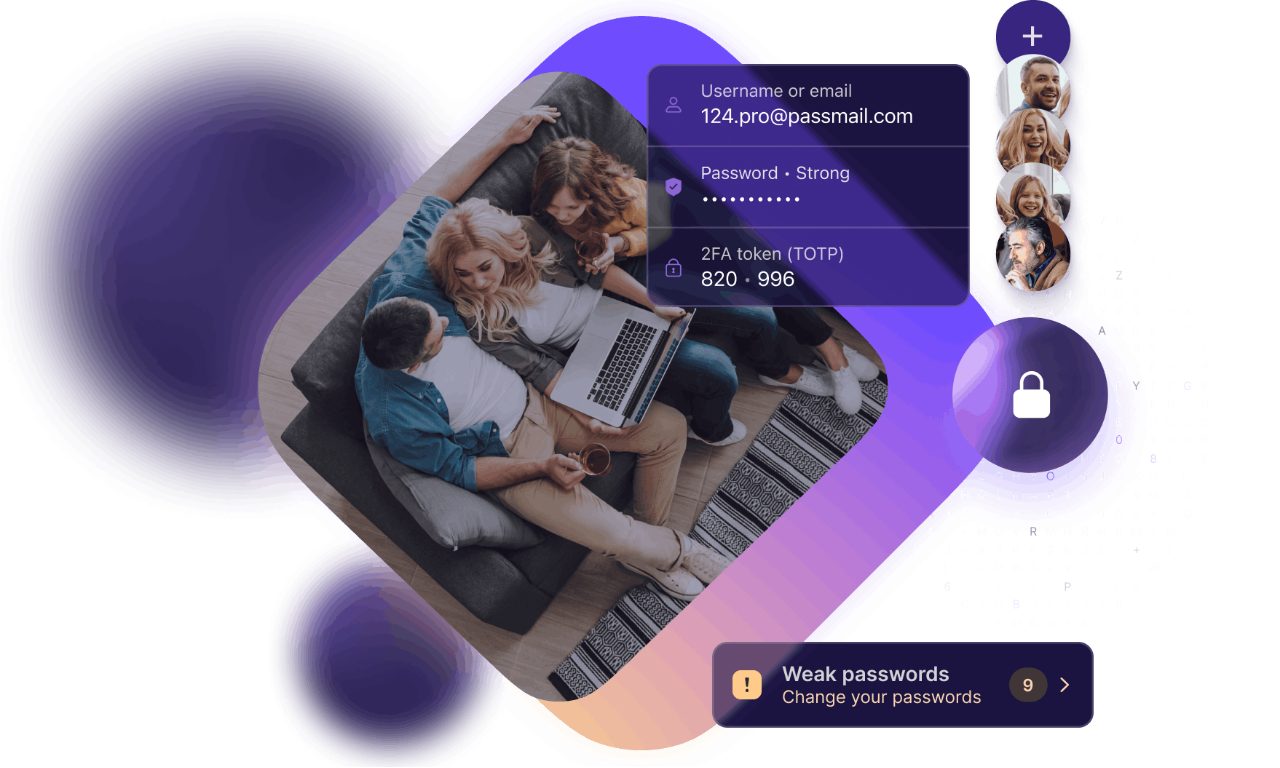
Proton Pass is a hosted, end-to-end encrypted password manager from Swiss company Proton, with apps for iOS, Android, Windows, macOS and Linux, a web app, and extensions for Chrome, Firefox, Safari, Edge and Brave. Its clients are open source. A free plan gives unlimited logins on unlimited devices; paid plans add vault and item sharing, a built-in 2FA authenticator, Emergency Access, Dark Web Monitoring and unlimited hide-my-email aliases. Pass Family bundles six Pass Plus accounts with an admin panel, so each member has private vaults and can join shared vaults.
What users say
Evidence ↓Reviewers describe the interface as consistent across web, desktop and mobile, and one Tom's Guide reviewer found autofill smooth on a Mac and iPhone. The same reviewer found navigation and setup confusing at first, since Pass sits inside the wider Proton account, and TechRadar notes support is email-only. A testimonial chosen by Proton describes an 85-year-old relative using it unaided; it is one vendor-selected user. The reviews are from 2024 and 2025, and the pages read contain no broad sample of user reports on autofill reliability.
Rankings and alternatives
- Free password managers #2 of 9 Free email aliases and a more modern app
- Bitwarden (official self-hosted server) #1 Best free plan for most people
- Apple Passwords #3 Enough if everything you own is Apple
- Google Password Manager #4 Enough for Android and Chrome users
- Password managers for families #3 of 9 For privacy-minded families
- 1Password #1 The one the whole family will actually use
- Dashlane #5 For extended families of up to 10
- Keeper Password Manager #6 Strong sharing and security, if you'll pay for extras
- Password managers for Linux #3 of 7 Free, with email aliases
- Business password managers #5 of 10 Privacy-first, with cheap SSO
- LastPass #7 Familiar features, worst track record
- RoboForm #8 Cheapest plan with SSO and SCIM
- Zoho Vault #9 Cheapest start, best for Zoho users








Free password managers scores
Evaluated Nov 17, 2026 Evidence ↓- A free plan you can keep using · counts double 5
5/5 means: Unlimited items, unlimited devices and automatic sync, with no time limit
Proton Free includes unlimited logins, notes and credit cards, passkeys on all devices, unlimited devices and automatic sync, with a promise of a free plan with no catches. The caps (2 vaults, 1 GB) don't limit everyday use for one person.
- Easy, reliable autofill 3
3/5 means: Fine for most people, with known snags such as sites where autofill misses, logins it fails to save, or a clunky design
The apps look modern and autofill works smoothly on many sites, but navigation can confuse at first and users report sites where it doesn't fill or doesn't save new logins.
- Security track record 4
4/5 means: End-to-end encryption, no known breach of vault data, and independent audits, certifications or a published security design
End-to-end encryption, open source apps, a public bug bounty, and a Cure53 audit of the apps, extensions and API in 2023; no breach is known. Only one published Pass-specific audit keeps it below the top level.
- Works on all your devices 5
5/5 means: Apps for iPhone, Android, Windows, Mac and Linux, and extensions for all major browsers including Safari and Firefox
Apps for iPhone, Android, Windows, Mac and Linux, a web app, and extensions for Chrome, Firefox, Safari, Edge and Brave, all on the free plan.
- Extras on the free plan 4
4/5 means: Four
Free includes passkeys, vault sharing with up to 2 other people, weak and reused password alerts, and 10 hide-my-email aliases. Built-in two-factor codes, emergency access and dark web monitoring are Plus features; the separate Proton Authenticator app is free.
- Getting back in after a forgotten password · counts half 4
4/5 means: A route that's on by default, such as a backup on a device that's still signed in
A reset by email or SMS alone doesn't unlock the vault, but device data backup on a signed-in device is on by default, and a recovery phrase or file can be added in advance.
Password managers for families scores
Evaluated Nov 17, 2026 Evidence ↓- Easy for everyone in the family · counts double 3
3/5 means: Fine for most people once someone sets it up, with known snags such as extra setup steps, autofill gaps or a dated design
Reviewers found autofill smooth on a Mac and iPhone and a family testimonial has an older relative using it unaided, but setup and navigation are described as confusing at first because Pass sits inside a wider Proton account. One reviewer's view and a vendor-chosen testimonial, so the evidence is thin.
- Sharing logins within the family 5
5/5 means: As many shared vaults as a family needs, with permission levels and private vaults, plus a way to share a login with someone outside the plan
Private vaults for each member, shared vaults with viewer, editor and manager levels, and item sharing with people outside the plan by secure link. The caps of 50 vaults and 10 people shared with per account are far beyond what a household needs. Permission levels are sourced from the Business section of one review.
- Works on everyone's devices 5
5/5 means: Apps for iPhone, Android, Windows, Mac and Linux, and extensions for all major browsers including Safari and Firefox
Apps for iOS, Android, Windows, macOS and Linux, a web app, extensions for Chrome, Firefox, Safari, Edge and Brave, and ChromeOS through the Android app.
- Security track record 4
4/5 means: End-to-end encryption, no known breach of vault data, and recent independent audits or certifications
End-to-end encryption, open-source clients, a public bug bounty, public audit reports and no known breach of vault data. A 2023 audit (Cure53, from background knowledge) is the one I could confirm; whether several firms audited Pass was not confirmed in the pages read.
- Getting back in after a forgotten password 3
3/5 means: Several routes the member sets up in advance, such as a recovery key plus phone-based recovery
Several routes the member sets up in advance (email, phone, recovery phrase, recovery file, trusted device), and without them access can be lost. Whether a Family admin can restore a member's vault was not confirmed.
- Emergency access for a trusted person 4
4/5 means: Emergency access for chosen contacts after a wait you set, which you can deny
Emergency Access is included in Pass Plus and so in Pass Family, letting friends or family reach vault access. From background knowledge you choose contacts and a wait time and can deny the request; I did not confirm per-contact waits or a view-only versus takeover choice.
- Yearly cost for the family 3
3/5 means: About $50 to $75 a year
Pass Family is $59.88 a year for up to 6 users at the regular price, with every family feature included. The Black Friday first-year price is ignored.
- Extras beyond passwords · counts half 5
5/5 means: All five
Pass Family has everything in Pass Plus for each member, including passkeys, built-in 2FA codes, Dark Web Monitoring, file attachments and unlimited hide-my-email aliases. File attachments are on the Pass Plus feature list; the attachment row of the comparison table lists it as a paid feature.
Password managers for Linux scores
Evaluated Nov 22, 2026 Evidence ↓- Fits a Linux desktop 3
3/5 means: An official app that you update by hand or that installs only on some distributions, or no official window at all but a tool packaged by every distribution
Official deb (x64) and rpm packages only, with updates downloaded by hand and no repository, Flatpak or Snap. An Electron app whose Linux system unlock was announced in 2024.
- Autofill in your Linux browser 4
4/5 means: An official extension that works on its own in the major browsers, with some reported filling snags
Official extensions for Firefox, Chrome, Edge and Brave that work on their own with a Proton account, so sandboxed browsers are no obstacle; autofill is good, if a step behind the most polished managers.
- Syncs with your phone 5
5/5 means: Official phone apps with autofill and automatic sync through the vendor's service
Official iOS and Android apps with automatic sync through Proton's service, unlimited devices on the free plan.
- Easy day to day 3
3/5 means: Fine for most people, with known snags such as a plain design, missed fills or clunky menus
Sign in with a Proton account and import from another manager with no tinkering; a clean design, with occasional autofill misses that reviewers note.
- Security track record 5
5/5 means: Open code or regular audits by several outside firms, a bug bounty, and no breach of vault data
Open source clients, end-to-end encryption, a 2023 Cure53 audit, a CLI audit by Recurity Labs, a public bug bounty, and no known vault breach.
- Cost for one person 5
5/5 means: Free on a computer and a phone with automatic sync and no device or item cap
The free plan gives unlimited logins and devices with automatic sync on Linux and phone. Caps apply only to vaults, sharing and aliases. Pass Plus is $35.88 a year if the paid features are wanted.
- Command line and developer tools 4
4/5 means: A full official command-line tool, but no SSH agent, or both only on a paid plan when a free plan exists
A full official CLI and an SSH agent, but both need a paid plan while a free plan exists.
- Control of your data 3
3/5 means: Vendor cloud only, with full export and offline access to a synced copy
Vendor cloud only, with export and offline access (offline on paid plans).
Business password managers scores
Evaluated Nov 17, 2026 Evidence ↓- Easy for employees to adopt · counts double 3
3/5 means: Fine once IT sets it up, with known snags such as a dated or crowded design, patchy mobile autofill or extra setup steps
Autofill works smoothly for most reviewers and setup is invite-based, but the Pass apps sit inside a wider Proton account that reviewers found confusing at first, and the business admin side is newer and less tested by independent reviewers. Matches the families rubric's level (writer calibration from 4).
- Shared vaults and permissions 5
5/5 means: Shared folders or vaults with permission levels and groups, plus expiring or one-time links for sharing with people outside the company
Vault and item sharing with viewer, editor and manager levels and secure links are in Essentials; group sharing is on Professional. Secure links expire (from product knowledge, not a quote read).
- Admin control, offboarding and recovery 3
3/5 means: Three
Enterprise policies and 2FA enforcement are on Professional, and the table lists an admin panel and account recovery. Delegated admin roles and what happens to a leaver's shared items were not read, so three of four are supported at most.
- Single sign-on and user provisioning 4
4/5 means: Both, but with fewer identity providers, such as provisioning only from Entra ID and Okta
SAML SSO and SCIM are both on Professional with no add-on, but SCIM is confirmed only for Okta and Entra ID (Google Workspace and OneLogin are SSO only).
- Audit logs and reporting 4
4/5 means: Event log and reports, with SIEM export that needs an add-on, a request to the vendor or a higher plan
Professional has detailed activity logs, usage reporting and Pass Monitor reporting, and SIEM integration is activated on request.
- Security track record 5
5/5 means: End-to-end encryption, regular audits by several firms, SOC 2 Type 2 and ISO 27001, open code or a published security design, a bug bounty, and no vault breach
End-to-end encryption, open-source apps, Cure53 (2023) and Recurity Labs (2026, CLI) audits, SOC 2 Type II and ISO 27001 company-wide, a bug bounty, and no vault breach found. The Pass audits named are two firms and the full-app audit is from 2023.
- Price per user 4
4/5 means: $3 to $4.99 per user
Pass Professional is $4.99 per user per month billed yearly ($59.88), shown as 29% off; the regular price was not shown, but third-party listings of about $6.99 monthly suggest it is the yearly discount. If the regular yearly rate were higher this would drop to 3.
- Extras for staff and IT · counts half 3
3/5 means: Three
Passkeys, Dark Web Monitoring and the CLI and SSH agent are included on Professional. No free personal or family accounts for staff and no self-hosting or region choice were found.
Pricing
- Proton Free Free 1 user, unlimited logins on unlimited devices, 10 hide-my-email aliases, 2 vaults shared with up to 2 others. No single-item sharing, built-in 2FA authenticator, Emergency Access or Dark Web Monitoring.
- Pass Plus $35.88 /year One user. $2.99/month equivalent, billed every 12 months (35.88 / 12 = 2.99); list price $4.99/month. Includes Emergency Access, vault and item sharing, 2FA authenticator and Dark Web Monitoring.
- Pass Family $59.88 /year Up to 6 users (the admin plus 5), each a Pass Plus account with up to 50 vaults, shared with up to 10 others per account, plus an admin panel. Billed every 12 months, $4.99/month equivalent (59.88 / 12 = 4.99); the list price shown struck through is $6.99/month. A Black Friday 2026 coupon on the pricing page showed $33.48 for the first 12 months, then $59.88 a year. Not available to people already on Mail Plus, VPN Plus, Drive Plus, Unlimited, Family, Visionary, Duo or the Pass business plans.
- Proton Unlimited $119.88 /year One user. $9.99/month equivalent billed every 12 months; includes Pass Plus features plus Mail, Calendar, Drive and VPN. Proton Family, the six-user version of this bundle, is not priced on the pages read.
- Pass Essentials $23.88 /year per seat Per user, billed every 12 months, shown as $1.99/user/month (1.99 x 12 = 23.88) at "60% off" in a promotion; regular and monthly-billing prices are not shown. Minimum 3 users, 3 to 30 users. Vault, item and link sharing, 2FA authenticator, Dark Web Monitoring, passkeys, unlimited hide-my-email aliases. No SSO or SCIM, activity logs, team policies, group sharing, file attachment or CLI (those are Professional). Prices from https://proton.me/business/pass/pricing.
- Pass Professional $59.88 /year per seat Per user, billed every 12 months, shown as $4.99/user/month (4.99 x 12 = 59.88) at "29% off"; regular and monthly-billing prices are not shown. Minimum 3 users, no maximum. Everything in Essentials plus SSO and SCIM, detailed activity logs, enterprise policies, group sharing, file attachment, folders, SIEM integration (on request), CLI, SSH agent, Pass Monitor and usage reporting. Prices from https://proton.me/business/pass/pricing.
- Proton Workspace Standard $107.88 /year per seat Per user, shown as $8.99/user/month, $107.88 for the first 12 months under a 40% off new-user offer (8.99 x 12 = 107.88) valid for up to 10 users and ending Nov 30 2026; renews at the regular price, which is not shown. Includes the Pass password manager plus Mail, Calendar, Drive, Docs, Sheets, Meet and VPN (10 devices), 1 TB storage and 15 custom domains. Called Business Suite in some Proton pages. Which Pass features it carries beyond "Password manager" is not itemized on the pages read. Prices from https://proton.me/business/pass/pricing.
Prices checked Nov 17, 2026.
Evidence and sources
What users say
Summary 4 quotes
-
Autofill worked smoothly in testing, as did creating and saving a new login (with and without a hide-my-email alias) and generating a password directly from a browser window.
Emily Long, reviewer at Tom's Guide · tomsguide.com/computing/password-managers/proton-pass-review · published · checked -
Navigating Proton can be somewhat confusing at first, and not all features are available across all platforms at this time.
Emily Long, reviewer at Tom's Guide · tomsguide.com/computing/password-managers/proton-pass-review · published · checked -
I have been able to get my 85 year old mother to adopt it and she uses it without any help to manage all her passwords and identities.
M Vred, Pass Family user quoted in a testimonial · proton.me/pass/family · checked -
Getting in touch is easier than with some bigger companies, as there’s a clear form that’s easy to find, though responses will be by email rather than live chat.
Bryan M Wolfe, reviewer at TechRadar · techradar.com/pro/security/proton-pass-review-pros-and-cons-features-ratings-pricing-and-more · published · checked
Free password managers scores
A free plan you can keep using 3 quotes
-
Unlimited logins, notes and credit cards
proton.me/pass/pricing · checked -
That's why we'll always offer a free plan with no ads, catches, or gimmicks.
proton.me/pass/pricing · checked -
Passkeys supported on all devices
proton.me/pass/pricing · checked
Easy, reliable autofill 4 quotes
-
Autofill worked smoothly in testing, as did creating and saving a new login (with and without a hide-my-email alias) and generating a password directly from a browser window.
Emily Long, reviewer at Tom's Guide · tomsguide.com/computing/password-managers/proton-pass-review · published · checked -
Navigating Proton can be somewhat confusing at first, and not all features are available across all platforms at this time.
Emily Long, reviewer at Tom's Guide · tomsguide.com/computing/password-managers/proton-pass-review · published · checked -
Proton Pass auto-suggests a password when creating an account giving the illusion that it will auto-save it, but doesn’t actually save the password nor tells you to do so.
youdontneedtoknow22, Privacy Guides forum user · discuss.privacyguides.net/t/proton-pass-autofill-does-not-save-passwords-automatically/17888 · published · checked -
Yeah this happens for some websites.
Fibonacci, Privacy Guides forum user · discuss.privacyguides.net/t/proton-pass-autofill-does-not-save-passwords-automatically/17888 · published · checked
Security track record 4 quotes
-
Proton Pass uses end-to-end encryption to protect all of your data and metadata. All our apps are open source and audited so anyone can inspect and trust our security.
proton.me/pass/family · checked -
that invites and rewards security researchers who can identify security improvements in our apps.
proton.me/pass/security · checked -
Proton Pass’s code underwent a security audit by the German security firm Cure53(new window) throughout May and June.
proton.me/blog/pass-open-source-security-audit · checked -
All issues reported in the security audit have been resolved except for the medium severity issue PRO-01-003 WP1, which unfortunately cannot be resolved at this time due to a platform limitation in Android
proton.me/blog/pass-open-source-security-audit · checked
Works on all your devices 2 quotes
-
Proton Pass has apps for Android, iOS, Windows, macOS, and Linux. It is also available through web app and browser extensions, including Chrome, Safari, Edge, Firefox, Brave and more.
proton.me/pass/pricing · checked -
Proton Pass supports Windows 10 and up, macOS 13 and up, and most major Linux distributions. Chrome OS is supported via the Android app. Browser extensions are available for Chrome, Firefox, Safari, Brave, and Edge, and there are mobile apps for iOS (16.0 or later) and Android (8.1 and up).
tomsguide.com/computing/password-managers/proton-pass-review · published · checked
Extras on the free plan 4 quotes
-
10 others (per user account)
proton.me/pass/pricing · checked -
Passkeys supported on all devices
proton.me/pass/pricing · checked -
Integrated 2FA
proton.me/pass/pricing · checked -
Proton Authenticator is completely free to use on all platforms. No ads and no tracking.
proton.me/authenticator · checked
Getting back in after a forgotten password 3 quotes
-
You can reset your password via email, phone number, a recovery phrase, or an encrypted backup keychain in your browser’s web storage.
tomsguide.com/computing/password-managers/proton-pass-review · published · checked -
But SMS and email recovery only allow password reset. So if you use one of these options, you may need an additional data recovery method to regain access to your data.
proton.me/support/recover-encrypted-messages-files · checked -
If you lose your password without sufficient options, you risk permanently losing access to your account and data.
proton.me/support/recover-encrypted-messages-files · checked
Password managers for families scores
Easy for everyone in the family 3 quotes
-
Autofill worked smoothly in testing, as did creating and saving a new login (with and without a hide-my-email alias) and generating a password directly from a browser window.
Emily Long, reviewer at Tom's Guide · tomsguide.com/computing/password-managers/proton-pass-review · published · checked -
Navigating Proton can be somewhat confusing at first, and not all features are available across all platforms at this time.
Emily Long, reviewer at Tom's Guide · tomsguide.com/computing/password-managers/proton-pass-review · published · checked -
I have been able to get my 85 year old mother to adopt it and she uses it without any help to manage all her passwords and identities.
M Vred, Pass Family user quoted in a testimonial · proton.me/pass/family · checked
Sharing logins within the family 5 quotes
-
Family members can only see each other’s passwords if the passwords are in a shared vault. Their private vaults are accessible only to them.
proton.me/pass/family · checked -
10 others (per user account)
proton.me/pass/pricing · checked -
Easily share sensitive information securely with anyone, even if they don't use Proton Pass. You can share any single item, or the whole vault.
proton.me/pass/pricing · checked -
By default, the invited users can only view the items in a vault, but they can also be given Edit permissions to create, delete, and export items in the vault, or Manage permissions to grant, and revoke access to a vault to other members.
techradar.com/pro/security/proton-pass-review-pros-and-cons-features-ratings-pricing-and-more · published · checked -
Pass Family is six Pass Plus accounts bundled together. Each user has their own login and private vaults but can also join shared vaults, and up to two accounts can be designated as admins.
tomsguide.com/computing/password-managers/proton-pass-review · published · checked
Works on everyone's devices 2 quotes
-
Proton Pass has apps for Android, iOS, Windows, macOS, and Linux. It is also available through web app and browser extensions, including Chrome, Safari, Edge, Firefox, Brave and more.
proton.me/pass/pricing · checked -
Proton Pass supports Windows 10 and up, macOS 13 and up, and most major Linux distributions. Chrome OS is supported via the Android app. Browser extensions are available for Chrome, Firefox, Safari, Brave, and Edge, and there are mobile apps for iOS (16.0 or later) and Android (8.1 and up).
tomsguide.com/computing/password-managers/proton-pass-review · published · checked
Security track record 3 quotes
-
Proton Pass uses end-to-end encryption to protect all of your data and metadata. All our apps are open source and audited so anyone can inspect and trust our security.
proton.me/pass/family · checked -
Proton was independently audited by a third-party security firm in 2023.
tomsguide.com/computing/password-managers/proton-pass-review · published · checked -
that invites and rewards security researchers who can identify security improvements in our apps.
proton.me/pass/security · checked
Getting back in after a forgotten password 2 quotes
-
You can reset your password via email, phone number, a recovery phrase, or an encrypted backup keychain in your browser’s web storage.
tomsguide.com/computing/password-managers/proton-pass-review · published · checked -
If you don’t enable account recovery, you may not be able to access your account if you lose your password.
tomsguide.com/computing/password-managers/proton-pass-review · published · checked
Emergency access for a trusted person 2 quotes
-
Get everything in Pass Plus for up to 6 users
proton.me/pass/pricing · checked -
This feature allows you to retain access to your account by entrusting friends or family with vault access in case you don't have access to your device.
techradar.com/pro/security/proton-pass-review-pros-and-cons-features-ratings-pricing-and-more · published · checked
Yearly cost for the family 3 quotes
-
Billed at $59.88 every 12 months.
proton.me/pass/family · checked -
Billed at $33.48 for the first 12 months, then renews at $59.88 every 12 months.
proton.me/pass/pricing · checked -
Get everything in Pass Plus for up to 6 users
proton.me/pass/pricing · checked
Extras beyond passwords 3 quotes
-
Get everything in Pass Plus for up to 6 users
proton.me/pass/pricing · checked -
Our high-security program, Proton Sentinel, combines AI with human expertise to prevent hackers from gaining access to your accounts, even if they have your passwords.
proton.me/pass/pricing · checked -
Proton Pass supports passkey creation on Android 14 and later, iOS 17 and later, and browser extensions with the ability to store, share, and export across all platforms.
tomsguide.com/computing/password-managers/proton-pass-review · published · checked
Password managers for Linux scores
Fits a Linux desktop 5 quotes
-
This guide will help you install the Proton Pass Linux app for Debian and Ubuntu-based distributions (DEB) and Fedora and Red Hat-based distributions (RPM).
proton.me/support/set-up-proton-pass-linux · checked -
To update the app, simply download the latest DEB or RPM file and install it as described above. You don’t need to uninstall the old version.
proton.me/support/set-up-proton-pass-linux · checked -
One potential downside for some will be the fact that, as with the Proton Mail Linux app launched in March, the Proton Pass Linux app is built with Electron.
Joey Sneddon, reviewer at OMG! Ubuntu · omgubuntu.co.uk/2024/06/proton-pass-for-linux · published · checked -
Proton also say the Proton Pass Linux app will “integrate with the system’s authentication mechanisms and APIs” in an upcoming update. This will allow the app to be unlocked on using a Linux user account, fingerprint reader, or Linux PAM-supported module
omgubuntu.co.uk/2024/06/proton-pass-for-linux · published · checked -
Use biometric login, such as your fingerprint or a device PIN, to securely unlock Proton Pass.
proton.me/pass/download/linux · checked
Autofill in your Linux browser 1 quote
-
Proton Pass has apps for Android, iOS, Windows, macOS, and Linux. It is also available through web app and browser extensions, including Chrome, Safari, Edge, Firefox, Brave and more.
proton.me/pass/pricing · checked
Syncs with your phone 2 quotes
-
Proton Pass has apps for Android, iOS, Windows, macOS, and Linux. It is also available through web app and browser extensions, including Chrome, Safari, Edge, Firefox, Brave and more.
proton.me/pass/pricing · checked -
Unlimited logins, notes, and devices
proton.me/pass/download/linux · checked
Easy day to day 1 quote
-
This guide will help you install the Proton Pass Linux app for Debian and Ubuntu-based distributions (DEB) and Fedora and Red Hat-based distributions (RPM).
proton.me/support/set-up-proton-pass-linux · checked
Security track record 5 quotes
-
Proton Pass uses end-to-end encryption to protect all of your data and metadata. All our apps are open source and audited so anyone can inspect and trust our security.
proton.me/pass/family · checked -
Proton was independently audited by a third-party security firm in 2023.
tomsguide.com/computing/password-managers/proton-pass-review · published · checked -
that invites and rewards security researchers who can identify security improvements in our apps.
proton.me/pass/security · checked -
All issues reported in the security audit have been resolved except for the medium severity issue PRO-01-003 WP1, which unfortunately cannot be resolved at this time due to a platform limitation in Android
proton.me/blog/pass-open-source-security-audit · checked -
SIEM integration is available on Pass Professional and activated upon request — contact the team to set it up.
proton.me/business/pass/integrations · checked
Cost for one person 2 quotes
-
Unlimited logins, notes and credit cards
proton.me/pass/pricing · checked -
Unlimited logins, notes, and devices
proton.me/pass/download/linux · checked
Command line and developer tools 5 quotes
-
The Proton Pass SSH agent is available for all paid Proton Pass plans with the exception of Proton Pass Essentials. It can be accessed through the Proton Pass desktop app.
proton.me/support/ssh-agent · checked -
In the SSH Agent section, tick the Use Proton Pass as SSH agent box to generate a setup command that you can then paste into your terminal. If you’re using a macOS or Linux device then once you’ve copied the command, select Done.
proton.me/support/ssh-agent · checked -
The CLI is now available on Pass Plus, Pass Family, Pass Professional, and all Proton bundles. If you have a free plan, you can upgrade to get access.
proton.me/blog/proton-pass-cli · checked -
View, create, update, and delete items including passwords, secure notes, credit cards, identities, WiFi entries, custom items, and stored SSH-key items
proton.me/blog/proton-pass-cli · checked -
With Proton Pass CLI, credentials can be injected directly into scripts, deployments, and CI/CD pipelines without exposing secrets in plaintext, shell, logs, or command history.
proton.me/blog/proton-pass-cli · checked
Control of your data 2 quotes
-
Finally, Proton Pass offers an offline mode for paid subscribers, which allows you to store and access your vault items locally.
tomsguide.com/computing/password-managers/proton-pass-review · published · checked -
You have three options for export: 1. A ZIP file containing a PGP-encrypted JSON file 2. An unencrypted ZIP file 3. A CSV file
proton.me/support/pass-export · checked
Business password managers scores
Easy for employees to adopt 5 quotes
-
Autofill worked smoothly in testing, as did creating and saving a new login (with and without a hide-my-email alias) and generating a password directly from a browser window.
Emily Long, reviewer at Tom's Guide · tomsguide.com/computing/password-managers/proton-pass-review · published · checked -
Navigating Proton can be somewhat confusing at first, and not all features are available across all platforms at this time.
Emily Long, reviewer at Tom's Guide · tomsguide.com/computing/password-managers/proton-pass-review · published · checked -
Proton Pass auto-suggests a password when creating an account giving the illusion that it will auto-save it, but doesn’t actually save the password nor tells you to do so.
youdontneedtoknow22, Privacy Guides forum user · discuss.privacyguides.net/t/proton-pass-autofill-does-not-save-passwords-automatically/17888 · published · checked -
Yeah this happens for some websites.
Fibonacci, Privacy Guides forum user · discuss.privacyguides.net/t/proton-pass-autofill-does-not-save-passwords-automatically/17888 · published · checked -
We needed a password manager that would be easy to use for the end user and easy to manage for the administrator. I didn't need to do any specific documentation, or any demo except for the provisioning of the account because it's really, really user friendly.
GILAI (customer testimonial), Swiss IT manager of 1000+ employees, quoted by Proton · proton.me/business/pass · checked
Shared vaults and permissions 4 quotes
-
By default, the invited users can only view the items in a vault, but they can also be given Edit permissions to create, delete, and export items in the vault, or Manage permissions to grant, and revoke access to a vault to other members.
techradar.com/pro/security/proton-pass-review-pros-and-cons-features-ratings-pricing-and-more · published · checked -
Everything in Pass Essentials, plus: SSO and SCIM Detailed activity logs Enterprise policies Advanced account protection File attachment Folders and subfolders SIEM integration Command line interface (CLI) Group sharing SSH agent
proton.me/business/pass/pricing · checked -
Secure vault, item and link sharing Built-in 2FA authenticator Dark Web Monitoring Password health check Passkey support on all devices Unlimited hide-my-email aliases
proton.me/business/pass/pricing · checked -
Group management Not included Included
proton.me/business/pass/pricing · checked
Admin control, offboarding and recovery 4 quotes
-
Everything in Pass Essentials, plus: SSO and SCIM Detailed activity logs Enterprise policies Advanced account protection File attachment Folders and subfolders SIEM integration Command line interface (CLI) Group sharing SSH agent
proton.me/business/pass/pricing · checked -
Customizable team policies Not included Included
proton.me/business/pass/pricing · checked -
Employee deprovisioned in your IdP → Proton Pass access revoked immediately.
proton.me/business/pass/integrations · checked -
Define and enforce policies with customizable controls, including 2FA requirements, granular sharing rules, and visibility across users, groups, shared vaults, and activity logs.
proton.me/business/pass · checked
Single sign-on and user provisioning 3 quotes
-
Everything in Pass Essentials, plus: SSO and SCIM Detailed activity logs Enterprise policies Advanced account protection File attachment Folders and subfolders SIEM integration Command line interface (CLI) Group sharing SSH agent
proton.me/business/pass/pricing · checked -
Proton Pass supports SAML 2.0 — the standard protocol your identity provider already speaks.
proton.me/business/pass/integrations · checked -
Confirmed supported IdPs: Okta (SSO + SCIM) Microsoft Entra ID / Azure AD (SSO + SCIM) Google Workspace (SSO) OneLogin (SSO)
proton.me/business/pass/integrations · checked
Audit logs and reporting 4 quotes
-
Everything in Pass Essentials, plus: SSO and SCIM Detailed activity logs Enterprise policies Advanced account protection File attachment Folders and subfolders SIEM integration Command line interface (CLI) Group sharing SSH agent
proton.me/business/pass/pricing · checked -
Activity log Not included Included
proton.me/business/pass/pricing · checked -
With a Proton Pass Professional or Proton Workspace account, you can view your organization members' Pass usage logs.
proton.me/support/pass-business-usage-logs · checked -
SIEM integration is available on Pass Professional and activated upon request — contact the team to set it up.
proton.me/business/pass/integrations · checked
Security track record 6 quotes
-
Proton Pass uses end-to-end encryption to protect all of your data and metadata. All our apps are open source and audited so anyone can inspect and trust our security.
proton.me/pass/family · checked -
that invites and rewards security researchers who can identify security improvements in our apps.
proton.me/pass/security · checked -
Proton Pass’s code underwent a security audit by the German security firm Cure53(new window) throughout May and June.
proton.me/blog/pass-open-source-security-audit · checked -
All issues reported in the security audit have been resolved except for the medium severity issue PRO-01-003 WP1, which unfortunately cannot be resolved at this time due to a platform limitation in Android
proton.me/blog/pass-open-source-security-audit · checked -
SIEM integration is available on Pass Professional and activated upon request — contact the team to set it up.
proton.me/business/pass/integrations · checked -
Proton has completed a SOC 2 Type II audit, demonstrating that our infrastructure, processes, and controls are independently verified to meet rigorous standards for protecting sensitive information.
proton.me/business/trust · checked
Price per user 1 quote
-
Pass Professional $4.99/user per month Minimum 3 users
proton.me/business/pass/pricing · checked
Extras for staff and IT 2 quotes
-
Everything in Pass Essentials, plus: SSO and SCIM Detailed activity logs Enterprise policies Advanced account protection File attachment Folders and subfolders SIEM integration Command line interface (CLI) Group sharing SSH agent
proton.me/business/pass/pricing · checked -
Secure vault, item and link sharing Built-in 2FA authenticator Dark Web Monitoring Password health check Passkey support on all devices Unlimited hide-my-email aliases
proton.me/business/pass/pricing · checked
Facts
License 1 quote
-
Proton Pass uses end-to-end encryption to protect all of your data and metadata. All our apps are open source and audited so anyone can inspect and trust our security.
proton.me/pass/family · checked
Runs on 1 quote
-
Proton Pass has apps for Android, iOS, Windows, macOS, and Linux. It is also available through web app and browser extensions, including Chrome, Safari, Edge, Firefox, Brave and more.
proton.me/pass/pricing · checked
Needs 1 quote
-
Proton Pass supports Windows 10 and up, macOS 13 and up, and most major Linux distributions. Chrome OS is supported via the Android app. Browser extensions are available for Chrome, Firefox, Safari, Brave, and Edge, and there are mobile apps for iOS (16.0 or later) and Android (8.1 and up).
tomsguide.com/computing/password-managers/proton-pass-review · published · checked
Users 1 quote
-
Join over 100 million users who trust Proton to keep their data safe
proton.me/pass/pricing · checked
More from the sources
Pricing 2 quotes
-
Pass Essentials $1.99/user per month Minimum 3 users
proton.me/business/pass/pricing · checked -
Workspace Standard $8.99/user per month
proton.me/business/pass/pricing · checked
Features 5 quotes
-
Pass Family is a 6-user plan that makes it easy for you and your loved ones to secure and share logins.
proton.me/pass/family · checked -
It also includes an integrated authenticator that can store and autofill 2FA codes - but not the ones used to log in to your Proton account.
proton.me/authenticator · checked -
Pass Monitor is our advanced security center that gives you actionable insights to improve your account safety. With Pass Monitor you can check your passwords health, get alerts on breached emails from our dark web monitoring and discover inactive 2FA fields.
proton.me/pass/security · checked -
With our import tool, you can migrate passwords and other items from most major password managers in just a few minutes.
proton.me/support/pass-import · checked -
All Proton products for business, including: Password manager to secure credentials 1 TB storage per user 15 custom email domains Secure personal and shared calendar Cloud storage and sharing for large files Advanced account protection Manage user permissions and access VPN connection for 10 devices per user
proton.me/business/pass/pricing · checked
Limits and known issues 5 quotes
-
You can add or remove family members from your Pass Family plan at any time. Simply use your admin panel to add up to five users (not including yourself) or remove them if needed.
proton.me/pass/family · checked -
If you’re subscribed to Mail Plus, VPN Plus, Drive Plus, Unlimited, Family, Visionary, Duo, Pass Essentials, Pass Professional, or Business Suite, you won’t be able to sign up for a Family plan.
proton.me/pass/family · checked -
As the admin, you’re the sole family member with access to billing and payment information. Your plan will renew annually, and only you are responsible for paying for your family’s subscription.
proton.me/pass/family · checked -
all users on your Pass Family account (including you) will be downgraded to Pass Free.
proton.me/pass/family · checked -
Phone support For teams of at least 6 users
proton.me/business/pass/pricing · checked
How widely it is used 1 quote
-
Keep your organization secure with Proton Pass for Business, an end-to-end team password manager trusted by 50,000+ business users around the world.
proton.me/business/pass · checked
Pricing
proton.me/pass/family · checked