
Keeper Password Manager
Hosted password manager with a five-user Family plan, shared folders and emergency access
Our verdict
#3 of 10 in Business password managers · Built for audits and large org charts
What it does
- Shared team folders with view, edit, and share permissions
- Separate admins, policies and reports for each department through nodes
- SAML SSO, SCIM and Active Directory or LDAP sync (Enterprise)
- One-time and time-limited share links
- FedRAMP High and GovRAMP authorized government cloud
Pros
- The deepest policy engine and delegated administration in the group
- A long list of certifications that eases security reviews
- Low entry prices for small teams
Cons
- Detailed event logs and SIEM export need a paid add-on with an unpublished price
- Busier apps than 1Password or Dashlane
- Business Starter has no shared folders
- Choose if:
- You need different admins and policies for different departments or subsidiaries
Keeper is a subscription password manager from Keeper Security that stores logins, payment details, files and 2FA codes in a zero-knowledge, end-to-end encrypted vault synced through Keeper’s cloud. The Family plan covers five users, each with a private vault, plus unlimited shared folders and records with view, edit and share permissions, one-time share links for people outside the plan, 10 GB of file storage and Emergency Access for up to five contacts. It runs on Windows, macOS, iOS, Android and Linux, with a web vault and browser extensions. It is proprietary software. Dark web monitoring (BreachWatch) costs extra, and a free tier is limited to one mobile device.
What users say
Evidence ↓Reviewers describe Keeper as clean and consistent across platforms, with helpful onboarding (Tom's Guide, 2024) and easy to use, especially on mobile (Security.org, 2026). The recurring criticism, in both reviews, is cost: premium plans are pricier than rivals and features such as dark web monitoring and file storage are paid add-ons. Individual reviewers also hit smaller snags: mobile autofill missing email fields and not working in the mobile browser (Tom's Guide), and a CSV import that mapped fields wrongly (Security.org). Two reviewers is a small sample, and no user forum threads were read.
Rankings and alternatives
- Business password managers #3 of 10 Built for audits and large org charts
- 1Password #1 Best for most companies
- Bitwarden (official self-hosted server) #2 Open source and a third cheaper
- Dashlane #4 Polished, with SSO in its one plan
- Password managers for families #6 of 9 Strong sharing and security, if you'll pay for extras
- Proton Pass #3 For privacy-minded families
- Apple Passwords #4 Free pick for all-Apple households
- RoboForm #7 Low-cost plan with a long record in form filling





Password managers for families scores
Evaluated Nov 17, 2026 Evidence ↓- Easy for everyone in the family · counts double 3
3/5 means: Fine for most people once someone sets it up, with known snags such as extra setup steps, autofill gaps or a dated design
Reviewers call it clean and consistent with easy onboarding, but one reviewer saw mobile autofill miss email fields and not work in the mobile browser, a CSV import mapped fields wrongly, and both reviews note paid add-ons pushed in the app. Fine once set up, with more snags than 1Password or Apple Passwords.
- Sharing logins within the family 5
5/5 means: As many shared vaults as a family needs, with permission levels and private vaults, plus a way to share a login with someone outside the plan
Unlimited shared folders and records with view, edit or share permissions, a private vault for each of the 5 members, and one-time share links for people outside the plan.
- Works on everyone's devices 5
5/5 means: Apps for iPhone, Android, Windows, Mac and Linux, and extensions for all major browsers including Safari and Firefox
Apps for Windows, Mac, iOS, Android and Linux, a web vault, and extensions for Chrome, Safari, Firefox, Edge and Opera. ChromeOS was not checked.
- Security track record 5
5/5 means: End-to-end encryption, regular independent audits by several firms, open code or a published security design, a public bug bounty, and no breach of vault data
Zero-knowledge end-to-end encryption with a published security design, SOC 2 Type 2, ISO 27001 and FedRAMP certifications, pen tests by NCC Group and others, a Bugcrowd bug bounty, and no known breach of vault data. Code is not open.
- Getting back in after a forgotten password 2
2/5 means: One recovery route the member must have set up in advance, such as a recovery code or phrase
The route back after a forgotten master password is the 24-word recovery phrase set up in advance, which also needs email verification and two-step login. No family organizer can restore a member on the Family plan; admin recovery is described only for Enterprise.
- Emergency access for a trusted person 4
4/5 means: Emergency access for chosen contacts after a wait you set, which you can deny
Up to five contacts, each with its own wait of up to three months. From knowledge the owner can deny a request during the wait. A choice between view-only and full takeover is not documented.
- Yearly cost for the family 1
1/5 means: More than $95 a year, or key family features cost extra
The Family plan is 91.99 USD a year on Keeper's pricing page, which alone would score 2. The breach-alert add-on (BreachWatch, 26.99) brings it to about 118.98, over 95.
- Extras beyond passwords · counts half 3
3/5 means: Three
The Family plan includes passkeys, built-in 2FA codes and file attachments (10 GB). Breach alerts cost extra and email aliases are not offered.
Business password managers scores
Evaluated Nov 17, 2026 Evidence ↓- Easy for employees to adopt · counts double 3
3/5 means: Fine once IT sets it up, with known snags such as a dated or crowded design, patchy mobile autofill or extra setup steps
Business reviewers and GetApp users rate it easy overall, but several reviewers find the interface crowded and some features unintuitive, mobile autofill has missed fields in testing, and MSP users call the UI a bit messy. Fine once IT sets it up, with more snags than 1Password or Dashlane (writer calibration from 4, matching the families rubric).
- Shared vaults and permissions 5
5/5 means: Shared folders or vaults with permission levels and groups, plus expiring or one-time links for sharing with people outside the company
Shared team folders with team and user permissions (view, edit, share), plus one-time share links and self-destructing records for people outside the company.
- Admin control, offboarding and recovery 5
5/5 means: All four, with a large policy set and fine-grained roles or delegation for separate departments
Enterprise includes enforcement policies by user, role or team, delegated administration by node, vault transfer for departing staff and admin account recovery (the recovery part is from knowledge and ids 12, 54, not a pricing-page line). The policy set is large and roles are fine-grained per node.
- Single sign-on and user provisioning 5
5/5 means: Both, with Entra ID, Okta, Google Workspace and generic SAML or SCIM
Enterprise lists SAML 2.0 SSO, SCIM, AD/LDAP sync and Entra ID, Okta and Ping integrations with no add-on marked. Google Workspace as an SSO provider is from knowledge, not the pages read.
- Audit logs and reporting 3
3/5 means: A detailed event log and basic reports, with no SIEM connection
Enterprise includes activity reporting, a Security Audit report and the risk dashboard. The detailed event log with alerts and the SIEM connection are in the Advanced Reporting & Alerts add-on, whose price Keeper doesn't publish, so the included reporting sits at 3 (writer calibration from 2).
- Security track record 5
5/5 means: End-to-end encryption, regular audits by several firms, SOC 2 Type 2 and ISO 27001, open code or a published security design, a bug bounty, and no vault breach
Zero-knowledge encryption, SOC 2 Type 2, ISO 27001/27017/27018, FedRAMP High (GovCloud), quarterly third-party pen tests, a Bugcrowd bug bounty, a published security design and no known vault breach (reviewer statements). The product code is not open source.
- Price per user 3
3/5 means: $5 to $6.99 per user
Enterprise is $6.00 per user per month billed annually, with a quote option for larger deals. SSO, provisioning and policies are included, so no add-on is needed for them.
- Extras for staff and IT · counts half 4
4/5 means: Four
Included are passkey storage, a free Family plan for every user, and developer APIs and a CLI. Region choice for hosting is from knowledge, not the pages read. BreachWatch dark-web monitoring is an add-on.
Pricing
- Family $91.99 /year Shown as 7.67 a month billed annually (91.99 a year) on Keeper's rendered pricing page, which mentions tax, so the figure may vary by region. Security.org (April 2026) lists 84.96 a year before a 50-percent new-user discount (42.49) and Tom's Guide (2024) listed 74.99, so the price has changed. Includes 5 users with private vaults, unlimited shared folders and records, 10 GB secure file storage and Emergency Access. 30-day free trial. Multi-year terms save 20 percent (two years) and 30 percent (three years), per Security.org.
- Unlimited (single user) $42.99 /year Shown as 3.58 a month billed annually. One user. Includes emergency access and secure record sharing.
- Free Free One mobile device only and 10 records. No emergency access or cloud backup.
- BreachWatch dark web monitoring $26.99 /year , extra Add-on. Not included in the Family plan.
- Secure File Storage $13.99 /year , extra Add-on starting at 10 GB; 10 GB is already included in the Family plan. Security.org lists 50 GB at 54.99 and 100 GB at 109.99 a year.
- Concierge Service $137.99 /year , extra Add-on: a Keeper specialist helps install the app and trains you. KeeperChat and Compliance add-on prices were not found on the personal pricing page.
- Business Starter $2.00 /month per seat Billed annually (24 a year per user) per the plan card; tax wording on the page, so regional prices may vary. For 5 to 10 users, sole proprietors and small teams. Encrypted vault, admin console, credential sharing and autofill. No shared team folders, delegated administration or free Family plan for staff (those start at Business). Advanced Reporting and Compliance Reporting are add-ons.
- Business $4.00 /month per seat Billed annually (48 a year per user). Adds shared team folders, delegated administration, advanced organizational structure and integrations, and a free Family plan for every user. Checkout defaults to 5 users; no higher minimum was stated. No SSO, SCIM or AD/LDAP sync; those are Enterprise.
- Enterprise $6.00 /month per seat Billed annually (72 a year per user); the page also offers Request a Quote, so large deals may be priced differently. Adds SCIM, AD/LDAP sync via Keeper Bridge, SAML 2.0 SSO, Entra ID and Okta integrations, advanced 2FA (Duo, RSA), role-based access control and developer APIs. No add-on is marked for SSO.
- Advanced Reporting & Alerts (ARAM) Contact sales , extra Add-on for any business plan; price not published on Keeper's page (ITPro in 2021 listed 8 GBP per user per year, which is old). Real-time event monitoring, customizable reports, audit trails. Needed for SIEM integration.
- Compliance Reporting Contact sales , extra Add-on for any business plan; price not published. Shows who has permissions on which records.
- BreachWatch (business) Contact sales , extra Dark web monitoring is a paid add-on for business plans; Keeper's business page lists no price. Expert Insights (Sep 2026) gives 20 USD per user per year; Keeper's personal add-on is 26.99 a year.
- Secrets Manager and KeeperPAM Contact sales , extra Add-ons for Business and Enterprise (not Starter), priced by quote. Includes secrets management, remote access, session recording and endpoint privilege management. Expert Insights lists KeeperPAM from 85 USD per user per month, third-party.
Prices checked Nov 17, 2026.
Evidence and sources
What users say
Summary 6 quotes
-
Keeper is a competitively priced password manager with a clean, consistent experience across all platforms and devices. However, several premium features cost extra.
Emily Long, reviewer at Tom's Guide · tomsguide.com/reviews/keeper · published · checked -
If you're newer to password management, you'll likely appreciate Keeper's onboarding process and online-support articles, which are detailed and easy to follow.
Emily Long, reviewer at Tom's Guide · tomsguide.com/reviews/keeper · published · checked -
Keeper didn't always detect email-address fields as stored credentials, which meant I had to know or look up which email address I'd used in order to move on to the password screen.
Emily Long, reviewer at Tom's Guide · tomsguide.com/reviews/keeper · published · checked -
It's easy to use, especially on mobile, and it's very secure.
Security.org review team, reviewers at Security.org · security.org/password-manager/keeper · published · checked -
Keeper's premium plans cost more than double what some of our favorite password managers charge — and often include fewer features out of the box.
Security.org review team, reviewers at Security.org · security.org/password-manager/keeper · published · checked -
However, it didn't import the fields correctly. Our email address was inserted in the password field, and the passwords were displayed in the website address. So we had to map these fields manually.
Security.org review team, reviewers at Security.org · security.org/password-manager/keeper · published · checked
Password managers for families scores
Easy for everyone in the family 5 quotes
-
Keeper is a competitively priced password manager with a clean, consistent experience across all platforms and devices. However, several premium features cost extra.
Emily Long, reviewer at Tom's Guide · tomsguide.com/reviews/keeper · published · checked -
If you're newer to password management, you'll likely appreciate Keeper's onboarding process and online-support articles, which are detailed and easy to follow.
Emily Long, reviewer at Tom's Guide · tomsguide.com/reviews/keeper · published · checked -
Keeper didn't always detect email-address fields as stored credentials, which meant I had to know or look up which email address I'd used in order to move on to the password screen.
Emily Long, reviewer at Tom's Guide · tomsguide.com/reviews/keeper · published · checked -
It's easy to use, especially on mobile, and it's very secure.
Security.org review team, reviewers at Security.org · security.org/password-manager/keeper · published · checked -
However, it didn't import the fields correctly. Our email address was inserted in the password field, and the passwords were displayed in the website address. So we had to map these fields manually.
Security.org review team, reviewers at Security.org · security.org/password-manager/keeper · published · checked
Sharing logins within the family 4 quotes
-
Share passwords for WiFi, streaming services and more with the best password manager for families. Family members cannot access each other's vaults.
keepersecurity.com/pricing/personal-and-family.html · checked -
Unlimited shared folders, records and permissions
keepersecurity.com/pricing/personal-and-family.html · checked -
Invite family members and set their permissions (view, edit or share).
keepersecurity.com/pricing/personal-and-family.html · checked -
You can also share a record one time with someone outside your plan, if needed.
keepersecurity.com/pricing/personal-and-family.html · checked
Works on everyone's devices 2 quotes
-
Windows, Mac, iOS, Android, Linux
tomsguide.com/reviews/keeper · published · checked -
Chrome, Safari, Firefox, Opera, Internet Explorer, and Edge
tomsguide.com/reviews/keeper · published · checked
Security track record 5 quotes
-
Keeper holds rigorous independent security certifications from respected organizations including SOC 2 Type 2 and ISO 27001.
security.org/password-manager/keeper · published · checked -
Keeper partners with third-party experts such as NCC Group, CyberTest and independent security researchers to perform quarterly pen testing against all solutions and systems.
keepersecurity.com/security.html · checked -
we have partnered with Bugcrowd to manage our Vulnerability Disclosure Program (VDP) and bug bounty program.
keepersecurity.com/security.html · checked -
To date, there is no record of Keeper being hacked or breached.
security.org/password-manager/keeper · published · checked -
Encryption and decryption of data always occur locally on the user's device.
keepersecurity.com/security.html · checked
Getting back in after a forgotten password 1 quote
-
enables Keeper customers to regain access to their Keeper Vault if they lose or forget their master password.
keepersecurity.com/security.html · checked
Emergency access for a trusted person 3 quotes
-
Emergency access for estate planning
keepersecurity.com/pricing/personal-and-family.html · checked -
You can designate up to five emergency contacts and decide how much time should pass before their access is granted.
docs.keeper.io/user-guides/emergency-access · checked -
The amount of time between your request to provide emergency access and access granted can be set up to three months per contact.
docs.keeper.io/user-guides/emergency-access · checked
Yearly cost for the family 3 quotes
-
$91.99 billed annually
keepersecurity.com/pricing/personal-and-family.html · checked -
$26.99/year
keepersecurity.com/pricing/personal-and-family.html · checked -
Price before discount · Free · $3.33 per month/billed annually at $39.96 · $7.08 per month/billed annually at $84.96
security.org/password-manager/keeper · published · checked
Extras beyond passwords 4 quotes
-
$26.99/year
keepersecurity.com/pricing/personal-and-family.html · checked -
Starting at $13.99/year
keepersecurity.com/pricing/personal-and-family.html · checked -
Keeper supports multi-factor authentication (MFA), SSO authentication, conditional access policies (CAP), FIDO2 WebAuthn hardware security keys, passkeys, biometric login
keepersecurity.com/security.html · checked -
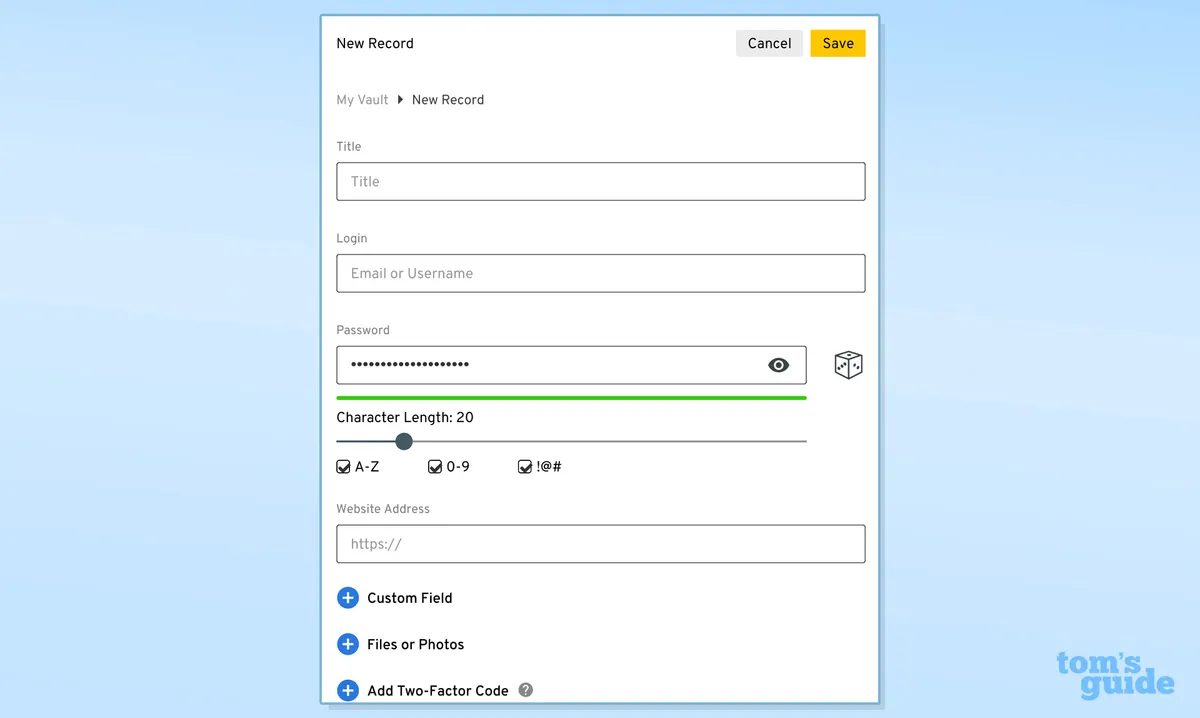
You can also add custom fields, files and two-factor authentication codes to individual records.
tomsguide.com/reviews/keeper · published · checked
Business password managers scores
Easy for employees to adopt 6 quotes
-
Keeper is a competitively priced password manager with a clean, consistent experience across all platforms and devices. However, several premium features cost extra.
Emily Long, reviewer at Tom's Guide · tomsguide.com/reviews/keeper · published · checked -
If you're newer to password management, you'll likely appreciate Keeper's onboarding process and online-support articles, which are detailed and easy to follow.
Emily Long, reviewer at Tom's Guide · tomsguide.com/reviews/keeper · published · checked -
Keeper didn't always detect email-address fields as stored credentials, which meant I had to know or look up which email address I'd used in order to move on to the password screen.
Emily Long, reviewer at Tom's Guide · tomsguide.com/reviews/keeper · published · checked -
Keeper’s admin console feels spacious and easy to use.
K.G. Orphanides, reviewer at ITPro · itpro.com/software/360163/keeper-security-review-keeps-corporate-password-management-simple · published · checked -
The console is fast, responsive, and very easy-to-use whatever your level of technical expertise and know-how.
Joel Witts, reviewer at Expert Insights · expertinsights.com/identity-and-access-management/keeper-security-par · published · checked -
They mention the interface is generally user-friendly, though some find certain features unintuitive or wish for more customization.
GetApp review summary, aggregated verified user reviews · getapp.com/security-software/a/keeper · published · checked
Shared vaults and permissions 4 quotes
-
Invite family members and set their permissions (view, edit or share).
keepersecurity.com/pricing/personal-and-family.html · checked -
You can also share a record one time with someone outside your plan, if needed.
keepersecurity.com/pricing/personal-and-family.html · checked -
All Business Starter features, plus: Shared team folders Delegated administration Advanced organizational structure and integrations Free Family Plan for every user
keepersecurity.com/pricing/business-and-enterprise.html · checked -
Securely share records and folders containing passwords, passkeys, files, photos or any other secrets with individuals or teams on a persistent or time-limited basis
keepersecurity.com/pricing/business-and-enterprise.html · checked
Admin control, offboarding and recovery 6 quotes
-
enables Keeper customers to regain access to their Keeper Vault if they lose or forget their master password.
keepersecurity.com/security.html · checked -
Securely transfer an employee's vault when they leave the organization
keepersecurity.com/pricing/business-and-enterprise.html · checked -
Allows admins to delegate management permissions (e.g. user onboarding, policy enforcement) to sub-administrators based on organizational nodes (e.g. department or subsidiary)
keepersecurity.com/pricing/business-and-enterprise.html · checked -
Enforce security policies for the organization – by user, role or team
keepersecurity.com/pricing/business-and-enterprise.html · checked -
Roles can be assigned enforcement policies, from password requirements, 2FA, sharing restrictions, changing the behaviour of the browser extension, restricting access to password vaults based on IP address, and more.
K.G. Orphanides, reviewer at ITPro · itpro.com/software/360163/keeper-security-review-keeps-corporate-password-management-simple · published · checked -
Admins can group accounts into “Nodes”, subdivide them into “Teams”, and assign different roles with granular permissions.
expertinsights.com/identity-and-access-management/keeper-security-par · published · checked
Single sign-on and user provisioning 3 quotes
-
$6.00 user / month billed annually
keepersecurity.com/pricing/business-and-enterprise.html · checked -
All Business features, plus: Advanced provisioning (SCIM, AD/LDAP, SSO/SAML) Advanced two-factor authentication Role-based access control Developer APIs
keepersecurity.com/pricing/business-and-enterprise.html · checked -
Keeper is one of the few solutions on the market that has never suffered a breach of end user credentials.
expertinsights.com/identity-and-access-management/keeper-security-par · published · checked
Audit logs and reporting 2 quotes
-
Delivers real-time event monitoring, customizable reports and compliance-ready audit trails
keepersecurity.com/pricing/business-and-enterprise.html · checked -
Automatically feed live event data into external SIEM products
keepersecurity.com/pricing/business-and-enterprise.html · checked
Security track record 6 quotes
-
Keeper holds rigorous independent security certifications from respected organizations including SOC 2 Type 2 and ISO 27001.
security.org/password-manager/keeper · published · checked -
Keeper partners with third-party experts such as NCC Group, CyberTest and independent security researchers to perform quarterly pen testing against all solutions and systems.
keepersecurity.com/security.html · checked -
we have partnered with Bugcrowd to manage our Vulnerability Disclosure Program (VDP) and bug bounty program.
keepersecurity.com/security.html · checked -
Encryption and decryption of data always occur locally on the user's device.
keepersecurity.com/security.html · checked -
Certified to international security and privacy standards for information security management, cloud services and personal data protection
keepersecurity.com/pricing/business-and-enterprise.html · checked -
Keeper is one of the few solutions on the market that has never suffered a breach of end user credentials.
expertinsights.com/identity-and-access-management/keeper-security-par · published · checked
Price per user 2 quotes
-
$6.00 user / month billed annually
keepersecurity.com/pricing/business-and-enterprise.html · checked -
All Business features, plus: Advanced provisioning (SCIM, AD/LDAP, SSO/SAML) Advanced two-factor authentication Role-based access control Developer APIs
keepersecurity.com/pricing/business-and-enterprise.html · checked
Extras for staff and IT 4 quotes
-
All Business Starter features, plus: Shared team folders Delegated administration Advanced organizational structure and integrations Free Family Plan for every user
keepersecurity.com/pricing/business-and-enterprise.html · checked -
All Business features, plus: Advanced provisioning (SCIM, AD/LDAP, SSO/SAML) Advanced two-factor authentication Role-based access control Developer APIs
keepersecurity.com/pricing/business-and-enterprise.html · checked -
Securely store passwords, passkeys, files, photos, infrastructure secrets and resources with zero-knowledge encryption
keepersecurity.com/pricing/business-and-enterprise.html · checked -
Keeper also displays warnings if a password and email address combination have appeared in a known data breach as part of its dark web monitoring capabilities.
expertinsights.com/identity-and-access-management/keeper-security-par · published · checked
Facts
Runs on 2 quotes
-
Windows, Mac, iOS, Android, Linux
tomsguide.com/reviews/keeper · published · checked -
Chrome, Safari, Firefox, Opera, Internet Explorer, and Edge
tomsguide.com/reviews/keeper · published · checked
Users 1 quote
-
Keeper is a market leader in the password manager space, it supports 70,000 business customers and 4 million users globally.
expertinsights.com/identity-and-access-management/keeper-security-par · published · checked
More from the sources
Pricing 7 quotes
-
$137.99/year
keepersecurity.com/pricing/personal-and-family.html · checked -
All new customers can try out Keeper's premium features for 30 days.
security.org/password-manager/keeper · published · checked -
$4.00 user / month billed annually
keepersecurity.com/pricing/business-and-enterprise.html · checked -
KeeperPAM is available through Sales only, with pricing tailored to your organization’s size, infrastructure and privileged access needs.
keepersecurity.com/pricing/business-and-enterprise.html · checked -
Keeper also offers add-ons that can be aggregated to these plans based on your organization's needs.
keepersecurity.com/pricing/business-and-enterprise.html · checked -
Other optional add-ons include Breachwatch (£15 per user, per year), which alerts you to any passwords that may have been exposed in security breaches, an Advanced Reporting and Alerts module (£8 per user, per year) to reveal potential security issues by tracking failed logins and 2FA hits.
itpro.com/software/360163/keeper-security-review-keeps-corporate-password-management-simple · published · checked -
Unlimited password storage - Unlimited devices and sync
keepersecurity.com/pricing/personal-and-family.html · checked
Features 6 quotes
-
Another reason to consider the desktop app is access to offline mode, which makes an encrypted copy of your vault available on your local device, secured behind your master password or biometrics.
tomsguide.com/reviews/keeper · published · checked -
Provide on-demand visibility to permissions asssociated with your records to support regulatory compliance requirements
keepersecurity.com/pricing/business-and-enterprise.html · checked -
Keeper offers a fully supported desktop app for Linux, not a stripped-down web experience or workaround. Linux users get all the same features as people using Windows or Mac.
keepersecurity.com/linux-password-and-privileged-access-manager · checked -
Keeper Commander is a command-line and SDK interface to the Keeper Security platform. Commander can be used to access and control your Keeper vault, perform administrative functions (such as end-user onboarding and data import/export), manage privileged access, run reports and create custom automations. Keeper Commander is an open source project
docs.keeper.io/keeperpam/commander-cli/overview · checked -
Follow these instructions to install Keeper Commander binary on your system for CLI access
docs.keeper.io/keeperpam/commander-cli/commander-installation-setup · checked -
It supports tunneling to databases and remote systems, a built-in SSH agent and CLI integrations
keepersecurity.com/linux-password-and-privileged-access-manager · checked
Limits and known issues 2 quotes
-
The free plan restricts you to using Keeper on one mobile device and saving only 10 records for passwords and passkeys.
security.org/password-manager/keeper · published · checked -
Protection for 5–10 users
keepersecurity.com/pricing/business-and-enterprise.html · checked
What users say 3 quotes
-
Some reviewers feel that they pay for features they do not need or use, and that the pricing structure is confusing or not competitive, especially for NGOs or small teams.
GetApp review summary, aggregated verified user reviews · getapp.com/security-software/a/keeper · published · checked -
On a fresh install of keeper-password-manager 17.5.2-1, the app launches and the native window/menu bar (File, Edit, Settings, View, Window, Help) renders correctly, but the entire content area is a solid blue background — the login form never appears.
zechel, AUR user on Arch with Hyprland (Wayland) · aur.archlinux.org/packages/keeper-password-manager · published · checked -
I use it often on linux and android, I haven't experienced any problems so far.
malina, AUR maintainer of keeper-password-manager · aur.archlinux.org/packages/keeper-password-manager · published · checked
Platforms and requirements 6 quotes
-
Keeper Security’s desktop app is now available on the Linux Snap Store
keepersecurity.com/blog/2025/11/04/keeper-desktop-now-available-on-the-linux-snap-store · published · checked -
Linux users can install Keeper with a single command and receive automatic updates
keepersecurity.com/blog/2025/11/04/keeper-desktop-now-available-on-the-linux-snap-store · published · checked -
The Keeper Desktop Application is officially supported on: Fedora (28 or later) - Red Hat Enterprise Linux (7.0 or later) - CentOS (7.3 or later) - Debian (8 or later) - Ubuntu (LTS releases 16.04 or later) - Linux Mint
keepersecurity.com/linux-password-and-privileged-access-manager · checked -
Supported browsers on Linux include: Chrome - Firefox - Edge - Brave - Opera - Other Chromium-based browsers
keepersecurity.com/linux-password-and-privileged-access-manager · checked -
Keeper password manager is an electron-based application, so you may see chrome references.
malina, AUR maintainer of keeper-password-manager (community package; not Keeper's) · aur.archlinux.org/packages/keeper-password-manager · published · checked -
Keeper did not create an arm64 debian package: https://keepersecurity.com/desktop_electron/SHASUM256.txt This PKGBUILD always downloads the amd64 debian package
malina, AUR maintainer of keeper-password-manager · aur.archlinux.org/packages/keeper-password-manager · published · checked
How widely it is used 1 quote
-
Millions of consumers and businesses trust Keeper to secure and access their passwords and private information.
keepersecurity.com/security.html · checked
Pricing
keepersecurity.com/pricing/personal-and-family.html · checked