Apple Passwords
Free password manager built into iPhone, iPad, Mac and Vision Pro, with a Windows extension
Our verdict
#3 of 9 in Free password managers · Enough if everything you own is Apple
What it does
- Built into iPhone, iPad, Mac, and Vision Pro, with nothing to install
- Fills passwords, passkeys, and two-factor codes
- Shared groups with other Apple users
- Works on Windows through iCloud for Windows and a browser extension
Pros
- The easiest manager to live with on Apple devices
- End-to-end encrypted, with recovery through your device passcode
- Two-factor codes included at no cost
Cons
- No Android app and no web access
- Windows needs a separate app plus a browser extension
- Skip if:
- You use an Android phone, or might switch to one
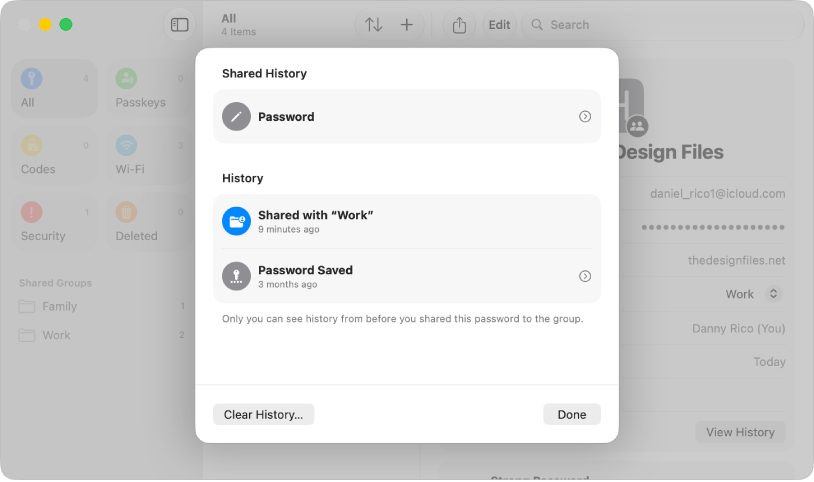
Apple Passwords is the standalone Passwords app that Apple added in iOS 18 and macOS Sequoia as a front end for iCloud Keychain. It stores logins, passkeys, verification codes and Wi-Fi passwords, flags weak or breached passwords, and lets you share logins with trusted contacts in shared groups. It runs on iPhone, iPad, Mac and Apple Vision Pro, and Windows users can reach their passwords through iCloud for Windows and a Chrome or Edge extension. There is no Android or Linux app. It is free with an Apple Account and has no paid tier.
What users say
Evidence ↓The two independent reviewers read here agree that it is easy and free for people in the Apple ecosystem, with autofill that worked well in testing. They also agree that it is basic next to paid managers and weak outside Apple devices, with limited Windows support and none for Android or Linux. One reader comment complains about lost prompts to update an email on saved logins; that is a single comment.
Rankings and alternatives
- Free password managers #3 of 9 Enough if everything you own is Apple
- Bitwarden (official self-hosted server) #1 Best free plan for most people
- Proton Pass #2 Free email aliases and a more modern app
- Google Password Manager #4 Enough for Android and Chrome users
- Password managers for families #4 of 9 Free pick for all-Apple households
- 1Password #1 The one the whole family will actually use
- Dashlane #5 For extended families of up to 10
- Keeper Password Manager #6 Strong sharing and security, if you'll pay for extras






Free password managers scores
Evaluated Nov 17, 2026 Evidence ↓- A free plan you can keep using · counts double 5
5/5 means: Unlimited items, unlimited devices and automatic sync, with no time limit
Free with an Apple Account, with no paid tier, and it syncs across your Apple devices through iCloud Keychain; there is no item or device limit.
- Easy, reliable autofill 5
5/5 means: Almost nothing to set up, with autofill built into the system that rarely misses
Nothing to install on an iPhone or Mac; it's on by default, fills logins and passkeys through the system, and reviewers agree it makes managing passwords easy for people who live on Apple devices.
- Security track record 4
4/5 means: End-to-end encryption, no known breach of vault data, and independent audits, certifications or a published security design
Passwords are end-to-end encrypted, Apple publishes its security design and runs a bug bounty, and no breach of keychain data is known. The iOS 18 Passwords app fetched some pages over HTTP until a fix in iOS 18.2, a phishing risk on shared networks.
- Works on all your devices 2
2/5 means: One platform family plus limited use elsewhere, with no Android or no Windows support
Built into iPhone, iPad, Mac and Vision Pro; on Windows it needs the iCloud for Windows app plus an extension for Chrome, Edge or Firefox, and there is no Android or Linux app and no web vault.
- Extras on the free plan 4
4/5 means: Four
Stores and syncs passkeys, generates verification codes, shares logins in groups with other Apple users, and warns about compromised passwords. Hide My Email needs a paid iCloud+ plan, and a Legacy Contact can't reach keychain passwords.
- Getting back in after a forgotten password · counts half 5
5/5 means: Your usual account recovery or your device's passcode gets you back in, with nothing to set up in advance
The passcode of a trusted device or the usual Apple Account recovery restores access, with a recovery contact or key as extra options; nothing has to be set up first.
Password managers for families scores
Evaluated Nov 17, 2026 Evidence ↓- Easy for everyone in the family · counts double 5
5/5 means: Easy for everyone, including older relatives, with reliable autofill everywhere and almost no setup
Built in, downloads with the OS update, and autofill worked well in a reviewer's testing on iPhone and Mac, so on the Apple devices most people use it on there is almost nothing to set up or learn. Relatives on other platforms get a clunkier extension route, which the devices criterion counts.
- Sharing logins within the family 3
3/5 means: Shared groups that everyone in them can edit, with no permission levels, or item-by-item sharing with permissions but no shared folders
Shared groups of contacts, unlimited sharing, and every member can edit, with no permission levels. Members need recent Apple software and Android and Windows users can't be added. Group permissions were not confirmed from Apple's own page.
- Works on everyone's devices 2
2/5 means: Leaves out a platform many families have, such as Android or Windows
Full on iPhone, iPad, Mac and Vision Pro. Windows only through iCloud for Windows with a Chrome or Edge extension, and nothing for Android or Linux.
- Security track record 4
4/5 means: End-to-end encryption, no known breach of vault data, and recent independent audits or certifications
Keychain passwords are end-to-end encrypted by default and no breach of vault data is known. Apple publishes its platform security design, runs a public bug bounty and holds ISO 27001 and 27018 certifications for iCloud (general knowledge); no audit specific to the Passwords app is published, so not a 5.
- Getting back in after a forgotten password 4
4/5 means: The member's usual account recovery, such as a device passcode, phone number or email, restores the vault
A member who forgets their Apple Account password can reset it with a trusted device passcode or a recovery contact without losing the keychain, which is their usual account recovery. A recovery key is optional.
- Emergency access for a trusted person 1
1/5 means: No feature that reaches your passwords; the only plan is writing them down
Apple's Legacy Contact page lists iCloud Keychain data as something a Legacy Contact can't access. Account recovery contacts exist but are for regaining your own account, not for a trusted person to reach your passwords.
- Yearly cost for the family 5
5/5 means: Free for the whole family
Free with an Apple Account, with no paid tier, for any number of people.
- Extras beyond passwords · counts half 3
3/5 means: Three
Passkeys, built-in verification codes and breach alerts are included. No file attachments, and email masking needs paid iCloud+ so it isn't counted.
Pricing
- Free Free Included with an Apple Account. Needs iOS 18, iPadOS 18, macOS Sequoia or visionOS 2 or later for the app; shared groups need iOS 17, iPadOS 17 or macOS 14 or later.
Prices checked Nov 17, 2026.
Evidence and sources
What users say
Summary 5 quotes
-
Apple allows you to have autofill turned on for both Passwords and another third-party password manager at the same time, and you can select which vault you’d like to access when filling credentials. Generating and saving new passwords and auto-filling existing ones worked well in testing on my iPhone, as did passkey usage.
Emily Long, reviewer at Tom's Guide · tomsguide.com/computing/password-managers/apple-passwords-review · published · checked -
Apple Passwords offers integrated, no-cost password management for Apple users—but it doesn’t fully match the form and function of premium password managers on the market.
Emily Long, reviewer at Tom's Guide · tomsguide.com/computing/password-managers/apple-passwords-review · published · checked -
If you're heavily invested in the Apple ecosystem, it makes managing your passwords and security credentials much easier.
Suzanne Kantra, founder of Techlicious · techlicious.com/blog/apple-passwords-vs-icloud-keychaid-what-has-changed · published · checked -
It also has limited crossover with Windows and no integration with Android or Linux, so it’s really for users who exist primarily in the Apple ecosystem (on newer OS versions) and those who want basic password management that runs primarily in the background.
Emily Long, reviewer at Tom's Guide · tomsguide.com/computing/password-managers/apple-passwords-review · published · checked -
I now find myself taxed with having to manually edit passwords in apple’s keychain password app and amend the email address.
aidan, commenter on Techlicious · techlicious.com/blog/apple-passwords-vs-icloud-keychaid-what-has-changed · published · checked
Free password managers scores
A free plan you can keep using 2 quotes
-
Passwords is free and built in for those running newer versions of Apple’s OSes (iOS 18, iPadOS 18, macOS Sequoia, and visionOS 2 and up) and syncs as long as you are logged into your Apple Account
Emily Long, reviewer at Tom's Guide · tomsguide.com/computing/password-managers/apple-passwords-review · published · checked -
Windows users can access their passwords in Google Chrome or Microsoft Edge via iCloud for Windows. There are no features that require a paid subscription or premium upgrade.
Emily Long, reviewer at Tom's Guide · tomsguide.com/computing/password-managers/apple-passwords-review · published · checked
Easy, reliable autofill 2 quotes
-
Apple Passwords offers integrated, no-cost password management for Apple users—but it doesn’t fully match the form and function of premium password managers on the market.
Emily Long, reviewer at Tom's Guide · tomsguide.com/computing/password-managers/apple-passwords-review · published · checked -
If you're heavily invested in the Apple ecosystem, it makes managing your passwords and security credentials much easier.
Suzanne Kantra, founder of Techlicious · techlicious.com/blog/apple-passwords-vs-icloud-keychaid-what-has-changed · published · checked
Security track record 3 quotes
-
For additional privacy and security, 15 data categories — including Health and passwords in iCloud Keychain — are end-to-end encrypted. Apple doesn't have the encryption keys for these categories, and we can't help you recover this data if you lose access to your account.
support.apple.com/en-us/102651 · published · checked -
a serious HTTP bug left Passwords users vulnerable to phishing attacks for nearly three months, from the initial release of iOS 18 until the patch in iOS 18.2.
Arin Waichulis, writer at 9to5Mac · 9to5mac.com/2025/03/18/apples-passwords-app-was-vulnerable-to-phishing-attacks-for-nearly-three-months-after-launch · published · checked -
An attacker in a privileged network position may be able to alter network traffic
support.apple.com/en-us/121837 · checked
Works on all your devices 4 quotes
-
Windows users can access their passwords in Google Chrome or Microsoft Edge via iCloud for Windows. There are no features that require a paid subscription or premium upgrade.
Emily Long, reviewer at Tom's Guide · tomsguide.com/computing/password-managers/apple-passwords-review · published · checked -
It also has limited crossover with Windows and no integration with Android or Linux, so it’s really for users who exist primarily in the Apple ecosystem (on newer OS versions) and those who want basic password management that runs primarily in the background.
Emily Long, reviewer at Tom's Guide · tomsguide.com/computing/password-managers/apple-passwords-review · published · checked -
Apple has rolled out official support for Firefox in the latest update to its iCloud for Windows app, allowing users to autofill and access their iCloud Passwords directly in Mozilla’s browser for the first time.
Marcus Mendes, writer at 9to5Mac · 9to5mac.com/2025/07/09/apple-adds-firefox-support-to-icloud-passwords-on-windows · published · checked -
users still need the iCloud for Windows app from the Microsoft Store to enable the feature, and also that there’s still no web-based password manager.
Marcus Mendes, writer at 9to5Mac · 9to5mac.com/2025/07/09/apple-adds-firefox-support-to-icloud-passwords-on-windows · published · checked
Extras on the free plan 3 quotes
-
Note that sharing logins is only possible via AirDrop or if you set up a group and add trusted contacts. That said, password sharing is unlimited.
Emily Long, reviewer at Tom's Guide · tomsguide.com/computing/password-managers/apple-passwords-review · published · checked -
Find the password credentials for all your websites and apps, in one place, across all your devices.
support.apple.com/guide/passwords/welcome/mac · checked -
Information stored in the account holder's iCloud Keychain, such as user names and passwords entered in Safari
support.apple.com/en-us/103128 · checked
Getting back in after a forgotten password 1 quote
-
If you enable Advanced Data Protection and then lose access to your account, Apple will not have the encryption keys to help you recover it — you’ll need to use your device passcode or password, a recovery contact, or a personal recovery key.
support.apple.com/en-us/102651 · published · checked
Password managers for families scores
Easy for everyone in the family 4 quotes
-
Apple allows you to have autofill turned on for both Passwords and another third-party password manager at the same time, and you can select which vault you’d like to access when filling credentials. Generating and saving new passwords and auto-filling existing ones worked well in testing on my iPhone, as did passkey usage.
Emily Long, reviewer at Tom's Guide · tomsguide.com/computing/password-managers/apple-passwords-review · published · checked -
Apple Passwords offers integrated, no-cost password management for Apple users—but it doesn’t fully match the form and function of premium password managers on the market.
Emily Long, reviewer at Tom's Guide · tomsguide.com/computing/password-managers/apple-passwords-review · published · checked -
If you're heavily invested in the Apple ecosystem, it makes managing your passwords and security credentials much easier.
Suzanne Kantra, founder of Techlicious · techlicious.com/blog/apple-passwords-vs-icloud-keychaid-what-has-changed · published · checked -
Find the password credentials for all your websites and apps, in one place, across all your devices.
support.apple.com/guide/passwords/welcome/mac · checked
Sharing logins within the family 3 quotes
-
To add a group, tap the plus sign next to Shared Groups on the left pane. You’ll assign a name to the group and add members from your contacts. To receive an invite, contacts must have a device running at least macOS 14, iOS 17, or iPadOS 17.
Emily Long, reviewer at Tom's Guide · tomsguide.com/computing/password-managers/apple-passwords-review · published · checked -
Note that sharing logins is only possible via AirDrop or if you set up a group and add trusted contacts. That said, password sharing is unlimited.
Emily Long, reviewer at Tom's Guide · tomsguide.com/computing/password-managers/apple-passwords-review · published · checked -
However, it doesn't let you share with Android or Windows users.
Suzanne Kantra, founder of Techlicious · techlicious.com/blog/apple-passwords-vs-icloud-keychaid-what-has-changed · published · checked
Works on everyone's devices 2 quotes
-
Windows users can access their passwords in Google Chrome or Microsoft Edge via iCloud for Windows. There are no features that require a paid subscription or premium upgrade.
Emily Long, reviewer at Tom's Guide · tomsguide.com/computing/password-managers/apple-passwords-review · published · checked -
It also has limited crossover with Windows and no integration with Android or Linux, so it’s really for users who exist primarily in the Apple ecosystem (on newer OS versions) and those who want basic password management that runs primarily in the background.
Emily Long, reviewer at Tom's Guide · tomsguide.com/computing/password-managers/apple-passwords-review · published · checked
Security track record 1 quote
-
For additional privacy and security, 15 data categories — including Health and passwords in iCloud Keychain — are end-to-end encrypted. Apple doesn't have the encryption keys for these categories, and we can't help you recover this data if you lose access to your account.
support.apple.com/en-us/102651 · published · checked
Getting back in after a forgotten password 2 quotes
-
For additional privacy and security, 15 data categories — including Health and passwords in iCloud Keychain — are end-to-end encrypted. Apple doesn't have the encryption keys for these categories, and we can't help you recover this data if you lose access to your account.
support.apple.com/en-us/102651 · published · checked -
If you enable Advanced Data Protection and then lose access to your account, Apple will not have the encryption keys to help you recover it — you’ll need to use your device passcode or password, a recovery contact, or a personal recovery key.
support.apple.com/en-us/102651 · published · checked
Emergency access for a trusted person 2 quotes
-
Information stored in the account holder's iCloud Keychain, such as user names and passwords entered in Safari
support.apple.com/en-us/103128 · checked -
because Passwords is connected to an Apple Account, there are a few standouts wrapped in, like account recovery options and the ability to add a legacy contact who can access your data (including your passwords) after your death.
Emily Long, reviewer at Tom's Guide · tomsguide.com/computing/password-managers/apple-passwords-review · published · checked
Yearly cost for the family 2 quotes
-
Passwords is free and built in for those running newer versions of Apple’s OSes (iOS 18, iPadOS 18, macOS Sequoia, and visionOS 2 and up) and syncs as long as you are logged into your Apple Account
Emily Long, reviewer at Tom's Guide · tomsguide.com/computing/password-managers/apple-passwords-review · published · checked -
Windows users can access their passwords in Google Chrome or Microsoft Edge via iCloud for Windows. There are no features that require a paid subscription or premium upgrade.
Emily Long, reviewer at Tom's Guide · tomsguide.com/computing/password-managers/apple-passwords-review · published · checked
Extras beyond passwords 2 quotes
-
At the time of writing, Passwords lacks some features commonly offered by other password managers, such as the ability to save and fill credit cards and identities or store text or files.
Emily Long, reviewer at Tom's Guide · tomsguide.com/computing/password-managers/apple-passwords-review · published · checked -
Apple allows you to have autofill turned on for both Passwords and another third-party password manager at the same time, and you can select which vault you’d like to access when filling credentials. Generating and saving new passwords and auto-filling existing ones worked well in testing on my iPhone, as did passkey usage.
Emily Long, reviewer at Tom's Guide · tomsguide.com/computing/password-managers/apple-passwords-review · published · checked
Facts
License 1 quote
-
Passwords is free and built in for those running newer versions of Apple’s OSes (iOS 18, iPadOS 18, macOS Sequoia, and visionOS 2 and up) and syncs as long as you are logged into your Apple Account
Emily Long, reviewer at Tom's Guide · tomsguide.com/computing/password-managers/apple-passwords-review · published · checked
Runs on 3 quotes
-
Passwords is free and built in for those running newer versions of Apple’s OSes (iOS 18, iPadOS 18, macOS Sequoia, and visionOS 2 and up) and syncs as long as you are logged into your Apple Account
Emily Long, reviewer at Tom's Guide · tomsguide.com/computing/password-managers/apple-passwords-review · published · checked -
Windows users can access their passwords in Google Chrome or Microsoft Edge via iCloud for Windows. There are no features that require a paid subscription or premium upgrade.
Emily Long, reviewer at Tom's Guide · tomsguide.com/computing/password-managers/apple-passwords-review · published · checked -
Apple has rolled out official support for Firefox in the latest update to its iCloud for Windows app, allowing users to autofill and access their iCloud Passwords directly in Mozilla’s browser for the first time.
Marcus Mendes, writer at 9to5Mac · 9to5mac.com/2025/07/09/apple-adds-firefox-support-to-icloud-passwords-on-windows · published · checked
Needs 1 quote
-
Passwords is free and built in for those running newer versions of Apple’s OSes (iOS 18, iPadOS 18, macOS Sequoia, and visionOS 2 and up) and syncs as long as you are logged into your Apple Account
Emily Long, reviewer at Tom's Guide · tomsguide.com/computing/password-managers/apple-passwords-review · published · checked
More from the sources
Features 9 quotes
-
At the time of writing, Apple Passwords allows imports only via CSV
Emily Long, reviewer at Tom's Guide · tomsguide.com/computing/password-managers/apple-passwords-review · published · checked -
When you use export in iOS 26, iPadOS 26, or Tahoe, you’re prompted for a destination app instead of relying on the old method, which was an unencrypted comma-separated value (CSV) file. The dialog notes, “Your items are securely transferred to the app you choose.”
Glenn Fleishman, columnist at Six Colors · sixcolors.com/post/2025/09/export-keys-securely-from-passwords-to-third-party-managers · published · checked -
Verification codes are backed up via iCoud, and once set up, the codes will autofill when you sign into the site using any Apple device linked to your Apple Account.
macrumors.com/how-to/generate-verification-codes-passwords-app-ios · checked -
you'll be asked to either enter a setup key on your device or scan a QR code using your device's camera.
macrumors.com/how-to/generate-verification-codes-passwords-app-ios · checked -
your device will automatically display the latest code above the virtual keyboard. All you need to do is tap the code to enter it into the input field, and away you go.
macrumors.com/how-to/generate-verification-codes-passwords-app-ios · checked -
secures them behind Face ID or Touch ID authentication.
macrumors.com/how-to/generate-verification-codes-passwords-app-ios · checked -
To set up an automatic verification code, open Passwords, select All, and then select a website or app.
support.apple.com/en-us/120758 · checked -
These verification codes are backed up through iCloud, and once configured, they will autofill whenever you sign into the site on any Apple device connected to your Apple account.
Anamarija Pogorelec, senior staff writer at Help Net Security · helpnetsecurity.com/2024/10/15/how-to-create-verification-codes-in-apple-passwords-app · published · checked -
And this isn’t just for passkeys. Apple says the same system will allow secure transfer of passwords and verification codes too.
9to5mac.com/2025/06/13/ios-26-passkeys-password-transfer · published · checked
Limits and known issues 1 quote
-
For now and possibly forever, Apple Account passkeys are locked to devices and cannot be exported.
Glenn Fleishman, columnist at Six Colors · sixcolors.com/post/2025/09/export-keys-securely-from-passwords-to-third-party-managers · published · checked
Pricing
tomsguide.com/computing/password-managers/apple-passwords-review · checked