
RoboForm
Long-running, low-priced password manager known for form filling, with a 5-account Family plan.
Our verdict
#7 of 9 in Password managers for families · Low-cost plan with a long record in form filling
What it does
- Five Premium accounts on the Family plan
- Emergency access with a separate wait for each contact
- Strong form filling for addresses and card details
Pros
- Among the cheapest family plans at the regular price
- Flexible emergency access
Cons
- Dated interface
- Sharing only with other RoboForm users
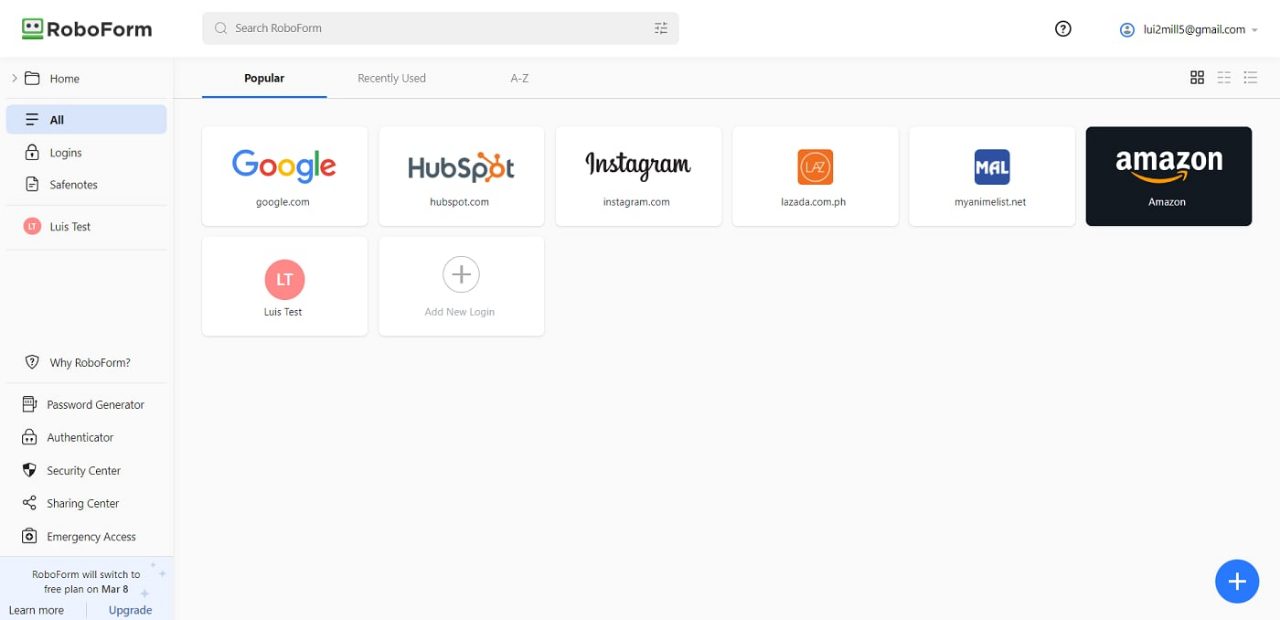
RoboForm is a hosted, zero-knowledge password manager from Siber Systems that has been around since the late 1990s, known for filling long web forms as well as logins. It has a web portal, browser extensions, a Windows app, and iOS and Android apps. The Family plan gives up to 5 Premium accounts with unlimited devices, cloud sync, secure sharing of single logins or folders with other RoboForm users, Emergency Access, passkey management, a built-in authenticator and dark web monitoring. Reviewers call the interface dated, and the plan renews at a higher price than the first year. It is proprietary software, sold by subscription, with a free tier limited to one device.
What users say
Evidence ↓Reviewers agree RoboForm is cheap, secure and does the basics well, and several call its interface dated; one found it simple and had no trouble in a 2024 test, and another said the mobile app was more polished than the web portal. Old comments on a Cloudwards review praise its autofill on bank sites and for a non-expert user, while others from 2019-2020 dislike the version 8 redesign. These are a handful of reviewers and commenters, some dated, not a broad sample of users. RoboForm's own pricing page quotes store ratings of 4.7 on the Apple App Store (43.2K reviews) and 4.6 on Google Play (32.7K reviews).
Rankings and alternatives
- Password managers for families #7 of 9 Low-cost plan with a long record in form filling
- 1Password #1 The one the whole family will actually use
- Bitwarden (official self-hosted server) #2 For tight budgets and partners who need a way in
- Proton Pass #3 For privacy-minded families
- Business password managers #8 of 10 Cheapest plan with SSO and SCIM
- Keeper Password Manager #3 Built for audits and large org charts
- Dashlane #4 Polished, with SSO in its one plan
- NordPass #6 Good fit for Google Workspace offices
- Free password managers #8 of 9 Form filling on a single device
- Apple Passwords #3 Enough if everything you own is Apple
- Google Password Manager #4 Enough for Android and Chrome users
- Microsoft Password Manager #5 For people who already use Edge everywhere








Free password managers scores
Evaluated Nov 17, 2026 Evidence ↓- A free plan you can keep using · counts double 2
2/5 means: Unlimited items, but on one device only, with no sync between devices
Unlimited passwords and passkeys for life, but on one device, with no sync and no web access; moving to another device means signing in again there.
- Easy, reliable autofill 4
4/5 means: Easy setup and reliable autofill on phones and computers, with few complaints
Reviewers consistently rank its login and form filling among the best, including long multi-page forms; the Windows app looks dated and capturing logins from desktop apps can be unreliable.
- Security track record 4
4/5 means: End-to-end encryption, no known breach of vault data, and independent audits, certifications or a published security design
Local encryption, penetration tests by Secfault Security in 2023 and 2025, a bug bounty and no known breach. Its password generator before about 2015 produced guessable passwords, since fixed, and its default key-stretching setting is lower than reviewers recommend.
- Works on all your devices 4
4/5 means: Its own apps or full support on iPhone, Android, Windows and Mac and the major browsers, missing a minor platform such as Linux apps or one browser
Apps for Windows, Mac, iPhone and Android and browser extensions that cover Linux and ChromeOS, though the free plan's one-device limit means you use only one of them.
- Extras on the free plan 2
2/5 means: Two
Free users save passkeys and get the Security Center's weak and reused password checks. Reviewers agree that two-factor codes, sharing and granting emergency access need Premium; free users can only receive shares and emergency access.
- Getting back in after a forgotten password · counts half 1
1/5 means: Forget the main password and the vault is lost
There's no way to recover a forgotten master password, and the one workaround, emergency access, can only be granted by a Premium user.
Password managers for families scores
Evaluated Nov 17, 2026 Evidence ↓- Easy for everyone in the family · counts double 3
3/5 means: Fine for most people once someone sets it up, with known snags such as extra setup steps, autofill gaps or a dated design
Reviewers find it simple and its autofill dependable, especially on bank and complex forms, but several call the interface dated and awkward with big vaults. Evidence is a few reviewers and old comments, not a broad sample.
- Sharing logins within the family 4
4/5 means: Shared vaults or folders with permission levels such as view only and edit, plus a private vault for each person
Shared folders and single-login sharing with access levels (Full control, Read and write, Log in only, from the manuals, not read here), and each member has a private account. Sharing only reaches other RoboForm users, who need an account, so it is not a 5.
- Works on everyone's devices 4
4/5 means: Apps or full support on iPhone, Android, Windows and Mac and the major browsers, missing a minor platform such as Linux or a desktop app
Windows, macOS, iOS, Android, web, and Chrome, Firefox and Edge extensions. Safari and Linux support are from knowledge and not confirmed in the pages read.
- Security track record 4
4/5 means: End-to-end encryption, no known breach of vault data, and recent independent audits or certifications
Zero-knowledge AES-256, a 2023 Secfault pentest summary and no known breach. No public bug bounty or several-firm audit history was found, so not a 5.
- Getting back in after a forgotten password 2
2/5 means: One recovery route the member must have set up in advance, such as a recovery code or phrase
The pricing page lists "Master Password restore" without saying how it works. From knowledge it needs a hint or recovery set up in advance, and an Emergency Access contact can also reach the vault. No organizer reset exists that I found.
- Emergency access for a trusted person 4
4/5 means: Emergency access for chosen contacts after a wait you set, which you can deny
Several contacts, a wait you set per contact (immediate to 30 days) that you can deny, and revocation any time. The contact gets all the data with no view-only choice. Granting needs a paid plan.
- Yearly cost for the family 4
4/5 means: Under $50 a year for five or more people
Five Premium accounts renew at $47.75 a year. Sharing and Emergency Access are included.
- Extras beyond passwords · counts half 3
3/5 means: Three
Passkey management, a built-in TOTP authenticator and breach monitoring are included. No email aliases, and file attachments are not offered as far as known.
Business password managers scores
Evaluated Nov 17, 2026 Evidence ↓- Easy for employees to adopt · counts double 3
3/5 means: Fine once IT sets it up, with known snags such as a dated or crowded design, patchy mobile autofill or extra setup steps
Business reviewers (G2 quotes on the vendor page, 2025) call it easy, and onboarding is by email invite with bulk import. Independent reviewers still call the interface dated or lacking polish, and a master password reset loses the employee's own data.
- Shared vaults and permissions 4
4/5 means: Shared folders or vaults with permission levels, managed through groups
Admin-managed groups with Use, Read, Edit and Create permission levels, plus folder sharing. RoboForm also has a one-time data send, but it is a copy that can't be revoked or set to expire, so not a 5.
- Admin control, offboarding and recovery 3
3/5 means: Three
Enforced policies, admin roles (make admin, group managers) and offboarding by suspension or convert-to-personal are documented. Admin reset loses the employee's own vault data, so no admin-assisted recovery without loss was found; not confirmed absent.
- Single sign-on and user provisioning 5
5/5 means: Both, with Entra ID, Okta, Google Workspace and generic SAML or SCIM
Business includes SSO and SCIM provisioning with Entra ID, Okta, Google Workspace, Ping and OneLogin named, with no add-on (writer calibration from 4).
- Audit logs and reporting 3
3/5 means: A detailed event log and basic reports, with no SIEM connection
Exportable activity logs and reports are included. No SIEM streaming or export was found in the pages read; this is not confirmed absent.
- Security track record 4
4/5 means: End-to-end encryption, no known vault breach, and recent independent audits or certifications
End-to-end encryption, no known breach of customer vaults, Secfault penetration tests in 2023 and 2025 covering the apps and the password generator, and a bug bounty. No SOC 2 or ISO 27001 was found, so not a 5. Very old versions (from around 2013) seeded their password generator from the system time, a flaw fixed long ago that matters only for passwords generated back then.
- Price per user 4
4/5 means: $3 to $4.99 per user
$39.95 per user a year renewal ($3.33 a month billed annually); SSO and SCIM are included with no add-on. First-year intro price unknown.
- Extras for staff and IT · counts half 3
3/5 means: Three
Business includes passkeys, breach monitoring for admins and users, and a bundled Family plan with 10 or more licenses. Self-hosting is only on Enterprise for 1,000+ users and no developer tools were found, so three of five (writer calibration from 4).
Pricing
- Free Free Unlimited passwords on a single device. The pricing page lists 2FA, a TOTP authenticator, cloud backup, web access, local-only mode and data breach monitoring for 5 emails on the Free card. Free accounts can receive Emergency Access but not grant it.
- Premium $29.88 /year Renewal price from the pricing page; the page shows $2.49 a month billed annually for new users, but the first-year price was a placeholder in the text read, so the intro price is unknown. Unlimited devices, priority support, 30-day money-back guarantee.
- Family $47.75 /year Up to 5 Premium accounts, billed annually ($3.98 a month shown; 3.98 x 12 = 47.76, and the page states $47.75 a year). The page says new users get a lower first-year price, then it renews at $47.75 a year, but the intro amount did not render, so it is not known. 30-day money-back guarantee. Older reviews quote $2.66 a month, which is out of date. Sharing works only with other RoboForm users.
- RoboForm for Business $39.95 /year per seat Renewal price per user per year; the page shows $3.33 per user a month billed annually (3.33 x 12 = 39.96), and the first-year price for new users rendered as a placeholder, so the intro price is unknown. A multi-year discount is offered, with no percentage or minimum stated. SSO, SCIM, role-based access control, group sharing, activity logs and reports are included, with no separate SSO add-on listed. Includes a RoboForm Family plan (up to 5 accounts) per user for personal use on 10+ paid licenses. Business pricing page https://www.roboform.com/business/pricing.
- RoboForm for Enterprise Contact sales Custom, volume-based pricing; contact sales. Same core features as Business plus a custom SLA, dedicated onboarding and support engineers, and a self-hosting model for 1,000+ user environments. Business pricing page https://www.roboform.com/business/pricing.
Prices checked Nov 17, 2026.
Evidence and sources
What users say
Summary 6 quotes
-
I found the mobile experience to be pleasant and an almost one-to-one implementation of the full web app. In fact, the mobile app’s UI feels more polished than RoboForm’s web portal
Luis Millares, reviewer at TechRepublic · techrepublic.com/article/roboform-password-manager-review · published · checked -
I like RoboForm’s minimalist design and I had no trouble accessing any settings or activating any features. Everything is laid out where I expected them to be, and I encountered zero issues during my tests for this review.
Luis Millares, reviewer at TechRepublic · techrepublic.com/article/roboform-password-manager-review · published · checked -
If you’re willing to look past the somewhat dated interface, you’ll find one of the most flexible password managers around.
Jacob Roach, reviewer at Cloudwards · cloudwards.net/roboform-review · published · checked -
Although not difficult to use, RoboForm struggles in presenting large password vaults in an easily digestible manner.
Jacob Roach, reviewer at Cloudwards · cloudwards.net/roboform-review · published · checked -
I am not an expert in using a computer and need something easy to use. I found issues with both !Password and Dashlane specifically not filling forms and password especially relating to banks. Not the case with Roboform. I will use this password manager from now on.
Peter, commenter on the Cloudwards review · cloudwards.net/roboform-review · published · checked -
Apple AppStore 4.7 Rating 43.2K Reviews
roboform.com/pricing-personal · checked
Free password managers scores
A free plan you can keep using 6 quotes
-
Free Unlimited passwords on a single device
roboform.com/pricing-personal · checked -
But you’re limited to just one device for use, with no web access.
Alaina Yee, Senior Editor at PCWorld · pcworld.com/article/2895677/roboform-review.html · published · checked -
RoboForm’s lifetime free subscription lets you save all your passwords, but you’re restricted to signing in to one device at a time.
Paul Frew and Ozzie Enriquez, reviewers at Security.org · security.org/password-manager/roboform · published · checked -
You can store an unlimited number of passwords and access the service on one app at a time. That means every time you switch to another device, you’ll need to sign in with your master password.
Paul Frew and Ozzie Enriquez, reviewers at Security.org · security.org/password-manager/roboform · published · checked -
It saves unlimited passwords locally, but does not allow you to sync them across multiple devices, such as your phone and PC.
Denise Bertacchi, reviewer at Tom's Hardware · tomshardware.com/reviews/roboform-password-manager · published · checked -
allows unlimited saving of passwords and passkeys on the free plan, an increasing rarity among password managers.
Alaina Yee, Senior Editor at PCWorld · pcworld.com/article/2895677/roboform-review.html · published · checked
Easy, reliable autofill 5 quotes
-
matches its best rivals in behavior. It smoothly fills in saved passwords and passkeys on recognized sites. For logins not yet saved, it asks to capture the details after you fill them in.
Alaina Yee, Senior Editor at PCWorld · pcworld.com/article/2895677/roboform-review.html · published · checked -
The Windows app also feels more convoluted to use. RoboForm acknowledges that the user interface is more dated, which is fine—the layout is still clear.
Alaina Yee, Senior Editor at PCWorld · pcworld.com/article/2895677/roboform-review.html · published · checked -
RoboForm still remains among the best at form-filling.
Sean Riley, reviewer at Tom's Guide · tomsguide.com/reviews/roboform · published · checked -
It’s particularly great at auto-filling logins and forms, which is what most people use password managers for.
Paul Frew and Ozzie Enriquez, reviewers at Security.org · security.org/password-manager/roboform · published · checked -
We also had some trouble automatically capturing new logins from desktop apps.
Paul Frew and Ozzie Enriquez, reviewers at Security.org · security.org/password-manager/roboform · published · checked
Security track record 7 quotes
-
Yes. RoboForm has successfully undergone two comprehensive security audit and penetration tests conducted by Secfault Security.
help.roboform.com/hc/en-us/articles/15888502834061-Has-RoboForm-undergone-a-third-party-security-audit · checked -
Our most recent assessment covered all aspects of the RoboForm platform, including:
help.roboform.com/hc/en-us/articles/15888502834061-Has-RoboForm-undergone-a-third-party-security-audit · checked -
Our bug bounty program reflects our commitment to security. We welcome researchers to test the RoboForm solution and responsibly disclose vulnerabilities in accordance with our guidelines and CISA standards. Confirmed issues are evaluated and rewarded based on severity and impact.
roboform.com/security · checked -
The Roboform random password generator has been hacked to recover bitcoins worth over $3 million. The bitcoin had been inaccessible for 11 years after the password was lost.
Kay Ewbank, writer at I Programmer · i-programmer.info/news/149-security/17239-roboform-hacked-to-retrieve-3-million-bitcoin-wallet.html · published · checked -
In fairness, the creators of the random password generator realized their mistake a long time ago and put it right in later versions.
Kay Ewbank, writer at I Programmer · i-programmer.info/news/149-security/17239-roboform-hacked-to-retrieve-3-million-bitcoin-wallet.html · published · checked -
with a default of 100,000 iterations.
Alaina Yee, Senior Editor at PCWorld · pcworld.com/article/2895677/roboform-review.html · published · checked -
To date, RoboForm has not experienced a data breach.
Paul Frew and Ozzie Enriquez, reviewers at Security.org · security.org/password-manager/roboform · published · checked
Works on all your devices 1 quote
-
Platforms: Windows, Mac, Android, iOS apps; Linux, Chrome OS via browser extensions
Sean Riley, reviewer at Tom's Guide · tomsguide.com/reviews/roboform · published · checked
Extras on the free plan 5 quotes
-
Granting Emergency Access is a premium feature available to RoboForm Premium users with an active subscription. However, all RoboForm users (free and Premium) are able to receive Emergency Access.
help.roboform.com/hc/en-us/articles/115005664827-What-is-Emergency-Access-and-how-does-it-work · checked -
You can access your data from an unlimited number of devices (and the web), generate one-time (TOTP) codes for two-factor authentication on other services, set up emergency access for others to your account, and securely share items.
Alaina Yee, Senior Editor at PCWorld · pcworld.com/article/2895677/roboform-review.html · published · checked -
Accessing the Sharing Center hub will show the items you’ve shared (if you’re a paid subscriber), as well as those that have been shared with you (all users).
Alaina Yee, Senior Editor at PCWorld · pcworld.com/article/2895677/roboform-review.html · published · checked -
The Security Center is available for free and paying RoboForm customers.
Paul Frew and Ozzie Enriquez, reviewers at Security.org · security.org/password-manager/roboform · published · checked -
allows unlimited saving of passwords and passkeys on the free plan, an increasing rarity among password managers.
Alaina Yee, Senior Editor at PCWorld · pcworld.com/article/2895677/roboform-review.html · published · checked
Getting back in after a forgotten password 3 quotes
-
Granting Emergency Access is a premium feature available to RoboForm Premium users with an active subscription. However, all RoboForm users (free and Premium) are able to receive Emergency Access.
help.roboform.com/hc/en-us/articles/115005664827-What-is-Emergency-Access-and-how-does-it-work · checked -
As with most password managers, there is no way to recover this master password if you lose it.
Sean Riley, reviewer at Tom's Guide · tomsguide.com/reviews/roboform · published · checked -
While the use case for Emergency Access is if you are either incapacitated or dead, it is also a potential lifesaver should you forget your master password.
Sean Riley, reviewer at Tom's Guide · tomsguide.com/reviews/roboform · published · checked
Password managers for families scores
Easy for everyone in the family 5 quotes
-
I found the mobile experience to be pleasant and an almost one-to-one implementation of the full web app. In fact, the mobile app’s UI feels more polished than RoboForm’s web portal
Luis Millares, reviewer at TechRepublic · techrepublic.com/article/roboform-password-manager-review · published · checked -
I like RoboForm’s minimalist design and I had no trouble accessing any settings or activating any features. Everything is laid out where I expected them to be, and I encountered zero issues during my tests for this review.
Luis Millares, reviewer at TechRepublic · techrepublic.com/article/roboform-password-manager-review · published · checked -
If you’re willing to look past the somewhat dated interface, you’ll find one of the most flexible password managers around.
Jacob Roach, reviewer at Cloudwards · cloudwards.net/roboform-review · published · checked -
Although not difficult to use, RoboForm struggles in presenting large password vaults in an easily digestible manner.
Jacob Roach, reviewer at Cloudwards · cloudwards.net/roboform-review · published · checked -
I am not an expert in using a computer and need something easy to use. I found issues with both !Password and Dashlane specifically not filling forms and password especially relating to banks. Not the case with Roboform. I will use this password manager from now on.
Peter, commenter on the Cloudwards review · cloudwards.net/roboform-review · published · checked
Sharing logins within the family 2 quotes
-
Securely share items and folders ? Share passwords securely in folders or individually, assigning access levels based on user needs.
roboform.com/pricing-personal · checked -
Family SAVE banner_percent__% Up to 5 Premium accounts for you and your family $3.98
roboform.com/pricing-personal · checked
Works on everyone's devices 3 quotes
-
Family SAVE banner_percent__% Up to 5 Premium accounts for you and your family $3.98
roboform.com/pricing-personal · checked -
Passkey management Manage bookmarks Safenotes Windows application logins
roboform.com/pricing-personal · checked -
If you’re willing to look past the somewhat dated interface, you’ll find one of the most flexible password managers around.
Jacob Roach, reviewer at Cloudwards · cloudwards.net/roboform-review · published · checked
Security track record 2 quotes
-
RoboForm’s latest audit was conducted by Secfault Security in 2023, which found that the password manager met “a reasonable standard of security” with its software solution.
Luis Millares, reviewer at TechRepublic · techrepublic.com/article/roboform-password-manager-review · published · checked -
No, RoboForm hasn’t been hacked, which is a breath of fresh air compared to its competitors IronVest (formerly Blur) and LastPass
Jacob Roach, reviewer at Cloudwards · cloudwards.net/roboform-review · published · checked
Getting back in after a forgotten password 2 quotes
-
Passkey management Manage bookmarks Safenotes Windows application logins
roboform.com/pricing-personal · checked -
The timeout period can be set from nil (Immediately) to as long as 30 days. In the event that the request is rejected by the grantor, no data will be shared. Emergency Access can be revoked by the grantor at any time.
help.roboform.com/hc/en-us/articles/115005664827-What-is-Emergency-Access-and-how-does-it-work · checked
Emergency access for a trusted person 3 quotes
-
Emergency Access allows you to select a trusted contact to securely obtain access to your RoboForm Data in the event of death, incapacitation, or simply as a method of account recovery. More than one Emergency Contact can be selected, with the option to vary the waiting period before providing access.
help.roboform.com/hc/en-us/articles/115005664827-What-is-Emergency-Access-and-how-does-it-work · checked -
Granting Emergency Access is a premium feature available to RoboForm Premium users with an active subscription. However, all RoboForm users (free and Premium) are able to receive Emergency Access.
help.roboform.com/hc/en-us/articles/115005664827-What-is-Emergency-Access-and-how-does-it-work · checked -
The timeout period can be set from nil (Immediately) to as long as 30 days. In the event that the request is rejected by the grantor, no data will be shared. Emergency Access can be revoked by the grantor at any time.
help.roboform.com/hc/en-us/articles/115005664827-What-is-Emergency-Access-and-how-does-it-work · checked
Yearly cost for the family 2 quotes
-
Family SAVE banner_percent__% Up to 5 Premium accounts for you and your family $3.98
roboform.com/pricing-personal · checked -
New users: RoboFormFamilyPrice_1Year_SALE for the first year Then renews at $47.75/yr
roboform.com/pricing-personal · checked
Extras beyond passwords 3 quotes
-
Passkey management Manage bookmarks Safenotes Windows application logins
roboform.com/pricing-personal · checked -
Data Breach Monitoring for 5 emails ? RoboForm monitors the dark web for compromised personal information and sends instant alerts when critical breaches are detected
roboform.com/pricing-personal · checked -
Email, SMS, authenticator app, passkey, trusted device, hardware security key
roboform.com/pricing-personal · checked
Business password managers scores
Easy for employees to adopt 4 quotes
-
RoboForm excels as a password manager for teams and businesses. With its centralized management console, you can gain better control over how passwords are used within your organization.
Richard Sutherland, reviewer at ITPro · itpro.com/software/368034/roboform-password-manager-review · published · checked -
The desktop app is perfunctory and business-like, making it a good fit for a corporate environment.
Richard Sutherland, reviewer at ITPro · itpro.com/software/368034/roboform-password-manager-review · published · checked -
“Easy to use Have had very little issues Can collaborate with shared passwords with staff I use it on all platforms, desktop, mobile and tablet”
Brendan S, owner of a small business (50 or fewer employees), G2 reviewer · roboform.com/pricing-business · published · checked -
Reset Password: This will email a prompt to the user to begin the password reset process. RoboForm is encrypted using AES-256 bit encryption. The only way to retrieve this data is with the correct Master Password. If a Master Password is reset, the user will be able to gain access to their account, but any data that they created themselves will be lost, and they will need to be re-added to any group they are a part of.
help.roboform.com/hc/en-us/articles/230905528-User-Management · checked
Shared vaults and permissions 1 quote
-
Company Admin can create RoboForm Groups, perform all operations on RoboForm Users and RoboForm Data Objects within a group. Group Managers (assigned by the Admin or another Group Manager of that particular group) can perform all operations on RoboForm Users and RoboForm Data Objects within a group. Regular Users can use, read, and edit RoboForm Data Objects. Limited Users can only user RoboForm Data Objects.
help.roboform.com/hc/en-us/articles/115003926191-RoboForm-for-Business-Security-Overview · checked
Admin control, offboarding and recovery 4 quotes
-
In addition to all core RoboForm features for end users, the Business plan includes: Separate personal and work password vaults Centralized management via admin center Secure password sharing Single sign-on (SSO) integration SCIM provisioning Custom security policies Role-based access control Dedicated account manager Granular sharing controls Dark web monitoring and alerts Detailed activity logs Comprehensive reports and audit Included RoboForm Family plan (up to 5 accounts) for personal use (10+ paid licenses only) Priority 24/7 support
roboform.com/pricing-business · checked -
Company Admin, using RoboForm Policies, can restrict RoboForm users from creating any RoboForm Data Objects (restriction can be enforced by RoboForm Data Object type) thus restricting the RoboForm users only to the RoboForm Data Objects assigned to their by the company via the RoboForm Group sharing feature.
help.roboform.com/hc/en-us/articles/115003926191-RoboForm-for-Business-Security-Overview · checked -
Suspending a user revokes access to data that is shared with them through any groups that they belong to. The user will still be subject to all the company's policies, and they will still have one of the company owned licenses assigned to them. The user can be restored at any time.
help.roboform.com/hc/en-us/articles/230905528-User-Management · checked -
Reset Password: This will email a prompt to the user to begin the password reset process. RoboForm is encrypted using AES-256 bit encryption. The only way to retrieve this data is with the correct Master Password. If a Master Password is reset, the user will be able to gain access to their account, but any data that they created themselves will be lost, and they will need to be re-added to any group they are a part of.
help.roboform.com/hc/en-us/articles/230905528-User-Management · checked
Single sign-on and user provisioning 2 quotes
-
In addition to all core RoboForm features for end users, the Business plan includes: Separate personal and work password vaults Centralized management via admin center Secure password sharing Single sign-on (SSO) integration SCIM provisioning Custom security policies Role-based access control Dedicated account manager Granular sharing controls Dark web monitoring and alerts Detailed activity logs Comprehensive reports and audit Included RoboForm Family plan (up to 5 accounts) for personal use (10+ paid licenses only) Priority 24/7 support
roboform.com/pricing-business · checked -
Seamless integration with major identity providers, including Microsoft Entra, Okta, Google Workspace, Ping, and OneLogin, for automated provisioning, deprovisioning, and single sign-on access.
roboform.com/business · checked
Audit logs and reporting 3 quotes
-
In addition to all core RoboForm features for end users, the Business plan includes: Separate personal and work password vaults Centralized management via admin center Secure password sharing Single sign-on (SSO) integration SCIM provisioning Custom security policies Role-based access control Dedicated account manager Granular sharing controls Dark web monitoring and alerts Detailed activity logs Comprehensive reports and audit Included RoboForm Family plan (up to 5 accounts) for personal use (10+ paid licenses only) Priority 24/7 support
roboform.com/pricing-business · checked -
Comprehensive, exportable activity logs and compliance-ready reports deliver complete visibility and accountability.
roboform.com/business · checked -
This page will show a log of each time the user has accessed RoboForm or edited company data, including their device type and approximate geolocation. These logs can be exported using the Export Activity Log option.
help.roboform.com/hc/en-us/articles/230905528-User-Management · checked
Security track record 6 quotes
-
Yes. RoboForm has successfully undergone two comprehensive security audit and penetration tests conducted by Secfault Security.
help.roboform.com/hc/en-us/articles/15888502834061-Has-RoboForm-undergone-a-third-party-security-audit · checked -
Our most recent assessment covered all aspects of the RoboForm platform, including:
help.roboform.com/hc/en-us/articles/15888502834061-Has-RoboForm-undergone-a-third-party-security-audit · checked -
Our bug bounty program reflects our commitment to security. We welcome researchers to test the RoboForm solution and responsibly disclose vulnerabilities in accordance with our guidelines and CISA standards. Confirmed issues are evaluated and rewarded based on severity and impact.
roboform.com/security · checked -
The Roboform random password generator has been hacked to recover bitcoins worth over $3 million. The bitcoin had been inaccessible for 11 years after the password was lost.
Kay Ewbank, writer at I Programmer · i-programmer.info/news/149-security/17239-roboform-hacked-to-retrieve-3-million-bitcoin-wallet.html · published · checked -
In fairness, the creators of the random password generator realized their mistake a long time ago and put it right in later versions.
Kay Ewbank, writer at I Programmer · i-programmer.info/news/149-security/17239-roboform-hacked-to-retrieve-3-million-bitcoin-wallet.html · published · checked -
To date, RoboForm has not experienced a data breach.
Paul Frew and Ozzie Enriquez, reviewers at Security.org · security.org/password-manager/roboform · published · checked
Price per user 3 quotes
-
$3.33 /user/mo Billed annually
roboform.com/pricing-business · checked -
New users: RFVOL1YR_1_SALE for the first year Then renews at $39.95/yr
roboform.com/pricing-business · checked -
In addition to all core RoboForm features for end users, the Business plan includes: Separate personal and work password vaults Centralized management via admin center Secure password sharing Single sign-on (SSO) integration SCIM provisioning Custom security policies Role-based access control Dedicated account manager Granular sharing controls Dark web monitoring and alerts Detailed activity logs Comprehensive reports and audit Included RoboForm Family plan (up to 5 accounts) for personal use (10+ paid licenses only) Priority 24/7 support
roboform.com/pricing-business · checked
Extras for staff and IT 4 quotes
-
In addition to all core RoboForm features for end users, the Business plan includes: Separate personal and work password vaults Centralized management via admin center Secure password sharing Single sign-on (SSO) integration SCIM provisioning Custom security policies Role-based access control Dedicated account manager Granular sharing controls Dark web monitoring and alerts Detailed activity logs Comprehensive reports and audit Included RoboForm Family plan (up to 5 accounts) for personal use (10+ paid licenses only) Priority 24/7 support
roboform.com/pricing-business · checked -
All features listed in the Business plan, plus: Customized, volume-based pricing Dedicated account manager Dedicated onboarding and support engineers Personalized onboarding and training Extended trials with more users for large implementations Custom Service Level Agreement (SLA) Self-hosting model (available for 1,000+ user environments)
roboform.com/pricing-business · checked -
Store and autofill TOTP-based authenticator codes for any third-party portal, manage and use passkeys, and sign in with the highest level of security — all without leaving RoboForm.
roboform.com/business · checked -
RoboForm continuously scans trusted breach databases for passwords or corporate emails linked to your accounts. If a match is found, admins and affected users are alerted with recommended actions.
roboform.com/business · checked
Facts
Runs on 3 quotes
-
Family SAVE banner_percent__% Up to 5 Premium accounts for you and your family $3.98
roboform.com/pricing-personal · checked -
Passkey management Manage bookmarks Safenotes Windows application logins
roboform.com/pricing-personal · checked -
If you’re willing to look past the somewhat dated interface, you’ll find one of the most flexible password managers around.
Jacob Roach, reviewer at Cloudwards · cloudwards.net/roboform-review · published · checked
Users 1 quote
-
Discover why 50,000+ organizations trust RoboForm
roboform.com/pricing-business · checked
More from the sources
Pricing 3 quotes
-
30-day money-back guarantee
roboform.com/pricing-personal · checked -
Then renews at $29.88/yr
roboform.com/pricing-personal · checked -
Multi-year discount available
roboform.com/pricing-business · checked
Features 6 quotes
-
RoboForm can fill complex multi-page forms, including government forms, insurance applications, tax preparations, and e-commerce checkouts with multiple address and payment fields.
panicvault.org/password-managers/roboform-review · published · checked -
Although encryption happens locally no matter what choice you make, you can decide if your encrypted vault syncs with RoboForm’s servers or stays local.
Jacob Roach, reviewer at Cloudwards · cloudwards.net/roboform-review · published · checked -
can pull from LastPass, Bitwarden, Dashlane, 1Password, Keeper, NordPass, True Key, Enpass, Kaspersky, Proton Pass, and Myki. For all other services and apps, you can export to CSV and then import that file into RoboForm.
Alaina Yee, Senior Editor at PCWorld · pcworld.com/article/2895677/roboform-review.html · published · checked -
It also has an import and export feature, so you can import your passwords from browsers and other password managers you might have used before.
Denise Bertacchi, reviewer at Tom's Hardware · tomshardware.com/reviews/roboform-password-manager · published · checked -
The Enterprise plan includes the same core features as the Business plan, with added services tailored for large organizations. Both plans begin with the same trial.
roboform.com/pricing-business · checked -
If you use Active Directory in your organisation, you can sync it with your RoboForm for Business account and RoboForm will continually update with any changes made to your company's Active Directory.
Richard Sutherland, reviewer at ITPro · itpro.com/software/368034/roboform-password-manager-review · published · checked
Limits and known issues 2 quotes
-
Integrated TOTP authenticator Passwordless Unlock Cloud backup Access on all devices
roboform.com/pricing-personal · checked -
New Licensing scheme with Read Only mode and Free Device switching. Read Only mode: even when you have no license, you can view and copy/paste your login info. Free Device switching: Free Device can be moved to new device, up to 3 times total.
roboform.com/news-windows · published · checked
What users say 1 quote
-
I tested RoboForm on a shopping trip to an online florist, but RoboForm was not able to fill out this login for me.
Denise Bertacchi, reviewer at Tom's Hardware · tomshardware.com/reviews/roboform-password-manager · published · checked
Platforms and requirements 2 quotes
-
RoboForm for Chrome Extension v10.0.2 Fully functional RoboForm extension for Chrome.
roboform.com/download-linux · checked -
RoboForm for Firefox Extension v10.0.2 Fully functional RoboForm extension for Firefox.
roboform.com/download-linux · checked
Pricing
roboform.com/pricing-personal · checked