Enpass
Password manager whose vault lives in your own cloud or on your device, with a native Linux desktop app
Our verdict
#6 of 7 in Password managers for Linux · Your own cloud, official phone apps
What it does
- Vault stored locally or in a cloud account you choose
- Native Linux app from apt, dnf, and zypper repositories
- Official iPhone and Android apps
- Lifetime license option
Pros
- Your vault never sits on Enpass's servers
- A native Linux app that updates with your system
Cons
- No command line tool or SSH agent
- The browser extension needs the desktop app running
- No fingerprint unlock on Linux
- The free plan holds only 25 items
- Choose if:
- You want to pay once instead of subscribing
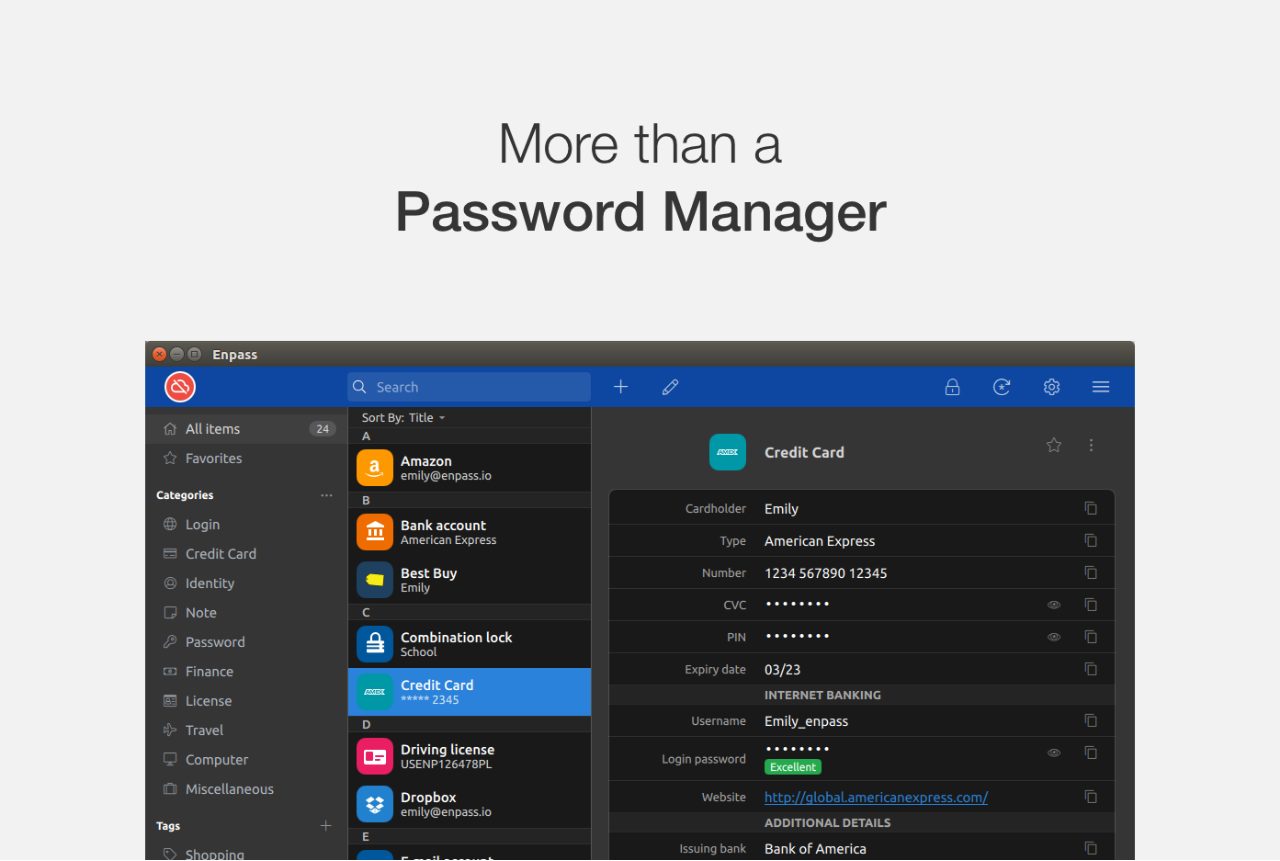
Enpass is a closed-source password manager for Windows, macOS, Linux, iOS and Android, with browser extensions for Chrome, Firefox, Edge, Brave, Vivaldi, Opera and Safari. The vault is encrypted with AES-256 (SQLCipher) and stored on the device or in the user’s own iCloud, Google Drive, OneDrive, Dropbox, Box or Nextcloud account, not on Enpass servers. A free plan holds up to 25 items in one vault; Premium (annual, three-year or one-time lifetime) removes the limits, and a Family plan covers up to six people. On Linux there is an official desktop app installed from Enpass’s apt, yum or zypper repositories; the browser extensions work with that desktop app.
What users say
Evidence ↓Reviewers describe Enpass as a solid, easy-to-use manager with good syncing through your own cloud, though TechRadar (2023) found more power elsewhere and noted no command line tool. On Linux, Enpass's own forum shows two commenters frustrated that the only official installs are the vendor's repositories (no Arch package, failing on RHEL 10), while Enpass staff say the Flathub package is unsupported and one user reported its browser extension could not connect. Evidence is a handful of sources, so the views are not a measure of how widely they are shared.
Rankings and alternatives
- Password managers for Linux #6 of 7 Your own cloud, official phone apps
- Bitwarden (official self-hosted server) #1 Free sync for Linux and your phone
- 1Password #2 The most polished, if you'll pay
- Proton Pass #3 Free, with email aliases



Password managers for Linux scores
Evaluated Nov 22, 2026 Evidence ↓- Fits a Linux desktop 3
3/5 means: An official app that you update by hand or that installs only on some distributions, or no official window at all but a tool packaged by every distribution
A native Qt app from official apt, dnf and zypper repositories that update themselves, with native Wayland support since 6.12.6. Its biometric unlock covers Windows Hello, Face ID and Touch ID, not Linux; there is no Arch package, and users report install failures on RHEL 10 and a long gap between Linux updates.
- Autofill in your Linux browser 3
3/5 means: An official extension that needs the desktop app running and doesn't work with Flatpak or Snap browsers, or one with frequent filling complaints
Official extensions for Chrome, Firefox, Edge, Brave, Vivaldi and Opera that work only while the desktop app runs, and users report the Flatpak build's extension failing to connect.
- Syncs with your phone 4
4/5 means: Official phone apps with autofill, but sync runs through a cloud account or tool you connect yourself, or has a notable limit
Official iOS and Android apps that sync through your own cloud account (Dropbox, Google Drive, OneDrive, Nextcloud and others) or Wi-Fi Sync rather than an Enpass service.
- Easy day to day 3
3/5 means: Fine for most people, with known snags such as a plain design, missed fills or clunky menus
A TechRadar review calls setup simple and the app well organized, but Linux users report install and extension snags, and the evidence is thin.
- Security track record 3
3/5 means: No known breach, but little independent review, or a design that leaves some data unencrypted
AES-256 with SQLCipher and no vault held by Enpass, and no known breach, but the code is closed and published independent review is thin.
- Cost for one person 4
4/5 means: Under $25 a year, or free with a catch, such as sync you set up yourself or a paid phone app on one platform
Premium is $1.99 a month billed annually, about $23.88 a year, for Linux plus phone with sync through your own cloud. The free plan is capped at 25 items.
- Command line and developer tools 1
1/5 means: No command-line tool
No official command-line tool or SSH agent; a 2023 review notes the missing command-line support.
- Control of your data 4
4/5 means: You choose where the vault is stored, or you can run the sync server yourself
The vault is kept locally or in a cloud account you choose, never on Enpass servers, but in Enpass's own format with no server you can run yourself.
Pricing
- Free Free Up to 25 items in 1 vault for new users, with autofill and the apps on all platforms. Items beyond 25 are readable but cannot be edited, copied or autofilled.
- Premium (annual) $23.88 /year Listed as $1.99/month billed annually (1.99 x 12 = 23.88). Unlimited items and vaults, passkeys, built-in TOTP, breach monitoring, document storage, priority support.
- Premium (3-year) Contact sales Offered at 33% off; the price was not legible in the page capture.
- Premium (lifetime) $99.99 one-time One-time payment as listed on the pricing page.
- Family $47.88 /year Listed as $3.99/month billed annually (3.99 x 12 = 47.88). Up to 6 people with family management.
Prices checked Nov 22, 2026.
Evidence and sources
What users say
Summary 3 quotes
-
Enpass is a solid password manager with decent features, good syncing and a tempting free product, but you'll find more power and versatility elsewhere.
Mike Jennings, reviewer at TechRadar · techradar.com/reviews/enpass · published · checked -
We do not recommend or promote installing Enpass from third-party sources. For security and stability reasons, Enpass should only be downloaded from our official website or via the Apple App Store and Google Play Store. Installing the app from other sources (such as Flatpak or unofficial repositories) is not supported and may lead to unexpected issues.
Amandeep Kumar, Enpass staff reply on the Enpass forum · discussion.enpass.io/topic/31967-do-not-use-the-flatpak-version-of-enpass · published · checked -
The only reason people are having to use third-party methods is because Enpass is failing to provide suitable secure official methods of installation when it comes to Linux. I use Arch Linux, which is arguably one of the best variations of Linux out there on the tech side of things and you haven't even catered for it.
discussion.enpass.io/topic/31967-do-not-use-the-flatpak-version-of-enpass · published · checked
Password managers for Linux scores
Fits a Linux desktop 5 quotes
-
Requirements: Ubuntu 22.04 or other actively supported Linux distributions (64-bit only)
enpass.io/downloads · checked -
Enpass for Linux is available for 64-bit distributions only. It should work on any modern Linux distribution, and has been tested on Fedora 43, and Ubuntu 22.04 or later.
help.enpass.io/personal/latest/all/enpass-apps-installation · checked -
Wayland Support This refresh also adds native support for the Wayland display protocol for modern Linux distributions.
enpass.io/release-notes/linux · checked -
We do not recommend or promote installing Enpass from third-party sources. For security and stability reasons, Enpass should only be downloaded from our official website or via the Apple App Store and Google Play Store. Installing the app from other sources (such as Flatpak or unofficial repositories) is not supported and may lead to unexpected issues.
Amandeep Kumar, Enpass staff reply on the Enpass forum · discussion.enpass.io/topic/31967-do-not-use-the-flatpak-version-of-enpass · published · checked -
The only reason people are having to use third-party methods is because Enpass is failing to provide suitable secure official methods of installation when it comes to Linux. I use Arch Linux, which is arguably one of the best variations of Linux out there on the tech side of things and you haven't even catered for it.
discussion.enpass.io/topic/31967-do-not-use-the-flatpak-version-of-enpass · published · checked
Autofill in your Linux browser 2 quotes
-
Enpass Browser extensions work in conjunction with the desktop application for autofilling usernames, passwords, credit cards, and identities on the web pages.
enpass.io/downloads · checked -
We do not recommend or promote installing Enpass from third-party sources. For security and stability reasons, Enpass should only be downloaded from our official website or via the Apple App Store and Google Play Store. Installing the app from other sources (such as Flatpak or unofficial repositories) is not supported and may lead to unexpected issues.
Amandeep Kumar, Enpass staff reply on the Enpass forum · discussion.enpass.io/topic/31967-do-not-use-the-flatpak-version-of-enpass · published · checked
Syncs with your phone 4 quotes
-
Every plan keeps your vault in your own iCloud, Google Drive, OneDrive, Dropbox, Box, or other personal cloud, never on Enpass's servers – so your passwords stay safe from hackers.
enpass.io/pricing · checked -
Windows, MacOS, Linux, iOS, Android apps, including for wearables
enpass.io/pricing · checked -
Vault storage in iCloud, Google Drive, OneDrive, Dropbox, Box, or Nextcloud
enpass.io/pricing · checked -
Enpass for Linux has been redesigned from the ground up with a modern, polished interface, including cleaner layouts, streamlined workflows, and refined visuals throughout the app.
enpass.io/release-notes/linux · checked
Easy day to day 3 quotes
-
Enpass is a solid password manager with decent features, good syncing and a tempting free product, but you'll find more power and versatility elsewhere.
Mike Jennings, reviewer at TechRadar · techradar.com/reviews/enpass · published · checked -
We do not recommend or promote installing Enpass from third-party sources. For security and stability reasons, Enpass should only be downloaded from our official website or via the Apple App Store and Google Play Store. Installing the app from other sources (such as Flatpak or unofficial repositories) is not supported and may lead to unexpected issues.
Amandeep Kumar, Enpass staff reply on the Enpass forum · discussion.enpass.io/topic/31967-do-not-use-the-flatpak-version-of-enpass · published · checked -
The only reason people are having to use third-party methods is because Enpass is failing to provide suitable secure official methods of installation when it comes to Linux. I use Arch Linux, which is arguably one of the best variations of Linux out there on the tech side of things and you haven't even catered for it.
discussion.enpass.io/topic/31967-do-not-use-the-flatpak-version-of-enpass · published · checked
Security track record 1 quote
-
AES-256 encryption With 320,000 PBKDF2 rounds using the open-source SQLCipher encryption engine
enpass.io/pricing · checked
Cost for one person 2 quotes
-
Get started with password management for up to 25 items.
enpass.io/pricing · checked -
Annual % off 3-year % off Save 33% Lifetime % off Best Value $ $1.99 /month Billed annually at with your discount, billed yearly
enpass.io/pricing · checked
Command line and developer tools 1 quote
-
That's a solid slate of options, although some other apps do go further with support for Command Line functionality.
Mike Jennings, reviewer at TechRadar · techradar.com/reviews/enpass · published · checked
Control of your data 2 quotes
-
Every plan keeps your vault in your own iCloud, Google Drive, OneDrive, Dropbox, Box, or other personal cloud, never on Enpass's servers – so your passwords stay safe from hackers.
enpass.io/pricing · checked -
Vault storage in iCloud, Google Drive, OneDrive, Dropbox, Box, or Nextcloud
enpass.io/pricing · checked
Facts
License 1 quote
-
AES-256 encryption With 320,000 PBKDF2 rounds using the open-source SQLCipher encryption engine
enpass.io/pricing · checked
Runs on 3 quotes
-
Windows, MacOS, Linux, iOS, Android apps, including for wearables
enpass.io/pricing · checked -
Requirements: Ubuntu 22.04 or other actively supported Linux distributions (64-bit only)
enpass.io/downloads · checked -
Enpass for Linux is available for 64-bit distributions only. It should work on any modern Linux distribution, and has been tested on Fedora 43, and Ubuntu 22.04 or later.
help.enpass.io/personal/latest/all/enpass-apps-installation · checked
Needs 2 quotes
-
Requirements: Ubuntu 22.04 or other actively supported Linux distributions (64-bit only)
enpass.io/downloads · checked -
Enpass Browser extensions work in conjunction with the desktop application for autofilling usernames, passwords, credit cards, and identities on the web pages.
enpass.io/downloads · checked
More from the sources
Pricing 3 quotes
-
Billed annually at $ $99.99 Pay once and get massive savings
enpass.io/pricing · checked -
Everything in the Premium plan for up to 6 people, with family management.
enpass.io/pricing · checked -
There’s a free desktop client available for Windows, macOS, and Linux, but this is limited in terms of functionality and, most importantly, it doesn’t allow you to sync password between devices, so for anything more, you’ll find yourself having to pay.
Mike Jennings, reviewer at TechRadar · techradar.com/reviews/enpass · published · checked
Limits and known issues 1 quote
-
New users on desktop platforms have a limit of 25 active items and one vault, making the Free plan features uniform across all platforms.
enpass.io/release-notes/linux · checked
Pricing
enpass.io/pricing · checked