
Passbolt
Open source, OpenPGP-based password manager built for teams
Our verdict
#3 of 5 in Self-hosted password managers · For teams sharing service logins
What it does
- Per-password permissions with groups and folders
- Browser extensions, iOS and Android apps, Windows app and command line
- Free Community Edition, paid Pro edition
Pros
- Permissions per password, with folders and groups
- OpenPGP end-to-end encryption and frequent public audits
- Free Community Edition with no user limit
Cons
- Needs a database, HTTPS and a working mail server
- Single sign-on, directory sync and audit logs need the paid Pro edition
- Autofill misses some sites, and the browser extension is required
- Choose if:
- Your team shares logins by group and you want permissions set on each password.
- Skip if:
- You're setting up a personal or family vault.
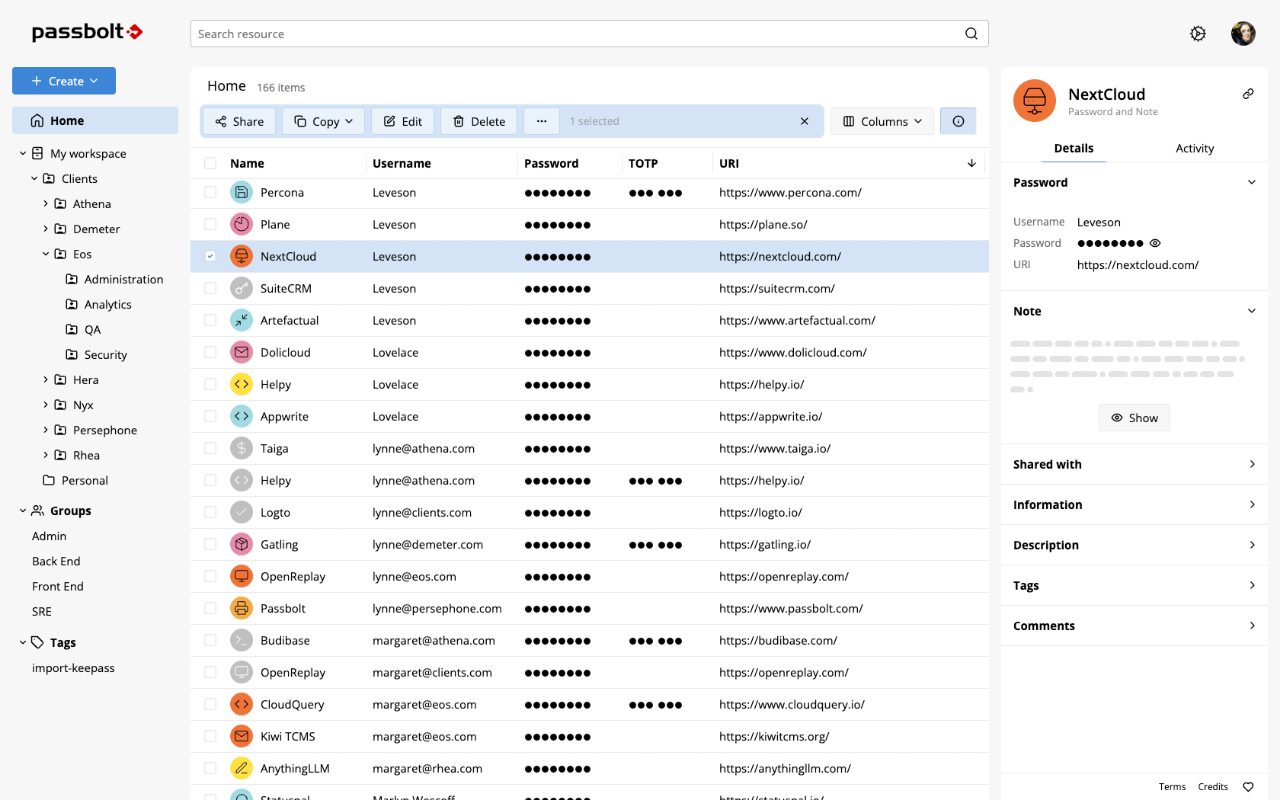
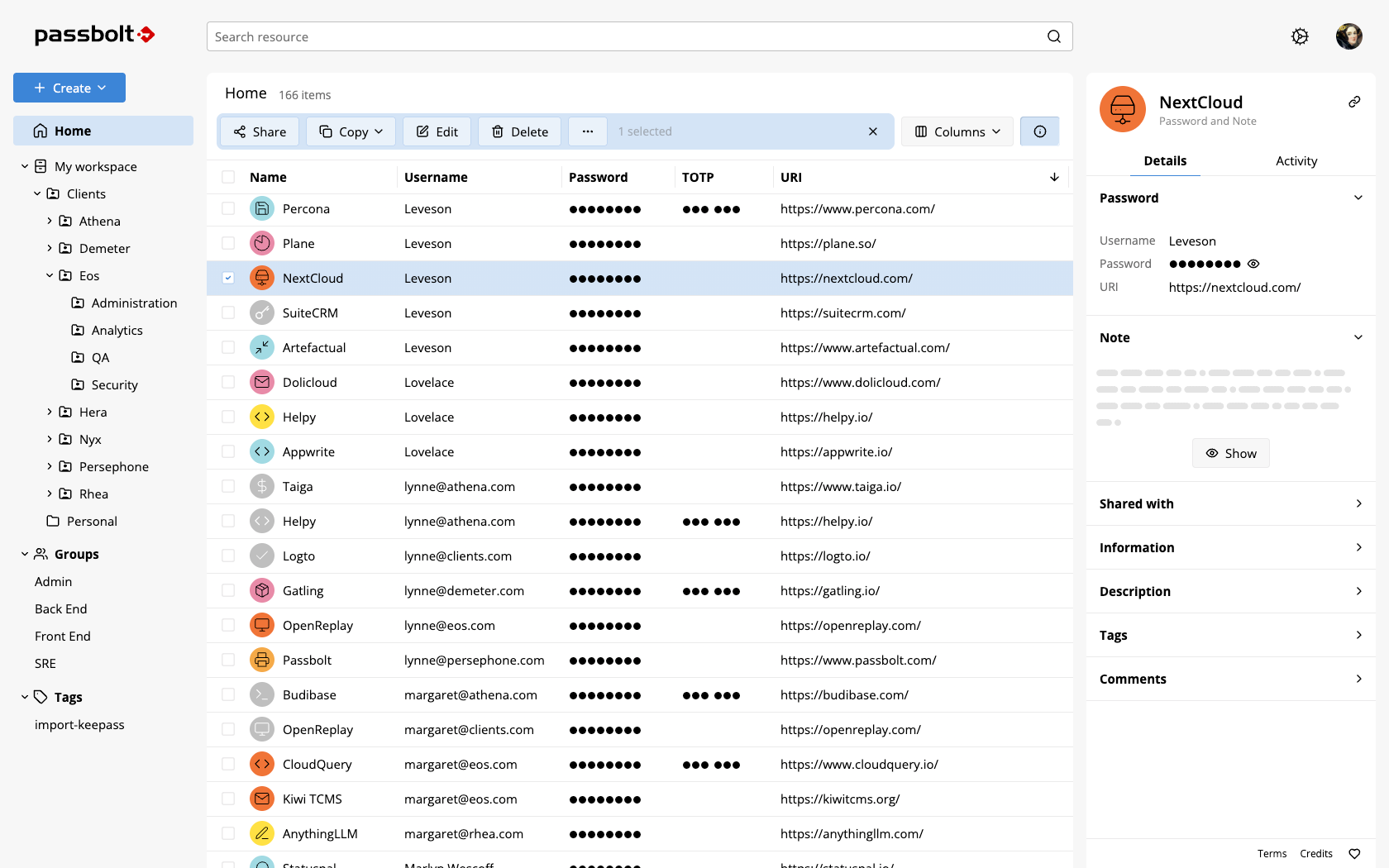
Passbolt is a team-oriented password manager built on OpenPGP end-to-end encryption, made by Passbolt SA (Luxembourg). The assessed form is the self-hosted Community Edition (free, AGPL-3.0, unlimited users): the server (PHP/CakePHP API plus MariaDB, run via Docker, packages or Kubernetes) together with the official Passbolt clients (browser extensions for Chromium browsers, Firefox, Edge and Safari; iOS and Android apps; a Windows desktop app; the go-passbolt-cli tool). Pro and Enterprise are paid self-hosted editions that add SSO, directory provisioning, audit log, policies and recovery escrow; Cloud editions are hosted by Passbolt.
Rankings and alternatives
- Self-hosted password managers #3 of 5 For teams sharing service logins
- Vaultwarden #1 Best for most households and small groups
- Bitwarden (official self-hosted server) #2 For audits and vendor support
- Psono #4 For teams of ten or fewer that want admin controls
- Business password managers #10 of 10 For technical teams wanting EU hosting
- 1Password #1 Best for most companies
- Keeper Password Manager #3 Built for audits and large org charts
- Dashlane #4 Polished, with SSO in its one plan






Self-hosted password managers scores
Evaluated Nov 14, 2026 Evidence ↓- Apps and autofill 3
3/5 means: Browser extension and mobile access, but with a clear gap such as a separate third-party mobile app, weak autofill or an extension you must use for everything
Browser extensions for Chromium browsers, Firefox, Edge and Safari, iOS and Android apps, a Windows desktop app and a command-line tool. The extension is required for the web vault, and autofill reportedly misses some sites.
- Setup and upkeep 3
3/5 means: One application plus one database server or a few containers, with moderate memory, or a lighter install option next to a heavy default
The Passbolt container plus MariaDB, about 400 to 600 MB of memory in use, an HTTPS domain, and a working mail server that registration and recovery depend on. The server's GPG key volume must be backed up with the database.
- Sharing with family or team 5
5/5 means: Groups and collections with per-person roles and permissions, and extras such as emergency access or sharing logs
Permissions are set per password, with folders and groups; each secret is encrypted separately for every person who can read it.
- Security assurance 5
5/5 means: Frequent audits by several firms, public reports, a cryptography review, and a bug bounty
OpenPGP end-to-end encryption, about fifteen public audit reports from several firms between 2021 and 2026, and a bug bounty.
- Admin controls at no cost 2
2/5 means: Basic user and group management only
The free edition creates users by hand or by CSV import. Single sign-on, directory provisioning, audit log, policies and recovery escrow are Pro features.
- Maintenance and support 4
4/5 means: A company maintains it and sells support, with steady releases
A company maintains it with regular releases; the free edition gets community help, and next-business-day or faster support is sold with Pro and Enterprise.
- Cost for a family or small team 5
5/5 means: Free with sharing included
The Community Edition is free with no user limit and includes sharing. Pro is $4.90 per user per month with a ten-user minimum, which only matters if you need its admin features.
Business password managers scores
Evaluated Nov 17, 2026 Evidence ↓- Easy for employees to adopt · counts double 2
2/5 means: Workable for technical teams, but setup steps such as private keys or recovery kits, or a flaky extension, trip up non-technical staff
The browser extension is mandatory and setup involves a passphrase, security token and OpenPGP recovery kit; the one favorable first-hand test was smooth but autofill needed exact URI matches. Editorial reviewers call onboarding less hand-holding than consumer apps and advise against it for non-technical teams (limited sample).
- Shared vaults and permissions 4
4/5 means: Shared folders or vaults with permission levels, managed through groups
Shared folders, groups and read/update/owner permissions on Cloud Business. No expiring or external sharing links are documented.
- Admin control, offboarding and recovery 4
4/5 means: All four
Cloud Business has password, passphrase and MFA policies, an admin role, organization-key recovery escrow and an offboarding ownership-transfer flow (unshared items of a leaver are destroyed). Policy set and roles are not deep enough for a 5.
- Single sign-on and user provisioning 3
3/5 means: Single sign-on or automatic provisioning, but not both
SSO with Microsoft and Google on Cloud Business, but LDAP/AD provisioning is Sovereign or higher; no Okta or SCIM confirmed for Cloud.
- Audit logs and reporting 3
3/5 means: A detailed event log and basic reports, with no SIEM connection
Activity log is included, but no security reports on weak or reused passwords are documented, and syslog export needs Cloud Sovereign or Enterprise. A 4 is possible if reports exist.
- Security track record 4
4/5 means: End-to-end encryption, no known vault breach, and recent independent audits or certifications
End-to-end OpenPGP encryption, open code, bug bounty, multiple audits (Cure53, Quarkslab) and SOC 2 Type II; ISO 27001 applies to Sovereign and Enterprise hosting, not Business, so not a 5. No known vault breach (incident page not checked).
- Price per user 4
4/5 means: $3 to $4.99 per user
Cloud Business at $5.4 monthly with 10% off yearly is about $4.86 to $4.90 per user per month, with a 10-user minimum. Sovereign, the plan that adds provisioning, is $8.
- Extras for staff and IT · counts half 2
2/5 means: Two
A CLI tool exists and a self-hosted edition is available, but passkey storage is not documented, and no breach monitoring or free personal accounts. Hosting region is fixed on Business.
Pricing
- Community Edition (self-hosted) Free Free, unlimited users, AGPL-3.0, free updates forever, community support only.
- Pro Edition (self-hosted) $4.90 /month per seat Billed annually (58.80 USD per user per year); minimum 10 users, so at least 588 USD per year; volume discounts after 100 users. Adds SSO, LDAP/AD provisioning, audit log, account recovery escrow, tags, policies, SCIM, next-business-day support. Also priced in euros. Updates and support stop when the subscription ends.
- Enterprise Edition (self-hosted) Contact sales Custom quote; adds consulting and 4-hour SLA support.
- Cloud Business $5.40 /month per seat Hosted by Passbolt in Belgium and Germany (Google Cloud). Billed monthly, pay as you go, pro-rated per user; minimum 10 users. A yearly term is 10% off (prepaid for a set user count; one review reports 4.9 USD per user per month). 5.4 x 12 = 64.80 USD per user per year when billed monthly. Includes SSO with Microsoft and Google, MFA policies, password policies, activity log, account recovery escrow, mobile apps, next-business-day email support. No LDAP/AD provisioning or syslog export. 7-day free trial.
- Cloud Sovereign $8.00 /month per seat Hosted in Luxembourg in a sovereign private data center (ISO 27001 certified hosting). Billed annually in advance (96 USD per user per year); minimum 10 users. Adds LDAP/AD provisioning and syslog or log-file export on top of Cloud Business.
- Cloud Enterprise Contact sales Custom quote. Isolated container hosted in Luxembourg, custom domain and SSL certificate, 24/7 SOC monitoring, dedicated account manager, 4-hour SLA email and phone support.
Prices checked Nov 14, 2026.
Evidence and sources
Self-hosted password managers scores
Apps and autofill 2 quotes
-
Install the Passbolt browser extension — the registration page will prompt you to install it. Passbolt requires the browser extension for all operations (it handles client-side OpenPGP encryption).
selfhosting.sh/apps/passbolt · published · checked -
When I went to log in to Threads, it said no passwords were found for the current page and did not suggest the saved credential. I had to search for it manually, and only then did it fill in the login form once I clicked "Use on this page."
Sourav Rudra, reviewer at It’s FOSS · itsfoss.com/passbolt-review · published · checked
Setup and upkeep 1 quote
-
A working SMTP server for email notifications (required — Passbolt uses email for account recovery and verification)
selfhosting.sh/apps/passbolt · published · checked
Admin controls at no cost 1 quote
-
Everything in Community Edition + Tags management Ldap provisioning (AD / OpenLdap) Single Sign On (SSO) with Microsoft, Google & OpenID Account recovery (Escrow) Activity log (audit changes) VM appliance Next business day support
passbolt.com/pricing/pro · checked
Maintenance and support 1 quote
-
$4.9 /month per userBilled annually Minimum 10 users. Volume discounts apply after 100 users.
passbolt.com/pricing/pro · checked
Cost for a family or small team 2 quotes
-
Free With unlimited users Open source under AGPLV3 license
passbolt.com/pricing/pro · checked -
$4.9 /month per userBilled annually Minimum 10 users. Volume discounts apply after 100 users.
passbolt.com/pricing/pro · checked
Business password managers scores
Easy for employees to adopt 5 quotes
-
Install the Passbolt browser extension — the registration page will prompt you to install it. Passbolt requires the browser extension for all operations (it handles client-side OpenPGP encryption).
selfhosting.sh/apps/passbolt · published · checked -
When I went to log in to Threads, it said no passwords were found for the current page and did not suggest the saved credential. I had to search for it manually, and only then did it fill in the login form once I clicked "Use on this page."
Sourav Rudra, reviewer at It’s FOSS · itsfoss.com/passbolt-review · published · checked -
Skip Passbolt if you are a solo maker or a small non-technical team. The 10-user minimum on paid plans makes SSO and provisioning expensive for tiny shops, the mandatory browser extension annoys some users, and the private-key onboarding is less hand-holding than a polished consumer app.
makerstack.co/reviews/passbolt-review · published · checked -
Browser extension is mandatory and reviewers describe it as occasionally flaky
makerstack.co/reviews/passbolt-review · published · checked -
Mobile apps for iOS & Android · Included in Cloud Business · Included in Cloud Sovereign · Included in Cloud Enterprise Search, filters & favorites · Included in Cloud Business · Included in Cloud Sovereign · Included in Cloud Enterprise Autofill / auto-suggest (in-form menu) · Included in Cloud Business · Included in Cloud Sovereign · Included in Cloud Enterprise
passbolt.com/pricing/cloud · checked
Shared vaults and permissions 3 quotes
-
Account Recovery (Escrow) · Included in Cloud Business · Included in Cloud Sovereign · Included in Cloud Enterprise Role Based Access Control · Included in Cloud Business · Included in Cloud Sovereign · Included in Cloud Enterprise User Passphrase policies · Included in Cloud Business · Included in Cloud Sovereign · Included in Cloud Enterprise Password policies · Included in Cloud Business · Included in Cloud Sovereign · Included in Cloud Enterprise
passbolt.com/pricing/cloud · checked -
TOTP management · Included in Cloud Business · Included in Cloud Sovereign · Included in Cloud Enterprise Encrypted notes · Included in Cloud Business · Included in Cloud Sovereign · Included in Cloud Enterprise Granular sharing · Included in Cloud Business · Included in Cloud Sovereign · Included in Cloud Enterprise Users & groups management · Included in Cloud Business · Included in Cloud Sovereign · Included in Cloud Enterprise Folders (Private and Shared) · Included in Cloud Business · Included in Cloud Sovereign · Included in Cloud Enterprise
passbolt.com/pricing/cloud · checked -
Reviewers consistently call out the per-resource access controls and folder structure as best in class for teams.
makerstack.co/reviews/passbolt-review · published · checked
Admin control, offboarding and recovery 4 quotes
-
Single Sign On (SSO) with Microsoft · Included in Cloud Business · Included in Cloud Sovereign · Included in Cloud Enterprise Single Sign On (SSO) with Google · Included in Cloud Business · Included in Cloud Sovereign · Included in Cloud Enterprise MFA Policies · Included in Cloud Business · Included in Cloud Sovereign · Included in Cloud Enterprise Activity log (audit changes) · Included in Cloud Business · Included in Cloud Sovereign · Included in Cloud Enterprise
passbolt.com/pricing/cloud · checked -
Account Recovery (Escrow) · Included in Cloud Business · Included in Cloud Sovereign · Included in Cloud Enterprise Role Based Access Control · Included in Cloud Business · Included in Cloud Sovereign · Included in Cloud Enterprise User Passphrase policies · Included in Cloud Business · Included in Cloud Sovereign · Included in Cloud Enterprise Password policies · Included in Cloud Business · Included in Cloud Sovereign · Included in Cloud Enterprise
passbolt.com/pricing/cloud · checked -
When you delete a user who owns non-shared resources, those resources belonging solely to the user will also be deleted. Unlike shared resources, they won't be retained.
passbolt.com/docs/admin/user-provisioning/delete-user · checked -
When a user, sole owner of a resource, is about to be deleted, a popup window is displayed and passbolt admin will be asked to transfer ownership of the resource to the group or user.
passbolt.com/docs/admin/user-provisioning/delete-user · checked
Single sign-on and user provisioning 2 quotes
-
Single Sign On (SSO) with Microsoft · Included in Cloud Business · Included in Cloud Sovereign · Included in Cloud Enterprise Single Sign On (SSO) with Google · Included in Cloud Business · Included in Cloud Sovereign · Included in Cloud Enterprise MFA Policies · Included in Cloud Business · Included in Cloud Sovereign · Included in Cloud Enterprise Activity log (audit changes) · Included in Cloud Business · Included in Cloud Sovereign · Included in Cloud Enterprise
passbolt.com/pricing/cloud · checked -
LDAP / AD provisioning · Not included in Cloud Business · Included in Cloud Sovereign · Included in Cloud Enterprise Action logs as syslogs / log files · Not included in Cloud Business · Included in Cloud Sovereign · Included in Cloud Enterprise
passbolt.com/pricing/cloud · checked
Audit logs and reporting 2 quotes
-
Single Sign On (SSO) with Microsoft · Included in Cloud Business · Included in Cloud Sovereign · Included in Cloud Enterprise Single Sign On (SSO) with Google · Included in Cloud Business · Included in Cloud Sovereign · Included in Cloud Enterprise MFA Policies · Included in Cloud Business · Included in Cloud Sovereign · Included in Cloud Enterprise Activity log (audit changes) · Included in Cloud Business · Included in Cloud Sovereign · Included in Cloud Enterprise
passbolt.com/pricing/cloud · checked -
LDAP / AD provisioning · Not included in Cloud Business · Included in Cloud Sovereign · Included in Cloud Enterprise Action logs as syslogs / log files · Not included in Cloud Business · Included in Cloud Sovereign · Included in Cloud Enterprise
passbolt.com/pricing/cloud · checked
Security track record 1 quote
-
Hosted in Belgium & Germany, in GCP datacenters Low CO2 Free yearly full database backup Next business day email support SOC2 Type II Audited
passbolt.com/pricing/cloud · checked
Price per user 3 quotes
-
$5.4 /month per userBilled monthly Minimum 10 users. Pay as you go.
passbolt.com/pricing/cloud · checked -
$8 /month per userBilled annually Minimum 10 users.
passbolt.com/pricing/cloud · checked -
After that, paid options include Cloud Business, which costs $5.4 per user per month on a monthly plan, or $4.9 if you go yearly. Cloud Sovereign is $8 per user per month billed annually, and both need at least 10 users.
Sourav Rudra, reviewer at It’s FOSS · itsfoss.com/passbolt-review · published · checked
Extras for staff and IT 1 quote
-
TOTP management · Included in Cloud Business · Included in Cloud Sovereign · Included in Cloud Enterprise Encrypted notes · Included in Cloud Business · Included in Cloud Sovereign · Included in Cloud Enterprise Granular sharing · Included in Cloud Business · Included in Cloud Sovereign · Included in Cloud Enterprise Users & groups management · Included in Cloud Business · Included in Cloud Sovereign · Included in Cloud Enterprise Folders (Private and Shared) · Included in Cloud Business · Included in Cloud Sovereign · Included in Cloud Enterprise
passbolt.com/pricing/cloud · checked
Facts
License 1 quote
-
Free With unlimited users Open source under AGPLV3 license
passbolt.com/pricing/pro · checked
Needs 2 quotes
-
A working SMTP server for email notifications (required — Passbolt uses email for account recovery and verification)
selfhosting.sh/apps/passbolt · published · checked -
Install the Passbolt browser extension — the registration page will prompt you to install it. Passbolt requires the browser extension for all operations (it handles client-side OpenPGP encryption).
selfhosting.sh/apps/passbolt · published · checked
More from the sources
Features 2 quotes
-
With this database backup, you will be able to switch to a self-hosted version of Passbolt if you so desire. However all your users will need to perform an account recovery since the domain and server key will need to change.
passbolt.com/pricing/cloud · checked -
Groups map cleanly to how real teams are structured, and revoking a leaver’s access is a single action rather than a scramble to rotate every shared secret they ever touched.
makerstack.co/reviews/passbolt-review · published · checked
Limits and known issues 2 quotes
-
For cloud annual plans Annual plans are provisioned in advance for a predefined user count. For example, if you provision your cloud annual plan for 100 users, you will be billed in advance for 100 users for a year and be free to add users at your own pace until you reach the 100 users limit.
passbolt.com/pricing/cloud · checked -
On Passbolt Pro Edition and Cloud, suspending a user does not free a subscription seat; only deleting the user does.
passbolt.com/docs/admin/user-provisioning/delete-user · checked
What users say 2 quotes
-
For personal use or family sharing, Vaultwarden is the better choice — it has native mobile apps, better auto-fill, and a simpler setup.
selfhosting.sh/apps/passbolt · published · checked -
For sysadmin teams who spend half their day rotating shared service credentials, Passbolt’s access model makes sense. For everyone else, the setup complexity is not worth it over Vaultwarden organizations.
selfhostrealm.com/posts/best-self-hosted-password-manager-2026 · published · checked
Pricing
passbolt.com/pricing/pro · checked