Best self-hosted password managers

Plenty of “self-hosted Bitwarden” advice means something else without saying so. The free, lightweight server most people end up running is Vaultwarden, an unofficial rewrite that talks to the official Bitwarden apps. The company’s own self-hosted server is a separate product, and it needs a paid license before it will give you shared vaults.
For most people, Vaultwarden is the one to run. It’s a single small container, it works with the same browser extensions and phone apps as Bitwarden’s cloud service, and it hands you shared vaults, groups and two-step login at no cost. Choose Bitwarden (official self-hosted server) instead when you need published audits and a company to call. Choose Passbolt or Psono for a team that shares service logins. Choose KeePassXC if you’d rather have an encrypted file than a server.
The phone is where this gets decided. A password manager you can’t use comfortably on your phone ends up unused, so what separates these five is mostly which apps they come with and how much server you have to keep alive.
Key facts
5 productsLicenses, requirements, and starting prices. Prices as of November 2026.
- License
- AGPL-3.0, open source
- Runs on
- Linux (container images on ghcr.io, docker.io, quay.io; Docker or Podman)
- Web vault bundled; clients: official Bitwarden browser extensions, desktop, mobile, CLI
- Needs
- Container runtime (Docker/Podman) or self-built Rust binary
- HTTPS and a secure context (reverse proxy recommended)
- A domain name for HTTPS
- Price
- Free plan
- License
- AGPL-3.0 core plus proprietary Bitwarden License for paid-feature code (server), open source
- Runs on
- Linux (Docker)
- Windows (Docker)
- ARM (Lite only)
- Needs
- Docker Engine 26+ and Compose
- Standard: x64, 2GB RAM minimum (4GB recommended), 12GB storage, MSSQL (Express image included)
- Lite: 200MB RAM, 1GB storage, external database (SQLite, PostgreSQL, MySQL/MariaDB or MSSQL)
- Installation ID and key from bitwarden.com/host
- Price
- From a free plan or $19.80/year or $4.00/month
- License
- AGPL-3.0 (Community, Pro and Enterprise), open source
- Runs on
- Self-hosted server on Debian, Ubuntu, Red Hat, AlmaLinux, Docker, Kubernetes
- Browser extensions: Chrome and other Chromium browsers, Firefox, Edge, Safari
- iOS and Android apps
- Windows desktop app
- go-passbolt-cli
- Needs
- MariaDB (PostgreSQL support experimental)
- Domain with HTTPS (needed for the browser extension)
- Working SMTP server (required)
- Browser extension for web use
- About 2 GB RAM recommended (uses about 400-600 MB)
- Price
- From a free plan or $4.90/month
- License
- Apache 2.0, open source
- Runs on
- Self-hosted server (Docker images psono-server and psono-combo; quickstart script for Debian, Ubuntu or SUSE)
- Clients: web, browser extensions (Chrome, Firefox, Edge, Safari), macOS, Windows, Linux, iOS, Android
- Needs
- A server you run
- A database
- settings.yaml secrets, backed up together with the database
- Price
- From a free plan or $3.00/month
- License
- GPLv3 (per product site; GitHub reports "Other"), open source
- Runs on
- Windows 10/11 (x64, ARM64)
- macOS 12+ (Apple Silicon and Intel)
- Linux (Flatpak, AppImage, Snap, distro packages)
- Needs
- Windows: MSVC Redistributable
- A separate file-sync tool and mobile KDBX app for multi-device use
- Price
- Free plan




Vaultwarden
Best for most households and small groups
#1 4.3/5
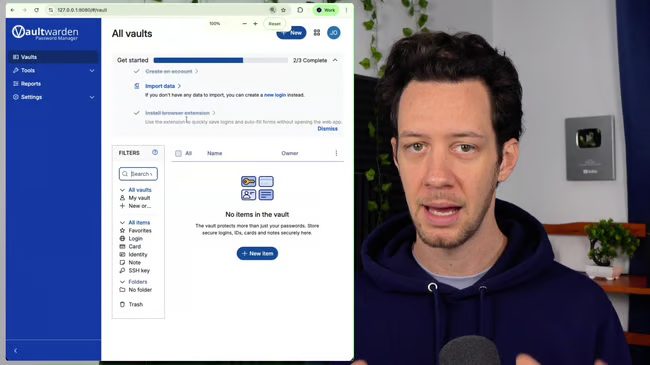
Say you and your partner each have a phone and a laptop, and a spare mini PC under the TV. Vaultwarden fits that setup. You start one container, put a reverse proxy in front of it to handle HTTPS (the encrypted connection the web vault requires) and point the Bitwarden apps you already know at your own address.
It is a rewrite of Bitwarden’s server in Rust, not Bitwarden’s own code, and it isn’t affiliated with the company. That sounds risky until you remember where the encryption happens: in the official apps on your devices, with the server only storing encrypted data it can’t read. The flip side is that nobody will help you if an update goes wrong, beyond the project’s forum, Matrix room and issue tracker.
The surprise is how much it includes. Organizations, collections, roles and emergency access all work without a license, so a family can share a Wi-Fi password without paying per seat. A small team gets policies and event logs too, though single sign-on and directory sync are not a priority, and custom roles and some enterprise policies probably won’t arrive unless someone contributes them. Passkeys can be stored for other sites; what’s missing is using a passkey to log in to the vault itself.
The upkeep is yours: updating the container, renewing certificates and backing up the data folder. A lost master password can’t be recovered by anyone.
What it does
- Server compatible with the official Bitwarden clients
- Collections, member roles and groups
- Authenticator, email, FIDO2 and YubiKey two-step login
- Free, open source (AGPL-3.0)
Pros
- Runs in one container with low memory use
- Works with the official Bitwarden browser, desktop and phone apps
- Organizations, groups, policies and emergency access with no license fee
Cons
- Community support only; the project is unofficial
- Single sign-on and directory sync are not a priority for the maintainers
- Logging in to the vault itself with a passkey is not supported
- Choose if:
- You want Bitwarden's apps and shared vaults on a small server you run yourself, without paying for a license.
- Skip if:
- You need a vendor to call or a company to hold responsible when the server breaks.
Bitwarden (official self-hosted server)
For audits and vendor support
#2 4.1/5
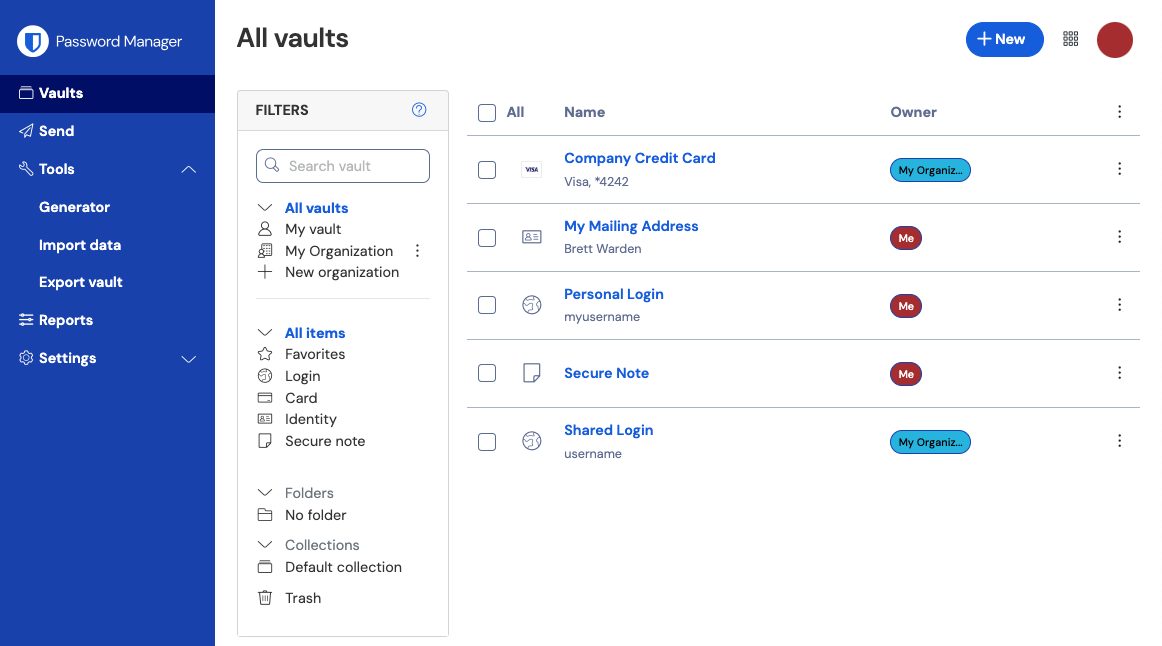
Start with the cost. Running Bitwarden’s own server is free, but without a license file you get only the free individual vault, with no organizations to share through. To share, you create an organization in Bitwarden’s cloud and import it to your server: Families costs $47.88 a year for up to six people, Enterprise is $6 per user per month, and the Teams plan can’t be self-hosted. The license must be refreshed within 60 days of renewal or the organization is disabled.
In return you get the original. The apps are the ones Vaultwarden borrows, and the company publishes audit and penetration-test reports from several firms, including a cryptography review by ETH Zurich that assumes a malicious server. If someone will ask who audited the thing and who to email, this is the answer.
The install comes in two weights. The standard version runs several containers with a bundled SQL Server Express database and wants at least 2 GB of memory. Bitwarden Lite is one container that needs about 200 MB and can use SQLite, PostgreSQL or MySQL, but it’s aimed at personal and home-lab use, not business. Either way you back up and update it yourself.
A household that only wants free shared vaults will do better with Vaultwarden; the paid license buys the vendor, the audits and the Enterprise admin tools, not better apps.
What it does
- Standard install and a one-container Lite install
- Organizations with collections, groups and permissions
- Policies on the Enterprise plan
- Browser, desktop, phone and command-line apps
Pros
- Audited every year by several firms, including a cryptography review
- The same polished apps as the cloud service, with full passkey support
- Vendor-maintained, with frequent releases
Cons
- Shared vaults need a paid Families or Enterprise license
- The standard install runs several containers and a SQL Server database
- A Families license has to be renewed within 60 days of its renewal date
- Choose if:
- A boss or security reviewer wants published audits and a vendor behind the server, and you'll pay for it.
- Skip if:
- You want free shared vaults or a server that runs on very little memory.
Passbolt
For teams sharing service logins
#3 3.9/5
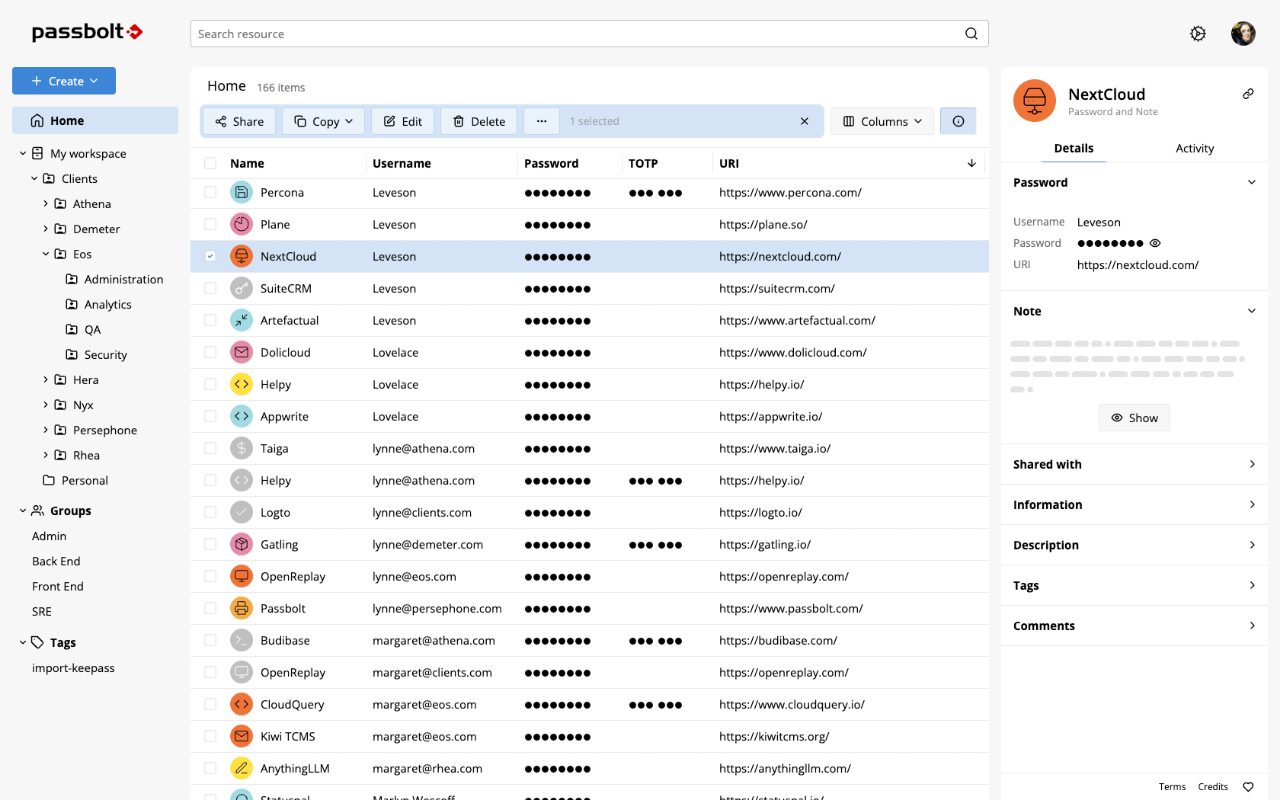
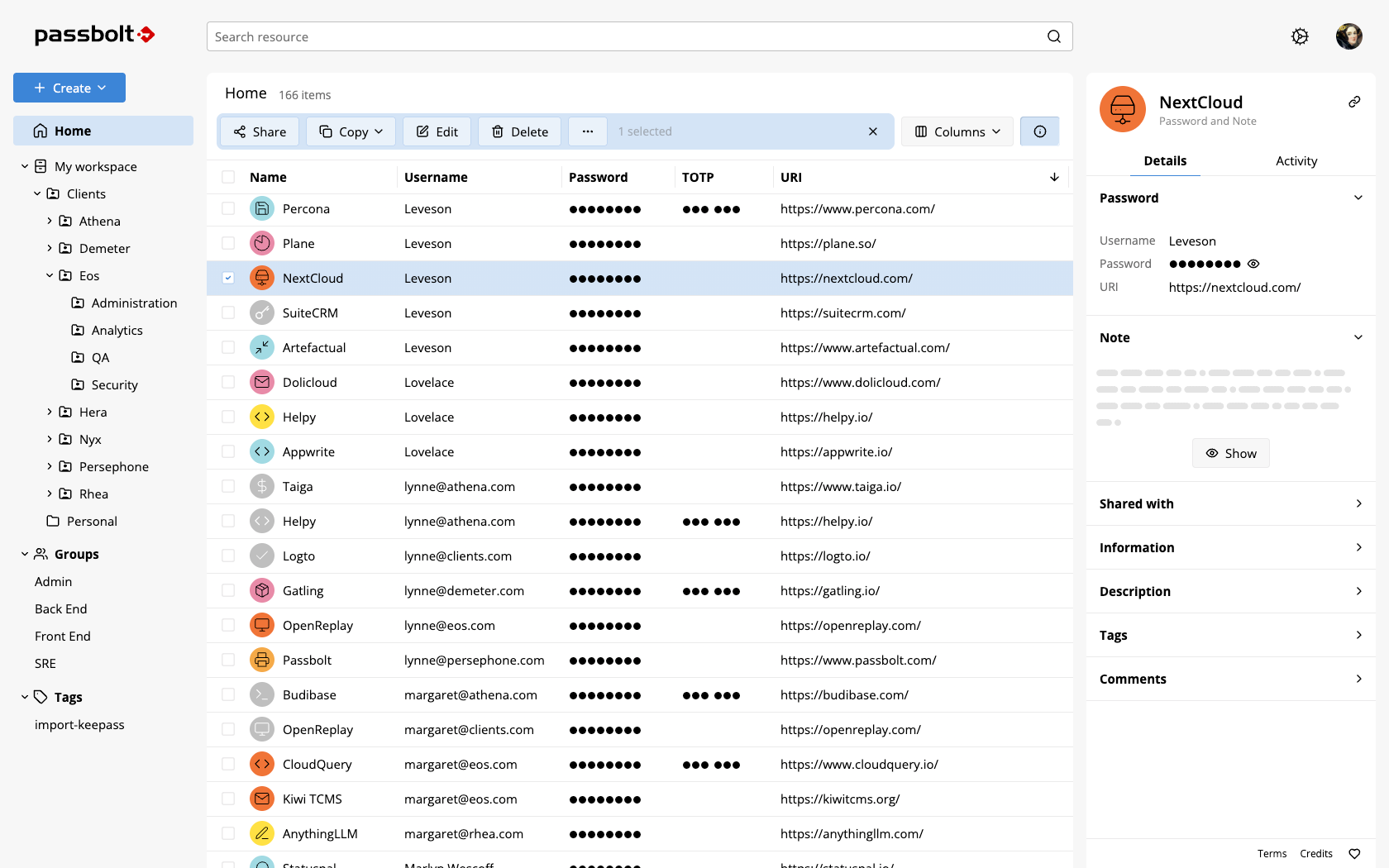
Passbolt is built around a different idea from the Bitwarden family. Every user has an OpenPGP key pair, and each secret is encrypted separately for everyone who may read it, so removing someone from a login is a real change, not a hidden flag. Permissions are set password by password, which suits a team where the database login belongs to two people and the domain registrar to one.
The company has published about fifteen audit reports since 2021 and runs a bug bounty. Compared with Vaultwarden, the free edition asks for more of your server: Passbolt plus MariaDB, an HTTPS domain, and a working mail server, since registration and account recovery run on email. Back up the server’s GPG key volume along with the database; without it the stored secrets can’t be decrypted.
Day to day, the browser extension is the main interface. iOS and Android apps and a Windows desktop app are available too, but autofill misses some sites. It’s built for team sharing rather than a personal or family vault. The free edition makes users by hand or from a CSV file. Pro adds single sign-on, directory sync, audit logs and recovery escrow, at $4.90 per user per month with a ten-user minimum, which is at least $588 a year.
What it does
- Per-password permissions with groups and folders
- Browser extensions, iOS and Android apps, Windows app and command line
- Free Community Edition, paid Pro edition
Pros
- Permissions per password, with folders and groups
- OpenPGP end-to-end encryption and frequent public audits
- Free Community Edition with no user limit
Cons
- Needs a database, HTTPS and a working mail server
- Single sign-on, directory sync and audit logs need the paid Pro edition
- Autofill misses some sites, and the browser extension is required
- Choose if:
- Your team shares logins by group and you want permissions set on each password.
- Skip if:
- You're setting up a personal or family vault.
Psono
For teams of ten or fewer that want admin controls
#4 3.7/5
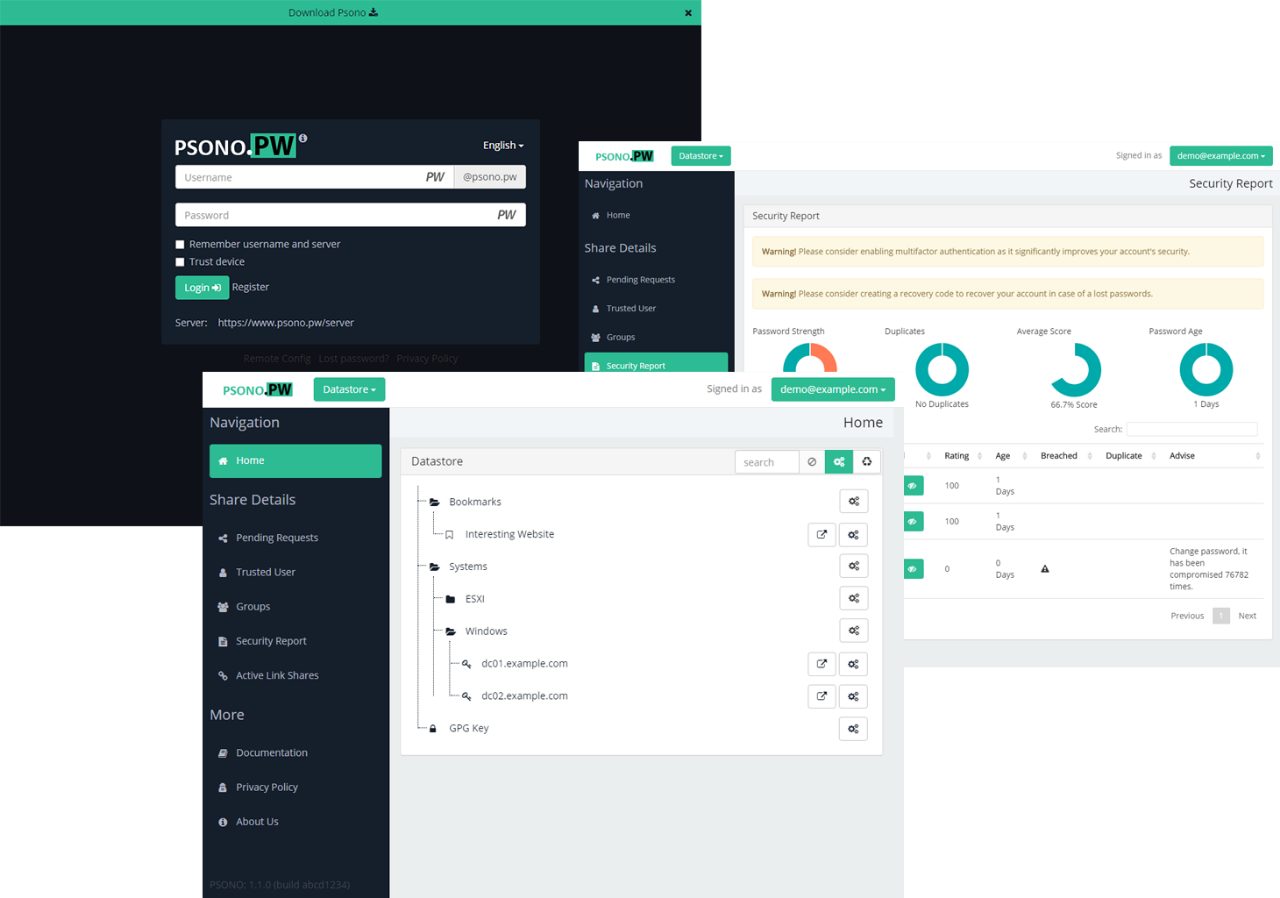
Psono’s selling point is a pricing quirk. The Community Edition is free for any number of users, and the company’s Enterprise edition, with single sign-on through LDAP, SAML and OIDC, audit logging and policies, is also free for up to ten users. For a team that small, that’s far more admin control than Passbolt or Bitwarden give away, since both keep those features behind paid plans.
The costs are practical. You run a server plus a database and keep the settings file safe, because its secrets are needed to decrypt the data. The one-line quickstart script is for demos only. Psono has a smaller ecosystem than the Bitwarden world, and it’s a poor fit for a simple personal vault. A 2026 Cure53 audit reportedly found nothing above low severity, but that finding comes from a third-party summary rather than the report itself.
Past ten users the paid edition costs $3 per user per month, with a minimum of 25 users, so a team of fifteen has to choose between the limited Community Edition and a bill of at least $900 a year.
What it does
- Community Edition free for unlimited users
- Enterprise features free up to ten users
- Web client, browser extensions, phone apps
Pros
- Free business tier for up to ten users, with SSO, audit logging and policies
- Sharing with users, groups and links
- Apache 2.0 license
Cons
- Smaller ecosystem and fewer independent reviews
- Needs a server, a database and ongoing maintenance
- Beyond ten users the paid plan starts at 25 seats
- Choose if:
- You want single sign-on and audit logs without paying, and your team has ten people or fewer.
- Skip if:
- You want a simple personal vault.
KeePassXC
For readers who want no server
#5 3.0/5
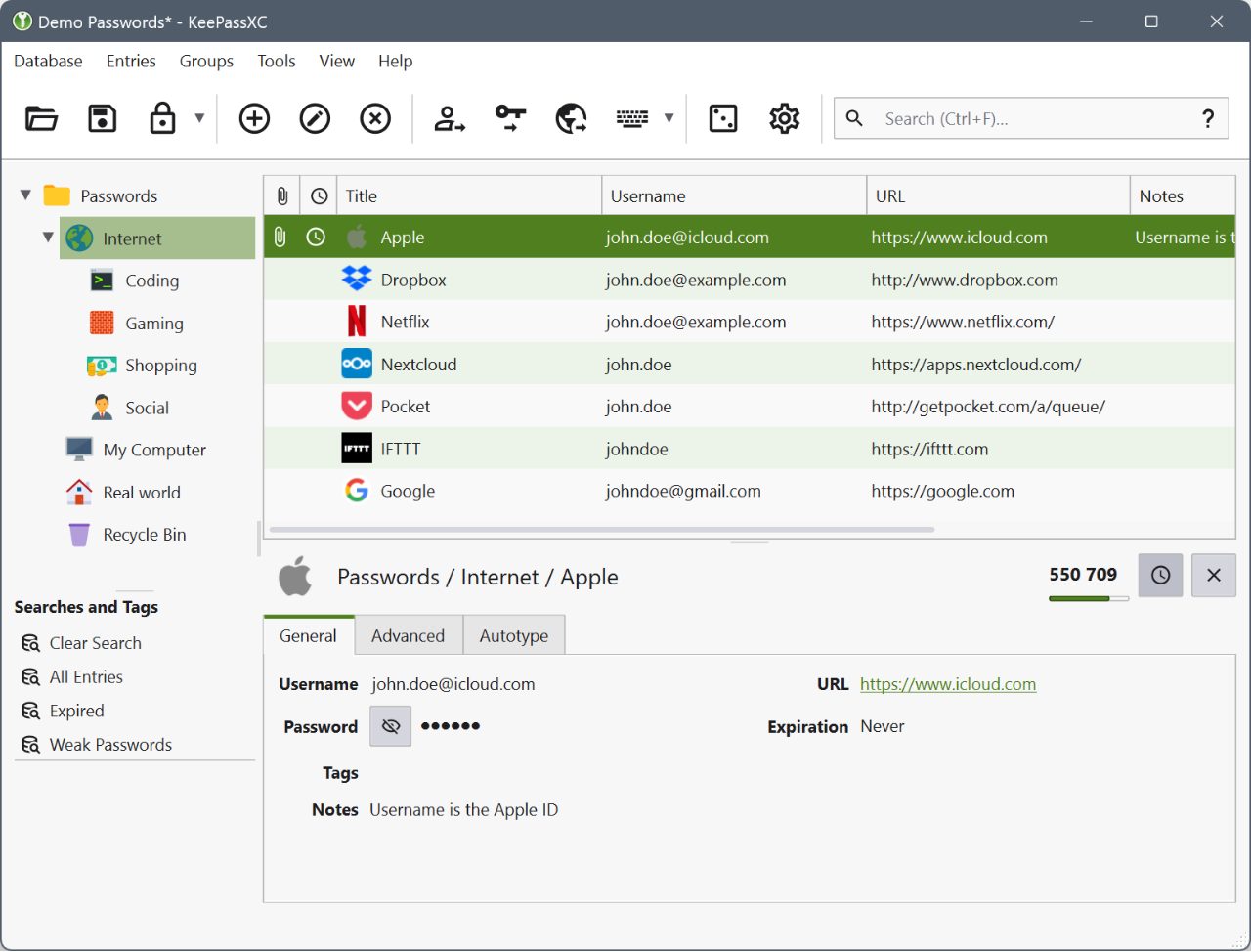
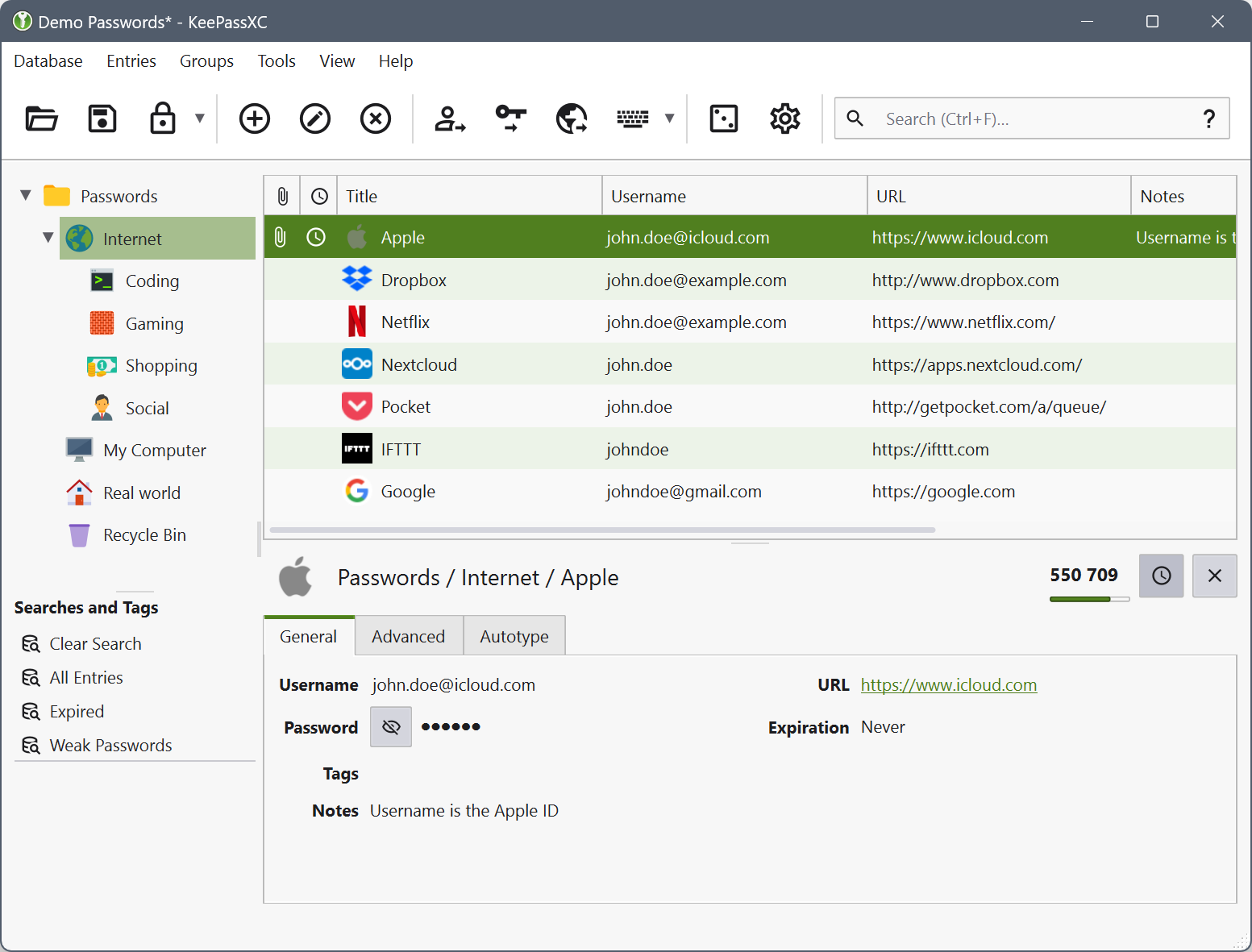
This is the one entry without a server, and for some readers that’s the whole appeal. KeePassXC keeps everything in one encrypted file. You put the file where you like. Syncthing, Nextcloud and the big cloud drives can sync it between your devices. Nobody can reach the vault without both the file and your password, because there’s no hosted service to attack.
Phones are the weak spot. KeePassXC has no mobile app of its own, so you pair it with a third-party app that opens the same file, commonly KeePassDX on Android and Strongbox or KeePassium on iPhone. On iPhone the paid tiers of those apps unlock some autofill and convenience features. On the desktop, browser autofill only works while the app is running. If two devices change the file at the same time, you can get sync conflicts; the app merges entries by unique ID and edit time, but check the result before moving on.
Sharing is crude. Whoever has the file and the master password has everything, so a spouse is fine and a team is not. A group of entries can be passed between files through KeeShare, with no per-person permissions. The upside is the smallest setup here and the smallest attack surface. A lost password or a deleted file with no backup is permanent; backups are on you.
What it does
- Desktop app for Windows, macOS and Linux
- Encrypted KDBX file
- Browser extension for Firefox and Chromium browsers
- KeeShare for passing a group of entries between files
Pros
- Nothing to host, no account, no server to attack
- Free and open source, with one independent audit and a French government security visa
- Browser integration with passkey support on the desktop
Cons
- No mobile app of its own; phones use third-party apps that open the same file
- No user accounts or sharing permissions
- A forgotten master password makes the file unusable
- Choose if:
- You want your passwords in a file on your own devices and are happy to handle sync yourself.
- Skip if:
- You need several people to share logins with different permissions.
Also considered
- TeamPass: A free server for teams, around since 2009, with folder-level access control and LDAP support. It offers browser extensions for Chrome, Firefox and Edge, with the autofill extension starting at 49 euros per year, but no mobile apps. Teams that want phone apps and free autofill fit Vaultwarden or Passbolt better.
- Padloc: An open-source manager for individuals and teams that can be self-hosted. It has no published releases, and its hosting guides are still unfinished. For a vault you depend on, a project with regular releases is a safer bet.
1–5 per criterion · select a score for its reasoning and any sources
| # | Product | Overall | Apps and autofill | Setup and upkeep | Sharing with family or team | Security assurance | Admin controls at no cost | Maintenance and support | Cost for a family or small team |
|---|---|---|---|---|---|---|---|---|---|
| 1 | Vaultwarden | 4.3 | 5 | 4 | 5 | 4 | 4 | 3 | 5 |
| 2 | Bitwarden (official self-hosted server) | 4.1 | 5 | 3 | 5 | 5 | 2 | 5 | 4 |
| 3 | Passbolt | 3.9 | 3 | 3 | 5 | 5 | 2 | 4 | 5 |
| 4 | Psono | 3.7 | 3 | 3 | 4 | 3 | 4 | 4 | 5 |
| 5 | KeePassXC | 3.0 | 3 | 5 | 2 | 3 | 1 | 3 | 4 |
How each criterion is scored
Apps and autofill
How well you can use the vault on every device you own, judged from the official browser extensions, desktop and mobile apps, command-line tool and passkey support the project or its usual clients provide, and from what users say about autofill.
- 5 Official browser, desktop, mobile and command-line clients with autofill and passkey storage, widely used and well regarded
- 4 Official browser, desktop and mobile apps with autofill, missing one feature readers notice
- 3 Browser extension and mobile access, but with a clear gap such as a separate third-party mobile app, weak autofill or an extension you must use for everything
- 2 A desktop app and a browser extension, with no mobile app
- 1 A web page or desktop app only, with no browser autofill
Setup and upkeep
What you have to run and look after: containers, database servers, memory, a mail server, certificates, and how backups work.
- 5 No server at all; an app and a file
- 4 A single small container with no separate database server, plus HTTPS
- 3 One application plus one database server or a few containers, with moderate memory, or a lighter install option next to a heavy default
- 2 Several containers or a database server on a server with 2 GB or more of memory, plus extra requirements such as a mail server
- 1 A heavy stack of many services that needs a large server
Sharing with family or team
Whether several people can use the same logins, and how much control there is over who can read or change each one.
- 5 Groups and collections with per-person roles and permissions, and extras such as emergency access or sharing logs
- 4 Shared folders or collections with groups and different permission levels
- 3 Shared folders for several users with a single level of access
- 2 People share one database file or one group of logins, with no separate permissions
- 1 One person only
Security assurance
How much independent review the software has had, how its encryption works, and the second sign-in factors it supports.
- 5 Frequent audits by several firms, public reports, a cryptography review, and a bug bounty
- 4 Several independent audits and hardware-key support
- 3 One recent independent audit or a government certification, or audited client code with a smaller review of the server
- 2 One old audit, or a vendor's own claims only
- 1 No independent audit and no certification
Admin controls at no cost
How many of four administration features you get without a paid plan: single sign-on, directory sync or provisioning, audit or event logs, and policies such as enforced two-step login.
- 5 All four, for any team size
- 4 Three or four of the four, for a small team or the project's free tier
- 3 One or two of the four
- 2 Basic user and group management only
- 1 None, and no multi-user administration
Maintenance and support
Who maintains the software, how often it ships updates, and what help you can get if the install breaks.
- 5 A company maintains it with frequent releases and support included for self-hosters
- 4 A company maintains it and sells support, with steady releases
- 3 Steady releases with community-only help
- 2 Community-only help and slow releases
- 1 Stalled project with no recent releases
Cost for a family or small team
What a household of six or a team of ten pays to run it with sharing turned on, beyond hosting costs.
- 5 Free with sharing included
- 4 Free software, with one small flat fee or paid extras on a phone
- 3 A per-user plan under $5 a month
- 2 A per-user plan of about $5 or more a month
- 1 A paid plan with a high minimum, such as several hundred dollars a year
Which self-hosted password manager fits you
A household or a few friends. Pick Vaultwarden. The apps are the same polished Bitwarden ones, the server is one container, and sharing is free. Bitwarden’s own server would give you the same apps for a yearly license fee and a heavier install, so it only wins if audits and vendor support matter to you.
Moving from LastPass, 1Password or Bitwarden’s cloud. Either Bitwarden-compatible server keeps the apps you’d be using anyway. Vaultwarden is free; Bitwarden’s own server is what you choose when the employer or the insurer asks who audited it.
A team of ten or fewer that shares service logins. Compare Passbolt and Psono. Passbolt has the better-known sharing model and public audit reports, and Psono includes single sign-on and audit logs for free up to ten users. Past ten people, Passbolt’s free edition stays free but without those admin features, while Psono’s cost begins at 25 seats. Vaultwarden also works for a team that doesn’t need single sign-on or directory sync.
No server at all. KeePassXC, ideally with one computer and one phone so the file has just one place to conflict. Treat the file as the thing you must never lose, and keep a copy somewhere else.
Reaching your vault away from home. Every server option has to be reachable from your phone when you’re out. That means a public address with HTTPS, or a VPN you stay connected to. The Bitwarden apps keep an encrypted copy of the vault on the device, so a server that’s down for a while doesn’t lock you out.
Vaultwarden is the right default because it does the most for the fewest resources. Its apps are the same as the official ones, its shared vaults cost nothing, and it fits on a small server. What you give up is a company behind it: if your boss, client or regulator needs published audits and someone to call, Bitwarden’s official server is the same experience for a license fee and a heavier install, and Passbolt is the stronger answer for a team that shares logins by group.
Psono is a good fit when a small team wants single sign-on and audit logs without a bill. KeePassXC is for readers who would rather avoid a server altogether, and who accept a file, third-party phone apps and sharing that stops at a household. Whichever you pick, the part that decides whether it works over years isn’t in the feature list: it’s whether you’ll keep updating the server and checking that a backup restores.
Frequently asked questions
What happens to my passwords if my server dies?
With Bitwarden-compatible servers, the apps keep an encrypted copy on each device, so you can still read your logins while the server is down. What matters is the backup: for Vaultwarden, the data folder; for Passbolt, the database plus the server’s GPG key volume; for Psono, the database plus the settings file. With KeePassXC, the file itself is the vault and the backup.
Do I need to pay for Bitwarden Premium to use Vaultwarden?
No. Vaultwarden doesn’t use Bitwarden’s license system, and organizations and other features are available without paying. You pay only for your own hosting.