9 best apps for finding cheap flights in 2026
The cheapest fare in your search results isn’t always the cheapest trip. A checked bag (most airlines charge $35 to $40 each way), a booking fee, or an agency you can’t reach when the flight is canceled can each wipe out a $30 saving. The apps below make those costs easier to spot before you pay. In Frommer’s 2026 test of 18 flight search sites, Momondo came out on top.
Momondo adds your checked-bag fees to every price when you ask it to, and its free iPhone and Android apps are well built, so it’s where I’d search for a trip with fixed dates. Google Flights is the one to keep open beside it: its date grid lays out a month of prices quickly, and it emails you when a tracked trip gets cheaper, though on a phone it’s a website rather than an app. Both usually send you elsewhere to pay. When the airline sells the same fare, buy it there, because changes and cancellations are simpler without an agency in the middle.
Three kinds of cheap-flight apps
These apps fall into three broad groups, though some overlap. The group tells you who sells the ticket and who helps when things go wrong.
- Search engines (Momondo, Google Flights, Kayak, and Skyscanner) compare fares from hundreds of airlines and online travel agencies, then send you to one of them to pay. They’re free because the sellers pay them. Whoever sells you the ticket handles changes.
- Online travel agencies (Expedia, Hopper, and Kiwi.com) sell you the ticket themselves. When a flight is canceled or moved, you usually deal with the agency, and they make part of their money from fees and paid add-ons.
- Deal-alert services (Going) have people watch fares from your home airport and send you the ones that are far below normal. They can’t look up a trip you’ve already planned, and the useful plans cost money.
Skiplagged sits between the first two: it compares fares like a search engine but sells some tickets itself, and it’s known for a kind of ticket the others won’t show you.

Momondo
Lowest fares, with bag fees counted
#1 4.3/5
 (opens full size in a new tab)
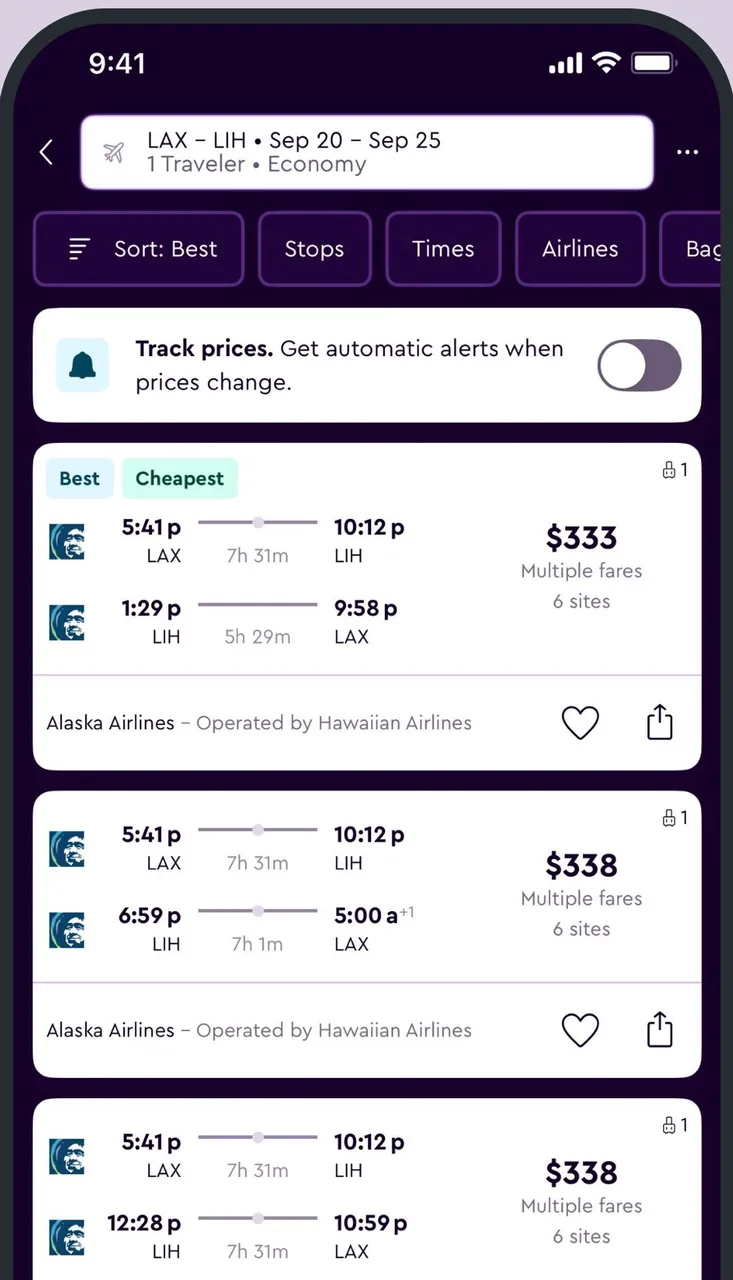
Momondo checks hundreds of travel sites at once, including small online agencies that bigger searches skip, which helps it turn up lower fares. It shares an owner with Kayak, Priceline, and Booking.com.
Frommer’s 2026 test put it first of 18 sites. Across 32 searches it never returned a bad fare, did best on both last-minute trips and trips booked about three months out, and on half of the searches where it beat the average, it had the single cheapest fare of any site.
The feature I’d use most is the Fee Assistant. You tell it how many checked and carry-on bags you’re bringing, and it recalculates and re-sorts the results with each airline’s bag fees included. Budget airlines are where it pays off most: Frommer’s found checked-bag fees running from $15 on some Hawaiian Airlines flights to $100 on some Frontier ones, so a fare that looks $40 cheaper can end up costing more. The filters go deeper than anywhere else on this list, down to airports and layovers, and a color-coded calendar shows the cheap and expensive days at a glance.
The weak spot comes with those small agencies. The cheapest result is often a seller you’ve never heard of, and once you buy from it, that agency handles every change and refund. Before you pay, check who the seller is, since that company handles changes and refunds. The app also shows ads.
What it does
- Compares fares from hundreds of airlines and travel agencies in one search
- Fee Assistant adds your checked and carry-on bag fees to every price
- Color-coded price calendar and fare trend charts
- Price alerts by push notification or email
Pros
- Found the lowest fares most often in Frommer's 2026 test of 18 sites
- The deepest filters of any app here, down to airports and layovers
- Free, well-rated apps for iPhone and Android
Cons
- The cheapest result is often a little-known agency that will handle your changes
- Ads in the app
- Slower to search than Google Flights

Google Flights
Fastest way to compare dates
#2 4.3/5
 (opens full size in a new tab)
Google Flights has no app. On a phone you use it in the browser or inside the Google app, and that’s its biggest drawback here: there’s nothing to put on your home screen, and tracked price drops reach you by email.
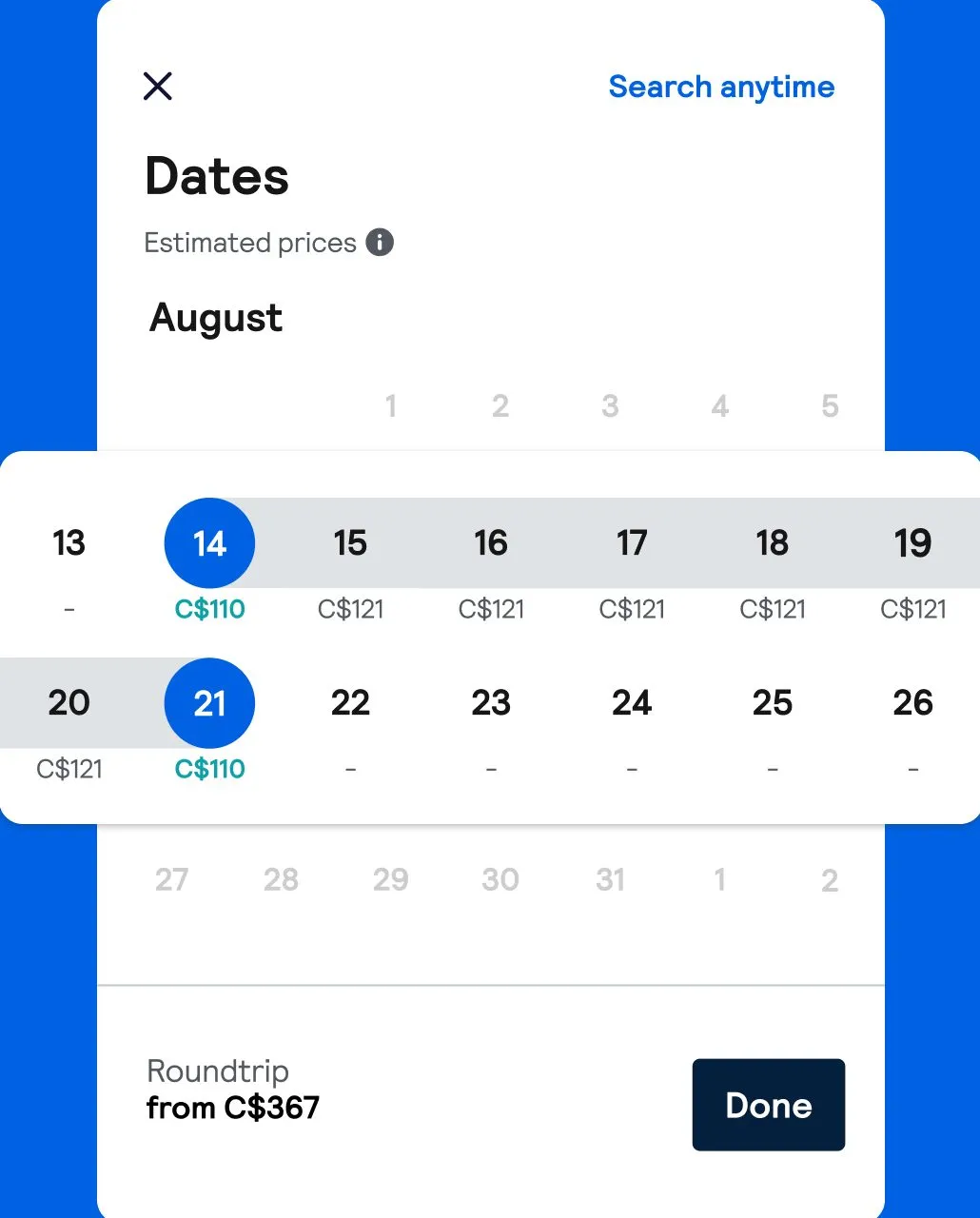
Its clearest strength is helping you choose when to fly. A date grid and a price graph lay out weeks of departure and return dates at once, and each search gets a label saying whether today’s price is low, typical, or high compared with past prices on that route. Turn on tracking and Google emails you when the price drops sharply, either for your exact dates or for “any dates” over the coming months.
For some flights booked on Google itself and leaving the US, it goes further: it checks the price every day until takeoff and pays you back the difference through Google Pay. That guarantee covers mostly domestic trips on some airlines, and usually not basic economy, the cheapest and most restrictive fares.
Frommer’s found it the fastest of the 18 sites and ranked it fourth on fares, with good results on trips booked well ahead. Its filters are thinner than Momondo’s, with no way to filter by layover airport, and sorting is limited. It shows Southwest prices, and it puts the airline’s own fare first in the list of sellers, which makes booking direct the easy choice. For trips with no fixed destination there’s an Explore map and Flight Deals, a test feature where you describe a trip in plain words and it flags fares at least 20% below their usual price.
What it does
- Date grid and price graph covering weeks of departures
- Price tracking by email for set dates or any dates
- Low, typical, or high label based on the route's past prices
- Explore map and Flight Deals for trips with no fixed destination
Pros
- The quickest way to see which dates are cheapest
- Pays back price drops on some US trips booked on Google
- Makes buying straight from the airline the easy path
Cons
- No app for iPhone or Android, only the mobile website
- Fewer filters than Momondo, with no layover airport filter
- The price guarantee covers only some trips, mostly domestic

Kayak
Price forecasts next to every search
#3 3.9/5
 (opens full size in a new tab)
Kayak and Momondo share an owner and work much alike, but Kayak adds timing advice. Its Price Forecast says whether the fare for your dates is likely to rise or fall over the next week, turns that into “buy now” or “wait”, and shows how confident it is. On a phone, a price trend graph sits at the top of the results, and price alerts live in the app’s menu.
Kayak also shows Hacker Fares, two one-way tickets that cost less together than a round trip, sometimes on different airlines. They can save money, but they’re two separate tickets: if one flight is canceled, the other airline doesn’t have to help, and a checked bag paid twice can erase the savings. Kayak’s fee assistant, which adds bag fees to the results, is the way to check. Southwest fares show up next to everyone else’s, and you finish those bookings on Southwest’s own site or app.
Two things annoy me. The first result is a paid ad, and it isn’t always the best deal. And since Kayak usually sends you to the airline or another agency, it’s easy to lose track of which company you bought from, which is the company you’ll need when something changes.
What it does
- Price Forecast that says whether to buy now or wait, with a confidence level
- Hacker Fares that pair two one-way tickets
- Fee assistant that adds bag fees to the results
- Explore map of destinations within your budget
Pros
- Timing advice right in the search results
- Shows Southwest fares alongside other airlines
- Long-established, well-made apps for iPhone and Android
Cons
- The first result is a paid ad
- Hacker Fares are separate tickets with no protection if one flight changes
- The forecast is a prediction with no payback if it's wrong

Skyscanner
Cheap trips anywhere from your airport
#4 3.9/5
 (opens full size in a new tab)
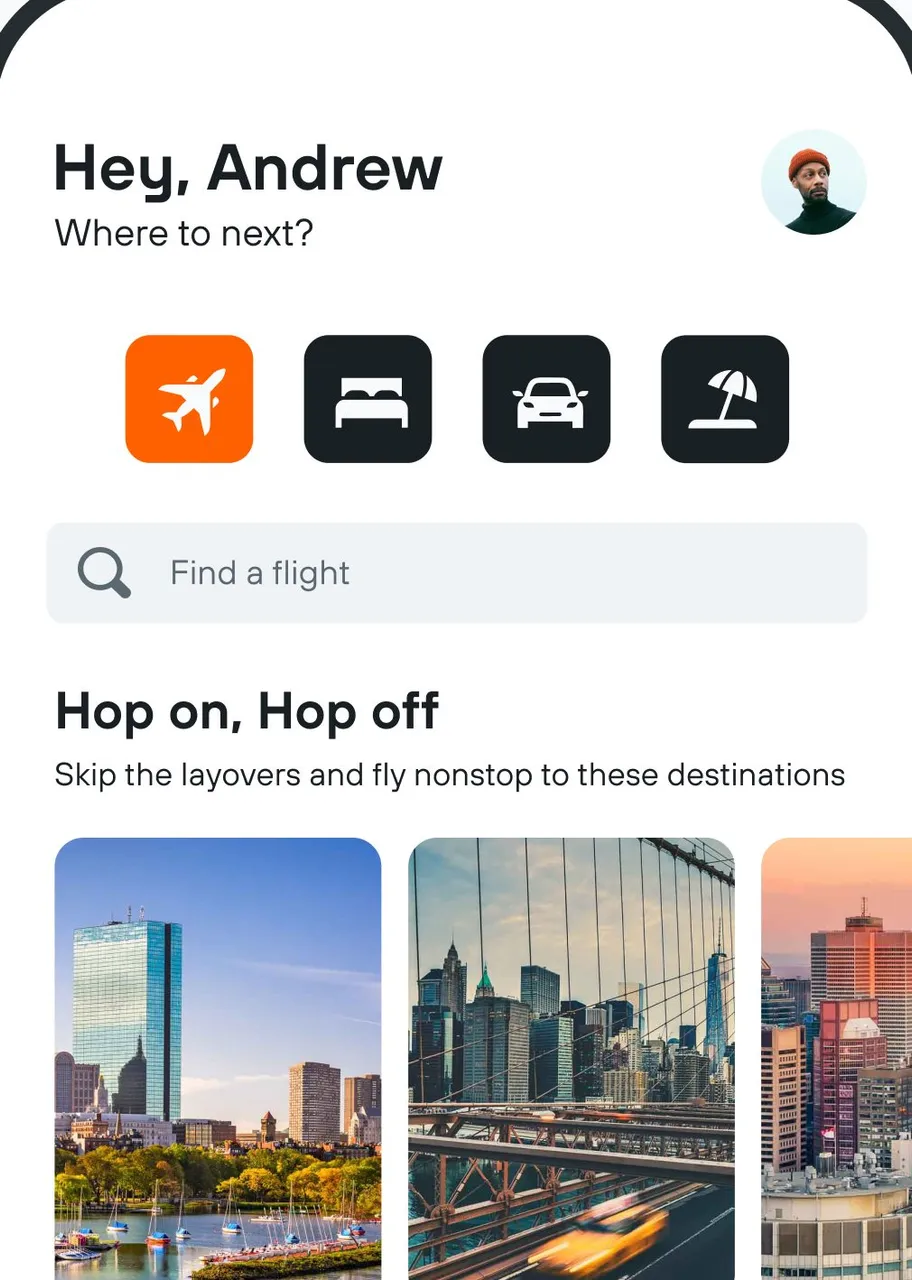
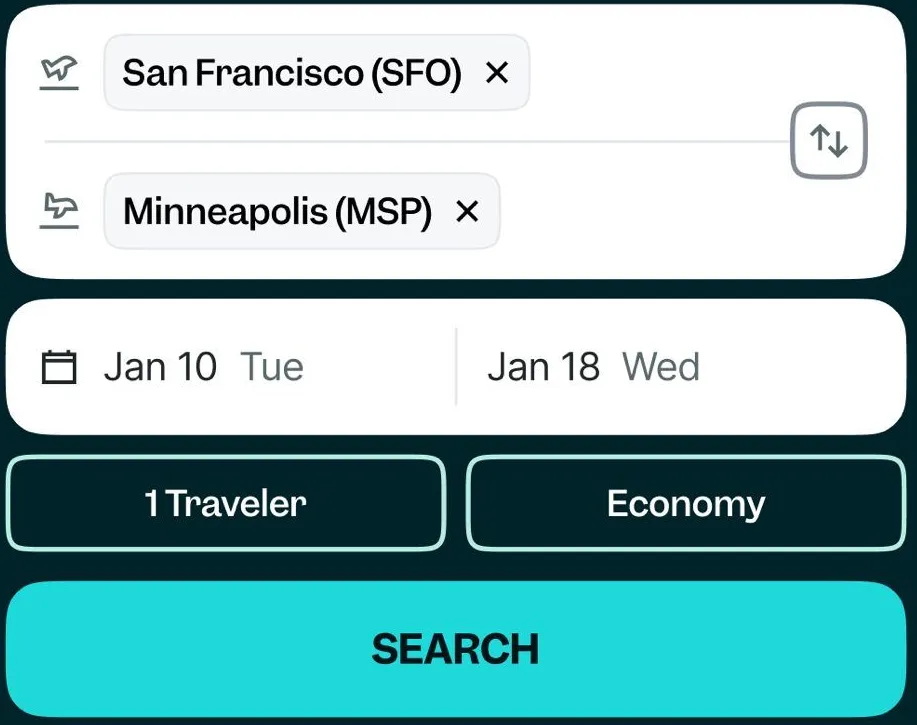
Skyscanner is the search engine to open when the destination is up for grabs. Type “Everywhere” as your destination and it lists the cheapest places to fly from your airport; pick “Cheapest month” and it finds the lowest-priced days across a whole month or year. The app’s Drops feed shows flights from your airport whose fares have fallen by 20% or more, which covers part of what people pay a deal-alert service for.
It compares more than 1,200 airlines and travel agencies, charges no booking fees, and sends you to the seller to pay. In Frommer’s test it came second overall, and on trips booked about three months ahead no site but Momondo beat it. It was weaker on last-minute fares. The app shows recent traveler reviews of each booking site, which helps when the cheapest option is an agency you don’t know.
It has no filters for layover airport or layover length, and no forecast of where the price is heading. Saving a flight sets an alert, and that’s as far as its price tracking goes.
What it does
- Everywhere search for the cheapest destinations from your airport
- Cheapest month view and price calendar
- Drops feed of big fare cuts from your home airport
- Price alerts when you save a flight
Pros
- Second in Frommer's 2026 test, and strongest after Momondo on trips booked ahead
- Finds big fare drops from your airport without a subscription
- Shows traveler reviews of each booking site before you click through
Cons
- Weaker on last-minute fares
- No filters for layover airport or layover length
- No advice on when to buy, and no payback if the price drops
- Choose if:
- You want a free daily list of big fare cuts from your home airport

Skiplagged
Hidden-city fares, with risks attached
#5 3.2/5
 (opens full size in a new tab)
Skiplagged made its name with hidden-city fares. A flight from your city to somewhere beyond your destination, with a layover in the city you want, sometimes costs less than a direct ticket to that city. You book the longer trip and walk out at the layover. Skiplagged shows these automatically, with the skipped leg crossed out, and a filter hides them.
Hidden-city tickets carry risks the airlines enforce. You can’t check a bag, because it goes to the final destination on the ticket. Airlines treat skipping a leg as a breach of their terms: Delta, for one, reserves the right to cancel the rest of your ticket, refuse to let you board, or charge you the full fare, and an airline can close your frequent-flyer account. United, Southwest, and American have all sued Skiplagged. The practice is legal, and every one of those risks falls on you.
With hidden-city results switched off, it’s still a good search engine. Frommer’s ranked it third while ignoring those fares entirely; it beat Skyscanner on last-minute trips and found the best price five times. Frommer’s also hit its rough edges: round trips that needed two separate checkouts, and a Dallas to Delhi fare that rose $199 on the final screen. Regular flights carry no Skiplagged booking fee, while hidden-city bookings always include its fee. Some tickets come from third-party agencies, and support is by email or chat.
What it does
- Hidden-city fares marked in the results, with a filter to hide them
- Ordinary fares from most major US airlines and partner sites such as Kiwi.com
- Price Hacker credit on some flights if your fare drops $15 or more after booking
- Fare alerts and an explore map
Pros
- Third in Frommer's 2026 test even with hidden-city fares ignored
- Strong on last-minute trips
- Shows a kind of fare most other apps hide
Cons
- Hidden-city tickets rule out checked bags and can cost you the rest of the trip or your miles
- Round trips can need two separate checkouts
- Prices sometimes rise at the final booking step
- Some tickets come from third-party agencies with email-only or chat-only support
- Choose if:
- You fly with only a backpack and accept the airline's penalties as your risk

Expedia
Flight and hotel in one booking
#6 3.2/5
 (opens full size in a new tab)
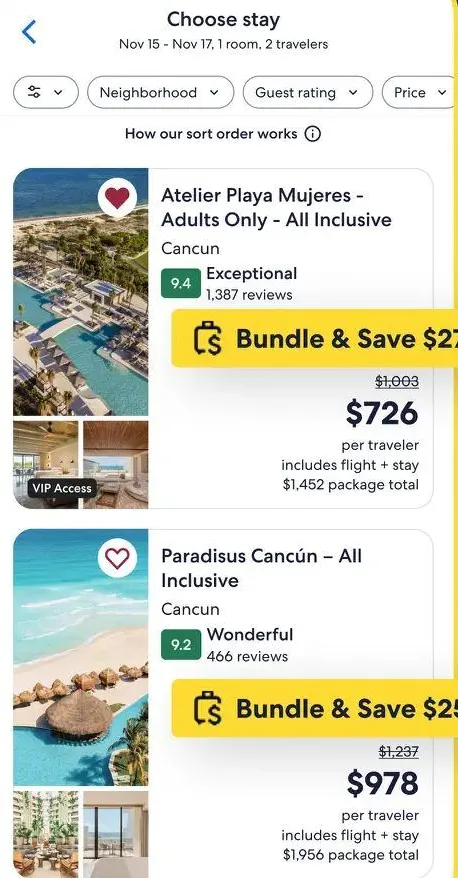
Expedia is a travel agency app built around hotels that also sells flights. Its advantage is bundling the flight with a hotel or rental car, with one confirmation and one company to call. If you only need a flight, a search engine will often find it cheaper.
Frommer’s ranked Expedia seventh of 18. It found the best fare three times and a good one three more, but on New York to Paris it showed United fares when French Bee was cheaper, and some low prices for a direct flight only applied if you picked a return with a stop. The website has a grid of prices three days either side of your dates, and results show icons for whether seat choice, a carry-on, and a checked bag are included.
Flights booked on Expedia can be canceled for a full refund within 24 hours if you book at least seven days before departure. After that, the airline’s rules apply, and Expedia can add its own fees. Gold and Platinum members of its One Key loyalty program get price drop protection on flights booked in the app, paid as OneKeyCash (Expedia’s travel credit) after the trip. Flights booked on their own no longer earn OneKeyCash.
What it does
- Flight, hotel, and car bundles in one booking
- Price grid for three days either side of your dates on the website
- Icons showing whether seat choice and bags are included
- Price drop protection for Gold and Platinum One Key members
Pros
- One booking and one company to call for a flight and hotel
- Full refund within 24 hours on flights booked a week or more ahead
- Large, well-rated app for iPhone and Android
Cons
- Missed cheaper fares on some routes in Frommer's test
- Flights booked on their own earn no OneKeyCash
- Changes go through Expedia, which can add its own fees
- Choose if:
- You're booking a flight and hotel together and want one confirmation

Hopper
Fare predictions, with fees to watch
#7 3.1/5
 (opens full size in a new tab)
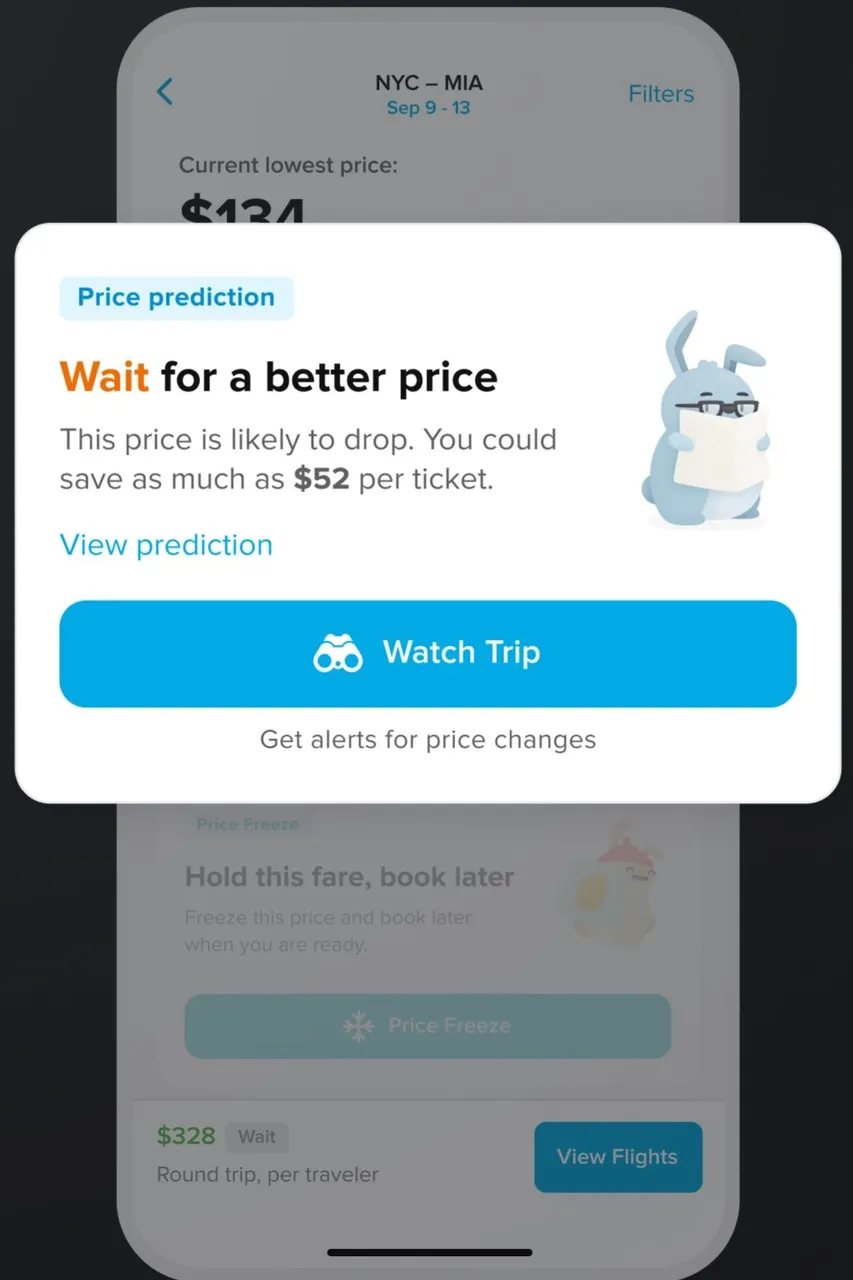
Hopper is a travel agency app built around one question: book now or wait? Search a trip and it starts watching the price on its own, colors a calendar by price, and notifies you when it thinks you should buy. Flights can only be booked in the app. The advice is a forecast, and forecasts miss; Hopper’s Price Drop Guarantee pays back a fall within 10 days on some flights booked on its advice, but only in Carrot Cash, Hopper’s own credit, which expires after six months if unused.
Hopper also sells extras. Price Freeze holds a fare for a deposit, $65 per ticket in one example, that’s nearly always lost if you don’t book, and Hopper covers a price rise only up to a cap. Cancel for Any Reason and a disruption guarantee cost extra too.
Those extras are where Hopper has drawn the most criticism. It agreed to pay $35 million to settle Federal Trade Commission allegations that it pre-selected “optional” fees and hid them on a screen most people never scrolled to, and that it misled customers about Price Freeze and its paid VIP Support. The settlement bars it from misrepresenting fees and requires it to show the total price clearly. Complaints about reaching support and rebooking canceled trips are common, so I’d use Hopper’s predictions to time a trip and compare its price on a search engine before buying.
What it does
- Automatic price watching with notifications telling you when to buy
- Calendar colored by price
- Price Freeze to hold a fare for a deposit
- Cancel for Any Reason and disruption add-ons
Pros
- Watching a trip takes no setup
- Plain advice on whether to buy now or wait
- Price Freeze can hold a fare while you sort out plans
Cons
- Settled FTC allegations over hidden fees and misleading Price Freeze terms
- Sells only fares it can book itself, so it can miss cheaper sellers
- Frequent complaints about support and rebooking
- Price drop payouts come as Hopper credit that expires
- Choose if:
- You want to hold a fare for a few days before you commit

Going (formerly Scott's Cheap Flights)
Hand-picked deals from your airport
#8 3.0/5
 (opens full size in a new tab)
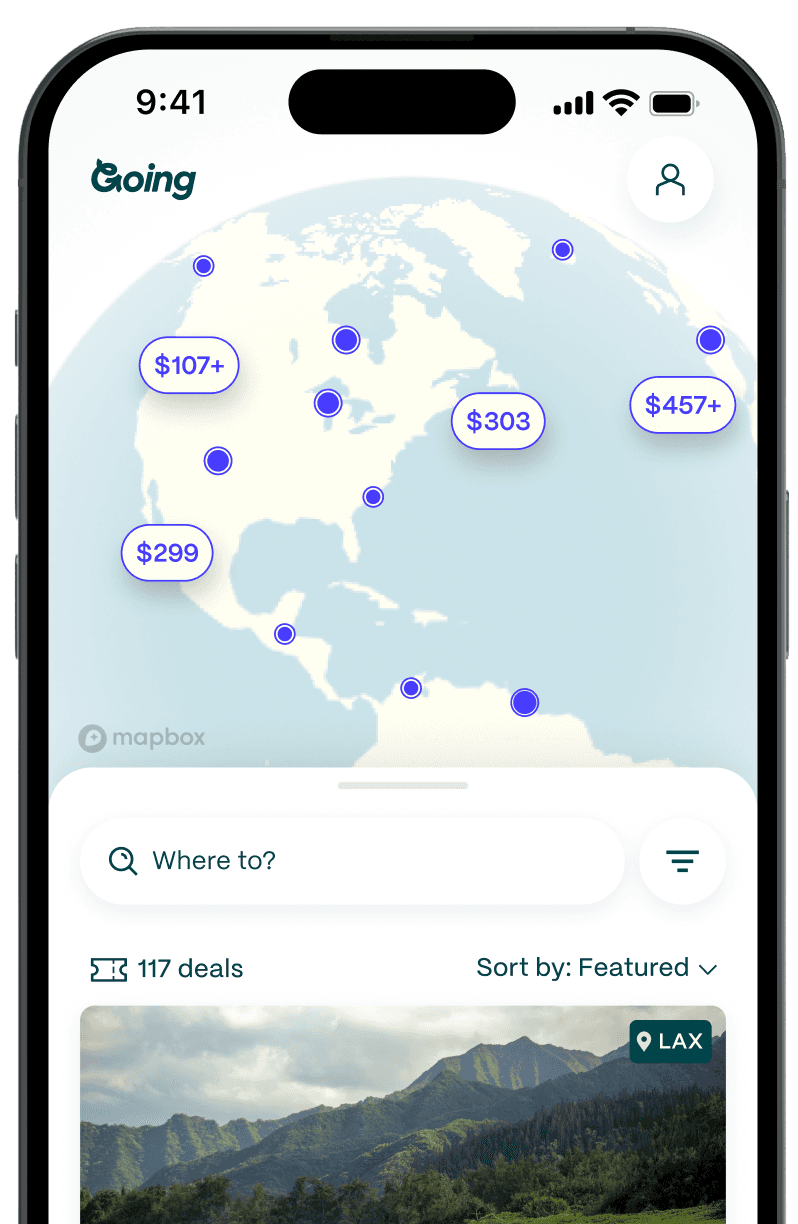
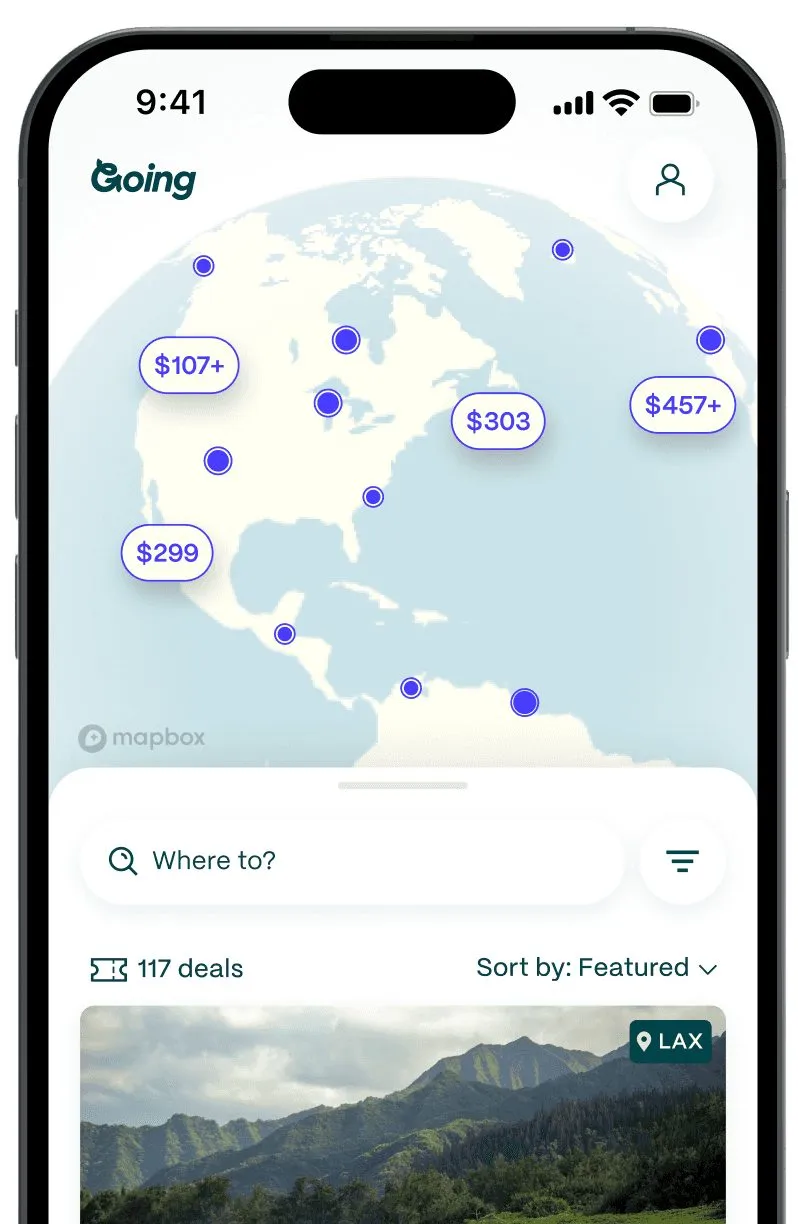
Going (formerly Scott’s Cheap Flights) doesn’t search for deals on a trip you’ve already planned. Its flight experts, mostly people rather than software, watch fares from the airports you choose and send you the ones far below normal, by email or push notification. You book with the airline, often through a Google Flights link. Deals typically last a day or two, and mistake fares (prices an airline set too low by error) sometimes only hours. Most are for travel two to nine months out, on nonstop or one-stop flights, and Going skips budget airlines with poor ratings.
The free Limited plan sends continental US deals. Premium, at $49 a year, adds every domestic and international economy deal plus mistake fares from your home airport, and Elite, at $199 a year, adds premium economy, business, and first class. Both paid plans have a 14-day free trial. The iPhone app can also track a trip you’ve planned, though only as a round trip, and you can’t edit a tracked trip once it’s set up.
Going fits people who decide where to go after they see the price. If your dates are fixed, it’s the wrong tool, and even flexible travelers hit its limits: one Android user who planned not to renew complained the deals were “always on awkward days like leaving on a Tuesday and returning on Monday.” I keep a spreadsheet of every subscription I pay for, so my test for Premium is simple: it has to lead to at least one booking a year I wouldn’t have found myself.
What it does
- Deal alerts from your chosen airports by email and push
- Mistake fare alerts on Premium and Elite
- Trip price tracking on iPhone
- Browsing deals to more than 900 destinations
Pros
- Finds deals you wouldn't think to search for
- You book with the airline, not an agency
- Free plan for continental US deals
Cons
- Can't search a trip you've already planned
- International deals need a paid plan
- Deals fall on dates Going picks, often midweek
- Choose if:
- You'll go wherever is cheap and can book within a day or two

Kiwi.com
Self-transfer routes for long budget trips
#9 2.9/5
 (opens full size in a new tab)
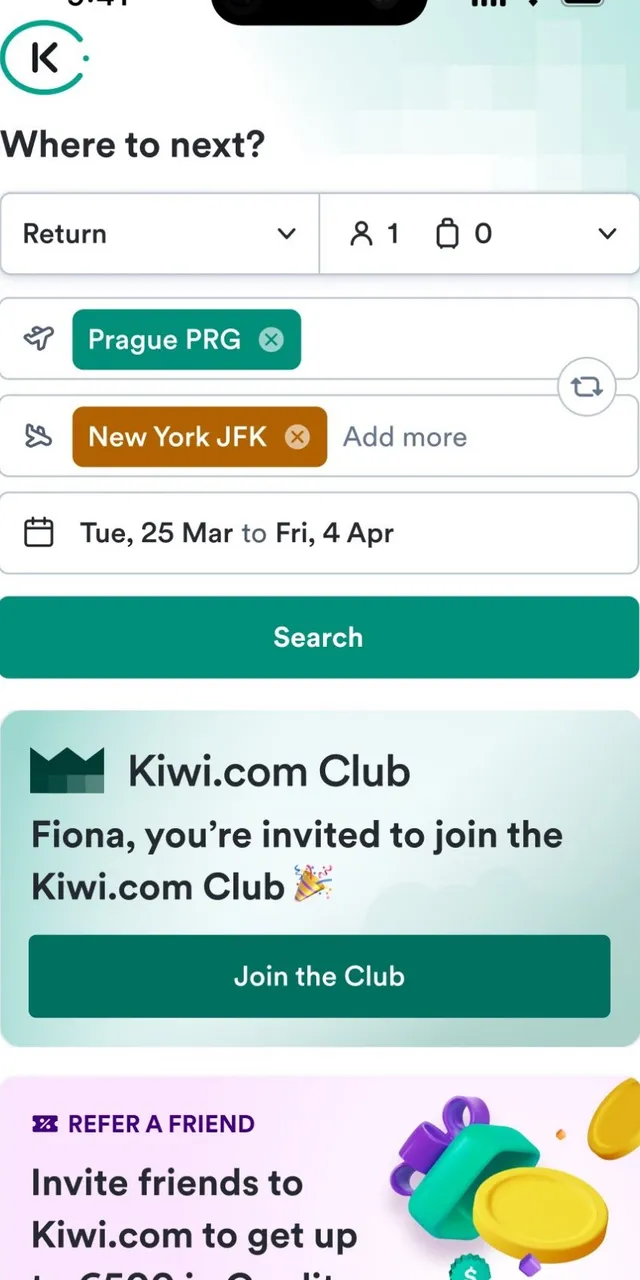
Kiwi.com is a travel agency that builds trips out of airlines that don’t work together. Many of its lowest prices are self-transfers: separate tickets on different airlines, joined by a connection you make yourself. That opens routes no single airline sells, especially long international trips that mix a budget carrier with a full-service one. But because the tickets are separate, if your first flight is late, the second airline owes you nothing.
Kiwi’s answer is the Kiwi.com Guarantee, a paid add-on at checkout whose price depends on the flight. With it, a covered cancellation, long delay, or schedule change gets you instant Kiwi.com credit to rebook, never less than the cost of the disrupted part of the trip. It’s credit, not cash; a cash refund is slower. Without the Guarantee, Kiwi no longer protects your connections. Kiwi also charges a surcharge on its combined itineraries, so its total isn’t always the lowest.
Its ratings on review sites such as Trustpilot are very low, and the complaints repeat: slow or partial refunds, support that’s hard to reach, and prices that jump at the final step. I’d only use it for a route the other apps can’t build, and with the Guarantee.
What it does
- Self-transfer trips combining airlines that don't cooperate
- Kiwi.com Guarantee add-on for disruptions
- Nomad planner for trips with several stops
- Price alerts and bag costs in the trip total
Pros
- Builds routes no single airline sells
- Can include bag costs in the total price
- The Guarantee rebooks you quickly with credit after a covered disruption
Cons
- Without the paid Guarantee, a missed self-transfer is your problem
- Disruption payouts come as Kiwi.com credit, not cash
- Very poor review site ratings for refunds and support
- A surcharge on combined itineraries
- Choose if:
- You're piecing together a multi-stop budget trip and will pay for the Guarantee
Also considered
- Dollar Flight Club sends deal alerts like Going, by email and text, but its Premium plan costs $69 a year and its renewals aren’t refundable, so Going gives you similar economy deals for less.
- Priceline is a travel agency whose Express Deals hide the airline and flight times until after you pay. It ranked ninth in Frommer’s test, with strong fares in only 3 of 32 searches.
- Booking.com sells flights too, but in Frommer’s test it never found the best fare on any route; it’s a better pick for hotels.
- Trip.com is a travel agency owned by the same group as Skyscanner, and its fares already show up in Skyscanner’s results. Its strength is travel in and around Asia rather than trips from the US.
How the nine compare
1–5 per criterion · select a score for its reasoning and any sources
| # | Product | Overall | Finds the lowest fare for your trip , counts double | Searching flexible dates and airports | Tracking a trip's price | Deals for travelers flexible on where to go | Clear total price | Safe booking and help when plans change | Ease of use on a phone | Free to use |
|---|---|---|---|---|---|---|---|---|---|---|
| 1 | Momondo | 4.3 | 5 | 5 | 4 | 3 | 5 | 3 | 4 | 5 |
| 2 | Google Flights | 4.3 | 4 | 5 | 5 | 4 | 4 | 5 | 3 | 5 |
| 3 | Kayak | 3.9 | 4 | 4 | 4 | 4 | 3 | 3 | 4 | 5 |
| 4 | Skyscanner | 3.9 | 4 | 4 | 3 | 4 | 3 | 4 | 4 | 5 |
| 5 | Skiplagged | 3.2 | 4 | 3 | 4 | 3 | 2 | 1 | 4 | 4 |
| 6 | Expedia | 3.2 | 3 | 2 | 3 | 2 | 3 | 4 | 4 | 5 |
| 7 | Hopper | 3.1* | 3 | 3 | 4 | unknown | 1 | 3 | 4 | 4 |
| 8 | Going (formerly Scott's Cheap Flights) | 3.0 | 1 | 1 | 3 | 5 | 4 | 5 | 4 | 3 |
| 9 | Kiwi.com | 2.9 | 3 | 4 | 2 | 3 | 2 | 2 | 3 | 4 |
Equal displayed overall scores are ordered by the earlier criteria; a known score comes before an unknown score. Identical scores use alphabetical order.
×2 = counts double in the overall score, ×½ = counts half.
? = unknown. * = the overall score averages only the known criteria.
How each criterion is scored
Finds the lowest fare for your trip
Counts double in the overall score: Paying less for the trip they already have in mind is why most readers open these apps, so how often an app turns up the cheapest bookable fare matters more than any single tool.
How often a search for a given route and dates shows the cheapest fare a traveler could actually book, on domestic and international routes and for both last-minute and advance trips. Judged from independent head-to-head fare tests, how many airlines and agencies it covers (including Southwest and budget carriers), and known gaps. A service that only sends deals it picks, and can't search the traveler's own route, scores low.
- 5 In independent tests regularly shows the lowest or near-lowest bookable fare on both domestic and international routes, including budget carriers
- 4 Searches hundreds of airlines and agencies and usually shows the lowest fare or close to it, with some known gaps
- 3 Searches broadly but often misses cheaper fares other apps find, or shows fares that rise at checkout
- 2 Searches a narrow set of airlines, or finds the lowest fare only for routes and dates it picks
- 1 Can't search a route the traveler picks, or often shows fares well above other apps
Searching flexible dates and airports
Tools for a traveler whose dates or airports can move: a calendar or grid of prices by day, a price graph across weeks, nearby and multiple airports in one search, and multi-city trips. Judged from which of these the product offers on the phone and how easy they are to use.
- 5 All of level 4 plus a price graph across weeks or months and filters fine enough to compare dates, airports and layovers quickly
- 4 Calendar or grid of prices by day, nearby or multiple airports, and multi-city trips
- 3 A month calendar or date grid, but no nearby-airport or multi-airport search, or no multi-city trips
- 2 A small date range (a few days either side) and little else
- 1 Fixed dates and one airport per search only
Tracking a trip's price
Help deciding when to buy a trip the traveler already has in mind: price alerts for a route and dates, price history or a sense of whether today's fare is low, buy-or-wait advice, and any promise that pays back a later drop. Judged from the features and what is known about how reliable the advice is; a vendor's accuracy claim alone counts as a feature, not as proof.
- 5 All of level 4, with alerts across flexible dates and a price drop promise or advice that has held up for independent reviewers
- 4 Alerts, price history or a low/typical/high signal, and buy-or-wait advice or a price drop promise
- 3 Alerts for a chosen trip plus either a price history or buy-or-wait advice
- 2 Basic alerts for a chosen trip, with no price history or advice
- 1 No alerts for a chosen trip
Deals for travelers flexible on where to go
How well it finds unusually cheap fares for someone who will go wherever is cheap from their home airport: an explore map or "everywhere" search sorted by price, alerts when fares from the traveler's airport drop sharply, and curated deals such as mistake fares. Judged from the features and the quality of the deals they surface.
- 5 Curated deals or mistake fares from the traveler's airports sent as they appear, plus a way to browse destinations by price
- 4 An explore map or everywhere search plus alerts when fares from the traveler's airport drop
- 3 An explore map or everywhere search by price, or deal alerts, but not both
- 2 A basic destination list by price, with no alerts
- 1 No way to browse destinations by price
Clear total price
Whether the price shown in results is close to what the traveler ends up paying: taxes and the seller's own fees included, checked-bag fees shown or added on request, no fees added or prices raised at checkout, and no pre-selected extras. Judged from independent tests, regulators' findings and common traveler reports.
- 5 All-in prices that can include the traveler's bags in the results, with no fees of its own and no price jumps reported
- 4 Taxes and fees included, with bag fee information for many airlines and few reports of price jumps
- 3 Taxes included, but bag fees left to the traveler and occasional prices that rise at the seller
- 2 A booking or service fee of its own, or frequent reports of prices rising at checkout
- 1 Regulators or many travelers report hidden or pre-selected fees, or prices that jump at checkout
Safe booking and help when plans change
What happens to a traveler who books what the app found and then hits a cancellation, schedule change or missed connection: whether the ticket is with the airline, a reputable agency or a little-known one, whether the itinerary itself carries risk (separate tickets, hidden-city fares), what protection the seller offers, and how reliably customer service helps. Judged from the booking model, the protection terms and travelers' accounts.
- 5 Shows clearly who sells each fare and makes booking with the airline the easy default, so changes go through the airline
- 4 Sends most travelers to book with the airline or major agencies, or sells tickets itself with support that usually helps
- 3 Sells tickets itself or sends travelers to many agencies of mixed reputation, with support complaints common
- 2 Separate tickets or little-known agencies common in results, with protection only as a paid extra and many support complaints
- 1 Itineraries whose structure risks a lost trip or airline penalties, with support travelers commonly report as unhelpful
Ease of use on a phone
How pleasant and quick it is to search, compare and set alerts on a phone: a native app or a mobile site, speed, ads, crashes and clutter. Judged from store ratings and their volume, reviewers and common user complaints.
- 5 A highly rated, fast app or mobile site that experienced travelers prefer to use on a phone
- 4 A well-rated app that does the main jobs easily, with minor complaints
- 3 A usable app with recurring complaints such as ads, upsells or bugs
- 2 An app or mobile site that works but is slow, cluttered or missing key tools
- 1 No app and a mobile site that is hard to use, or an app with frequent crashes
Free to use
What a traveler must pay to use the tool for its main job, apart from the fares themselves. Paid add-ons sold at booking count elsewhere (clear total price); this measures subscriptions and paid tiers.
- 5 Free for everything it does
- 4 Free, with a few optional paid extras for the main job
- 3 A free tier useful for some travelers, with the full service costing under $50 a year
- 2 A free tier too limited for most travelers, with the useful plan costing $50 a year or more
- 1 Needs a paid subscription to be useful
How to choose
- You have a trip and dates in mind: search on Momondo with your bags entered, check the same dates on Google Flights, and buy from the airline when its price is the same or close.
- You don’t know when to buy: track the trip on Google Flights, which pays back drops on some US itineraries booked through Google. Kayak’s forecast gives a second opinion, and Hopper’s Price Freeze is there if you’ll pay to hold a fare.
- You’ll go anywhere cheap: try Going’s free plan for continental US deals and upgrade if you want international ones. Skyscanner’s Everywhere search and Drops feed do part of the job for free.
- You want a flight and hotel together: Expedia, after checking the flight alone on a search engine.
- You travel light and chase the lowest possible fare: Skiplagged and Kiwi.com find fares the others don’t, as long as you understand what you give up when something goes wrong.
- You don’t want a subscription: every app here is free to search with, and Going’s Limited plan is free. Optional add-ons are a separate cost.
The verdict
For a trip you’ve already planned, the choice is between two free search engines that are better used together than apart. Momondo is the one more likely to find the lowest fare, and the one to install. Google Flights is better for working out which dates to fly and for tracking a price until it drops, and it steers you toward buying from the airline.
Kayak is the pick if you’d like advice on when to buy inside a search that works much like Momondo’s, and Skyscanner is the free answer for anyone who’d rather pick the destination after seeing the price. Going’s paid plans make most sense for flexible travelers who want international deals.
The remaining apps each suit a narrower need. Expedia’s value is the bundle, not the fare. Hopper’s predictions are handy, but its add-ons and its FTC settlement are reasons to compare before you buy. Skiplagged and Kiwi.com can beat everyone on price, by selling tickets that leave you on your own when a flight goes wrong. Those savings are worth taking only when you understand the risk.
Frequently asked questions
Is Going worth paying for?
Premium pays off when you book at least one deal a year that you’d have missed, which happens mostly to people who’ll travel wherever and whenever a fare drops. If you fly a fixed route on fixed dates, a free price alert on Google Flights or Skyscanner does more for you. The free Limited plan is a good way to see the kind of deals Going finds from your airport before paying.
Is it cheaper to book directly with the airline?
Often the airline’s price is the same as or within a few dollars of the cheapest agency’s, and buying direct means the airline handles changes, cancellations, and refunds without an agency in between. Agencies sometimes undercut the airline, especially small ones and on combined tickets, but they’re also the sellers you’ll have to deal with if the flight changes. When the difference is small, the airline is the safer buy.
Is skiplagging legal?
Yes, buying a hidden-city ticket and skipping the last leg is legal in the US. It breaks most airlines’ terms, though, and airlines enforce them: they can cancel the rest of your ticket, including a return flight, charge you the full fare, or close your frequent-flyer account. You also can’t check a bag, because it would fly on to the ticket’s final destination.
We scored 9 products on 8 criteria using 138 quotes, 32 of them from the products' own websites. How our rankings work