Database GUI clients compared
If you query databases at work, money decides more of this choice than features do: which client you may use free on the job, and what you’ll pay once you need the tools a free edition leaves out. Four of the five clients here have a free edition you can use at work. JetBrains DataGrip’s free license covers non-commercial use only.
DBeaver, DataGrip, DbGate, Beekeeper Studio and TablePlus all support PostgreSQL, MySQL, SQLite and SQL Server, so what separates them is what the free edition holds back, what the full app costs, and how well each one guards a live database against a careless query. DBeaver is our free pick for most work. DataGrip is the paid pick if you work in Snowflake or BigQuery, tune slow queries, or sign in with Kerberos.
| Free for work | Every desktop feature, first year | Open-source edition | |
|---|---|---|---|
| DBeaver | Yes, Community Edition | $510 a year, Ultimate | Yes, Apache 2.0 |
| JetBrains DataGrip | No, non-commercial use only | $109 a year for an individual | No |
| DbGate | Yes, Community edition | $120 a year, Premium | Yes, GPL-3.0 |
| Beekeeper Studio | Yes, Community Edition | $216 a year per user, Business | Yes, GPLv3 |
| TablePlus | Limited to 2 tabs and 2 windows | $99 once, one device | No |
Key facts
5 productsLicenses, requirements, and starting prices. Prices as of November 2026.
- License
- Apache 2.0 (Community Edition); PRO editions proprietary, open source
- Runs on
- Windows 10 or later
- macOS 11 or later
- Linux (most modern distributions)
- Web browser through CloudBeaver, a separate server product
- Needs
- Unknown
- Price
- From a free plan or $113.00/year
- License
- Proprietary
- Runs on
- Windows (10 and 11)
- macOS (26 and 27)
- Linux (glibc 2.28 or later)
- Needs
- Unknown
- Price
- From a free plan or $109.00/year
- License
- GPL-3.0 (Community edition); Premium editions are commercial, open source
- Runs on
- Windows
- macOS (Apple Silicon and Intel)
- Linux
- Web browser (self-hosted, via Docker, NPM, AWS or Azure)
- Needs
- Unknown
- Price
- From a free plan or $120.00/year
- License
- GPL-3.0 (Community Edition); paid features under a commercial source-available license, open source
- Runs on
- Windows (x64 and ARM64)
- macOS (Intel and Apple silicon; Oracle connections need the Intel build)
- Linux (x86-64 and ARM64)
- Needs
- Unknown
- Price
- From a free plan or $108.00/year or $4,999.00/month
- License
- Proprietary
- Runs on
- macOS 12 or newer (Intel and Apple Silicon)
- Windows 7 or newer
- Linux (Ubuntu, Fedora and others)
- iOS 15 or newer (iPhone and iPad)
- Needs
- .NET 4.8 on Windows (the installer adds it if missing)
- Price
- From a free plan or $79.00 one-time



1–5 per criterion · select a score for its reasoning and any sources
| # | Product | Overall | SQL databases supported | Non-relational databases supported | What you can do for free | Price of the full desktop app for one user | Platforms | Open-source license | Import and export formats | Schema tools | Query writing help | Safeguards for live databases | Secure connection options |
|---|---|---|---|---|---|---|---|---|---|---|---|---|---|
| 1 | DBeaver | 4.4 | 5 | 5 | 5 | 1 | 4 | 3 | 5 | 5 | 5 | 5 | 5 |
| 2 | JetBrains DataGrip | 4.0 | 5 | 5 | 3 | 4 | 3 | 1 | 5 | 5 | 4 | 4 | 5 |
| 3 | DbGate | 3.9 | 3 | 4 | 4 | 4 | 4 | 3 | 4 | 5 | 4 | 4 | 4 |
| 4 | Beekeeper Studio | 3.7 | 5 | 4 | 4 | 3 | 3 | 4 | 4 | 3 | 2 | 4 | 5 |
| 5 | TablePlus | 3.5 | 5 | 5 | 2 | 4 | 4 | 1 | 4 | 3 | 3 | 4 | 4 |
How each criterion is scored
SQL databases supported
How many of these eight relational or analytical databases the client documents connecting to, in any edition: PostgreSQL, MySQL or MariaDB, SQLite, Microsoft SQL Server, Oracle, ClickHouse, Snowflake and Google BigQuery.
- 5 All eight.
- 4 Seven of the eight.
- 3 Six of the eight.
- 2 Four or five of the eight.
- 1 Three or fewer of the eight.
Non-relational databases supported
How many of these five non-relational databases the client documents browsing and querying, in any edition: MongoDB, Redis, Apache Cassandra, Amazon DynamoDB and Elasticsearch or OpenSearch.
- 5 All five.
- 4 Three or four of the five.
- 3 Two of the five.
- 2 One of the five.
- 1 None of the five.
What you can do for free
How much of the client you can use at no cost and with no time limit, for work as well as personal projects.
- 5 Free for any use with no caps, including editing query results and importing and exporting data.
- 4 Free for any use with no caps, but editing query results or importing and exporting data needs a paid edition.
- 3 Free with no caps, but only for non-commercial use; work use needs a paid license.
- 2 Free with no time limit, but capped, such as on open tabs, windows or saved connections.
- 1 Only a time-limited trial; after it ends the app stops working.
Price of the full desktop app for one user
What one person pays for the first year of the cheapest plan that includes every feature the vendor sells in its desktop app and allows commercial use, at the published yearly or one-time price, before discounts for students, open-source projects or later years. Web, server and team-only products (such as a hosted web edition) are not counted. The other criteria count features in any edition, paid ones included; this criterion is where the cost of those editions shows.
- 5 $75 or less, or every feature is free.
- 4 $76 to $150.
- 3 $151 to $250.
- 2 $251 to $400.
- 1 More than $400.
Platforms
Where you can run the client: Windows, macOS and Linux desktops, a web browser (through a hosted or self-hosted web version from the same vendor, even when it is sold as a separate product), and phones or tablets (iOS or Android).
- 5 Windows, macOS and Linux, plus a web browser and a mobile app.
- 4 Windows, macOS and Linux, plus either a web browser or a mobile app.
- 3 Windows, macOS and Linux.
- 2 Two desktop operating systems.
- 1 One desktop operating system.
Open-source license
Whether the client's source code is published under a license approved by the Open Source Initiative (OSI), and how much of the product that covers.
- 5 The whole product is OSI-licensed open source, with no paid-only features.
- 4 An edition is OSI-licensed open source, and the paid features' source is also published, under a commercial or source-available license.
- 3 An edition is OSI-licensed open source, but the paid features are closed source.
- 2 Source code is published under a license that is not OSI-approved.
- 1 Closed source.
Import and export formats
How many of these six file formats the client documents for importing or exporting table data or query results, in any edition: CSV, JSON, Excel (XLSX), SQL INSERT statements, XML and Parquet.
- 5 All six.
- 4 Four or five of the six.
- 3 Three of the six.
- 2 Two of the six.
- 1 None or one of the six.
Schema tools
How many of these four the client documents, in any edition: an entity-relationship (ER) diagram of existing tables, a form for creating and changing tables and columns without writing SQL, a comparison of two schemas that produces the SQL to make one match the other, and a comparison of the data in two tables or databases.
- 5 All four.
- 4 Three of the four.
- 3 Two of the four.
- 2 One of the four.
- 1 None of the four.
Query writing help
How many of these five the client documents for writing and checking queries, in any edition: autocomplete of table and column names, a SQL formatter, a searchable history of queries run, a visual query builder that writes the SQL for joins and filters, and a visual view of the query execution plan.
- 5 All five.
- 4 Four of the five.
- 3 Three of the five.
- 2 Two of the five.
- 1 One or none of the five.
Safeguards for live databases
How many of these four protections against accidental changes the client documents, in any edition: a read-only setting per connection, a confirmation step before queries that change data run, a color or label that marks a connection as production, and a preview of the SQL the app will run before it saves edits made in a table grid.
- 5 All four.
- 4 Three of the four.
- 3 Two of the four.
- 2 One of the four.
- 1 None of the four.
Secure connection options
How many of these five ways of reaching or signing in to a database the client documents, in any edition: an SSH tunnel, SSL/TLS with client certificates, AWS IAM authentication, Microsoft Entra ID (Azure AD) authentication, and Kerberos.
- 5 All five.
- 4 Four of the five.
- 3 Three of the five.
- 2 Two of the five.
- 1 One or none of the five.
DBeaver
Best free client for work
#1 4.4/5
DBeaver is a desktop client with a free Community Edition and three paid editions. We’d recommend the Community Edition to most developers who need a client for work and don’t want to pay, because it gives away more than the other free editions. It is free for any use under the Apache license and includes the data editor, import and export, ER diagrams that draw your tables and the links between them, and execution plans that show how the database will run a query. By contrast, Beekeeper Studio’s free edition can’t import files or draw ER diagrams, and DbGate has no execution plan view in any edition.
The license matters for the long run, too: if the company changed course, the Community code would still be there for anyone to build.
The paid features are spread across three editions, so check which one you need before you buy:
- Lite, $113 a year: NoSQL drivers such as DynamoDB, and the visual query builder.
- Enterprise, $255 a year: adds schema compare, which writes the SQL that brings one database’s structure in line with another’s.
- Ultimate, $510 a year: adds native AWS, Google Cloud and Azure support.
If schema compare is the reason you’d pay, price DataGrip against Enterprise first.
DBeaver is the one client here with all four guards for live databases: read-only connections, a Production connection type with its own color in tabs and editors, a prompt before data-changing queries, and a preview of the SQL before grid edits are saved.
What it does
- SQL editor with autocomplete, formatting and a filterable query history
- ER diagrams and execution plan diagrams
- Data editor with import and export
- Connection types that mark a database as production
- Runs on Windows, macOS and Linux
Pros
- Community Edition is open source under Apache 2.0 and free for any use
- Exports CSV, JSON, Excel, SQL INSERT statements, XML and Parquet
- A production connection can ask for confirmation before INSERT, UPDATE or DELETE runs
- Schema compare, data compare and a visual query builder in the paid editions
Cons
- MongoDB, Redis and other NoSQL databases need a paid edition
- Every desktop feature takes Ultimate, the most expensive full app of the five, with no monthly option
- No mobile app, and the web version, CloudBeaver, is a separate product
- Skip if:
- Anyone who needs MongoDB or Redis without paying.
JetBrains DataGrip
If you'll pay for warehouses, query plans or Kerberos
#2 4.0/5
DataGrip is JetBrains’ database IDE, sold as one commercial license rather than a ladder of editions. It suits a developer who will pay for a client and works across many databases. The individual license allows commercial work as long as you pay for it with your own money; a company buying seats pays $259 per user a year.
Against the other paid options, DataGrip’s case is reach. Its docs cover Snowflake and BigQuery, a visual execution plan and Kerberos sign-in for SQL Server. DbGate documents none of the three. TablePlus covers BigQuery and, on macOS and Windows, Snowflake, but documents neither the plan view nor Kerberos. For plain SQL work on PostgreSQL or MySQL, DbGate Premium or TablePlus will do as well, and how you’d rather pay tips it: TablePlus once per device, DbGate by the year.
For an individual, it also costs less than the DBeaver edition with the same schema comparison, Enterprise at $255 a year. If you already pay for a JetBrains IDE such as IntelliJ IDEA, its database features are inside that IDE at no extra cost.
What you give up is openness. The source is closed, the license forbids any attempt to discover it, and the free license covers individuals doing non-commercial work only. If you want a free client for your job, DBeaver Community or DbGate Community fit; DataGrip doesn’t.
What it does
- SQL editor with completion, formatting and a searchable query history
- Visual diagram of a query's execution plan
- Schema comparison that writes a migration script
- Import from CSV, Excel, JSON and Parquet files
- Runs on Windows, macOS and Linux
Pros
- One commercial license with no feature editions, $109 for the first year for an individual, then $87 and $65
- Included in any paid JetBrains IDE
- Yearly subscriptions include a perpetual fallback license, so you can keep using a version after you stop paying
- Kerberos for SQL Server, AWS IAM for Redshift and Azure Active Directory for Azure SQL
Cons
- Free only for non-commercial use, and the free license collects detailed usage data by default
- Closed source
- No visual query builder documented
- Warns about DELETE or UPDATE without WHERE, but documents no prompt before every data-changing query
- Skip if:
- Anyone who needs to use it at work without paying.
DbGate
For opening your databases in a browser
#3 3.9/5
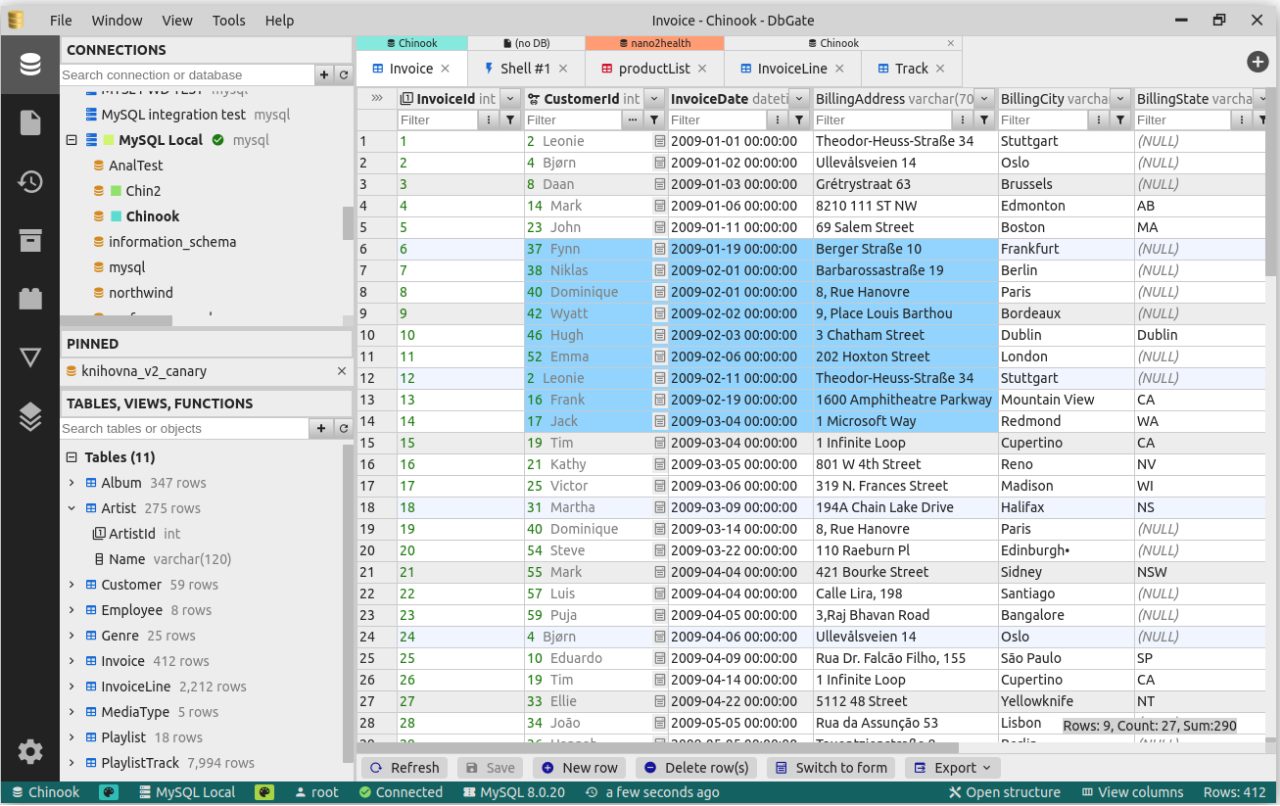
DbGate is an open-source client that runs as a desktop app or as a web app you host yourself. It suits two kinds of buyer: someone who wants a free client that also handles MongoDB and Redis, and a team that would rather open its databases in a browser than install an app on every laptop.
Its three plans split the desktop and web apps in a way worth reading before you pay:
- Community, free: desktop and web apps, MongoDB and Redis. DBeaver keeps NoSQL for its paid editions.
- Premium, $120 a year for one user: adds the query designer, charts and editing of query results, and is listed as a desktop app. It also adds AI tools such as a chat with your database, which go through DbGate’s own AI gateway unless you enter your own provider key.
- Team Premium, $150 per user a year: adds the hosted web app and an administration interface for a paying team.
Its supported-databases table has no Snowflake or BigQuery, which rules it out for analytics work in those warehouses. Its query tools also stop short of a visual execution plan: a request for one is open in the project’s issue tracker, so for a slow query you’d run EXPLAIN yourself and read the text output.
For live databases, its docs cover read-only connections, connection colors and a preview of the SQL change script before grid edits are saved, but no prompt before queries that change data.
What it does
- Desktop app and a self-hosted web app
- Visual query designer and charts
- Schema synchronization between two databases
- Batch import and export of multiple tables
- Read-only connections and connection colors
Pros
- Free Community edition under GPL-3.0, for any use
- Community edition includes MongoDB and Redis
- Runs as a web app you host yourself, in Docker or on Azure and Amazon
Cons
- No Snowflake or BigQuery
- No view of the query execution plan
- Editing query results, the query designer and charts need Premium
- No prompt before data-changing queries documented
- Skip if:
- Teams whose data lives in Snowflake or BigQuery.
Beekeeper Studio
If you want to read the code of what you pay for
#4 3.7/5
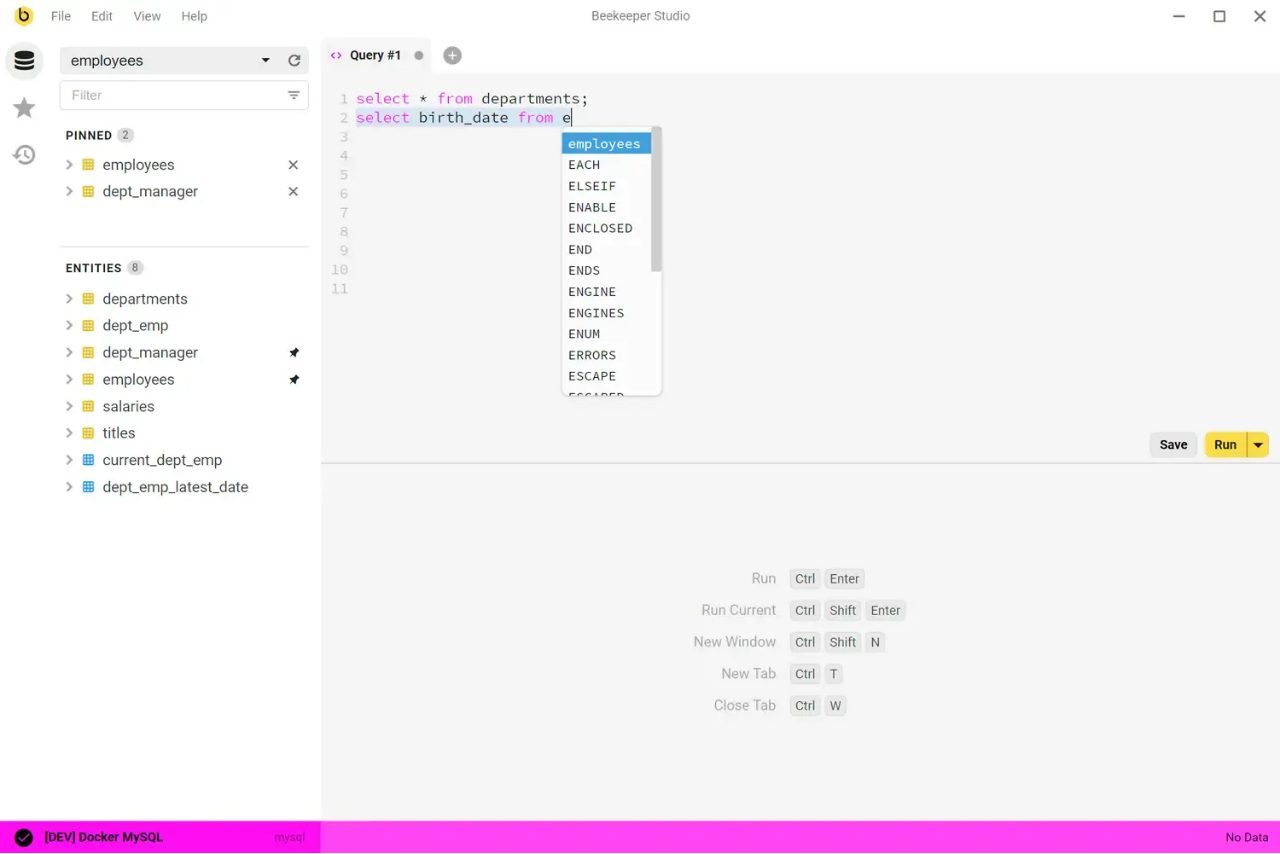
Beekeeper Studio is a desktop client with a free GPLv3 Community Edition and paid plans from $108 a year per user. It suits someone who wants a straightforward SQL editor and table view and terms that are easy to live with: the paid features’ code sits in the same public repository under a source-available license, and paying for 12 months gives you those features forever, even if you cancel.
Its free edition gives you less than DBeaver’s. It can’t edit query results or import data from files, and DBeaver Community does both; DbGate Community can’t edit query results either. The pricing page also asks organizations with 10 or more employees or $1m in revenue to buy a license. That is a request, not a license term, but it tells you how the company expects to be paid.
The plan a company needs depends on how it signs in. Kerberos, AWS IAM and Microsoft Entra ID, formerly Azure AD, are on Business, as is Snowflake. At $216 a year per user, Business costs a little less than DataGrip’s $259 per user for companies.
The editor itself is thinner than the others. There’s no schema or data comparison, no visual query builder, and no prompt before queries that change data. A visual query plan comes only from a plugin.
What it does
- SQL editor with autocomplete and formatting
- Editable table view that shows changes as SQL before applying them
- ER diagrams on paid plans
- A color per connection
- Same features on Windows, macOS and Linux
Pros
- Free Community Edition under GPLv3
- Read-only mode in every edition, the free one included
- Kerberos, AWS IAM and Entra ID sign-in on the Business plan
- 14-day free trial of the paid features
Cons
- The free edition can't edit query results or import data from files
- Enterprise sign-in methods and Snowflake need the Business plan or above
- No schema or data comparison documented
- No visual query builder documented, and no documented way to search the query history
- Skip if:
- Anyone who needs to import files without paying.
TablePlus
If you'd rather pay once
#5 3.5/5
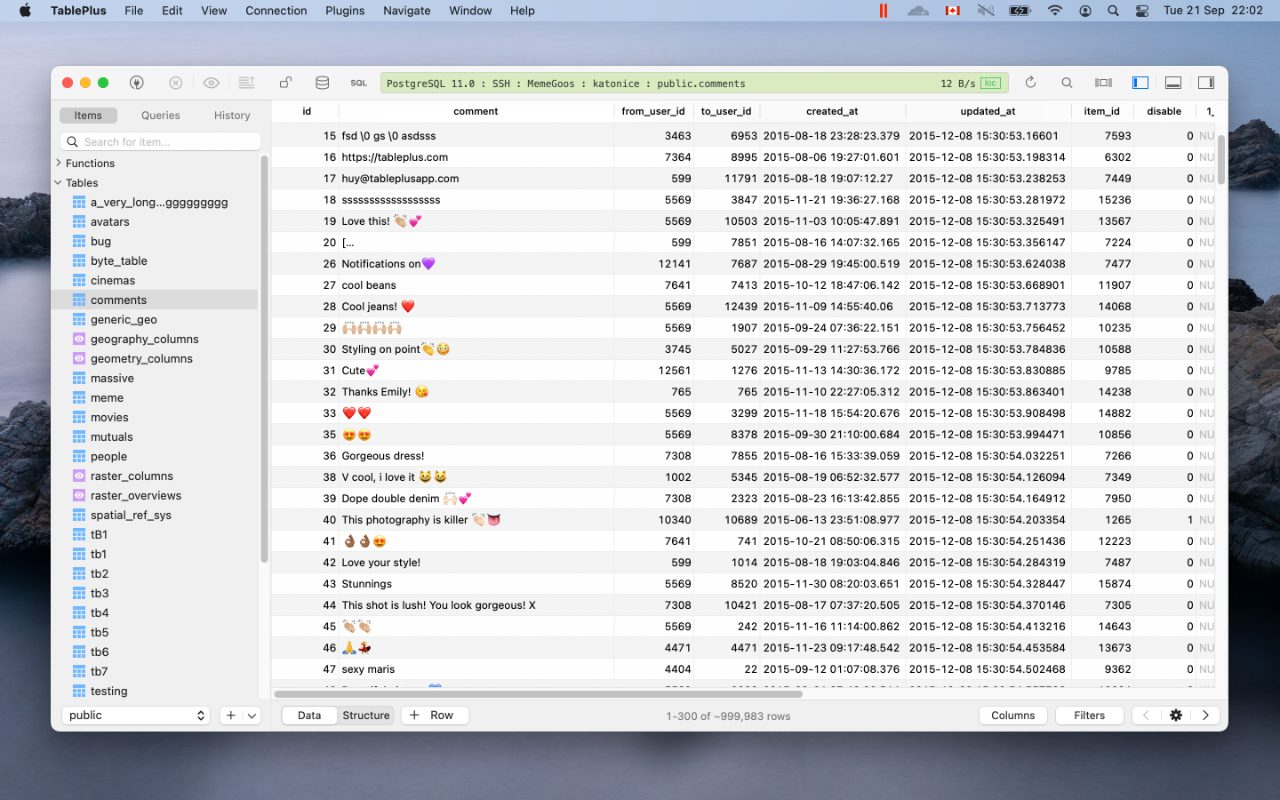
TablePlus is a closed-source client built around its Mac app. Some supported databases may not be available on Windows, Linux or iOS yet. It suits a Mac user who would rather pay once than subscribe, and it is the only client here with a phone app.
The free version is a trial in practice. Two open tabs and two windows at a time is enough to try the app, not to work in it, so plan on the license if it suits you.
If you’re buying for Windows or Linux, check your database against the platform notes first; Oracle, for one, is Mac-only.
For live databases, Alert Mode shows the statements and waits for you to confirm, and Safe Mode also asks for the database password. There is no read-only setting per connection.
What it does
- Apps for macOS, Windows, Linux and iOS
- Alert Mode and Safe Mode before statements run
- Shows the SQL generated for edits before you commit them
- Built-in MCP server that lets AI coding tools such as Claude Code run queries through it
- AI assistant that works with OpenAI, Anthropic, Ollama or any OpenAI-compatible server
Pros
- One-time license per device that keeps working after its year of updates, with renewals at $59
- iPhone and iPad app free with a desktop license
- Query history keeps the original values of rows you update or delete
Cons
- The free version is limited to 2 open tabs and 2 windows at a time
- Windows, Linux and iOS may lack databases the Mac app has
- No schema or data comparison documented
- Closed source
- Skip if:
- Anyone on Windows or Linux who needs Oracle.
How to choose
- Free client for work, on SQL databases: DBeaver Community.
- Also MongoDB or Redis, still free: DbGate Community.
- Your team opens databases in a browser: DbGate.
- You’ll pay, and need Snowflake, BigQuery, query plans or Kerberos: DataGrip.
- You’ll pay, for plain SQL work: TablePlus to pay once, DbGate Premium to pay yearly.
- You often work on production databases: DBeaver, for its production connection type and prompt before data changes.
- A company that needs Kerberos at a lower price per seat: Beekeeper Studio’s Business plan.
Also considered
- pgAdmin: A management tool for PostgreSQL only, so it isn’t a general client for the other databases these five connect to.
- HeidiSQL: Its site lists MariaDB, MySQL, SQL Server, PostgreSQL, SQLite and Interbase or Firebird, with no NoSQL databases.
- Azure Data Studio: Microsoft has retired it, and it no longer gets updates or security fixes; Microsoft points users to Visual Studio Code with the MSSQL extension.
Frequently asked questions
Do these clients send my data to the vendor?
TablePlus never sends or stores your data on its servers and keeps database credentials on your device. Beekeeper Studio keeps your data on your machine unless you use a cloud workspace, and its AI shell asks before it runs any SQL. For DBeaver, check whether your organization requires a separate privacy guarantee before you connect sensitive data.
Do I need to install Java or .NET first?
No for DBeaver and DataGrip, which both bundle their own Java runtime. TablePlus on Windows needs .NET 4.8, and its installer adds it if it’s missing.