Cursor alternatives for Claude, GPT, and open-source coding
Cursor is a code editor built on VS Code with AI woven into the typing itself: Tab predicts your next edit, and an agent changes files across the repository while you watch the diff. Until October, its other selling point was choice. You paid $20 a month and could point that agent at Claude, GPT, or Gemini, with roughly $20 of their usage included.
That bargain is gone for new subscribers. SpaceX bought Cursor in August, and since October Cursor is sold as part of The X Subscription. Plus, at $8 a month, runs only Cursor’s own Grok and Composer models. Premium, at $30, unlocks Claude, GPT, and Gemini, but charges for every request to them at the model’s API list price, on top of the subscription. Someone who used $20 of Claude a month on the old Pro plan would pay $50 for the same month on Premium.
OpenAI is also ending its direct supply deal with Cursor, and it won’t give Cursor its future models. One long-time Ultra subscriber summed up the loss: Cursor had been “one editor where you can use the best models,” and the new plans change that.
Pricing isn’t the only push. Some developers would rather hand a task to an agent in the terminal than supervise it in an editor, and some never liked depending on a closed fork of VS Code. Prices on this page are as of November 2026.
The short answer, by what you want:
- Claude without a surcharge: Claude Code, included with Claude Pro.
- GPT, including OpenAI’s newest models: OpenAI Codex, included with ChatGPT Plus.
- Claude and GPT in an editor, as cheaply as possible: GitHub Copilot Pro.
- Open source with your own models: OpenCode in the terminal, Cline inside your current editor, or Zed as a whole new editor.
- Your old setup back: Visual Studio Code, with Copilot or another agent.
- Staying put: stay with Cursor if you’re on an old Pro, Pro+, or Ultra plan, or if Grok and Composer do the job for you.
Get Claude or GPT without paying API rates on top
The simplest way around the surcharge is to buy the model from the company that makes it, or from a subscription that still includes it. Here’s a hypothetical month to show the gap. Say you send about $15 worth of Claude Sonnet requests, counted at list price:
| Where you run it | What that month costs |
|---|---|
| Cursor Premium | $30 plan + $15 of prepaid credit = $45 |
| GitHub Copilot Pro | $10, since its 1,500 monthly credits are worth $15 at list price |
| Claude Pro with Claude Code | $20, if your work fits limits Anthropic doesn’t publish in tokens |
Copilot’s sum assumes its full monthly allowance, part of which GitHub can change, and Claude Pro’s limits are shared with ordinary Claude chats. The direction holds either way: on Cursor’s new plans, Claude and GPT cost more than anywhere else on this page.
1–5 per criterion · select a score for its reasoning and any sources
| # | Product | Overall | Coding and repository-task quality , counts double | Everyday coding workflow | Agent control and recovery | Model and provider choice , counts half | Team administration and security | Code and prompt privacy , counts half |
|---|---|---|---|---|---|---|---|---|
| 1 | Claude Code | 4.4 | 5 | 4 | 5 | 1 | 5 | 4 |
| 2 | Cursor | 4.3 | 4 | 5 | 4 | 3 | 5 | 4 |
| 3 | OpenAI Codex | 4.0 | 4 | 4 | 5 | 4 | 4 | 2 |
| 4 | GitHub Copilot | 3.8 | 3 | 5 | 4 | 4 | 5 | 2 |




×2 = counts double in the overall score, ×½ = counts half.
How each criterion is scored
Coding and repository-task quality
Counts double in the overall score: Correct, reviewable code matters more to every ranked workflow than another interface, provider or administrative option.
Judged quality of the coding tool with its ordinary current models: repository understanding, correct multi-file edits, debugging, test generation and checking its own work. Public model benchmarks alone do not establish the tool's quality; comparative tasks, experienced developers and current usage inform the judgment.
- 5 Leading comparative evidence and practitioner preference for complex repository work, debugging and verified iteration
- 4 Strong everyday coding and multi-file work, with a tradeoff on extended tasks or model configuration
- 3 Competitive on well-scoped tasks, but results or supporting evidence are less consistent than the leaders
- 2 Useful for basic code but unreliable on ordinary repository work
- 1 Routine changes create substantial rework even on focused tasks
Everyday coding workflow
How naturally the product fits a normal coding session in its intended form: preserving an editor or supporting a good replacement, predictive completions where offered, context from open files, steering and inspecting changes, and moving between manual edits and delegated work. A terminal agent can score highly for a coherent agent workflow without being treated as a full editor; a missing completion feature matters only when it leaves ordinary work unsupported.
- 5 Excellent completions and in-context review in a cohesive editor or across a broad choice of existing editors
- 4 Strong everyday integration and review in the intended form, with a required editor change, uneven interfaces or no predictive completion
- 3 Good terminal or editor integration with substantial setup friction, uneven surfaces or missing support for ordinary editing
- 2 Usable task interface with weak support for an existing editor or manual coding
- 1 Awkward or narrowly supported workflow that repeatedly interrupts coding
Agent control and recovery
How safely and usefully a developer can delegate multi-step work: granular permissions and sandboxing, test and diff review, checkpoints or isolated worktrees, parallel and cloud execution, and repeatable automation. This judges the working control loop rather than counting features.
- 5 Excellent control from task through review, including granular permissions or OS sandboxing, recovery and flexible local, parallel or automated execution
- 4 Strong approvals, isolation and automation, with a notable recovery or execution limitation
- 3 Useful delegation and recovery, but important controls are limited to particular interfaces
- 2 Multi-step editing with coarse controls and limited review, recovery or automation
- 1 No meaningful repository-task delegation or recovery
Model and provider choice
Counts half in the overall score: Model choice is essential for provider-independent and local-model readers, but most developers care more about the results from a good default model than the size of a catalog.
Freedom to choose the model and inference provider behind the agent: multiple vendors, existing subscriptions, API keys, custom endpoints and named local-model runners. A long catalog matters less than avoiding restrictions on plans, billing and compatibility.
- 5 Broad provider, subscription and custom-endpoint choice plus at least three named local-model runners
- 4 Broad hosted-provider and API-key choice plus named local-model support or unusually flexible configuration
- 3 Several major providers or custom endpoints, with important plan, billing or protocol restrictions
- 2 A short curated list with no custom provider or local-model route
- 1 One model family only
Team administration and security
Organizational controls for rolling the tool out safely: central policies and spending limits, identity management, model or tool restrictions, audit records, private networking and administration of agents. This assesses the complete team offering, not the existence of a Business plan.
- 5 Comprehensive central policy, spending, identity, audit and agent-security controls for demanding engineering organizations
- 4 Strong organizational identity, policy and audit or networking controls, with smaller gaps in model administration or plan restrictions
- 3 Useful central policy and budget controls, but important identity, audit or networking features are limited
- 2 Limited centralized management, or self-hosting that leaves most policy work to the team
- 1 No meaningful organizational administration
Code and prompt privacy
Counts half in the overall score: Privacy can be decisive for proprietary code, but it should not outweigh coding quality for readers whose provider and settings already meet their requirements.
Default data-use terms and practical privacy choices for code and prompts, including model training, vendor retention and direct-to-provider or local inference. Business-plan promises do not stand in for individual terms.
- 5 Direct-to-provider or local inference that the coding-tool vendor does not collect, with a documented no-training route
- 4 Documented no-training terms for normal paid, API or business use, or an enforceable mode that also binds model providers
- 3 Opt-out or commercial no-training terms, but provider-specific retention or uneven coverage across plans and interfaces
- 2 Training or human review of individual interactions by default, with an opt-out
- 1 Code or interactions used for training with no documented way to stop it
Claude Code
For delegating big changes with Claude included
Ranking: Cursor against the agents that include their models
#1 4.4/5
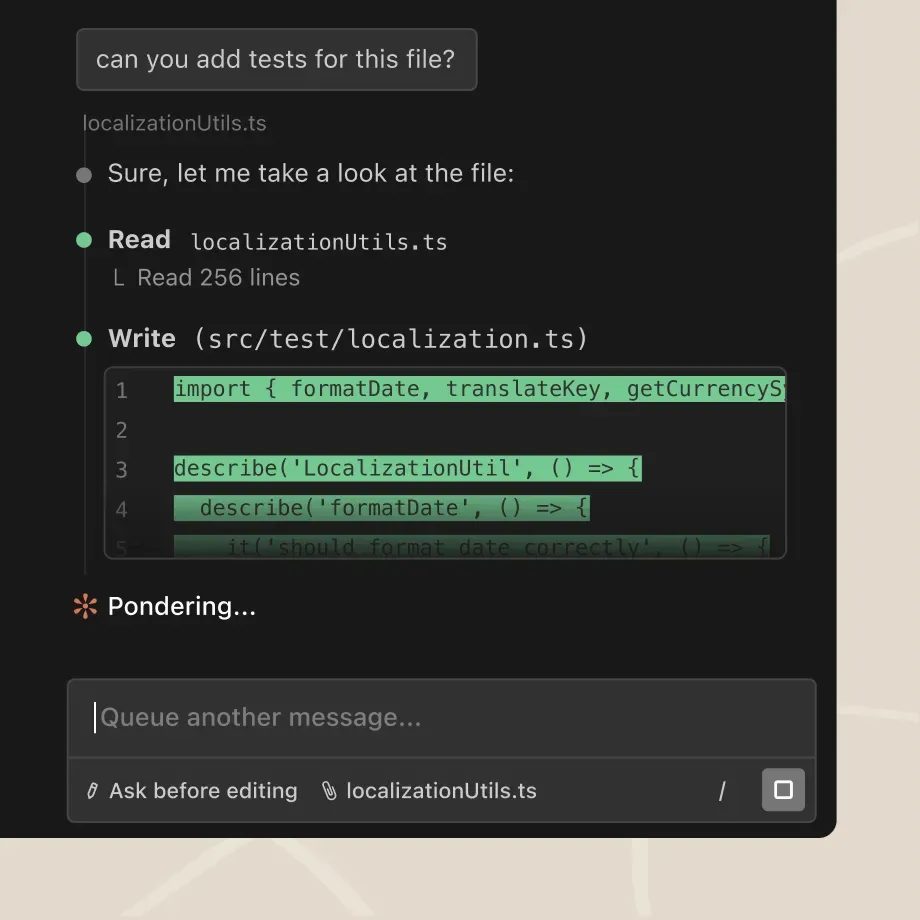
If you were mostly using Cursor’s agent with Claude, Claude Code is the obvious move, and for large tasks it’s an upgrade. You describe the outcome; it finds the relevant files, makes coherent changes across them, runs the tests, and keeps going until they pass. Debugging is where it pulls ahead: paste an error and it traces the cause through the codebase rather than patching the line that failed.
The terminal is home, but it isn’t the only door. Extensions for VS Code and JetBrains IDEs show its diffs next to your code, and the desktop and web apps run several sessions in parallel. Hooks, permission rules, and an optional operating-system sandbox for shell commands let you decide how far it goes without asking, which matters once you let it run for twenty minutes unattended. Checkpoints undo its file edits; anything it changed through a shell command still needs git.
Claude Code comes with Claude Pro at $20 a month ($17 billed yearly). The limit is the weak spot: your coding and your regular Claude chats share a five-hour window and a weekly cap, and Anthropic gives no token or message counts for either. Heavy users end up on the Max plans. And you give up Tab entirely: Claude Code doesn’t predict your next keystroke, so pair it with an editor that does if you rely on that.
What it does
- Repository-wide changes, debugging, test runs, and pull requests
- Terminal, VS Code and JetBrains extensions, desktop, and web
- Permission rules, hooks, an optional OS sandbox, and checkpoints
- Parallel agents and an Agent SDK for your own automation
Pros
- The strongest agent for complex multi-file work and debugging
- Claude usage included in a flat subscription
- Fine-grained control over what the agent may do unattended
Cons
- No predictive completions while you type
- Usage limits are shared with Claude chats and not published in tokens
- Runs Anthropic's models only
OpenAI Codex
For GPT users who already pay for ChatGPT
Ranking: Cursor against the agents that include their models
#3 4.0/5
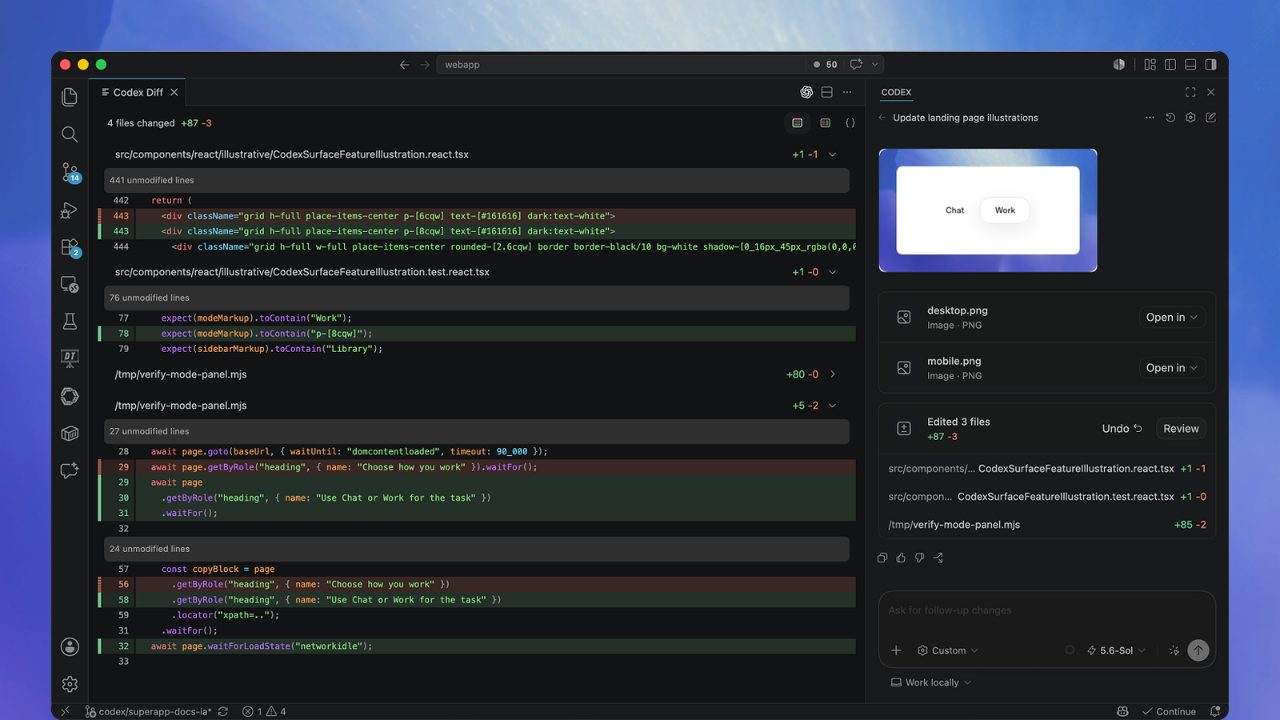
Codex gets OpenAI’s newest coding models, which matters more now that Cursor won’t receive OpenAI’s future ones. If you already pay for ChatGPT Plus at $20 a month, Codex is included: an open-source CLI, an extension for VS Code-compatible editors and JetBrains IDEs, a desktop app, and cloud tasks that keep working after you close your laptop. Because the extension works in VS Code forks, you can even install it inside Cursor and keep the editor while OpenAI supplies the agent.
Its local defaults are the most cautious of the agents here. Network access starts off, and an operating-system sandbox usually keeps the agent inside the current project folder. A separate review mode reads your uncommitted changes, a commit, or a branch and comments without editing anything, which is a handy second opinion before you push.
OpenAI publishes estimates rather than fixed limits: Plus allows roughly 15 to 285 local messages per five-hour window, depending on the model and the task, and cloud tasks use more. Free and the $8 Go plan cover lighter use. Two things to check before moving: Codex has no predictive completions, and on individual plans your conversations can train OpenAI’s models until you opt out, with a separate switch for whole environments.
What it does
- Apache 2.0 CLI, IDE extensions, desktop app, and cloud tasks
- OS sandbox with network access off by default
- Read-only review of changes, commits, and branches
- Custom providers, plus Ollama and LM Studio for local models
Pros
- OpenAI's newest models, included with ChatGPT Plus
- Safe local defaults and a useful review mode
- A free plan and a cheaper Go plan for lighter use
Cons
- No predictive completions
- Usage limits are estimates that vary with model and task
- Individual plans train on conversations unless you opt out
GitHub Copilot
For cheap Claude and GPT inside any editor
Ranking: Cursor against the agents that include their models
#4 3.8/5
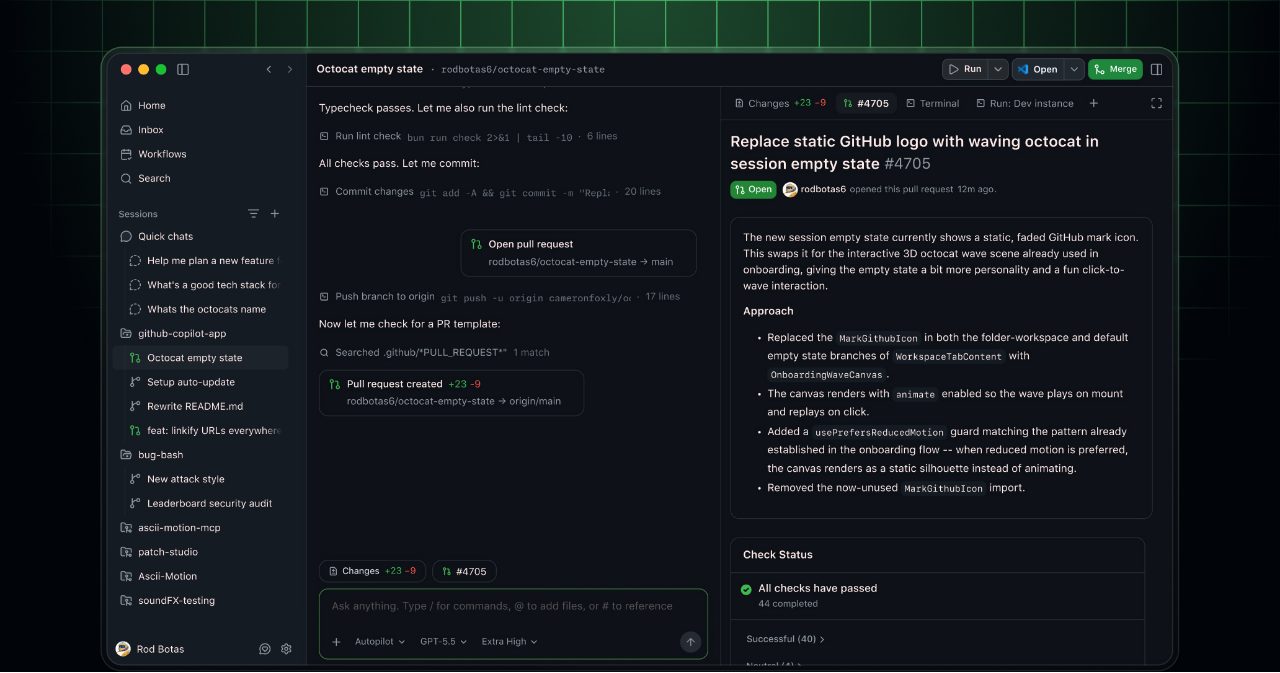
GitHub Copilot is the closest thing left to the old Cursor deal: a low monthly price that includes a real amount of Claude and GPT usage. Pro costs $10 and comes with unlimited completions and next-edit suggestions, plus 1,500 AI credits a month for chat and agents. A credit is worth a cent, and Copilot charges Claude Sonnet at the same per-token rate as Cursor does, so the difference is simply that Copilot’s plan includes $15 of it and Cursor’s doesn’t. Be aware that 500 of those credits are a “flex” allotment GitHub says can change.
It also doesn’t make you switch editors. Copilot runs in VS Code, Visual Studio, JetBrains IDEs, Xcode, Neovim, Zed, and Eclipse, and its cloud agent can turn a GitHub issue into a pull request while you work on something else. Agent mode handles targeted multi-file refactors well; for a long autonomous change across dozens of files, Claude Code is more reliable.
Teams leaving Cursor’s $30 seats should look at Copilot Business at $19 a user, with central control of models, policies, and spending. Individual accounts need one setting changed: GitHub can train on your prompts and code until you opt out.
What it does
- Completions, next-edit suggestions, and agent mode in your current editor
- Claude, GPT, and Gemini models paid from monthly credits
- Cloud agent that turns issues into pull requests
- Own API keys, Ollama, and Foundry Local for local models
Pros
- The cheapest way to keep Claude and GPT in an editor
- Works in nearly every popular editor and IDE
- Strong admin controls for teams
Cons
- Long autonomous tasks trail Claude Code
- Part of the monthly allowance can change, and long agent sessions burn credits fast
- Individual accounts train on your code unless you opt out
Open-source tools that use whatever model you choose
Cursor’s new plans decide for you which models are cheap and which cost extra. These three hand that choice back. Each is open source, takes your own API keys or custom endpoints, and can run local models through tools such as Ollama or LM Studio. With your own key, your code goes straight to the provider you picked, and so does the bill. The trade is setup time, and the quality you get is as good as the model you pick.
1–5 per criterion · select a score for its reasoning and any sources
| # | Product | Overall | Coding and repository-task quality , counts double | Everyday coding workflow | Agent control and recovery | Model and provider choice , counts half | Team administration and security | Code and prompt privacy , counts half |
|---|---|---|---|---|---|---|---|---|
| 1 | Cline | 4.0 | 4 | 3 | 4 | 5 | 4 | 5 |
| 2 | OpenCode | 3.9 | 4 | 4 | 4 | 5 | 3 | 4 |
| 3 | Zed | 3.8 | 3 | 5 | 4 | 5 | 3 | 5 |



×2 = counts double in the overall score, ×½ = counts half.
How each criterion is scored
Coding and repository-task quality
Counts double in the overall score: Correct, reviewable code matters more to every ranked workflow than another interface, provider or administrative option.
Judged quality of the coding tool with its ordinary current models: repository understanding, correct multi-file edits, debugging, test generation and checking its own work. Public model benchmarks alone do not establish the tool's quality; comparative tasks, experienced developers and current usage inform the judgment.
- 5 Leading comparative evidence and practitioner preference for complex repository work, debugging and verified iteration
- 4 Strong everyday coding and multi-file work, with a tradeoff on extended tasks or model configuration
- 3 Competitive on well-scoped tasks, but results or supporting evidence are less consistent than the leaders
- 2 Useful for basic code but unreliable on ordinary repository work
- 1 Routine changes create substantial rework even on focused tasks
Everyday coding workflow
How naturally the product fits a normal coding session in its intended form: preserving an editor or supporting a good replacement, predictive completions where offered, context from open files, steering and inspecting changes, and moving between manual edits and delegated work. A terminal agent can score highly for a coherent agent workflow without being treated as a full editor; a missing completion feature matters only when it leaves ordinary work unsupported.
- 5 Excellent completions and in-context review in a cohesive editor or across a broad choice of existing editors
- 4 Strong everyday integration and review in the intended form, with a required editor change, uneven interfaces or no predictive completion
- 3 Good terminal or editor integration with substantial setup friction, uneven surfaces or missing support for ordinary editing
- 2 Usable task interface with weak support for an existing editor or manual coding
- 1 Awkward or narrowly supported workflow that repeatedly interrupts coding
Agent control and recovery
How safely and usefully a developer can delegate multi-step work: granular permissions and sandboxing, test and diff review, checkpoints or isolated worktrees, parallel and cloud execution, and repeatable automation. This judges the working control loop rather than counting features.
- 5 Excellent control from task through review, including granular permissions or OS sandboxing, recovery and flexible local, parallel or automated execution
- 4 Strong approvals, isolation and automation, with a notable recovery or execution limitation
- 3 Useful delegation and recovery, but important controls are limited to particular interfaces
- 2 Multi-step editing with coarse controls and limited review, recovery or automation
- 1 No meaningful repository-task delegation or recovery
Model and provider choice
Counts half in the overall score: Model choice is essential for provider-independent and local-model readers, but most developers care more about the results from a good default model than the size of a catalog.
Freedom to choose the model and inference provider behind the agent: multiple vendors, existing subscriptions, API keys, custom endpoints and named local-model runners. A long catalog matters less than avoiding restrictions on plans, billing and compatibility.
- 5 Broad provider, subscription and custom-endpoint choice plus at least three named local-model runners
- 4 Broad hosted-provider and API-key choice plus named local-model support or unusually flexible configuration
- 3 Several major providers or custom endpoints, with important plan, billing or protocol restrictions
- 2 A short curated list with no custom provider or local-model route
- 1 One model family only
Team administration and security
Organizational controls for rolling the tool out safely: central policies and spending limits, identity management, model or tool restrictions, audit records, private networking and administration of agents. This assesses the complete team offering, not the existence of a Business plan.
- 5 Comprehensive central policy, spending, identity, audit and agent-security controls for demanding engineering organizations
- 4 Strong organizational identity, policy and audit or networking controls, with smaller gaps in model administration or plan restrictions
- 3 Useful central policy and budget controls, but important identity, audit or networking features are limited
- 2 Limited centralized management, or self-hosting that leaves most policy work to the team
- 1 No meaningful organizational administration
Code and prompt privacy
Counts half in the overall score: Privacy can be decisive for proprietary code, but it should not outweigh coding quality for readers whose provider and settings already meet their requirements.
Default data-use terms and practical privacy choices for code and prompts, including model training, vendor retention and direct-to-provider or local inference. Business-plan promises do not stand in for individual terms.
- 5 Direct-to-provider or local inference that the coding-tool vendor does not collect, with a documented no-training route
- 4 Documented no-training terms for normal paid, API or business use, or an enforceable mode that also binds model providers
- 3 Opt-out or commercial no-training terms, but provider-specific retention or uneven coverage across plans and interfaces
- 2 Training or human review of individual interactions by default, with an opt-out
- 1 Code or interactions used for training with no documented way to stop it
#2 3.9/5
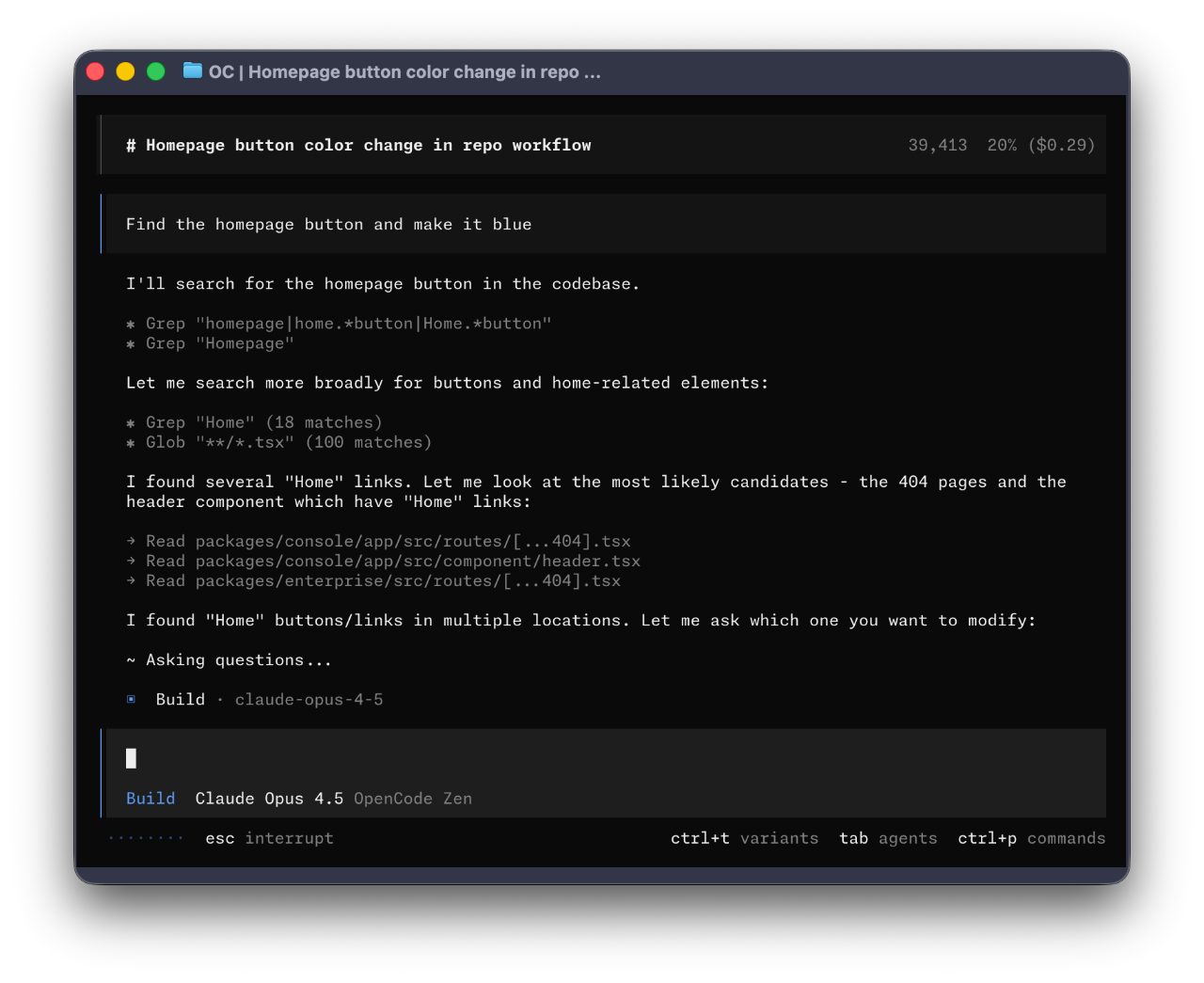
OpenCode is the open answer to Claude Code: an MIT-licensed agent with a polished terminal interface, plus desktop, web, and IDE versions that run the same agent. It connects to almost anything. Use a hosted provider, a custom endpoint, your existing ChatGPT or GitHub Copilot account, or a local model through Ollama, LM Studio, or vLLM. That makes it a good place to spend a Copilot subscription you already pay for.
Permissions are its strongest feature: allow, ask, or deny rules for specific commands, paths, URLs, and subagents, rather than one broad “auto-approve” switch. Snapshots roll back files and the conversation together. If you’d rather not juggle providers, OpenCode Go costs $10 a month and publishes a dollar allowance for each model, which is easier to plan around than Cursor’s pool described only as “4x Plus.”
Results track the model you plug in. With a strong hosted model, OpenCode handles everyday repository work well; with a small local model, expect less. There are no predictive completions, no operating-system sandbox by default, and a Claude subscription can’t be reused here, so Anthropic’s models mean paying for API access.
What it does
- MIT-licensed agent for terminal, desktop, web, and IDEs
- Hosted providers, custom endpoints, and ChatGPT or Copilot accounts
- Ollama, LM Studio, and vLLM for local models
- Allow, ask, and deny rules for commands, paths, and URLs
Pros
- Broad provider freedom in a polished terminal interface
- Detailed permissions that suit unattended work
- Go plan publishes its allowance per model
Cons
- Quality depends on the model and provider you choose
- No predictive completions or default OS sandbox
- Claude subscriptions can't be used; Anthropic models need API billing
#1 4.0/5
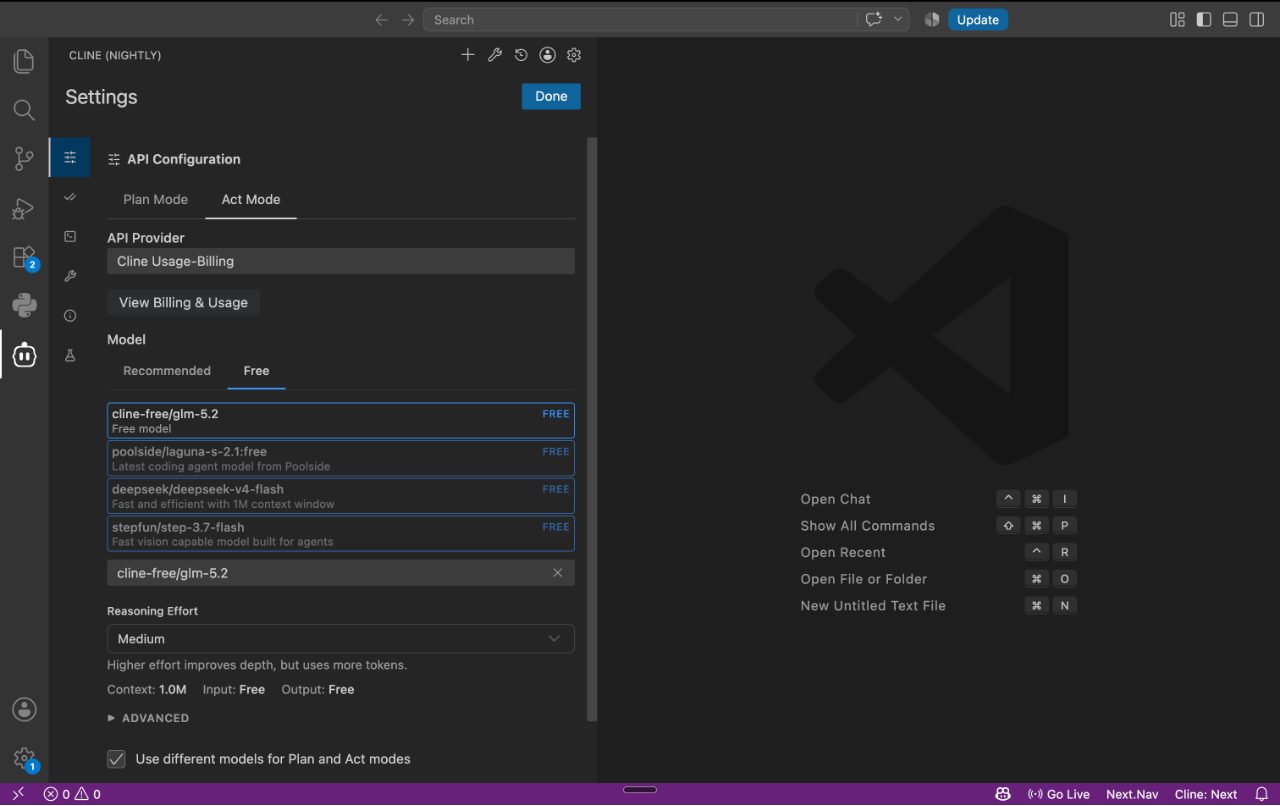
Cline is an Apache-licensed agent that installs into the editor you already use: VS Code and its forks (Cursor included), JetBrains IDEs, plus a terminal and desktop version. That makes it the low-commitment option. Keep your editor, add an agent, and point it at Claude, GPT, Gemini, an open model, or a local one through Ollama or LM Studio.
Its checkpoints are the best in this group. Cline snapshots every file change and command, shows you the diff before you restore, and lets you roll back the files, the conversation, or both. When an agent wanders off on a refactor, being able to rewind the files while keeping what you learned from the conversation is worth a lot. Plan and act modes let you agree on an approach before anything is written.
The client is free, but the bill follows your provider and your habits, and long agent sessions on frontier models can get expensive fast. ClinePass, at $9.99 a month, is an optional flat-rate route to open coding models. With your own key, Cline doesn’t collect your prompts or code. It has no predictive completions, and its approvals work by category rather than by individual command.
What it does
- Apache 2.0 agent for VS Code-compatible editors, JetBrains, terminal, and desktop
- Hosted providers, your own API keys, and local models
- Checkpoints that restore files, conversation, or both
- Plan and act modes, browser tools, and a headless CLI
Pros
- Keeps your existing editor, including Cursor itself
- The most flexible recovery of any agent here
- Prompts go straight to your provider with your own key
Cons
- No predictive completions
- Monthly cost depends entirely on the provider and how much you use it
- Approvals are coarser than OpenCode's
#3 3.8/5
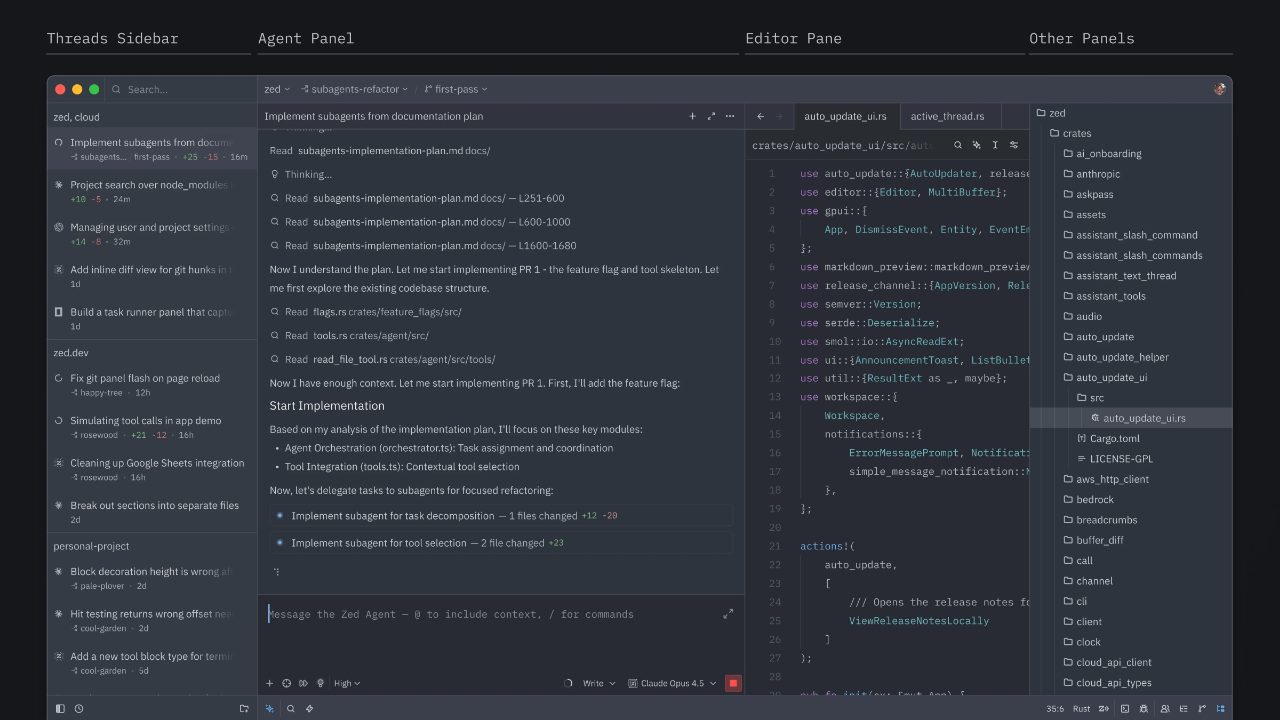
Zed is the open-source editor that comes closest to Cursor’s hands-on feel without being a VS Code fork. It’s written in Rust and GPL-licensed, and it opens and scrolls fast enough that Cursor feels heavy afterwards. Zeta edit predictions cover the typing, and the native agent edits the repository and hands back changes you accept or reject hunk by hunk. You can isolate an agent in its own git worktree, or run Claude Agent, Codex, or OpenCode inside Zed through the Agent Client Protocol.
Personal is free if you bring your own keys, local models (Ollama, LM Studio, or llama.cpp), or an external agent. Pro costs $10 a month for unlimited Zeta predictions and $5 of hosted model usage, then list price plus 10%. That’s a third of Cursor Premium’s price. Claude is metered in both, but Zed Pro’s first $5 is included, and on Personal your own Anthropic key adds no markup at all.
Check your extensions before switching. Zed’s catalog is far smaller than the VS Code ecosystem Cursor inherits, so a niche language or a company tool may be missing. Its native agent also has less of a track record than Cursor’s, and teams lose single sign-on and SCIM, which Zed’s Business plan doesn’t have.
What it does
- Native, GPL-licensed editor with Zeta edit predictions
- Native agent whose changes you accept or reject hunk by hunk, with worktree isolation
- External agents such as Claude Agent, Codex, and OpenCode
- Hosted providers, own keys, and three local model runners
Pros
- The fastest editor here, with AI that stays out of the way
- Free with your own keys; Pro is a third of Cursor Premium
- Training on your prompts and edits is opt-in
Cons
- Much smaller extension catalog than VS Code or Cursor
- Native agent has less evidence behind it than Cursor's
- No SSO or SCIM for teams
- Skip if:
- Your stack depends on specific VS Code extensions.
Go back to VS Code, or stay with Cursor
Cursor started life as VS Code with better AI, so the most familiar exit is going back. The question is whether what Cursor adds on top is still worth the new price for you.

Visual Studio Code
For your old extensions and a free choice of agents
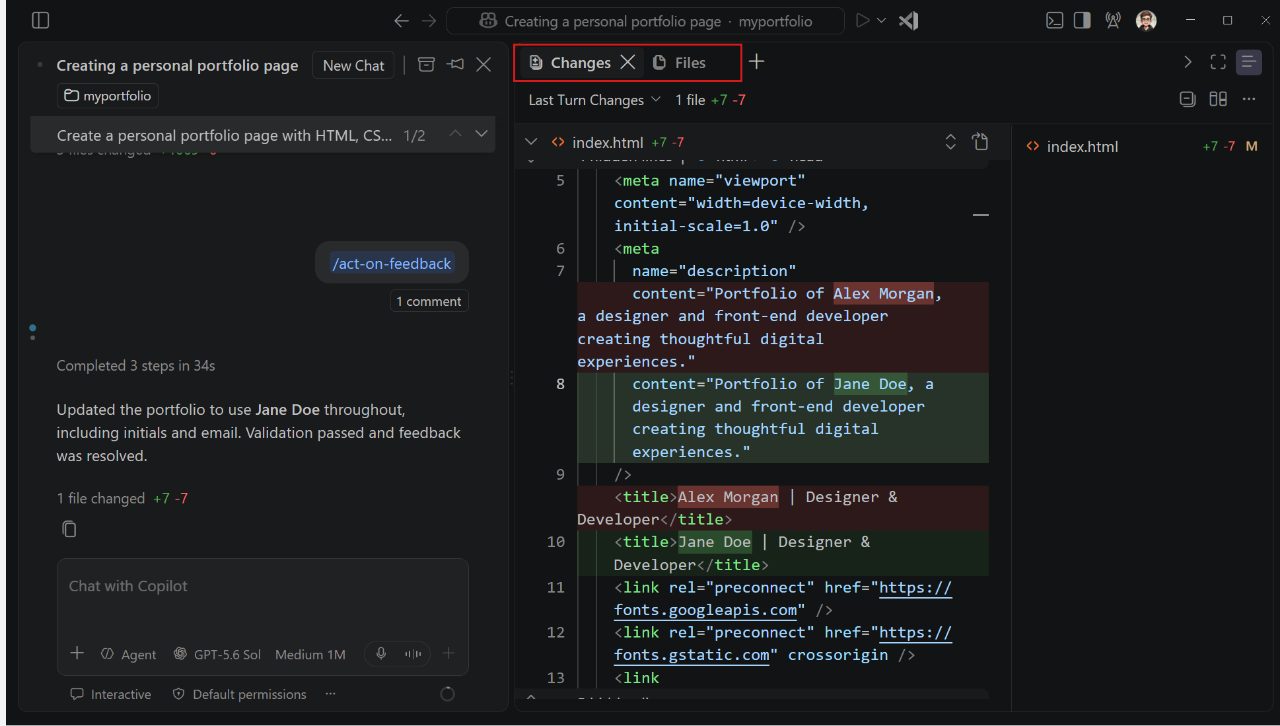
Moving from Cursor to Visual Studio Code is the least disruptive switch on this page. Your extensions, settings, and keybindings came from VS Code in the first place, and the editor itself is free. The source is MIT-licensed, although Microsoft’s official download ships under its own product license.
What changed while you were away is how much AI VS Code now hosts. Copilot is built in, Claude and Codex agents run inside it, and you can add Cline or connect your own endpoint or a local model. That makes VS Code a good base if you expect the best agent to change every few months and don’t want to change editors each time. The flip side is that each agent brings its own review controls: Copilot tracks edits you can keep or undo one by one, while other agents show plain diffs.
The thing you’ll miss is Tab. A Discourse developer who made exactly this move said the only thing they missed was Cursor’s Tab, because “the vscode implementation just isn’t as good.” If predictions carry most of your day, that’s a real loss; if the agent does most of the work, you may not notice.
What it does
- Free editor with the largest extension ecosystem
- Copilot, Claude, and Codex agents in one editor
- Own endpoints, API keys, and local models
- Mature debugging, remote development, and source control
Pros
- Your Cursor extensions and settings work without changes
- Swap agents and models without changing editors
- The editor costs nothing; you pay only for the AI you add
Cons
- Inline predictions are weaker than Cursor's Tab
- Review controls differ from one agent to the next
- Copilot on an individual account trains on your code unless you opt out
Cursor
Stay for hands-on editing or an old plan
Ranking: Cursor against the agents that include their models
#2 4.3/5
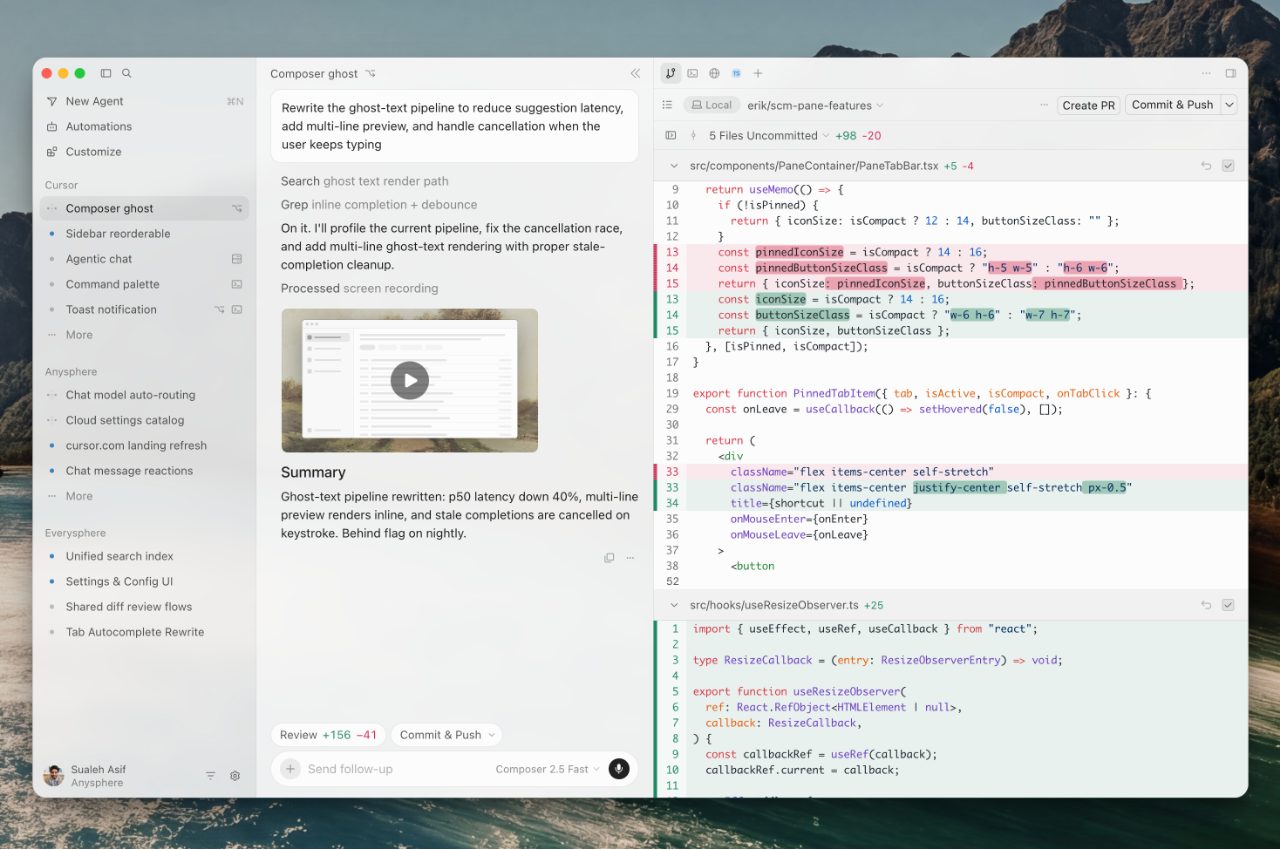
Plenty of people should stay. Cursor is still the best editor for hands-on AI coding: Tab predicts multi-line edits better than anything else here, and the agent’s live diffs let you stop it mid-task, redirect it, or restore a checkpoint. Nothing on this page matches that loop as a whole; Zed comes closest.
If you’re on a legacy Pro, Pro+, or Ultra plan, your plan keeps working, third-party model usage included. Switching to The X Subscription is optional and permanent, and Cursor says it has no timeline for moving remaining customers and will give notice first. So don’t leave early on account of a price you aren’t paying yet.
New subscribers have a harder decision. If Grok and Composer handle your work, Plus is cheap, though it has no cloud agents and won’t accept your own API keys. If you need Claude or GPT, budget Premium plus every request at list price, and remember that the allowance for Cursor’s own models is shared with the Grok apps and only described as a multiple of Plus. One middle path: keep Cursor as your editor and install another agent into it, such as Codex, which runs on your ChatGPT plan, or Cline with your own key. OpenAI notes that an OpenAI key entered in Cursor doesn’t cover Tab, cloud agents, or the Cursor CLI.
What it does
- VS Code-based editor with multi-line Tab predictions
- Agent with live diffs, mid-task redirection, and local checkpoints
- Cloud agents, Bugbot code review, and Automations on Premium and above
- Team SSO, spending controls, and enforceable privacy mode
Pros
- The best combination of hands-on editing and agent work
- Familiar for anyone coming from VS Code
- Plus is cheap if Cursor's own models are enough
Cons
- Claude, GPT, and Gemini cost API list price on top of Premium
- Won't receive OpenAI's future models
- The included allowance is shared with the Grok apps and hard to size
- Skip if:
- Claude or GPT is your daily model and you're a new subscriber.
Which way to go comes down to what you were really paying Cursor for. If it was Claude or GPT, buy them where they’re included: Claude Code for big delegated changes, Codex if OpenAI’s models are your default, Copilot if you want both in an editor for $10. If it was the freedom to pick models, that now lives in open tools: OpenCode in the terminal, Cline in the editor you have, Zed if you want a new, faster one. And if it was Tab and the way the agent works beside you, nothing has quite replaced it; stay, and pick the plan that matches the models you use.
Also considered
- Devin Desktop: The current name for Windsurf, a VS Code-based AI editor. It still has free unlimited Tab completions, but it now opens on an agent command center built for supervising several agents, which gets in the way of ordinary solo editing. Individual data trains models by default until you opt out.
- Google Antigravity: A free VS Code-based IDE with unlimited Tab completions and a weekly agent allowance, which makes it a good free experiment. Its models are a curated list of Gemini and partner models with no local or custom providers, and Google can use your interactions, including through human review, until you opt out.
- Kiro: An IDE that turns requirements into design and task documents before the agent writes code. That structure helps on ambiguous features but is too much process for the quick edits Cursor handles well, and every prompt draws on plan credits.
- IntelliJ IDEA: For Java and Kotlin, its refactoring and inspections go deeper than any VS Code-based editor, and it hosts Claude, Codex, and JetBrains’ own agent. Managed AI plans require a paid Ultimate subscription, though you can connect your own provider instead.




Frequently asked questions
Can I keep my old Cursor plan?
Yes. Pro, Pro+, Ultra, and the older team seats keep working as before, including their included Claude and GPT usage. Switching to The X Subscription is your choice, and it can’t be undone. Cursor says it has no timeline for moving existing plans and will give notice before anything changes.
Is there a free alternative to Cursor?
Copilot Free gives 2,000 completions a month in VS Code and other editors. Antigravity has a free weekly agent allowance. Zed, Cline, and OpenCode are free to install, but you pay whoever runs the model, unless you run a local model on your own hardware.
Can I use my own API key in Cursor to avoid the markup?
Not on Plus, which excludes your own keys. Where a key is accepted, it doesn’t reach everything: OpenAI says an OpenAI key won’t work with Tab, Auto, cloud agents, Automations, or the Cursor CLI.
We scored 7 products on 6 criteria using 118 quotes, 82 of them from the products' own websites. How our rankings work