
Linux Mint
Free Ubuntu-based Linux desktop with a Windows-like Cinnamon interface, supported until April 2029
Our verdict
#1 of 9 in Linux distros for beginners · Best for most people leaving Windows
What it does
- A Windows-style Cinnamon desktop with taskbar, menu and tray
- A welcome screen for drivers, codecs and system snapshots
- Driver Manager for NVIDIA graphics
- Lighter Xfce and MATE editions for older PCs
Pros
- Feels familiar from the first minute
- Snapshots make a bad update easy to undo
- Runs well on modest hardware
- One of the biggest beginner communities, and most Ubuntu help applies
Cons
- Older base than Ubuntu, so the newest hardware can lag
- Behind on Wayland and HDR support
- Looks plain next to Zorin OS or KDE Plasma
- Skip if:
- You have an HDR monitor and want HDR in games and video
Linux Mint is a free, community-developed Linux distribution for 64-bit PCs, based on Ubuntu LTS and aimed at people who want a familiar, traditional desktop. Its main edition uses the Cinnamon desktop, which Mint’s own team develops, with Xfce and MATE editions for lighter or more classic setups and a separate Debian-based edition, LMDE. The current release is 22.3 “Zena”, built on Ubuntu 24.04. It runs a live session before installing, includes its own Update Manager, Software Manager, Driver Manager and Timeshift snapshots, and has Snap disabled by default.
What users say
Evidence ↓Reviewers who recommend Mint to beginners praise its ease of install, traditional interface and out-of-the-box tools. The criticisms are modest. A 2026 reviewer says Cinnamon lags other desktops on Wayland and HDR and that Mint's growing set of small utilities risks feeling fragmented. These are single reviewers, not a survey.
Rankings and alternatives



Linux distros for beginners scores
Evaluated Nov 17, 2026 Evidence ↓- Easy for a newcomer · counts double 5
5/5 means: A guided install alongside Windows, a first-run setup that handles drivers, codecs and backups, and no terminal for everyday tasks
Live session, a graphical installer with install-alongside-Windows and a codecs checkbox, and a Welcome Screen that points to updates, drivers and snapshots. Driver Manager, Software Manager and Update Manager cover everyday tasks without a terminal. Dual boot and Secure Boot rest on general knowledge, not the pages read.
- Familiar to Windows users 5
5/5 means: A Windows-style taskbar, start menu and system tray by default
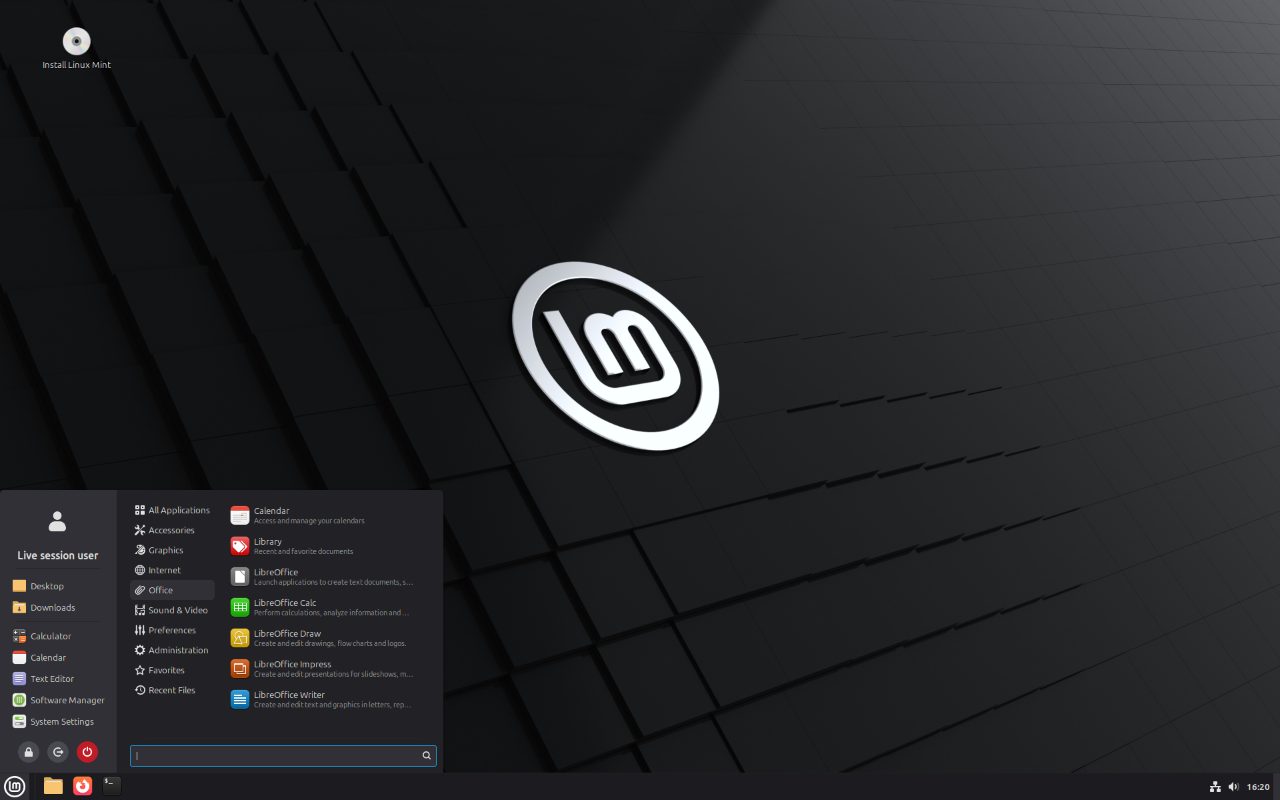
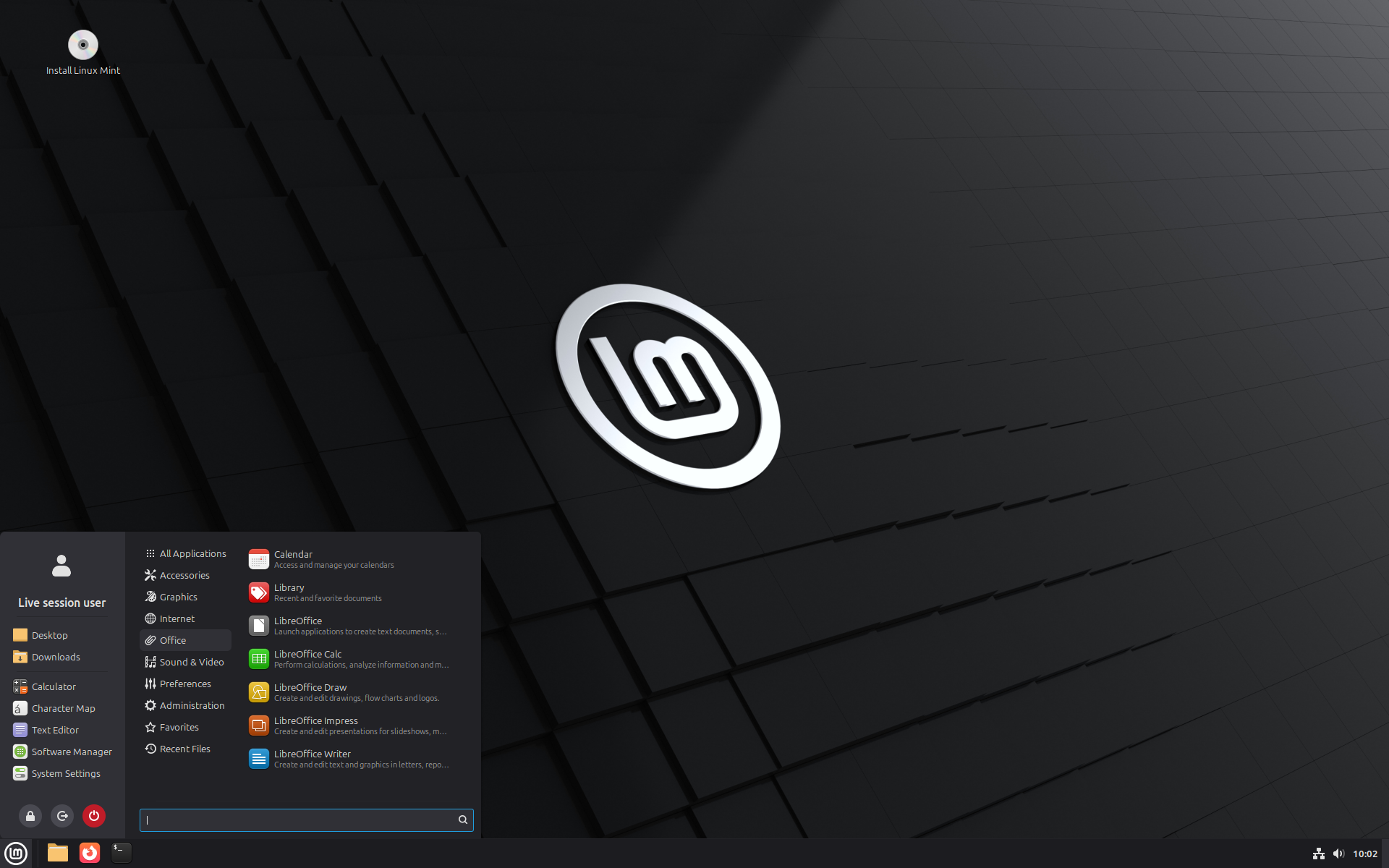
Cinnamon ships a bottom taskbar with a start-style menu and system tray by default, as the screenshot shows; reviewers describe a traditional WIMP layout.
- Hardware support out of the box 4
4/5 means: NVIDIA's driver installs from a graphical tool after setup, and the kernel handles most current hardware
NVIDIA's driver installs from the graphical Driver Manager after setup, not during install. 22.3 ships HWE kernel 6.14 for newer hardware, with known issues for old NVIDIA 470 cards and VirtualBox. Laptop dual-GPU switching is in the notes for Optimus.
- Updates that don't break 5
5/5 means: Conservative base or tested image updates, plus a rollback the system sets up or prompts for
Conservative Ubuntu LTS base with a long record of quiet updates, and Timeshift snapshots that the Welcome Screen prompts the user to set up.
- Years before a reinstall 4
4/5 means: Supported into 2029 or later, with an in-place upgrade to the next version
22.3 is supported until April 2029 and in-place upgrades between releases are done with mintupgrade (from general knowledge). That is under four years away, so not a 5.
- Ready for PC gaming 4
4/5 means: Steam installs from the store in a click, NVIDIA's driver is easy, and the graphics stack is current enough
Steam installs from the Software Manager and NVIDIA's driver installs from Driver Manager, on the same Ubuntu 24.04 LTS graphics stack (with hardware enablement updates) that Zorin OS and Pop!_OS use. Cinnamon's lag on Wayland and HDR matters to few gamers. (Writer calibration, changed from 3 to match the other distros on the same base.)
- Runs on older PCs 4
4/5 means: Runs in about 2 to 4 GB of RAM, with an official lighter edition
Mint's published requirements are 2 GB RAM minimum and 4 GB recommended (from general knowledge, not read this run), and official Xfce and MATE editions are lighter.
- Help when you're stuck 5
5/5 means: The largest pool of beginner tutorials, forum answers and documentation
A large official forum, a user guide and installation guide, and Mint is one of the distros most beginner tutorials and forum answers are written for; most Ubuntu help applies too, since Mint is built on Ubuntu. (Writer calibration, changed from 4, on general knowledge of the size of Mint's community.)
Pricing
- Linux Mint Free Free to download and use; the project accepts donations.
Prices checked Nov 17, 2026.
Evidence and sources
What users say
Summary 3 quotes
-
After looking at many Linux desktops year in and out, Linux Mint is the best of the breed. It's easy to learn (even if you've never used Linux before), powerful, and with its traditional windows, icons, menus, and pointers (WIMP) interface, it's simple to use.
Steven J. Vaughan-Nichols, contributing editor at ZDNet (review of Linux Mint 19.2) · en.wikipedia.org/wiki/Linux_Mint · checked -
While it's showing some signs of shifting focus and a bit of utility fatigue, it remains one of my top recommendations for beginners who are new to the Linux community, as well as for experienced users who want a system that just works so they can stay productive.
Learn Linux TV author, Linux educator (review of the Cinnamon edition of Mint 22.3) · learnlinux.tv/linux-mint-22-3-whats-new-and-whats-not · checked -
support for newer technologies like Wayland and HDR continues to lag behind other popular desktop environments.
Learn Linux TV author, Linux educator (review of the Cinnamon edition of Mint 22.3) · learnlinux.tv/linux-mint-22-3-whats-new-and-whats-not · checked
Linux distros for beginners scores
Easy for a newcomer 3 quotes
-
It provides links to the Linux Mint website, user guide, and community website. It also gives a user some first steps such as choosing a desktop color, installing updates and drivers, and making system snapshots.
en.wikipedia.org/wiki/Linux_Mint · checked -
While it's showing some signs of shifting focus and a bit of utility fatigue, it remains one of my top recommendations for beginners who are new to the Linux community, as well as for experienced users who want a system that just works so they can stay productive.
Learn Linux TV author, Linux educator (review of the Cinnamon edition of Mint 22.3) · learnlinux.tv/linux-mint-22-3-whats-new-and-whats-not · checked -
In newer versions of the operating system, this safety level mechanism is largely deactivated in favor of system snapshots created by the Timeshift tool.
en.wikipedia.org/wiki/Linux_Mint · checked
Familiar to Windows users 2 quotes
-
After looking at many Linux desktops year in and out, Linux Mint is the best of the breed. It's easy to learn (even if you've never used Linux before), powerful, and with its traditional windows, icons, menus, and pointers (WIMP) interface, it's simple to use.
Steven J. Vaughan-Nichols, contributing editor at ZDNet (review of Linux Mint 19.2) · en.wikipedia.org/wiki/Linux_Mint · checked -
The most popular version of Linux Mint is the Cinnamon edition. Cinnamon is primarily developed for and by Linux Mint. It is slick, beautiful, and full of new features.
linuxmint.com/download.php · checked
Hardware support out of the box 3 quotes
-
If your graphics card is from NVIDIA, once in Linux Mint, perform the following steps to install the NVIDIA drivers: Run the Driver Manager Choose the NVIDIA drivers and wait for them to be installed Reboot the computer
linuxmint.com/rel_zena_cinnamon.php · checked -
To provide support for newer AMD processors, Linux Mint 22.2 and 22.3 ship HWE Kernel 6.14.
linuxmint.com/rel_zena_cinnamon.php · checked -
If you are affected by one of these issues, we recommend you install Linux Mint 22.1 instead, which ships with LTS kernel 6.8.
linuxmint.com/rel_zena_cinnamon.php · checked
Updates that don't break 4 quotes
-
In newer versions of the operating system, this safety level mechanism is largely deactivated in favor of system snapshots created by the Timeshift tool.
en.wikipedia.org/wiki/Linux_Mint · checked -
It provides links to the Linux Mint website, user guide, and community website. It also gives a user some first steps such as choosing a desktop color, installing updates and drivers, and making system snapshots.
en.wikipedia.org/wiki/Linux_Mint · checked -
Linux Mint 22.x is based on Ubuntu 24.04.
linuxmint.com/rel_zena_cinnamon.php · checked -
While it's showing some signs of shifting focus and a bit of utility fatigue, it remains one of my top recommendations for beginners who are new to the Linux community, as well as for experienced users who want a system that just works so they can stay productive.
Learn Linux TV author, Linux educator (review of the Cinnamon edition of Mint 22.3) · learnlinux.tv/linux-mint-22-3-whats-new-and-whats-not · checked
Years before a reinstall 1 quote
-
Long term support release (LTS), supported until April 2029.
linuxmint.com/rel_zena_cinnamon.php · checked
Ready for PC gaming 3 quotes
-
If your graphics card is from NVIDIA, once in Linux Mint, perform the following steps to install the NVIDIA drivers: Run the Driver Manager Choose the NVIDIA drivers and wait for them to be installed Reboot the computer
linuxmint.com/rel_zena_cinnamon.php · checked -
Since Linux Mint 18.3, the Software Manager has also been able to install software from Flatpak remotes, and is configured with Flathub by default.
en.wikipedia.org/wiki/Linux_Mint · checked -
Linux Mint 22.x is based on Ubuntu 24.04.
linuxmint.com/rel_zena_cinnamon.php · checked
Runs on older PCs 1 quote
-
If you are unsure which desktop to choose start with the Cinnamon edition.
linuxmint-installation-guide.readthedocs.io/en/latest/choose.html · checked
Help when you're stuck 2 quotes
-
It provides links to the Linux Mint website, user guide, and community website. It also gives a user some first steps such as choosing a desktop color, installing updates and drivers, and making system snapshots.
en.wikipedia.org/wiki/Linux_Mint · checked -
Linux Mint 22.x is based on Ubuntu 24.04.
linuxmint.com/rel_zena_cinnamon.php · checked
Facts
License 1 quote
-
Linux Mint primarily uses free and open-source software.
en.wikipedia.org/wiki/Linux_Mint · checked
Runs on 2 quotes
-
From version 20 onward, only 64-bit is available.
linuxmint-installation-guide.readthedocs.io/en/latest/choose.html · checked -
Linux Mint is a community-developed Linux distribution for x86-64 systems, based on Ubuntu.
en.wikipedia.org/wiki/Linux_Mint · checked
More from the sources
Features 4 quotes
-
The Snap Store is disabled.
linuxmint.com/rel_zena_cinnamon.php · checked -
As of Linux Mint 22 series, there are no edge editions and instead use the latest HWE kernel series if available.
en.wikipedia.org/wiki/Linux_Mint · checked -
Linux Mint does not set fixed release dates, instead publishing new versions "when ready".
en.wikipedia.org/wiki/Linux_Mint · checked -
The Register points to the fact that unverified Flatpak packages are now off by default and users need to explicitly enable the option to make them visible.
en.wikipedia.org/wiki/Linux_Mint · checked
Limits and known issues 2 quotes
-
If you cannot boot or install Linux Mint because your hardware is too recent and is not properly detected see the Edge ISO Images chapter in the Linux Mint User Guide for an alternative ISO.
linuxmint-installation-guide.readthedocs.io/en/latest/choose.html · checked -
As a result, the Linux Mint 23 release is now slated to launch in December 2026. It will, among other planned changes, use the same installer as LMDE (Linux Mint Debian Edition) as this offers better OEM install, SecureBoot and LVM/LUKS support.
omgubuntu.co.uk/2026/04/linux-mint-next-release-christmas-2026 · published · checked
Pricing
linuxmint.com/download.php · checked