Proton Authenticator
Free, open-source two-factor authentication app from Proton, with optional end-to-end encrypted sync.
Our verdict
#2 of 9 in Authenticator apps · For people already using Proton
What it does
- End-to-end encrypted sync with a Proton account
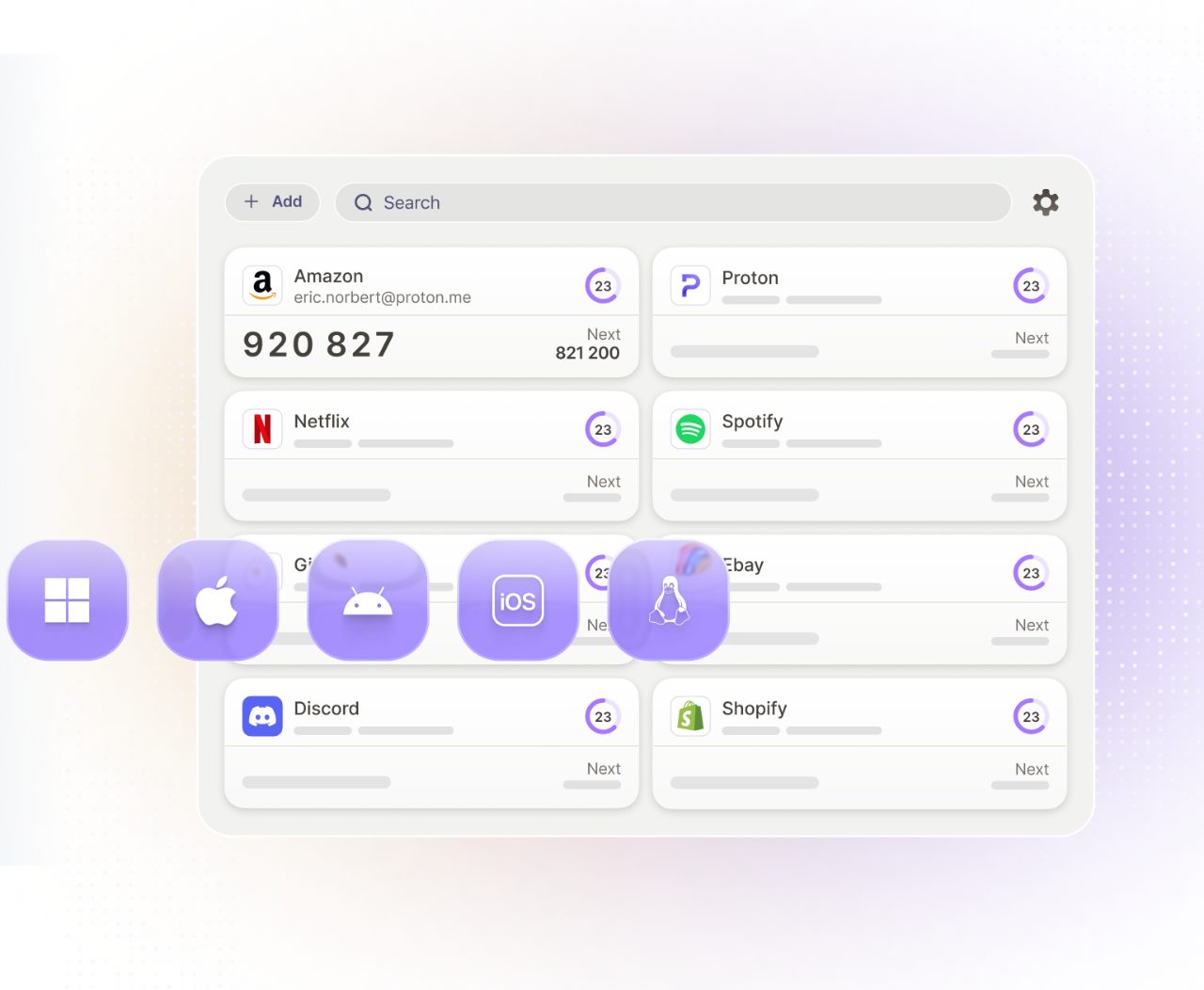
- Apps for iPhone, Android, Mac, Windows, Linux, and Apple Watch
- Imports from six other authenticators
Pros
- Free with no ads or tracking
- Works fully offline without an account
- Apple Watch app
Cons
- Without a Proton account, Android has only a manual export as backup
- A newer app, with reports of sync and import bugs
- Skip if:
- You don't want another account and you're on Android
Proton Authenticator is a free, standalone TOTP two-factor authentication app from Swiss company Proton, launched in July 2025. It runs on iPhone, iPad, Apple Watch, Android, macOS, Windows and Linux and is open source. It works without any account; signing in with a Proton account turns on end-to-end encrypted sync across devices. It imports codes from Google Authenticator, 2FAS, Aegis, Bitwarden Authenticator, Ente Auth and LastPass Authenticator, and exports them again. The app can be locked with a PIN or biometrics. Proton Pass has a separate built-in authenticator.
Rankings and alternatives
- Authenticator apps #2 of 9 For people already using Proton
- Ente Auth #1 Best for most people
- 2FAS Auth #3 For browser autofill without an account
- Bitwarden Authenticator #4 For Bitwarden password manager users



Authenticator apps scores
Evaluated Nov 22, 2026 Evidence ↓- Getting your codes back on a new phone · counts double 5
5/5 means: An automatic, end-to-end encrypted backup you restore by signing in or with your device passcode, with nothing else to keep track of
With a Proton account, codes sync with end-to-end encryption and restore by signing in; iOS also has encrypted backup without an account. Without an account, Android has only manual export.
- Moving your codes in and out 5
5/5 means: Exports to a standard file, plain or encrypted, and imports from most popular authenticators
Imports from Google Authenticator, 2FAS, Aegis, Bitwarden, Ente Auth and LastPass Authenticator (not Authy) and exports every code. The export file format is not stated on the pages read.
- Codes on all your devices 5
5/5 means: iPhone, Android and computer apps or a web app, all kept in sync automatically
iOS, Android, macOS, Windows and Linux apps (plus Apple Watch), synced automatically through a Proton account. There is no web app.
- Easy to set up and use every day 4
4/5 means: Easy to add accounts, quick to find and copy a code, with search and clear icons
QR, key and import setup, search, custom icons and a next-code preview. A vendor-chosen user prefers 2FAS's interface; no broad user sample was read.
- Security and openness 4
4/5 means: Open source code or independent audits, end-to-end encrypted storage and an app lock, with no known incident
Open source, end-to-end encrypted sync, PIN or biometric lock and no known incident. No independent audit was found, though I did not search specifically for one.
- No account, no tracking 5
5/5 means: Works without any account and collects no data, keeping codes on your devices unless you choose a backup
Works with no account, and the vendor states no ads, trackers or data collection; sync is optional and end-to-end encrypted. Rests on vendor claims.
- Extras that save time · counts half 3
3/5 means: Two
An Apple Watch app and widgets (per Proton's own comparison table). No autofill, browser extension, push approval or passkeys were found.
Pricing
- Free Free
Prices checked Nov 17, 2026.
Evidence and sources
Authenticator apps scores
Getting your codes back on a new phone 2 quotes
-
No, you can use Proton Authenticator without an account. If you do have a Proton Account, you can sync your codes securely across devices. They’re protected by end-to-end encryption, so nobody but you can access them.
proton.me/authenticator · checked -
Proton Authenticator supports encrypted backups when using your Proton Account or on iOS. you can also export your codes to an additional secure location of your choice.
proton.me/authenticator · checked
Moving your codes in and out 2 quotes
-
Yes, Proton Authenticator supports easy import from various authenticator apps including Google authenticator, 2FAS, Aegis Authenticator, Bitwarden Authenticator, Ente Auth, LastPass Authenticator. You can also export your codes from Proton Authenticator.
proton.me/authenticator · checked -
Importing existing codes from other apps is easy, and unlike some competitors, you can export them again later. That alone could save you a headache if you’ve ever tried switching 2FA apps and found yourself redoing everything by hand.
Tushar Mehta, reviewer at Android Authority · androidauthority.com/proton-authenticator-launched-3582977 · published · checked
Codes on all your devices 3 quotes
-
No, you can use Proton Authenticator without an account. If you do have a Proton Account, you can sync your codes securely across devices. They’re protected by end-to-end encryption, so nobody but you can access them.
proton.me/authenticator · checked -
Open source two factor authentication app for iPhone, iPad, Apple Watch, Mac, Android, Linux and Windows. Securely sync and easily back up your 2FA codes.
proton.me/authenticator · checked -
Proton Authenticator is a free and open-source two-factor authentication (2FA) app that generates time-based one-time passwords (TOTP) to help secure online accounts. It is available on Windows, macOS, Linux, iOS, and Android, allowing users to access their verification codes across devices.
Anamarija Pogorelec, Senior Staff Writer at Help Net Security · helpnetsecurity.com/2026/04/06/product-showcase-proton-authenticator-encrypted-open-source-2fa-app · published · checked
Easy to set up and use every day 1 quote
-
It’s not doing anything wildly new, but it does fix a bunch of common pain points in a pretty clean package.
Tushar Mehta, reviewer at Android Authority · androidauthority.com/proton-authenticator-launched-3582977 · published · checked
Security and openness 2 quotes
-
Yes. all Proton apps, including Proton Authenticator, are fully open source. Anyone can inspect and verify our code.
proton.me/authenticator · checked -
Proton Authenticator is a free and open-source two-factor authentication (2FA) app that generates time-based one-time passwords (TOTP) to help secure online accounts. It is available on Windows, macOS, Linux, iOS, and Android, allowing users to access their verification codes across devices.
Anamarija Pogorelec, Senior Staff Writer at Help Net Security · helpnetsecurity.com/2026/04/06/product-showcase-proton-authenticator-encrypted-open-source-2fa-app · published · checked
No account, no tracking 2 quotes
-
Proton Authenticator is completely free to use on all platforms. No ads and no tracking.
proton.me/authenticator · checked -
No, you can use Proton Authenticator without an account. If you do have a Proton Account, you can sync your codes securely across devices. They’re protected by end-to-end encryption, so nobody but you can access them.
proton.me/authenticator · checked
Extras that save time 1 quote
-
Open source two factor authentication app for iPhone, iPad, Apple Watch, Mac, Android, Linux and Windows. Securely sync and easily back up your 2FA codes.
proton.me/authenticator · checked
Facts
License 1 quote
-
Yes. all Proton apps, including Proton Authenticator, are fully open source. Anyone can inspect and verify our code.
proton.me/authenticator · checked
Runs on 2 quotes
-
Open source two factor authentication app for iPhone, iPad, Apple Watch, Mac, Android, Linux and Windows. Securely sync and easily back up your 2FA codes.
proton.me/authenticator · checked -
Proton Authenticator is a free and open-source two-factor authentication (2FA) app that generates time-based one-time passwords (TOTP) to help secure online accounts. It is available on Windows, macOS, Linux, iOS, and Android, allowing users to access their verification codes across devices.
Anamarija Pogorelec, Senior Staff Writer at Help Net Security · helpnetsecurity.com/2026/04/06/product-showcase-proton-authenticator-encrypted-open-source-2fa-app · published · checked
Needs 1 quote
-
No, you can use Proton Authenticator without an account. If you do have a Proton Account, you can sync your codes securely across devices. They’re protected by end-to-end encryption, so nobody but you can access them.
proton.me/authenticator · checked
Users 1 quote
-
100M+ accounts
proton.me/authenticator · checked
More from the sources
Features 1 quote
-
Proton Pass is a password manager designed to securely generate and store strong passwords, and protect your digital identity with features like email aliases and dark web monitoring. It also includes an integrated authenticator that can store and autofill 2FA codes - but not the ones used to log in to your Proton account. Proton Authenticator is a standalone 2FA app that allows users to enable 2FA protection for their Proton account, it also allows users to store their 2FA codes separate from their passwords if they wish to do so.
proton.me/authenticator · checked
Limits and known issues 1 quote
-
If you're experiencing syncing issues on Proton Authenticator between Linux and Apple devices, you might need to resync your iCloud
proton.me/support/proton-authenticator · checked
Pricing
proton.me/authenticator · checked