Best RSS reader apps for web, phone, and desktop

Feedly is the RSS reader most people have heard of, and it isn’t the best free deal. Inoreader’s free plan follows 150 sites with no ads and searches everything you’ve received. Feedly’s free plan stops at 100 sources, puts sponsored posts in your list, and keeps search for paying users. For most people who want news sites, blogs, and newsletters in one place, on the web and a phone, Inoreader is where I’d start.
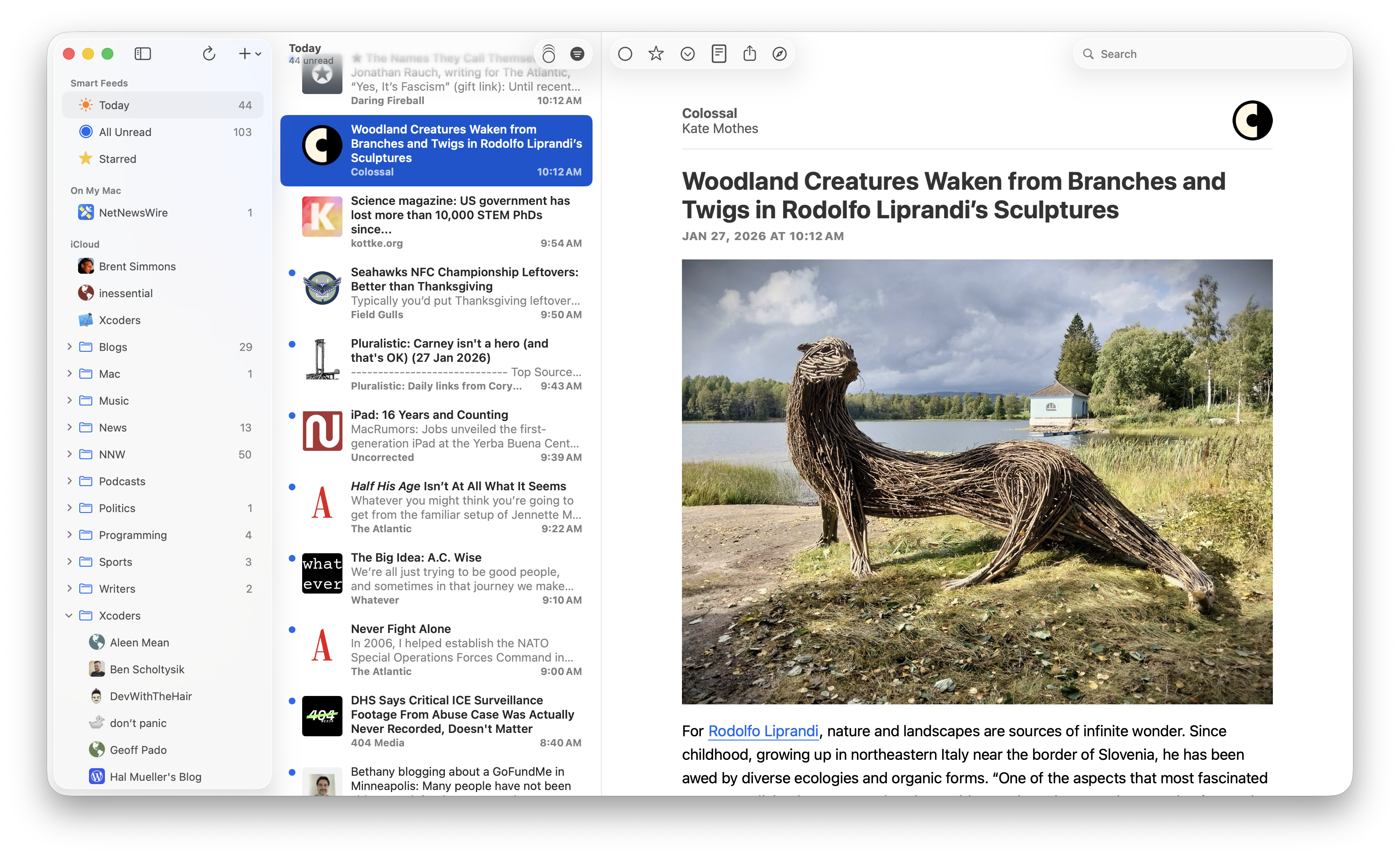
If everything you own is made by Apple, you may not need to pay anyone. NetNewsWire is free, shows no ads, and syncs between a Mac, an iPhone, and an iPad through iCloud.
An RSS reader checks the sites you follow and collects their new posts in one list, newest first, with nothing deciding what you see unless you ask it to. Most news sites and blogs still publish a feed even when they don’t advertise it. The readers below all do that basic job well. Most are hosted services: the company runs the syncing, and you read through its web and phone apps. NetNewsWire and Reeder are apps for Apple devices that sync through iCloud. They differ in what the free plan holds back, which devices they run on, and whether they also take in newsletters, YouTube channels, and social accounts.
What each one costs
A feed count on a free plan tells you less than it seems. Feeder allows the most feeds for free but checks them only every two hours, Feedly’s free plan comes with ads, and NewsBlur’s stops at 64 sites.
| Reader | Free plan | Paid, per year (as of November 2026) |
|---|---|---|
| Inoreader | 150 feeds, no ads | Pro $89.99 |
| NewsBlur | 64 sites | Premium $36, Premium Archive $99 |
| Folo | 150 feeds, no ads | Basic $49.99 |
| Feedbin | None, 30-day trial | $70 |
| Feedly | 100 sources, sponsored ads | Pro $72, Pro+ $144 |
| Feeder | 200 feeds, checked every 2 hours | Plus $95.88 |
| NetNewsWire | Everything | No paid plan |
| Reeder | A few feeds | Reeder+ $14.99 |
| Readwise Reader | None, 30-day trial | Reader only $95.88, with highlights export $119.88 |
Paying month to month costs more wherever both options exist: Feedbin is $7 a month, for example.

Inoreader
Most people, free or paid
#1 4.4/5
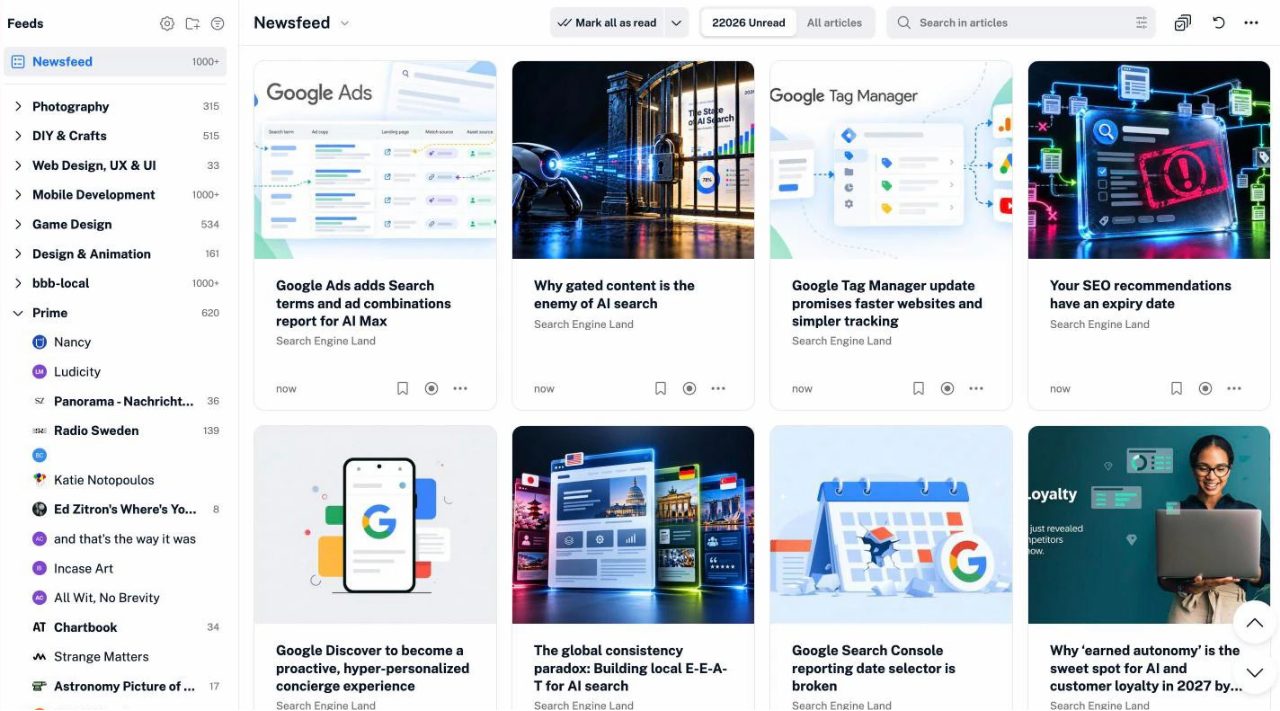
Inoreader has the best free plan of the hosted readers. It covers 150 feeds with no ads, and the free plan includes search across your feeds, folders, and tags, a read-later list, and full article text. Its web, iPhone, and Android apps keep your place in sync, and YouTube channels work alongside ordinary feeds.
Pro is where it pulls ahead for heavy readers. You get rules that tag stories, mark them read, or send a notification; keyword filters; an email address for newsletters; feeds built from websites that don’t publish one; and Bluesky, Telegram, and Facebook pages. Pro also checks each feed at least once an hour. Feedly keeps newsletters and filters in Pro+, which costs more, and NewsBlur needs its pricier archive tier to build feeds from websites.
The downside is the look. Inoreader packs a lot of buttons and options into one screen, and someone who wants a quiet list of headlines may prefer Feedly or Reeder. Pro has also filled up with AI summaries and suggestions, which you can ignore but still pay for.
What it does
- Follows feeds and YouTube channels, plus newsletters, Bluesky, and sites without feeds on Pro
- Searches every story in your account, on the free plan too
- Rules, keyword filters, and push notifications on Pro
- Syncs with other apps, such as NetNewsWire and the older Reeder Classic
Pros
- Free plan with 150 feeds and no ads
- Pro covers almost every kind of source in one plan
- Web, iPhone, and Android apps
Cons
- Busy interface with many options on screen
- Rules, filters, and newsletters all need Pro
- No desktop app, only the web app and browser extensions
- Choose if:
- You want search on the free plan, and rules, newsletters, and social sources on one paid plan

NewsBlur
Heavy readers who want it to learn their taste
#2 4.1/5
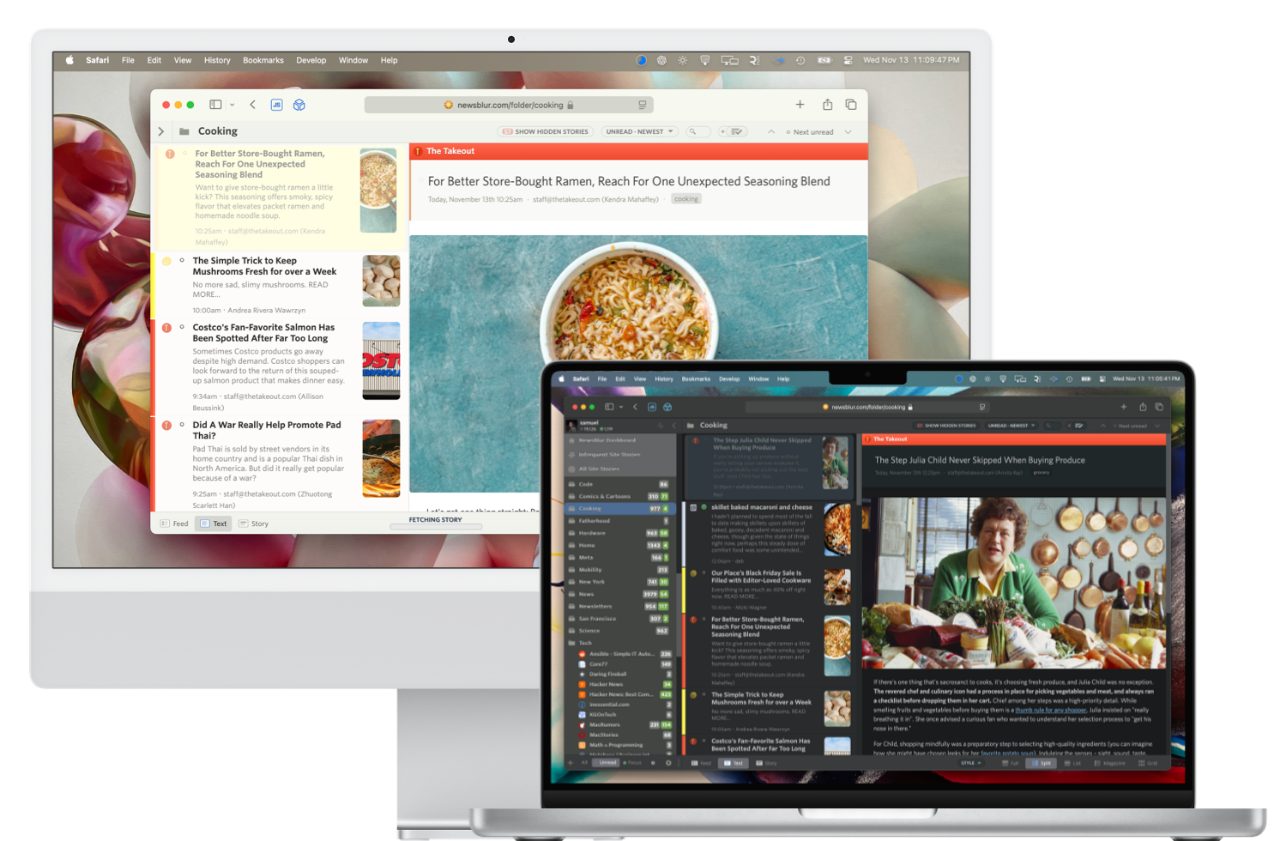
NewsBlur’s trainer is the reason to pick it. You mark the authors, tags, and title words you like or dislike, and NewsBlur hides the stories you’d skip and highlights the ones you’d read, across every feed. The trainer works on the free plan, while Inoreader, Feedly, and Feeder keep their filters for paying users.
The free plan stops at 64 sites, so most people end up on Premium at $36 a year, the cheapest paid plan among the hosted readers here. Premium adds search and a combined view of all your feeds. Premium Archive keeps every story searchable for good and builds feeds for sites without one, and it’s worth paying for only if you dig back through old stories.
NewsBlur is open source under the MIT license, and you can run it on your own server. It has apps for the web, iPhone and iPad, Android, and the Mac, and apps such as NetNewsWire, Reeder Classic, and ReadKit can sync with it. What holds it back is the design: it looks older than its rivals, and the denser layouts feel cramped on a phone.
What it does
- Trains on authors, tags, and title words to hide or highlight stories
- Takes newsletters at an email address of your own
- Archive tier keeps every story searchable and turns websites into feeds
- Apps for web, iPhone, iPad, Android, and Mac
Pros
- Filtering that works on the free plan
- Cheapest paid plan among the hosted readers
- Open source, with many third-party apps
Cons
- Dated design
- Free plan stops at 64 sites
- Choose if:
- You want to teach the reader your taste by marking authors and topics, rather than write rules

Folo
Windows and Linux desktops
#3 3.9/5
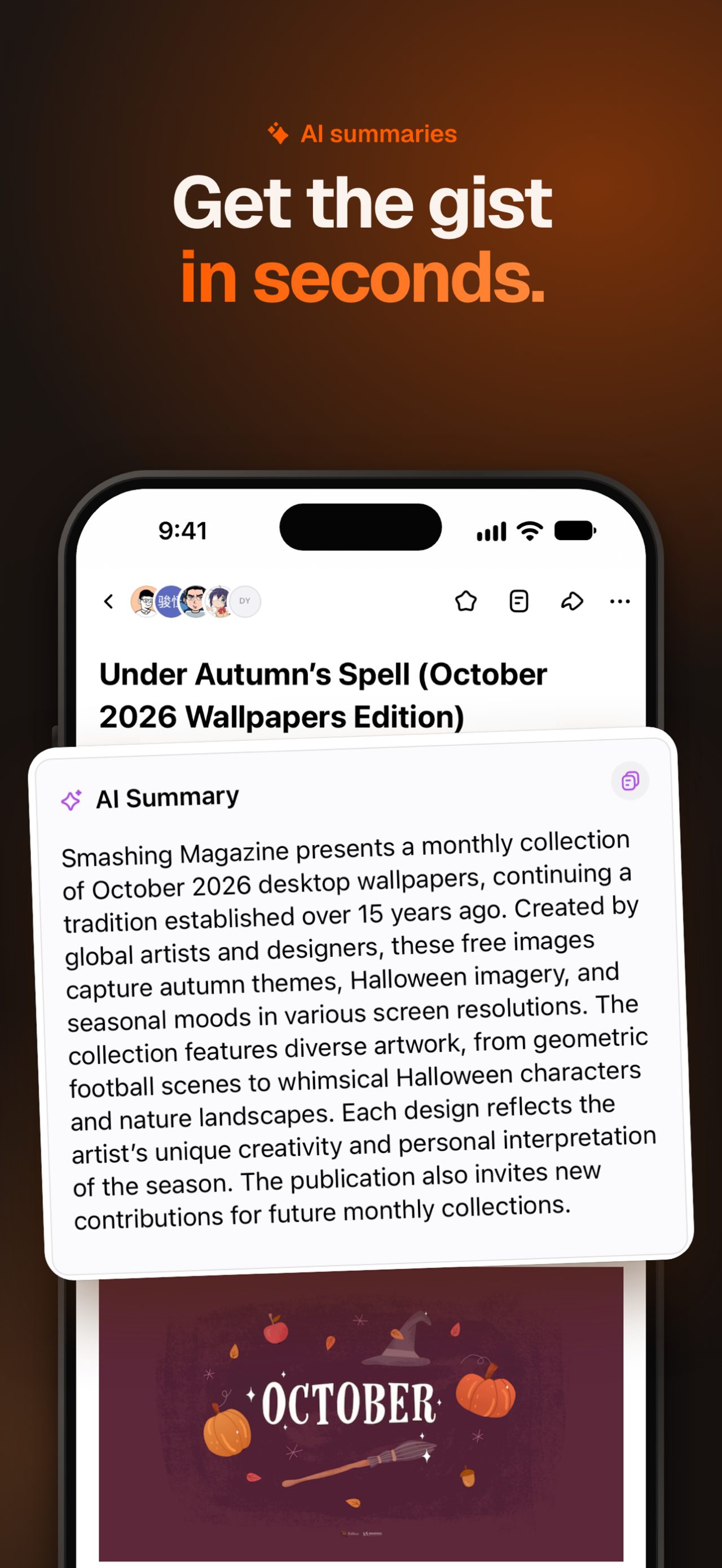
Most hosted readers stop at a web app and phone apps. Folo also has desktop apps for Windows, Mac, and Linux, and its free plan follows 150 feeds with no ads once you create an account. It’s open source, under the GPL.
Folo comes from the team behind RSSHub, a tool that builds feeds for sites that don’t publish one, and that’s built in: the free plan includes 30 RSSHub feeds. It also takes newsletters at an inbox address and follows YouTube channels and social accounts. AI summaries and translation run through everything, with three summaries a day on the free plan. You can turn the AI off, though some readers dislike that it’s there at all.
Folo is younger and rougher than the readers above it. One reviewer wrote that Folo works fine on Windows, Linux, and the web, but the iPhone app could load only about 20 articles before it hung. No other app can sync with your Folo account, so you’re tied to its own apps.
What it does
- Apps for web, iPhone, Android, Windows, Mac, and Linux
- Turns websites with no feed into feeds through RSSHub
- Newsletters, YouTube, and social accounts as sources
- AI summaries and translation
Pros
- 150 free feeds without ads
- The only reader here with a Linux app
- Open source
Cons
- iPhone app is less reliable than the desktop apps
- AI features everywhere, even if you can turn them off
- Needs an account, and no other apps sync with it
- Choose if:
- You want a free reader with a desktop app on Linux or Windows

Feedbin
Paying readers who want their pick of apps
#4 3.7/5
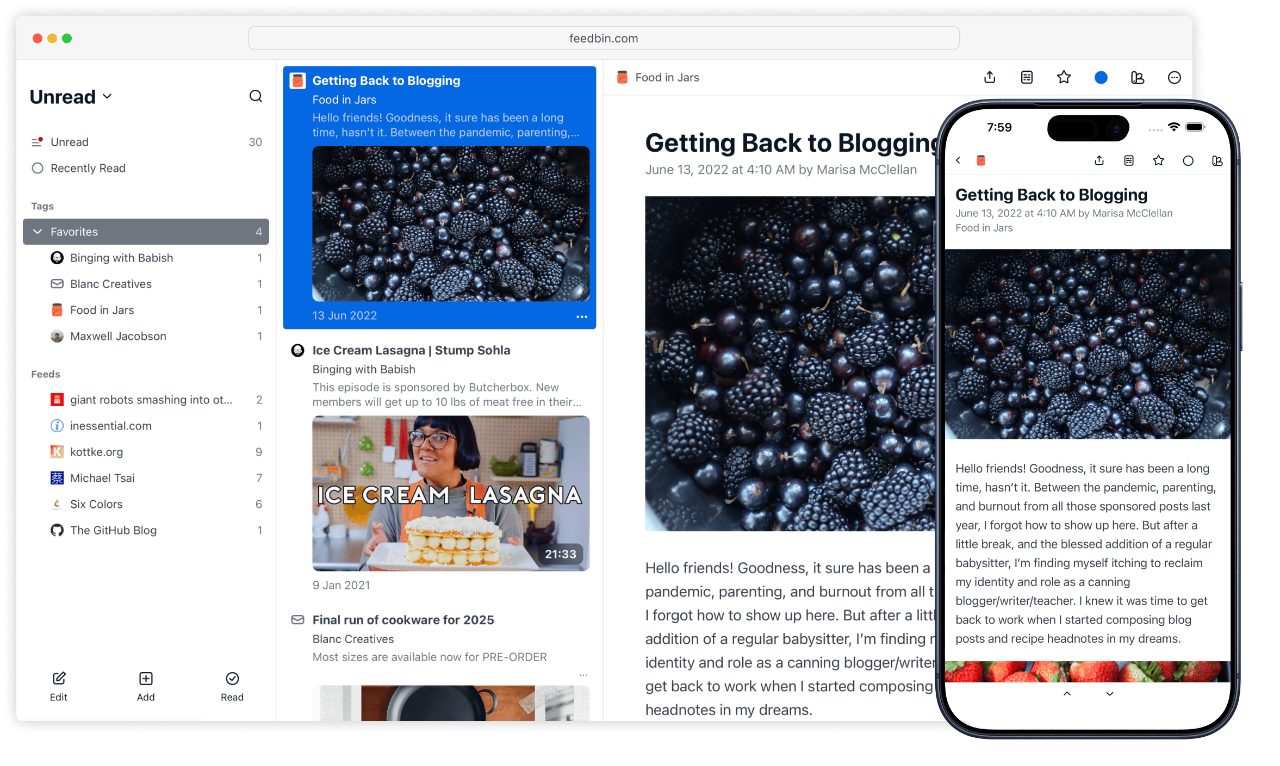
Feedbin has no free plan, only a 30-day trial, and the money buys a clean, quiet reader with no ads or tracking scripts. Its web app is fast and handsome, and every account gets an email address for newsletters, plus YouTube channels, podcasts, and Mastodon. Actions can star stories that match a search, mark them read, or send a notification, and saved searches keep a running filter.
The bigger reason to choose it is the apps. Feedbin makes its own web app and an iPhone and iPad app, and many other apps sync with it: Unread and Feedler on iPhone, ReadKit on the Mac, and Capy Reader and FeedMe on Android. That makes it the best service for Android users who want a paid, ad-free backend with an app of their choosing, since Feedbin has no Android app of its own.
Its code is open source under the MIT license, but Feedbin doesn’t support running it yourself.
What it does
- Email address for newsletters, plus YouTube, podcasts, and Mastodon
- Actions that star, mark read, or notify on matching stories
- Search with saved searches
- Sync service for many third-party apps on iPhone, Mac, and Android
Pros
- No ads or tracking scripts
- Clean, fast web app
- Wide choice of third-party apps
Cons
- No free plan
- No Android or Windows app of its own
- Skip if:
- You want the service's own Android app, not a third-party one

Feedly
Newcomers who want the familiar name
#5 3.7/5
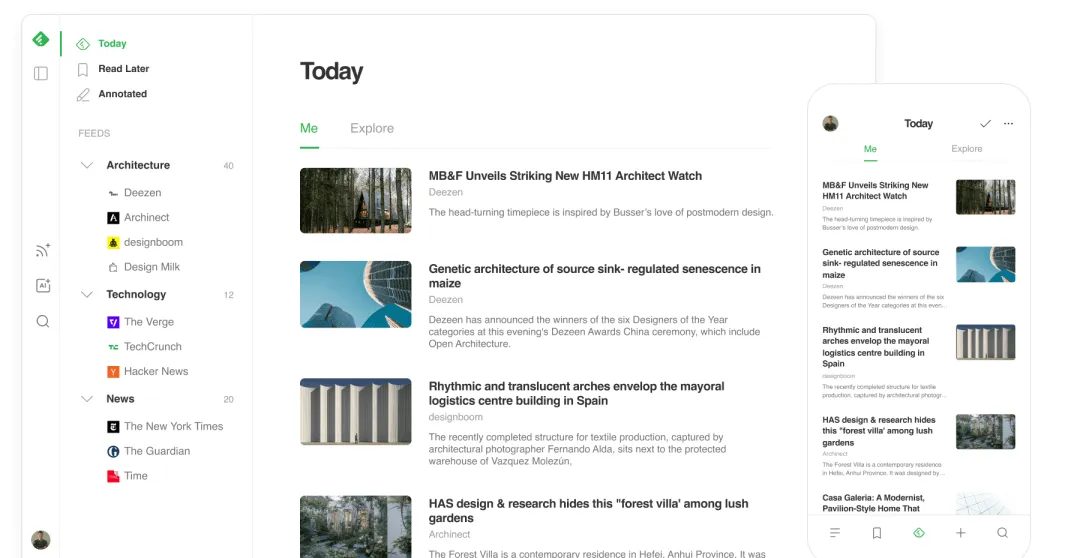
Feedly is the easiest place to start, as long as sponsored posts in your list don’t bother you. Its web, iPhone, and Android apps are clean, and the free plan follows 100 sources in three folders. Search, notes, and integrations need Pro, which also removes the ads.
Newsletters, mute filters, AI Feeds that pick stories by topic, and RSS Builder for sites without a feed all sit in Pro+, at $144 a year. Inoreader puts most of that in Pro, which costs far less than Pro+. Feedly’s business now leads with threat intelligence for companies. TechCrunch also reported paying users calling the web app “unusably slow” during a weeklong slowdown that Feedly put down to a bug.
If you already use Feedly and it works for you, there’s no urgent reason to move. NetNewsWire and Reeder Classic can both sync with a Feedly account if you want a nicer app on a Mac or iPhone.
What it does
- Web, iPhone, and Android apps
- AI Feeds and mute filters on Pro+
- Newsletters and RSS Builder on Pro+
- Syncs with NetNewsWire and Reeder Classic
Pros
- Simple to set up and clean to read
- The best-known reader, with plenty of help online
Cons
- Free plan shows sponsored ads and has no search
- Newsletters and filters need the expensive Pro+ plan
- Company attention has moved to business intelligence products
- Skip if:
- You want newsletters in your reader without paying for Pro+

Feeder
Largest free feed allowance
#6 3.5/5
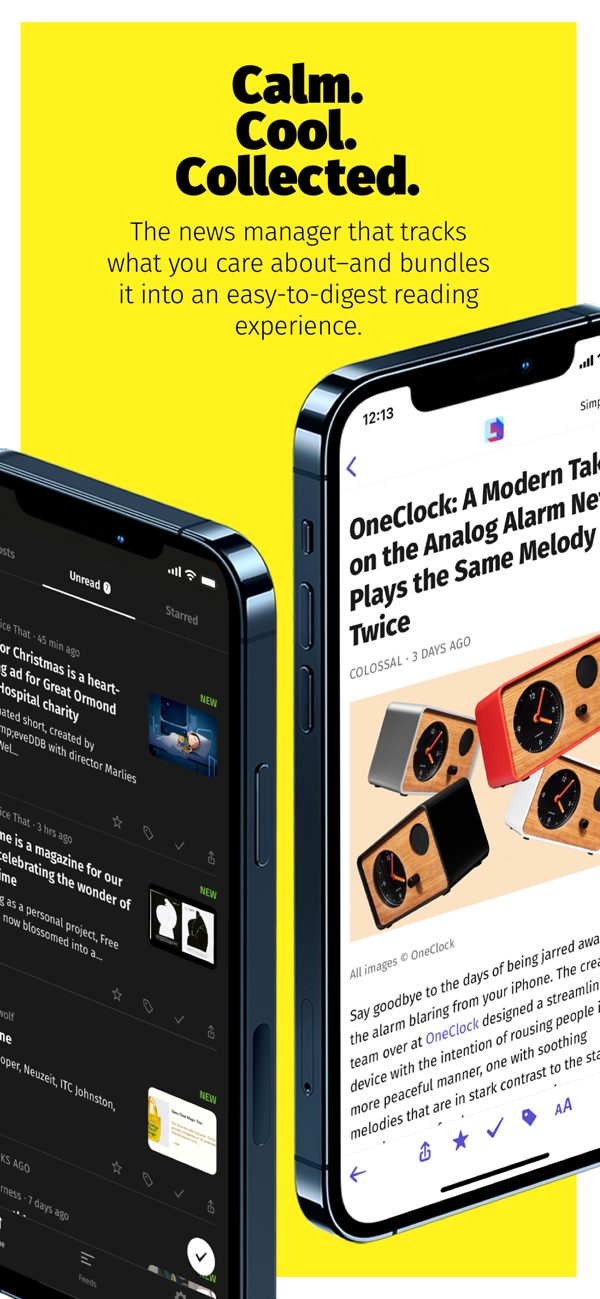
Feeder’s free plan follows 200 feeds, more than any other here, without ads, and it takes newsletters, Reddit, Bluesky, Mastodon, and YouTube on the free plan too. What it rations is speed. On the free plan Feeder checks each feed every two hours by default, every 30 minutes at best, and keeps only the last 50 posts of each. That’s fine for blogs and too slow for breaking news.
Plus checks feeds every 10 minutes and adds keyword rules that hide, tag, or alert, but it costs more than Inoreader Pro. Feeder now pitches itself at people who track news, regulators, and alerts for work, and it shows in a paid tier list that runs up to team plans. It has web, iPhone, and Android apps and browser extensions, but no other app syncs with it.
What it does
- Newsletters, Reddit, Bluesky, Mastodon, and YouTube on every plan
- Keyword rules and email alerts on Plus
- Web, iPhone, and Android apps, plus browser extensions
Pros
- 200 feeds free, with no ads
- Many source types without paying
Cons
- Free plan checks feeds only every two hours by default
- Keeps just 50 posts per feed on the free plan
- Plus costs more than Inoreader Pro
- Choose if:
- You follow more than 150 slow-moving blogs and don't want to pay

NetNewsWire
Free on iPhone, iPad, and Mac
#7 3.4/5
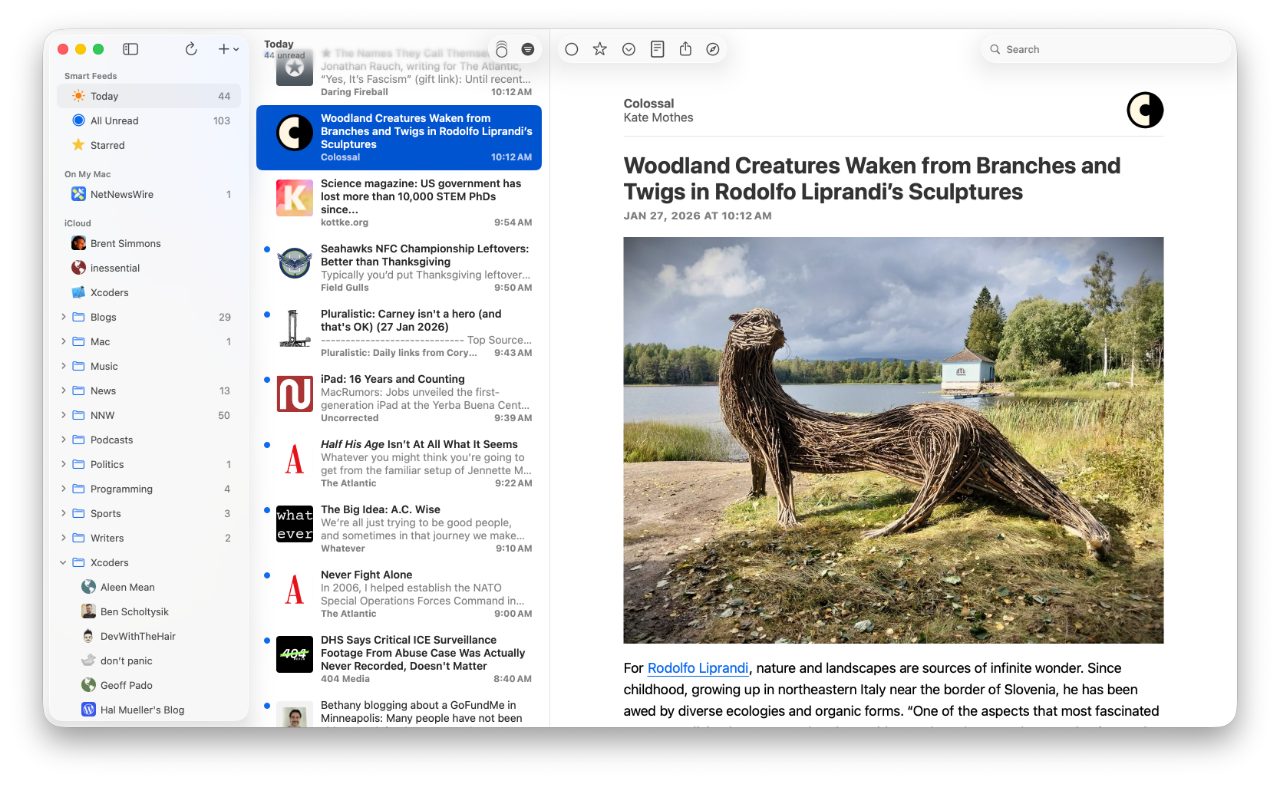
If you only use Apple devices, NetNewsWire is the reader to try first. It’s free and open source, with no ads and no paid tier, and its Mac and iPhone apps are fast, native, and stable. iCloud syncs your feeds and read state between them without an account anywhere else.
NetNewsWire can also connect to Feedbin, Feedly, Inoreader, NewsBlur, The Old Reader, and FreshRSS. So you can start with iCloud and add a service later if you want a web app at work, newsletters, or an Android phone in the mix.
It does less than the hosted services. There are no keyword filters or rules, and no email address for newsletters. With iCloud sync, NetNewsWire fetches feeds only when one of your devices opens the app, so a busy feed can lose stories if you don’t open it for a day.
What it does
- Native apps for Mac, iPhone, and iPad
- Syncs through iCloud or a service such as Feedbin, Feedly, or Inoreader
- Search and starred stories
Pros
- Free, with no ads and no paid tier
- Fast, native apps
- Open source
Cons
- Apple devices only, with no web app
- No keyword filters, rules or newsletter address
- iCloud sync can miss stories from busy feeds if no device opens the app for a day
- Choose if:
- You read only on a Mac, iPhone, or iPad and don't want to pay

Reeder
One timeline for feeds, YouTube, and social
#8 3.3/5
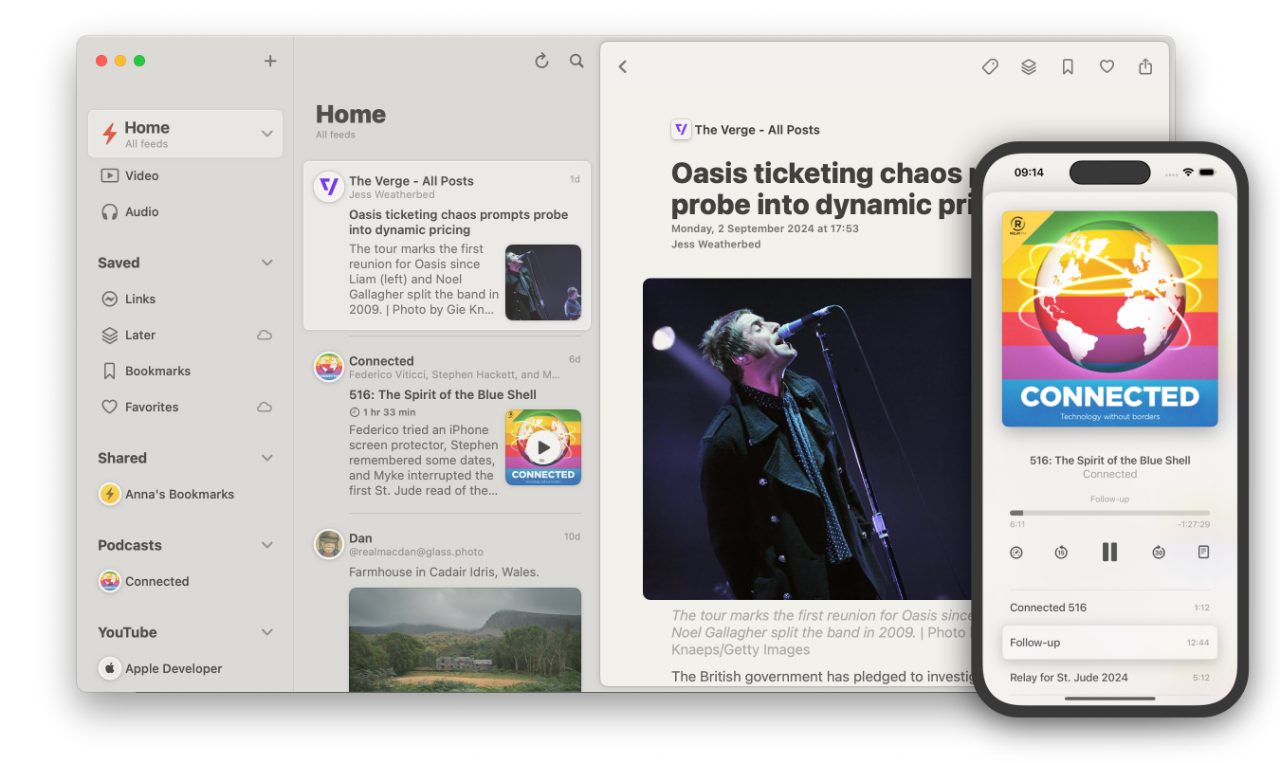
The current Reeder treats everything you follow as one timeline. Feeds, YouTube channels, podcasts, subreddits, Mastodon accounts, and Bluesky accounts all land in one stream, and Reeder remembers where you stopped on every device. Its reading view is among the best on the Mac and iPhone. There are no unread counts and no folders; tags and keyword filters take their place.
It syncs only through iCloud, not through Feedly, Inoreader, or Feedbin, and it runs only on Apple devices. The free version is limited to a few feeds, so a full list takes Reeder+, the cheapest subscription here.
If you want the traditional style or hate subscriptions, Reeder Classic is still sold and updated as a one-time purchase, $4.99 for iPhone and iPad and $9.99 for the Mac, as of November 2026. It keeps unread counts and folders, and it syncs with Feedly, Inoreader, and other services.
What it does
- One timeline for feeds, YouTube, podcasts, Reddit, Mastodon, and Bluesky
- Remembers your place across iPhone, iPad, and Mac through iCloud
- Tags and keyword filters instead of folders
Pros
- Polished reading view
- Cheapest subscription of the paid readers
- Reeder Classic is a one-time purchase for people who avoid subscriptions
Cons
- No unread counts or folders
- Apple devices only, synced through iCloud alone
- Skip if:
- You want unread counts and folders, or sync through a service such as Inoreader
Readwise Reader
Readers who save and highlight more than they skim
#9 3.3/5
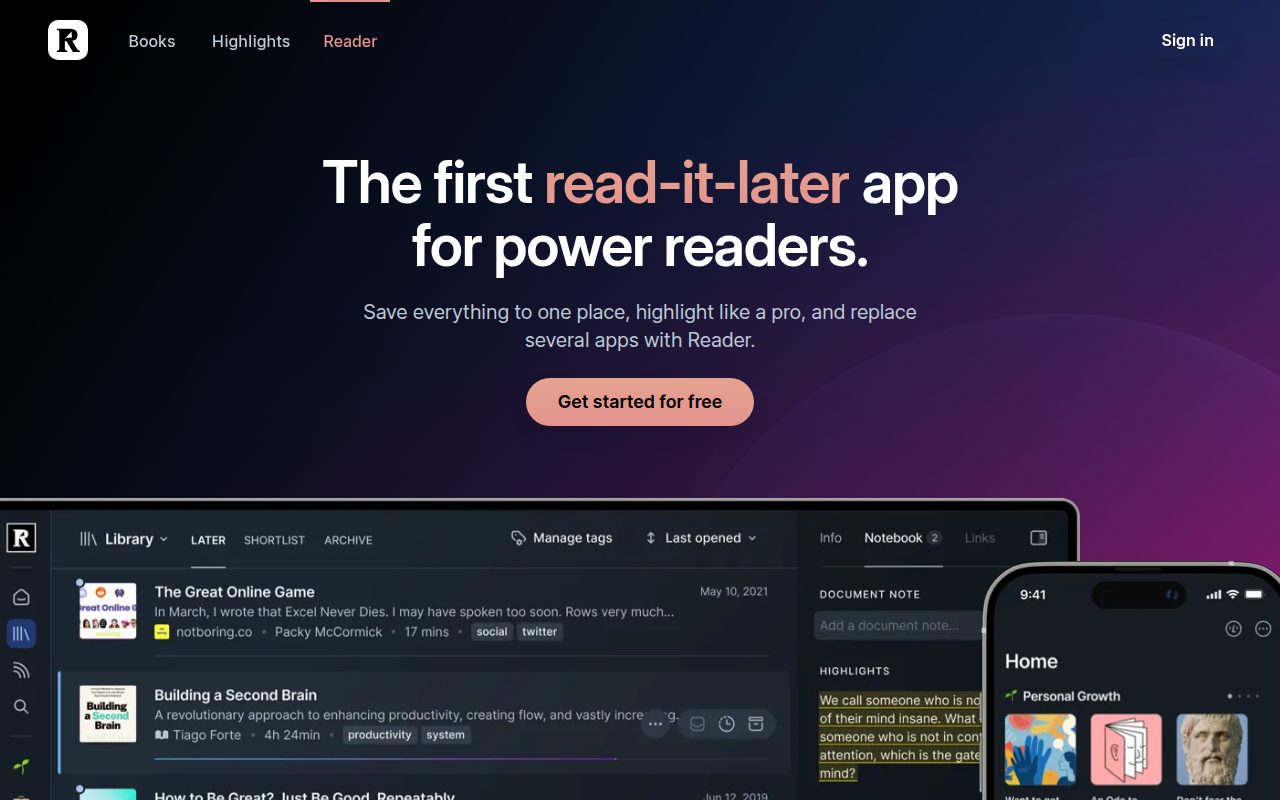
Readwise Reader is a read-later app that also follows feeds. Feeds land in a Feed section, and anything you want to keep moves to your Library, where you can highlight it, take notes, and have it read aloud. It also takes newsletters at an address of its own and follows YouTube channels, and it runs on the web, iPhone, Android, Mac, and Windows.
As a feed reader it falls short. There are no keyword filters or rules for feeds, and John Voorhees of MacStories, who follows about 180 feeds, advised against moving them all into Reader because it doesn’t “update feeds as frequently as a traditional RSS client”. It has no free plan either. It suits you if you mainly want somewhere to read long articles and keep what you highlight, and a dozen feeds is enough.
What it does
- Highlights, notes, and text-to-speech on saved articles
- Newsletters, YouTube, and feeds in one app
- Apps for web, iPhone, Android, Mac, and Windows
Pros
- Excellent reading view for long articles
- Highlights export to notes apps, on a pricier plan than Reader alone
Cons
- Updates feeds less often than dedicated readers
- No feed filters or rules
- No free plan
- Choose if:
- You save and highlight long articles more than you skim headlines
Also considered
- The Old Reader has no apps of its own, so on a phone you need a third-party app, and its apps page still lists ones for Windows Phone and Symbian. Its free plan follows 100 feeds with ads, and its site doesn’t show what Premium costs.
- Readers you run yourself, such as FreshRSS and Miniflux, suit people with a server; self-hosted RSS readers compares them. NetNewsWire and Reeder Classic can connect to FreshRSS.
Scores
1–5 per criterion · select a score for its reasoning and any sources
| # | Product | Overall | Reading and triage , counts double | Cost for typical use | Devices you can read on | Sources beyond RSS | Filters and priorities | Search and saving | App choice and data , counts half |
|---|---|---|---|---|---|---|---|---|---|
| 1 | Inoreader | 4.4 | 4 | 4 | 4 | 5 | 5 | 5 | 4 |
| 2 | NewsBlur | 4.1 | 3 | 3 | 5 | 5 | 4 | 5 | 5 |
| 3 | Folo | 3.9 | 3 | 4 | 5 | 5 | 4 | 4 | 2 |
| 4 | Feedbin | 3.7 | 4 | 2 | 3 | 4 | 4 | 4 | 5 |
| 5 | Feedly | 3.7 | 3 | 3 | 4 | 5 | 4 | 4 | 3 |
| 6 | Feeder | 3.5 | 3 | 3 | 4 | 5 | 4 | 3 | 2 |
| 7 | NetNewsWire | 3.4 | 4 | 5 | 2 | 2 | 2 | 4 | 5 |
| 8 | Reeder | 3.3 | 4 | 4 | 2 | 3 | 3 | 4 | 2 |
| 9 | Readwise Reader | 3.3 | 3 | 2 | 5 | 3 | 2 | 5 | 3 |
Equal displayed overall scores are ordered by the earlier criteria; a known score comes before an unknown score. Identical scores use alphabetical order.
×2 = counts double in the overall score, ×½ = counts half.
How each criterion is scored
Reading and triage
Counts double in the overall score: How it feels to read every day is what most readers choose a reader by, and the reason they stay or leave.
Judged: how pleasant and quick it is to go through a day's new stories and read the ones worth reading, in the app most people use. Judged from the layout and reading view, how fast and native the apps feel, ads in the plan most people use, and what reviewers and long-time users report.
- 5 A reading experience long-time users single out as the best they have used
- 4 Clean and quick to triage, with a good reading view
- 3 Comfortable for daily reading, with rough edges such as a cramped layout, ads or unstable apps
- 2 Usable but dated or cluttered; reading many stories is a chore
- 1 Awkward to read in; dated, cluttered or unreliable, with ads in the way
Cost for typical use
What a reader pays per year to follow about 100 sites and read them on a phone and a computer, and what the free option holds back (ads, slow updates). Prices from the vendor's current pricing page or store listing.
- 5 Free with no ads and nothing held back
- 4 Free without ads but with some tools paid, or under 20 USD a year for everything
- 3 Free with ads or slow updates, or 20 to 50 USD a year
- 2 Has to pay 50 to 100 USD a year
- 1 Has to pay more than 100 USD a year
Devices you can read on
On which devices the product's own apps or web app let you read, with your subscriptions and read state in sync: a web app, iPhone or iPad, Android, and a desktop app for Mac, Windows or Linux.
- 5 The web, iPhone, Android and a desktop app
- 4 The web, iPhone and Android
- 3 The web and one phone platform
- 2 One platform family only, such as Apple devices, or the web only
- 1 One kind of device only
Sources beyond RSS
How many of four kinds of source it can follow besides RSS feeds, on any plan: email newsletters sent to an address of your own, YouTube channels, social and community accounts (Reddit, Mastodon or Bluesky), and feeds built from websites that have none.
- 5 All four
- 4 Three of the four
- 3 Two of the four
- 2 One of the four
- 1 None of the four
Filters and priorities
Tools on any plan that cut a large number of new stories down to the ones a reader wants: keyword filters that hide stories, rules that act on new stories (mark read, tag, notify), and automatic prioritization by training or AI.
- 5 Keyword filters and rules, plus automatic prioritization by training or AI
- 4 Keyword filters and rules
- 3 Either keyword filters or rules
- 2 Saved views or smart feeds that collect stories by query, but nothing that hides or acts on them
- 1 Folders only
Search and saving
Finding and keeping stories, on any plan: full-text search across the stories your feeds delivered, how long they stay searchable, saving or starring, and highlights or notes on what you save.
- 5 Full-text search across everything your feeds delivered, kept long term, plus highlights or notes
- 4 Full-text search across your feeds, plus saving
- 3 Search over saved or recent stories only
- 2 Saving or starring, but no search
- 1 No search and no saving
App choice and data
Counts half in the overall score: Only readers who want a particular app or plan to switch later choose by it; most use the product's own apps.
Whether you can pick other apps and take your data with you: other RSS apps that sync with it (or services it syncs with, for an app), OPML import and export, and open-source code.
- 5 Many other apps, OPML import and export, and open-source code
- 4 Many other apps, plus OPML import and export
- 3 A few other apps, or a public API, plus OPML import and export
- 2 OPML import and export only
- 1 No OPML export and no other apps
How to choose
- Free, on the web and a phone: Inoreader. Folo’s free plan also covers 150 feeds without ads, and Feeder’s covers 200 if you can wait two hours for new stories.
- Only Apple devices: NetNewsWire for free, Reeder if you want feeds, YouTube, and social accounts in one stream, or Reeder Classic for a one-time purchase.
- An Android phone: Inoreader, NewsBlur, Feedly, Feeder, and Folo have Android apps of their own. Feedbin works through Android apps such as Capy Reader and FeedMe.
- Hundreds of feeds: NewsBlur’s trainer hides what you don’t want, even on the free plan. Inoreader Pro does it with rules and keyword filters.
- Newsletters in the same place: Inoreader Pro, Feedbin, NewsBlur, Folo, Feeder, and Readwise Reader give you an email address. Feedly wants Pro+ for it.
- A Windows or Linux desktop app: Folo.
- Saving and highlighting: Readwise Reader, with a few feeds alongside.
The verdict
Inoreader’s free plan is where most people should begin. It covers most reading lists without ads, its search works without paying, and its apps run on the web, iPhone, and Android. If you outgrow it, Pro buys rules, newsletters, and social sources in one plan for much less than Feedly’s Pro+.
If you’d pay a little to stop drowning, NewsBlur’s Premium plan costs less than half of Inoreader Pro, and its trainer does the sorting for you, at the cost of a dated look. If you’d rather pay for a quiet service and choose your own app, Feedbin is the one, and it’s the best route to a paid, ad-free reader on Android.
On Apple devices, NetNewsWire costs nothing and does the core job as well as anything here. If you later need newsletters or a web app, you can put Feedbin or Inoreader behind it. Feedly still works and is easy to start with, but its free plan shows ads and its useful features sit in Pro+. Since nearly every reader here imports and exports your feed list, trying one costs you little.
Frequently asked questions
Is Feedly still free?
Yes. The free plan follows up to 100 sources in three folders and shows sponsored ads. Search, notes, and integrations are paid features, and newsletters need Pro+.
How do I move my feeds from Feedly to another reader?
Export an OPML file, a list of your subscriptions that any reader here can import, from Feedly’s web app. The file leaves out Boards, Read Later, AI Feeds, and Reddit feeds, so add those again by hand. Or keep Feedly as the service and read it in NetNewsWire or Reeder Classic.
We scored 9 products on 7 criteria using 123 quotes, 55 of them from the products' own websites. How our rankings work