Best VPNs for iPhone and iPad
Every VPN in the App Store makes the same promise: tap once and everything your iPhone sends goes through an encrypted tunnel. On iOS, that promise comes with a caveat Apple built into the system. Some traffic to Apple’s own servers, and connections that were already open when the VPN started, can go around any VPN app. The apps differ in what they do about it, and they differ even more in the things you notice every day: whether the VPN reconnects on its own after the phone sleeps, whether it switches on by itself on café Wi-Fi, and what it costs once the two-year deal runs out.
For most iPhone owners, ExpressVPN is the best VPN. It has the simplest app of the big names, used the least battery in an independent iPhone test, keeps its kill switch on from the first launch, and gets into streaming services abroad.
NordVPN is the better pick if you want the VPN to connect by itself whenever you join Wi-Fi you don’t trust, and it was the fastest in that same test, but it renews at $139 a year, the most of any VPN here. If privacy is why you want a VPN, or you don’t want to pay at all, get Proton VPN: its free plan has no data cap, and its paid plan comes with the best-documented privacy record of the big providers.
What a VPN does on an iPhone, and the gap Apple leaves
On public Wi-Fi, a VPN hides which sites and services you connect to from the network’s owner and anyone else on it, and it hides your real IP address from the sites you visit. Most apps already encrypt their own traffic, so the VPN mostly protects those names and addresses rather than the content itself. It also lets you appear to be in another country, which is what gets you your home streaming services on a trip.
The gap is in iOS. Proton VPN documented in 2020 that connections open before the VPN starts, such as Apple’s push notification link, could stay outside the tunnel for minutes or hours, and later found that some DNS lookups from Apple services still go around the VPN even with a kill switch on. IVPN found that on iOS 16 and later, traffic to Apple’s servers can leak outside the tunnel even in the strictest mode Apple offers to VPN apps, and took its kill switch out of the iPhone app rather than give customers “a false sense of security.”
What leaks is mostly traffic between your phone and Apple, and that traffic is encrypted on its own. For protecting your browsing on hotel Wi-Fi, that changes little. It matters if you’re trying to keep your real IP address from Apple, or from a network you have a specific reason to distrust.
Apps can close most of the rest of the gap with a setting that blocks every connection outside the tunnel. Apple calls it include all networks; the apps call it an advanced kill switch, Force all apps, or Leak Protection. The cost is that AirDrop, CarPlay, AirPlay and Personal Hotspot can stop working while it’s on, which is why apps offer it as a setting you turn on. ExpressVPN, Proton VPN (in beta) and Mullvad have it, PIA only with the IKEv2 protocol, and IVPN removed it. Surfshark’s iPhone kill switch reconnects you rather than cutting the connection, so brief leaks can happen while it does.

ExpressVPN
Best for most iPhone owners
#1 4.0/5
ExpressVPN is the one to hand to someone who has never used a VPN and doesn’t want to learn. The iPhone app is a big connect button, a location and not much else, and the important settings come set: the Lightway protocol, built to recover quickly when your phone jumps from Wi-Fi to cellular, is picked automatically, and the standard kill switch is on from the first launch. That kill switch blocks your internet if ExpressVPN drops unexpectedly. For more, there’s an Advanced Kill Switch that blocks everything outside the tunnel, with the AirDrop, CarPlay and hotspot breakage that comes with it.
In Gizmodo’s iPhone 17 Pro test, ExpressVPN lost 16.2% of the line’s speed, second to NordVPN, and used 1 percentage point of extra battery over 20 minutes of 1440p video, the least of the five VPNs tested. That’s one run on one phone, and the gap to the others was 1 or 2 points, but it fits the app’s reputation: it stays out of the way.
Where it falls short is automation. You get a widget, Siri and Shortcuts actions to connect and disconnect, but no built-in setting that connects only on networks you don’t trust; ExpressVPN’s own suggestion for café Wi-Fi is a Shortcuts automation you build yourself. Basic renews at $99.95 a year after the first 28 months, cheaper than NordVPN but well above Proton VPN or the budget picks. Basic covers 10 devices, there’s an Apple TV app, and your home streaming services mostly work through it when you travel.
What it does
- Lightway protocol, picked automatically, that reconnects quickly after network changes
- Standard kill switch on by default, plus an optional block-everything Advanced Kill Switch
- Widget, Siri and Shortcuts actions
- 10 devices on Basic, with iPad, Mac and Apple TV apps
Pros
- The simplest iPhone app of the big VPNs
- Least extra battery in an independent iPhone test
- Gets into most streaming services from abroad
Cons
- No built-in rule to connect only on untrusted Wi-Fi
- Renews at about $100 a year
- Closed-source apps
- Skip if:
- You want the VPN to switch itself on whenever you join an unfamiliar Wi-Fi network
NordVPN
Auto-connect rules and top speed
#2 3.9/5
NordVPN is the better choice if you’d rather never think about the VPN at all. Its auto-connect setting has three modes: always, on Wi-Fi only, or only on networks you haven’t marked as trusted. So the phone stays off the VPN at home and switches on at the airport. Add a home and lock screen widget and Siri Shortcuts, and you rarely need to open the app.
It was also the fastest in Gizmodo’s iPhone test, at a 13.6% speed loss, with the lowest ping to the US and Japanese servers, and it used 2 points of extra battery. And it’s the strongest of the lot for streaming abroad. The app is busier than ExpressVPN’s, with a lot of features on a small screen, though on most days you only touch Quick Connect. It holds 4.7 stars from more than 700,000 App Store ratings.
Two catches. NordVPN’s setting for hiding the phone on a local network blocks AirDrop and other local devices, and on iOS 17 and later it can stop the app from updating and cut your internet until you restart the phone. And Basic renews at $139.08 a year, about $40 more than ExpressVPN. There’s no free trial on iPhone either; you rely on the 30-day money-back guarantee, and if you subscribed inside the app, the refund goes through Apple.
What it does
- Auto-connect always, on Wi-Fi, or only on untrusted networks
- Home and lock screen widget and Siri Shortcuts
- NordLynx protocol, with post-quantum encryption as a toggle
- 10 devices at once, Apple TV included
Pros
- Fastest in an independent iPhone test
- Auto-connect that skips the networks you trust
- Strongest streaming results from abroad
Cons
- Renews at $139.08 a year, the highest here
- Its local-network privacy setting can block app updates on iOS 17 and later
- A busier app than ExpressVPN's
- Choose if:
- You want the VPN on in public and off at home without touching it

Proton VPN
Privacy pick with a free plan
#3 3.8/5
Proton VPN is the VPN for people who’d like proof rather than promises. It has passed five annual no-logs audits in a row, its apps are open source, and a Swiss court order in 2019 got no user data from it. It’s also the provider that told the world about the iOS leak, and its support pages still say plainly what iOS lets through. On iPhone it has a kill switch on every plan, plus an advanced kill switch that blocks everything outside the tunnel, which Proton still calls beta on iOS. Always-on is permanently enabled in the iPhone app, so it reconnects after a drop without asking.
The free plan is the reason many people start here. No data cap, no ads, but one device and a server Proton picks for you from about 10 countries, so it’s for protection on public Wi-Fi, not for picking a country or streaming. In Gizmodo’s test the free US server lost 39.5% of the line’s speed, against 17.5% on the paid plan.
The paid plan, VPN Plus, renews at $83.88 a year for 10 devices and adds an Apple TV app, the NetShield ad and malware blocker, and Secure Core servers that route your traffic through Switzerland, Iceland or Sweden first. Automation is the weak spot: Proton’s Shortcuts actions are good (connect to a country, disconnect, check status), but there’s no in-app list of trusted networks, so connecting on unfamiliar Wi-Fi means building a Shortcuts automation. If you use AirDrop or your hotspot, turn on “Allow LAN connections” or they won’t work while the VPN is connected.
What it does
- Free plan with no data cap, one device and an automatic server
- Kill switch on all plans and an advanced kill switch (beta on iPhone)
- Shortcuts actions for connect, disconnect, status and Quick Connect
- VPN Plus: 10 devices, Apple TV app, NetShield and Secure Core
Pros
- Five consecutive no-logs audits, open-source apps, and nothing handed over to a Swiss court
- Clear about what iOS lets around the VPN
- The best free plan for an iPhone
Cons
- No built-in trusted-network rules
- Free plan can't choose a country and is noticeably slower
- Weaker than ExpressVPN and NordVPN at streaming abroad
- Choose if:
- You want a VPN you can use free and upgrade later without switching apps

Windscribe
Generous free tier, cheap Pro
#4 3.6/5
Windscribe suits the reader who wants a lot for little: a free plan with 10GB a month once you confirm your email (2GB before), and Pro at $69 a year with unlimited devices and an Apple TV app. Its per-network options are the most detailed here. You can mark networks to be secured automatically and choose which protocol to use on each one, which helps on the gym Wi-Fi that blocks one protocol but not another.
On leak protection it’s vague. Windscribe says the iPhone app has the same firewall as its desktop apps, but what you can count on is Always On, which reconnects you when the signal drops or you switch networks. Nobody documents a block-everything mode on iOS. The app is dense and its release notes are full of connection fixes, though it holds 4.6 stars from about 36,000 ratings. For privacy, Windscribe has had a server seized and been in court without handing over user data, and a 2024 audit.
What it does
- Free plan with 10GB a month after email confirmation
- Auto-secure and a preferred protocol for each Wi-Fi network
- Unlimited devices and an Apple TV app on Pro
Pros
- Most flexible per-network settings
- Cheap Pro plan with no device limit
- Free plan lets you pick from about 10 countries
Cons
- No documented block-everything setting on iPhone
- Busy app with a history of connection fixes
- Middling streaming results
- Choose if:
- You want a free VPN that also lets you choose a country
Private Internet Access
Lowest renewal price
#5 3.4/5
Private Internet Access is the cheapest to keep: the long plan renews at about $57 a year, with unlimited devices and apps for iPad, Mac and Apple TV. Its no-logs claim has been tested in two US court cases where it had nothing to produce, and Deloitte has audited it. Like ExpressVPN, it’s owned by Kape.
The iPhone app is where the savings show. It’s cluttered on a phone screen, and reviews on its App Store listing describe drops and failed reconnects after sleep. It was the slowest of the five VPNs in Gizmodo’s iPhone test, at a 24.2% loss and a 249 ms ping to Japan, and used 3 points of extra battery. Its block-everything Leak Protection setting doesn’t work with WireGuard or OpenVPN, so you trade the faster protocol for the tighter seal. It also fails more streaming services than the VPNs above it. There’s a seven-day free trial in the App Store.
What it does
- Network rules, trusted networks and a home screen widget
- No device limit, and an Apple TV app
- Leak Protection that blocks traffic outside the tunnel, on IKEv2 only
Pros
- Lowest renewal price among the paid VPNs here
- No-logs claim tested in court
Cons
- Cluttered app with complaints about reconnecting
- Slowest in an independent iPhone test
- Poor at streaming abroad
- Skip if:
- You want to watch your home streaming services while traveling

Surfshark
Whole-household plan for streaming
#6 3.4/5
Surfshark is the household pick. Every plan covers unlimited devices, with apps for iPad, Mac and Apple TV, and it’s good at streaming from abroad, so one Starter subscription at $79 a year can cover a family’s phones and the living-room TV. Auto-connect comes with a trusted-networks list for both Wi-Fi and cellular, and there are small, medium and large home screen widgets. You can try it for seven days on iPhone before paying for a one- or two-year plan.
The app is where it lags. It takes noticeably longer to connect than NordVPN or ExpressVPN, it used 3 points of extra battery in Gizmodo’s test, and it lost 21.4% of the line’s speed. Its iPhone kill switch reconnects rather than blocking traffic, so brief leaks can happen while it does. Surfshark and NordVPN belong to the same company.
What it does
- Unlimited devices on every plan, with iPad, Mac and Apple TV apps
- Auto-connect with trusted Wi-Fi and cellular networks
- Home screen widgets in three sizes
- Seven-day free trial on iPhone for one- and two-year plans
Pros
- Covers every device in the house
- Good at streaming abroad
Cons
- Slow to connect on iPhone
- Kill switch reconnects instead of blocking, so brief leaks can happen
- Choose if:
- You're buying one plan for a family full of Apple devices

Mullvad VPN
Anonymous sign-up at a flat price
#7 3.1/5
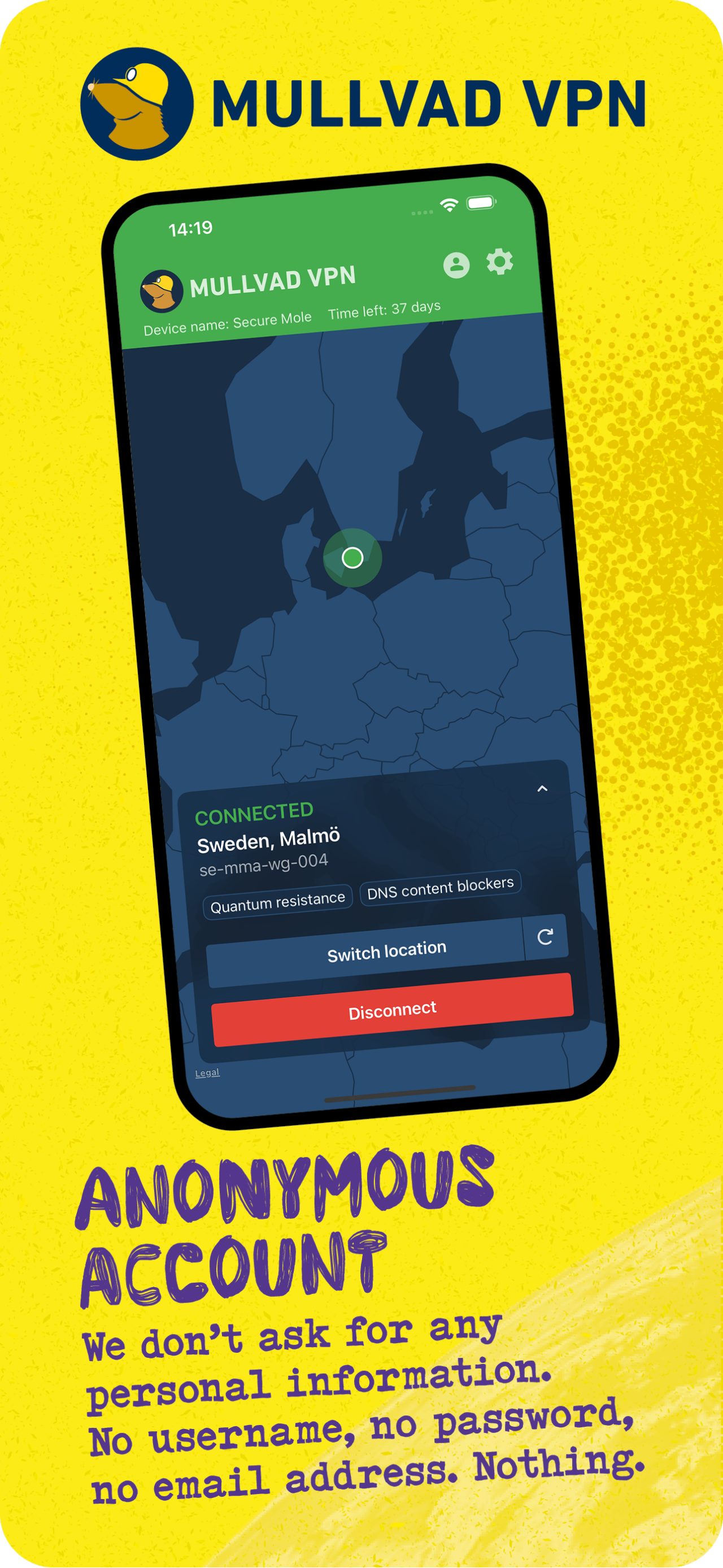
Mullvad is for readers who don’t want the VPN to know who they are. You sign up without an email and get a random account number, you can pay in cash by post, and the price is a flat €5 a month whether you buy one month or ten years. When Swedish police arrived with a search warrant in 2023, they left with nothing. The iPhone app is WireGuard only, with post-quantum encryption on by default and several ways to disguise VPN traffic on networks that block it.
Its Force all apps setting is iOS’s block-everything mode, with one catch you have to remember: your traffic leaks while the app updates, so Mullvad tells you to disconnect or switch it off before updating. Mullvad doesn’t try to get into streaming services, has no Apple TV app, and allows 5 devices. The app is plain and has thin App Store ratings, about 1,500 in the US at 4.1 stars, and one forum user found Force all apps “better” but not foolproof, with occasional reconnect loops that needed a restart.
What it does
- Numbered account with no email, and cash payment
- Force all apps, which blocks traffic outside the tunnel
- WireGuard with post-quantum encryption and several obfuscation methods
- Flat €5 a month, 5 devices
Pros
- The most anonymous sign-up here
- No-logs claim tested by a police search
Cons
- Doesn't try to unblock streaming services
- Force all apps leaks during app updates
- No Apple TV app, and a 5-device limit
- Skip if:
- You want the VPN for watching TV from home on a trip

IVPN
Open-source privacy with Wi-Fi rules
#8 3.1/5
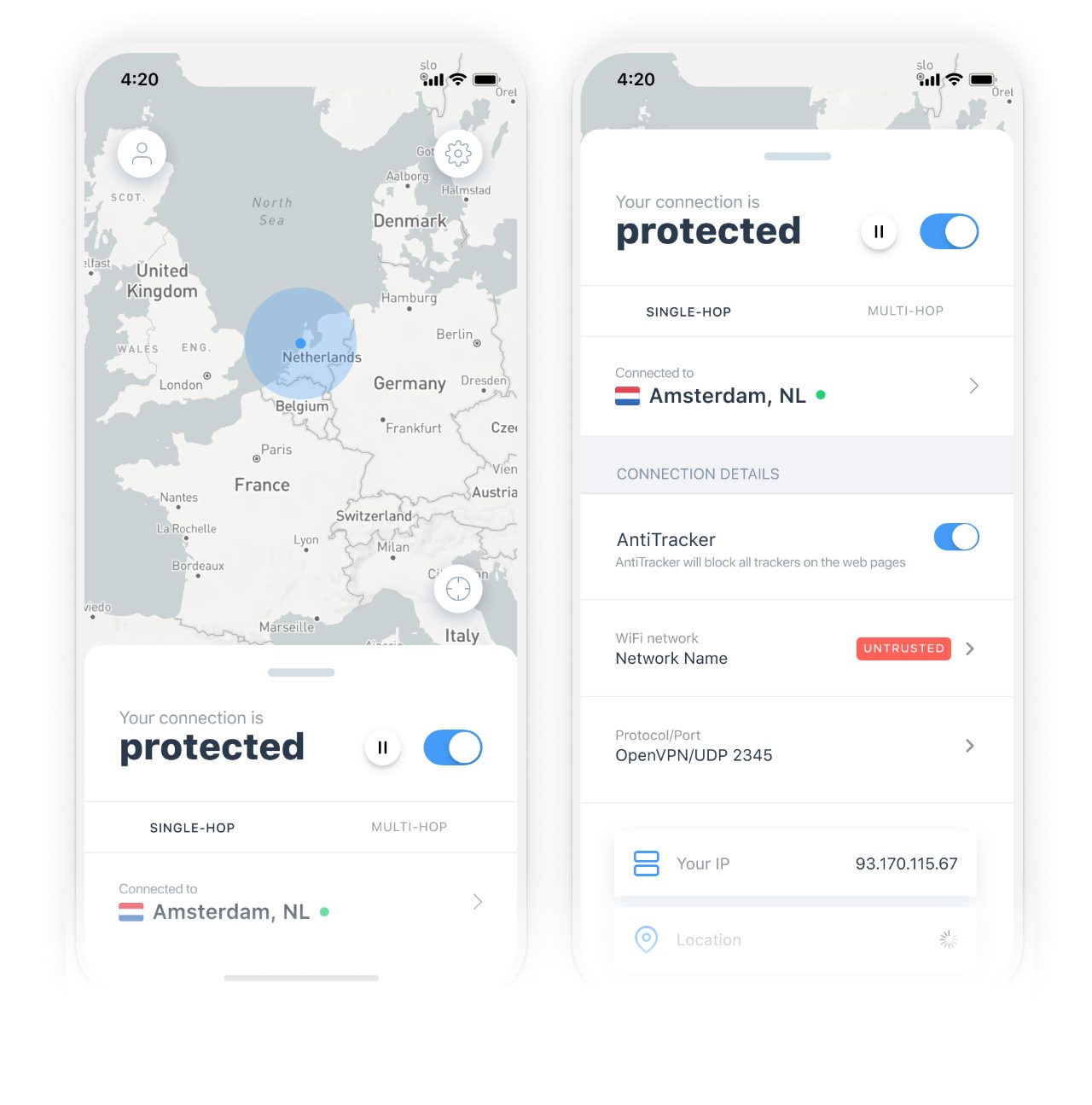
IVPN is the other privacy-first choice, and it’s the one that told its customers the uncomfortable truth: it removed the kill switch from its iPhone app on iOS 16 and later because Apple’s traffic leaks past it anyway. What’s left is the most automation of the privacy-focused VPNs: trusted Wi-Fi rules that connect and disconnect for you, a widget and Shortcuts actions. Sign-up needs no email, it takes cash and Monero, and its apps are open source.
Standard costs $60 a year on IVPN’s website for 5 devices, and buying inside the app costs more. The app has few ratings, and the few recent reviews complain of failed connections. IVPN makes no promise about streaming and has no Apple TV app.
What it does
- Trusted Wi-Fi rules, a widget and Shortcuts actions
- WireGuard, multi-hop and V2Ray obfuscation in the iPhone app
- Standard at $60 a year for 5 devices
Pros
- Open-source apps and anonymous sign-up
- Says plainly what iOS lets through
Cons
- No kill switch on iOS 16 and later
- Few App Store ratings and some connection complaints
- No streaming promise
- Choose if:
- You want automatic Wi-Fi rules from a privacy-first provider
iCloud Private Relay and Cloudflare WARP
Two free or nearly free options already sit close to your iPhone, and neither does the whole job of a VPN.
-
iCloud Private Relay, included in every paid iCloud+ plan from $0.99 a month, covers Safari, your DNS lookups and unencrypted web traffic from apps. Encrypted traffic from other apps and other browsers goes out as usual. It keeps your general location, so you can’t pick a country, and it’s no help with streaming abroad. Some networks block it, it isn’t offered in every country, and some sites answer it with CAPTCHAs.
If you only want Safari hidden from café Wi-Fi and already pay for iCloud+, it may be all you need. While a VPN is connected, the VPN takes over and Private Relay doesn’t apply, so the two don’t stack.
-
Cloudflare WARP, Cloudflare’s free app in the App Store, sends the whole phone’s traffic through Cloudflare with no data cap. Websites see a Cloudflare address in your own country, and you can’t choose another, so it protects you on public Wi-Fi but does nothing for travel or streaming. WARP+ at $4.99 a month buys faster routing, not a country choice.


For a fuller look at free plans, see the best free VPNs; for TV, the best VPNs for streaming.
How they compare
1–5 per criterion · select a score for its reasoning and any sources
| # | Product | Overall | iPhone app that just works , counts double | Privacy record | Price after the first term | Streaming from abroad | Keeping traffic in the tunnel | Auto-connect and shortcuts | Speed on iPhone , counts half | One plan for your Apple devices , counts half |
|---|---|---|---|---|---|---|---|---|---|---|
| 1 | ExpressVPN | 4.0 | 5 | 4 | 3 | 4 | 4 | 3 | 4 | 4 |
| 2 | NordVPN | 3.9 | 4 | 4 | 1 | 5 | 4 | 5 | 5 | 4 |
| 3 | Proton VPN | 3.8 | 4 | 5 | 3 | 3 | 4 | 3 | 4 | 4 |
| 4 | Windscribe | 3.6 | 3 | 4 | 4 | 3 | 2 | 5 | 4 | 5 |
| 5 | Private Internet Access | 3.4 | 3 | 4 | 4 | 2 | 3 | 4 | 3 | 5 |
| 6 | Surfshark | 3.4 | 3 | 4 | 3 | 4 | 2 | 4 | 3 | 5 |
| 7 | Mullvad VPN | 3.1 | 3 | 5 | 4 | 1 | 4 | 2 | 4 | 2 |
| 8 | IVPN | 3.1 | 3 | 4 | 4 | 1 | 2 | 5 | 4 | 2 |
Equal displayed overall scores are ordered by the earlier criteria; a known score comes before an unknown score. Identical scores use alphabetical order.
×2 = counts double in the overall score, ×½ = counts half.
How each criterion is scored
iPhone app that just works
Counts double in the overall score: Most readers want a VPN they can turn on and forget on their phone, and an app that drops or nags fails them however good the service behind it is.
How easy and dependable the VPN's own iPhone app is day to day: connecting in a tap, reconnecting by itself after sleep or a switch between Wi-Fi and cellular, staying out of the way of other apps, and how much extra battery it uses. Judged from independent iPhone tests, what reviewers agree on, the size and tone of App Store ratings, and recurring complaints in reviews and the app's own release notes.
- 5 Simple to use, reconnects on its own, light on battery in tests, with few complaints
- 4 Simple and dependable, with small snags such as a busy layout, upsells or a setting that breaks something
- 3 Fine for daily use, with snags such as dense settings, slow connections or reconnect complaints
- 2 Works, but cluttered or with recurring reports of failed connections and drops
- 1 Confusing, or widely reported to fail to connect or to drop
Privacy record
Whether you can trust the provider with everything your phone sends: independent no-logs and security audits, open-source apps, whether you can sign up without handing over an email or card, and how its no-logs claim held up when servers were seized or courts asked for data. Judged from audit reports and the provider's record.
- 5 Repeated recent audits, open-source apps, and a no-logs claim that held up when authorities asked
- 4 Recent independent audits and no user data handed over, with a caveat such as closed-source apps or a tested claim missing
- 3 One older or narrow audit, or a policy that keeps connection records
- 2 No independent audit, so the no-logs policy rests on the provider's word
- 1 Logs browsing activity or has handed over user data
Price after the first term
What the cheapest plan with the full iPhone app costs per year once any introductory deal ends, bought on the provider's website. Buying inside the iPhone app usually costs more, and introductory deals are similar across providers, so the renewal price is where they differ.
- 5 Renews at under $50 a year
- 4 Renews at about $50 to $75 a year
- 3 Renews at about $75 to $100 a year
- 2 Renews at about $100 to $130 a year
- 1 Renews at more than $130 a year
Streaming from abroad
Whether the VPN gets you into your home streaming services, such as Netflix, BBC iPlayer, Disney+ and Prime Video, when you travel. Judged from recent independent streaming tests and the provider's own stance on streaming.
- 5 Unblocks every major service and Netflix region in independent tests
- 4 Unblocks nearly every major service and Netflix region, with one or two misses
- 3 Unblocks the main US and UK services but misses one or two big ones, or Netflix outside the US
- 2 Unblocks a service now and then, but misses most big ones
- 1 Streaming services detect it most of the time, or the provider doesn't try to unblock them
Keeping traffic in the tunnel
How well the app keeps your traffic inside the VPN on iOS, where Apple lets some system traffic and already-open connections bypass any VPN: whether the app offers a setting that blocks everything outside the tunnel (iOS's include-all-networks mode, often called a kill switch), how it behaves when the tunnel drops, and whether the provider documents what iOS still lets through. Judged from the provider's documentation and reported behavior.
- 5 A block-everything setting on by default on the main protocols, with the provider documenting what iOS still lets through
- 4 A setting that blocks all traffic outside the tunnel on the main protocols, with a known gap such as broken AirDrop or leaks during app updates
- 3 A kill switch that is reported to let brief leaks through, or a block-everything setting limited to one protocol
- 2 Only reconnects when the tunnel drops, with no setting that blocks traffic in the meantime
- 1 Nothing stops traffic going out unprotected when the tunnel drops
Auto-connect and shortcuts
How well the VPN runs without you touching it: rules that connect on Wi-Fi you don't trust and stay off on networks you do, Shortcuts actions for your own automations, and a widget or Control Center button.
- 5 Per-network rules plus a widget and Shortcuts actions
- 4 Per-network rules plus a widget or Shortcuts actions
- 3 Per-network rules, or a widget and Shortcuts actions, but not both
- 2 Stays on once connected, but has no per-network rules, widget or Shortcuts actions
- 1 Connects only when you open the app and tap
Speed on iPhone
Counts half in the overall score: Every VPN here is fast enough for browsing, calls and video on a phone, so the differences rarely change what an iPhone owner notices.
How much speed you lose through the VPN, from independent speed tests (on iPhone where available) on nearby and distant servers, and whether the iPhone app offers a WireGuard-based protocol.
- 5 Among the fastest in independent tests on nearby and distant servers
- 4 A small speed loss in independent tests, with occasional slow distant servers
- 3 Fine for browsing and HD video, but clearly slower than the best in tests
- 2 Noticeably slow, especially on distant servers
- 1 Too slow for HD video on many servers
One plan for your Apple devices
Counts half in the overall score: Nearly every reader's phone and laptop fit within any plan here; the device count and an Apple TV app matter mainly to households.
Whether one subscription covers the rest of your Apple gear: native apps for iPad, Mac and Apple TV, and how many devices can connect at once on the cheapest plan.
- 5 Apps for iPhone, iPad, Mac and Apple TV, with unlimited devices
- 4 Apps for iPhone, iPad, Mac and Apple TV, with 10 or more devices at once
- 3 Apps for iPhone, iPad and Mac with 6 to 9 devices, or an Apple TV app but only 5 devices
- 2 Apps for iPhone, iPad and Mac, with 5 devices at once
- 1 Fewer than 5 devices at once, or no Mac app
What you’ll pay after the first term
The headline prices are for two-year deals paid upfront. What decides the cost of keeping a VPN is the price it renews at:
| VPN | Renews at per year, as of November 2026 | Devices |
|---|---|---|
| NordVPN Basic | $139.08 | 10 |
| ExpressVPN Basic | $99.95 | 10 |
| Proton VPN Plus | $83.88 | 10 |
| Surfshark Starter | $79 | Unlimited |
| Windscribe Pro | $69 | Unlimited |
| Mullvad | €60 | 5 |
| IVPN Standard | $60 | 5 |
| PIA | about $57 | Unlimited |
Those are website prices. Subscribing inside the iPhone app is a different deal. The multi-year offers aren’t there, and the in-app price can be higher or lower than the website’s: Proton VPN Plus is $11.99 a month in the app against $9.99 on the website, while ExpressVPN’s yearly Basic plan is $79.99 in the app against its $99.95 website renewal. A refund for an App Store purchase also goes through Apple, not the VPN’s own money-back guarantee. So compare the two prices before you tap Subscribe; the app works the same either way once you sign in.
How to choose
- You want it to just work: ExpressVPN.
- You want it on at the café and off at home, automatically: NordVPN, or IVPN if you’d rather a privacy-first provider.
- You want the strongest privacy record: Proton VPN, or Mullvad if you’d rather not give an email at all.
- You won’t pay: Proton VPN’s free plan, or Windscribe’s if you need to choose a country.
- You’re covering a family of Apple devices: Surfshark for streaming, PIA for the lowest price.
- You only care about Safari on public Wi-Fi and pay for iCloud+: try Private Relay first.
The bottom line
ExpressVPN is the safe default for an iPhone: the app is simple, the kill switch is on from the start, and it’s good abroad. You’ll pay about $100 a year for that. NordVPN costs more but runs itself better, switching on at the café and staying off at home, and it’s quicker. If the point of the VPN is privacy rather than convenience, Proton VPN gives you the strongest record of the three and a free plan to start on, at the cost of weaker automation.
None of them can make iOS fully leak-proof. If you need it as close as possible, pick an app with a block-everything setting (ExpressVPN, Proton VPN or Mullvad), turn it on, and accept that AirDrop and CarPlay may need it switched off now and then. If you don’t, the default settings of any of the top three are plenty for a hotel lobby.
Frequently asked questions
Does a VPN drain an iPhone’s battery?
Not much on a recent iPhone. In Gizmodo’s test on an iPhone 17 Pro, 20 minutes of 1440p video used 1 to 3 percentage points more battery with a VPN on than without it, ExpressVPN at the low end and Surfshark and PIA at the high end.
Will a VPN break AirDrop, CarPlay or my hotspot?
Usually not with default settings. The strict block-everything modes can, which is why they’re off by default: ExpressVPN lists AirDrop, CarPlay, AirPlay and Personal Hotspot, and Proton VPN needs “Allow LAN connections” on for AirDrop and hotspot to work.
Is a free VPN safe on an iPhone?
Some are. Proton VPN’s free plan has no ads and no data cap and falls under the same audited no-logs policy as its paid plan, and Windscribe’s free plan runs in the same app, with the same encryption, as its Pro plan. Be wary of free VPN apps that show ads or don’t say how they make money.
We scored 8 products on 8 criteria using 217 quotes, 81 of them from the products' own websites. How our rankings work