Top bird identification apps for iPhone of 2026
You’re standing in the yard and something unseen is singing, or a brown bird flicks across a trail and you only got a bad photo of it. The app that helps depends on how you met the bird. Some apps listen and name the singer, some look at a photo, and some are field guides that help you narrow it down from what you saw. Few do all three, which is why the right pick is less obvious than the App Store charts suggest.
If you want one app, install Merlin Bird ID. It’s free, it identifies by sound, photo or a short set of questions, it keeps working without signal once you’ve downloaded your region, and it’s the easiest to use of the group. The other apps are for the readers Merlin doesn’t fully serve: people who want a second ear, a deeper field guide, a pure photo tool or an app that collects nothing about them.
Don’t read a species count as an accuracy score. An app that lists “10,000+ species” is describing its catalog, not how often it names your bird correctly, and no single controlled test has compared every app here.
Key facts
8 productsLicenses, requirements, and starting prices. Prices as of November 2026.
- License
- Unknown
- Runs on
- iOS (iPhone, iOS 18.0 or later)
- Needs
- Unknown
- Price
- Free plan
- License
- Unknown
- Runs on
- iOS (iPhone, iPad)
- macOS (Apple M1 or later)
- Needs
- iOS 16.6 or later
- About 1.8 GB of storage
- Price
- From $0.99/month or $9.99/year or $59.99 one-time
- License
- Unknown
- Runs on
- iPhone and iPad, iOS 16.6 or later (BirdNET Live)
- Android (Google Play or APK)
- Needs
- Unknown
- Price
- Free plan
- License
- MIT, open source
- Runs on
- iPhone (iOS 15.1 or later; the app is iPhone only, not iPad)
- Needs
- Unknown
- Price
- Free plan
- License
- Unknown
- Runs on
- iPhone
- iPad
- Needs
- iOS 13.6 or later
- Price
- From $19.99 one-time
- License
- Unknown
- Runs on
- iPhone (iOS 16.6 or later)
- iPad (iPadOS 16.6 or later)
- Apple Vision (visionOS 1.0 or later)
- Needs
- iOS 16.6 or later
- 372.2 MB
- Price
- Free plan
- License
- Unknown
- Runs on
- iPhone (iOS 16.4 or later)
- Android
- Needs
- Unknown
- Price
- From a free plan or $9.99/month or $35.99/year
- License
- Unknown
- Runs on
- iPhone
- iPad
- Mac (Apple silicon)
- Apple Vision
- Android
- Windows
- Needs
- iOS 14.0 or later
- Price
- From a free plan or $39.99/year




Merlin Bird ID by Cornell Lab
Best all-round bird identifier
#1 4.4/5
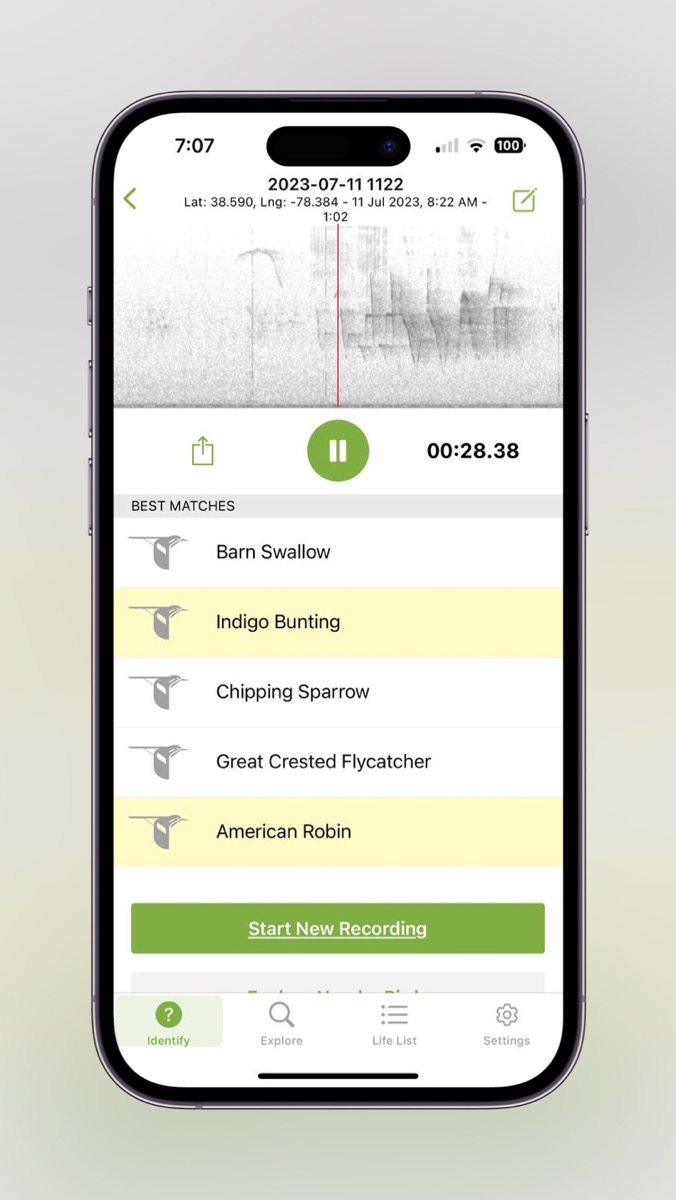
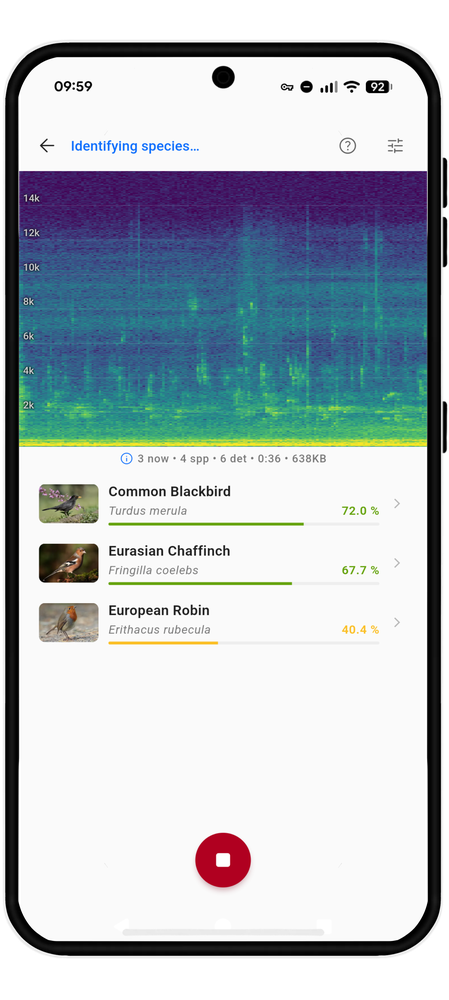
Merlin is the Cornell Lab of Ornithology’s free app, and it’s the one most birders mean when they say “the bird app”. It gives you four ways in: record the bird with Sound ID, snap or pick a photo with Photo ID, answer a few questions about what you saw, or browse what’s around you. Sound ID shows a live spectrogram (a graph of the sound) and a running list of best matches, and you tap the ones you agree with to log them. Both Sound ID and Photo ID work offline once you’ve downloaded a regional pack.
Sound ID covers over 2,000 species and keeps growing across the Americas, Asia, Australia and Africa, so before you rely on it abroad, check that your region has been added. It isn’t flawless: false matches happen, and short or infrequent callers are harder for it. Photo ID, retrained on more than 6 million photos in 2025, gives a short list rather than a verdict; it’s useful for beginners but shaky on look-alikes such as sharp-shinned and Cooper’s hawks. The questionnaire is the weakest of the three, with suggestions that often don’t fit.
The tradeoffs are size and data. Regional packs are large, which matters on a phone with little storage, and the app needs iOS 18 or later. Its App Store privacy label lists identifiers linked to your identity, with advertising or marketing among the declared purposes, so it’s not the app for someone who wants nothing collected.
What it does
- Sound ID with a live spectrogram
- Photo ID and a questionnaire
- Downloadable regional packs for offline use
- Life list from the birds you confirm
- Photos, songs, sonograms and range maps for each species
Pros
- Free, with no in-app purchases listed
- The easiest to learn, with a 4.9 App Store average
- Offline Sound ID and Photo ID
Cons
- Large regional downloads
- Sound ID is still being extended to some regions
- Privacy label lists identifiers and marketing purposes
- Choose if:
- You want one free app for sound, photo and questions
- Skip if:
- You run an iPhone that can't update to iOS 18
iBird Pro Guide to Birds
Offline field guide with deep search
#2 3.7/5
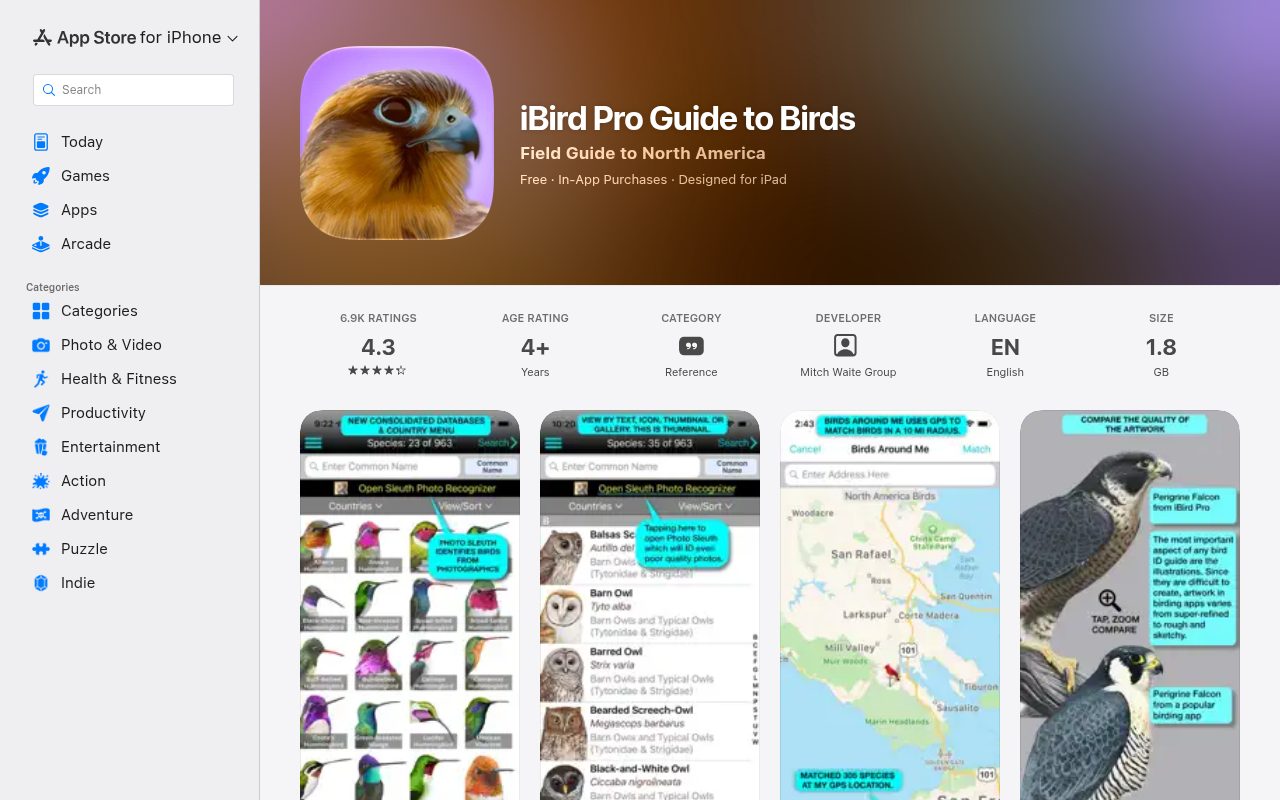
iBird Pro is the pick for someone who wants a self-contained field guide and likes to work an identification out. Its Percevia search filters on up to 35 attributes such as location, color, habitat, bill shape and song type, and a “birds around me” list starts from your location. The built-in database has hand-drawn illustrations of every species, more than 4,000 photos and more than 4,000 songs and calls, and the whole thing works with no internet, at the cost of a download around 1.8 GB.
It covers North America, the UK and Ireland, Hawaii and Palau in one app, which makes it a better travel companion than the North American guides below. What it doesn’t do is listen: the songs are for you to play and compare, and photo recognition lives in a separate app, Photo Sleuth, that iBird opens. If you came for a name from a recording, use Merlin or BirdNET and keep iBird for confirming.
Pay attention to the pricing history. iBird Pro used to be a one-time purchase and is now a free download with a subscription of $0.99 a month, $9.99 a year or $59.99 for lifetime access, with a seven-day trial; people who bought the old app get a free first year. An older lifetime purchase may not carry over. An older edition, iBird Classic Pro, is still sold as a one-time $19.99 purchase for North America, but it hasn’t been updated since 2023. The privacy label says it collects no data.
What it does
- Search on up to 35 attributes
- Over 4,000 photos and 4,000 songs and calls
- Hand-drawn illustrations of every species
- North America, UK and Ireland, Hawaii and Palau
- Works with no internet connection
Pros
- The most detailed offline guide of the group
- Developer reports collecting no data
- Cheap yearly subscription
Cons
- No in-app listening; photo ID needs the separate Photo Sleuth app
- A 1.8 GB download
- Moved from a one-time purchase to a subscription
- Choose if:
- You want a full offline guide and enjoy narrowing down a bird
- Skip if:
- You want an app that names a bird from a recording or photo
BirdNET
Second opinion for bird song
#3 3.3/5
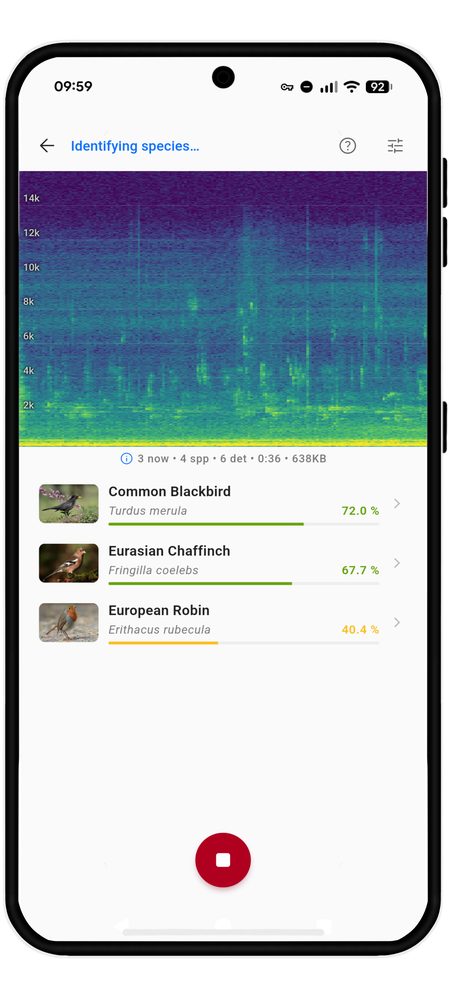
BirdNET is the sound specialist from the Cornell and Chemnitz University research teams, and it’s the best second app for people who identify by ear. There are two iPhone apps from the same developer. The current one, BirdNET Live, runs the BirdNET+ model on the phone with no connection, shows a live spectrogram with a confidence percentage for each detection, and covers roughly 10,000 species. The older app, still listed, sent recordings to servers for storage and research, so make sure you install Live.
Its fit is narrower than Merlin’s. It does sound only, has no field guide to speak of, and is built for researchers and citizen scientists, with survey modes and exports to CSV, GPX and Raven Pro. One BirdForum member who had used Merlin for over a year on Android got more suggestions from BirdNET after raising its sensitivity, but also more false positives and a harder app to operate.
That’s the choice in a nutshell: Merlin for a clean, trusted answer, BirdNET when you want everything the microphone picked up. BirdNET Live is also the strongest choice for readers who care about data, since its store label declares no data collection and the model runs on the device.
What it does
- On-device sound identification with live spectrogram
- Roughly 10,000 or more species
- Session library with CSV, GPX and Raven Pro export
- Species expected at your location
Pros
- Free and offline
- Developer reports collecting no data in the Live app
- Picks up more calls than Merlin for some users
Cons
- Sound only
- Less approachable, with more false positives reported
- An older BirdNET app is still listed alongside it
- Choose if:
- You identify by ear, bird outside North America or want on-device identification
- Skip if:
- You want photo ID or a beginner-friendly guide
iNaturalist
Photo ID plus community check
#4 3.3/5
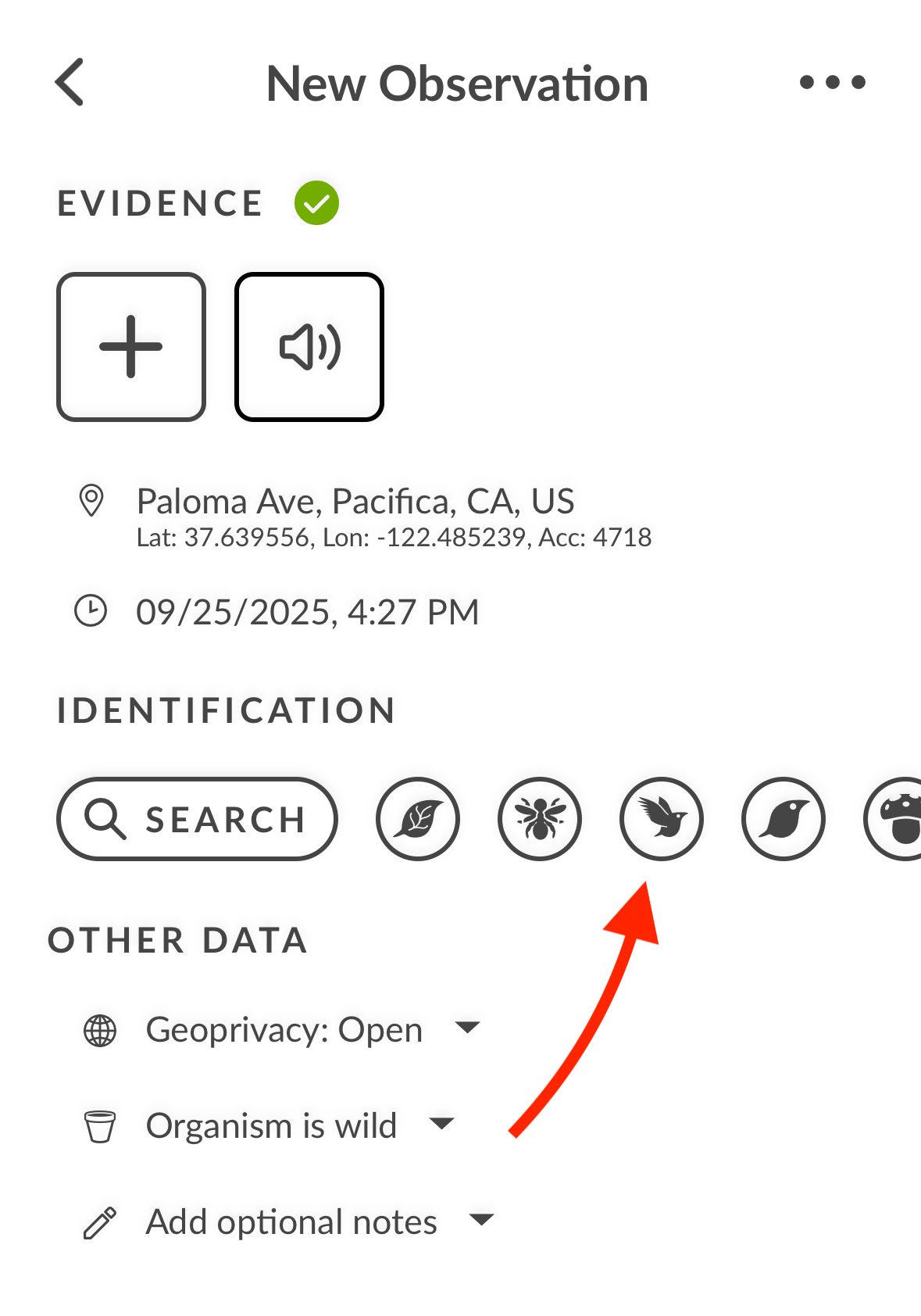
iNaturalist isn’t a bird app, and that’s the point of it. You point the camera at any plant, animal or fungus and it suggests species, and for a bird photo it gives a short list with the likeliest first, falling back to a broader group when it isn’t sure. The community then confirms or corrects your observation, which is useful when the suggestion is wrong but isn’t instant. It’s free, run by a nonprofit and community-powered, and works worldwide because it covers every kind of organism.
It doesn’t identify sound: you can attach a recording, but the app offers no suggestion for audio, so people have to identify it. The redesigned iPhone app replaced the original, and its new layout divides opinion. Observations are shared publicly with the community by design, with a setting to hide the exact location, and the privacy label lists precise location and identifiers linked to you. Choose it if you also photograph plants and insects, or want people to double-check your bird photos. For birds alone, Merlin’s photo and sound tools are the faster route.
Pros
- Free and nonprofit
- Worldwide coverage across all organisms
- Other users confirm or correct observations
Cons
- No audio identification suggestions
- Community confirmation takes time
- Observations are public by design
- Choose if:
- You photograph all kinds of wildlife and want other people to confirm IDs
- Skip if:
- You want to identify birds by sound
Sibley Birds 2nd Edition
Look-alike guide for North America
#5 3.1/5
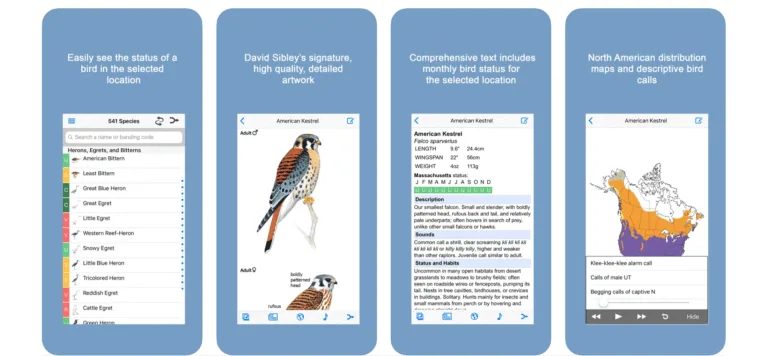
Sibley Birds is the iPhone version of David Sibley’s field guide, and it’s the one to buy if you already know your birds and want help with the hard ones. You get all the illustrations, text and range maps of the book’s 930-plus North American species, around 2,700 recordings of songs and calls, a Smart Search by status and month for your state or province, a similar-species view and a side-by-side comparison of any two birds.
Sibley’s drawings are what set it apart, and its comparison tools are for people who really know their birds but need to tell similar species apart. That’s also its warning for beginners.
It doesn’t identify from photos or sound, and it covers North America only. It costs $19.99 once with no subscription, and its privacy label declares no data collection. Its My List lets you track species and export to CSV, but it’s a list, not a logbook.
What it does
- All Sibley illustrations, text and range maps
- Side-by-side comparison and similar-species view
- About 2,700 songs and calls
- Smart Search by place and month
Pros
- Best illustrations and comparison tools in the group
- One-time purchase, no subscription
- Developer reports collecting no data
Cons
- No photo or sound identification
- North America only
- Harder for beginners
- Choose if:
- You know the common birds and need help on similar species
- Skip if:
- You are a beginner or live outside North America
Audubon Bird Guide
Free North American field guide
#6 3.0/5
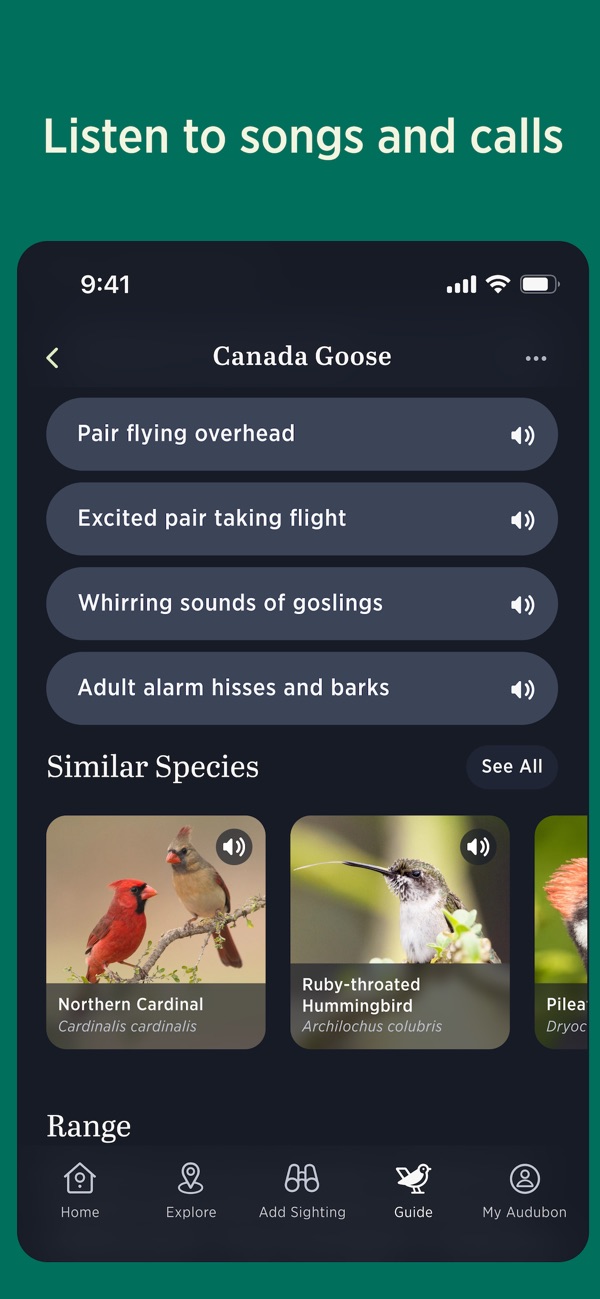
The National Audubon Society’s free guide is the easiest North American field guide to start with. Its Bird ID lets you enter what you saw (color, size, tail shape) and narrows the list to your location and the date. The guide has over 3,000 photos, over eight hours of songs and calls and multi-season range maps, all available offline after you download the field guide data, and it shows nearby eBird hotspots and recent sightings, which need a connection. You can log sightings and keep a life list, and you don’t need an account for the core features, though sharing and logging prompt for one.
It covers over 800 North American species, so it’s no help abroad, and it has neither sound nor photo identification. Its App Store privacy label lists data linked to you, with third-party advertising and marketing among the purposes. For a free guide to sit beside Merlin in North America, it’s a good one; Sibley beats it on comparison and illustrations if you’re willing to pay.
Pros
- Free, with no account needed for core features
- Offline photos, songs and range maps after a download
- Bird ID narrowed to your location and date
Cons
- North America only
- No sound or photo identification
- Privacy label lists advertising and marketing purposes
- Choose if:
- You want a free guide with search by what you saw
- Skip if:
- You need sound or photo identification, or live outside North America
Birda
Logging and community for birders
#7 2.6/5
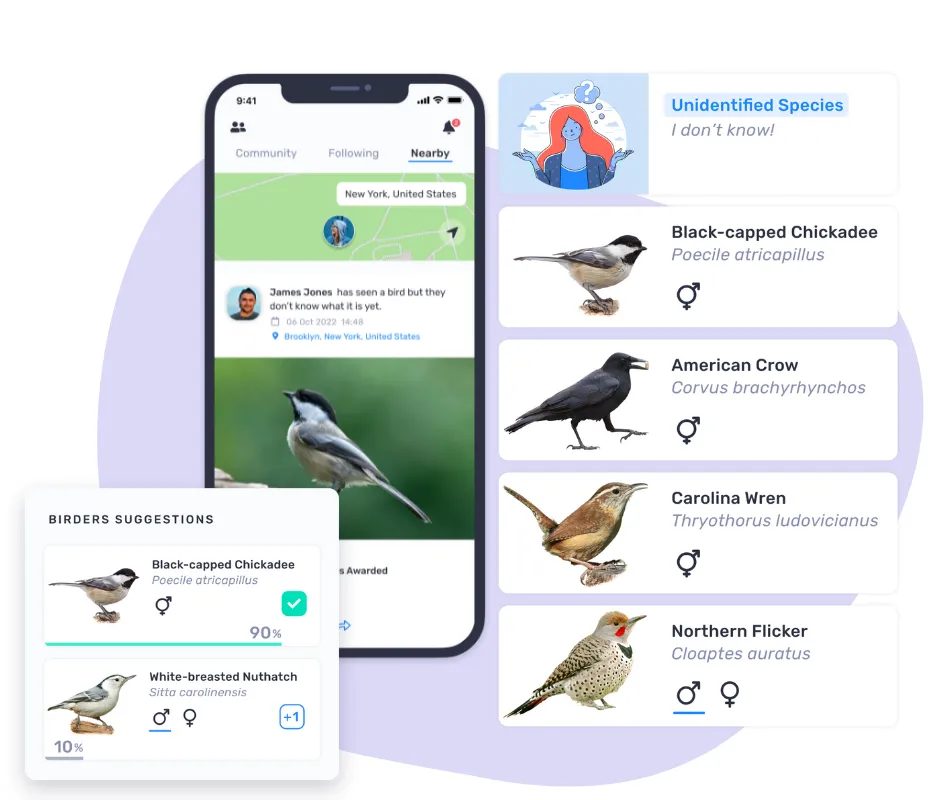
Birda is mostly a logging and community app: life lists, sessions, challenges and a feed of other people’s sightings, with identification as one of its tools. You can have its AI name a bird from a photo, describe a bird in your own words for suggestions, or post an unidentified sighting and let other users suggest a species. It imports sightings from eBird, Merlin, BirdTrack, BirdLasser and iNaturalist. For naming a singing bird, pair it with Merlin or BirdNET.
The app is free with ads, and Birda+ costs $9.99 a month or $24.99 to $59.99 a year for extras such as private challenges and custom life lists. Its AI runs in the cloud, and the privacy label declares data used to track you across other companies’ apps. You can set privacy zones to hide your locations. Choose Birda if keeping score and sharing sightings matters more to you than identification; for naming a bird, Merlin does more for free.
What it does
- Photo AI and description-based identification
- Life lists, sessions and challenges
- Imports from eBird, Merlin and others
Pros
- Strong logging and community features
- Free tier with logging and life lists
Cons
- No live sound identification listed
- Ads in the free app, and a paid Birda+ tier
- Label declares cross-app tracking
- Choose if:
- You want life lists, challenges and other birders more than a quick identifier
- Skip if:
- You want sound identification, offline use or minimal data collection
Picture Bird: Bird Identifier
Paid photo and sound identifier
#8 2.5/5
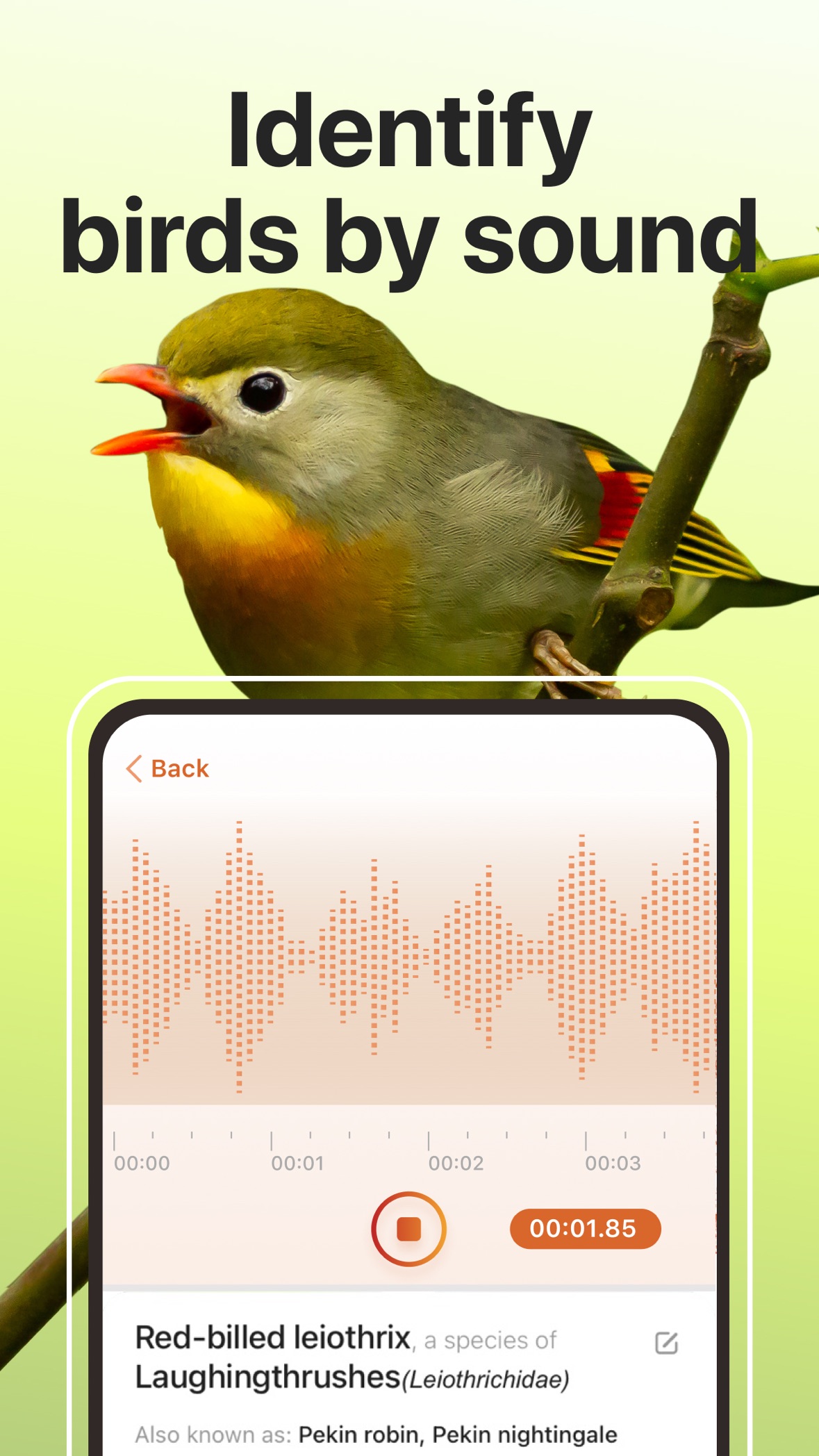
Picture Bird is the app you’ll meet first if you search the App Store, and it identifies from a photo or a recording. Accuracy reports are encouraging: one user tested over 150 photos and recalled no failed attempt, and another got 13 of 13 right on the first or second suggestion. Those are individual accounts, not an independent test, and the second user still thought it wasn’t worth $40 a year. Its species count is unclear, with published figures ranging from over 1,000 to more than 10,000.
Its problem is the price and the data. Premium is $39.99 a year after a seven-day trial; the free tier is limited, with ads and watermarks, and it can look free until you’re charged. Merlin’s free sound and photo tools make it hard to justify. Its App Store label declares purchases, identifiers and usage data used to track you across other companies’ apps, and submitted photos and audio are collected.
What it does
- Identifies from a photo or a recording
- Species encyclopedia and a saved collection
- Premium removes limits, ads and watermarks
Pros
- Positive accuracy reports from users
- Photo and sound in one app
Cons
- Premium subscription needed for unlimited use
- Free tier is limited, with ads and watermarks
- Declares tracking across other companies' apps
- Choose if:
- You've tried Merlin and want another photo identifier
- Skip if:
- You don't want a roughly $40 yearly subscription or cross-app tracking
How to choose
- You want one free app that does everything: Merlin Bird ID. It’s the only one here that names a bird by sound, by photo and by description, free and offline.
- You identify by ear and want a second opinion: add BirdNET, which runs on the phone and finds more calls for some users, with more false positives.
- You take bird photos and want people to confirm them: iNaturalist, or Merlin if you want a fast answer without waiting.
- You know your birds and need a reference: Sibley Birds in North America for look-alikes; iBird Pro if you also travel to the UK, Ireland or Hawaii.
- You want a free field guide in North America: Audubon Bird Guide.
- You want to keep life lists and share sightings: Birda, with Merlin or BirdNET alongside it for identifying.
- You want minimal data collection: BirdNET Live, Sibley Birds or iBird Pro, each with a privacy label declaring no data collection.
1–5 per criterion · select a score for its reasoning and any sources
| # | Product | Overall | Identifying by sound | Identifying from a photo | Ease for beginners | Region coverage | Cost of real use | Works without signal | Identifying by description | Field guide depth | Data and privacy |
|---|---|---|---|---|---|---|---|---|---|---|---|
| 1 | Merlin Bird ID by Cornell Lab | 4.4 | 5 | 4 | 5 | 5 | 5 | 5 | 4 | 4 | 3 |
| 2 | iBird Pro Guide to Birds | 3.7 | 1 | 2 | 3 | 3 | 4 | 5 | 5 | 5 | 5 |
| 3 | BirdNET | 3.3 | 4 | 1 | 3 | 5 | 5 | 4 | 1 | 2 | 5 |
| 4 | iNaturalist | 3.3* | 1 | 4 | 3 | 5 | 5 | unknown | unknown | 2 | 3 |
| 5 | Sibley Birds 2nd Edition | 3.1 | 1 | 1 | 3 | 1 | 4 | 3 | 5 | 5 | 5 |
| 6 | Audubon Bird Guide | 3.0 | 1 | 1 | 4 | 1 | 5 | 4 | 4 | 4 | 3 |
| 7 | Birda | 2.6* | 1 | 3 | 4 | unknown | 3 | 2 | 3 | 3 | 2 |
| 8 | Picture Bird: Bird Identifier | 2.5* | 3 | 4 | 4 | 3 | 2 | unknown | 1 | 2 | 1 |
Equal displayed overall scores are ordered by the earlier criteria; a known score comes before an unknown score. Identical scores use alphabetical order.
? = unknown. * = the overall score averages only the known criteria.
How each criterion is scored
Identifying by sound
How well the app names a singing or calling bird from your phone's microphone: live results, how many species and regions it knows, and how much people trust the answers.
- 5 Live, on-device identification with worldwide coverage that experienced users trust
- 4 Live identification with wide coverage and some reliability complaints
- 3 Sound identification that is limited, paywalled, slow or of unproven quality
- 2 Records audio but leaves the naming to other people
- 1 No identification from recordings; at most plays reference calls
Identifying from a photo
How well the app suggests a species from a photo you take or pick: how much it needs the internet, how reliable the short list is, and whether it handles look-alike birds.
- 5 Fast, offline-capable results that experienced users rate as dependable
- 4 A usable short list of likely species, with weaker results on look-alikes
- 3 Photo identification whose reliability, limits or requirements are unclear
- 2 Photo identification only through a separate app or extra purchase
- 1 No photo identification
Ease for beginners
How quickly someone who knows no bird names gets from opening the app to a name they believe, judged from the app's flow and from user reviews.
- 5 A newcomer gets an answer within a minute, which is widely recognized
- 4 Clear flow with minor friction
- 3 Usable, with friction for newcomers
- 2 Needs real learning before the first answer
- 1 Confusing or built for another audience
Region coverage
How much of the world's birdlife the app knows, because a bird the app lacks cannot be identified.
- 5 Birds worldwide
- 4 Most regions, with gaps
- 3 Several regions, with whole continents missing
- 2 A few countries or regions
- 1 One continent's birds
Cost of real use
What you pay to use the identification features the app advertises, in the form most people get it, counting subscriptions and paywalled limits.
- 5 Free, with the main features open to everyone
- 4 A one-time purchase or a low subscription
- 3 Free with ads and optional paid extras, or a limited free tier
- 2 A subscription of about $40 a year, or free use that is heavily limited
- 1 A high subscription before it is useful
Works without signal
Whether identification and reference content keep working with no connection, such as on a trail or abroad, and what has to be downloaded first.
- 5 Identification and reference content work offline after a download
- 4 Identification works offline; some content needs a connection
- 3 Some features work offline
- 2 Little works offline, or it is unclear what does
- 1 Needs a connection for nearly everything
Identifying by description
Whether you can narrow down an unknown bird by what you saw (size, colors, shape, behavior, place and month) without a photo or recording.
- 5 Detailed filters plus side-by-side comparison of look-alikes
- 4 Filters narrowed to your place and date
- 3 A useful guided search or description-based suggestions
- 2 A few simple filters
- 1 No way to search by what you saw
Field guide depth
How much reference material backs an identification: photos or illustrations, recorded songs and calls, range maps and notes on look-alikes.
- 5 Complete guide with illustrations, range maps, many recordings and comparison tools
- 4 Extensive photos, sounds and range maps
- 3 Photos, some sounds and basic text
- 2 Short entries
- 1 Names only
Data and privacy
What the developer says it collects and how it uses it, judged from the App Store privacy label and the policy. Labels are developer-reported.
- 5 Developer reports collecting no data
- 4 Only minimal identifiers or diagnostics
- 3 Data linked to your identity, with no cross-app tracking declared
- 2 Tracks you across other companies' apps or uses data for advertising
- 1 Tracks you across other companies' apps and stores your photos or recordings
Our verdict
Install Merlin first. It’s free, it’s the easiest to use, and it’s the only app here that identifies by sound, photo and description with everything working offline. The cost is size, since the regional packs are big, and a privacy label that lists identifiers and marketing purposes.
After that, pick by what’s missing. A second ear is BirdNET, which runs on the phone and collects no data, though it’s rougher to use. A real field guide is Sibley Birds or iBird Pro, which are for people who already know the common birds. Sibley is better on North American look-alikes and is a one-time purchase; iBird is the better traveler and costs about $10 a year. Skip Picture Bird’s $39.99 subscription unless Merlin’s photo ID keeps failing you.
Frequently asked questions
Do these apps send my recordings or photos to a server?
It depends on the app. BirdNET Live and Merlin run identification on the phone, and BirdNET Live’s privacy label declares no data collection. Birda’s AI runs in the cloud, and Picture Bird collects submitted photos and audio. The older BirdNET app stored submitted recordings on servers. Check the App Store privacy label before you install, keeping in mind it’s the developer’s own declaration.
How accurate are bird identification apps?
Expect good results on common birds and mistakes on look-alikes and short or faint calls, for photos and sound alike. A phone’s built-in microphone limits sound results; an external microphone can help with recordings. Treat a match as a lead and check it against the reference photos and songs in the app, especially when the match is rare.
We scored 8 products on 9 criteria using 108 quotes, 31 of them from the products' own websites. How our rankings work