Best website builders for small business
A small business website has to explain what you do and earn a visitor’s trust. Then it needs to make the next step easy: call, book, or buy. It should also show up when someone nearby searches for your trade. Every builder below covers the basics. The differences are whether booking needs a second subscription, what the plan costs after the first-year offers end, and whether you can move the site later.
For most service businesses, such as trades, salons, studios, and consultants, we’d start with Wix. Its Core plan includes online booking with payments, forms, email campaigns, and the best local search tools here, so appointments don’t need a separate bill. Squarespace is the close second: easier to edit and better looking out of the box, but its booking tool is billed separately. If products are the business rather than a side line, go straight to Shopify.
Quick picks




What you’ll pay after the first year
Banner prices on website builders are mostly year-one prices. The free domain lasts a year, Hostinger’s lowest prices need a multi-year upfront term, GoDaddy’s plans roughly double at renewal, and some builders sell booking as a separate product. Here’s what a service business that takes online bookings pays per year once those offers end, billed annually.
| Builder | What you need for bookings | Per year after year one (as of November 2026) |
|---|---|---|
| Wix | Core | $348 |
| Squarespace | Basic plus Acuity Scheduling | $420 |
| WordPress.com | Personal plus a booking plugin | $48 plus the plugin |
| Shopify | Basic plus a booking app | $348 plus the app |
| Hostinger | Unlimited | about $204 |
| GoDaddy | Basic (one-off appointments only) | about $204 |
| Durable | Launch, domain included | $264 to $300 |
| Square Online | Free, or Plus for your own domain | $0 or $588 |
| Framer | Basic plus a free scheduling embed | $120 |
| Webflow | Basic plus a free scheduling embed | $180 |
As of November 2026, a .com renewal adds about $13 to $20 a year except on Durable and Framer’s annual plans. Card processing fees come on top too, and business email is usually extra after any free first year.
You’re mostly renting the site rather than buying something you can move. Wix, GoDaddy, Hostinger, Square, and Framer have no way to move a finished site to another host, and Squarespace’s export carries pages and blog posts but not the design. Keep copies of your text and photos, and expect to rebuild the layout elsewhere. Your domain can move independently. WordPress.com is the exception, since any WordPress host can take the whole site.
Is Wix still slow?
Wix’s reputation for slow sites is out of date. Lab tests on a fresh Wix site still give middling phone scores, but Google’s real-visitor data tells a different story. In the HTTP Archive’s Core Web Vitals data as of June 2026, as tallied by webhosting.today, 80.1% of Wix sites passed all three of Google’s speed and stability checks on phones, ahead of Shopify (76.5%), WordPress.com (73.1%), and Squarespace (70.1%). All four beat most traditional web hosts. That makes speed a reasonable tiebreaker among the big hosted builders, though your own photos and embeds matter more.
Wix
Best all-in-one pick for service businesses
#1 4.1/5
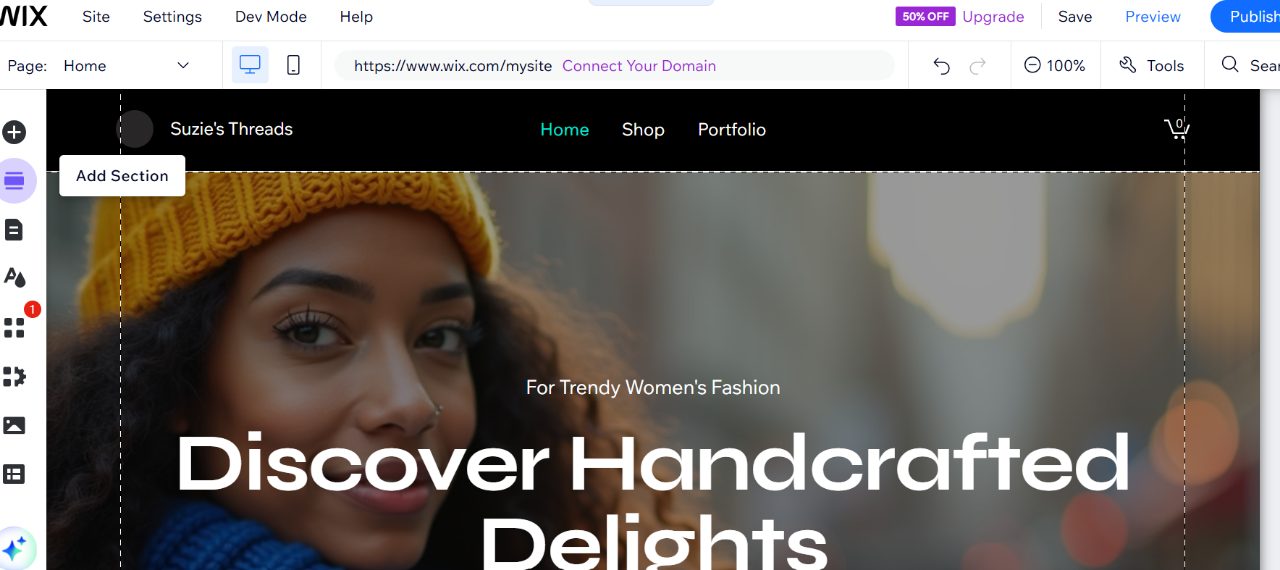
Wix does the most without add-ons. The Core plan combines Wix Bookings for services, staff calendars, and payment at booking with contact forms, quotes, and invoices. Email campaigns are in the same dashboard, and Wix’s own apps cover events and restaurant orders. As of November 2026, a dog groomer or personal trainer gets that booking setup for $29 a month billed annually. The cheaper Light plan can’t take bookings or payments, so most businesses should budget for Core from the start.
The editor is a free canvas: drag anything anywhere. That’s great until it isn’t. It’s easy to nudge things out of line, the phone layout needs its own check after changes, and once a site is live Wix won’t let you switch to a different template without rebuilding. Pick Wix only if you’re willing to keep that template or rebuild when you outgrow it.
Search is where Wix pulls ahead. Its SEO dashboard reads data straight from Google Search Console, it adds local business details search engines can read, and it connects to your Google Business Profile, which is where most “near me” searches end up. The App Market fills feature gaps with hundreds of apps. Support runs around the clock by chat or a scheduled callback. What Wix won’t do is let you leave: there’s no export to another host.
What it does
- Bookings with payments, forms, email campaigns, and invoices on the Core plan
- SEO dashboard with Google Search Console data and Google Business Profile link
- App Market with hundreds of add-on apps
Pros
- Booking is part of the plan, not a second subscription
- The most complete SEO and local search tools of the mainstream builders
- 24/7 support by chat or callback
Cons
- You can't switch templates after the site goes live
- The free canvas makes layouts easy to knock out of line, especially on phones
- No way to move the site to another host
Squarespace
Easiest editor and the best-looking templates
#2 4.0/5

Squarespace is the pick when the look of the site is part of what you sell: photographers, interior designers, florists, restaurants with good food photos. Its templates are the most polished of the mainstream builders, and its editor snaps every block to a grid, so a first-timer ends up with a site that looks deliberate and stays tidy through years of small edits. Few builders are as hard to mess up.
Booking is where it costs you. As of November 2026, Squarespace’s scheduler is Acuity Scheduling, which Squarespace owns but bills separately: $16 a month billed annually for one calendar, $27 for up to six. Add that to the $19 Basic plan and the yearly total is about $420 before the domain, more than Wix’s all-in Core plan. If a contact form is enough, though, Basic at $228 a year is a bargain for sites this good-looking, and it already includes free invoicing.
Every plan can sell unlimited products, with a 2% fee on store sales on Basic that Core removes. As of November 2026, Core costs $29 a month and adds a free Google Workspace email account for the first year and custom code. In-person sales go through the Squarespace app and a Square card reader, in the US only. Support is the weak spot: email around the clock, live chat on weekdays only, and no phone.
Pros
- The best-looking templates for most kinds of business
- A grid editor that keeps layouts tidy
- Free invoicing and forms on every plan
Cons
- Online booking is a separate Acuity subscription
- Live chat on weekdays only, and no phone support
- A 2% fee on store sales on the Basic plan as of November 2026
- Choose if:
- Your site has to look great, and booking is optional or already handled elsewhere

WordPress.com
Cheapest to run, and the one you can take with you
#3 3.6/5
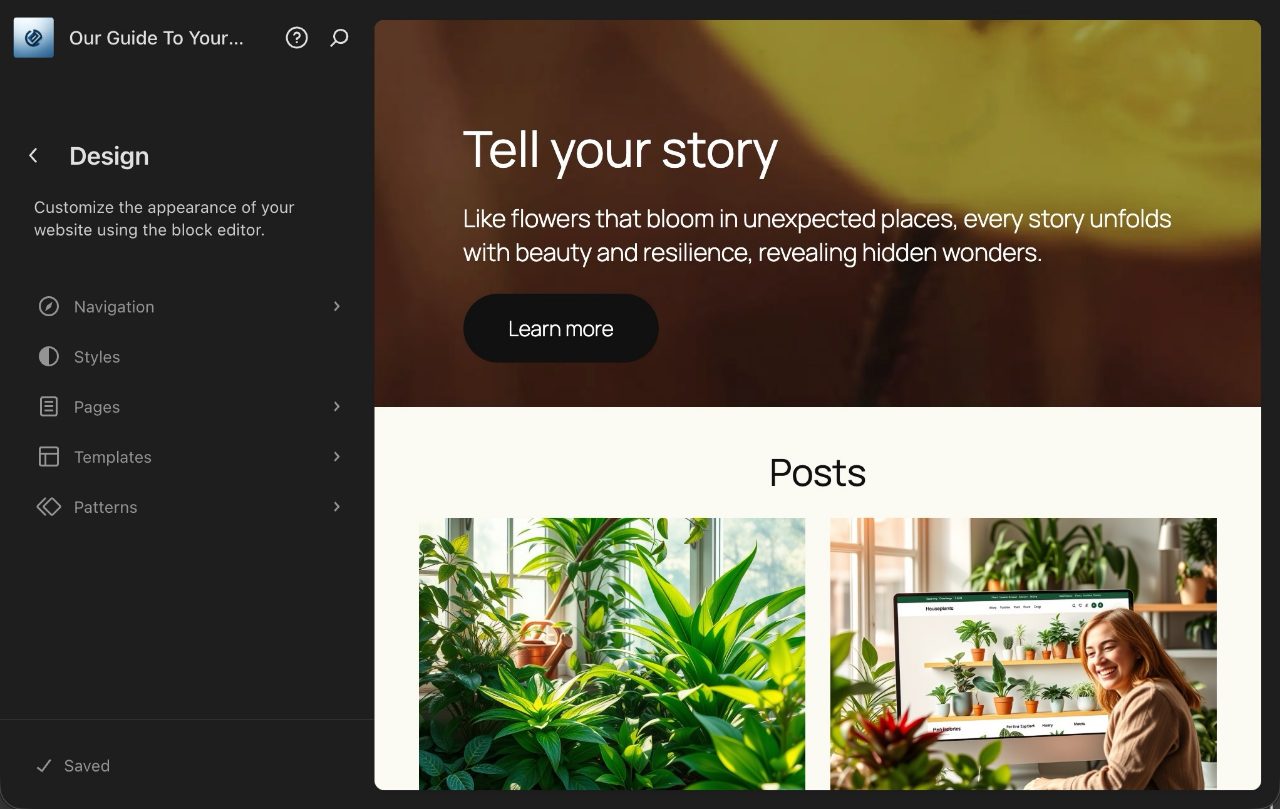
WordPress.com is WordPress with the hosting, updates, and security handled for you. That makes it the cheapest serious option here: as of November 2026, the $4-a-month Personal plan billed annually can install plugins, so a free booking plugin, a contact form, and a premium theme come to about $61 a year once the domain renews. And it’s the only builder where the whole site is yours to move, because any WordPress host can take it.
You pay in time instead. The block editor takes practice, every plugin brings its own settings, and WordPress.com support won’t fix third-party plugins that misbehave. Support requests get written replies, usually within about a day on the cheaper plans. As of November 2026, 24/7 priority support starts at Business, $25 a month. Taking payments on cheap plans costs extra as well: WordPress.com keeps 8% of payments through its own payment tools on Personal and 4% on Premium, on top of Stripe’s fee.
Pros
- The lowest yearly cost of any builder here that runs on its own domain
- Over 60,000 plugins on every paid plan
- The site can move to any WordPress host
Cons
- The block editor and plugins take real learning time
- No phone support, and no 24/7 help below the Business plan
- Its own 8% or 4% cut of payments on the cheapest plans as of November 2026
- Choose if:
- You're happy to learn a tool, want to blog, or expect to hire a WordPress developer someday
Shopify
The pick when selling products is the business
#4 3.6/5
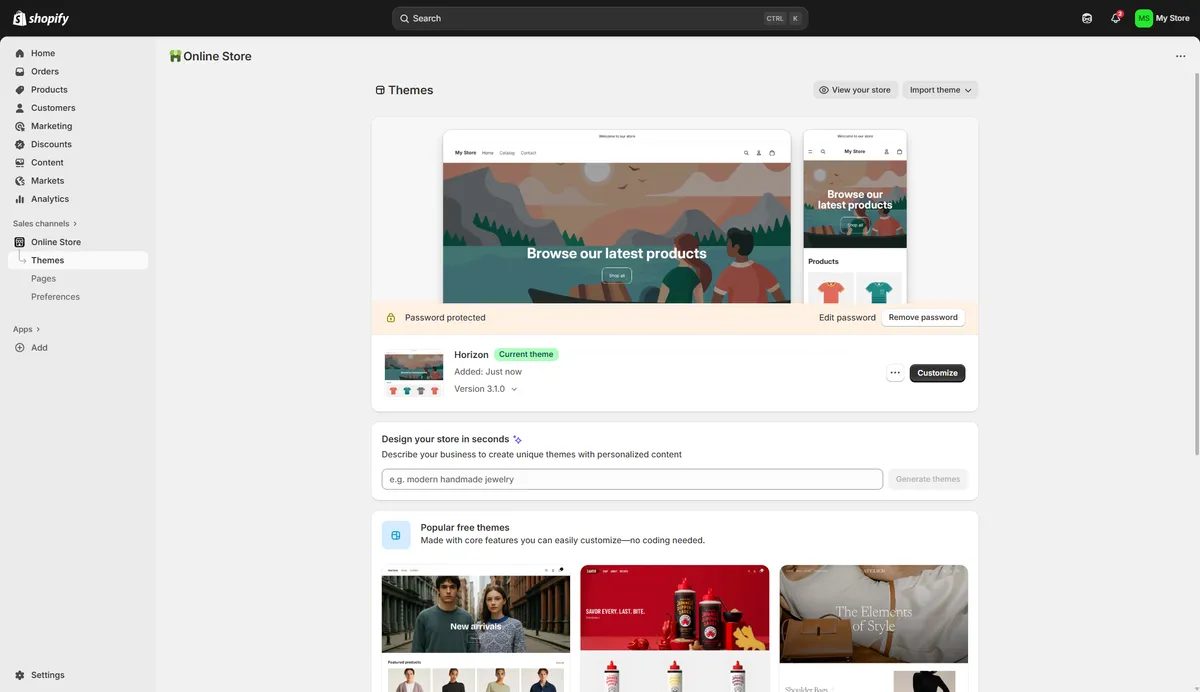
If products are the business, such as a bakery shipping cookie boxes or a maker selling online and at markets, Shopify is built for you in a way the general builders aren’t. Inventory, shipping, taxes, discounts, and the point of sale app for in-person sales all share one catalog, and the app store, with well over 7,000 apps, covers nearly anything Shopify lacks: subscriptions, wholesale pricing, loyalty programs.
As of November 2026, Basic is $29 a month billed annually, with online card rates of 2.9% plus 30¢ through Shopify Payments; use another payment provider and Shopify adds 2% on top. There’s no free domain, only about a dozen free themes, and paid themes start around $150. Many stores end up paying for a few apps as well, so budget beyond the plan price.
For a service business, it’s the wrong tool. Booking needs a third-party app, and the editor is organized around the store, so a simple services site takes more setup than on Wix or Squarespace. Support is 24/7 live chat; phone help is for the enterprise Plus plan.
Pros
- The deepest selling tools, online and in person, from one inventory
- The biggest app store of any builder
- 24/7 live chat support
Cons
- A 2% extra fee if you don't use Shopify Payments, as of November 2026
- Bookings and many store extras need paid apps
- Few free themes, and paid ones start around $150 as of November 2026
- Skip if:
- You sell services and only a handful of products
Hostinger Website Builder
Low price if you're willing to commit for years
#5 3.4/5
Hostinger’s prices look like a typo: a few dollars a month. As of November 2026, the lowest ones need 48 months paid upfront, and the Unlimited plan that adds bookings and a store renews at about $17 a month. Even at that renewal price, about $204 a year is well below Wix or Squarespace, and the first term includes a free domain for a year and free mailboxes for the first year.
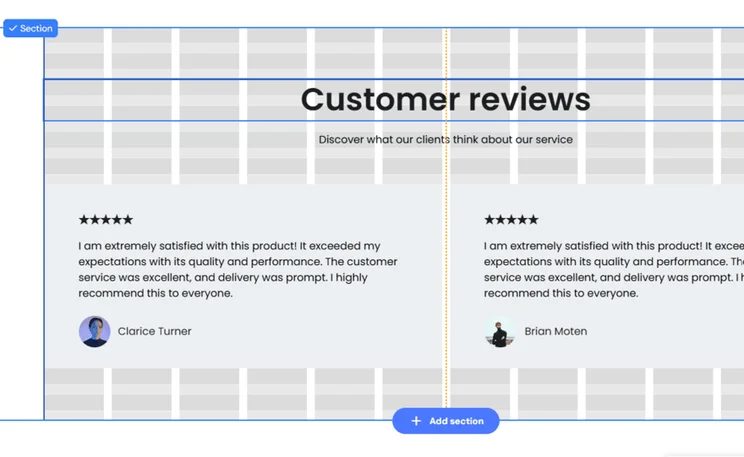
The editor is drag-and-drop on a grid, simple enough that Website Builder Expert ranked it the second easiest it tested, behind Squarespace. There’s also an AI builder that drafts a site in seconds, though its drafts are generic; a template gives a better start. Bookings and selling need Unlimited: Premium lacks both.
The low price has limits. There’s no app market, the store and SEO tools are basic, and a finished site can’t be moved to another builder. Support is 24/7 live chat with an AI assistant first, and no phone or email.
Pros
- Bookings and a store for about $204 a year at renewal, as of November 2026
- Easy grid editor
- No platform fee on store sales
Cons
- The lowest price needs years paid upfront
- No app market, and no way to move the site
- Bookings and selling need Unlimited, not Premium

GoDaddy Websites + Marketing
Phone support and simple bookings, with steep renewals
#6 3.3/5
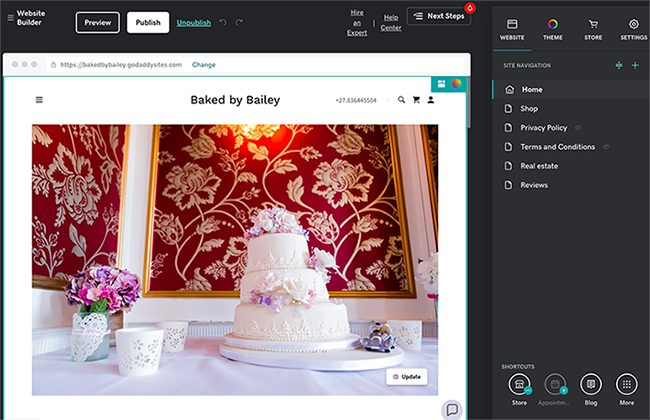
GoDaddy’s builder (its plans are still called Websites + Marketing) gets a site up fast: pick a template, add ready-made sections, fill them in. You can’t drag elements around, which makes the editor rigid, and the templates look dated next to Squarespace’s or Wix’s. It does let you switch templates later without losing content, which Wix doesn’t.
What GoDaddy does well is the service-business basics. Basic takes one-off appointments and sends 100 marketing emails a month; Premium adds recurring bookings, payment at booking, and 25,000 emails, plus social media posting and ad tools. It also answers the phone around the clock on every plan, with a published number to call.
Watch the renewal. As of November 2026, Basic is $9.99 a month for the first annual term and about $16.99 after; Premium goes from $14.99 to about $29.99, and Commerce, the only plan that sells products, from $20.99 to about $34.99. SEO controls are thin on the lower plans, there’s no app market, and sites can’t be moved to another host. GoDaddy’s separate Airo AI Builder is a different product with its own pricing.
Pros
- 24/7 phone support, plus chat and email
- Bookings, email marketing, and social tools in one place
- Switch templates without losing content
Cons
- Prices roughly double at renewal
- Dated templates and an editor that won't let you move elements freely
- Basic SEO controls and no app market
- Choose if:
- Being able to phone someone at any hour matters more to you than design

Durable
A site in minutes for solo service pros
#7 3.0/5
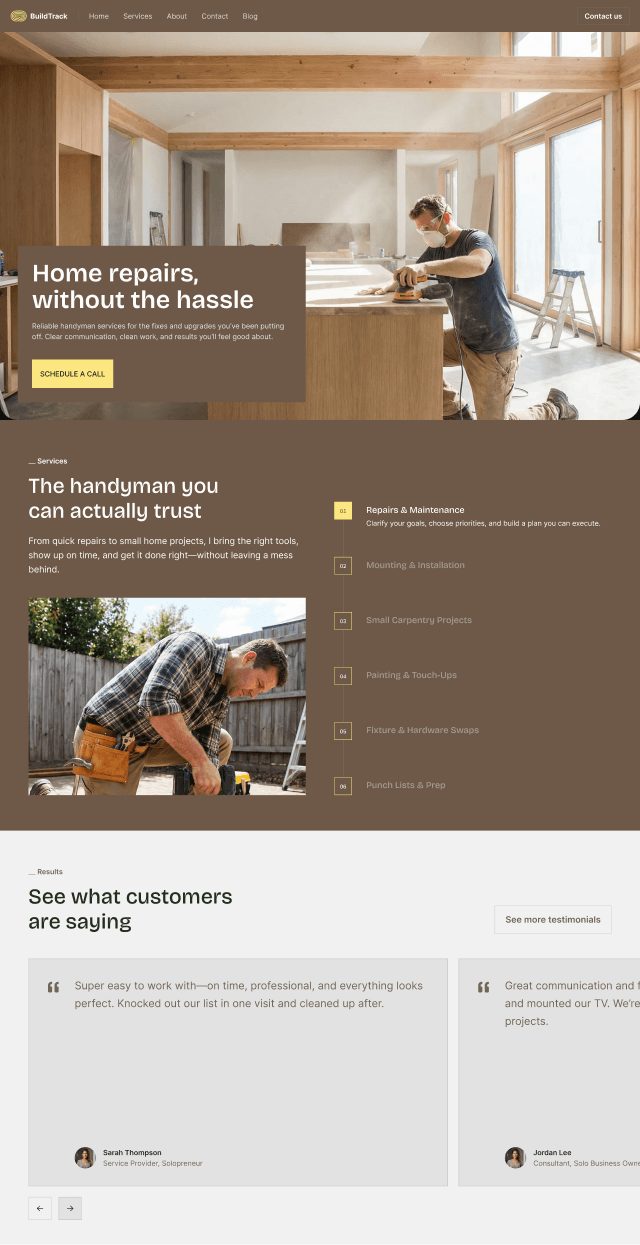
Durable is for the handyman, cleaner, or coach who wants a site today and never wants to think about it again. Answer a few questions and its AI writes a full site, with text, images, and a contact form, in about 30 seconds. As of November 2026, the Launch plan costs about $22 to $25 a month depending on billing and adds unlimited bookings with calendar sync, a simple customer list, review requests, local directory listings, and a custom domain or domain credit of up to $20.
The trade-off is control. Generated sites look tidy but generic, customization is limited, there’s no product store, and integrations are few. The free plan only previews a site; publishing needs Launch. If you later outgrow it, only the domain comes with you.
Pros
- A complete first site in minutes
- Bookings, a customer list, and a domain credit included on Launch
Cons
- Generic designs with limited customization
- Can't sell products
- Few integrations, and the site can't be exported

Square Online (now marketed as Square Websites)
Online ordering for shops and restaurants already on Square
#8 3.0/5
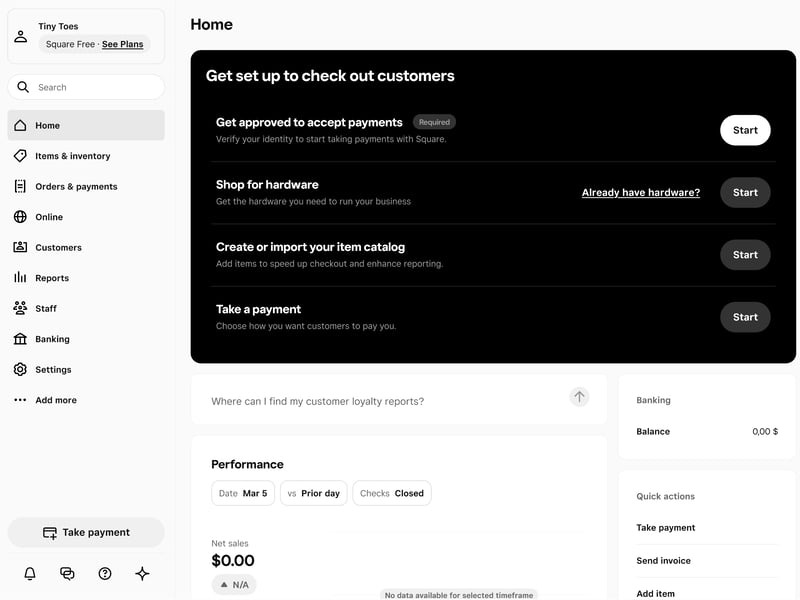
If you already ring up sales on Square, its website builder (Square now calls it Square Websites) is the shortest path to online orders. Items, stock, and orders sync with your point of sale, customers can order for pickup, local delivery, or shipping, and you can start on the free plan. For a café or a counter-service restaurant, that saves retyping the menu and keeps stock right.
The design side is thin: about 34 section-based themes and no code access, so Square sites tend to look alike. As of November 2026, Square is the only payment processor, charging 3.3% plus 30¢ online on the free plan and 2.9% plus 30¢ on Plus. The free plan shows Square ads. Whether it can connect your own domain isn’t certain; Plus can and costs $49 a month per location. Bookings come from Square Appointments, a separate Square product you link from the site.
Pros
- Online ordering that syncs with Square's point of sale
- Pickup, local delivery, and shipping built in
- A free plan to start
Cons
- Plain, similar-looking themes with no code access
- Square payments only, with higher online fees on the free plan
- Removing Square's ads needs Plus at $49 a month as of November 2026
- Skip if:
- You don't use Square at the counter

Framer
Striking design on a small yearly budget
#9 2.9/5
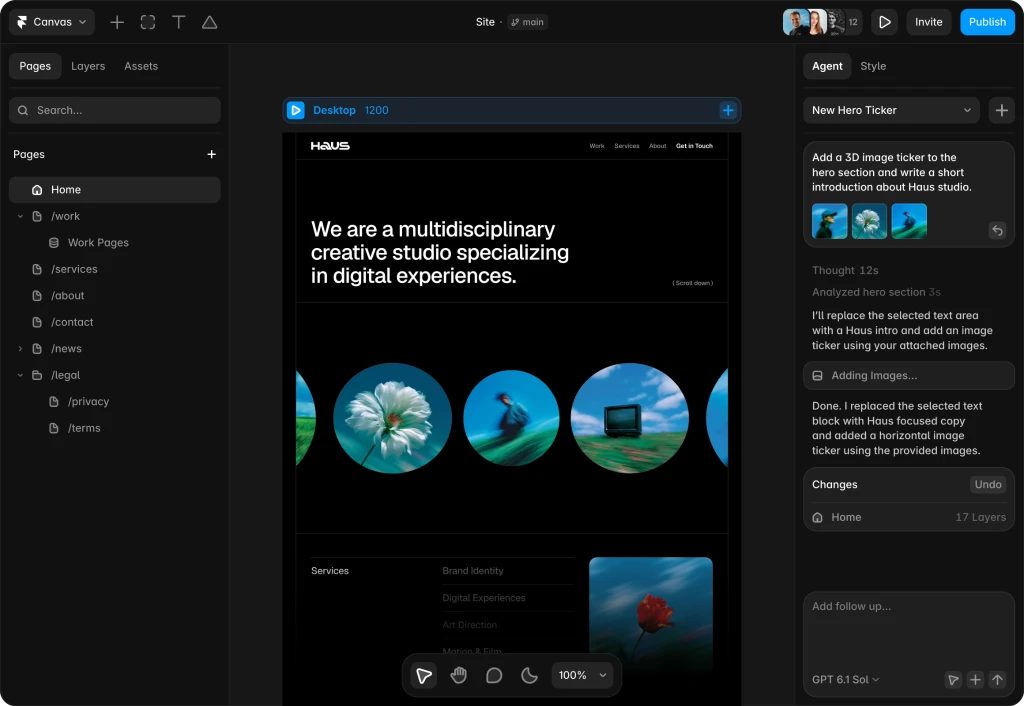
Framer started as a design tool, and its sites look like an agency built them: smooth animation, bold layouts, and a big marketplace of templates, including ones for restaurants and service firms. As of November 2026, Basic is $10 a month billed yearly, with a domain included on yearly billing, which makes it the cheapest way to a site that stands out.
It isn’t built for beginners, though, and it works poorly in phone browsers. Framer has simple payment buttons for one or two items, but no full store. It also lacks built-in booking and email marketing, so those jobs need a scheduler or another service. Framer suits a consultant or a studio whose site is a portfolio and a contact form, especially if a designer builds it and you only edit the text.
Pros
- Standout design and animation
- Low yearly price with a domain included on yearly billing
Cons
- A steep start for non-designers
- No bookings, email campaigns, or full store built in

Webflow
Full design control for a site a designer builds
#10 2.9/5
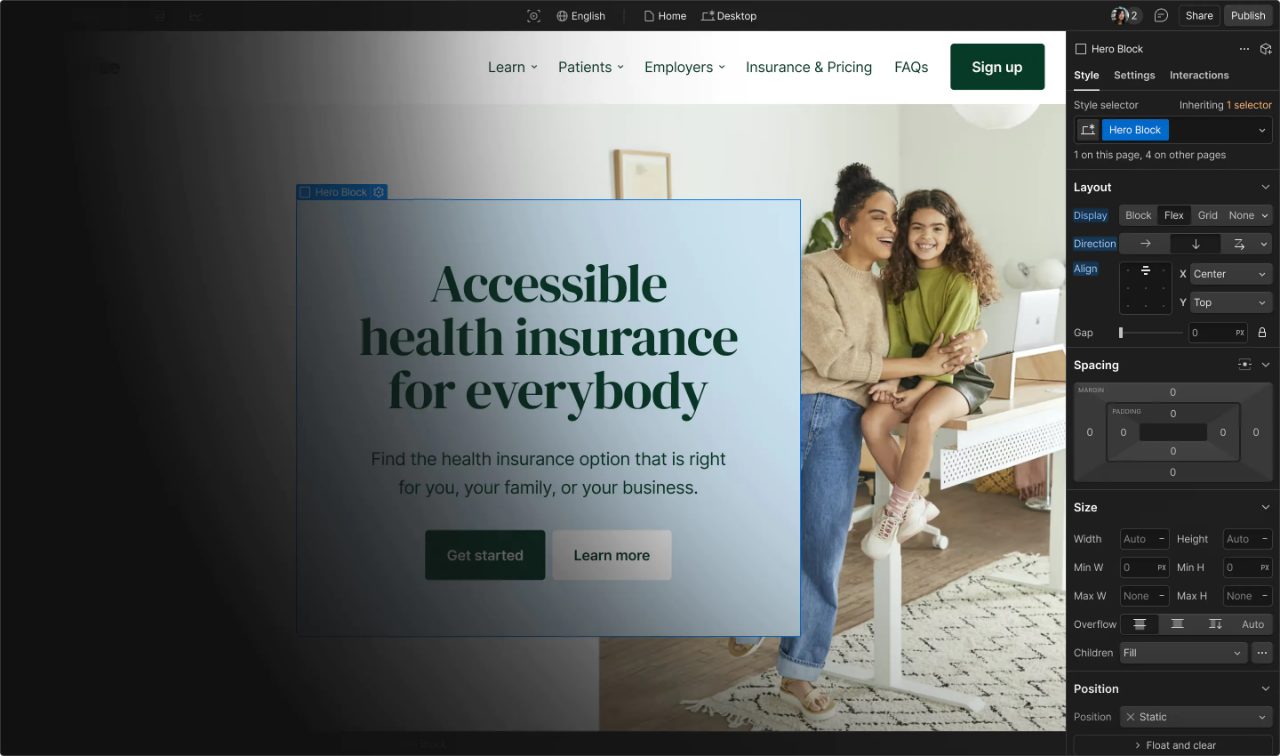
Webflow is what many web designers use to build custom sites visually, and the best reason for a small business to use it is that your designer already does. Building from scratch means learning how web layouts actually work, which is a lot to ask of someone who runs a business. Once a site is built, editing its text and posts is simple.
As of November 2026, Basic is $15 a month billed yearly, but it has no content system, so a blog or a list of locations needs Premium at $25. The domain is bought elsewhere. Forms are included; bookings and email campaigns come from other services. Webflow gives the finest SEO control here. A separate paid workspace plan lets you export its code, but dynamic content comes out one collection at a time and exported forms stop working. Support is email only, with a 48-hour reply target.
Pros
- Complete design control without code
- The finest SEO controls of any builder here
- A strong content system on Premium
Cons
- Very hard to learn without design experience
- Email-only support
- No built-in bookings or email marketing
- Choose if:
- A designer is building the site and you'll only edit content
Also considered
- Weebly. Square owns it and recommends its own builder, Square Online, for new sites. Weebly has been wound down in many countries outside the US.
Scores
1–5 per criterion · select a score for its reasoning and any sources
| # | Product | Overall | Easy to build and keep updated , counts double | Bookings, forms and email marketing | How good the site looks | Yearly cost after the first year | Selling products online | SEO and local search tools | Help when you're stuck | Room to grow, and to leave |
|---|---|---|---|---|---|---|---|---|---|---|
| 1 | Wix | 4.1 | 4 | 5 | 4 | 3 | 4 | 5 | 4 | 4 |
| 2 | Squarespace | 4.0 | 5 | 4 | 5 | 3 | 4 | 4 | 3 | 3 |
| 3 | WordPress.com | 3.6 | 3 | 3 | 3 | 5 | 3 | 5 | 2 | 5 |
| 4 | Shopify | 3.6 | 3 | 2 | 4 | 3 | 5 | 4 | 4 | 4 |
| 5 | Hostinger Website Builder | 3.4 | 4 | 4 | 3 | 4 | 3 | 3 | 4 | 2 |
| 6 | GoDaddy Websites + Marketing | 3.3 | 4 | 4 | 2 | 4 | 3 | 2 | 5 | 2 |
| 7 | Durable | 3.0 | 4 | 3 | 2 | 4 | 2 | 3 | 3 | 2 |
| 8 | Square Online (now marketed as Square Websites) | 3.0 | 4 | 3 | 2 | 2 | 4 | 3 | 3 | 2 |
| 9 | Framer | 2.9 | 2 | 1 | 5 | 5 | 2 | 3 | 3 | 3 |
| 10 | Webflow | 2.9 | 1 | 1 | 5 | 4 | 3 | 5 | 2 | 4 |
Equal displayed overall scores are ordered by the earlier criteria; a known score comes before an unknown score. Identical scores use alphabetical order.
×2 = counts double in the overall score, ×½ = counts half.
How each criterion is scored
Easy to build and keep updated
Counts double in the overall score: The reader has no developer, so a site the owner can't build or update alone fails the job however good its other features are.
How quickly an owner with no design or coding background gets a professional site live, and how safely they can change hours, prices, photos and pages later without breaking the layout. Judged from reviewers' hands-on tests, what many users agree on, and how the editor works: a fixed set of sections, a grid, a free canvas, or a designer's tool built on web layout concepts.
- 5 A first-timer gets a polished site quickly and updates it without breaking the layout
- 4 Easy for most owners, with one recurring annoyance such as a free canvas that's easy to make messy or sections that can't be rearranged freely
- 3 Approachable, with a learning curve or rigid spots that slow a first-timer down
- 2 Usable by a patient non-designer, but building takes days of learning and updates are fiddly
- 1 A designer's tool; expect to learn web layout concepts before the site looks right
Bookings, forms and email marketing
The customer tools a service business uses every week, on the plan a small business buys: online booking with reminders and payment, contact and quote forms, email campaigns to customers, and extras such as invoicing, events or restaurant ordering. Built-in tools and add-ons from the same company count; tools that need a third-party app or embed count for less.
- 5 Native bookings with payments, forms and email campaigns plus extras such as invoicing, events or restaurant tools, on the plan a small business buys
- 4 Bookings, forms and email campaigns all from the same company, with one gap such as a separately billed scheduler or thin features
- 3 Forms with built-in bookings or email campaigns, but the other needs an outside service, a higher plan or is basic
- 2 Forms plus one of bookings or email campaigns built in, with the other only through a third-party app
- 1 A contact form and little else; bookings and email campaigns need outside services
How good the site looks
How professional and distinctive a finished site looks: the quality and range of templates for local businesses, how well they work on phones, and how much control the owner has to make one match the brand. Judged from reviewers' assessments and the templates themselves.
- 5 Among the best-looking results, from polished templates or full design control
- 4 Many attractive, modern templates and the control to make one look like your brand
- 3 Good templates and enough control for a professional-looking site that rarely stands out
- 2 Clean but generic or dated templates, with limited ways to make them your own
- 1 Few, dated templates and little control over the result
Yearly cost after the first year
What a service business pays per year once intro discounts and free first-year extras end: the regular annual price of the cheapest plan that connects a custom domain and takes online bookings, plus any separately billed booking add-on and the domain's renewal. Payment processing fees and business email are left out because they vary by use. Products whose bookings need a free third-party scheduler are priced without one.
- 5 Under $150 a year
- 4 $150 to $299 a year
- 3 $300 to $449 a year
- 2 $450 to $649 a year
- 1 $650 a year or more
Selling products online
How well the plan a small shop would buy sells products: a cart and checkout, inventory, variants, shipping and tax, discounts, in-person sales that share stock with the website, and the fees the platform adds on top of card processing.
- 5 Built for commerce, with deep inventory, in-person and multichannel selling, and apps for anything missing
- 4 A full store for a small catalog, with shipping, tax, discounts and in-person or marketplace selling
- 3 A real store with cart and inventory, but basic, or with a platform fee on the plan a small shop would buy
- 2 Payment buttons, checkout links or paid bookings only; no real cart or inventory
- 1 Can't sell products
SEO and local search tools
The tools that help a business get found on Google and in local results: control over titles, descriptions and URLs, redirects when pages move, sitemaps, structured data, links to Google Search Console and Business Profile, and guided or AI help for owners who don't know SEO. Real-world page speed is similar across the hosted builders and is not scored here.
- 5 Fine control of every SEO setting plus strong local-search tools, or a plugin ecosystem that adds any of it
- 4 The standard set plus extras such as structured data, Search Console links, or guided keyword and AI help
- 3 The standard set, with titles, descriptions, editable URLs, redirects and sitemaps
- 2 Titles, descriptions and alt text, with gaps such as fixed URLs, no redirects or controls limited to higher plans
- 1 Little control beyond the page title
Help when you're stuck
How fast a non-technical owner reaches a person when the site or domain breaks, on the plan a small business buys: live chat, phone and email, their hours, and what reviewers found when they tried them.
- 5 24/7 live chat and phone on every paid plan
- 4 24/7 live chat with a person on every paid plan
- 3 Live chat or phone at limited hours, or chat that starts with an AI assistant before a person
- 2 Email or tickets only, or human chat only on higher plans
- 1 Docs and community forums only
Room to grow, and to leave
What happens when the business needs more than the builder offers: an app or plugin marketplace, custom code, a content system for blogs and listings, and whether the site can move to another host if the owner outgrows the platform or prices rise.
- 5 Thousands of plugins or apps, and the whole site can move to another host
- 4 A large app market, or a strong content system with code export, though most sites stay on the platform
- 3 A modest set of extensions or integrations plus custom code, but leaving means rebuilding
- 2 Some integrations or custom code, but no app marketplace and no way to move the site
- 1 A closed system with no app store, little custom code and no way to move the site
How to choose
- You take appointments: Wix Core has booking, payments, and reminders in the plan. Squarespace suits you better if looks matter more than the roughly $70 extra a year it costs with Acuity. If you already use a booking tool you like, the appointment scheduling software comparison covers tools that embed in any of these builders.
- You sell products: Shopify once selling is most of the business. Wix or Squarespace if you sell a few dozen products alongside services.
- You’re a café or shop on Square: Square Online, then a nicer-looking builder later if the plain themes start to bother you.
- You want the lowest bill for years: WordPress.com if you’ll learn it, Hostinger if you want drag-and-drop and can pay for years upfront.
- You want phone support: GoDaddy, as long as you budget for the renewal price.
- You need a site today: Durable, accepting a generic look.
- A designer is building it: Framer for a portfolio-style site on a small budget, Webflow for content-heavy sites and fine SEO control.
Our verdict
Wix is the safest choice for the typical service business because it bundles what Squarespace sells separately: booking with payments, email campaigns, and the best local search tools, on one plan that costs about $348 a year after the first, as of November 2026. Its weaknesses are the free canvas, which needs a bit of discipline, and a template you can’t change without rebuilding once the site is live.
Squarespace is the better pick if your work is visual or you’d rather never fight an editor, and it’s cheaper than Wix if a contact form covers your bookings. Shopify wins as soon as selling products is the main job. Among the budget options, WordPress.com is the cheapest to run and the only one you can move, but it asks for the most learning; Hostinger is cheaper than the big two and easy to use, as long as you commit for years and accept that the site stays put. Whichever you pick, compare the year-two price rather than the banner, and assume you’ll stay.
Frequently asked questions
Is a free plan good enough for a business website?
Rarely. Wix and WordPress.com’s free plans show their own ads and can’t use your own domain, Framer’s free plan is meant for non-commercial use, and Durable’s only previews a site. Square’s free plan is the exception worth considering for a simple ordering page, as long as you accept Square’s ads and its web address. Use free plans and trials to test an editor before you pay.
Do these builders include business email?
Usually you buy it separately. Squarespace Core and up includes one Google Workspace account free for a year, Hostinger includes mailboxes for the first year, and WordPress.com Business includes an email account for a year. Wix sells Google Workspace separately, as do most of the other builders. As of November 2026, Google Workspace costs about $6 per user a month, and you can keep that email if you later switch builders.