Top apps to run text-to-speech locally
Cloud voice services bill by the character, and the nicest voices cost the most. Every app below is free and runs on your own computer, so the bill turns into other things: gigabytes of downloads, an install that may involve a terminal, and, without a graphics card, a lot of waiting.
The names people trade on forums (Kokoro, Piper, XTTS, Chatterbox, Qwen3-TTS) are voice models, not apps. The model decides how the voice sounds. The app you install around it decides whether you can drop in an ebook, whether you have to type commands, and whether the license lets you sell what comes out.
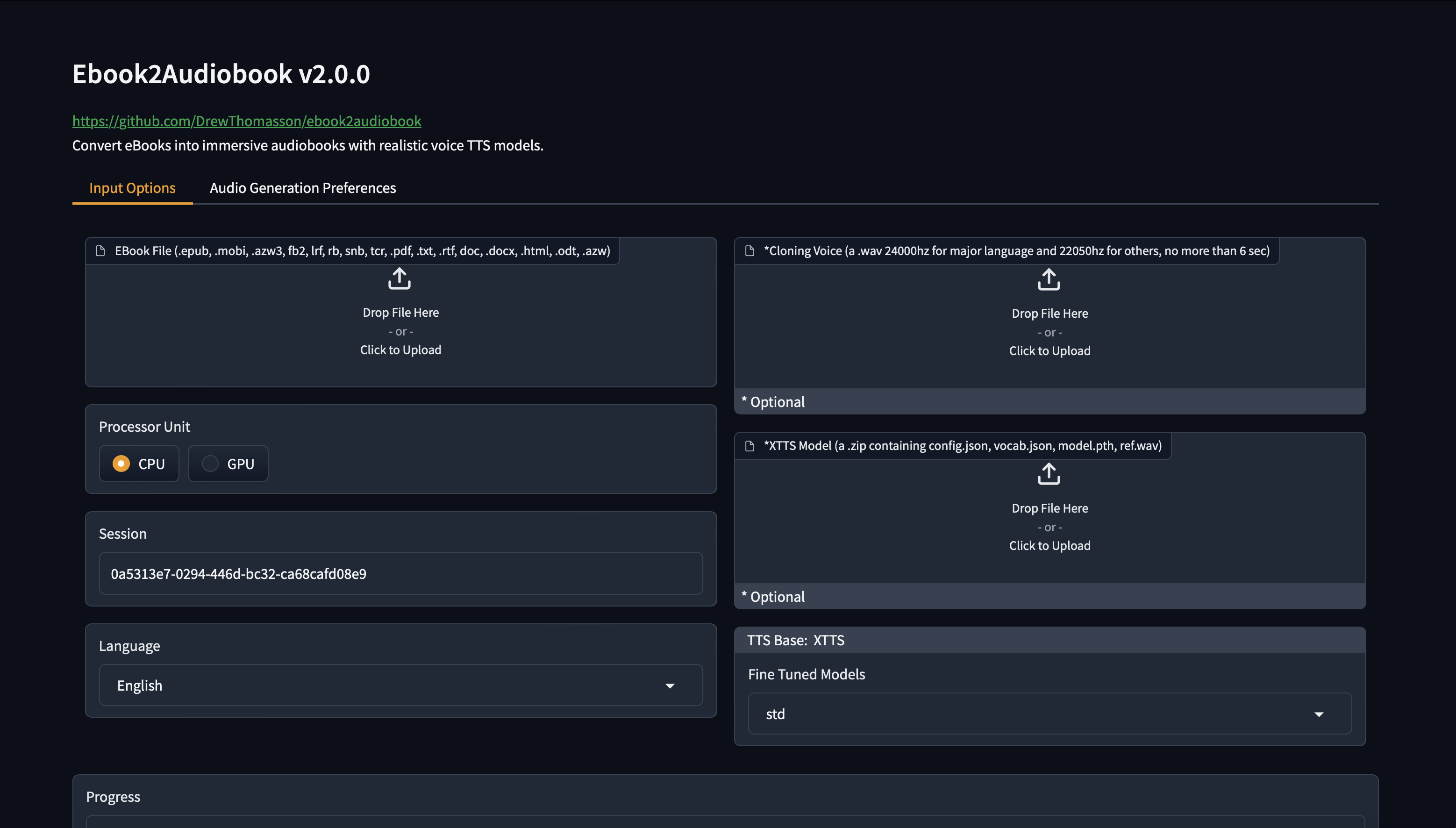
- To turn ebooks and PDFs into audiobooks, install ebook2audiobook. It opens nearly any document, splits it into chapters and runs the best open voices, though slowly without a graphics card.
- To make narration or clone a voice on a Mac or Windows PC, install Voicebox. It installs like any other Mac or Windows program, with no terminal.
- On an ordinary laptop with no graphics card, Abogen turns books into audiobooks with Kokoro voices, which sound good and run fast on a processor.
The voice comes from the model
Every app below is a wrapper around one or more of a handful of models. Knowing them tells you most of what an app will sound like and what hardware it wants.
- Piper is small and quick enough for a Raspberry Pi. It’s clear, but the rhythm is a little mechanical, and quality varies from voice to voice because volunteers trained many of them.
- Kokoro sounds far more natural than Piper and still outpaces playback on a laptop processor. You get preset voices in about eight languages and no cloning.
- XTTS v2, from the now-closed company Coqui, clones a voice from a few seconds of audio and speaks 17 languages. It wants a graphics card, and it now and then adds a strange pause or filler sound.
- Qwen3-TTS and Chatterbox are the newest generation: the most expressive delivery, with cloning from a short sample. They’re practical on an NVIDIA card or an Apple Silicon Mac, not on an older laptop processor.
Key facts
9 productsLicenses, requirements, and starting prices. Prices as of November 2026.
- License
- Apache-2.0, open source
- Runs on
- Windows (x86 and ARM)
- macOS (Intel and Apple Silicon)
- Linux (x86 and ARM)
- Docker
- Hugging Face Space, Colab and Kaggle (remote)
- Needs
- 2 GB RAM minimum (8 GB recommended)
- 1 GB VRAM minimum (4 GB recommended)
- Docker with virtualization on Windows (Docker route only)
- CPU, CUDA, ROCm, Intel XPU, Jetson or Apple MPS
- Price
- Free plan
- License
- MIT (app code; each model has its own terms, some non-commercial), open source
- Runs on
- macOS (Apple Silicon and Intel installers)
- Windows (x64 installer)
- Linux (build from source)
- Docker
- Needs
- Models downloaded in the app (sizes vary by engine)
- NVIDIA GPU, Apple Silicon, AMD ROCm, Intel Arc or DirectML for speed; CPU works but is slower
- Kokoro and LuxTTS suit modest hardware (LuxTTS about 1 GB VRAM)
- Price
- Free plan
- License
- MIT (app code; model weights have their own licences), open source
- Runs on
- Windows
- Linux
- macOS
- Docker
- Needs
- About 10.7 GB base install plus 2-8 GB per model
- GPU/chip selected at install (NVIDIA CUDA for Docker)
- Python 3.10 or 3.11 for manual install
- Price
- Free plan
- License
- MIT, open source
- Runs on
- Windows
- macOS (Intel and Apple Silicon)
- Linux
- Docker (web interface)
- Needs
- espeak-ng installed separately
- uv (or pip) with Python 3.10 to 3.12 on Mac and Linux; the Windows script installs Python itself
- NVIDIA GPU (CUDA) or Linux AMD GPU (ROCm) optional for speed
- Price
- Free plan
- License
- MPL-2.0 library; XTTS v2 weights under the non-commercial Coqui Public Model License, open source
- Runs on
- Linux
- Windows
- macOS
- Docker
- Needs
- Python 3.10 to 3.14
- PyTorch 2.2+ (installed separately from 0.27.4)
- NVIDIA GPU recommended for XTTS v2
- Price
- Free plan
- License
- MPL-2.0, open source
- Runs on
- Linux (Flatpak, x86-64 and ARM64)
- Sailfish OS
- Needs
- Flatpak (Base package 1.2 GiB download, 3.6 GiB unpacked)
- Optional NVIDIA add-on (15 GiB disk) or AMD add-on (55 GiB disk) for GPU acceleration
- Price
- Free plan
- License
- AGPL-3.0, open source
- Runs on
- Windows
- Linux
- Mac (untested, manual install only)
- Needs
- Git
- Microsoft C++ Build Tools and Windows SDK (Windows)
- espeak-ng
- 24GB free disk during install (10GB afterwards)
- Nvidia GPU for DeepSpeed and XTTS finetuning
- Price
- Free plan
- License
- GPL-3.0, open source
- Runs on
- Windows (x86-64)
- macOS (Intel and Apple Silicon)
- Linux (x86-64 and ARM64, including Raspberry Pi)
- Needs
- Python 3.9 or newer
- pip install piper-tts
- a downloaded voice model
- ffplay to play audio directly (optional)
- onnxruntime-gpu for CUDA (optional)
- Price
- Free plan
- License
- Apache-2.0 (weights), open source
- Runs on
- Windows
- macOS (Apple Silicon GPU with an environment variable)
- Linux
- Needs
- Python
- pip install kokoro
- espeak-ng (system install)
- misaki[ja] or misaki[zh] for Japanese and Chinese
- Price
- Free plan







1–5 per criterion · select a score for its reasoning and any sources
| # | Product | Overall | How natural the voices sound , counts double | Getting it running | Long text and documents | Works without a graphics card | Windows, Mac and Linux | Custom and cloned voices | Languages | Free use of the audio |
|---|---|---|---|---|---|---|---|---|---|---|
| 1 | ebook2audiobook | 4.2 | 5 | 4 | 5 | 3 | 4 | 5 | 5 | 2 |
| 2 | Voicebox | 4.1 | 5 | 5 | 3 | 3 | 3 | 5 | 4 | 4 |
| 3 | TTS WebUI | 3.9 | 5 | 4 | 2 | 3 | 3 | 5 | 5 | 3 |
| 4 | Abogen | 3.8 | 4 | 3 | 5 | 4 | 4 | 2 | 3 | 5 |
| 5 | Coqui TTS | 3.6 | 4 | 3 | 2 | 3 | 4 | 5 | 5 | 2 |
| 6 | Speech Note | 3.4 | 4 | 5 | 3 | 3 | 1 | 3 | 5 | 3 |
| 7 | AllTalk TTS | 3.4 | 4 | 3 | 3 | 3 | 2 | 5 | 5 | 2 |
| 8 | Piper | 3.2 | 3 | 2 | 2 | 5 | 4 | 2 | 5 | 3 |
| 9 | Kokoro-82M | 3.1 | 4 | 1 | 1 | 4 | 4 | 2 | 3 | 5 |
Equal displayed overall scores are ordered by the earlier criteria; a known score comes before an unknown score. Identical scores use alphabetical order.
×2 = counts double in the overall score, ×½ = counts half.
How each criterion is scored
How natural the voices sound
Counts double in the overall score: Natural-sounding speech is the reason readers look past their computer's built-in voices, so it decides the choice more than any other trait.
Judged from how listeners and reviewers rate the best voices the product runs, the reputation of the speech models it uses, and known problems such as mispronunciations, glitches between chunks or a mechanical rhythm over long listening.
- 5 Near-human, expressive delivery from the most natural open speech models available
- 4 Natural voices you can listen to for hours, with occasional mispronunciations or glitches
- 3 Pleasant voices for short text, but long listening exposes a mechanical rhythm
- 2 Understandable but plainly synthetic, with a flat, mechanical delivery
- 1 Robotic speech of the kind older screen readers use
Getting it running
What someone who doesn't program has to do before hearing the first sentence: download an installer, run a launcher script, or install Python packages and system tools by hand and type commands.
- 5 A ready-made installer or app store package, with voices downloaded from inside the app
- 4 A launcher script or package manager sets up everything it needs, then a graphical or web interface opens
- 3 A graphical or web interface, but installing it means typing commands or adding system tools by hand
- 2 Installed and used from the command line, with no window or web page to work in
- 1 You write a Python script to get any audio
Long text and documents
How well the product turns long text into speech: whether it opens document files such as PDF and EPUB, splits a book by chapter, reads text aloud as you listen, and saves audio files in common formats.
- 5 Opens ebooks and PDFs, splits them by chapter and saves a chaptered audiobook such as M4B
- 4 Opens document files such as PDF or EPUB and saves them as audio
- 3 Long pasted text with automatic chunking and audio export, or text read aloud live, but no opening of document files
- 2 Long typed or piped text in one run, saved as a WAV file
- 1 Short text per run; you split long text and save the audio yourself
Works without a graphics card
How usable the product is on an ordinary computer with no dedicated graphics card (GPU): whether its main voices generate speech faster than it takes to play it back on a laptop processor (CPU).
- 5 As 4, and also runs on very low-power hardware such as a Raspberry Pi
- 4 Its main voices run faster than playback on an ordinary laptop processor
- 3 Offers a fast voice engine for the processor, but its best voices need a graphics card or an Apple Silicon Mac to be practical
- 2 Runs on the processor, but its main voices are far slower than playback
- 1 Needs an NVIDIA graphics card in practice
Windows, Mac and Linux
Which desktop operating systems have a documented way to install and run it, and whether graphics-card acceleration is documented on each (NVIDIA on Windows and Linux, Apple Silicon on a Mac).
- 5 All three with documented installs and graphics-card acceleration documented on each
- 4 All three with documented installs, but graphics-card acceleration on only some of them
- 3 All three, but one only through a source build, Docker or an untested path
- 2 Two of Windows, macOS and Linux, with the third untested or unsupported
- 1 One operating system only
Custom and cloned voices
Whether you can make the product speak in a voice of your choosing: blending preset voices, training a voice from many recordings, cloning a voice from a short sample, or fine-tuning on your own recordings.
- 5 As 4, plus fine-tuning on your own recordings or a saved library of cloned voices across several engines
- 4 Clones a voice from a short sample in its main engine
- 3 Clones a voice from a short sample, but only in a secondary engine or one that is impractical without a graphics card
- 2 Blending preset voices, or training a new voice from a large set of recordings
- 1 Preset voices only
Languages
How many languages the product can speak with neural voices, counting every engine it runs.
- 5 Dozens of languages or more
- 4 Around fifteen to twenty-five languages
- 3 Around eight to ten major languages
- 2 English and a few other languages
- 1 English only
Free use of the audio
Whether the licenses of the engines and voices the product runs let you publish or sell the audio you make, judged on its main engine and the others it offers.
- 5 Every engine and voice it offers allows commercial use of the audio
- 4 A permissive main engine and default voices, with a few optional engines under non-commercial terms
- 3 A permissive main engine, but some engines or voices it offers are non-commercial and need checking one by one
- 2 The main or default engine is non-commercial, though some other engines it offers allow commercial use
- 1 The main engine forbids commercial use, and no commercial license can be bought
ebook2audiobook
Best for turning books into audiobooks
#1 4.2/5
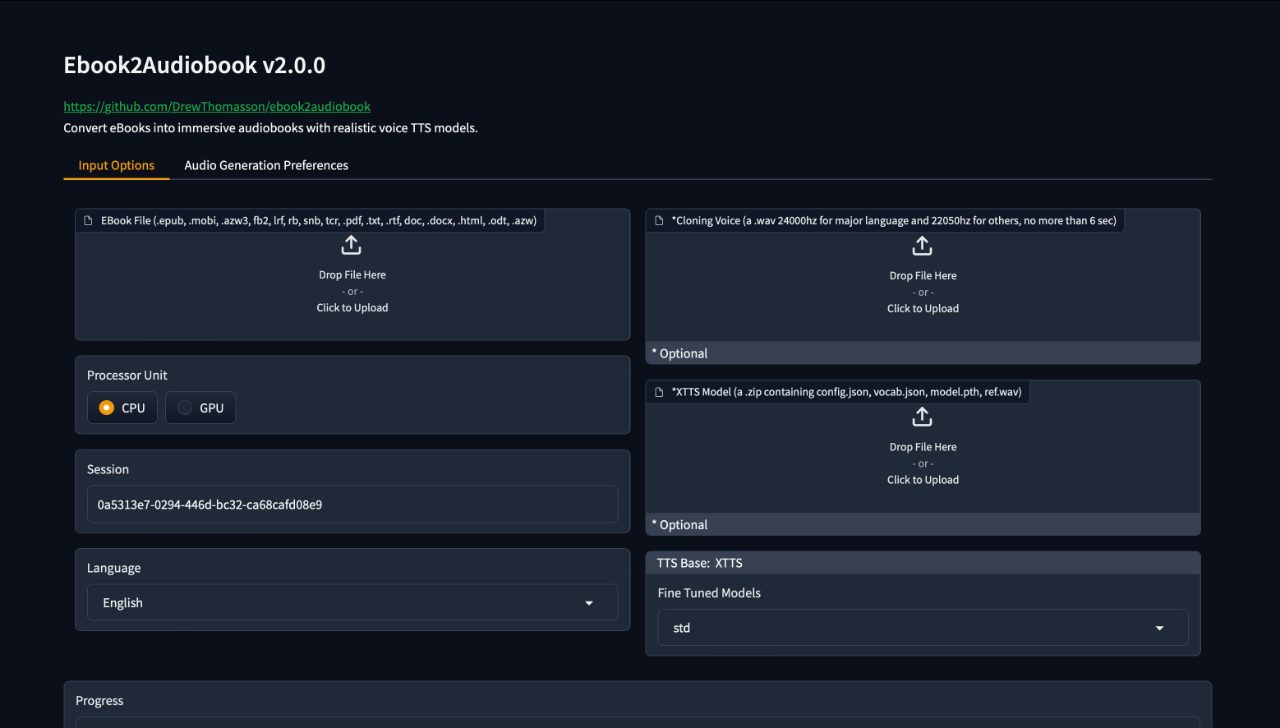
If what you want is a whole book in your ears, ebook2audiobook does more of the job than anything else here. Give it an EPUB, MOBI, PDF, DOCX or one of a dozen other formats, and it finds the chapters, reads them with the engine you pick and saves an M4B audiobook with chapter marks (or MP3, FLAC and others). A long conversion that crashes can resume where it stopped instead of starting over.
It runs as a web page in your browser, started from a launcher script that installs the tools it’s missing on Windows, macOS and Linux. The engine list is enormous: XTTS v2, Piper, Kokoro, Chatterbox, Qwen3-TTS and dozens more, with Meta’s MMS voices stretching coverage to well over a thousand languages at a basic quality. You can also clone a voice from a sample file or load a fine-tuned model.
The drawback is time. The engines with the best voices crawl on a processor: one security researcher estimated that XTTS v2 on a CPU makes a 10-hour audiobook in “50-100 hours”. With a graphics card, or with a lighter engine such as Piper or Kokoro, it’s a different story. The other drawback is the license: which engine you get by default depends on the language, and if it’s XTTS v2, the audio is for personal listening only. Releases still land every month or so.
What it does
- Opens EPUB, MOBI, PDF, DOCX, HTML and more, with chapter detection
- Saves M4B audiobooks with chapters, plus MP3, FLAC, WAV and others
- Dozens of engines, including XTTS v2, Piper, Kokoro, Chatterbox and Qwen3-TTS
- Voice cloning from your own sample, and resumable conversions
Pros
- The most complete path from an ebook to an audiobook on your own computer
- Huge language coverage
- Launcher scripts install the missing tools for you
Cons
- The most natural engines are very slow without a graphics card
- XTTS v2 output can't be used commercially
- Engines download on first use and take gigabytes of disk
- Skip if:
- You want text read aloud as you listen rather than converted to files first.
Voicebox
For narration and cloned voices on Mac or Windows
#2 4.1/5
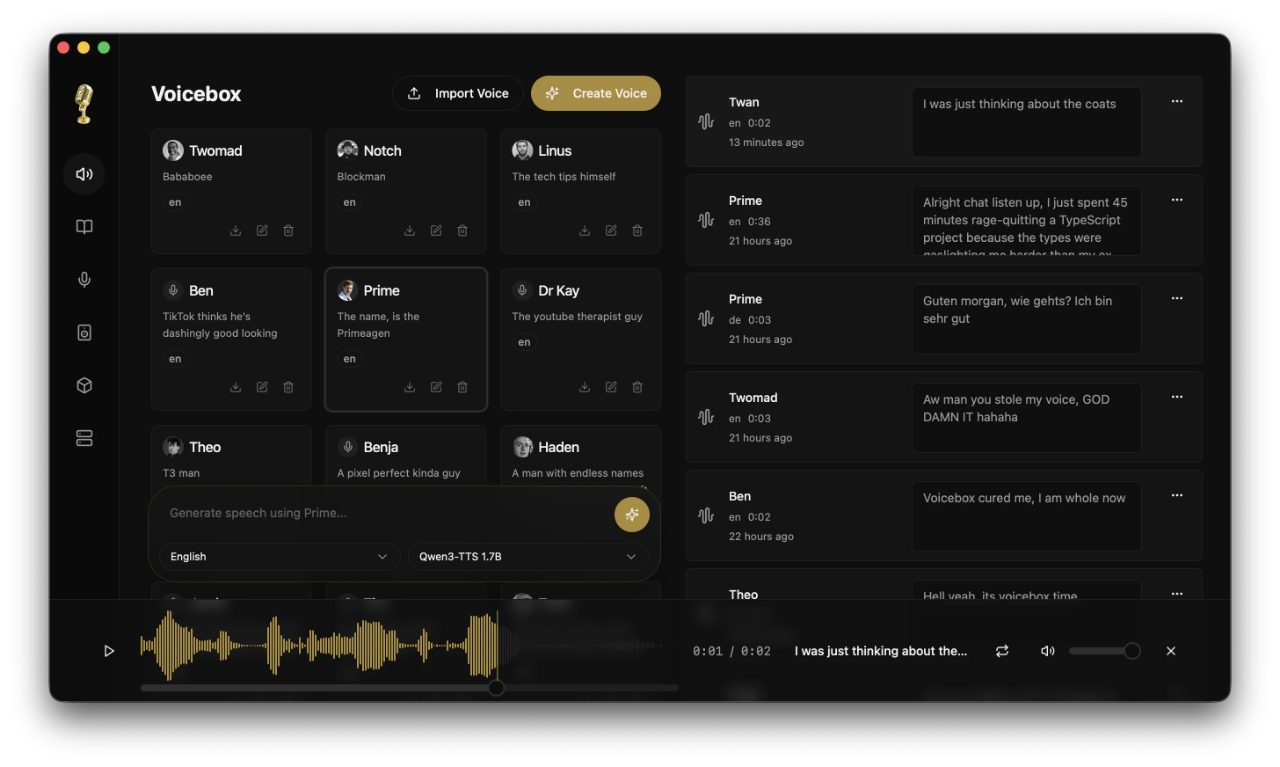
Voicebox is the one to hand someone who has never opened a terminal. It ships as a normal installer for macOS and Windows, downloads its models from inside the app, and opens to a clean studio: voice profiles on one side, a box for your script, a history of takes. It’s by far the most popular of these projects.
Its default engine is Qwen3-TTS, one of the most natural open voices available, and you can steer it in plain words, such as asking it to speak slowly or whisper. Cloning takes a short recording: plan on about 30 seconds of clean audio, because clipped recordings fail. Reviewer Dave Swift found the Qwen voice “clear and natural”, though sentences “sometimes feel cut off”. A timeline editor lines up several voices for a dialogue or podcast, and scripts of up to 50,000 characters are split and joined for you.
What it doesn’t do is read your files. You paste or type the text, so for a whole ebook, ebook2audiobook or Abogen saves you the chapter work. On a machine with no graphics card, the fast Kokoro and LuxTTS engines keep it usable, but Qwen3-TTS really wants an Apple Silicon Mac or an NVIDIA card. Linux users have to build it from source or use Docker.
What it does
- Installers for macOS and Windows, with models downloaded in the app
- Qwen3-TTS, Chatterbox, Kokoro, LuxTTS and other engines
- Voice cloning with a saved library of voice profiles
- A multi-voice timeline and a local API
Pros
- No terminal needed on Mac or Windows
- Qwen3-TTS takes delivery instructions in plain words
- Runs on NVIDIA, Apple Silicon and other graphics hardware
Cons
- No opening of ebooks or PDFs; you paste the text
- Its best voices need a graphics card or an Apple Silicon Mac
- No ready-made Linux build
- Choose if:
- You record voiceovers for videos or podcasts and want a cloned voice.
TTS WebUI
For trying every new voice model
#3 3.9/5
TTS WebUI (it used to be called TTS Generation WebUI) is a playground for people who want to hear every new model the week it comes out. Each model is an extension you install from a catalog: Chatterbox, Kokoro, F5-TTS, XTTS, Piper, StyleTTS2, IndexTTS, Bark and many more, plus voice conversion and even music models. Several clone voices, and an OpenAI-style API extension lets chat front ends such as Open WebUI talk to it.
The cost is weight and fiddliness. The base install is around 10.7 GB before any model, each model adds a few more, dependency warnings during setup are normal, and you restart after adding an extension. There’s no working ebook or audiobook workflow yet, so this isn’t the tool for reading a book. Some models carry beta or early-access labels, and each has its own license to check.
Pros
- The widest choice of models in one interface
- Several cloning models and voice conversion
- An installer that sets up the environment for your graphics hardware
Cons
- A large install, plus a few gigabytes per model
- No document or audiobook workflow
- Model licenses and maturity vary, so each needs checking
- Skip if:
- You want one good voice reading your documents, not a lab bench.
Abogen
For audiobooks on an ordinary laptop
#4 3.8/5
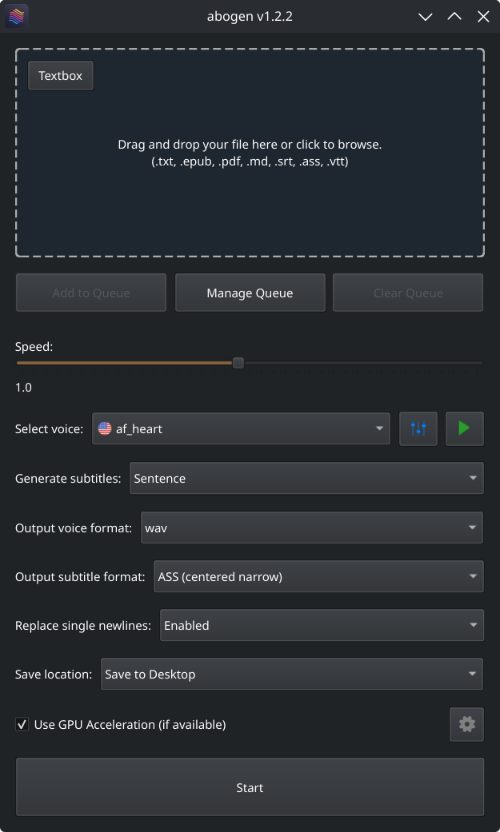
Abogen does one thing: it turns EPUB, PDF, text and Markdown files into audiobooks with Kokoro voices. That narrow focus is the point. Kokoro runs faster than real time on a laptop processor, the Apache-2.0 license lets you publish what you make, and the desktop window is plain: drop in a file, pick a voice, set the speed, start.
It splits books into chapters, saves M4B with chapter marks or MP3, FLAC, WAV and OPUS, and can write matching subtitle files. A queue handles several books with their own settings. With a graphics card it flies: on a laptop RTX 2060, 3,000 characters became three and a half minutes of audio in 11 seconds.
The weak spots are setup and choice. On Windows a script installs Python for you, but you install espeak-ng yourself; on Mac and Linux it’s a few commands in a terminal. There’s no cloning, only a mixer that blends Kokoro’s preset voices, and you get Kokoro’s languages and nothing more. It saves files rather than reading aloud as you go.
What it does
- Converts EPUB, PDF, TXT, Markdown and subtitle files into audio
- M4B with chapters, MP3, FLAC, WAV and OPUS, plus subtitles
- A voice mixer for blending Kokoro voices
- A queue for several books
Pros
- Fast on an ordinary laptop processor
- Kokoro voices you can use commercially
- A simple window with sensible defaults
Cons
- espeak-ng has to be installed separately, and Mac and Linux need the terminal
- No voice cloning
- Only Kokoro's handful of languages
Coqui TTS
For developers who want XTTS cloning
#5 3.6/5
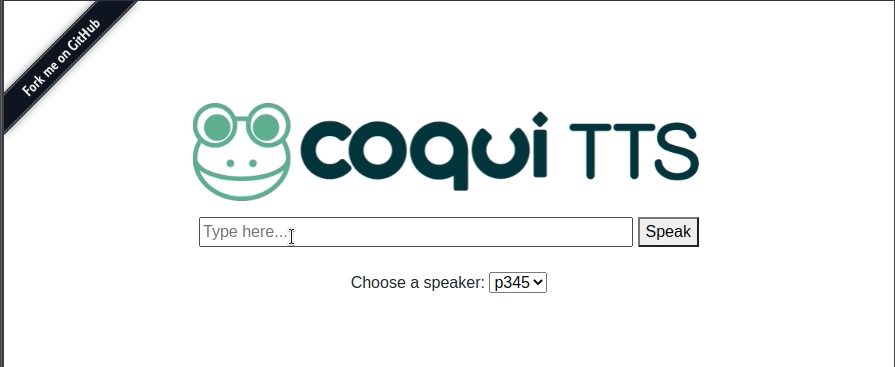
Coqui TTS is the Python library that XTTS v2 comes from, now kept alive by the Idiap research institute after the company behind it shut down. You install it with pip, install PyTorch yourself, and run commands or Python code. A small demo server gives you a web page with a text box, but this is a developer’s tool. Even the default model in its command line isn’t XTTS; you name XTTS v2 explicitly.
What you get is still one of the most downloaded voice models: cloning from a few seconds of audio, 17 languages, fine-tuning recipes, and a library that also bundles basic voices for over a thousand languages. It wants an NVIDIA card; on a processor it is much slower. And because XTTS v2’s license is non-commercial with nobody left to sell an exception, it’s a poor base for anything you plan to sell.
Pros
- XTTS v2 voice cloning from a short sample
- 17 languages for XTTS, plus many basic models
- Maintained again by a new team
Cons
- Python, pip and a separate PyTorch install
- XTTS v2 output is non-commercial, with no license for sale
- Slow without a graphics card
Speech Note
For reading aloud on the Linux desktop
#6 3.4/5
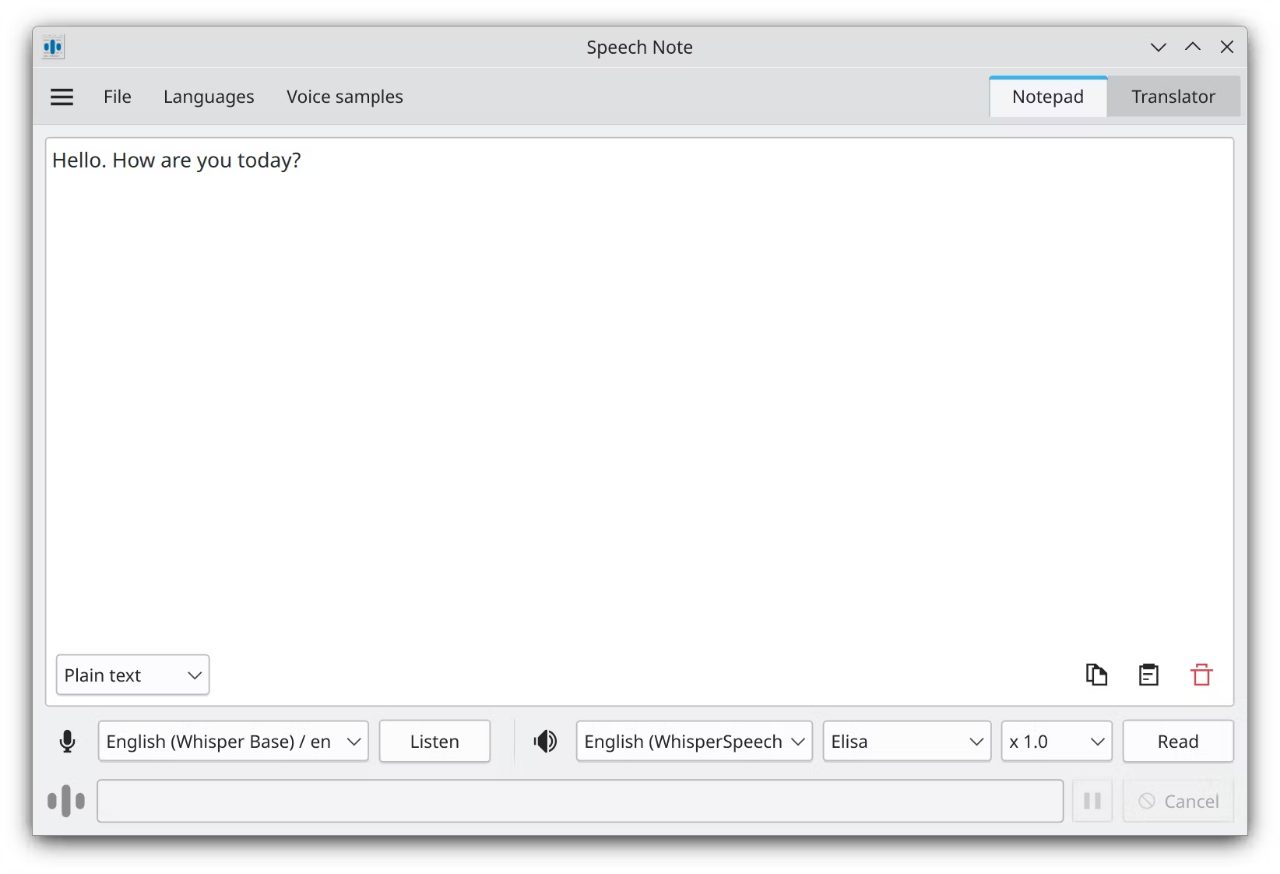
Speech Note is the friendliest option on Linux, and only on Linux. It’s a Flatpak from Flathub: install it, open the voice browser, download Piper or Kokoro voices and press Read. A global shortcut reads whatever is on your clipboard, which makes it handy for articles in a browser. It also does speech-to-text and translation, if you want those too.
Under the hood it offers Piper, Kokoro, RHVoice, Coqui XTTS, F5-TTS, Parler and others across about 65 languages. The heavier engines, like F5-TTS for cloning, need a graphics add-on that is large (about 15 GB on disk for NVIDIA, far more for AMD), and they’re very slow on a processor. Saving speech to an audio file is a command-line option rather than a button, so it’s a listening app first.
Pros
- A one-command Flatpak install with voices downloaded in the app
- Reads text and the clipboard aloud as you listen
- Many engines and about 65 languages
Cons
- Linux only
- The graphics add-ons are huge downloads
- Audio export is only a command-line option
- Skip if:
- You're on Windows or a Mac.
AllTalk TTS
For XTTS fine-tuning and chat-app voices
#7 3.4/5
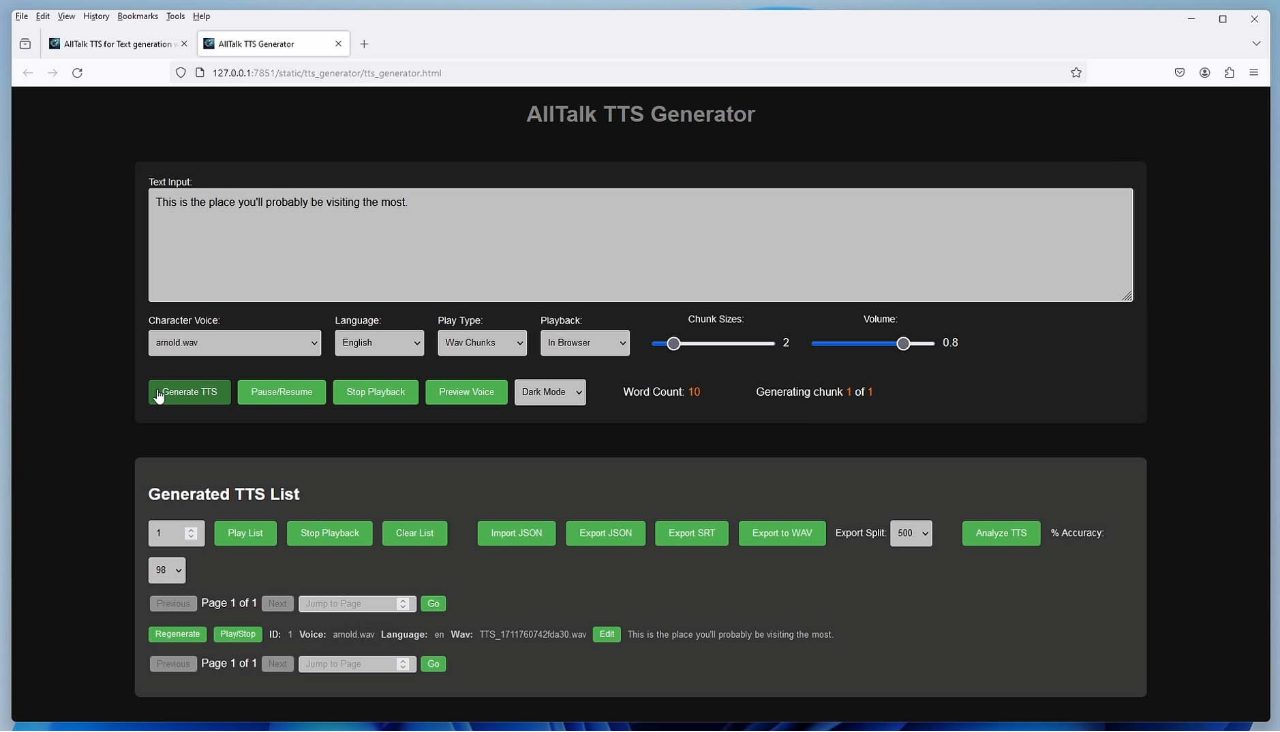
AllTalk started as the voice add-on for local chatbot front ends such as SillyTavern and text-generation-webui, and that’s still where it fits best. Version 2 runs XTTS, Piper, F5-TTS, Parler and VITS behind one web interface and API, adds voice conversion, and includes a tool to fine-tune XTTS on your own recordings. Its TTS Generator lets you paste a long script, then regenerate or edit single lines before exporting.
Installing it is work: you clone the repository with Git, and on Windows add the C++ Build Tools, the Windows SDK and espeak-ng first, with 24 GB free during the install. Macs are untested. Fine-tuning needs an NVIDIA card, ideally with 12 GB of memory or more. A single maintainer runs the project and has warned he may be unavailable for long stretches, and the default engine, XTTS, can’t be used for commercial work.
Pros
- XTTS fine-tuning on your own recordings
- Several engines behind one local API
- An editor for checking and redoing long scripts one line at a time
Cons
- A manual install with build tools and Git
- Mac support is untested
- XTTS output is non-commercial
Piper
For a Raspberry Pi or Home Assistant
#8 3.2/5
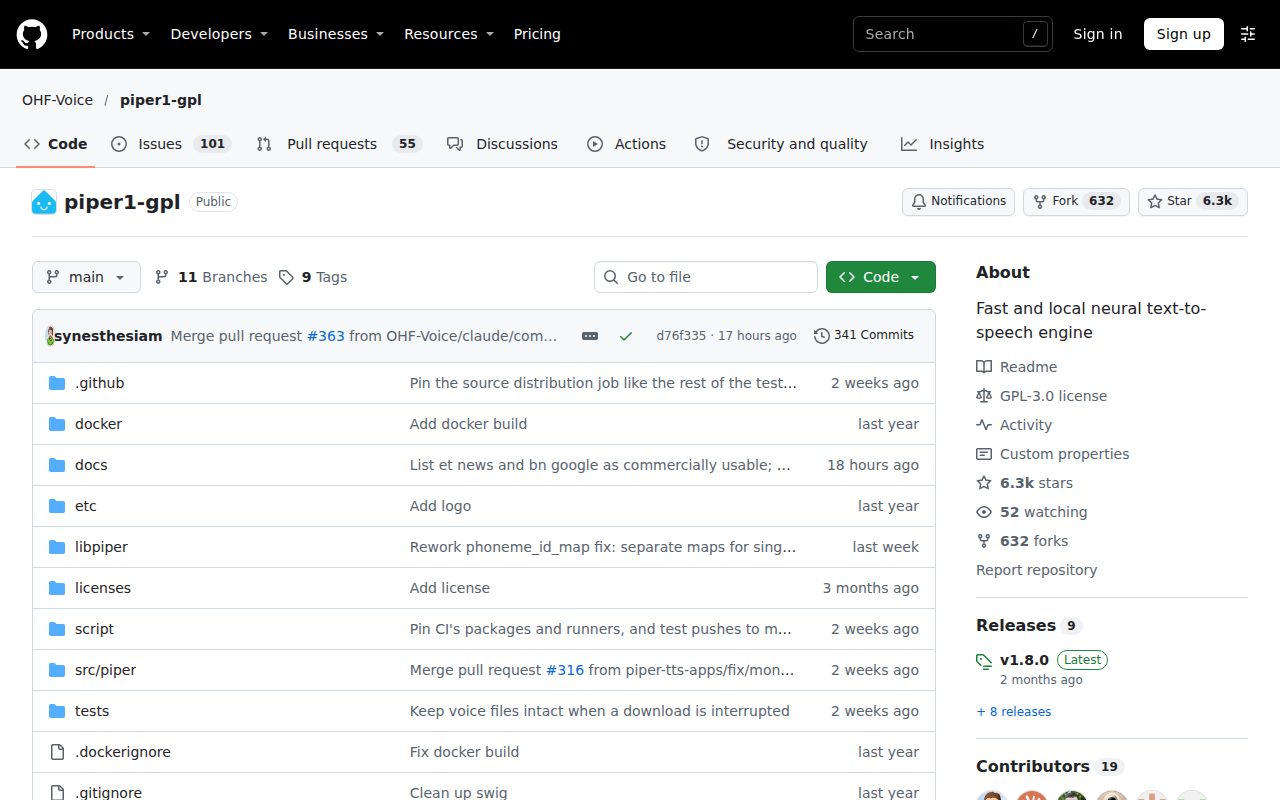
Piper is the voice of Home Assistant’s local voice assistant, and it’s the
pick when the hardware is small. It runs in real time on a Raspberry Pi,
installs with pip install piper-tts, and has voices for dozens of
languages, many contributed by volunteers. Pipe text in, get a WAV file
or a stream out; it can also run as a small local server.
For listening to a book on a desktop, though, it’s the least natural voice here, and there is no window to click in. The project moved from its original MIT-licensed repository to a GPL-3.0 one run by the Open Home Foundation; making audio with it is free, but check each voice’s own license before you publish.
Pros
- Real time on a Raspberry Pi
- Voices for dozens of languages
- Simple to call from scripts and home automation
Cons
- More mechanical than Kokoro or the newer models
- Command line only
- No voice cloning
Kokoro-82M
For developers who want Kokoro voices
#9 3.1/5

Kokoro on its own is a Python package and a small model, the one inside Abogen. To use it directly you install it with pip, add espeak-ng, and write a short script; it doesn’t open files, and each chunk you feed it tops out around 30 seconds of speech, so long texts mean writing a loop. Most people who run it directly use the community Kokoro-FastAPI server instead, which adds a web page and an OpenAI-style API.
Why bother? It sounds natural enough for hours, runs fast on a processor, gives you 54 voices in eight languages, and uses Apache-2.0 weights you can build a product on. Short single words can come out oddly, and there’s no cloning.
Pros
- Natural voices that run fast on a processor
- Apache-2.0 weights that allow commercial use
- Small enough to embed in your own app
Cons
- You write code to get any audio
- No file reading or long-text handling of its own
- Preset voices only
Also considered
- Chatterbox has been retired by Resemble AI and is no longer maintained, so no fixes are coming. Its models still sound excellent, and you can run them inside Voicebox, ebook2audiobook or TTS WebUI rather than installing the bare package, which needs Python and matching PyTorch builds.
How to choose
- You want books and PDFs as audiobooks, with a graphics card: ebook2audiobook.
- Same, on a laptop with no graphics card, or you might sell the result: Abogen, because Kokoro is fast on a processor and licensed for commercial use.
- You record voiceovers or want your own voice: Voicebox on Mac or Windows.
- You’re on Linux and want text read to you right now: Speech Note.
- You’re building something: Kokoro for natural voices you can ship, Piper for tiny hardware, Coqui TTS for cloning in a personal project.
- You chase new models: TTS WebUI, or AllTalk if you also want XTTS fine-tuning for a chatbot.
The bottom line
ebook2audiobook earns the top spot because it does the whole job most people come here for, from an EPUB to a chaptered audiobook, with a choice of the best open voices and every major operating system covered. It asks for a graphics card to be quick and for some care with the engine’s license. Voicebox gives you the best voice with the least setup, but you bring the text yourself, so it suits scripts more than books. Abogen is the sensible middle: a modest laptop, Kokoro voices, and audio you’re free to publish.
The rest are tools for a specific reader. Linux listeners should go straight to Speech Note, Raspberry Pi owners to Piper, and developers to Kokoro unless they need cloning. If a voice model’s name is what got you searching, look at which app runs it well on your hardware, and read its license before the first chapter.
Frequently asked questions
Do these work with no internet connection?
Yes, once the models are downloaded. Most apps fetch a model the first time you use it. Abogen has a button that downloads every model and voice so it can run fully offline, and ebook2audiobook can preload models, though preloading every engine for some languages runs to terabytes.
Can I sell audio I make with these?
It depends on the engine, not the app. Kokoro output is fine for commercial use. XTTS v2 output isn’t, and no commercial license can be bought now that Coqui has closed. Piper voices each have their own license. In multi-engine apps like Voicebox, TTS WebUI and ebook2audiobook, check the license of the specific engine you used.
Do I need a graphics card?
Not for Kokoro or Piper, which keep up with playback on a normal processor. You do want one, or an Apple Silicon Mac, for XTTS, Qwen3-TTS, Chatterbox and F5-TTS; without it, a long book can take days instead of an hour or two.