Best free cloud storage services of 2026
Every free cloud plan is sold on one number, and the number is the least reliable thing about it. Google’s 15 GB also holds your Gmail and every photo your phone backs up. Apple’s 5 GB holds your iPhone backup first, and a single backup can fill it. MEGA gives anyone 20 GB, but its terms let it delete a free account left inactive for three months once it has given notice. So the useful comparison is the space you can actually use, how long it lasts if you look away, and what happens when it runs out.
For most people the answer is Google Drive. If you have a Gmail address you already have it, the 15 GB covers documents and a modest photo library, Google Photos is the best free phone backup you can get, and Google can delete an unused account after two years. What you give up is privacy, because Google holds the keys to your files. If that bothers you, Proton Drive gives you less space but keeps Proton from reading your files, with better link sharing than Google’s. And if raw space for files matters most, MEGA’s 20 GB is the largest allowance of the ten plans ranked here, as long as you sign in every month or two.
The free plans side by side
| Service | Free space | Unused-account policy | Cheapest upgrade (as of November 2026) |
|---|---|---|---|
| Google Drive | 15 GB, shared with Gmail and Google Photos | Can be deleted after 2 years | 100 GB, $1.99/month |
| Proton Drive | 2 GB, or 5 GB after three setup tasks in the first 30 days | Conflicting policies say 1 or 2 years | 200 GB, $3.99/month billed yearly |
| MEGA | 20 GB | Can be deleted after 3 months, following notice | 200 GB, €40/year |
| Filen | 10 GB | Deletion process starts after 3 months | 100 GB, $11.99/year |
| pCloud | 2 GB, about 7 GB after setup tasks, 10 GB with invited friends | Deleted after 12 months | 500 GB, $49.99/year |
| Microsoft OneDrive | 5 GB, shared with Outlook.com attachments | Files can be erased after 2 years | 100 GB, $1.99/month |
| Icedrive | 10 GB | Can be removed after 12 months | 2 TB, $8.99/month |
| iCloud | 5 GB, shared with phone backups, photos, and iCloud Mail | Backups kept 180 days after backup stops | 50 GB, $0.99/month |
| Dropbox | 2 GB, on up to 3 devices | Can be closed after 12 months | 2 TB web plan, $9.99/month billed yearly |
| Internxt | 1 GB | Deleted after 12 months | 1 TB, sold mostly as discounted annual or lifetime deals |
- Shared space. Google, Microsoft, and Apple count your email against the same allowance as your files, and when it fills, email stops arriving. Gmail and Outlook.com bounce new messages back to the sender, and iCloud Mail stops sending and receiving. The specialist services keep the whole allowance for files, and Proton gives its free email a separate allowance.
- Inactivity. MEGA can remove a free account after three months of inactivity once it gives notice, while Filen starts a deletion process after three months and sends reminders for four more weeks. Dropbox, pCloud, Icedrive, and Internxt have one-year cutoffs; Google and Microsoft allow two years. Proton’s own policy gives both one and two years. For files you want to park and forget, Google or Microsoft is a safer choice than MEGA or Filen.
- Who can read your files. Proton Drive, MEGA, Filen, and Internxt encrypt everything on the free plan so that only you hold the key. Apple offers the same protection for your own files, photos, and backups through its opt-in Advanced Data Protection setting, where available. Every other service on the list holds the keys itself. Syncing a file or deleting it by mistake is not the same as having an independent backup, so keep a second copy of anything you can’t lose.
Google Drive
Best for most people
#1 4.1/5
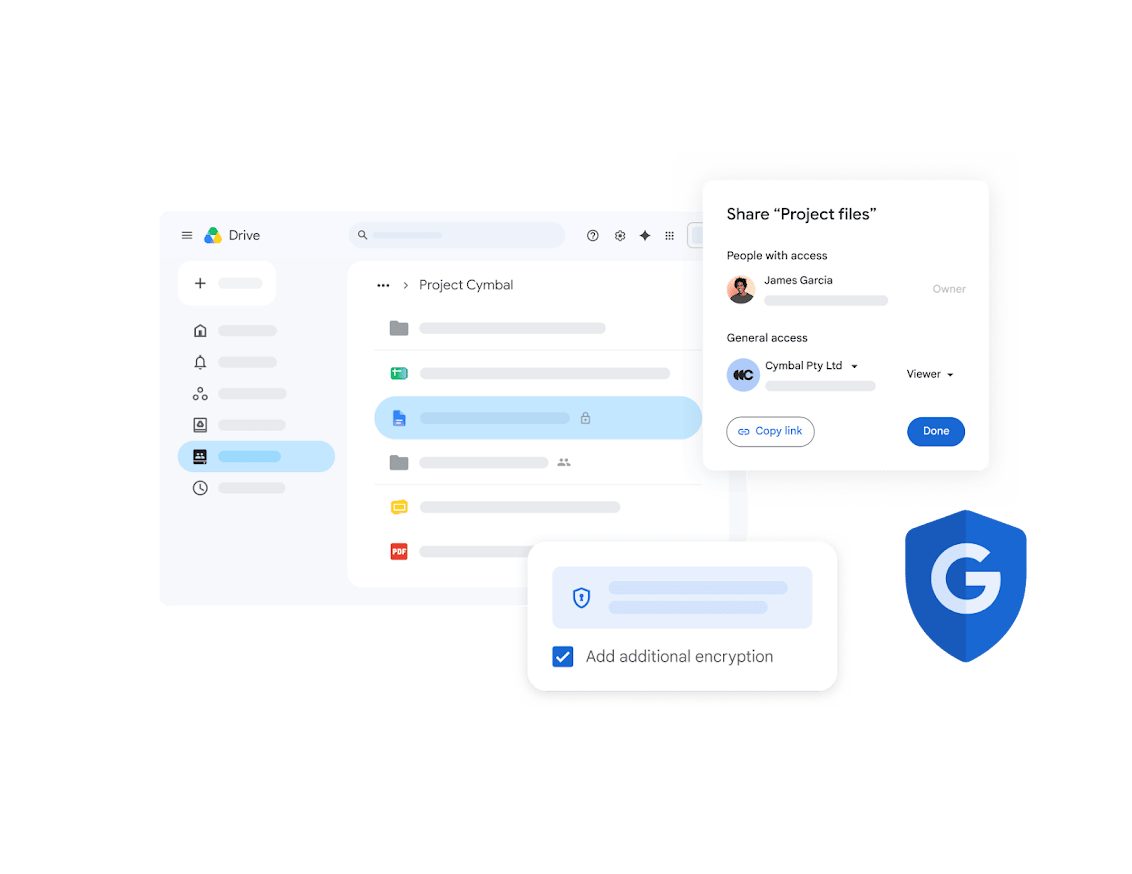
If you have an Android phone or a Gmail address, you already have 15 GB of Google Drive, and for most people it’s the free plan to keep. Nothing else free does as much. Google Photos backs up iPhones and Android phones automatically, with search and albums that make an old photo easy to find. Docs, Sheets, and Slides let several people edit the same file in a browser at once. Drive for desktop on Windows and Mac can stream files, so they take no disk space until you open them.
The 15 GB is shared, and that’s the number to plan around. Gmail attachments count against it, and so does every photo Google Photos backs up. A busy inbox and a few years of phone photos can fill it without a single document in Drive. When it’s full, Drive stops accepting uploads and Gmail stops receiving mail. As of November 2026, Google One’s 100 GB plan costs $1.99 a month, the same as Microsoft’s 100 GB upgrade.
Privacy is the weak spot. Google encrypts your files on its servers but holds the keys. Its optional encryption that keeps Google’s servers from decrypting files is limited to certain paid Workspace plans. There’s no Linux app, and personal share links can’t have a password or an expiry date.
What it does
- 15 GB shared across Drive, Gmail, and Google Photos
- Automatic photo backup on iPhone and Android through Google Photos
- Docs, Sheets, and Slides with real-time co-editing in the browser
- Drive for desktop on Windows and Mac, streaming or mirroring files
Pros
- The best free photo backup, with search and albums
- Free real-time collaboration on documents
- Two years of inactivity before an account can be deleted
- Cheap first upgrade to 100 GB
Cons
- Gmail and photo backups eat into the same 15 GB
- Google holds the keys and can read your files
- No Linux desktop app
- Skip if:
- You want files no company can read, even if that means less space

Proton Drive
Private files, with sharing that still works
#2 3.8/5
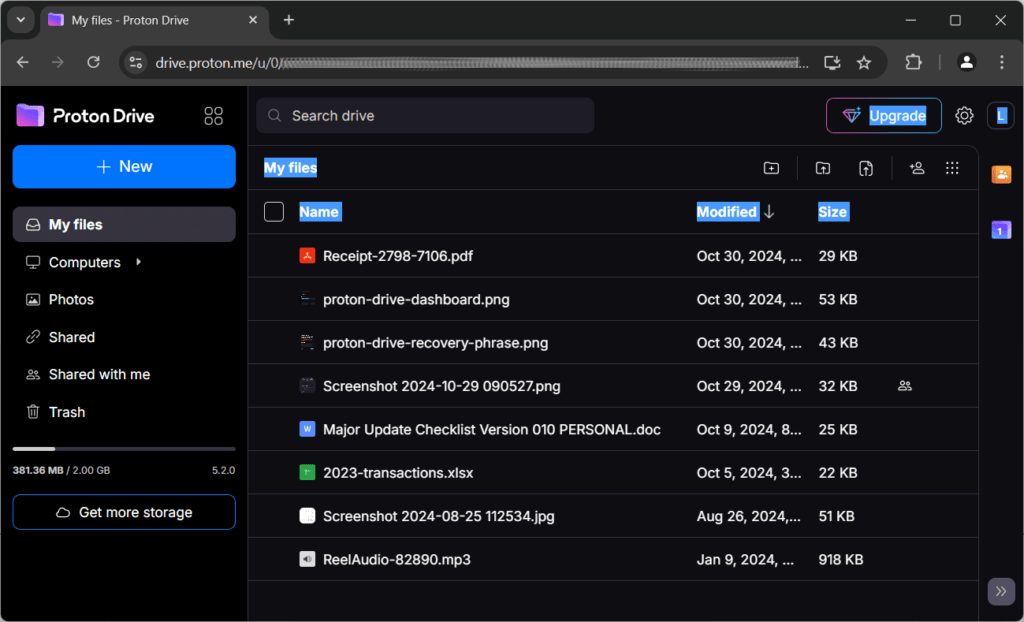
Proton Drive is the pick when you don’t want the company storing your files to be able to read them, and it gives up less for that than you’d expect. Files, file names, and photos are end-to-end encrypted on the free plan. Its apps are open source, so independent researchers can inspect their code, and Proton is a Swiss company with years of practice running encrypted email.
The free plan starts at 2 GB and becomes 5 GB once you finish three quick steps within 30 days of signing up: upload a file, create a share link, and set up a way to recover your account. That 5 GB is for Drive alone, because free Proton Mail has its own separate allowance. Sharing is better than on most free plans: a link can carry a password and an expiry date, which Google doesn’t offer on personal accounts and Microsoft, MEGA, and pCloud keep for paying customers. Proton Docs lets several people edit a document together, still encrypted. Phone photo backup is free on iPhone and Android, in original quality.
Proton Drive is plainer than Google Drive, and a big iPhone library can take several days to back up the first time. There’s no Linux sync app yet, only a command-line tool. Proton’s own pages give both one year and two years before an unused account is deleted, so sign in at least once a year. As of November 2026, Drive Plus with 200 GB renews at $47.88 a year, which works out to $3.99 a month.
What it does
- 5 GB after three setup tasks in the first 30 days; 2 GB without them
- Encrypted photo backup on iPhone and Android
- Share links with passwords and expiry dates on the free plan
- Proton Docs for editing documents together
Pros
- Proton can't read your files, file names, or photos
- The most complete free link sharing of the encrypted services
- Free Proton Mail has its own allowance, so email doesn't eat your Drive space
Cons
- Only 5 GB, and the setup tasks must be finished within 30 days
- A large first iPhone photo backup can take days
- No Linux sync app, only a command-line tool
- Choose if:
- You want photo backup that no company can look through

MEGA
20 GB free, if you sign in often
#3 3.7/5
Twenty gigabytes, free, end-to-end encrypted, with sync apps on every desktop and phone: on paper MEGA has the best free plan going. In practice it suits people who use the account regularly, not people who upload an archive and walk away.
Two rules explain why. MEGA’s terms let it remove a free account that’s been inactive for more than three months, once it has given notice. And free downloads have a changing transfer limit based partly on downloads from your internet connection over the past six hours, so other people sharing that connection can use up the allowance too. Uploads don’t count, so backing up is unaffected, but pulling a big folder back down, or sending a large file to friends who don’t pay, can stall partway. The 50 GB some older reviews mention was mostly temporary bonus space; the permanent allowance is 20 GB.
Camera upload is built into the phone apps. Sharing is basic on the free plan: public links and shared folders, with passwords and expiry dates kept for paid plans. If privacy is your main reason to pick MEGA, know that ETH Zurich researchers published attacks on its encryption, and Kaspersky says MEGA reduced their likelihood without resolving every weakness. As of November 2026, the cheapest paid plan, Essential, offers 200 GB for about €40 a year when billed annually.
What it does
- 20 GB of end-to-end encrypted storage
- Desktop sync on Windows, Mac, and Linux
- Camera upload in the iPhone and Android apps
Pros
- The biggest free allowance among the ten ranked services
- Every file is encrypted before it leaves your device
Cons
- A free account can be deleted after three months without use, following notice
- Downloads stall once you pass a transfer quota with no fixed size
- No link passwords or expiry dates on the free plan
- Skip if:
- You want to upload files once and leave them alone for months

Filen
Encrypted 10 GB for files you keep to yourself
#4 3.4/5
Filen is a German service with end-to-end encryption, open-source apps on every desktop including Linux, and 10 GB free, twice Proton’s allowance. As a private place for your own files, it’s hard to beat for nothing. Its cheapest upgrade is 100 GB for $11.99 a year or a one-time $29.99, as of November 2026, while 200 GB costs €1.99 a month. That 200 GB plan has the lowest monthly price for that much space among these services.
Two rules make it a poor fit for some people. Free accounts can’t create public links at all, so you can share only with other Filen users. And you have to sign in at least every three months; after that, deletion starts, following three reminder emails over four weeks.
Photo upload on the phone apps drops pictures into plain folders rather than a gallery. One Windows user found that one-way sync moved his cloud files to the trash after he deleted a local subfolder. That single incident is enough reason to keep a second copy of anything you can’t lose.
What it does
- 10 GB of end-to-end encrypted storage
- Open-source desktop and phone apps, including Linux
- Camera upload into folders
Pros
- Twice Proton's free space with the same kind of encryption
- Cheap upgrades starting at 100 GB
Cons
- No public share links on the free plan
- Deletion starts after three months without signing in
- A sync incident and a folder-only photo view
- Skip if:
- You need to send links to people who don't use Filen
pCloud
Fast sync on every desktop, Linux included
#5 3.4/5
pCloud suits people who work from a computer more than a phone. Its desktop app shows your storage as an extra drive on Windows, Mac, and Linux, so files take no disk space until you open them, and it’s quick. In Gizmodo’s tests, pCloud uploaded a 500 MB file in 3 minutes 32 seconds and downloaded it in 24 seconds, the lowest combined time the site recorded. Gizmodo also found the same speed on free and paid accounts. You choose at signup whether your files live in the US or the EU.
The free space takes some work. A new account gets 2 GB, setup tasks bring it to about 7 GB, and the last 3 GB needs friends you invite to sign up. Share links are capped at 50 GB of downloads a month, after which people using your links can’t download until the month resets. Free accounts are deleted after 12 months without a sign-in. pCloud holds the keys to your files on the free plan; encryption that only you can unlock is a paid add-on.
pCloud’s unusual upgrade is a lifetime plan: one payment, no subscription. As of November 2026, Premium’s 500 GB costs $49.99 a year, while its lifetime counterpart lists at $279. The lifetime price starts to save money in the sixth year, provided pCloud lasts and keeps the plan running.
What it does
- Desktop app that shows storage as a drive on Windows, Mac, and Linux
- Automatic photo upload on iPhone and Android
- Choice of US or EU storage at signup
- Lifetime plans paid once
Pros
- Among the fastest services in independent tests
- One of the few sync apps for Linux
Cons
- Only 2 GB at signup, and 10 GB needs invited friends
- pCloud can read files on the free plan
- Share links stop working after 50 GB of downloads a month
- Choose if:
- You'd rather pay once than subscribe when you outgrow free

Microsoft OneDrive
Windows and Office users
#6 3.4/5
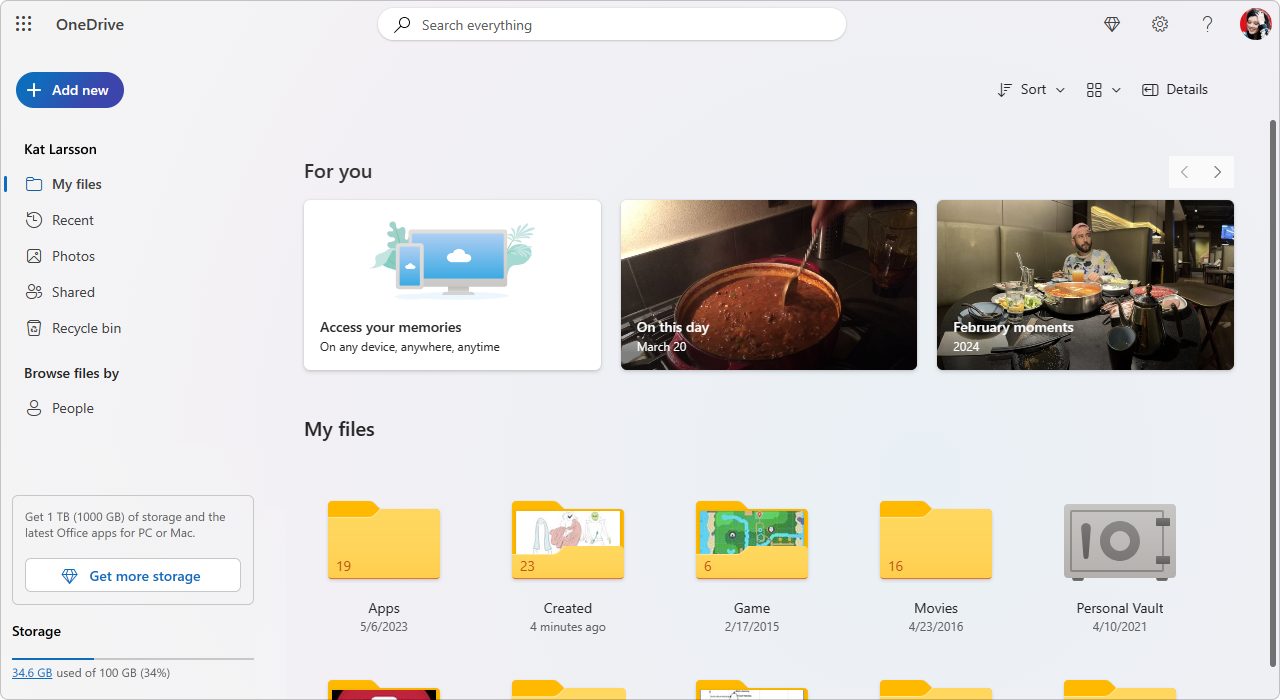
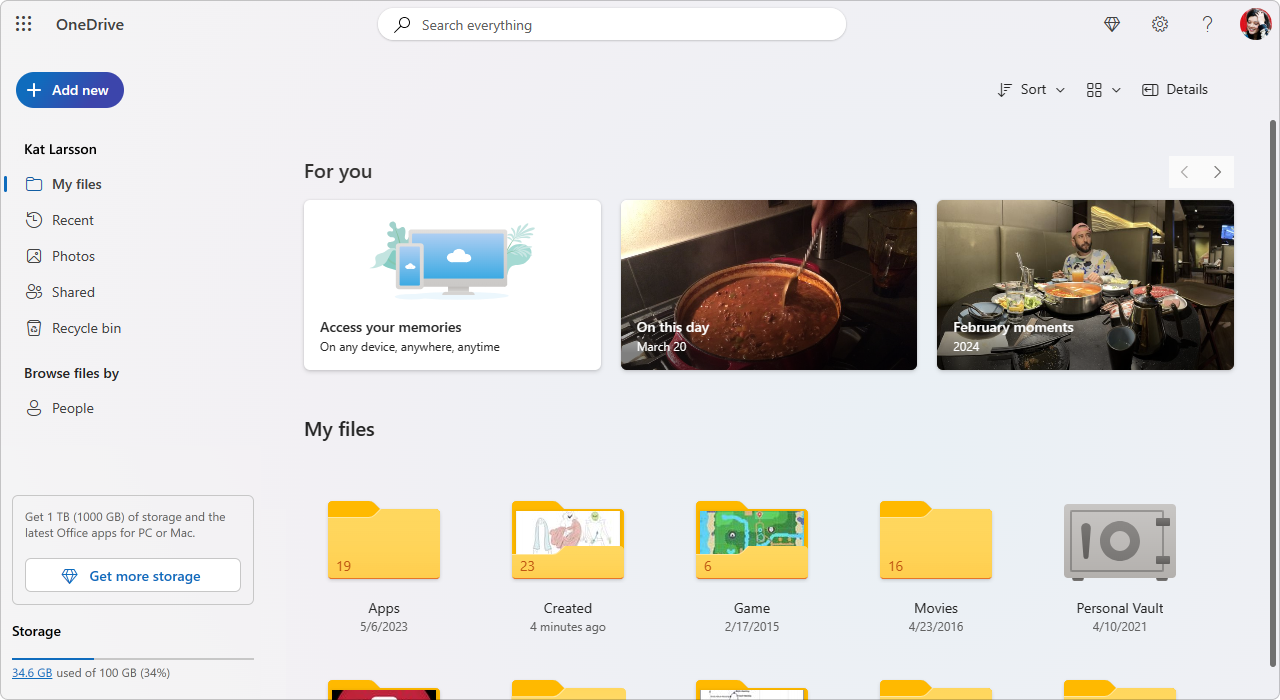
On Windows, OneDrive is already installed and offers to back up your Desktop and Documents folders when you sign in with a Microsoft account. Its Windows and Mac sync apps keep files online until you open them, but its sync glitches and slow large uploads are real drawbacks. It also uploads phone photos automatically, and gives you Word, Excel, and PowerPoint in the browser for free, so you can edit a file together with someone else.
The free plan is just 5 GB, and Outlook.com attachments count against it too. Go over and OneDrive files turn read-only, and Outlook.com stops sending and receiving email, with messages bouncing back to the sender. Stay over for six months and Microsoft may delete your OneDrive files. Personal Vault, the locked folder that needs a second sign-in step, holds only three files on the free plan.
OneDrive makes most sense as a step toward Microsoft 365 Basic: as of November 2026, 100 GB costs $1.99 a month or $19.99 a year, the same as Google’s 100 GB upgrade. On the free plan alone, Google Drive gives three times the space with the same kind of email sharing, so OneDrive is mostly for people who live in Windows and Office.
What it does
- 5 GB shared with Outlook.com attachments
- Built into Windows, with apps for Mac, iPhone, and Android
- Word, Excel, and PowerPoint in the browser with co-editing
Pros
- Nothing to install on Windows
- Free Office web apps for editing documents together
- Two years of inactivity before files are deleted
Cons
- Only 5 GB, and email attachments share it
- Filling it up stops your Outlook.com email
- No Linux app
- Choose if:
- You'll pay about $20 a year for 100 GB as of November 2026 and already use Office

Icedrive
A plain 10 GB plan
#7 3.0/5
Icedrive gives 10 GB free with no setup tasks, no email sharing the space, and a year before an unused account may be removed. That’s a fair offer, but Filen gives the same space with encryption on the free plan, and pCloud has the more proven desktop app, so Icedrive is hard to recommend over either.
The free plan has its limits. Encryption that only you hold the key to is for paying customers only, so Icedrive can read free users’ files. Link passwords and expiry dates are paid features too, and the free plan is reported to cap shared-link downloads at 50 GB a month. Reviews disagree about speed: Cloudwards put Icedrive at the top of its speed tests, while Experte found slow sync and the desktop app using 81% of the CPU. As of November 2026, the only paid plan on its pricing page is 2 TB for $8.99 a month, a big jump if you only needed 50 GB more.
What it does
- 10 GB with no setup tasks
- Desktop apps for Windows, Mac, and Linux, plus phone apps
Pros
- The full 10 GB from the start
- A year before an unused account can be removed
Cons
- Encryption is for paying customers only
- The only paid plan jumps straight to 2 TB
- Mixed results in speed tests
- Skip if:
- You want encryption without paying; Filen gives the same space with it

iCloud+
iPhone owners who need an affordable upgrade
#8 3.0/5
For iPhone owners, iCloud’s free 5 GB goes quickly. It holds your iCloud Backup, iCloud Photos, iCloud Drive, iCloud Mail, and Messages, and a single iPhone backup can fill it. When it’s full, backups stop, new photos stop uploading, and iCloud Mail can’t send or receive. One trap: photos you delete while over the limit skip Recently Deleted and are gone straight away, so don’t clear space in a hurry.
The case for iCloud is the upgrade. As of November 2026, iCloud+ with 50 GB costs $0.99 a month, the cheapest paid step of any service on the list, and for most iPhone owners it’s the dollar a month that makes backups work. iCloud is also the only one of Google, Microsoft, and Apple that offers end-to-end encryption on free and paid accounts: Advanced Data Protection is an opt-in setting that covers your own Drive files, Photos, and backups, where available, though iCloud Mail, contacts, and calendars stay readable by Apple. Some web sharing and collaboration features remain outside that protection too.
Outside Apple’s devices it’s thin. There’s an iCloud app for Windows and the iCloud.com website, but no Android app, so it’s no use for backing up an Android phone. For free photo backup on an iPhone, Google Photos gives you far more room.
What it does
- 5 GB shared by backups, photos, Drive, Mail, and Messages
- Built into iPhone, iPad, and Mac, with a Windows app
- Optional end-to-end encryption with Advanced Data Protection
Pros
- The cheapest first upgrade of any service, to 50 GB
- End-to-end encryption available on free and paid accounts
- Nothing to set up on Apple devices
Cons
- One iPhone backup can fill the free 5 GB
- No Android app
- Filling it stops backups, photo uploads, and iCloud Mail
- Skip if:
- You won't pay anything and own an iPhone; Google Photos gives more free room for photos
Dropbox
The smoothest sync, the smallest allowance
#9 2.5/5
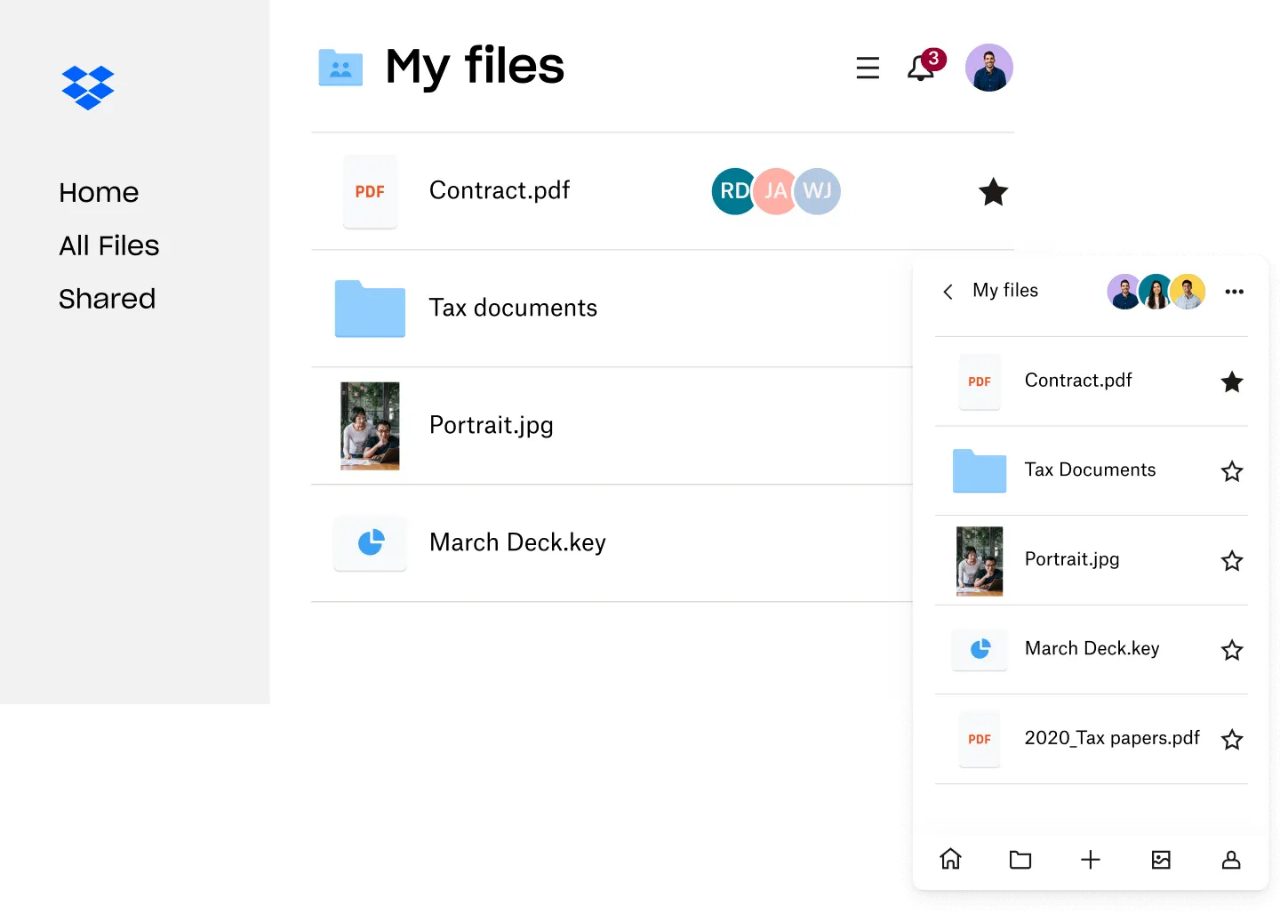
Dropbox has the longest record for sync that simply works, on Windows, Mac, and Linux, and its apps are as polished as anyone’s. The free plan just doesn’t give you much to sync. Dropbox Basic is 2 GB, and it signs in on at most three devices, counting phones, so a laptop, a desktop, and a phone use up all three slots. Camera upload works on the free plan but fills 2 GB quickly.
Deleted files and old versions are recoverable for 30 days. An account with no sign-in or file activity for 12 months may be closed after email warnings. The paid step on the web is steep for someone who wanted a little more room: as of November 2026, Plus offers 2 TB for $9.99 a month billed yearly. Dropbox is worth keeping if people send you shared folders through it; otherwise one of the bigger free plans does more.
What it does
- 2 GB on up to three devices
- Desktop sync for Windows, Mac, and Linux
- 30 days of version history and deleted-file recovery
Pros
- The most dependable sync record of any service
- Polished apps on every platform
Cons
- Only 2 GB free
- Three-device limit, counting phones
- The 2 TB web upgrade costs $9.99 a month as of November 2026
- Choose if:
- Friends or colleagues share folders with you through Dropbox
Internxt
Encrypted, but only 1 GB free
#10 2.4/5
Some roundups still describe a 10 GB free plan, but Internxt now gives just 1 GB. The service itself is sound for privacy: end-to-end encryption on every plan, open-source apps, and desktop apps for Windows, Mac, and Linux. Day-to-day use is less convincing. Gizmodo timed fast downloads, but Cloudwards and Experte put Internxt near the bottom on speed. Its stalled syncs and crashing apps are serious drawbacks.
One gigabyte is too little for a photo library or a computer backup. Gizmodo also found a 100 MB limit per file on the free plan and a trash that empties after two days, though its trash finding conflicts with Cloudwards’ report that deleted files don’t expire. Automatic phone photo backup is a paid feature, and inactive free accounts are deleted after a year. Internxt’s smallest paid plan is 1 TB, sold mostly as discounted annual or lifetime deals. The free account is useful for trying the apps before buying, not for keeping a backup.
What it does
- 1 GB of end-to-end encrypted storage
- Open-source apps for Windows, Mac, Linux, iPhone, and Android
Pros
- Encryption on every plan, including free
- Sync apps on every desktop, Linux included
Cons
- Only 1 GB
- Gizmodo reports a 100 MB file cap and a two-day trash on the free plan
- No automatic photo backup without paying
- Mixed speed results and unreliable sync
Also considered
- TeraBox offers 1 TB free, the largest allowance here, but TeraBox can read everything you store. Gizmodo found that the allowance may be time-limited. Its other limits matter too: files are capped at 4 GB, videos play at 480p, and the desktop app pushes promotions and a weekly subscription. It’s fine for a dump of non-sensitive media, and a poor home for documents.
- Box gives 10 GB free, but caps each upload at 250 MB, which rules out videos and large archives. It’s built around business teams.
- Sync.com offers 5 GB with end-to-end encryption, but Proton gives the same space with better sharing. ETH Zurich researchers also found flaws in Sync’s encryption, and the current fix status is unresolved.
Scores
1–5 per criterion · select a score for its reasoning and any sources
| # | Product | Overall | Usable free space , counts double | How well it works day to day | Sync apps on the free plan | Phone photo backup on the free plan | Privacy and encryption on the free plan | Sharing and working together | Price of the cheapest upgrade | Few limits on the free plan | How long files survive if you stop signing in , counts half |
|---|---|---|---|---|---|---|---|---|---|---|---|
| 1 | Google Drive | 4.1 | 4 | 4 | 4 | 5 | 2 | 5 | 5 | 4 | 4 |
| 2 | Proton Drive | 3.8 | 3 | 3 | 4 | 4 | 5 | 5 | 4 | 4 | 3 |
| 3 | MEGA | 3.7 | 5 | 4 | 4 | 4 | 4 | 3 | 4 | 2 | 1 |
| 4 | Filen | 3.4 | 4 | 3 | 4 | 3 | 4 | 1 | 5 | 4 | 1 |
| 5 | pCloud | 3.4 | 3 | 4 | 5 | 4 | 2 | 3 | 4 | 3 | 3 |
| 6 | Microsoft OneDrive | 3.4 | 2 | 3 | 4 | 4 | 2 | 4 | 5 | 4 | 4 |
| 7 | Icedrive | 3.0 | 4 | 3 | 3 | 3 | 2 | 3 | 2 | 3 | 3 |
| 8 | iCloud+ | 3.0* | 2 | 3 | 2 | 2 | 3 | 4 | 5 | 4 | unknown |
| 9 | Dropbox | 2.5 | 1 | 5 | 3 | 3 | 2 | 3 | 2 | 2 | 3 |
| 10 | Internxt | 2.4* | 1 | 2 | 5 | 1 | 5 | 2 | unknown | 2 | 3 |
Equal displayed overall scores are ordered by the earlier criteria; a known score comes before an unknown score. Identical scores use alphabetical order.
×2 = counts double in the overall score, ×½ = counts half.
? = unknown. * = the overall score averages only the known criteria.
How each criterion is scored
Usable free space
Counts double in the overall score: Free space is the first thing these readers compare and the limit they hit first, and it varies tenfold between services.
How much room the free plan really leaves for your files: the base allowance, whether email, phone backups or photos share it, and whether part of it depends on setup tasks, inviting friends or bonuses that expire. Setup tasks anyone can finish in a few minutes count toward the allowance; space that needs invited friends doesn't.
- 5 20 GB or more for files alone
- 4 About 10 to 15 GB, even if email and photos share it
- 3 About 5 to 9 GB for files alone
- 2 About 5 GB that your email, phone backups or photos also fill
- 1 About 2 GB or less
How well it works day to day
Whether the service is pleasant and dependable to use on the free plan: sync that keeps up without errors or lost files, upload and download speed, and how polished and quick the apps and website feel. Judged from independent speed tests, long-running user reports and the service's record.
- 5 Among the fastest and most dependable services, with a long record of reliable sync and polished apps
- 4 Fast and dependable, with polished apps and only minor complaints
- 3 Dependable for basic use, with rough edges such as slow uploads, clunky apps or occasional sync trouble
- 2 Works, but slow, buggy apps or recurring sync problems get in the way
- 1 Frequent sync errors, lost files or apps that crash, by many users' accounts
Sync apps on the free plan
Whether free users get a desktop app that keeps a folder in sync on Windows, Mac and Linux, files that stay online until opened, and apps for iPhone and Android, without a cap on how many devices can sign in.
- 5 Desktop sync on Windows, Mac and Linux, online-only files, phone apps and no device limit
- 4 Desktop sync on Windows and Mac plus phone apps, no device limit, but no Linux app or no online-only files
- 3 Desktop sync on Windows and Mac plus phone apps, with a device limit or with a key feature such as online-only files missing
- 2 Desktop sync on one or two systems with a limit on devices, or phone apps only
- 1 Web access only, or a desktop app only for one system
Phone photo backup on the free plan
Whether the free plan backs up your phone's photos and videos automatically, on both iPhone and Android, and how well it handles that job: full quality, background uploads, a gallery to browse them.
- 5 A full photo library on both systems, with automatic backup, search and albums
- 4 Automatic full-quality backup on iPhone and Android with a photo timeline to browse
- 3 Automatic camera upload on iPhone and Android into a plain folder, with no photo gallery or with known reliability problems
- 2 Automatic backup on only one phone system, or uploads you have to start by hand
- 1 No automatic photo backup on the free plan
Privacy and encryption on the free plan
Who can read your files on the free plan: end-to-end encryption, where only you hold the keys, versus encryption the provider can unlock, and whether the company scans files or uses free users' data for ads. Judged from the provider's design, its policies and independent security research.
- 5 End-to-end encryption of all files on the free plan, from an established company whose apps are open source or independently audited
- 4 End-to-end encryption of all files on the free plan, with a serious published flaw or no independent audit
- 3 Provider holds the keys by default, but the free plan offers optional end-to-end encryption for chosen files or services
- 2 Provider holds the keys and can read your files, with no end-to-end option on the free plan
- 1 Provider can read your files and the free plan is paid for with ads that use your data
Sharing and working together
What a free user can do with other people: public links anyone can open, link passwords and expiry dates, shared folders, and editing documents together in the browser.
- 5 Links with passwords or permissions, shared folders, and documents several people edit together in the browser
- 4 Public links and shared folders with either link passwords and expiry dates or editing documents together
- 3 Public links and shared folders, but no passwords, expiry dates or co-editing on the free plan
- 2 Public links or shared folders, with little else
- 1 No public links on the free plan
Price of the cheapest upgrade
What you'd pay when you outgrow the free plan: the regular monthly price, on the cheapest billing period, of the cheapest paid plan with at least 50 GB. First-year discounts and lifetime plans don't count; the text covers lifetime plans.
- 5 Under $2.50 a month
- 4 About $2.50 to $4.99 a month
- 3 About $5 to $7.49 a month
- 2 About $7.50 to $9.99 a month
- 1 $10 a month or more
Few limits on the free plan
How much the free plan restricts what you do with your space, apart from the allowance itself: the largest file you can upload, download or link-traffic quotas, and caps on files or devices.
- 5 No practical limits beyond the storage allowance
- 4 Minor limits that few people notice
- 3 A cap that heavy users hit, such as a monthly link-traffic quota
- 2 One cap most people hit, such as a device limit, a transfer quota on downloads or a file size limit under 1 GB
- 1 Several tight caps, such as a small file size limit plus a file count limit or slow downloads
How long files survive if you stop signing in
Counts half in the overall score: It decides whether files can be left alone, but signing in once in a while avoids it, so it counts half.
How long a free account can sit unused before the provider may delete it and its files, so you know whether you can park files and forget them.
- 5 No inactivity deletion for free accounts
- 4 About 2 years
- 3 About 12 months
- 2 About 6 months
- 1 About 3 months or less
Which free cloud storage to pick
- You use Gmail or an Android phone: Google Drive. You already have it, and nothing free backs up photos as well.
- You live in Windows and Office: OneDrive, but expect to pay $1.99 a month for 100 GB as of November 2026, because 5 GB shared with email doesn’t last.
- You have an iPhone: if you’ll pay, the 50 GB iCloud+ plan keeps backups working. If you won’t, use Google Photos or Proton Drive for photos and leave iCloud for settings and messages.
- You don’t want anyone reading your files: Proton Drive, or Filen if you need 10 GB and don’t share links.
- You want the most space: MEGA, as long as you sign in every month or two.
- You want to park files and forget them: Google Drive or OneDrive, which allow two years of inactivity before files can be erased. Avoid MEGA and Filen, whose deletion processes start after three months.
- You use Linux: pCloud, MEGA, Filen, Icedrive, Dropbox, and Internxt have Linux sync apps; Google, Microsoft, and Proton don’t. If you’d rather run your own server, see the self-hosted file sync options.
- You hate subscriptions: pCloud’s lifetime plans, paid once.
The bottom line
Free cloud storage works best when it’s attached to something you already use. Google Drive wins because its 15 GB comes with your Google account, backs up your phone’s photos better than anything else free, and gives you two years before an account you forgot about can be deleted. Its costs are that Gmail and Photos share the space and that Google can read what you store.
If that second cost is the one you won’t pay, Proton Drive is the better trade: less space, but encrypted, with sharing that works for people outside Proton. MEGA and Filen give more encrypted space, 20 GB and 10 GB, in exchange for signing in every few months, and Filen won’t let free accounts share public links.
The upgrade matters more than most people expect, because anyone who uses a free plan for photos fills it eventually. As of November 2026, that usually means iCloud+ at $0.99 a month on an iPhone. Everyone else gets 100 GB for $1.99 a month from Google or Microsoft, or 100 GB for $11.99 a year from Filen if privacy matters. Dropbox’s web upgrade and Icedrive’s cheapest listed plan start at 2 TB, which is reason enough to start elsewhere if you only need a little more room.
Frequently asked questions
Can I combine several free accounts to get more space?
Yes. Google Drive, MEGA, and Proton Drive give you about 40 GB in total if you finish Proton’s setup tasks in your first 30 days, or about 37 GB if you don’t. The cost is three apps to manage, three inactivity clocks to keep running, and remembering where each file lives. It works best when each account has one job, such as photos in Google Photos and private documents in Proton Drive.
Is free cloud storage a backup?
Not on its own. A sync service copies your deletions and mistakes to every device, so a file you delete on your laptop disappears from the cloud too. A trash can give you a second chance: Google and Dropbox keep deleted files for 30 days, while Gizmodo found 15 days on pCloud’s free plan. Internxt’s retention is disputed. For files you can’t lose, keep a second copy somewhere else.